


Offboarding an employee can be a sensitive and complex process. Whether due to resignation, retirement, or termination, every step—returning assets, completing exit interviews, managing clearances, and final settlements—must be handled with precision. The Employee Offboarding Tracker in Google Sheets is your all-in-one solution for managing these transitions efficiently and professionally. ✅
Built with HR teams, managers, and business owners in mind, this ready-to-use Google Sheets template simplifies tracking every offboarding task while offering powerful charts to visualize the process in real time. 📊

🔑 Key Features of the Employee Offboarding Tracker
🧾 Tracker Sheet Tab – Complete Offboarding Dashboard
This is your main workspace where everything happens:
Track every offboarding task: Asset return, clearance, exit interviews, final settlement, and more.
Real-time dashboards: Instantly see bottlenecks or delays.
Auto-updating charts for clear visibility and quick decision-making.
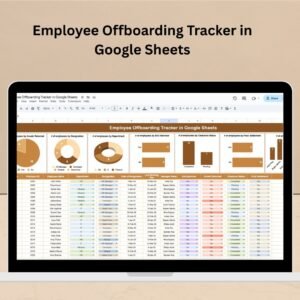
💼 Included Charts:
👤 Employees by Department
📋 Employees by Designation
🧳 Employees by Asset Return
🎤 Employees by Exit Interview Status
✅ Employees by Clearance
💰 Employees by Final Settlement
👨💼 Employees by Manager Name
Each visual helps you stay on top of what’s done, what’s pending, and who’s responsible. No more back-and-forth emails or missed steps!
📋 What’s Inside the Employee Offboarding Tracker
The template includes one powerful sheet divided into two key sections:
📊 Charts Section
The top portion of the sheet features dynamic charts, auto-generated from your data entries. These visuals make it easy for HR teams and leadership to:
Track compliance with exit procedures
Ensure no step is overlooked
Quickly analyze department-wise offboarding trends
🗂️ Data Entry Section
Capture all the details you need to manage offboarding smoothly. Includes:
Serial No. & Employee ID
Employee Name, Department & Designation
Date of Resignation & Last Working Day
Manager Name
Exit Interview Status (✔/✘)
Assets Returned (Yes/No)
Clearance Status (Cleared/Pending)
Final Settlement (Paid/Pending)
Remarks for custom notes
This comprehensive setup ensures that every phase of offboarding is captured and reviewed.
🛠️ How to Use the Employee Offboarding Tracker
Getting started is simple:
📥 Open the tracker in Google Sheets.
🧑💼 Add employee offboarding details as employees exit.
✅ Update task status like Asset Return or Final Settlement.
📊 Charts auto-update based on your data—no formulas needed!
Use the remarks column for internal notes or unique circumstances. Collaborate in real-time with team members across departments.
👥 Who Can Benefit from This Tracker?
HR Professionals – Track offboarding steps for multiple employees across departments.
Department Heads – Ensure proper handovers and accountability.
Business Owners – Monitor transitions and reduce compliance risks.
Startups & SMEs – Bring structure and clarity to your exit processes.
Large Enterprises – Use it across teams for scalable offboarding management.
This template makes your exit processes seamless, standardized, and stress-free.
🚀 Why You’ll Love This Template
📈 Visual insights at a glance
🛠️ No coding or formulas needed
✅ Track multiple employees simultaneously
👥 Easy team collaboration via Google Sheets
🧩 Fully customizable for your organization’s policies
💼 Professional, clean layout for clear reporting
When done right, offboarding builds long-term goodwill and protects your company. This tracker helps you do both—flawlessly.
🔗 Click here to read the Detailed blog post
Watch the step-by-step video Demo:
🎥 Visit our YouTube channel to learn step-by-step video tutorials
Youtube.com/@NeotechNavigators
Compatibility and Requirements
- Works in Google Sheets with a free Google account and a web browser. Nothing to install.
- Status columns use dropdowns. Google explains dropdowns in Create an in-cell dropdown list.
Frequently Asked Questions
What do I record for each leaving employee?
Serial No., Employee ID, name, department, designation, date of resignation, last working day, manager name, exit interview status, assets returned, clearance status, final settlement and remarks.
Which charts are included?
Employees by department, designation, asset return, exit interview status, clearance, final settlement and manager name.
Do I need to write formulas?
No. The charts update from the data entry section as you add or change rows.
Can several HR staff use it together?
Yes. It is a Google Sheets file, so you can share it and edit it with your team in real time.
Can I change the fields to match our exit policy?
Yes. The sheet is fully editable, so you can rename or add columns.
Related Offboarding and HR Templates
- Employee Offboarding Tracker in Excel: the same tracker for Excel users
- Employee Offboarding Checklist in Google Sheets: a step list for each exit
- Exit Interview Form Template in MS Word and Google Docs: a form for the exit interview itself
- Employee Onboarding Tracker in Google Sheets: the matching tracker for new joiners
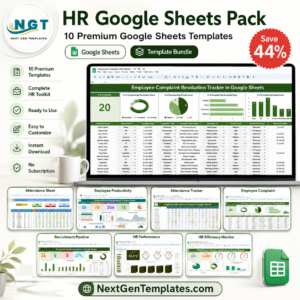
- HR Google Sheets Pack: a bundle of HR templates in Google Sheets
Browse all Google Sheets HR and Payroll templates or the Google Sheets Trackers.













Reviews
There are no reviews yet.