


Handling employee complaints efficiently is crucial for building a workplace culture rooted in trust, fairness, and accountability. But without a proper tracking system, important issues can fall through the cracks, leaving teams frustrated and leadership in the dark. That’s where the Employee Complaint Resolution Tracker in Google Sheets steps in—your all-in-one solution for managing workplace complaints in a structured, visual, and collaborative format. 🧩
Whether you’re part of an HR department, managing a team, or leading a business, this ready-to-use Google Sheets template gives you the tools to log, monitor, and resolve employee complaints without needing expensive HR software.Employee Complaint Resolution Tracker in Google Sheets
✨ Key Features of the Employee Complaint Resolution Tracker
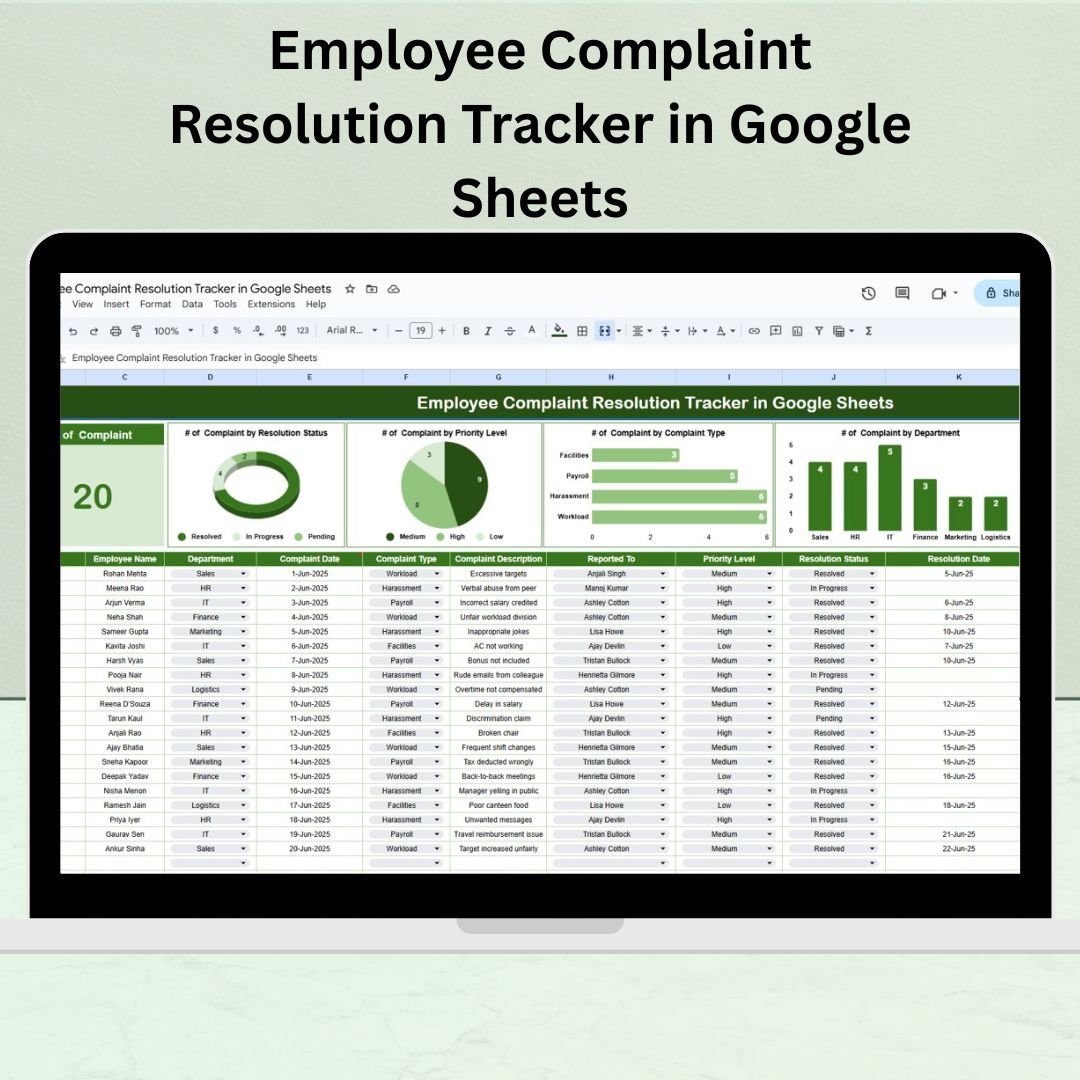
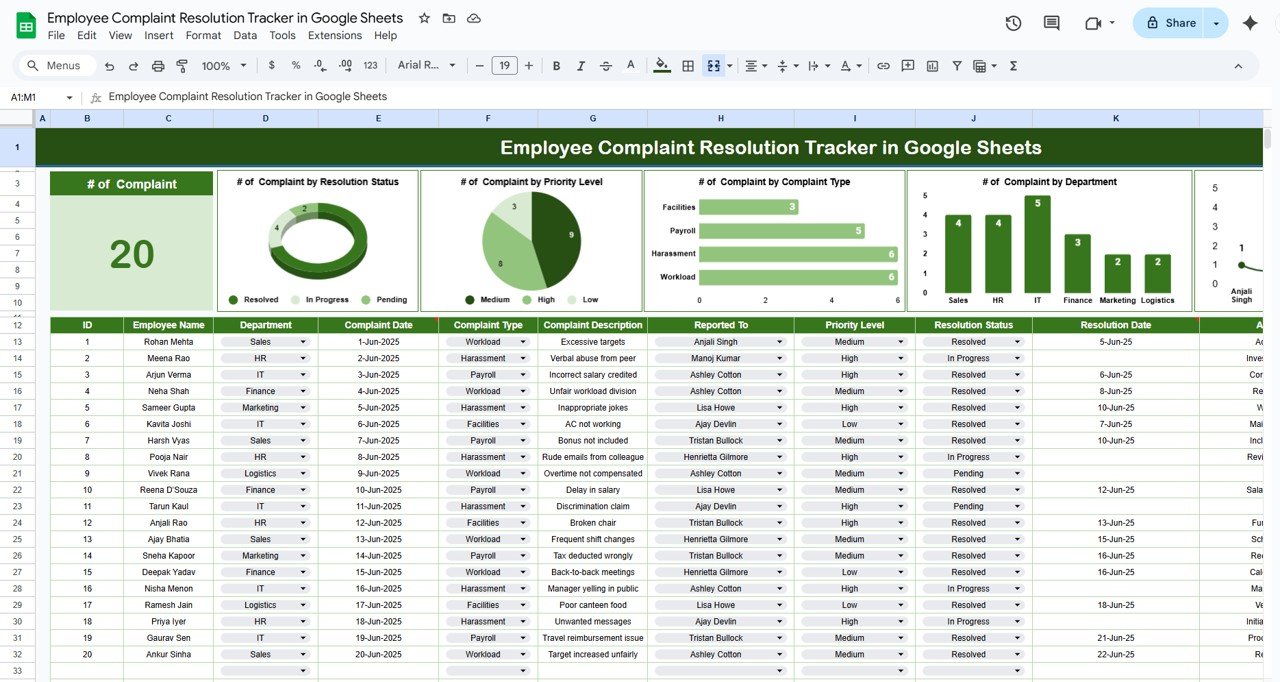
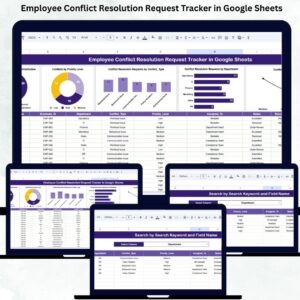
📊 Real-Time Charts & Visual Reports
Complaints by Resolution Status – See how many are Open, In Progress, or Resolved
Complaints by Priority Level – Identify and act on critical issues faster
Complaints by Department – Spot patterns across teams or locations
Complaints by Complaint Type – Track the nature of feedback over time
Complaints by Reported To – Ensure leadership is distributing responsibility fairly
These visual reports update automatically as data is entered, giving you instant insight into your organization’s complaint resolution health.
🧾 Data Entry Table – Structured for Resolution Tracking
The main sheet includes key fields like:
Complaint ID
Date of Complaint
Employee Name
Department
Complaint Type
Priority
Status (Open, In Progress, Resolved)
Assigned To
Resolution Notes
With dropdown fields and easy data entry, you’ll standardize complaint handling while maintaining a centralized record for audits or internal reviews.
📦 What’s Inside the Product?
✅ Tracker Sheet Tab – The main dashboard with complaint data and auto-updating charts
✅ Pre-Formatted Dropdowns – Ensures data consistency for fields like Status, Priority, and Complaint Type
✅ Auto-Visualizations – Built-in charts to help you identify trends quickly
✅ Fully Customizable – Add or remove columns to match your internal processes
✅ Google Sheets Format – Collaborate in real-time from any device
🧑💼 How to Use the Employee Complaint Resolution Tracker
Open the template in Google Sheets
Start entering complaints in the data table
Assign each to a responsible person and select a status
Review real-time charts at the top of the tracker
Filter or sort complaints as needed to drill down
Update statuses regularly and add resolution notes
Share access with HR or management teams
No setup, no coding, no training required—just open and start managing!
👥 Who Can Benefit from This Tracker?
HR Managers – Document and manage internal complaints
Team Leads & Managers – Resolve issues transparently
Small Business Owners – Gain oversight without pricey HR platforms
Compliance Officers – Keep clean audit trails for internal or legal checks
Remote Teams – Collaborate across locations using cloud access
🔗 Click here to read the Detailed blog post
Watch the step-by-step video Demo:
🎥 Visit our YouTube channel to learn step-by-step video tutorials
👉 Youtube.com/@NeotechNavigators
Compatibility and Requirements
- Works in Google Sheets with a free Google account and a web browser. No Excel installation is needed.
- Status, Priority and Complaint Type use dropdown lists. Google explains how to edit them in Create an in-cell dropdown list.
Frequently Asked Questions
Which charts does the complaint tracker include?
It charts complaints by resolution status, priority level, department, complaint type and the person the complaint was reported to.
What fields does the data table have?
Complaint ID, date of complaint, employee name, department, complaint type, priority, status, assigned to and resolution notes.
Which statuses can I use?
The status dropdown covers Open, In Progress and Resolved.
Can I add my own columns?
Yes. The tracker is fully customizable, so you can add or remove columns to match your process.
Can HR and managers work in it together?
Yes. It is a Google Sheets file, so you can share access with HR or management teams and update it in real time.
Related Complaint and HR Templates
- Employee Complaint Resolution Tracker in Excel: the same complaint resolution tracker in Excel
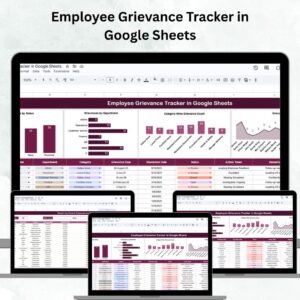
- Employee Grievance Tracker in Google Sheets: logs formal grievances in Google Sheets
- Employee Complaint Investigation Tracker in Google Sheets: tracks complaint investigations step by step in Google Sheets
- Employee Disciplinary Action Tracker in Excel: records disciplinary actions in Excel
- HR Google Sheets Pack: ten HR templates for Google Sheets in one pack
Browse all Google Sheets HR and payroll templates or the Google Sheets trackers.


















Reviews
There are no reviews yet.