



📦 Monitor Food Packaging Performance with Precision Using This KPI Dashboard in Power BI 📊🔥
Struggling to track the performance of your food packaging operations? The Food Packaging KPI Dashboard in Power BI is a game-changing solution designed to give you real-time insights, actionable metrics, and full visibility into every packaging performance indicator—all powered by clean data from a simple Excel sheet.
Whether you’re a packaging manager, quality control lead, or operations executive, this plug-and-play Power BI dashboard gives you everything you need to analyze performance, meet targets, and optimize productivity in your food packaging line.
✨ Key Features of Food Packaging KPI Dashboard in Power BI
🧭 Three Powerful Pages
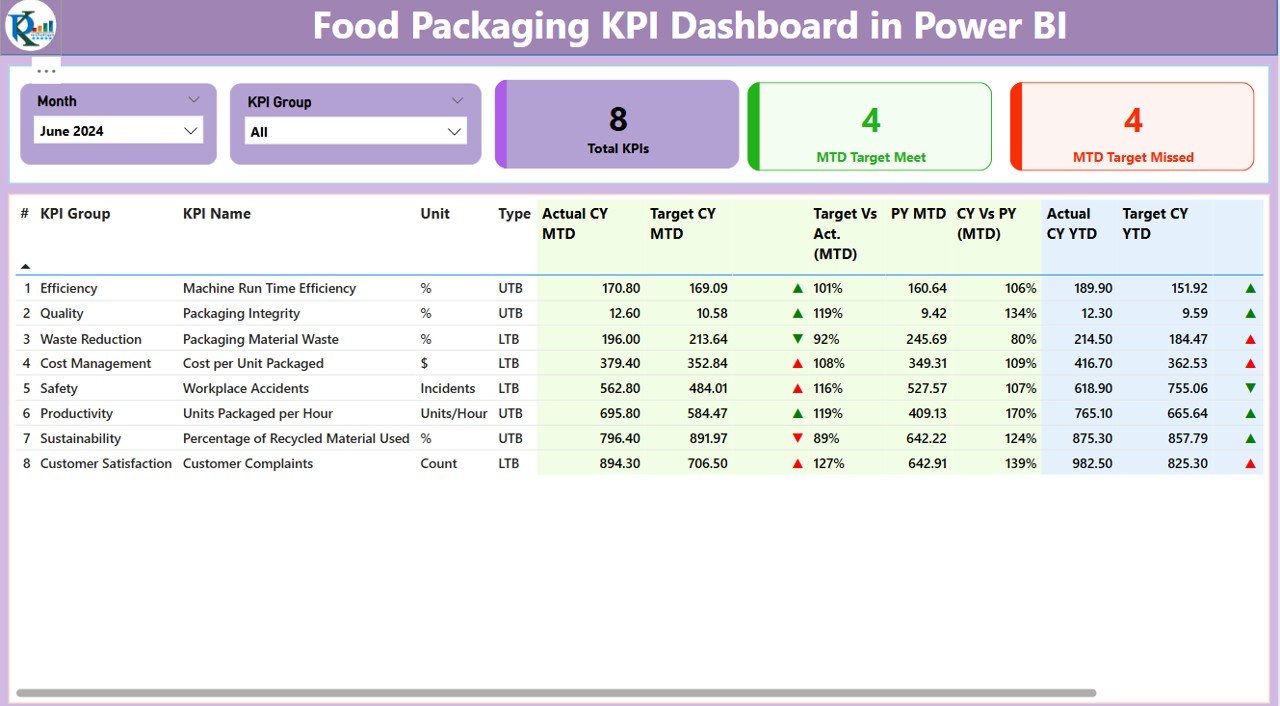
This dashboard comes with 3 core pages to cover all your tracking needs:
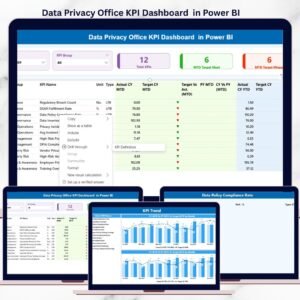
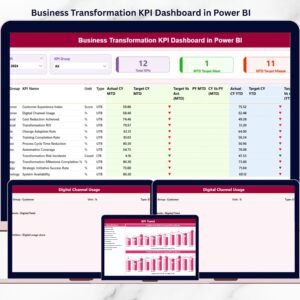
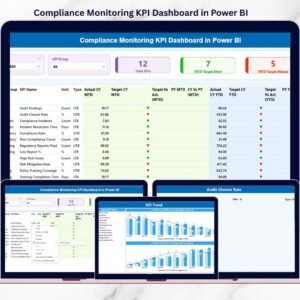
1️⃣ Summary Page – View overall KPI status with slicers, indicators, and percentage comparisons
2️⃣ KPI Trend Page – Visualize trends with combo charts (Actual, Target, Previous Year)
3️⃣ KPI Definition Page – Drill-through page to access formulas and definitions for each KPI
🔍 Interactive Slicers
Filter by Month and KPI Group on the Summary Page for targeted insights.
📈 Live KPI Cards
Monitor 3 summary cards:
Total KPIs
MTD Target Met
MTD Target Missed
📋 Detailed KPI Table
Key metrics shown include:
Actual vs Target (MTD & YTD)
MTD & YTD Icons (green/red arrows)
% Difference from Target and Previous Year
KPI Unit, Group, and Type (UTB or LTB)
📊 Trend Visualization
Use the KPI Trend Page to compare Actual, Target, and Previous Year values in a combo chart format for MTD and YTD values.
🔁 Drill-Through KPI Definition
Click on a KPI from the summary and instantly drill through to the hidden KPI Definition page to view formula and explanation.
📂 What’s Inside the Dashboard?
The dashboard is powered by three Excel-based input sheets that feed real-time data into Power BI:
1️⃣ Input_Actual Sheet
Enter actual KPI performance data for MTD and YTD, linked by KPI Name and Month (use the first day of the month format).
2️⃣ Input_Target Sheet
Set monthly MTD and YTD performance goals to evaluate against actual numbers.
3️⃣ KPI Definition Sheet
Define each KPI clearly with:
KPI Number
KPI Group
KPI Name
Unit of Measurement
Formula
Short Definition
Type (LTB or UTB)
🛠️ How to Use the Food Packaging KPI Dashboard
📥 Download the Excel + PBIX file
🧾 Fill in Actual and Target data in the respective Excel sheets
🔄 Refresh the Power BI report to pull the latest data
🔍 Filter by Month or KPI Group using slicers
📉 View trends in the KPI Trend Page
ℹ️ Drill through to see KPI formulas and definitions
📈 Analyze real-time results and take informed action
You’ll instantly see which KPIs are meeting targets and where action is needed!
👥 Who Can Benefit from This Dashboard?
🏭 Packaging Managers – Track daily performance and identify issues
📦 Production Teams – Stay aligned with output goals
🧪 Quality Assurance – Ensure KPIs meet safety and compliance standards
💼 Operations Leaders – Monitor trends and drive continuous improvement
📊 Analysts & Planners – Generate performance reports quickly
🔗 Click here to read the Detailed blog post
🔗 Visit our YouTube channel to learn step-by-step video tutorials
Watch the step-by-step video tutorial:
Compatibility and Requirements
- Works in Power BI Desktop, which is free. Microsoft explains how to get it in Get Power BI Desktop.
- You enter your data in the Excel input sheets (Input_Actual, Input_Target and KPI Definition), then refresh the report.
Frequently Asked Questions
Which pages does the dashboard have?
Three pages: the Summary page, the KPI Trend page and the KPI Definition page. The KPI Definition page is a drill-through page.
How do I add my own numbers?
Enter actual MTD and YTD values in the Input_Actual sheet and your goals in the Input_Target sheet. Use the first day of the month as the date. Then refresh the Power BI report.
How can I filter the Summary page?
Use the Month and KPI Group slicers. The summary cards show Total KPIs, MTD Target Met and MTD Target Missed.
How do I see the formula behind a KPI?
Drill through from a KPI on the Summary page to the KPI Definition page. It shows the KPI group, unit, formula, short definition and type (LTB or UTB).
Is there an Excel or Google Sheets version?
Yes. See the Food Packaging KPI Dashboard in Excel and the Food Packaging KPI Dashboard in Google Sheets.
Related Food and Packaging Templates
- Food Packaging KPI Dashboard in Excel: the same dashboard in Excel
- Food Packaging KPI Dashboard in Google Sheets: the Google Sheets edition
- Food Manufacturing KPI Dashboard in Power BI: production KPIs for food plants in Power BI
- Food and Beverage Dashboard in Power BI: a wider food and beverage view
- Power BI Dashboard Mega Collection: 15 Power BI templates in one download
Browse all Power BI KPI dashboards.






















Reviews
There are no reviews yet.