

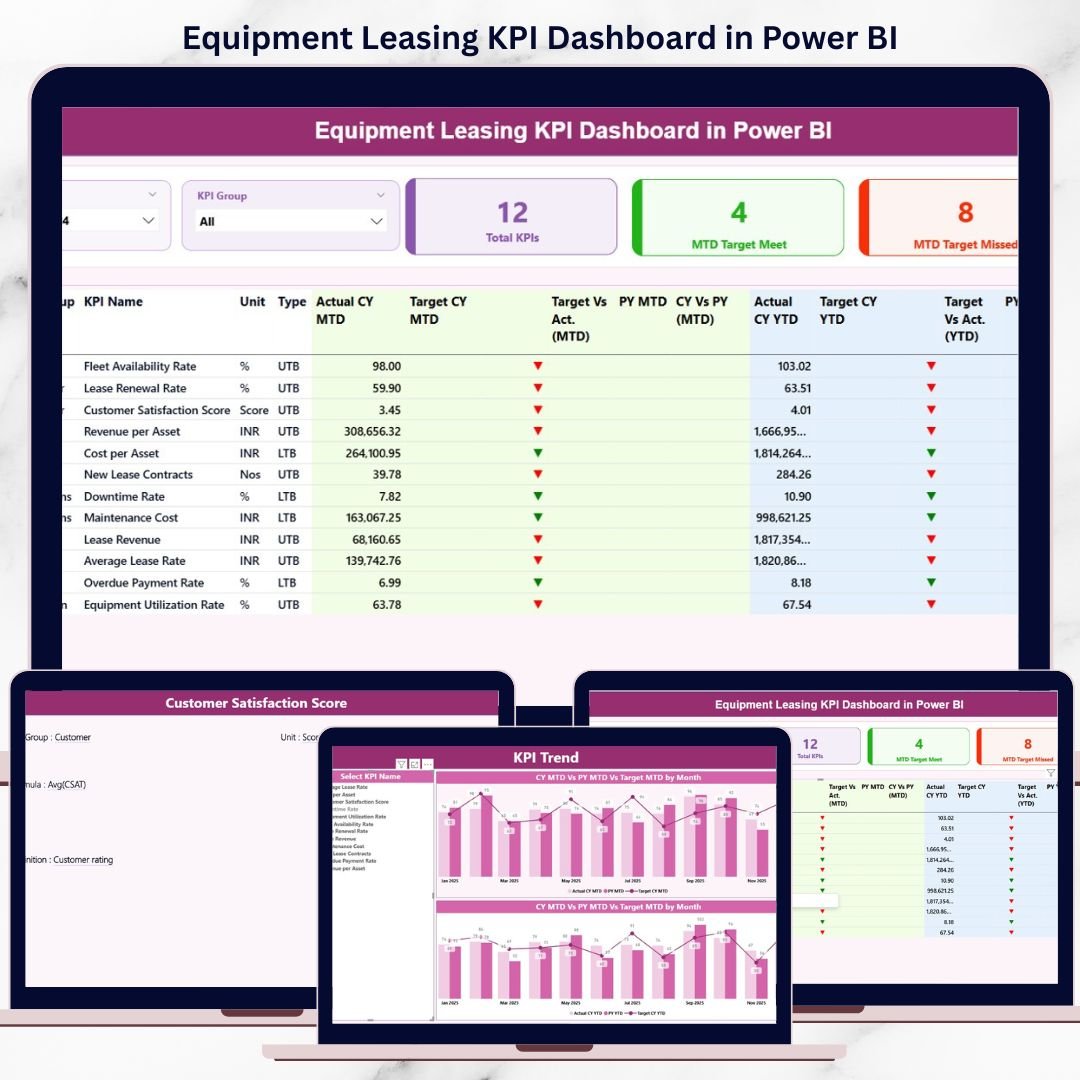

Managing an equipment leasing business without real-time visibility is like driving blind. Revenue targets, asset utilization, maintenance costs, and contract performance constantly change. However, when this data sits in multiple Excel files, decision-making becomes slow and risky.
That is exactly why the Equipment Leasing KPI Dashboard in Power BI is a must-have solution for modern leasing businesses.
This ready-to-use Power BI dashboard transforms raw leasing data into clear KPIs, visual comparisons, and actionable insights. With Excel as the data source and Power BI as the visualization layer, this dashboard delivers both simplicity and power—without complex setup or coding.
🚀 Key Features of Equipment Leasing KPI Dashboard in Power BI
📊 Interactive KPI Monitoring – Track all critical equipment leasing KPIs from one centralized dashboard
🎯 Target vs Actual Analysis – Instantly identify whether KPIs are meeting or missing targets
📅 MTD & YTD Performance Tracking – Monitor short-term and long-term business performance
📈 Previous Year Comparison – Understand growth trends and historical performance
🔄 Dynamic Slicers – Filter data by Month and KPI Group for focused analysis
🚦 Visual Status Indicators – Green and red arrows clearly highlight KPI performance
📉 Trend Analysis – Analyze KPI behavior over time using MTD and YTD trend charts
🧠 Drill-Through Navigation – Click on any KPI to view its complete definition and logic
This dashboard is built in Power BI Desktop and designed to scale with your business.
📦 What’s Inside the Equipment Leasing KPI Dashboard in Power BI
This product includes a professionally structured Power BI file connected to an Excel data model.
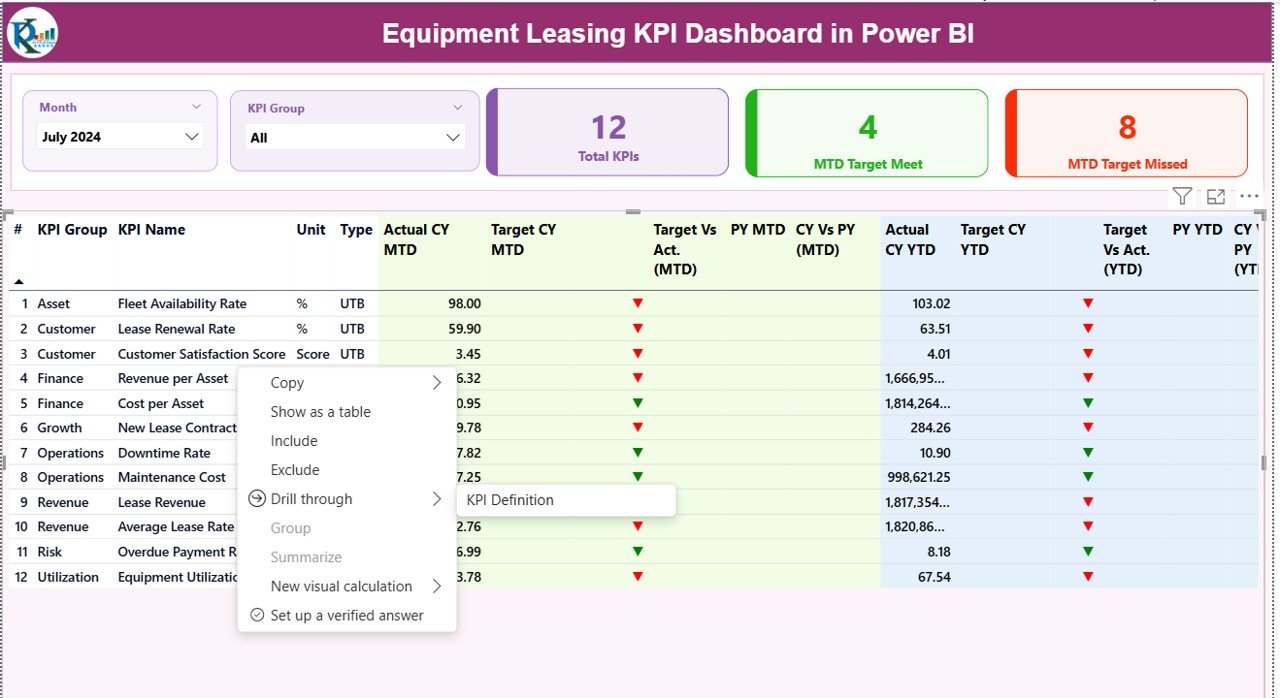
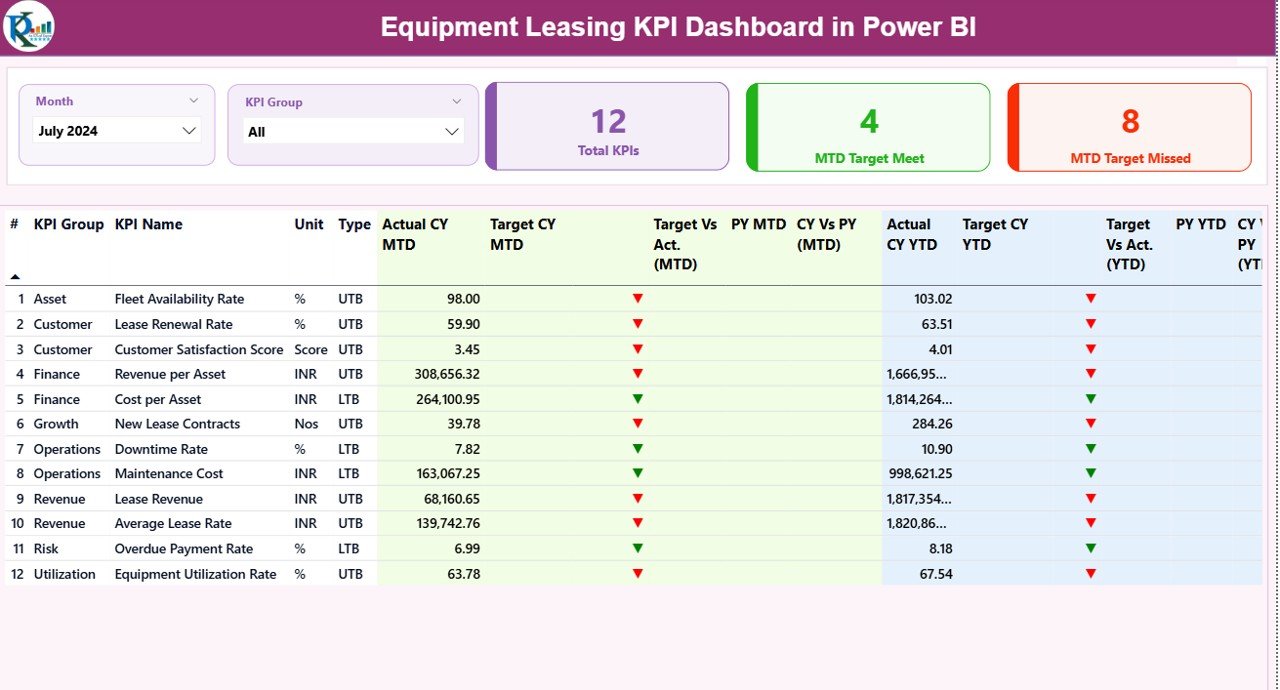
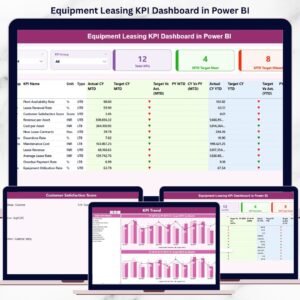
📌 Summary Page
KPI cards showing total KPIs, target met, and target missed
Detailed KPI table with MTD & YTD metrics
Target vs Actual and CY vs PY comparisons
Month and KPI Group slicers
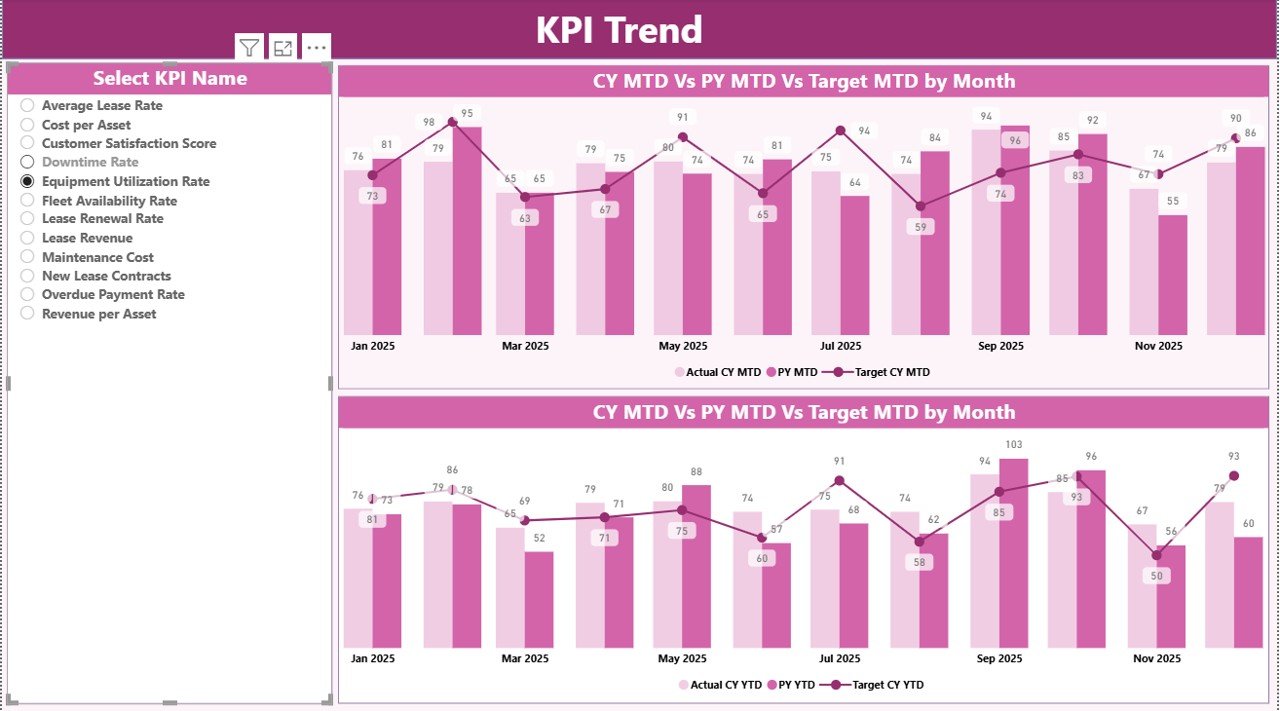
📌 KPI Trend Page
KPI Name slicer for focused analysis
MTD trend chart (Actual, Target, PY)
YTD trend chart (Actual, Target, PY)
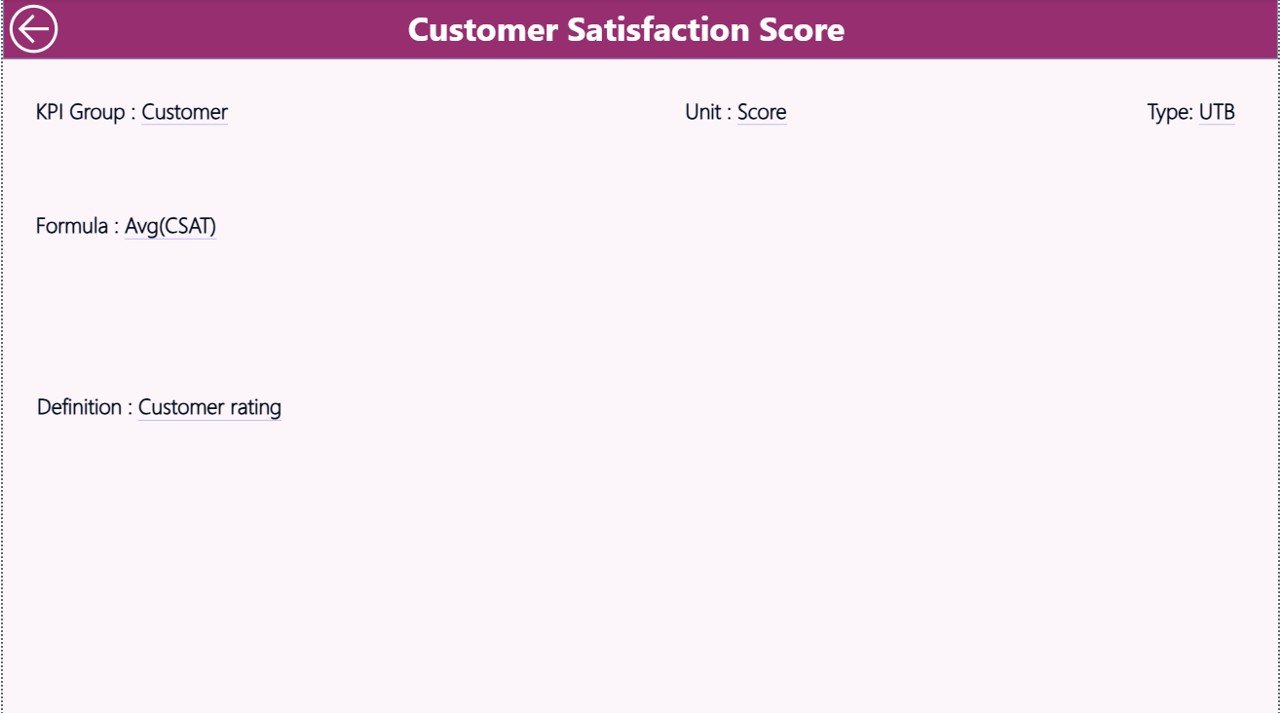
📌 KPI Definition Page
KPI Number, Group, Name, and Unit
Formula and business definition
KPI Type (UTB / LTB)
Drill-through enabled for instant access
📌 Excel Data Source
Input_Actual sheet for actual values
Input_Target sheet for targets
KPI Definition sheet for metadata
This structure ensures clean data, fast updates, and zero confusion.
🛠️ How to Use the Equipment Leasing KPI Dashboard in Power BI
Using this dashboard is simple—even for beginners:
1️⃣ Update actual and target values in the Excel file
2️⃣ Open the Power BI file
3️⃣ Click Refresh
4️⃣ Use slicers to filter Month or KPI Group
5️⃣ Review performance using cards, tables, and charts
6️⃣ Drill through any KPI to understand its definition
No DAX expertise or technical skills required.
👥 Who Can Benefit from This Equipment Leasing KPI Dashboard in Power BI
👔 Equipment Leasing Managers – Track utilization, revenue, and performance gaps
📊 Operations Teams – Monitor maintenance cost and downtime KPIs
💼 Finance Teams – Analyze revenue growth and cost efficiency
📈 Business Analysts – Perform trend and variance analysis
🏢 Senior Leadership – Make faster, data-driven strategic decisions
Whether you manage a small leasing firm or a large enterprise, this dashboard adapts to your needs.
Click here to read the Detailed blog post
Watch the step-by-step video tutorial:
Visit our YouTube channel to learn step-by-step video tutorials:
YouTube.com/@PKAnExcelExpert
Compatibility and Requirements
- Works in Power BI Desktop, which is free to download from Microsoft. See Get Power BI Desktop.
- The data source is an Excel file with the Input_Actual, Input_Target and KPI Definition sheets.
Frequently Asked Questions
Which pages are included in the dashboard?
Three pages: Summary, KPI Trend and KPI Definition. The Excel data source has the Input_Actual, Input_Target and KPI Definition sheets.
How do I update the numbers?
Enter your actual and target values in the Excel file, open the Power BI file and click Refresh.
Can I filter the dashboard by month or KPI group?
Yes. The Summary page has Month and KPI Group slicers, and the KPI Trend page has a KPI Name slicer.
Can I compare this year with last year?
Yes. The Summary page shows Target vs Actual and CY vs PY comparisons, and the trend charts show Actual, Target and PY for both MTD and YTD.
Is there an Excel version?
Yes. See the Equipment Leasing KPI Dashboard in Excel.
Related Equipment Leasing Templates
- Equipment Leasing KPI Dashboard in Excel: the same KPI dashboard in Excel
- Equipment Leasing Dashboard in Power BI: another Power BI dashboard for leasing
- Equipment Leasing Dashboard in Excel: a leasing dashboard in Excel
- Hospital Equipment Leasing Dashboard in Power BI: leasing dashboard for hospital equipment
Browse all Power BI KPI dashboards.































Reviews
There are no reviews yet.