



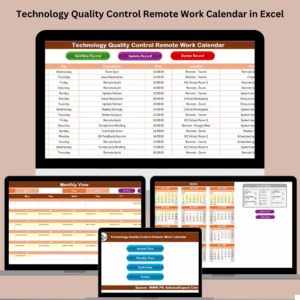
Managing deadlines and quality tasks in remote tech teams doesn’t have to be chaotic. Meet your new productivity hub — the Technology Quality Control Remote Work Calendar in Excel — a dynamic, all-in-one calendar designed to streamline scheduling and event tracking for distributed QA and tech teams. ⚙️📆
Whether you’re leading a remote software team or managing multiple QA checkpoints, this Excel-based tool helps you take control of your operations with clarity, speed, and simplicity.
🔍 What’s Included in the Calendar?
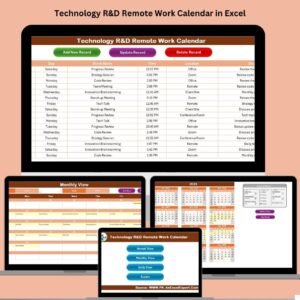
This powerful tool comes with five feature-rich worksheet tabs, each serving a specific purpose:
🏠 1. Home Sheet – Your Central Hub

This is the main command center of the calendar.
📌 Four buttons for instant navigation:
Annual View
Monthly View
Daily View
Events Database
Say goodbye to endless scrolling — access any view instantly.
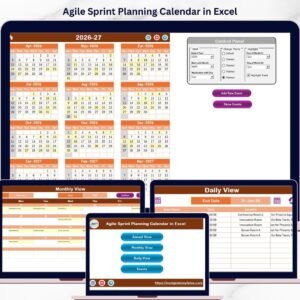
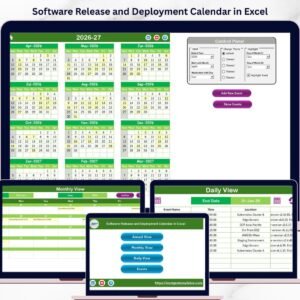
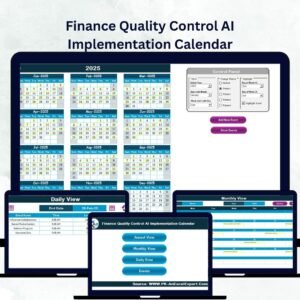
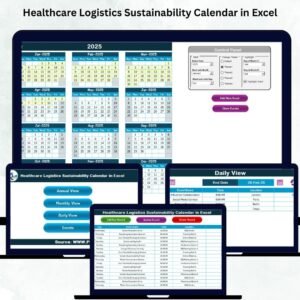
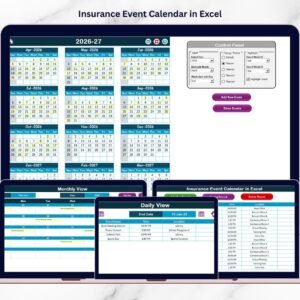
📅 2. Annual View Sheet – Year at a Glance
Plan your entire year with full visibility:
✅ Select the year, starting month, and start day of the week
🎨 Choose from five professional color themes
📍 Highlight weekends and key event days in yellow
🎯 Add or view events using:
“Add New Event” button
“Show Event” button
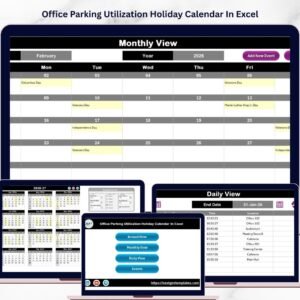
📆 3. Monthly View Sheet – One Month, One Screen
Focused planning made simple:
View one event per day with overflow indicator (“More than 1…”)
Choose any month and year
Add new events or show all for a specific date
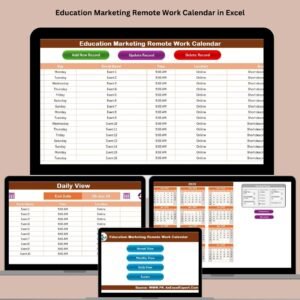
📋 4. Daily View Sheet – Zoom Into the Details
Perfect for busy weeks and audits:
Select a custom date range using calendar pickers
Instantly display all scheduled events between those dates
Add new events with one click
Hit “Refresh” to reload updated timelines
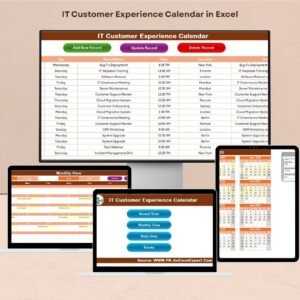
📊 5. Events Sheet – The Master Log
This is your complete event database:
🆔 Auto-generated ID for each record
🗓️ Date, Day, Event Name, Time, Location, Description
🔁 Use built-in buttons to:
Add new record via form
Update existing record
Delete any event instantly
🌟 Key Benefits of This Excel Calendar
✨ Centralized Planning System
All planning tools in one workbook—no more scattered files or disconnected calendars.
🚀 Productivity Boost for Remote Teams
Easy to use and accessible for tech teams working from anywhere.
📈 Track Quality Events with Confidence
Perfect for tracking QA milestones, release dates, reviews, or compliance checks.
🎨 Fully Customizable Themes and Settings
Change year, month start, week start, and even design theme to match your workflow or brand.
🛠️ No Coding or Excel Expertise Required
Everything is automated with buttons, forms, and dropdowns. Just click and go.
🗂️ Audit-Friendly
The Events sheet acts as a permanent log, ideal for auditing or backtracking decisions.
👨💻 Who Should Use This?
This calendar is ideal for:
✅ QA and Quality Control Teams
✅ Software Development Teams
✅ Remote Project Managers
✅ Agile and Scrum Teams
✅ Technical Operations Departments
📌 Best Practices to Maximize Efficiency
Use consistent event naming conventions
Back up your Events sheet weekly
Train your team on using Add/Update/Delete forms
Highlight weekends or holidays to avoid planning conflicts
Refresh views regularly to reflect updates
Use different color themes for different teams or projects
📥 How to Use the Template
Open the Excel file
Use Home buttons to navigate to any view
Click “Add New Event” to enter a new task
Review Annual, Monthly, or Daily View for schedules
Track and audit all entries in the Events Sheet
📺 Visit our YouTube Channel for step-by-step tutorials
🔗 Click here to read the Detailed blog post
Watch the step-by-step video tutorial:
Compatibility and Requirements
- Works in Microsoft Excel desktop (Excel 2016 or later, or Microsoft 365).
- The Add, Update, Delete, Show Event and Refresh buttons run macros, so use Excel desktop on Windows with macros enabled. It does not run in Excel for the web, Google Sheets or mobile. Microsoft explains the setting in Enable or disable macros in Microsoft 365 files.
Frequently Asked Questions
Which sheets are included?
Five sheets: Home, Annual View, Monthly View, Daily View and Events.
How do I add a new event?
Click the Add New Event button on the Annual View, Monthly View or Daily View sheet, or use the add-record form on the Events sheet. Each record stores a date, day, event name, time, location and description.
Can I see events for a custom date range?
Yes. On the Daily View sheet, pick a start and end date with the calendar pickers and the events between those dates appear. Click Refresh to reload the list after changes.
Can I change the look of the Annual View?
Yes. You can choose the year, the starting month and the start day of the week, and pick one of five color themes. Weekends and event days are highlighted in yellow.
Is there a version for other teams or topics?
Yes. For example, see the Quality Control Remote Work Calendar in Excel and the Technology Quality Control AI Implementation Calendar in Excel.
Related Excel Calendar Templates
- Quality Control Remote Work Calendar in Excel: the same calendar for general quality control teams
- Technology Quality Control Customer Experience Calendar in Excel: QA events focused on customer experience
- Technology Quality Control Supply Chain Resilience Calendar in Excel: QA events focused on supply chain
- Technology Quality Control AI Implementation Calendar in Excel: QA events for AI rollouts
- Technology IT Remote Work Calendar in Excel: a remote work calendar for IT teams
Browse all Excel calendar templates.



















Reviews
There are no reviews yet.