



The Holiday Schedule Calendar in Excel is the perfect tool for businesses and individuals to plan, organize, and manage holiday schedules throughout the year. Whether you’re managing employee leave, scheduling holidays for a team, or planning personal vacations, this Excel-based calendar provides an easy-to-use solution that simplifies the process.
The calendar helps businesses avoid scheduling conflicts, ensure proper staffing during holidays, and track employee leave requests with ease. It’s highly customizable to accommodate different holiday schedules, company policies, and regional holidays. Stay organized, ensure adequate coverage, and improve workplace efficiency with the Holiday Schedule Calendar in Excel.
Key Features of the Holiday Schedule Calendar in Excel
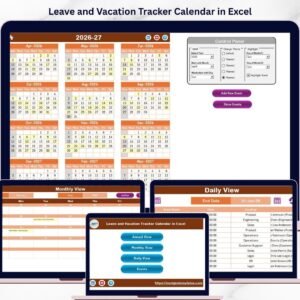
📅 Yearly Calendar Overview
View all your holidays at a glance with a clear and organized yearly calendar. This feature allows you to plan ahead, ensuring no scheduling conflicts during holidays.
📝 Holiday Leave Tracking
Easily track employee holiday requests, approvals, and remaining leave balances. Stay on top of leave entitlements and ensure that holiday leave requests are properly managed.
🔄 Automatic Leave Balance Updates
The calendar automatically updates employee leave balances as they request time off, reducing administrative tasks and ensuring accurate tracking of leave balances.
📊 Holiday Scheduling for Multiple Teams
Assign holidays to different teams or departments, ensuring that every team has adequate coverage during peak holiday seasons. This helps you manage workloads and prevent understaffing.
⚙️ Customizable & Scalable
Tailor the calendar to fit your organization’s specific needs. Add or remove holidays, adjust employee leave policies, and adapt the calendar to your company’s holiday schedule.
📈 Reporting & Data Analysis
Generate leave reports, track holiday usage, and assess how holidays affect team productivity. Use data insights to make informed decisions on holiday scheduling and resource allocation.
Why You’ll Love the Holiday Schedule Calendar in Excel

✅ Stay Organized Year-Round
Keep track of holiday schedules and employee leave requests in one easy-to-manage calendar. Ensure no conflicts and avoid confusion.
✅ Streamline Employee Leave Management
Track holiday leave, approvals, and remaining balances to simplify employee leave management. No more manual tracking or spreadsheets—everything is organized and automated.
✅ Ensure Adequate Staffing
Plan ahead and ensure you have enough staff coverage during busy holiday seasons. With this calendar, you can see who’s off and plan around their schedules.
✅ Customizable to Your Needs
The calendar is fully customizable. Add national holidays, adjust the workweek, and set up custom leave rules to match your company’s specific needs.
✅ Data-Driven Decision Making
Use reports to analyze how holiday leave impacts your workforce and make strategic decisions based on real data.
What’s Inside the Holiday Schedule Calendar in Excel?
Yearly Calendar Overview: Easily view the holiday schedule for the entire year.
Holiday Leave Tracking: Track leave requests, approvals, and balances for each employee.
Automatic Leave Balance Updates: Track and update leave balances automatically.
Holiday Scheduling for Multiple Teams: Manage holidays for multiple departments.
Customizable Features: Adjust the calendar to fit your specific holiday and leave policies.
Reporting & Analysis: Generate reports to track holiday leave and assess its impact on productivity.
How to Use the Holiday Schedule Calendar in Excel
1️⃣ Download the Template: Instantly access the Holiday Schedule Calendar in Excel.
2️⃣ Customize Holiday Dates: Add your company’s official holidays and adjust the leave policies to suit your needs.
3️⃣ Track Employee Leave Requests: Input employee leave requests and approvals in the tracker.
4️⃣ Monitor Leave Balances: Automatically track and update employee leave balances as requests are approved or taken.
5️⃣ Generate Reports: Use the reporting feature to assess holiday usage and make data-driven decisions.
Who Can Benefit from the Holiday Schedule Calendar in Excel?
🔹 Human Resources Teams
🔹 Small & Medium Businesses (SMBs)
🔹 Large Corporations with Multiple Teams
🔹 Team Managers & Supervisors
🔹 Employees Looking to Manage Their Own Holiday Schedules
🔹 Businesses Operating During Holidays or Peak Seasons
🔹 Government & Educational Institutions
Take control of your holiday scheduling and leave management with the Holiday Schedule Calendar in Excel. Organize your company’s holiday schedules, track employee leave, and ensure sufficient staffing during holiday seasons.
Click here to read the Detailed blog post
Visit our YouTube channel to learn step-by-step video tutorials
Youtube.com/@PKAnExcelExpert
Compatibility and Requirements
- Works in Microsoft Excel desktop (Excel 2016 or later, or Microsoft 365).
- New to Excel? Start with Microsoft’s Excel for Windows training.
Frequently Asked Questions
What can I track with this calendar?
Company holidays on a yearly calendar, employee holiday requests and approvals, and remaining leave balances.
Can I plan holidays for several teams?
Yes. Assign holidays to different teams or departments so each one keeps enough staff during busy seasons.
Can I add our own holidays?
Yes. Add your official and regional holidays and adjust the leave rules to match your company policy.
Is there a Google Sheets version?
Yes. See the Holiday Schedule Calendar in Google Sheets.
Related Holiday and Leave Templates
- Holiday Schedule Calendar in Google Sheets: the Google Sheets edition
- Public Holiday Observance Calendar in Excel: plan around public holidays
- Printable Holiday and Event Calendar in Excel: a free printable holiday calendar
- Holiday & Comp-Off Management System V1.0 in Excel VBA: a full holiday and comp-off system
- Calendar & Planner Pack: 12 calendar and planner templates
Browse all Excel calendars or the Excel HR templates.












Reviews
There are no reviews yet.