

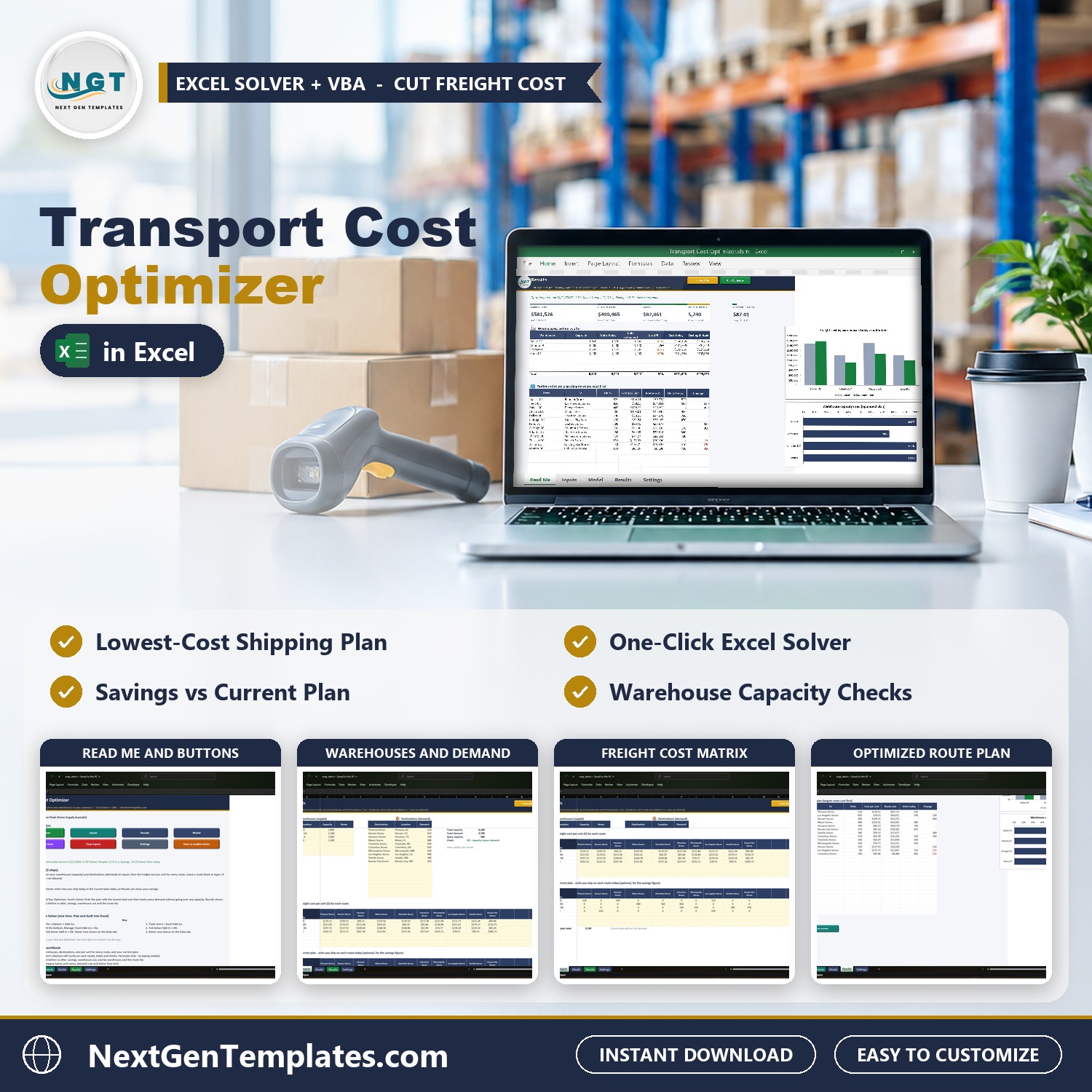
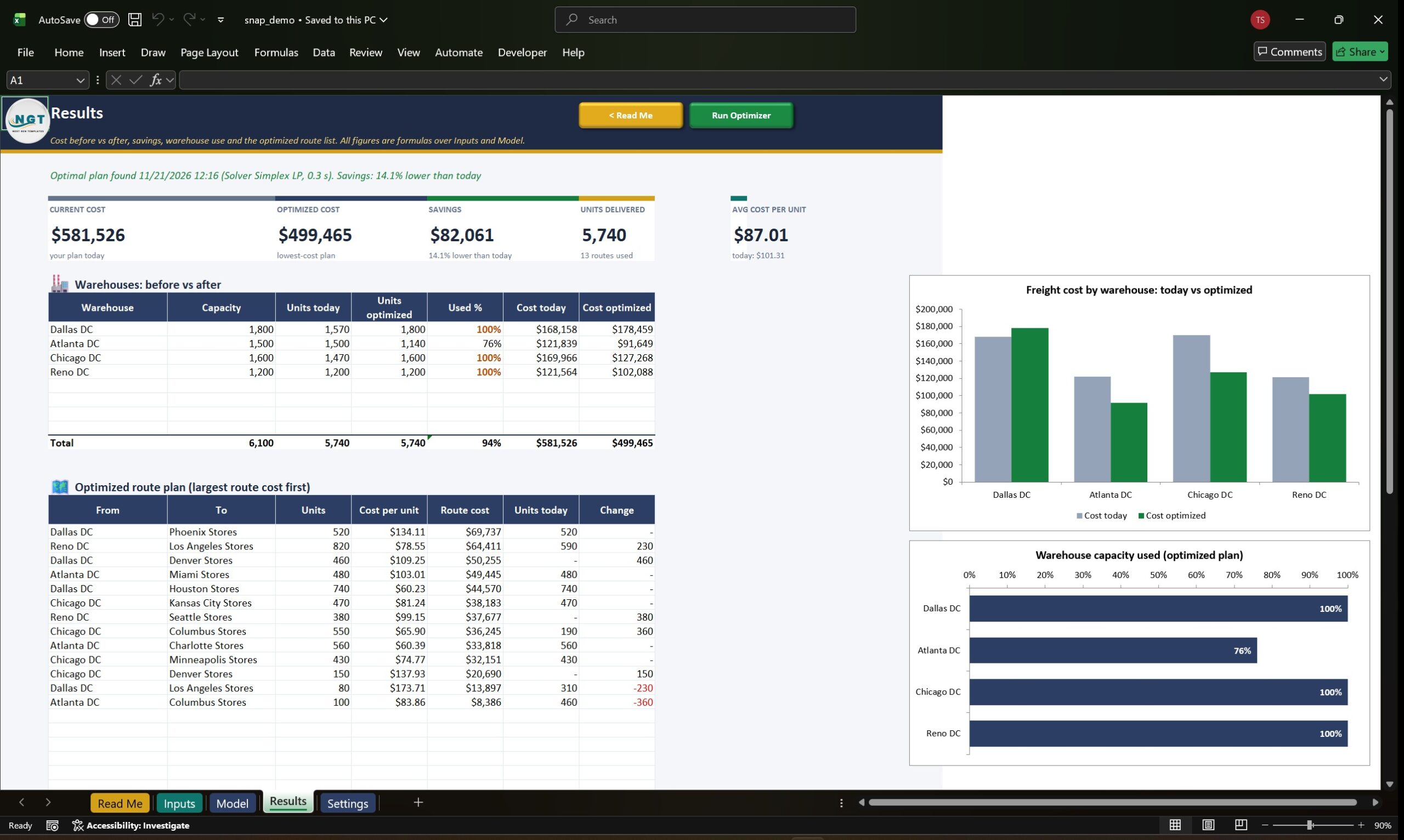
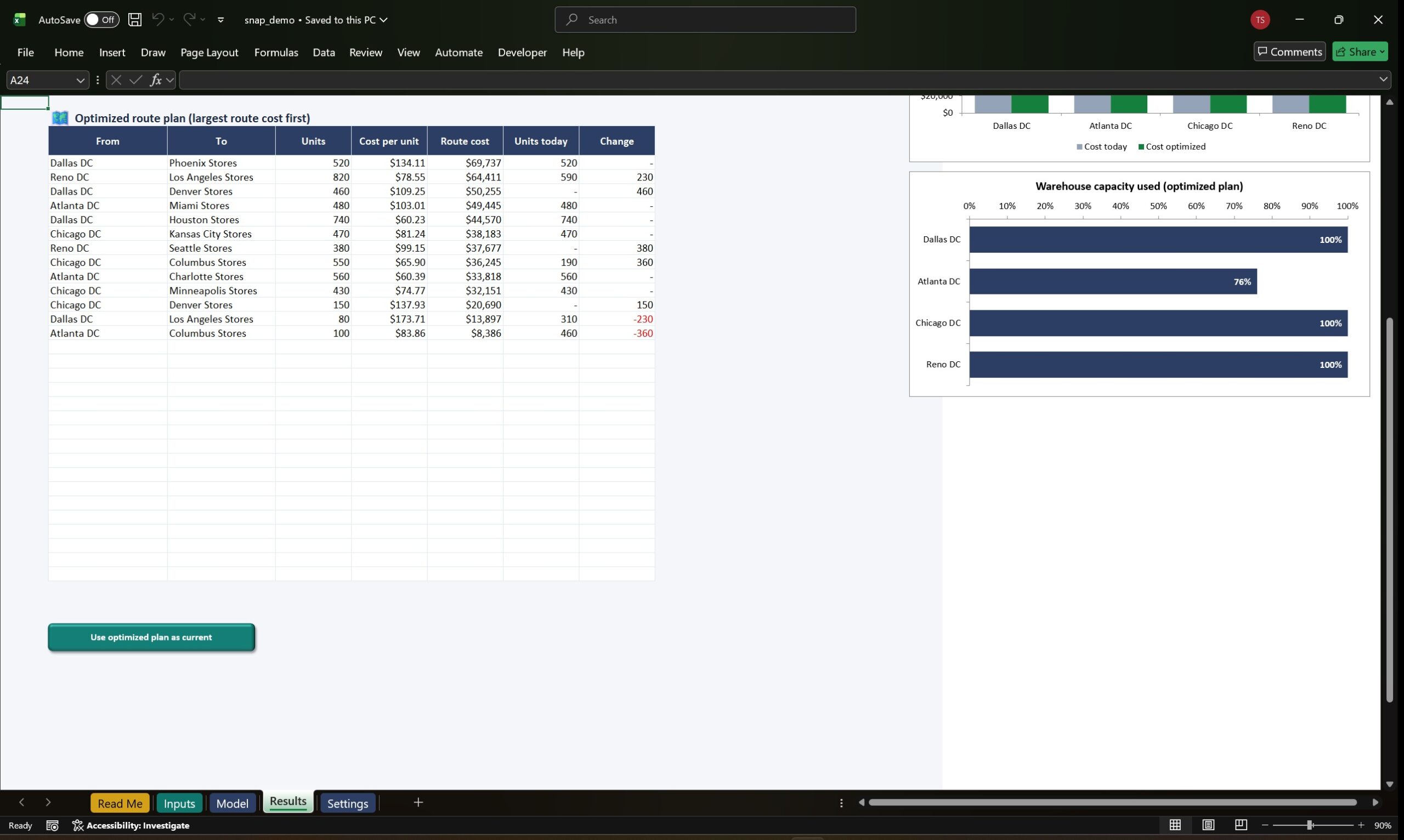
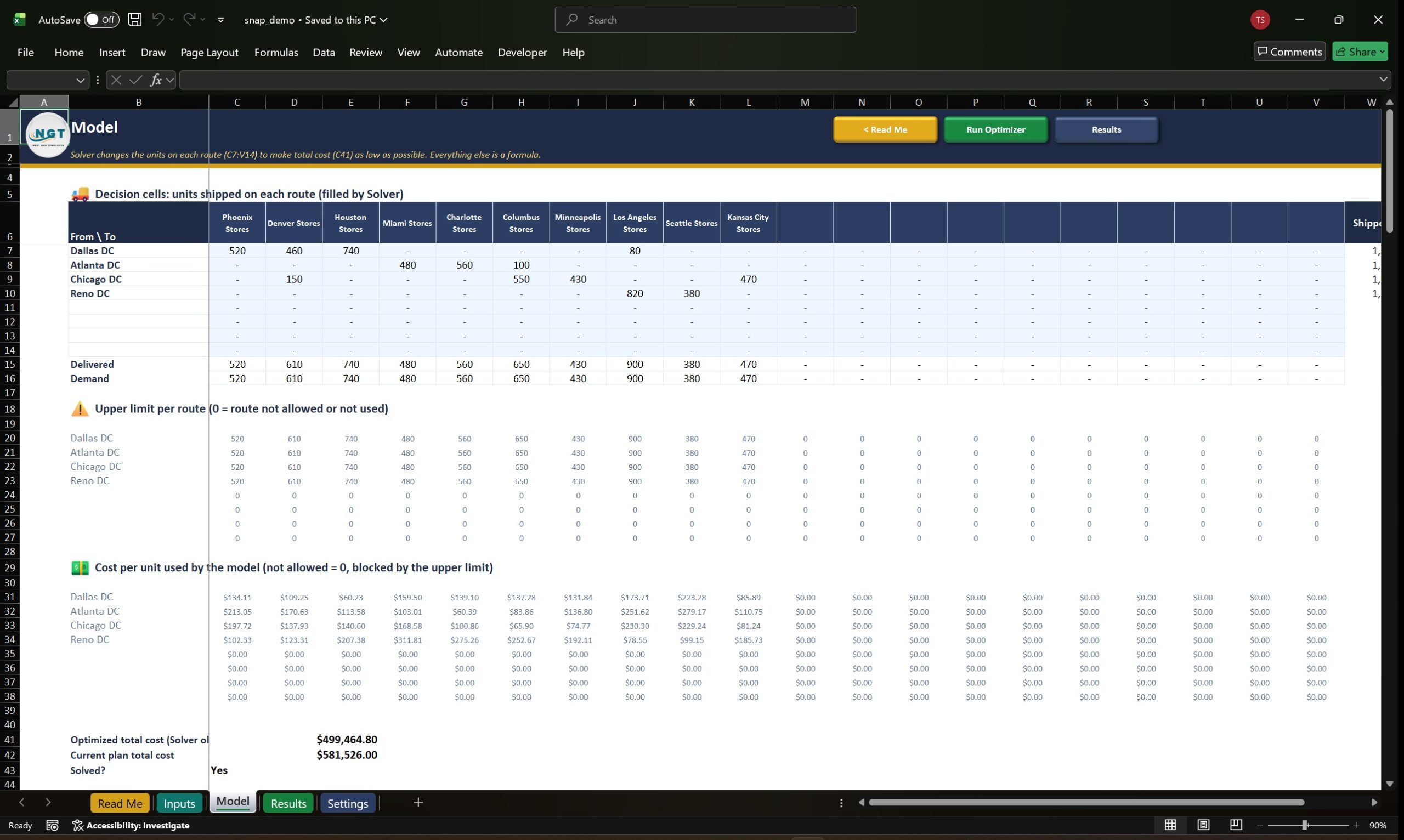

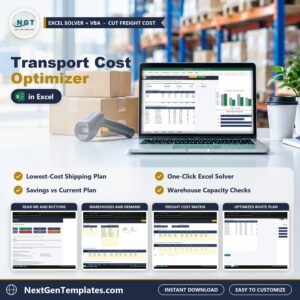
Stop planning freight by habit. The Transport Cost Optimizer in Excel uses Excel’s free Solver add-in to find the lowest-cost shipping plan from your warehouses to your customers in under a second. In the sample company, the current plan costs $581,526 a month and one click finds a plan at $499,465: $82,061 saved, 14.1% lower, with every order delivered and no warehouse over capacity.
Watch the Transport Cost Optimizer in Excel (Solver + VBA) walkthrough
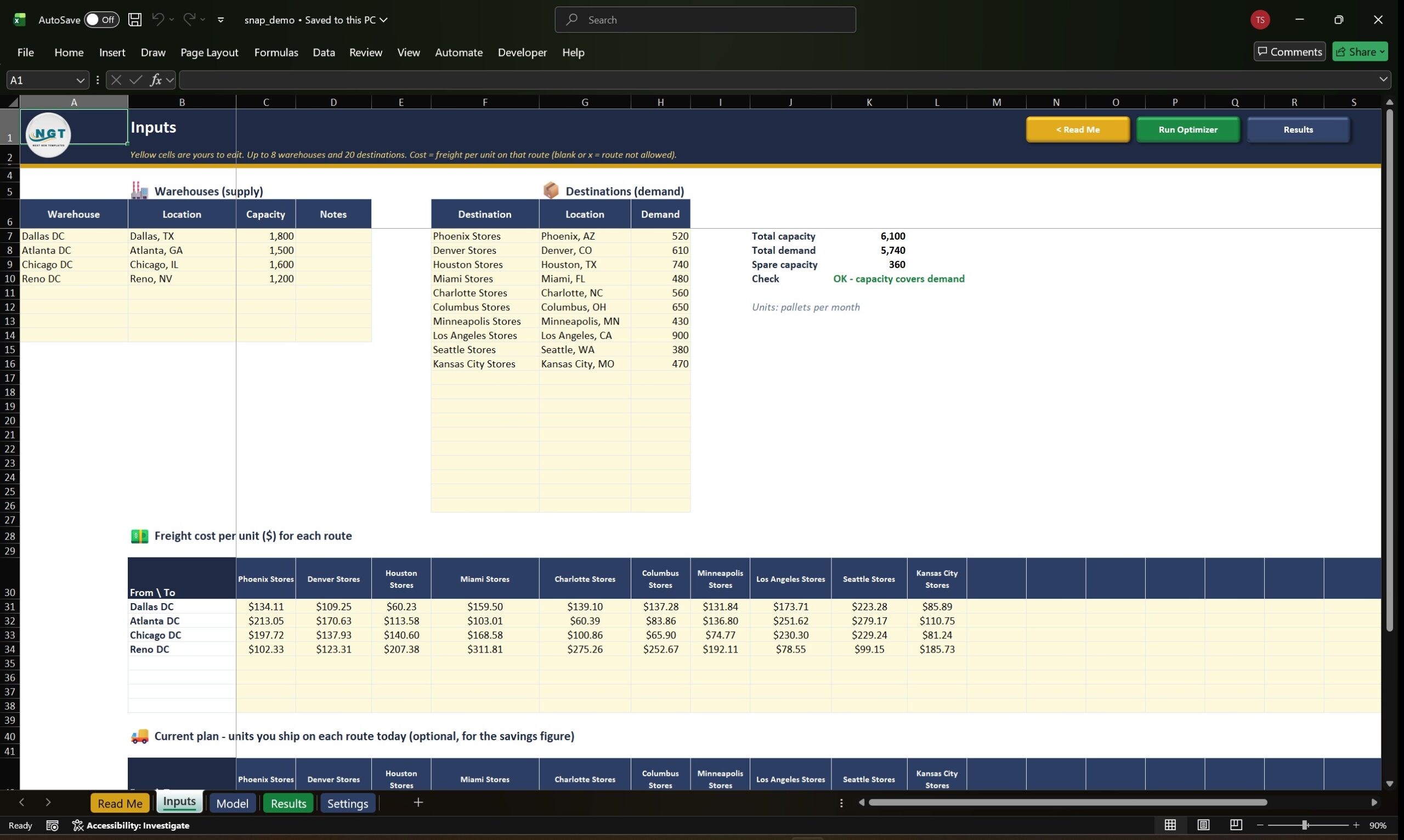
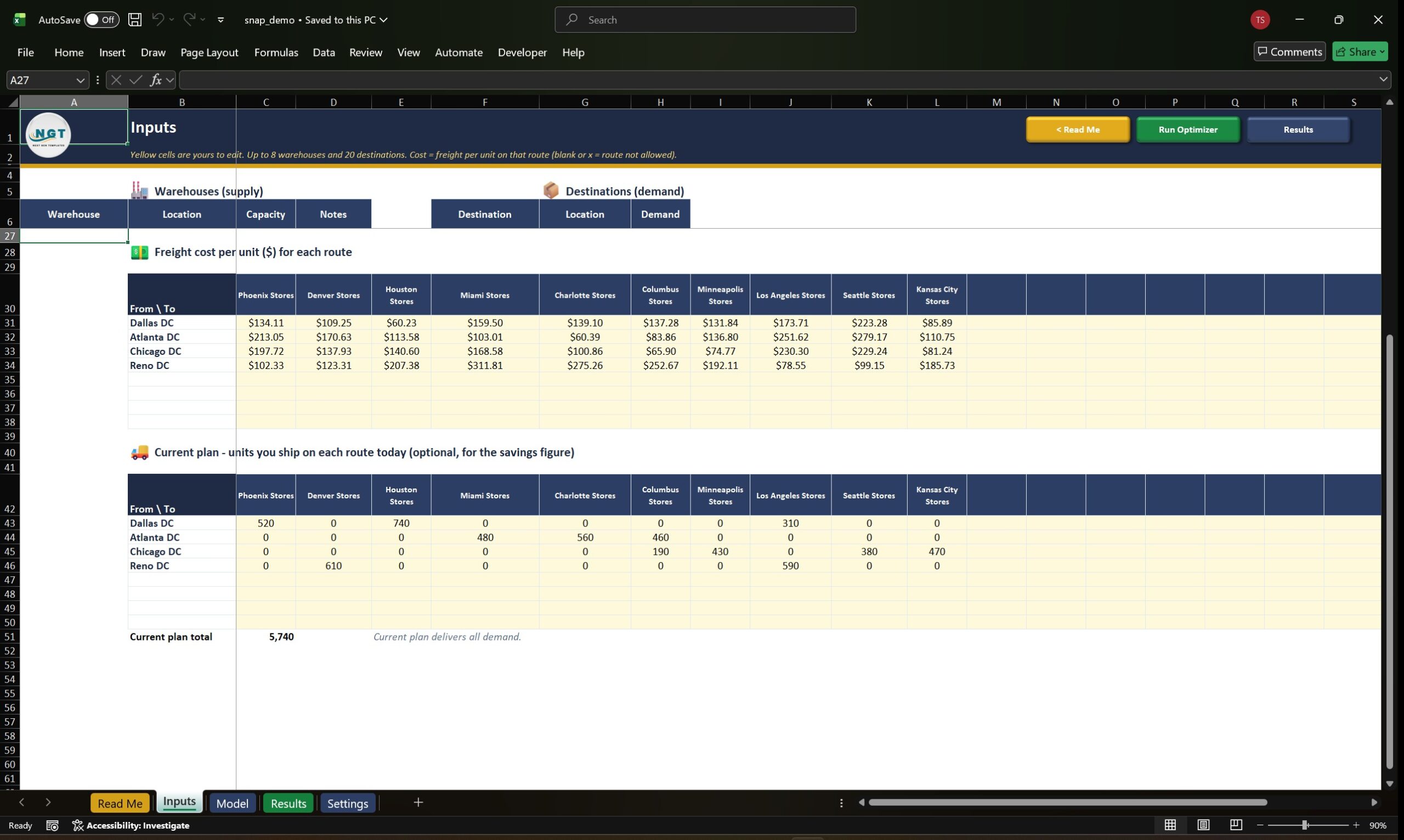
Enter your warehouses with their capacity, your destinations with their demand and the freight cost per unit on every route. Click Run Optimizer and the macro builds the whole Solver model for you, checks your inputs and writes the plan. This is a ready-made transportation problem Excel Solver model, so you do not need to set up Solver yourself. Every total and check is a formula you can inspect, and the Change column shows exactly which lanes move compared with your current plan.
What You Get
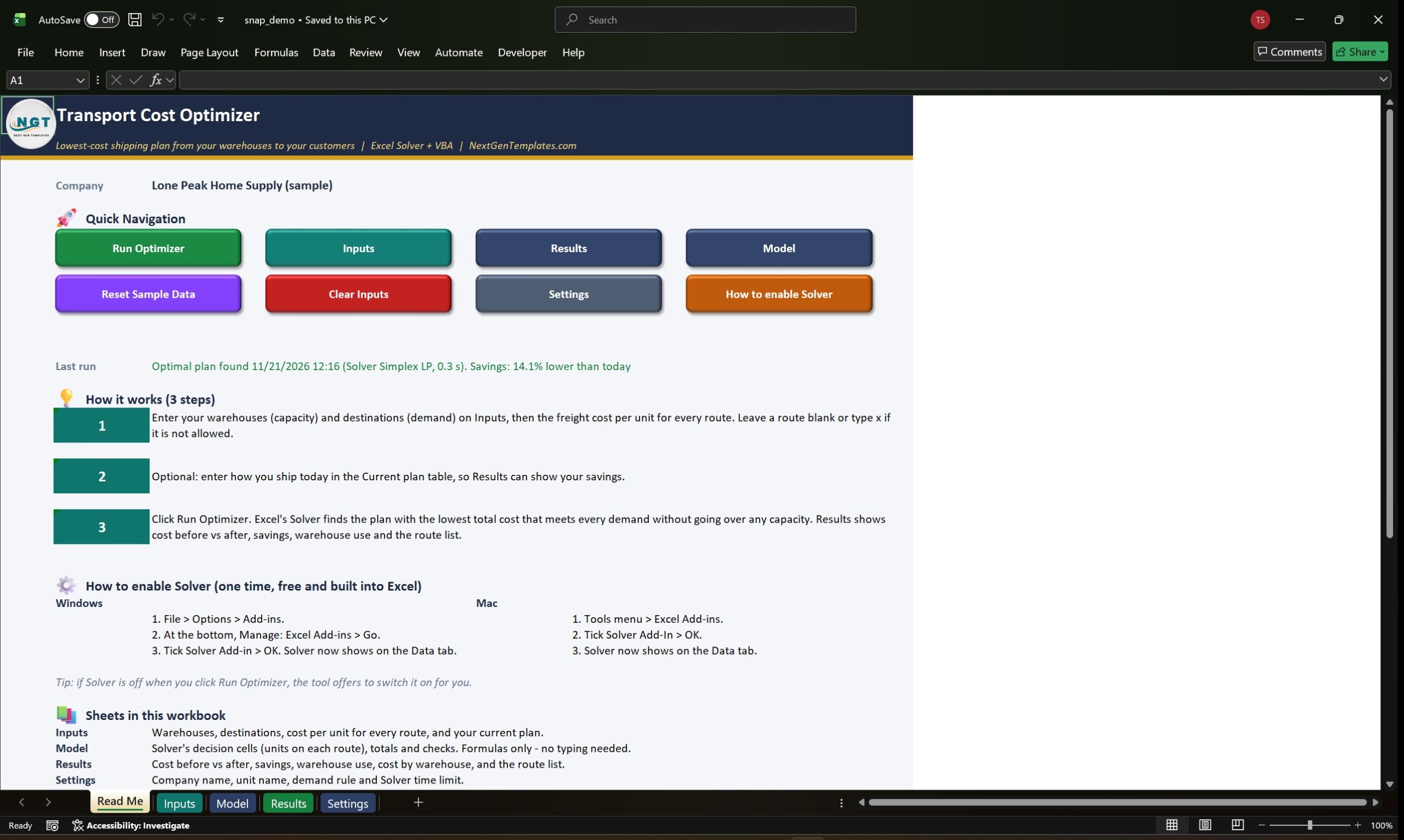
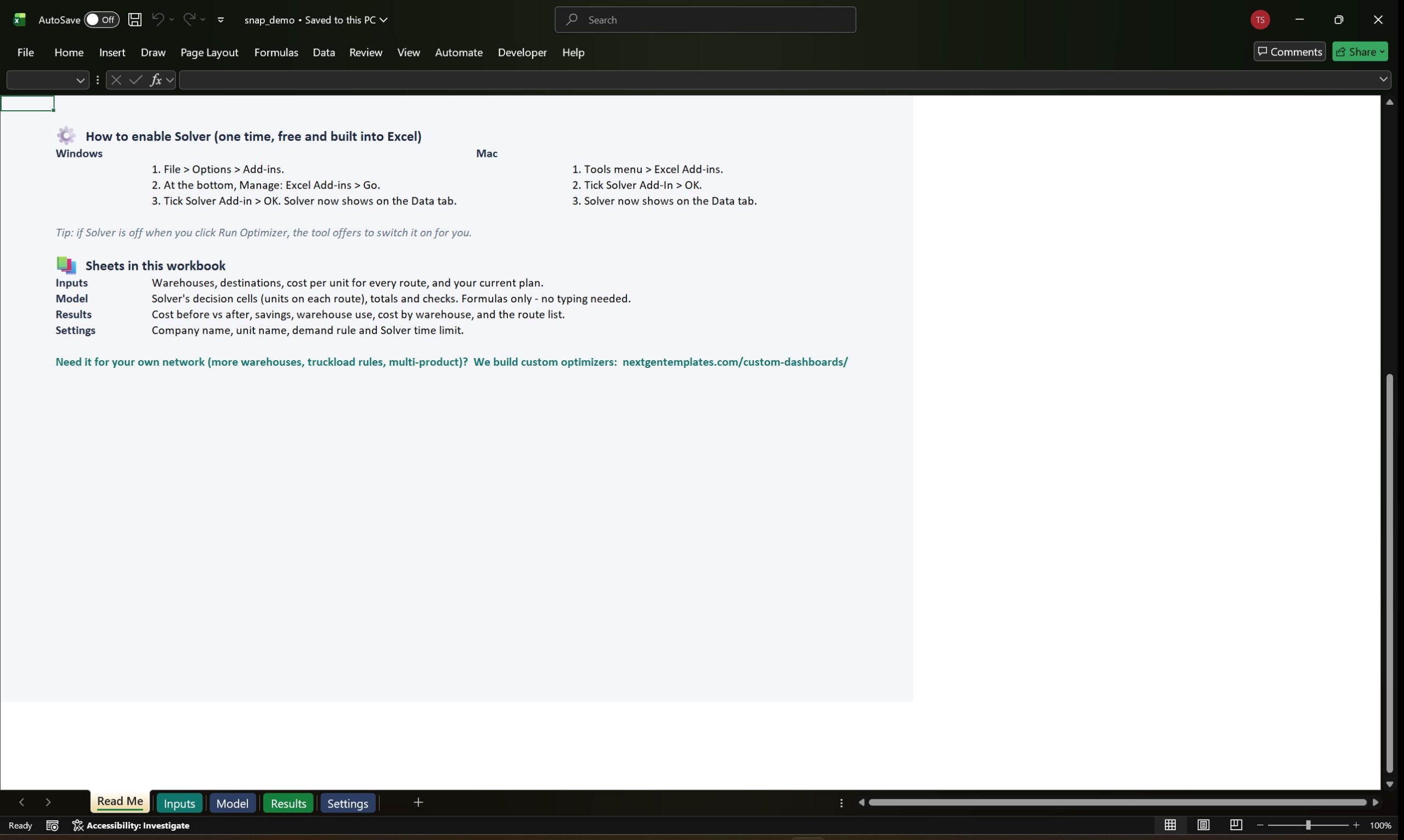
- A macro-enabled Excel workbook (.xlsm) with a Read Me page, Inputs, Model, Results and Settings, opened with a sample company (Lone Peak Home Supply, fictional) already optimized.
- A step-by-step PDF User Manual with screenshots, including how to enable macros and switch on Solver.
- A README with the quick start.
- A 7-day free trial version on this page, so you can test it with your own warehouses and rates before you buy.
Key Features
- Run Optimizer button: sets up and solves a Solver (Simplex LP) model by itself in about a second, and gives a clear message if Solver is off or an input is wrong.
- Up to 8 warehouses and 20 destinations, with a freight cost for every route. Leave a route blank or type x if a warehouse must not serve a destination.
- Current plan table (optional) so Results shows cost today against optimized cost, savings in dollars and in percent.
- Results with cost per warehouse, warehouse capacity use before and after, a route plan sorted by cost, and a Change column that shows which lanes ship more or less.
- Two charts: freight cost by warehouse (today against optimized) and capacity used by warehouse.
- What-if testing: change a warehouse capacity or a rate, run again and compare a new rate card or warehouse before you sign anything.
- Use optimized plan as current button, so next month’s run compares against the plan you adopted.
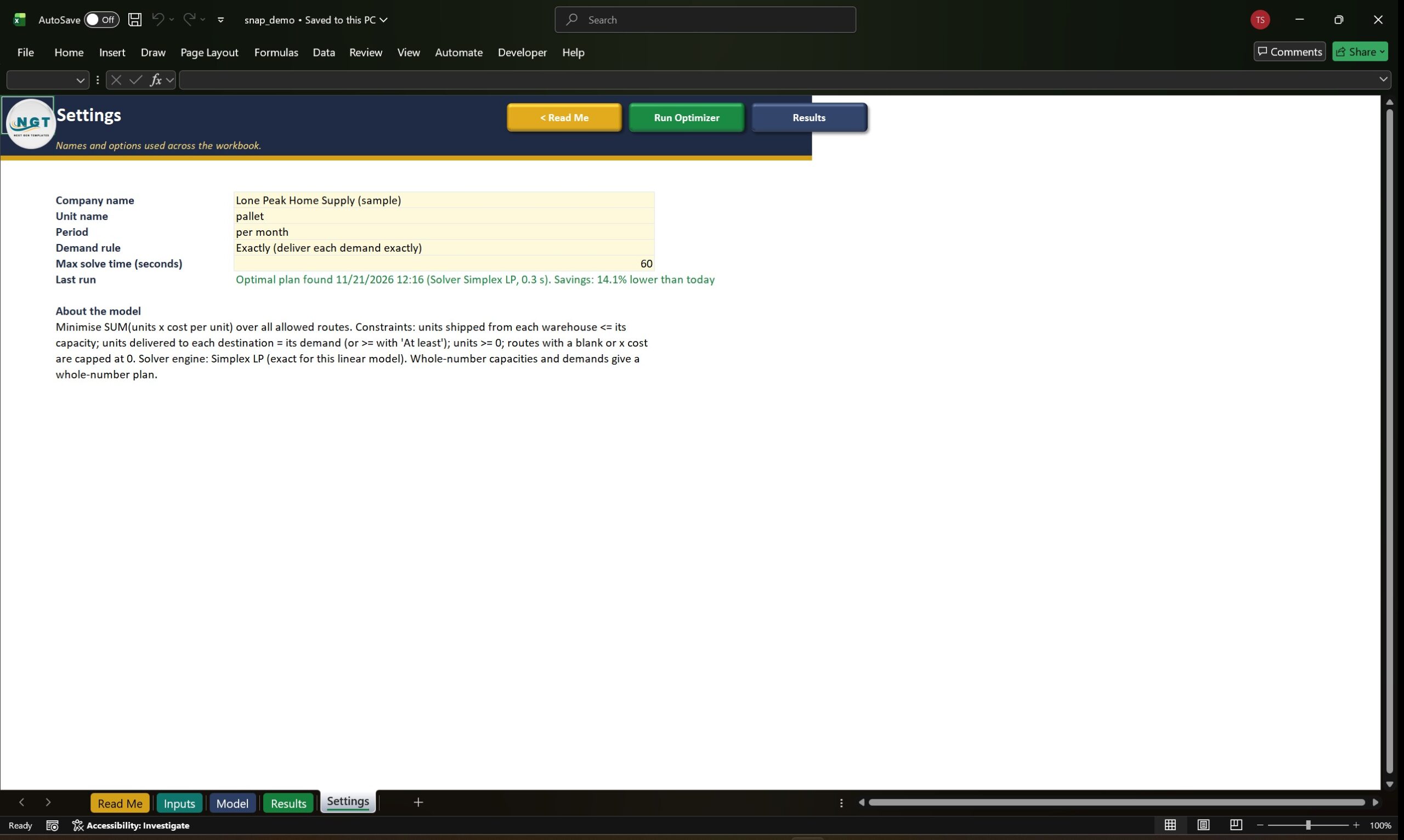
- Settings for company name, unit name (pallets, cases, truckloads), period, demand rule (exactly or at least) and the maximum Solver time.
- Reset Sample Data and Clear Inputs buttons, all inputs validated.
How the Transport Cost Optimizer Works
- Open the workbook in desktop Excel and enable macros. Switch on the free Solver add-in once (the button offers to do it for you).
- On Inputs, click Clear Inputs and enter your warehouses, capacities, destinations, demand and freight cost per unit.
- Optionally enter the units you ship on each route today, to see your savings.
- Click Run Optimizer.
- Read Results: cost today, optimized cost, savings, warehouse use and the route plan.
Who Is It For?
- Logistics, supply chain and transport planners who assign shipments to warehouses.
- Distributors, wholesalers and manufacturers with several warehouses or plants.
- Operations analysts who need a Solver transportation model without building it from scratch.
- Students and teachers of operations research who want a working example.
What It Does Not Do
- It is a single-product transportation model. It does not handle truckload minimums, several products or time windows. We can build a custom optimizer for that.
- It needs desktop Microsoft Excel with macros enabled and the Solver add-in. It does not run in Excel for the web or in Google Sheets.
- It does not read live freight rates. You type your own cost per unit for every route.
Comparison
| Feature | Planning by habit | Transport Cost Optimizer |
|---|---|---|
| Lowest total freight cost | Not guaranteed | Yes, Solver finds the optimum |
| Warehouse capacity respected | Checked by hand | Yes, always |
| Every demand delivered | Checked by hand | Yes, checked by formulas |
| What-if on a new warehouse or rate card | Hours of rework | Yes, change and run again |
| Savings against today’s plan | No | Yes, dollars and percent |
| Several products or truckload minimums | No | No, custom build available |
🎁 Try Before You Buy: 7-Day Free Trial
Download the free trial of the Transport Cost Optimizer in Excel (Solver + VBA) and use the complete system for 7 days. Every form, register, dashboard, printable document and setting works exactly as in the full version, so you can test it with your own records before you decide.
How the free trial works
- Click Get the 7-Day Free Trial below, enter your email and download the ZIP from the email we send you. Unzip it.
- Open it in Microsoft Excel for Windows (the desktop app, not Excel Online or Mac) and click Enable Content on the yellow bar. If there is no yellow bar, right-click the file, choose Properties, tick Unblock and open it again.
- Your 7 days start the first time the file opens with macros on. A banner on the MAIN page shows how many days are left.
- After 7 days the trial locks and shows a Buy Full Version button. Buy the full version to keep working with no time limit.
| Free Trial | Full Version | |
|---|---|---|
| Every feature, form and dashboard | Yes | Yes |
| Time limit | 7 days | None, lifetime use |
| Trial banner | Yes | No |
| PDF user manual | No, full version only | Included |
| Editable (unlocked) VBA code | No, locked | Yes |
Enter your email and we send the download link straight to your inbox.
The trial runs once per computer: downloading it again does not restart the 7 days. Records you enter during the trial can be copied into the full version.
Frequently Asked Questions
Do I need to know how to use Solver?
No. The Run Optimizer button builds and runs the Solver model for you. You only need to switch on the free Solver add-in once, and the workbook offers to do it.
Can I try it before I buy?
Yes. A 7-day free trial version is on this page. Test it with your own warehouses and freight rates.
How big a network does it handle?
Up to 8 warehouses and 20 destinations, which fits inside the limit of the free Solver.
Is the answer really the lowest cost?
Yes. The sample result was checked against an independent linear-programming solver and matched to the cent.
Does it work on Mac or Excel for the web?
It is built for desktop Excel with macros and the Solver add-in. It does not run in Excel for the web or Google Sheets.
Can you build one for my own network?
Yes. See our custom Excel solutions for bigger networks, truckload minimums or several products.
Get the Transport Cost Optimizer in Excel
Download the Transport Cost Optimizer, run the sample company, then enter your own warehouses and rates. Questions? Write to [email protected].













Reviews
There are no reviews yet.