

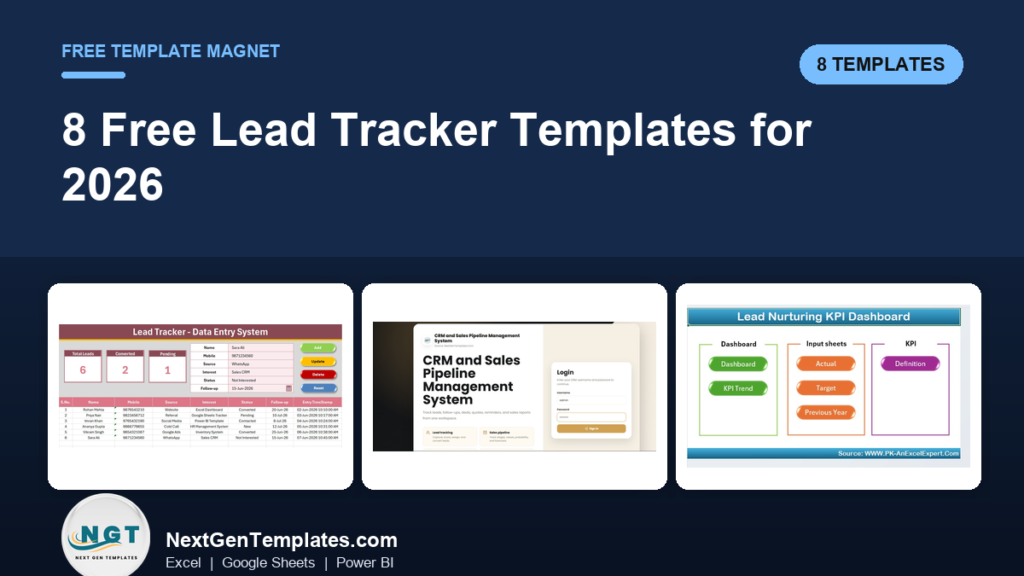
The best free lead tracker template is a plain Excel or Google Sheets table with six columns: name, contact, source, status, next follow-up date and deal value. It costs nothing and holds up for a few hundred leads. When you need forms, dashboards or pipeline stages, the Lead Tracker Data Entry System in Excel costs $5.99.
Last updated: November 2026
Key takeaways
- A free lead tracker template needs only 6 columns (name, contact, source, status, follow-up date, value) to answer who the lead is and whether it is closing.
- Free Excel, Google Sheets and CSV trackers work well up to a few hundred leads, then duplicates, typos and missed follow-ups start to cost you deals.
- The cheapest paid step up is the Lead Tracker Data Entry System in Excel at $5.99, with a 6-field form, 3 live KPI cards and 4 VBA buttons.
- For quotations, documents and a profit and loss view, the CRM and Sales Pipeline Management System V1.0 in Excel VBA costs $29.00 once, with no per-seat fees.
- Nothing on this page asks for your email. Every free option below is a method you can build in minutes, and every paid option is a one-time purchase.
 Launch offer
SUMIFS, XLOOKUP, FILTER, LAMBDA and checking AI-written formulas, with real business projects. 11h 47m of video by PK, with practice files, quizzes and a capstone.
Free lead tracker templates compared: which one fits, and what to upgrade to?
Each row pairs a free approach with the paid NGT template you would move to when that approach stops working. Prices are one-time USD.
| Template (free option, then paid upgrade) | Format | Best For | Price |
|---|---|---|---|
| 1. Free Excel table, then Lead Tracker Data Entry System in Excel (Best overall) | Excel with VBA | Solo founders and small sales teams | $5.99 |
| 2. Google Sheets template gallery, then CRM and Sales Pipeline Management System Web App | Google Sheets and Apps Script web app | Teams that live in Google Drive | $39.99 |
| 3. Vertex42 style Excel pipeline sheet, then CRM and Sales Pipeline Management System V1.0 in Excel VBA (Best value) | Excel VBA | Sales desks that quote and file contracts | $29.00 |
| 4. Simple CSV or Sheets lead list, then Lead Nurturing KPI Dashboard in Excel | Excel | Marketing and sales teams tracking nurturing | $14.99 |
| 5. Pivot table on a lead export, then Lead Nurturing KPI Dashboard in Power BI | Power BI | Teams that already report in Power BI | $11.99 |
| 6. Microsoft Create style CRM sheet, then CRM Development KPI Dashboard in Excel | Excel | CRM teams reporting to leadership | $14.99 |
| 7. Free sales funnel counter, then CRM KPI Dashboard in Excel | Excel | Tracking lead conversion and retention | $14.99 |
| 8. Free monthly KPI checklist, then CRM KPI Scorecard in Excel | Excel | Sales, marketing and support scorecards | $14.99 |
How we picked these
We searched the NGT catalog of roughly 6,900 templates for lead, CRM and sales pipeline products, then kept only paid tools that solve a problem a free tracker cannot. Free options are described as types of template, not specific downloads, so nothing here can go stale when a website reorganises. Free tools and tiny files were excluded from the paid list because you can already get them elsewhere. Join 10,000+ customers in 180+ countries who use NGT templates in place of paid SaaS tools.
What should a free lead tracker template include?
Six columns cover most needs: lead name, phone or email, source, interest, status and next follow-up date. Add a seventh for deal value once you quote prices. Everything else is decoration until these six are filled in every time.
Two rules keep a free tracker usable. First, use a dropdown for Source and Status so you never end up with “Facebook”, “FB” and “facebook ad” as three separate sources. Second, keep one row per lead and never merge cells, otherwise filters and pivot tables break.
The one formula worth adding is conversion rate: converted leads divided by total leads. As a worked example, 200 leads logged and 24 marked Converted gives 24 / 200 = 12%. If 50 of those leads came from referrals and 15 of them converted, referrals convert at 30%, which tells you where to spend your next hour.
The 8 best free lead tracker template options for 2026
The list is ranked by how many people it fits. Number 1 wins because most people searching this keyword need a one-person log, and the gap between a free table and a proper entry form costs only $5.99.
1. Free Excel table, then Lead Tracker Data Entry System in Excel (best overall)
The free version: a blank workbook or a Microsoft Create style template with a formatted table. You type straight into the rows, filter by status and sort by follow-up date. It is free, offline and familiar. It stops when a second person edits it, because anyone can overwrite a formula or paste text into a date column.
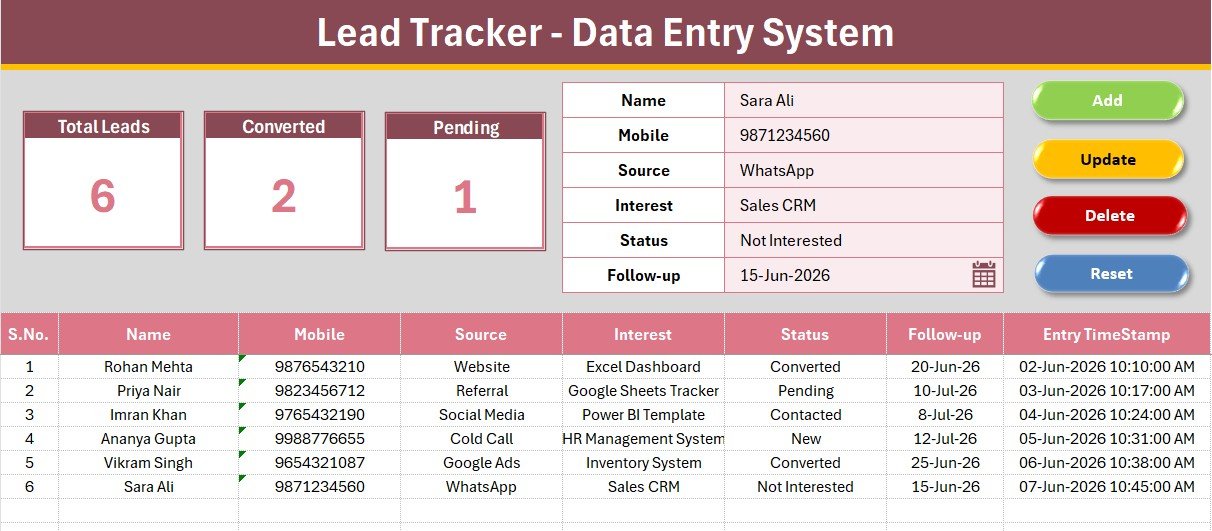
The upgrade: the Lead Tracker Data Entry System in Excel. It is for solo founders and small sales teams who want to log leads without touching the table.
- 6-field lead log: Name, Mobile, Source, Interest, Status and Follow-up date
- 3 live KPI cards: Total Leads, Converted and Pending
- 4 one-click VBA buttons: Add, Update, Delete and Reset
- 2 dropdown fields with 18 preset options, editable on the Setting sheet
- Auto serial number and timestamp on every lead
Use case: log 40 leads from a trade show in one afternoon and see Pending versus Converted without building a single formula. First-time setup takes under 5 minutes, with no login and no per-seat fees.
Price: $5.99. See the Excel lead tracker.
Best for: one person or a very small team replacing a messy sheet with a clean form.
2. Google Sheets template gallery, then CRM and Sales Pipeline Management System Web App
The free version: a lead tracker Google Sheets file built from the template gallery or from scratch. Sharing is the big win: five people can edit the same file from a phone. It stops at permissions. Anyone with edit access can change or delete anything, and there is no history of who changed which value.
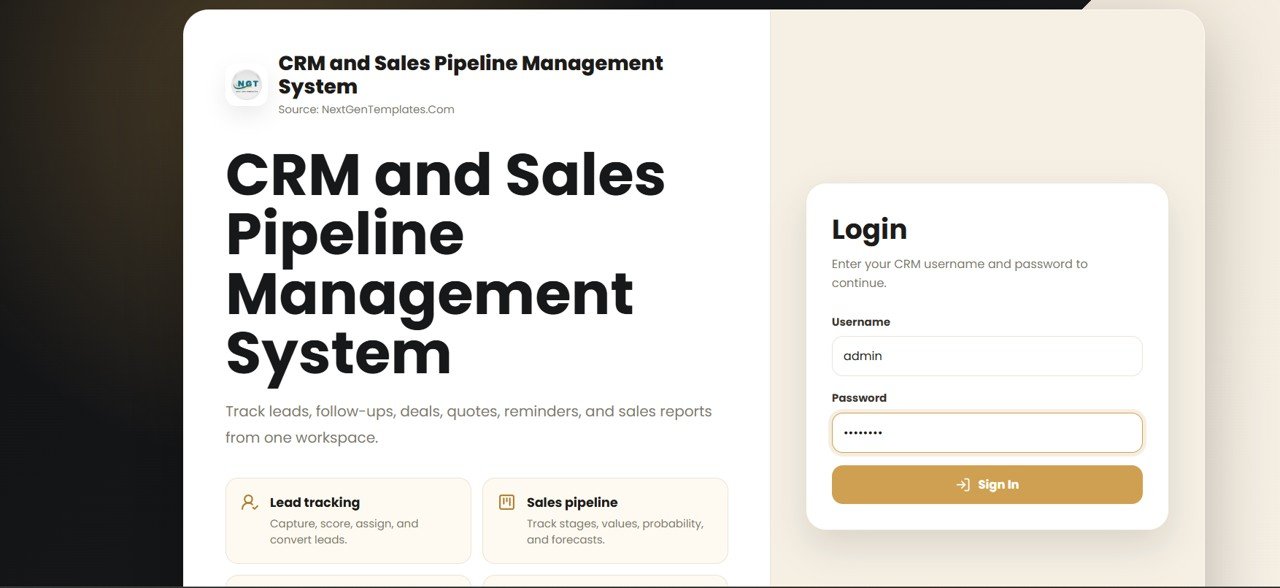
The upgrade: the CRM and Sales Pipeline Management System Web App (Version 2.0), which runs on Google Sheets and Google Apps Script so the data stays in your own Google Drive.
- 28 connected screens, including Leads, Contacts, Accounts, Deals and a Pipeline Board
- A change log on every row, showing who edited a field and the old and new value
- Deal History flow chart showing days spent in each stage
- Seven-role permission map and an Audit Log
- Dashboard of 12 live KPI tiles
Use case: a 6-person team where a manager needs to see exactly who changed a deal value last Tuesday.
Price: $39.99. View the Google Sheets CRM web app.
Best for: teams that want a shared CRM inside Google Drive with real permissions.
3. Vertex42 style Excel pipeline sheet, then CRM and Sales Pipeline Management System V1.0 in Excel VBA (best value)
The free version: a sales pipeline Excel list with one row per deal, in the style of the free sheets Vertex42 and similar sites publish. It shows stage and value. It stops when you need to attach a signed contract, raise a quote with several product lines or see profit.
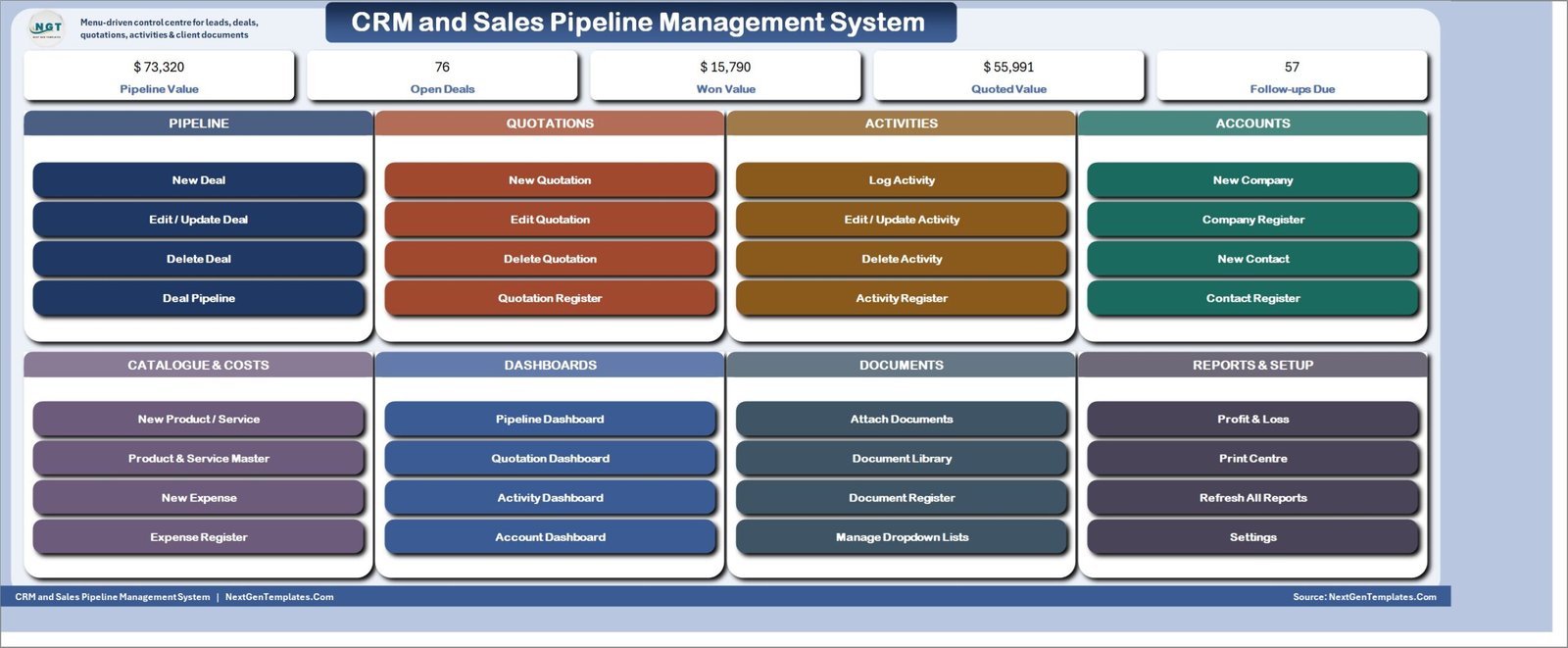
The upgrade: the CRM and Sales Pipeline Management System V1.0 in Excel VBA, one macro-enabled file for a whole sales desk.
- 16 worksheets, 12 VBA entry forms and 4 pivot dashboards
- 6 pipeline stages, where the stage sets deal status and win probability by formula
- Multi-line quotations under one quote number
- Document Library for attached contracts and proposals
- Live Profit and Loss for 12 months, printing at A4, 4 inch and 3 inch
Use case: sample data ships with 120 deals, 80 quotations across 190 line items and 260 activities, so you see every chart working before you enter your own. The page also offers a 7-day free trial.
Price: $29.00. Open the Excel CRM template.
Best for: small sales desks that quote, file paperwork and want a profit view in Excel.
4. Simple CSV or Sheets lead list, then Lead Nurturing KPI Dashboard in Excel
The free version: a plain CSV exported from a form, an ad platform or a mailing tool, opened in Excel or Sheets. It is the quickest way to start, since the data arrives already in rows. It stops at analysis. A CSV gives you a list, not a view of which source converts or how many follow-ups are overdue.
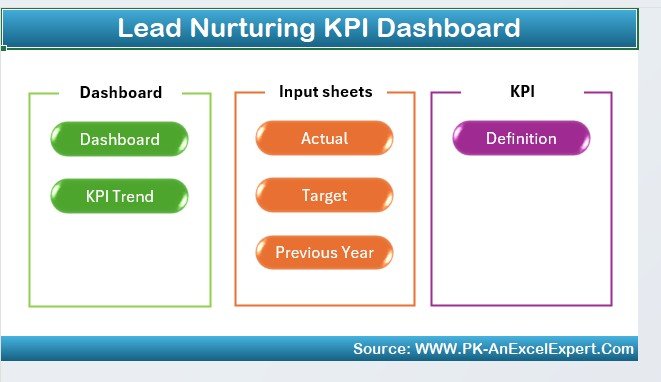
The upgrade: the Lead Nurturing KPI Dashboard in Excel, for marketing and sales teams that want to track nurturing, not just record leads.
- Lead engagement tracking
- Lead conversion monitoring through the funnel
- Follow-up task scheduling and tracking
- Lead source and channel analysis
- Customizable KPIs
Use case: find which of your lead sources produces customers, instead of which produces the most names.
Price: $14.99. Get the lead nurturing dashboard.
Best for: teams with a lead list who now need conversion and source reporting.
Want the full paid stack instead of a single upgrade?
This page is the free list. If you already know a free tracker will not be enough, our guide to the lead tracker to pipeline dashboard sales stack covers four paid templates working together. Prices on this page start at $5.99, one time, with no subscription.
5. Pivot table on a lead export, then Lead Nurturing KPI Dashboard in Power BI
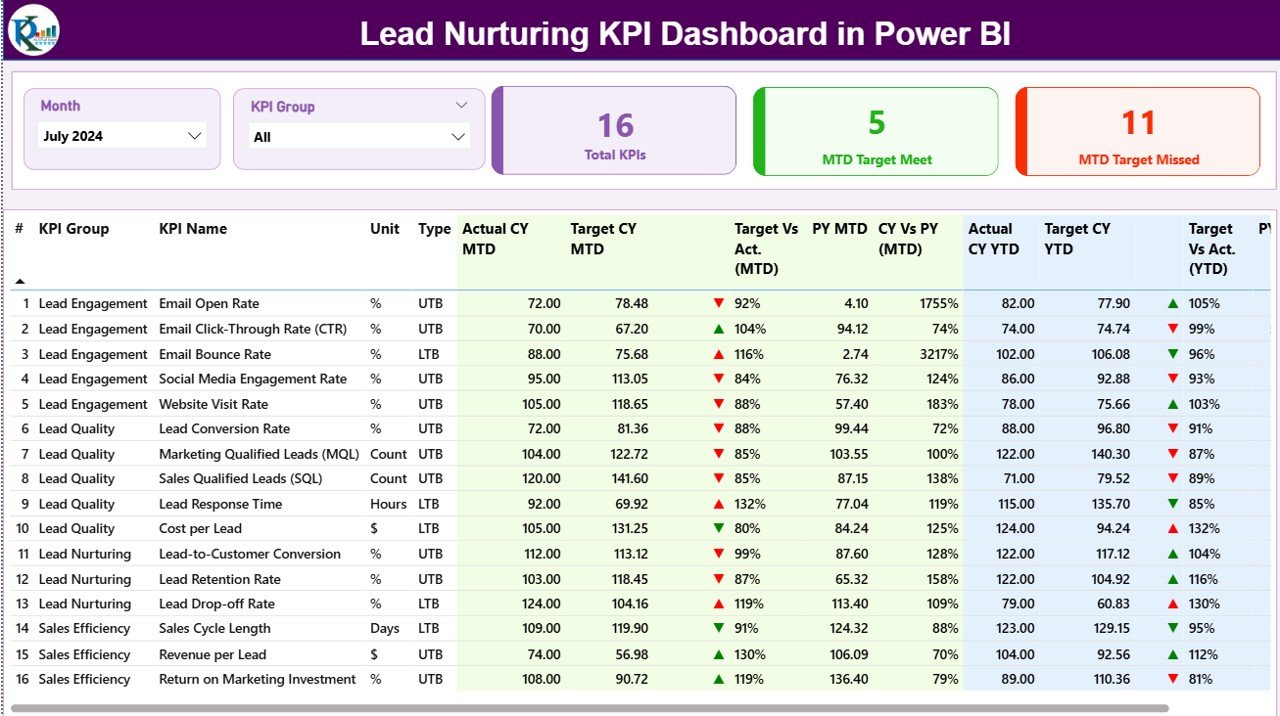
The free version: a pivot table built on top of your lead sheet, counting leads by status and source. It costs nothing and teaches you what you actually want to measure. It stops when you want month-to-date and year-to-date views, targets and last-year comparisons, which means rebuilding the pivot each month.
The upgrade: the Lead Nurturing KPI Dashboard in Power BI, for teams that already report in Power BI.
- MTD and YTD performance tracking
- Target versus actual analysis
- Current year versus previous year comparison
- Slicers for Month and KPI Group
- Built-in KPI definitions, with Excel as the data source
Use case: update the Excel input sheet, refresh, and review the month in one page rather than rebuilding charts.
Price: $11.99. See the Power BI lead dashboard.
Best for: Power BI users who want lead KPIs without designing the report.
6. Microsoft Create style CRM sheet, then CRM Development KPI Dashboard in Excel
The free version: a free customer or contact sheet from Microsoft Create or a similar library. These give you a tidy layout for names and notes. They stop at performance measurement, because they record activity and never compare it with a target.
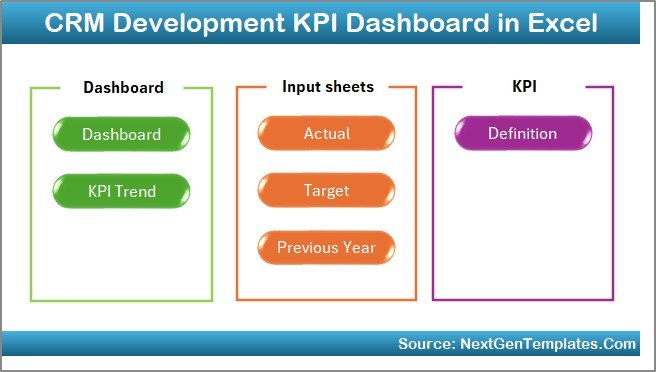
The upgrade: the CRM Development KPI Dashboard in Excel, for CRM teams who report results to leadership.
- 7 structured worksheets
- Month selector with MTD and YTD tracking
- Target versus actual and previous year analysis
- KPI trend charts and up and down indicators
- KPI Definition sheet with name, group, unit, formula and type
Use case: change the month in one cell and every report updates, which makes a monthly review a 10 minute job.
Price: $14.99. Browse the CRM development dashboard.
Best for: teams measuring CRM performance against targets.
7. Free sales funnel counter, then CRM KPI Dashboard in Excel
The free version: a small sheet that counts leads at each funnel stage: contacted, qualified, proposal, won. It is useful and takes ten minutes. It stops when you want lead conversion, sales performance and retention in one place, with charts that refresh as you enter data.
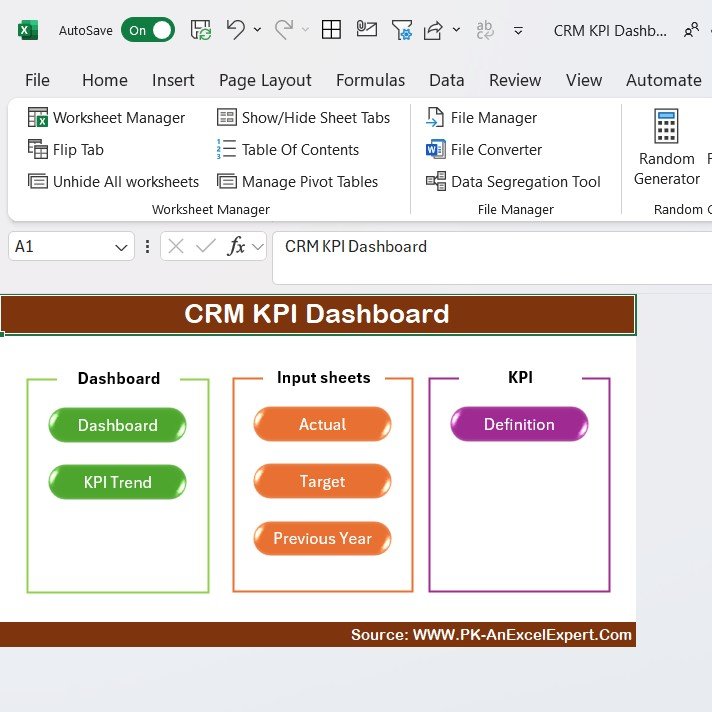
The upgrade: the CRM KPI Dashboard in Excel, for sales teams, marketing departments and CRM managers.
- Lead conversion, sales performance and customer retention tracking
- Real-time updates as data is entered
- Charts and graphs for CRM performance
- Customizable layout, with no advanced Excel skills required
Use case: with 200 leads and 24 conversions, the dashboard frames the 12% rate against your other CRM metrics.
Price: $14.99. Check the CRM KPI dashboard.
Best for: a single view of conversion and retention in Excel.
8. Free monthly KPI checklist, then CRM KPI Scorecard in Excel
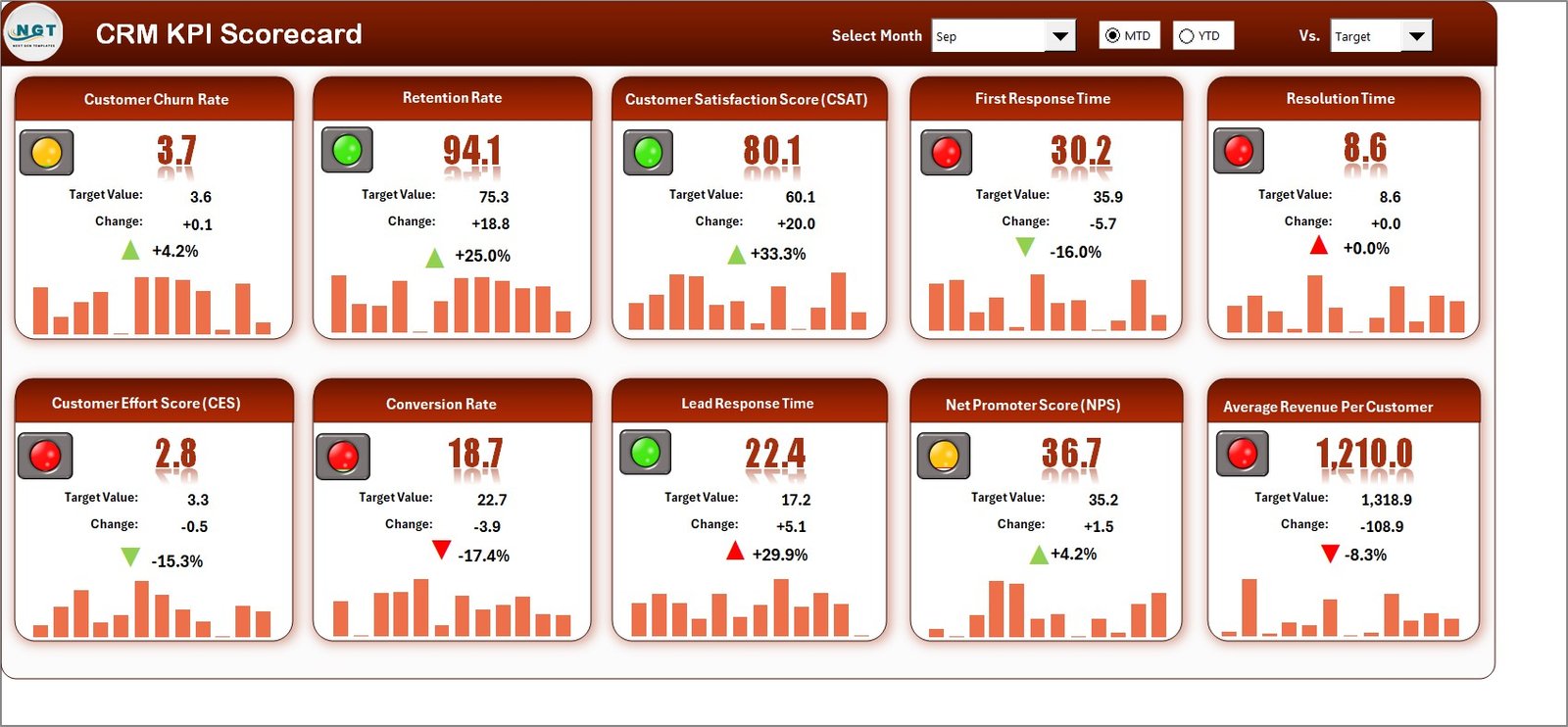
The free version: a short checklist of five or six numbers you review on the first of each month. It is the lightest possible habit and costs nothing. It stops at trend. A checklist tells you this month, but not whether you are above or below target or last year.
The upgrade: the CRM KPI Scorecard in Excel, covering sales, marketing and support KPIs.
- 4 sheets: Scorecard, KPI Trend, Input Data and KPI Definition
- MTD and YTD toggle with month dropdowns
- Actual versus Target versus Previous Year trend charts
- Green and red conditional formatting
- Editable KPI names, groups and formulas
Use case: replace a monthly spreadsheet review with one scorecard page that shows what is on track and what is not.
Price: $14.99. Open the CRM KPI scorecard.
Best for: managers who want a monthly scorecard rather than a record system.
How do I choose between a free tracker and a paid upgrade?
Use this short decision list:
- Under 100 leads and one user: stay with a free Excel or Google Sheets table.
- One user who keeps typing into the wrong column: buy the $5.99 Lead Tracker Data Entry System in Excel.
- More than one editor and a need for audit history: the $39.99 Google Sheets CRM web app.
- Quotes, attachments and profit in Excel: the $29.00 Excel VBA CRM.
- You already have a lead list and need reporting: one of the $14.99 or $11.99 dashboards.
Read our free sales report templates guide if reporting is the main gap, or the free task list and to-do templates if follow-ups are what keep slipping.
When is a free lead tracker template not the right answer?
A free or one-time-purchase template is the wrong choice in several situations. If you need automatic email capture from web forms, two-way email sync or built-in calling, you need a hosted CRM such as HubSpot, Zoho CRM, Pipedrive or Salesforce. HubSpot publishes a free CRM that covers some of this.
Spreadsheets also struggle with large teams editing at the same time, thousands of leads per month and strict compliance needs. Our Excel VBA tools run on Windows desktop Excel, so if your whole team works on Macs or phones only, pick the Google Sheets web app or a hosted CRM.
Finally, if you only have 20 leads a year, a free table is enough. Do not pay for a system you will not open.
Do I need to give my email to get a free lead tracker template?
Not here. This page has no sign-up form, no gated download and no email capture. The free options are methods you can set up yourself in Excel or Google Sheets in a few minutes, and the paid templates are normal product pages with a one-time price.
Frequently asked questions
What is a free lead tracker template?
A free lead tracker template is a spreadsheet that records each sales lead in one row. It usually has columns for name, contact details, source, status and next follow-up date. You can build one in Excel or Google Sheets in about ten minutes, or start from a free template library.
Is there a free lead tracker template for Excel?
Yes. Microsoft Create and sites that publish Vertex42 style spreadsheets offer free Excel trackers, and you can also build one from a blank workbook. Use an Excel table with dropdowns for Source and Status. For a form-based version, the Lead Tracker Data Entry System in Excel costs $5.99.
How do I make a lead tracker in Google Sheets?
Create a sheet with columns for name, contact, source, status, follow-up date and value. Add dropdown data validation for Source and Status, freeze the header row and add a filter. Share it with your team. For permissions and audit history, the Google Sheets CRM web app costs $39.99.
What columns should a lead tracking spreadsheet have?
Start with lead name, phone or email, source, interest, status and next follow-up date. Add deal value and a notes column once you start quoting. Keep one row per lead and use dropdowns for status so filters and counts stay accurate as the list grows past a few hundred rows.
How do I calculate lead conversion rate in a spreadsheet?
Divide converted leads by total leads and format the result as a percentage. For example, 24 converted out of 200 total leads is 12%. Calculate it per source as well, so you can see which channel produces customers rather than just names. The same formula works in Excel and Sheets.
When should I upgrade from a free lead tracker?
Upgrade when mistakes cost you money: duplicate leads, overwritten formulas, missed follow-ups or a second person editing the same file. A $5.99 entry form fixes most of those. Move to a full CRM template at $29.00 or $39.99 when you need quotes, documents, roles or audit history.
Is a spreadsheet good enough instead of a CRM?
For one person or a small team with a few hundred leads, yes. A spreadsheet is cheaper, works offline and is easy to customise. It falls short on email sync, automation and large teams. A one-time-purchase CRM template sits between a free sheet and a monthly SaaS plan.
What is the difference between a lead tracker and a CRM?
A lead tracker logs who the lead is, where it came from and whether it converted. A CRM also manages contacts, accounts, deals, quotes, activities and reports. Start with a tracker and move to a CRM template when you need to manage deals through stages rather than just count leads.
Can I use these lead trackers without a monthly subscription?
Yes. The free options cost nothing, and every NGT template listed here is a one-time payment with no subscription and no per-user fees. The Lead Tracker Data Entry System in Excel works offline with no login, while the Google Sheets web app keeps your data in your own Google Drive.
Get more lead tracker and CRM templates
Start at $5.99 with the Lead Tracker Data Entry System in Excel, or pick the full desk system, the CRM and Sales Pipeline Management System V1.0 in Excel VBA, at $29.00. For the paid four-template route, read the lead tracker and sales pipeline Excel template stack. More free-plus-upgrade guides: free leave tracker Excel templates, Airtable alternatives in Excel and Sheets and free employee onboarding checklist templates. Watch walkthroughs on the NextGenTemplates YouTube channel. Join 10,000+ customers in 180+ countries.