

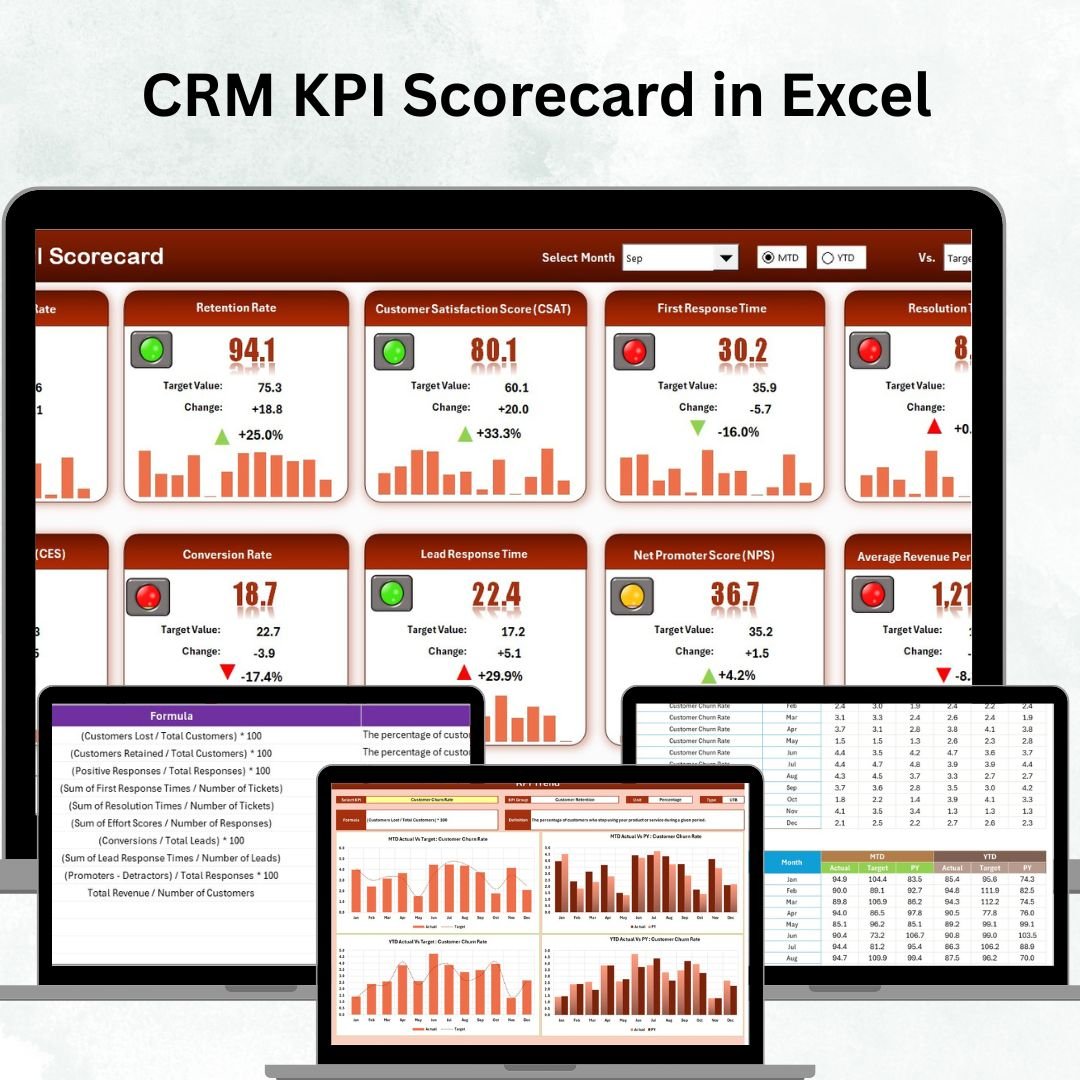


Managing customer relationships effectively is the backbone of every thriving business. 💼 Whether you’re nurturing new leads, boosting customer retention, or tracking sales performance, having clear insights into your CRM data is essential. That’s why we created the CRM KPI Scorecard in Excel — a professional, easy-to-use, and data-driven tool to measure your customer relationship performance at a glance.
This Excel-based scorecard transforms scattered CRM data into a structured, visual, and interactive scorecard. Instead of complex dashboards or expensive CRM analytics tools, you get everything you need in one place — simplicity, automation, and actionable insights. 📊
✨ Key Features of CRM KPI Scorecard in Excel
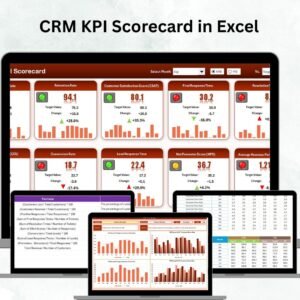
✔ Four Organized Worksheets – Includes Scorecard, KPI Trend, Input Data, and KPI Definition sheets to manage, analyze, and visualize CRM performance.
✔ Interactive Scorecard Dashboard – Dropdowns let you choose a month or toggle between MTD (Month-to-Date) and YTD (Year-to-Date) metrics.
✔ Actual vs Target Comparison – Instantly see which KPIs are on track, exceeding expectations, or need improvement.
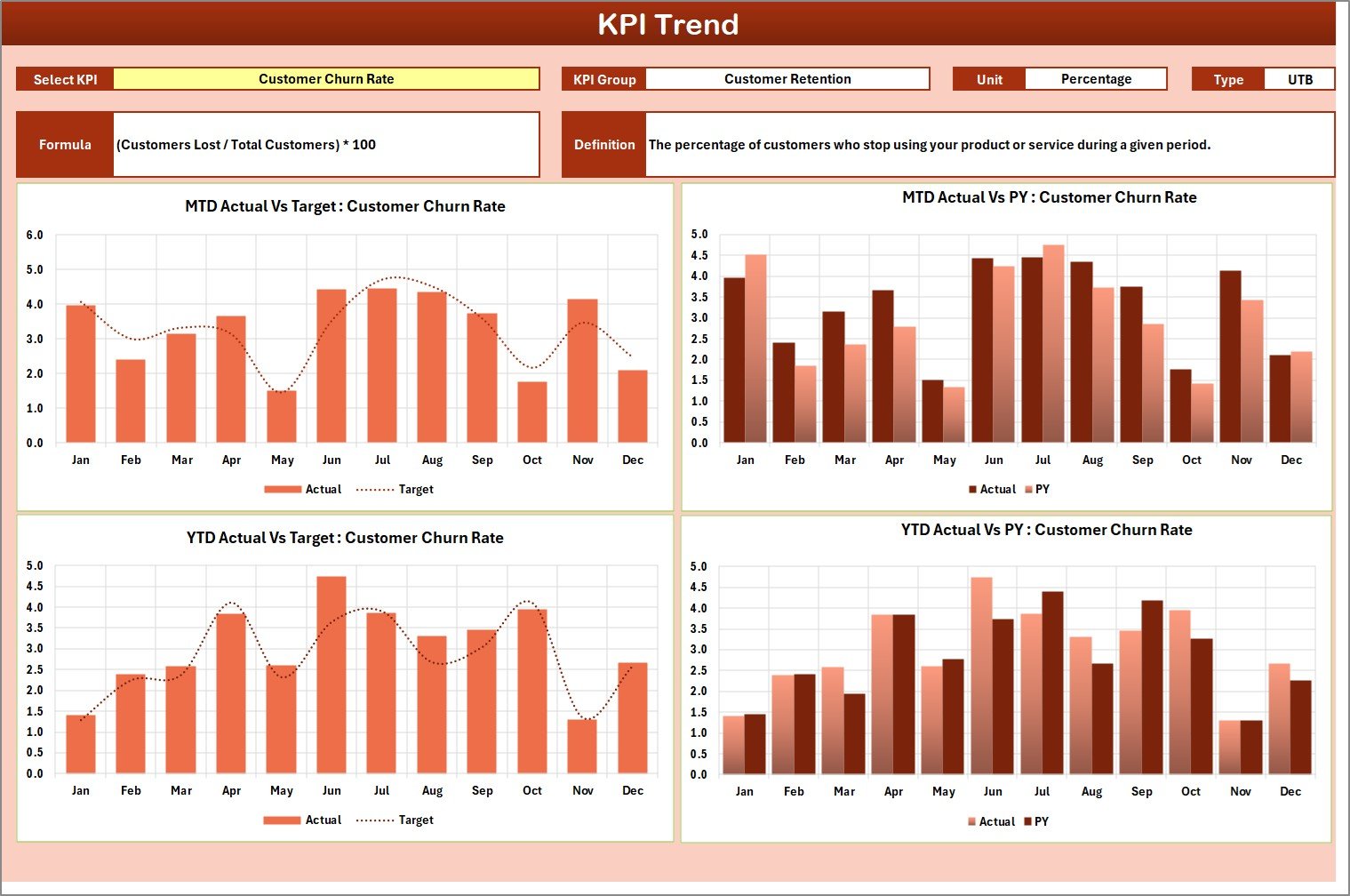
✔ KPI Trend Analysis – View progress over time through visual trend charts, comparing Actual, Target, and Previous Year (PY) values.
✔ Automated Calculations – The scorecard updates automatically when you enter new data — no manual recalculations required.
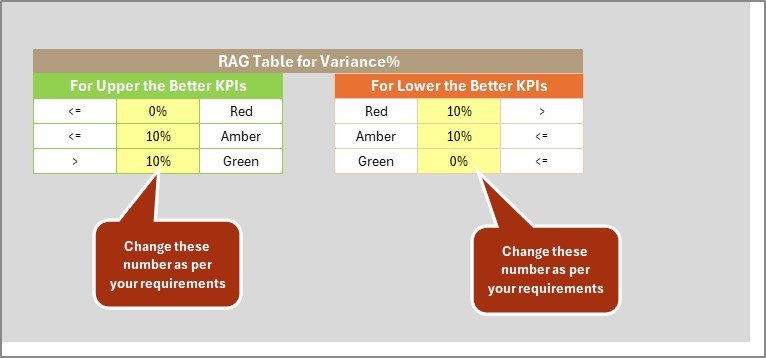
✔ Conditional Formatting – Intuitive color coding (green for achieved, red for underperformance) highlights key insights.
✔ Customizable KPI Definitions – Easily modify KPI names, groups, formulas, and units to fit your CRM strategy.
✔ User-Friendly & Error-Free – Clean structure and dropdown validation minimize errors while maximizing clarity.
📂 What’s Inside the CRM KPI Scorecard
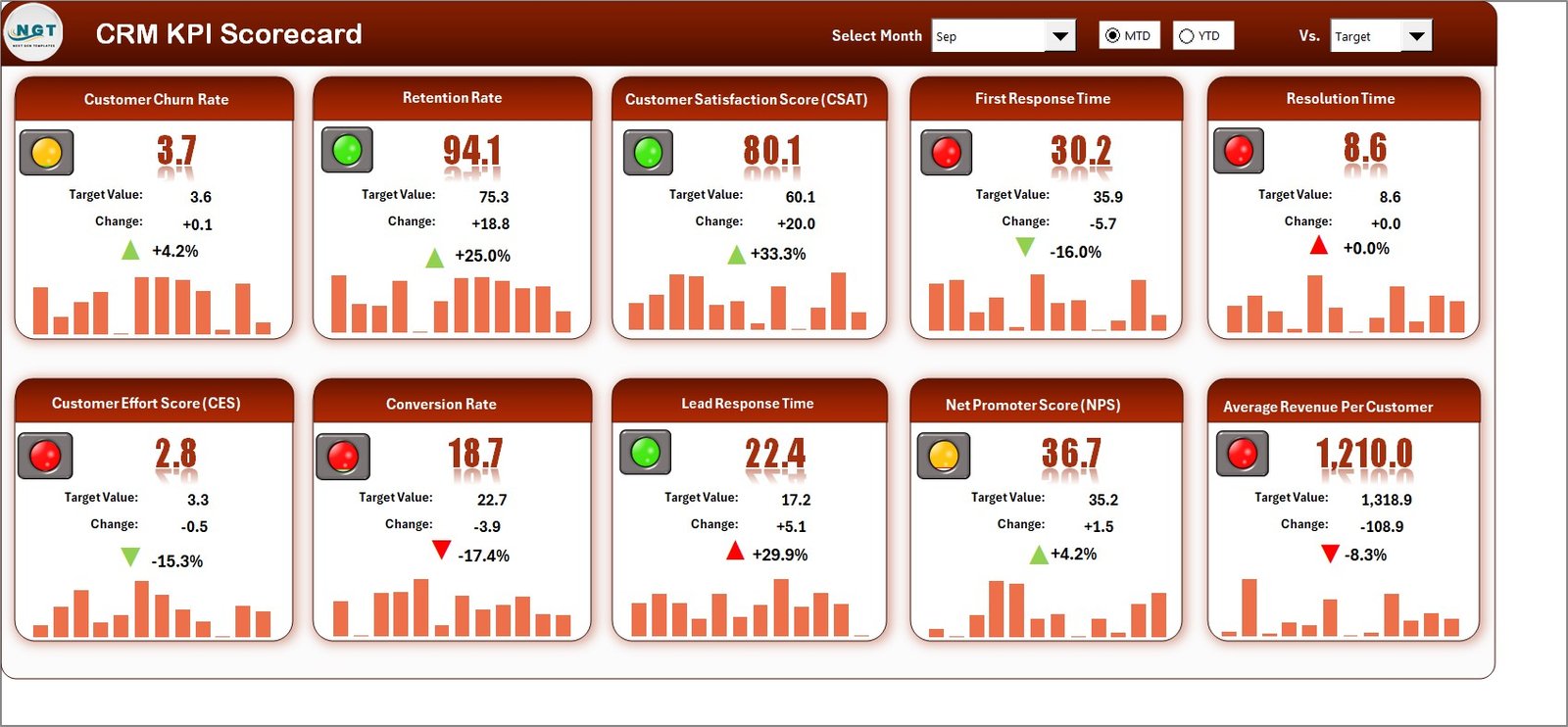
🔹 Scorecard Sheet – The central hub displaying CRM performance with Actual vs Target comparisons, KPI groupings, and visual indicators.
🔹 KPI Trend Sheet – An analytical page with dropdown-based KPI selection and dynamic trend charts for detailed analysis.
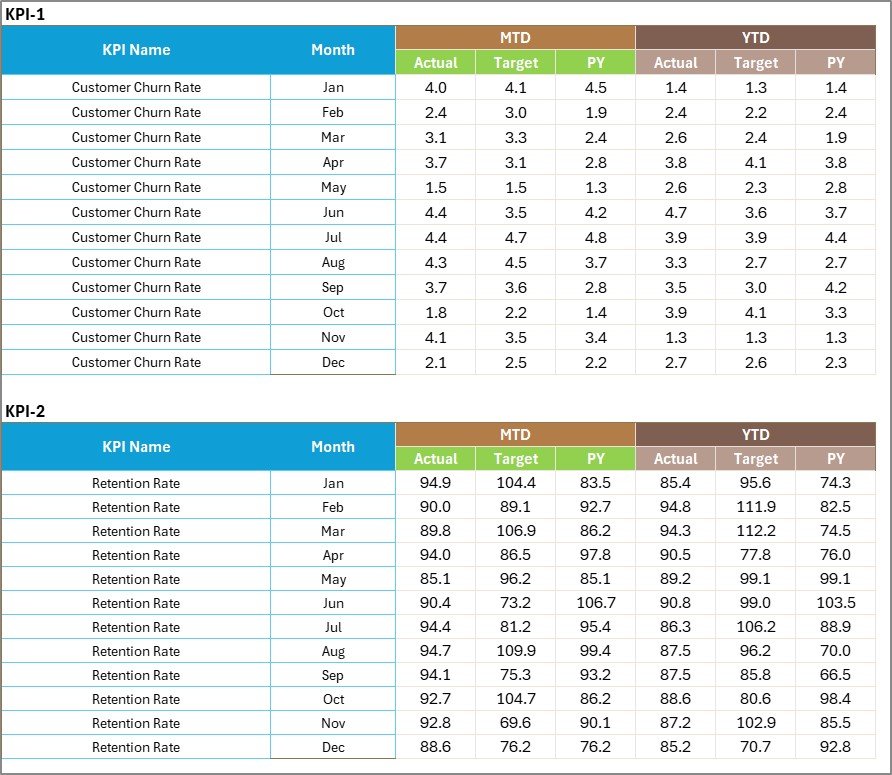
🔹 Input Data Sheet – The data entry sheet for monthly Actual, Target, and Previous Year values — all linked automatically to the dashboard.
🔹 KPI Definition Sheet – A reference library where KPI details like Name, Unit, Formula, and Definition are stored for consistency and clarity.
🛠️ How to Use the CRM KPI Scorecard in Excel
Download and Open the Template – Fully functional in Excel; no setup required.
Enter Data – Fill in Actual, Target, and Previous Year metrics in the Input Data sheet.
Add KPI Definitions – Define each KPI (Name, Unit, Formula, Description) in the KPI Definition sheet.
Analyze Results – View MTD and YTD performance directly on the Scorecard page.
Explore Trends – Open the KPI Trend sheet to identify performance shifts or recurring issues.
Take Action – Use insights to refine marketing, sales, or support strategies for better outcomes.
👥 Who Can Benefit from This Template?
✅ Sales Teams – Monitor lead conversions, response times, and pipeline performance.
✅ Marketing Departments – Track campaign ROI, lead generation, and engagement metrics.
✅ Customer Support Teams – Measure ticket resolution time and customer satisfaction rates.
✅ Executives & Managers – Get a snapshot of CRM health for decision-making.
✅ Startups & Enterprises – Works perfectly for small teams or large-scale CRM monitoring.
By using the CRM KPI Scorecard in Excel, organizations can:
💡 Align CRM activities with strategic goals.
💡 Identify bottlenecks in sales, marketing, or customer support.
💡 Increase transparency and accountability across departments.
💡 Save time through automation and visual insights.
💡 Improve data accuracy without complex BI systems.
It’s not just a scorecard — it’s your CRM performance compass, helping you turn customer data into business growth. 🚀
👉 Click here to read the Detailed blog post
👉 Visit our YouTube channel to learn step-by-step video tutorials
Watch the step-by-step video tutorial:
Compatibility and Requirements
- Works in Microsoft Excel desktop (Excel 2016 or later, or Microsoft 365).
- You pick the month and MTD or YTD view from dropdowns, and the Scorecard shows Actual vs Target with color coding. Microsoft explains dropdowns in Create a drop-down list.
Frequently Asked Questions
Which sheets are included?
Four sheets: Scorecard, KPI Trend, Input Data and KPI Definition.
How do I update the scorecard?
Enter the monthly Actual, Target and Previous Year values in the Input Data sheet. The Scorecard updates automatically.
Can I switch between month-to-date and year-to-date?
Yes. Dropdowns on the Scorecard let you choose the month and toggle between MTD and YTD figures.
Can I change the KPI names and formulas?
Yes. The KPI Definition sheet stores each KPI’s name, group, unit, formula and definition, and you can edit them to fit your CRM strategy.
Is there a Google Sheets version?
Yes. See the CRM KPI Scorecard in Google Sheets.
Related KPI Templates
- CRM KPI Scorecard in Google Sheets: the same scorecard for Google Sheets
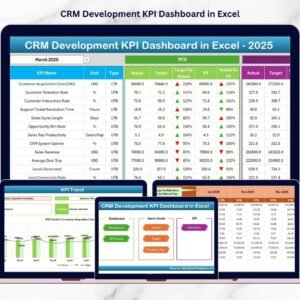
- CRM Development KPI Dashboard in Excel: a dashboard view for CRM development
- CRM KPI Dashboard in Google Sheets: a CRM dashboard in Google Sheets
- Call Centre KPI Scorecard in Excel: a scorecard for support and call teams
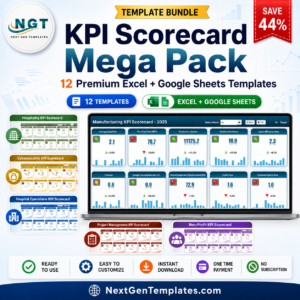
- KPI Scorecard Mega Pack: 12 scorecard templates in one download
Browse all Excel KPI dashboards.







Reviews
There are no reviews yet.