

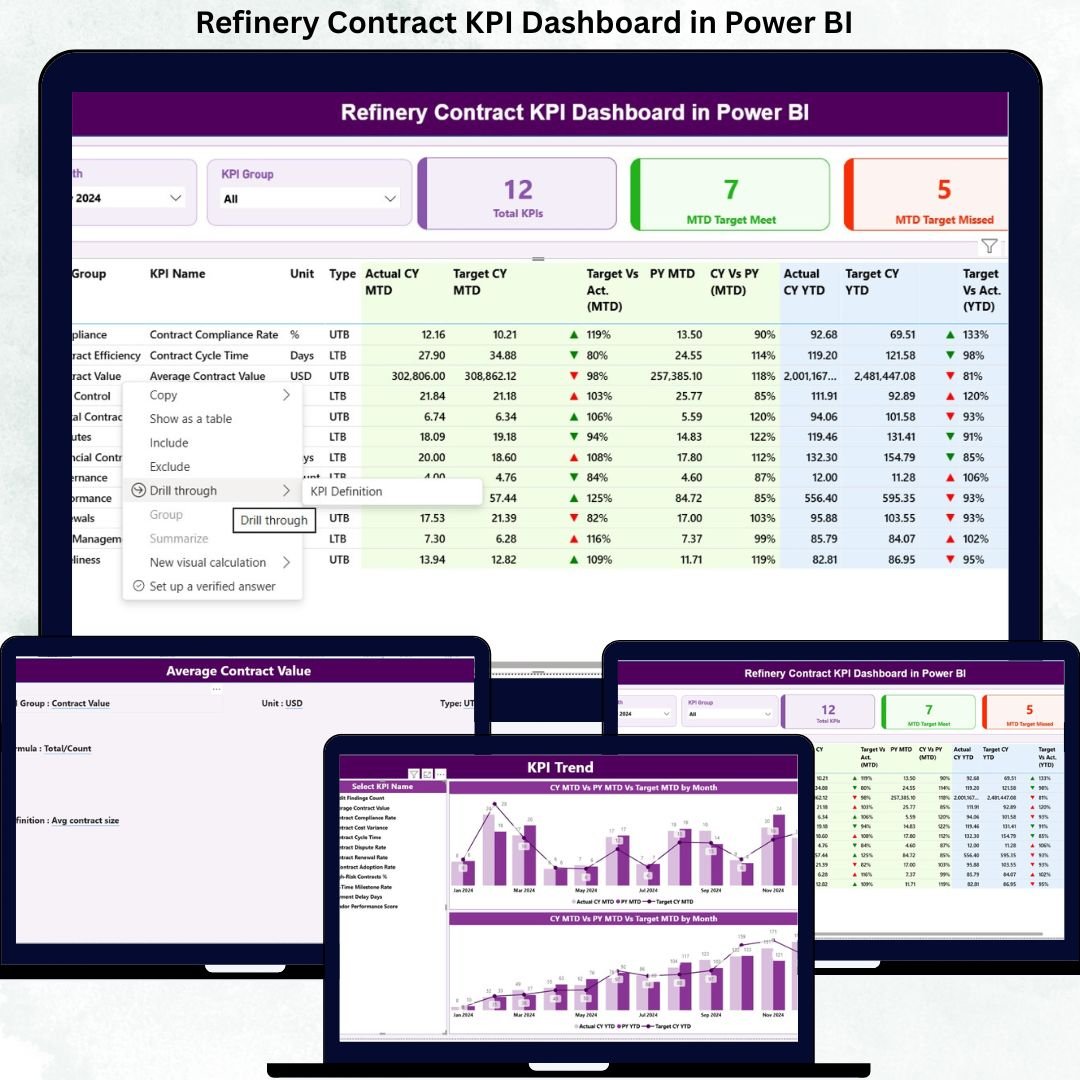

Managing refinery contracts is no small task. High-value vendor agreements, strict compliance clauses, penalty conditions, and long-term service commitments demand absolute control and real-time visibility. However, relying on scattered Excel sheets or static reports often leads to missed risks, delayed actions, and weak governance.
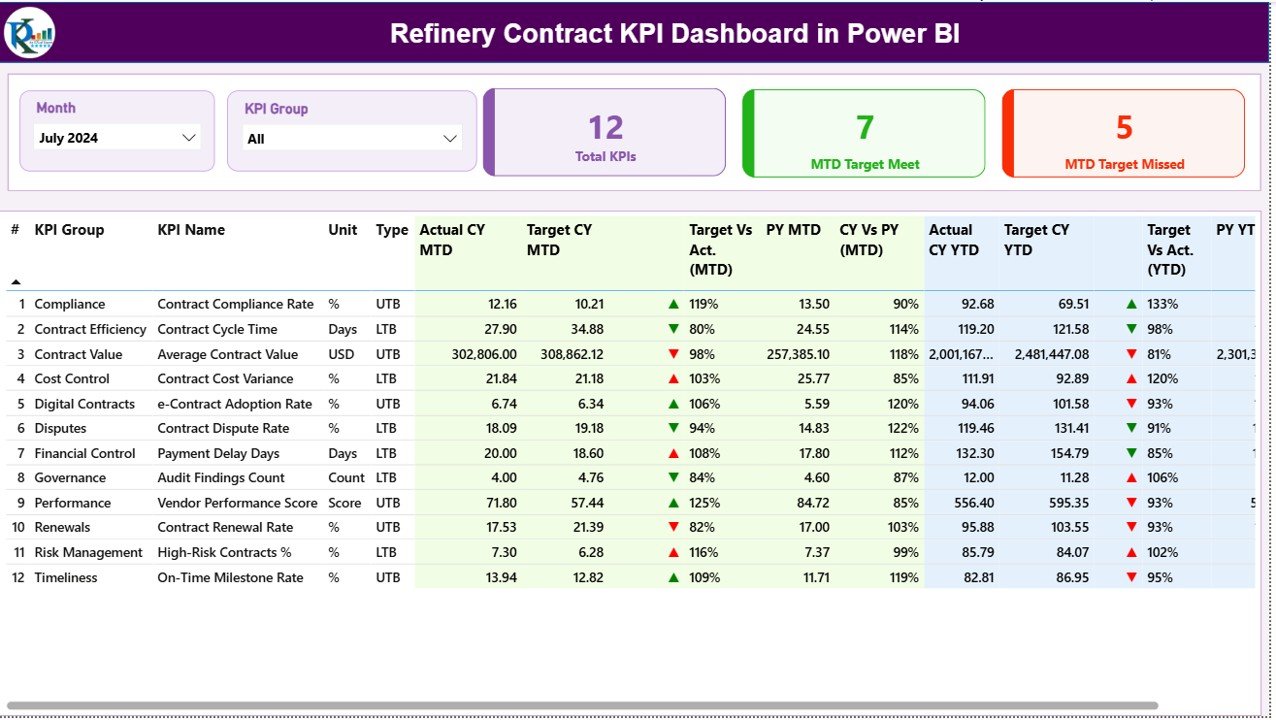
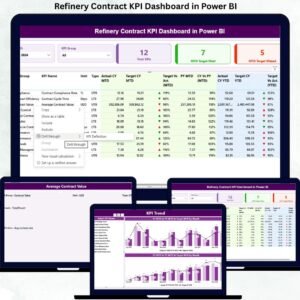
That is exactly why the Refinery Contract KPI Dashboard in Power BI is a must-have analytical solution for modern refineries. This ready-to-use dashboard transforms raw contract data into clear KPIs, visual indicators, performance trends, and target comparisons—all in one powerful Power BI report. As a result, refinery teams gain instant clarity and make faster, data-driven decisions with confidence.
🔑 Key Features of Refinery Contract KPI Dashboard in Power BI
📊 Centralized Contract Performance Tracking
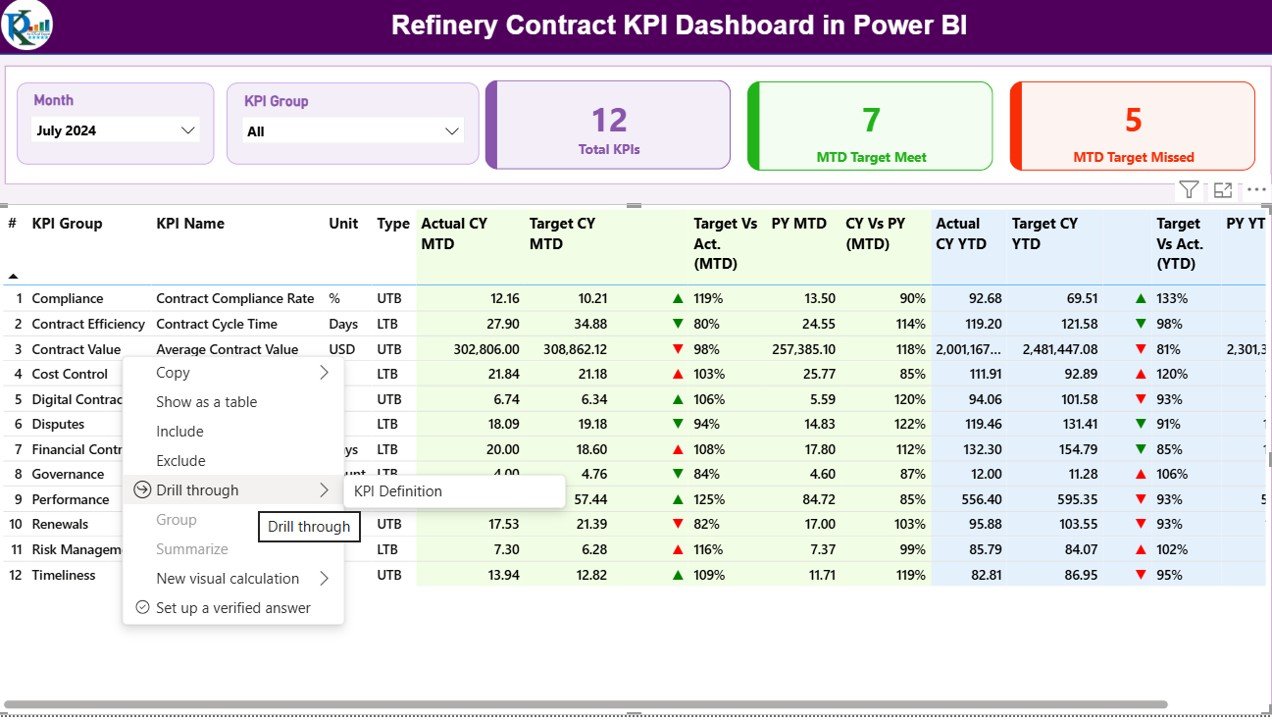
Monitor all refinery contract KPIs from a single interactive dashboard instead of managing multiple files.
📅 Dynamic Month & KPI Group Slicers
Filter performance instantly by reporting month or contract category for focused and quick analysis.
🎯 MTD & YTD Target vs Actual Analysis
Track Month-to-Date and Year-to-Date performance with automated calculations.
🚦 LTB & UTB KPI Logic Support
Built-in logic for Lower the Better and Upper the Better KPIs ensures accurate status indicators.
📈 Trend Analysis with Combo Charts
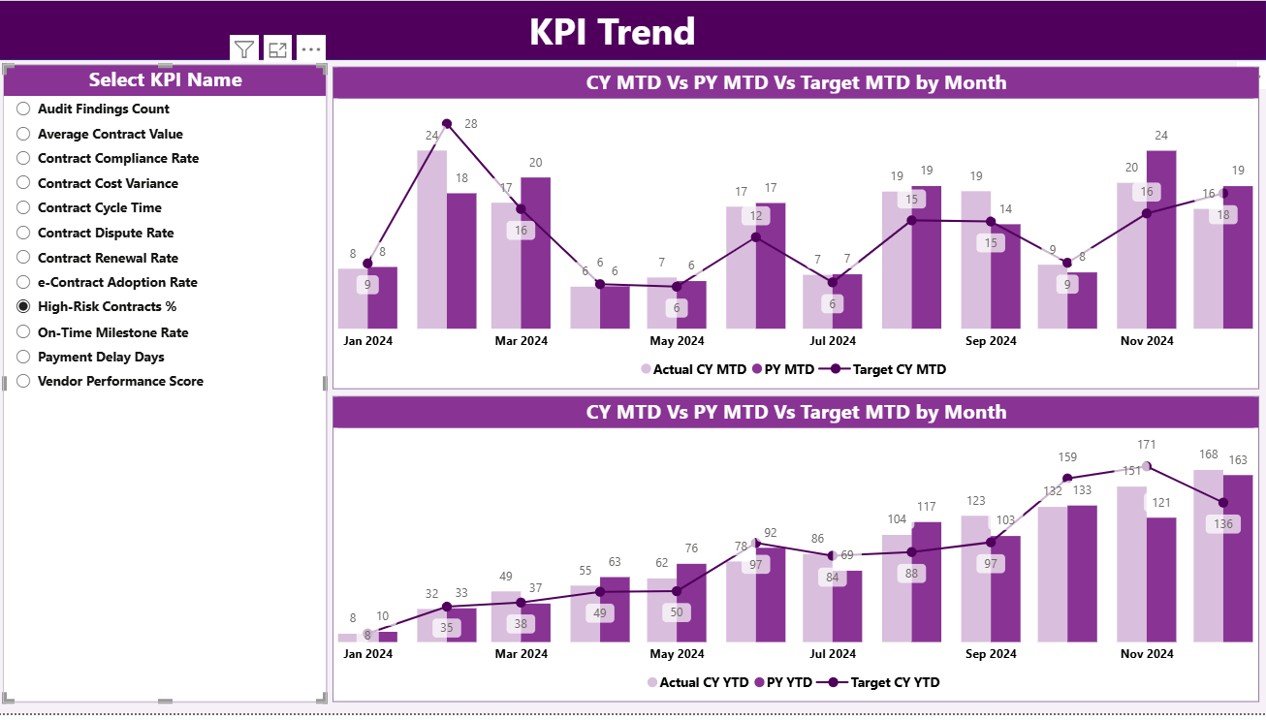
Visualize Actual vs Target vs Previous Year trends to identify patterns and performance gaps.
📘 Drill-Through KPI Definitions
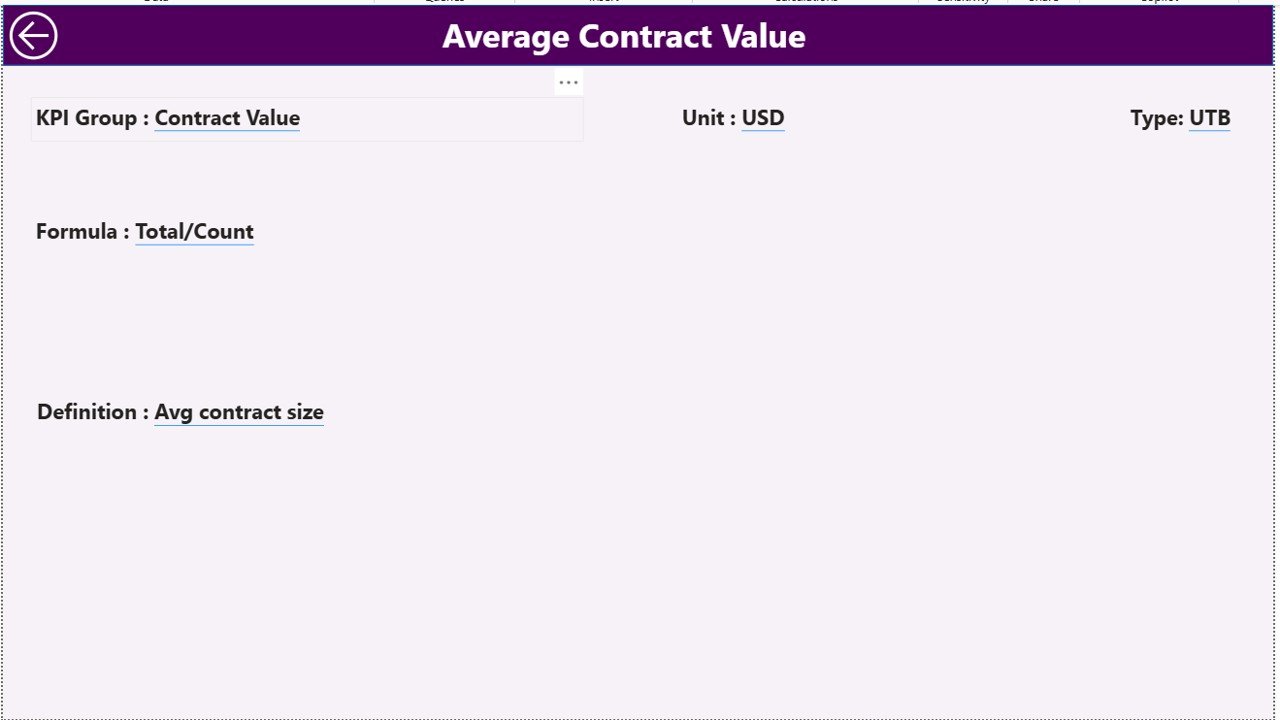
Understand KPI formulas, logic, and definitions instantly with a dedicated KPI Definition page.
⚡ Excel-Driven & Easy to Maintain
No complex integrations—just update Excel data and refresh Power BI.
📦 What’s Inside the Refinery Contract KPI Dashboard in Power BI
This digital product includes a professionally designed Power BI file with three structured pages:
📍 Summary Page
A complete performance snapshot with KPI cards, dynamic slicers, and a detailed KPI table showing MTD and YTD results, icons, and comparisons with previous year values.
📍 KPI Trend Page
Two powerful combo charts display monthly MTD and YTD trends, helping teams identify improving or declining contract performance.
📍 KPI Definition Page (Drill-Through)
A hidden governance page showing KPI formulas, definitions, units, and logic—ensuring transparency and consistency.
Additionally, the dashboard connects to a structured Excel data model, including:
Input_Actual sheet
Input_Target sheet
KPI Definition sheet
This structure keeps the solution flexible, scalable, and easy to customize.
🛠 How to Use the Refinery Contract KPI Dashboard in Power BI
Using this dashboard is simple and efficient:
1️⃣ Enter actual KPI values in the Excel input sheet
2️⃣ Define monthly and yearly targets
3️⃣ Maintain KPI definitions and logic
4️⃣ Refresh the Power BI dashboard
5️⃣ Instantly analyze MTD, YTD, trends, and variances
Because of this design, even users with basic Power BI knowledge can operate it confidently.
🎯 Who Can Benefit from This Refinery Contract KPI Dashboard in Power BI
This dashboard is ideal for:
👔 Contract Managers – Monitor SLA compliance and contract health
📦 Procurement Teams – Track vendor performance and penalties
💰 Finance Teams – Analyze cost efficiency and contract value
⚙ Operations Managers – Identify operational risks early
📋 Compliance Officers – Support audit-ready reporting
🏢 Senior Leadership – Gain high-level visibility for strategic decisions
Its flexibility allows adaptation across multiple refinery contract categories.
Click here to read the Detailed Blog Post
Watch the step-by-step video tutorial:
Visit our YouTube channel to learn step-by-step video tutorials
Compatibility and Requirements
- Works in Power BI Desktop, which is free to download. Microsoft explains the install in Get Power BI Desktop.
- The data comes from an Excel file with the Input_Actual, Input_Target and KPI Definition sheets. You update the numbers in Excel and refresh the report.
Frequently Asked Questions
How many pages does the dashboard have?
Three pages: Summary, KPI Trend and a drill-through KPI Definition page.
Where do I enter my KPI numbers?
In the Excel data file. Actual values go in the Input_Actual sheet, targets go in the Input_Target sheet and formulas and units go in the KPI Definition sheet. Then you refresh the Power BI report.
Does it handle both lower-is-better and higher-is-better KPIs?
Yes. The dashboard has built-in logic for Lower the Better and Upper the Better KPIs, so the status indicators show correctly for each type.
Can I filter by month or KPI group?
Yes. The Summary page has slicers for the reporting month and the KPI group, and the KPI table shows MTD and YTD results with previous year comparisons.
Is there an Excel version?
Yes. See the Refinery Contract KPI Dashboard in Excel.
Related Refinery and Contract Templates
- Refinery Contract KPI Dashboard in Excel: the same KPI dashboard in Excel
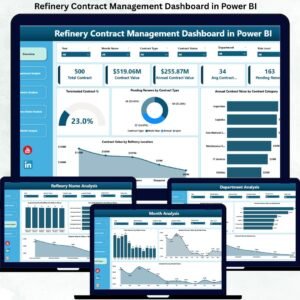
- Refinery Contract Management Dashboard in Power BI: a contract management view in Power BI
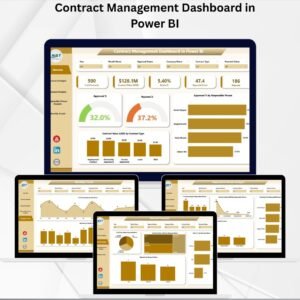
- Contract Management Dashboard in Power BI: a general contract dashboard
- Refinery Dashboard in Power BI: an overall refinery dashboard
- Power BI Dashboard Mega Collection: 15 Power BI templates in one download
Browse all Power BI KPI dashboards.































Reviews
There are no reviews yet.