
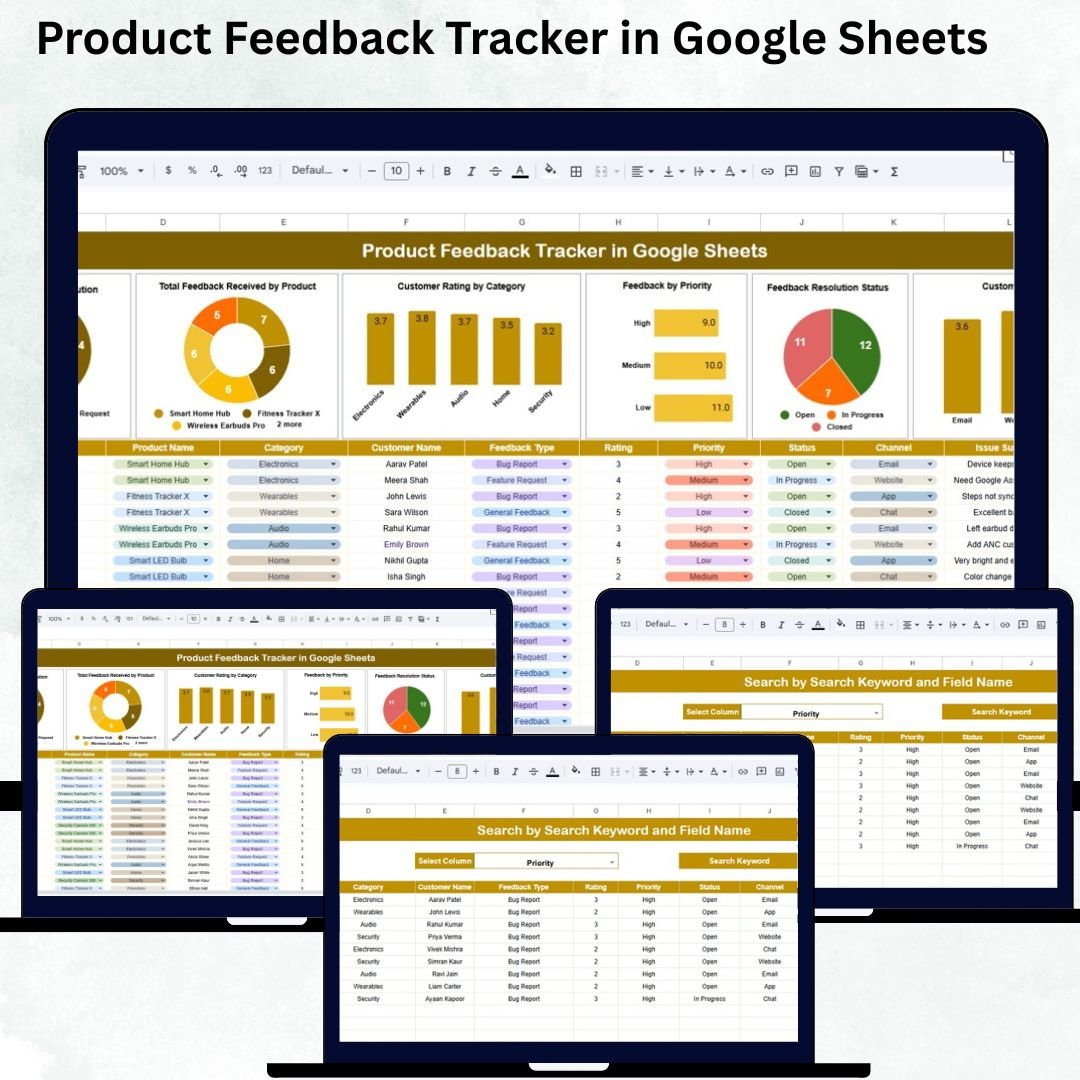
Collecting, managing, and analyzing product feedback is essential for continuous improvement and customer satisfaction. The Product Feedback Tracker in Google Sheets offers a ready-to-use, fully automated, and visual solution for teams that want to organize customer feedback efficiently, identify trends, and drive data-backed product decisions — all in one collaborative spreadsheet.
Whether you’re a product manager, customer success specialist, or marketing lead, this tracker helps you understand your users better by centralizing every piece of feedback into one dynamic dashboard.
With built-in charts, search functionality, and smart automation, it transforms raw comments into actionable insights for product improvement.
🔑 Key Features of the Product Feedback Tracker in Google Sheets
📋 Tracker Sheet Tab (Main Dashboard)
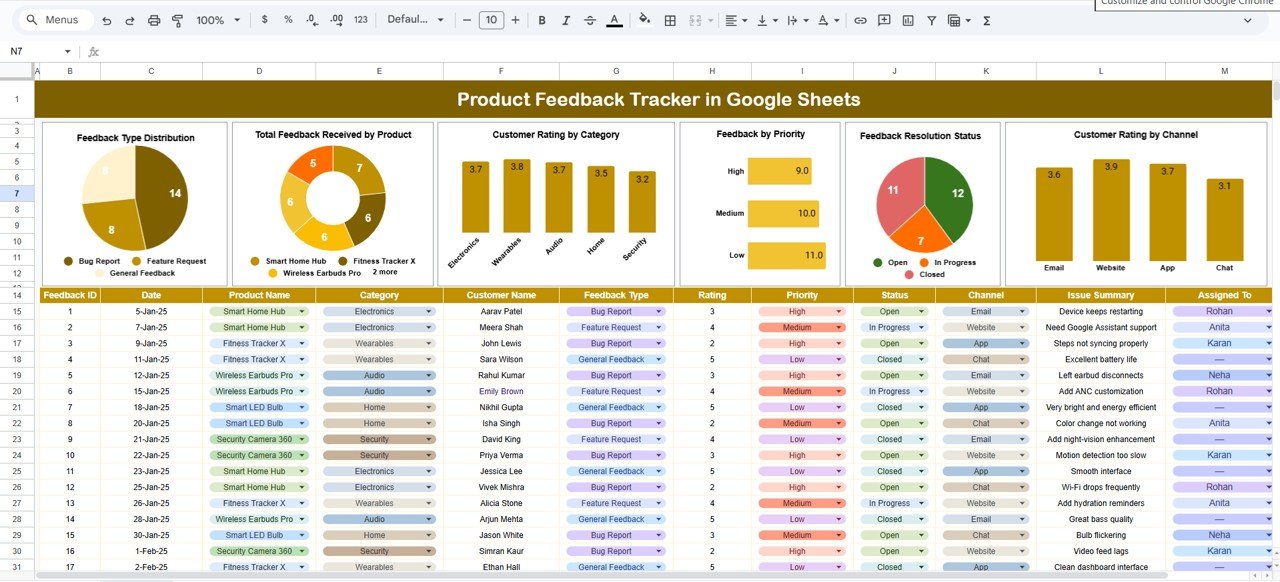
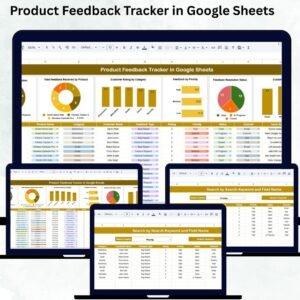
This sheet is the control center — providing interactive visuals that summarize all user feedback automatically as soon as it’s entered.
Charts Included:
1️⃣ Feedback Type Distribution:
Visualize how feedback is distributed across categories like Bugs, Feature Requests, Improvements, Complaints, and Suggestions. This helps prioritize efforts based on what customers are saying most.
2️⃣ Total Feedback Received by Product:
Track which products receive the highest feedback volume to measure user engagement and identify improvement opportunities.
3️⃣ Customer Rating by Category:
See average scores across key dimensions — Ease of Use, Performance, Functionality, and Support Quality — for data-backed quality analysis.
4️⃣ Feedback by Priority:
Understand urgency levels (High, Medium, Low) to quickly address critical user issues.
5️⃣ Feedback Resolution Status:
Monitor how feedback is being handled with categories like Resolved, In Progress, Pending, and Rejected.
6️⃣ Customer Rating by Channel:
Compare feedback quality across channels (Website, App, Email, Phone, or Social Media) to identify which platforms deliver the best customer experiences.
All charts auto-refresh whenever new feedback is entered in the Data Sheet — no manual updates required.
🔍 Search Sheet Tab (Smart Lookup)
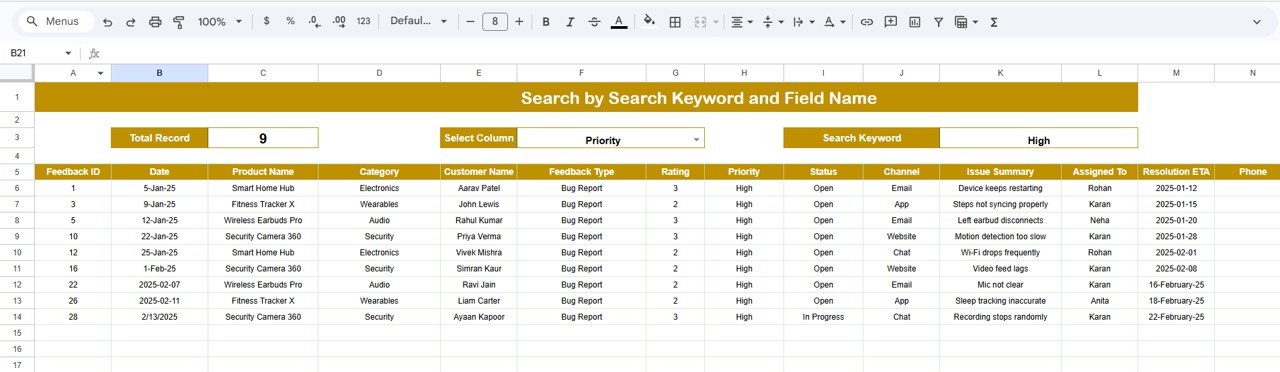
This sheet enables you to quickly find any feedback record using dynamic keyword or field-based filters.
Search Options:
-
Keyword: e.g., “Bug”, “Login Issue”, “Feature Request”
-
Field Name: e.g., Product Name, Feedback Type, Channel, Priority, or Status
Examples:
🔎 Search “High Priority” → Displays all urgent issues.
🔎 Search “Performance” → Lists all performance-related feedback.
Ideal for support teams and product managers who want instant access to specific insights.
📊 Advantages of Using the Product Feedback Tracker
✔ Centralized Feedback Management: Keep all product insights organized in one file.
✔ Real-Time Visuals: Automatically updated charts for instant analysis.
✔ Improved Responsiveness: Prioritize and resolve critical feedback faster.
✔ Data-Driven Product Decisions: Identify improvement areas with confidence.
✔ Cloud Collaboration: Work together across teams and departments in Google Sheets.
✔ Scalable & Customizable: Easily adapt to new product lines or feedback types.
⚙️ Opportunities for Improvement
-
Integrate Google Forms to automate feedback collection directly from users.
-
Add sentiment analysis to gauge emotional tone in comments.
-
Include SLA tracking for high-priority responses.
-
Build a monthly summary page for management reporting.
-
Use conditional formatting to highlight overdue or unresolved feedback.
💡 Best Practices for Using the Tracker
1️⃣ Update feedback data daily for accurate insights.
2️⃣ Standardize feedback types and priorities.
3️⃣ Review dashboard visuals weekly to identify patterns.
4️⃣ Close resolved feedback promptly and update statuses.
5️⃣ Use channel insights to improve customer support strategies.
🧑💼 Who Can Benefit from This Tracker
🎯 Product Managers: Track performance, identify bottlenecks, and improve product usability.
📣 Customer Support Teams: Resolve user concerns faster with transparent feedback tracking.
💡 Marketing Teams: Measure satisfaction by product, channel, or feature.
🏢 Startups & Enterprises: Maintain a structured, data-driven feedback ecosystem.
The tracker is flexible enough to fit any product environment — SaaS, retail, mobile apps, consumer goods, or services.
🧪 How to Use the Product Feedback Tracker
1️⃣ Enter customer feedback data into the Data Sheet.
2️⃣ Use dropdowns for Feedback Type, Priority, and Status to keep data standardized.
3️⃣ View live updates on the Tracker Sheet dashboard.
4️⃣ Use the Search Sheet to instantly find specific records.
5️⃣ Export visuals or summaries for management review.
💡 Pro Tip: Link this tracker to Google Forms for automatic submission and faster updates.
🌟 Why Choose This Tracker
-
📊 Visual and Automated Dashboard – No setup or coding required.
-
☁️ Cloud-Based Collaboration – Multiple users can update in real time.
-
⚙️ Highly Customizable – Add products, feedback types, or metrics easily.
-
💬 Customer-Centric Design – Built to enhance engagement and satisfaction.
-
🚀 Ready to Use – Start tracking within minutes of download.
The Product Feedback Tracker in Google Sheets helps you turn user voices into measurable business growth — ensuring every piece of feedback leads to better decisions and stronger products.
🔗 Click here to read the Detailed blog post
Watch the step-by-step video Demo:






























Reviews
There are no reviews yet.