
Procurement does not stop once vendors are selected or approvals are given. In reality, the most important phase begins after decisions are made. Action items must be executed, responsibilities must be clear, deadlines must be visible, and progress must be tracked continuously. Procurement Action Plan Checklist in Excel Without a structured system, procurement action plans often lose momentum and direction.
That is exactly where the Procurement Action Plan Checklist in Excel becomes a powerful execution tool.
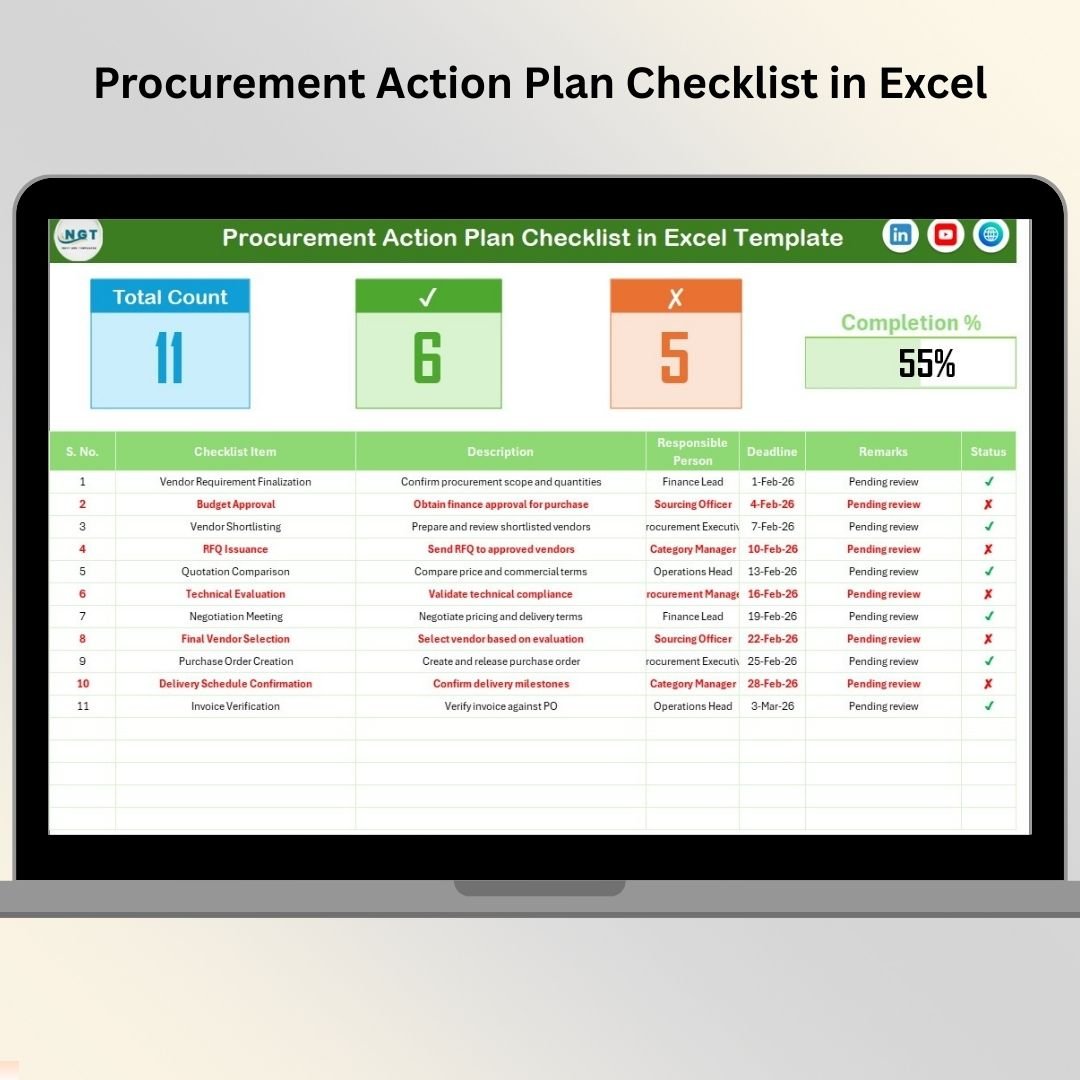
Procurement Action Plan Checklist in Excel This ready-to-use Excel checklist helps procurement teams convert decisions into clear actions, assign ownership, track deadlines, and monitor completion status in one centralized file. Instead of chasing updates through emails, meeting notes, or WhatsApp messages, teams gain full visibility and control over procurement execution.
Built entirely in Excel, this checklist is simple, flexible, and cost-effective—making it ideal for organizations of any size.
✅ Key Features of Procurement Action Plan Checklist in Excel
-
📋 Structured Action Planning – Convert procurement decisions into clear action items
-
👤 Clear Ownership Assignment – Assign a responsible person to every action
-
⏰ Deadline Tracking – Never miss critical procurement follow-ups
-
✔️✘ Simple Status Tracking – Mark actions as completed or pending
-
📊 Automatic Progress Summary – View execution status instantly
-
📈 Visual Progress Bar – Understand completion percentage at a glance
-
🔽 Drop-Down Based Inputs – Reduce errors and maintain consistency
-
⚙️ 100% Excel-Based Solution – No additional software required
📦 What’s Inside the Procurement Action Plan Checklist in Excel
This ready-to-use template includes two well-structured worksheets, designed for clarity and execution control.
📄 Procurement Action Plan Checklist Sheet – Main Execution Sheet
This is the core working sheet where all procurement actions are planned and tracked.
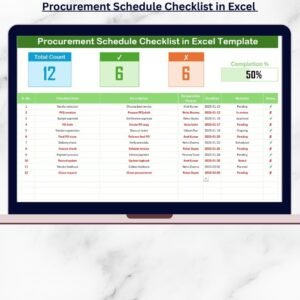
🔹 Top Summary Section
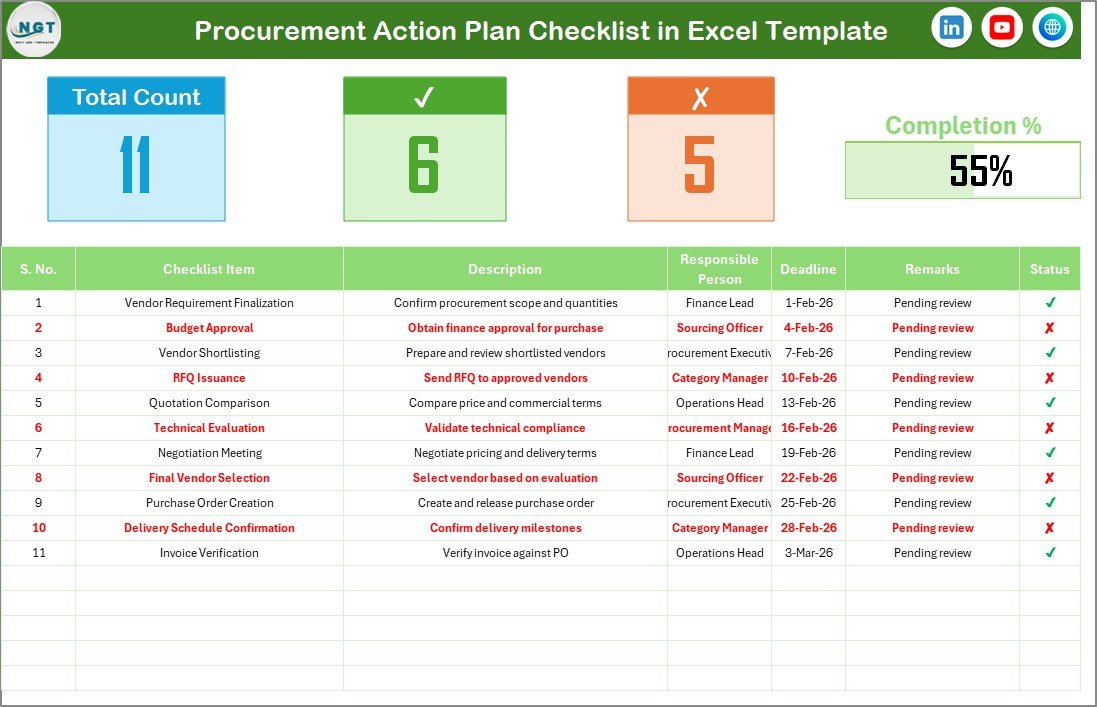
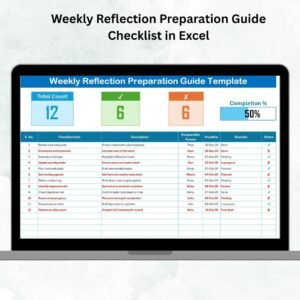
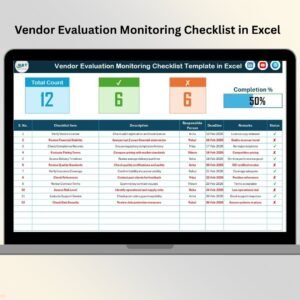
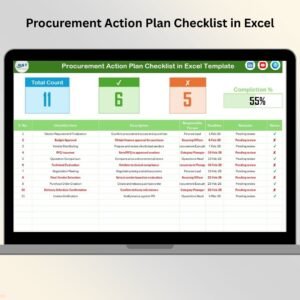
At the top of the sheet, you get an instant snapshot of progress, including:
-
Total Count – Total number of action items
-
Checked Count – Completed actions (✔)
-
Crossed Count – Pending or incomplete actions (✘)
-
Progress Bar – Visual indicator of execution progress
This section allows managers to understand execution status instantly—without reviewing every row.
🔹 Action Plan Table
Below the summary, the main table captures all action-level details:
-
Serial No. – Unique number for each action
-
Checklist Item – Procurement action to be completed
-
Description – Short explanation of the action
-
Responsible Person – Owner of the action (drop-down based)
-
Deadline – Due date for completion
-
Remarks – Notes, risks, or follow-ups
-
Status – ✔ (Completed) or ✘ (Pending)
Once users update the Status column, Excel automatically updates counts and the progress bar.
📄 List Sheet – Data Validation & Control
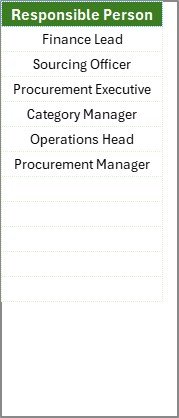
The List sheet supports clean and consistent data entry.
It stores:
-
A unique list of Responsible Persons
This list feeds drop-down menus in the main checklist, which:
-
Reduces typing errors
-
Improves accountability
-
Keeps data standardized
-
Makes reporting easier
🛠️ How to Use the Procurement Action Plan Checklist in Excel
Using this checklist is simple and requires only basic Excel knowledge:
1️⃣ Open the Excel template
2️⃣ Update the List sheet with responsible person names
3️⃣ Define procurement action items and descriptions
4️⃣ Assign owners and deadlines using dropdowns
5️⃣ Update status using ✔ or ✘
6️⃣ Monitor progress using summary counts and progress bar
No setup, no formulas, no learning curve.
👥 Who Can Benefit from This Procurement Action Plan Checklist
This Excel checklist is ideal for:
-
🧾 Procurement Managers
-
📦 Category Managers
-
🚚 Supply Chain Teams
-
💰 Finance Departments
-
📋 Compliance & Audit Teams
-
🏢 Operations Managers
-
🏭 Small & Medium Businesses
-
🏦 Large Enterprises
It works perfectly for vendor negotiations, contract finalization, compliance actions, internal approvals, audit follow-ups, and cost-saving initiatives.
🚀 Why This Checklist Improves Procurement Execution
✔ Eliminates unclear responsibilities
✔ Prevents missed deadlines
✔ Reduces follow-up emails
✔ Centralizes procurement actions
✔ Improves execution discipline
✔ Supports audit and governance reviews
Instead of tracking actions manually, teams focus on execution and results.
📖 Click here to read the Detailed blog post
🎥 Visit our YouTube channel to learn step-by-step video tutorials
👉 https://youtube.com/@PKAnExcelExpert















Reviews
There are no reviews yet.