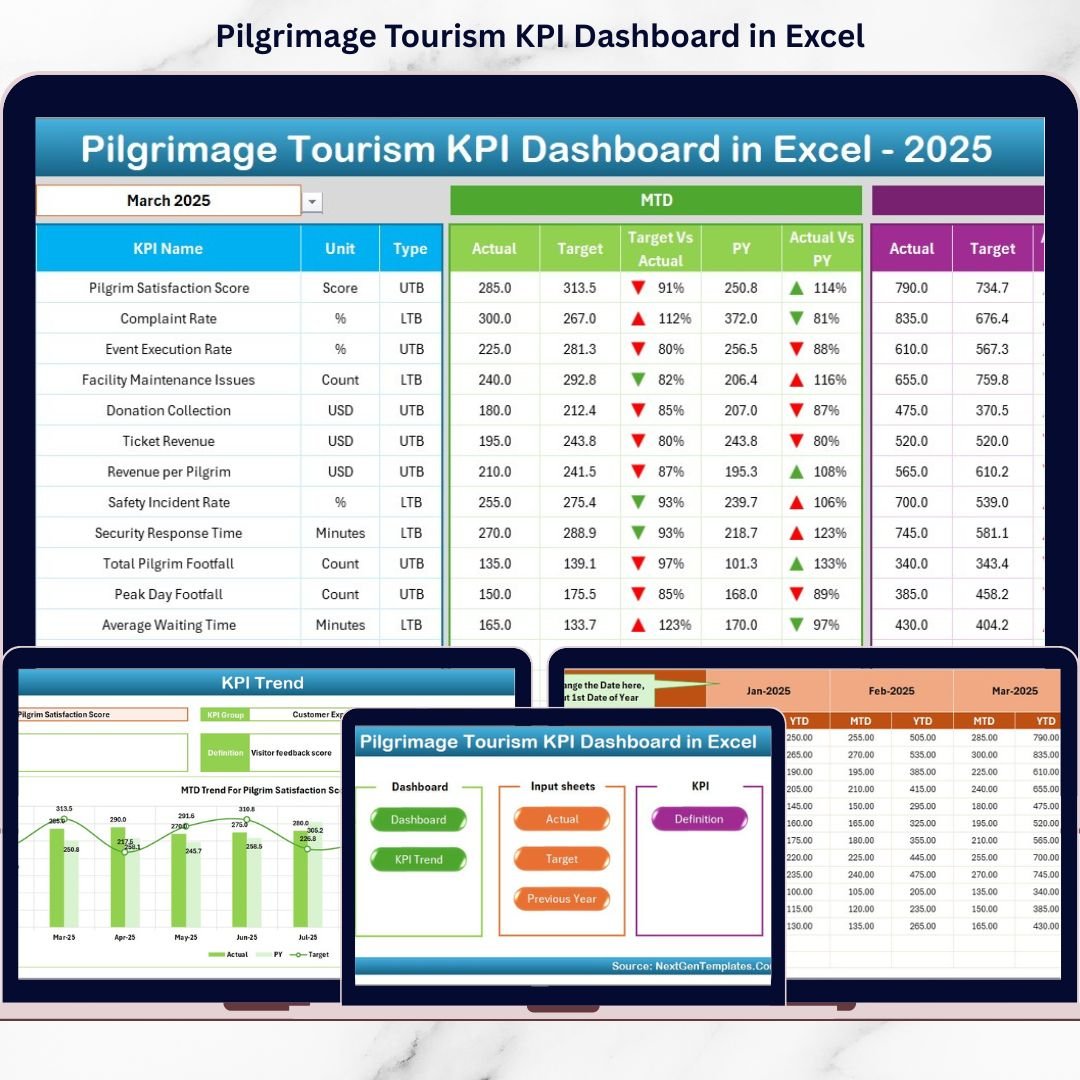
Pilgrimage Tourism KPI Dashboard is growing rapidly across the globe. Every year, millions of visitors travel to sacred destinations such as Mecca, Vatican City, Varanasi, and Tirupati Balaji Temple. Managing such high visitor volumes requires structured planning, efficient crowd management, transparent financial tracking, and consistent service quality. However, many temple trusts, tourism boards, and religious travel operators still rely on manual reports and scattered spreadsheets.
That approach creates delays, confusion, and limited visibility.
This is exactly where the Pilgrimage Tourism KPI Dashboard in Excel becomes a powerful solution 📊✨.
This ready-to-use Excel dashboard helps you track visitor trends, donation collections, occupancy rates, safety metrics, and service quality indicators in one centralized system. Instead of reviewing multiple reports, you get instant visual insights that support faster and smarter decision-making.
🔑 Key Features of Pilgrimage Tourism KPI Dashboard in Excel
📊 Centralized KPI Tracking
Monitor all key pilgrimage tourism metrics in one structured Excel dashboard.
📆 MTD & YTD Performance Monitoring
Track Month-to-Date and Year-to-Date performance with dynamic comparisons.
🎯 Actual vs Target Analysis
Compare actual performance against predefined targets with automatic calculations.
📈 Previous Year Comparison
Measure growth and trends using previous year data for accurate benchmarking.
🚦 Conditional Formatting & Indicators
Up/down arrows and color signals instantly highlight performance gaps.
🧭 Easy Navigation with Home Sheet
Jump between sheets quickly using interactive navigation buttons.
🧩 Fully Excel-Based & Customizable
No coding, no macros, and no expensive software required.
📦 What’s Inside the Pilgrimage Tourism KPI Dashboard in Excel
This ready-to-use template includes 7 well-structured worksheets, each designed for specific functionality:
🏠 Home Sheet
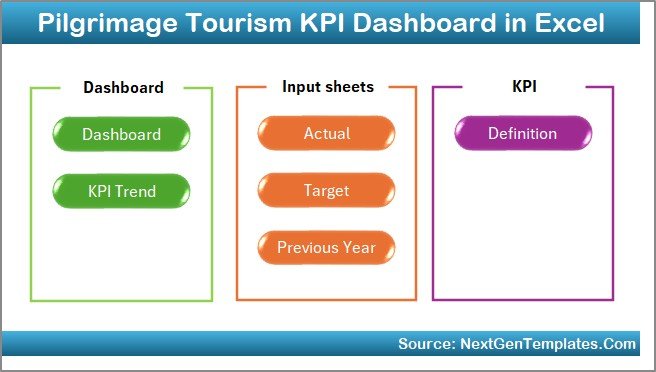
Navigation control center with 6 interactive buttons for smooth movement.
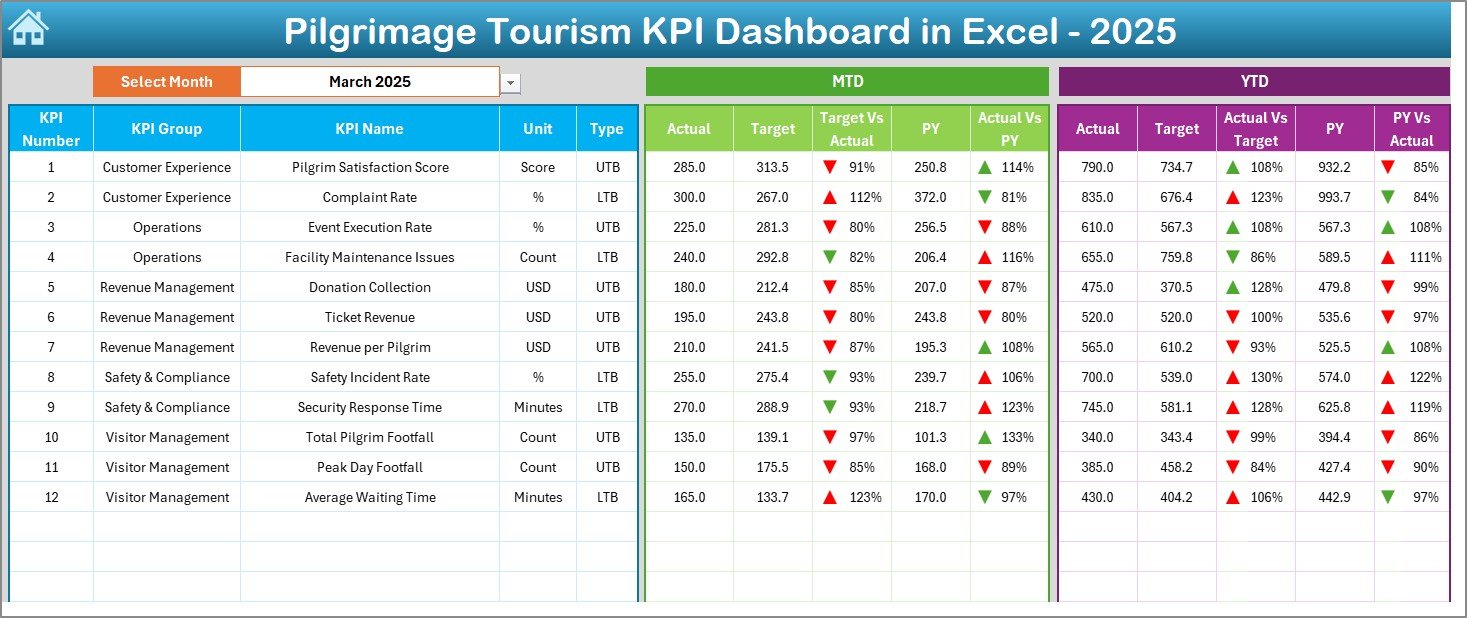
📊 Dashboard Sheet
Main performance view with:
-
MTD Actual, Target, Previous Year
-
YTD Actual, Target, Previous Year
-
Target vs Actual comparison
-
PY vs Actual comparison
-
Visual indicators and trend arrows
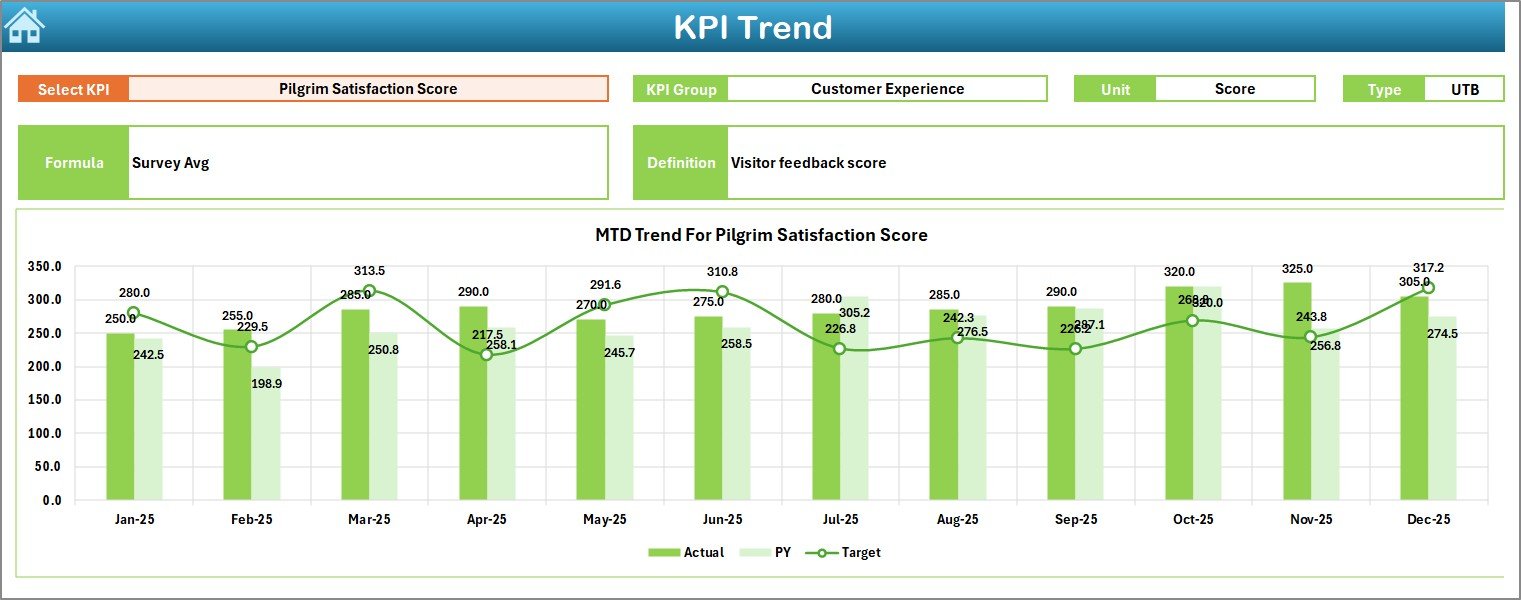
📉 KPI Trend Sheet
Detailed KPI analysis including:
-
KPI Group
-
KPI Unit
-
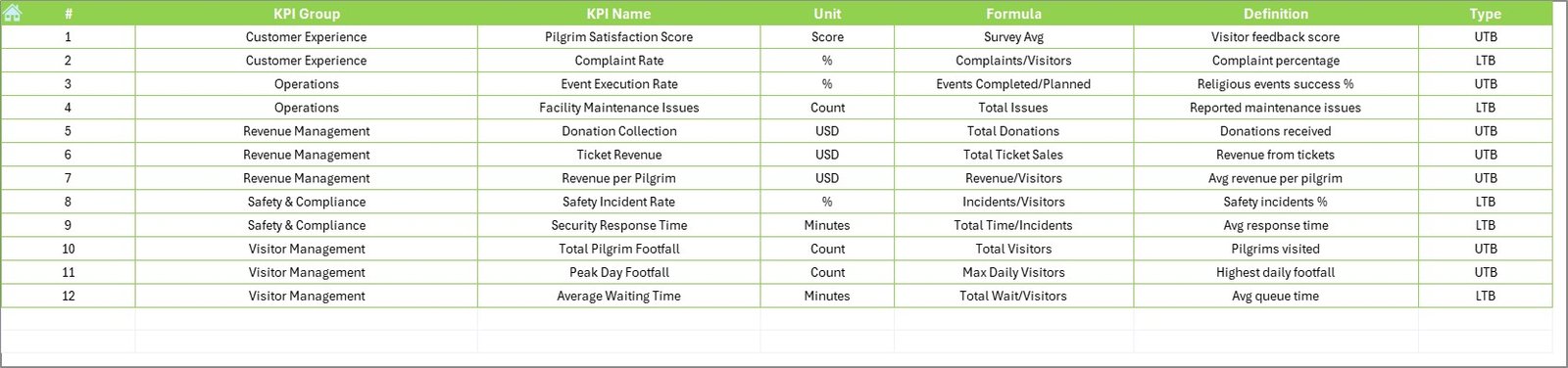
KPI Type (LTB / UTB)
-
KPI Formula & Definition
-
MTD and YTD trend charts
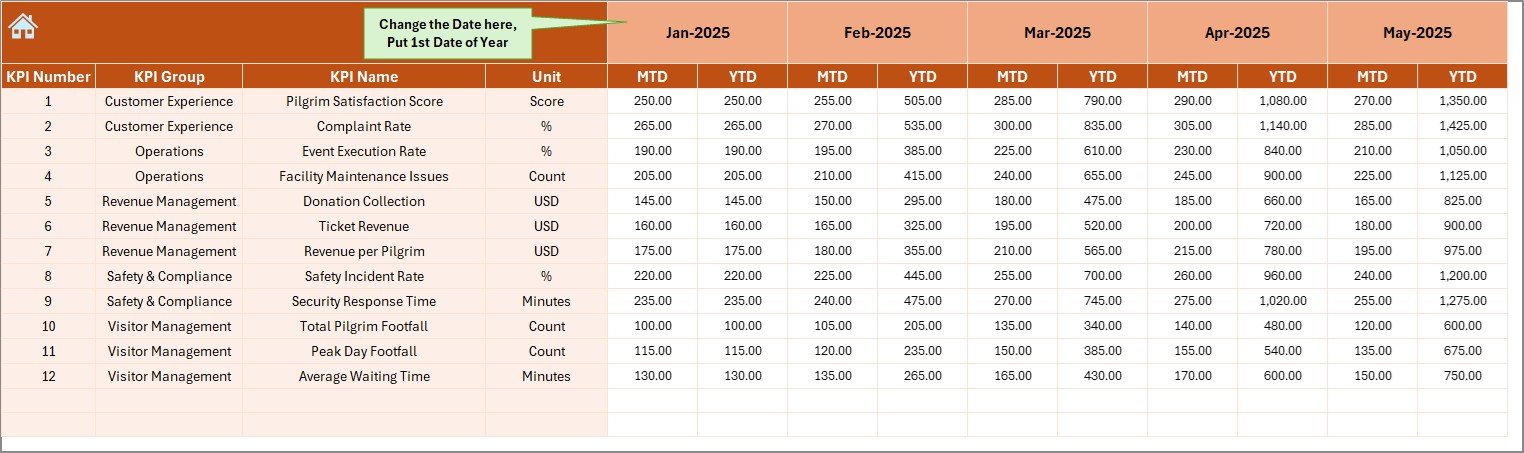
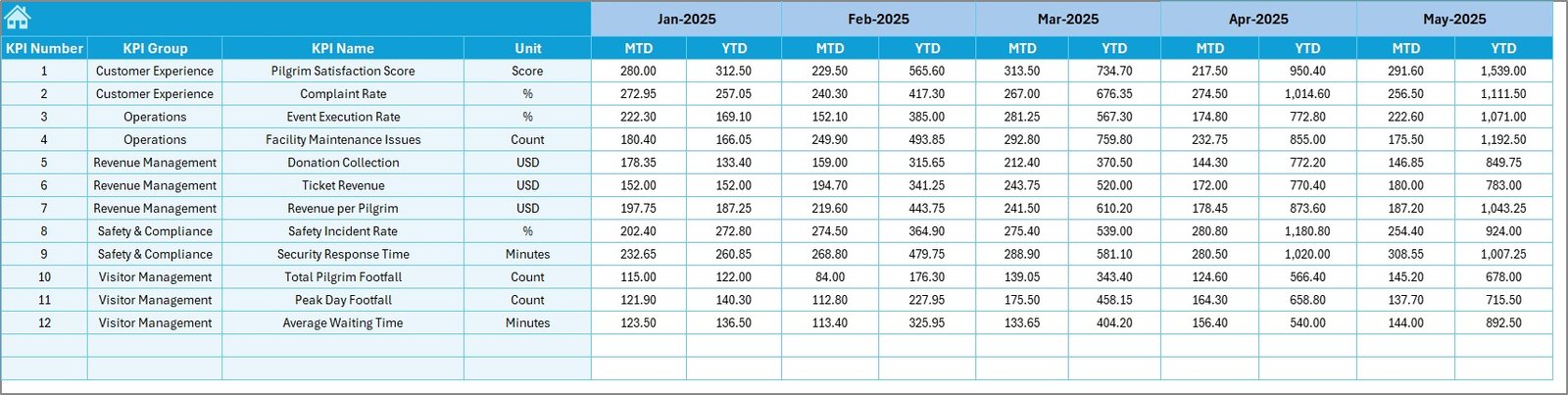
✍️ Actual Numbers Input Sheet
Enter monthly actual data easily without breaking formulas.
🎯 Target Sheet
Define MTD and YTD performance targets for each KPI.
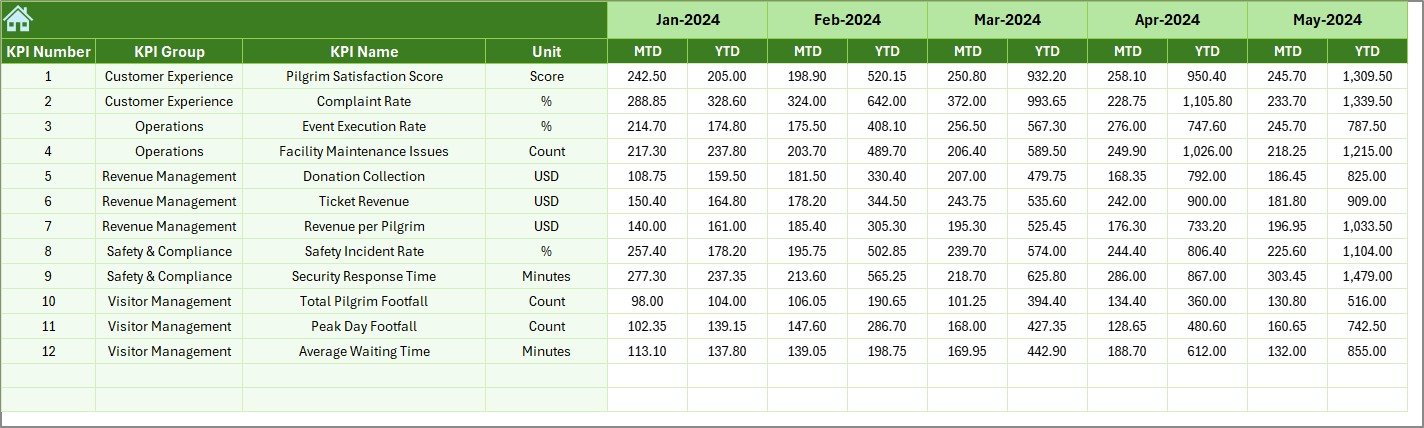
📅 Previous Year Numbers Sheet
Store historical data to measure year-over-year growth.
📘 KPI Definition Sheet
Structured documentation of KPI names, groups, units, formulas, and definitions.
🛠️ How to Use the Pilgrimage Tourism KPI Dashboard in Excel
Using the dashboard is simple and structured:
1️⃣ Define KPIs in the KPI Definition Sheet
2️⃣ Enter target values in the Target Sheet
3️⃣ Add previous year data
4️⃣ Update actual numbers monthly
5️⃣ Select the month in cell D3 on the Dashboard Sheet
6️⃣ Review MTD, YTD, and comparison results
7️⃣ Take corrective action based on insights
Within minutes, raw pilgrimage data transforms into actionable intelligence.
👥 Who Can Benefit from This Pilgrimage Tourism KPI Dashboard in Excel
🛕 Temple Trust Management
🏛️ Religious Tourism Boards
🧳 Pilgrimage Travel Agencies
🏢 State Tourism Departments
🛎️ Shrine Committees
📊 Operations & Finance Teams
If you manage pilgrimage destinations or religious tourism operations, this dashboard gives you clarity, control, and accountability.