

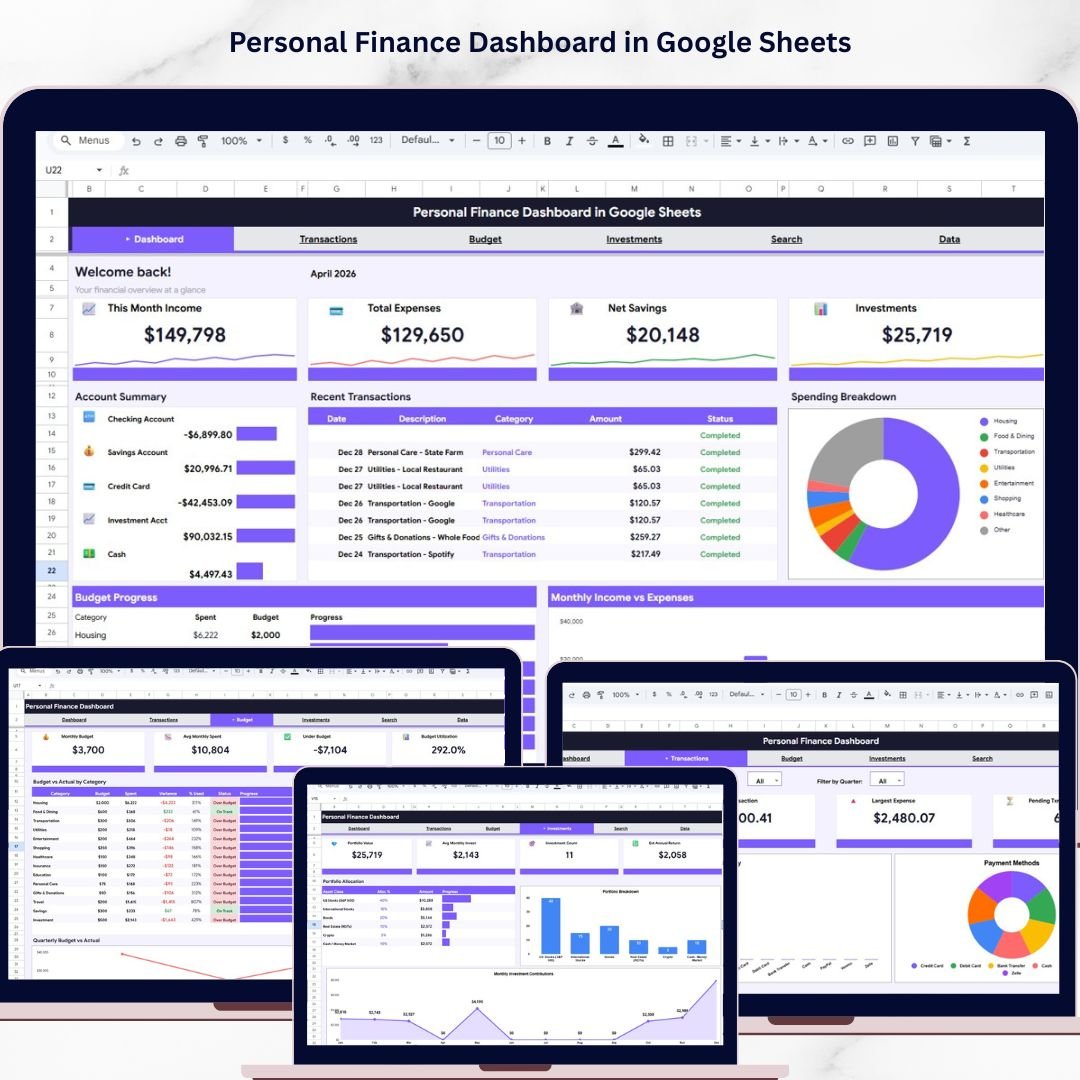
Personal Finance Dashboard in Google Sheets is a comprehensive, cloud-based financial management tool designed to help you take full control of your money. Whether you want to track your monthly income and expenses, monitor your investment portfolio, analyze your budget performance, or search through past transactions — this dashboard brings everything together in one beautifully organized Google Sheets template.Personal Finance Dashboard in Google Sheets
This template includes 6 professionally designed pages covering an Overview Dashboard, Transactions Analysis, Budget Analysis, Investments Analysis, a Search Transactions page, and a structured Data Sheet tab. It is perfect for freelancers, salaried professionals, small business owners, and anyone looking to manage their personal finances smarter and faster using Google Sheets Dashboard Templates.Personal Finance Dashboard in Google Sheets
🔑 Key Features of Personal Finance Dashboard in Google Sheets
📌 Real-Time Financial Overview – Instantly view your This Month Income, Total Expenses, Net Savings, and Investments through high-level KPI cards on the Overview page.
📌 6 Interactive Dashboard Pages – This template includes an Overview page, Transactions Analysis, Budget Analysis, Investments Analysis, Search Transactions, and a dedicated Data Sheet for easy data entry.
📌 Visual Charts and Analytics – Analyze your finances visually with charts including Account Balance by Account Name, Spending by Category, Budget Spent by Category, Monthly Income vs Expenses by Month, Portfolio Allocation by Asset Class, and more.
📌 Dynamic Slicers and Filters – Apply quick filters using built-in slicers on the Overview page to slice and dice your financial data instantly.
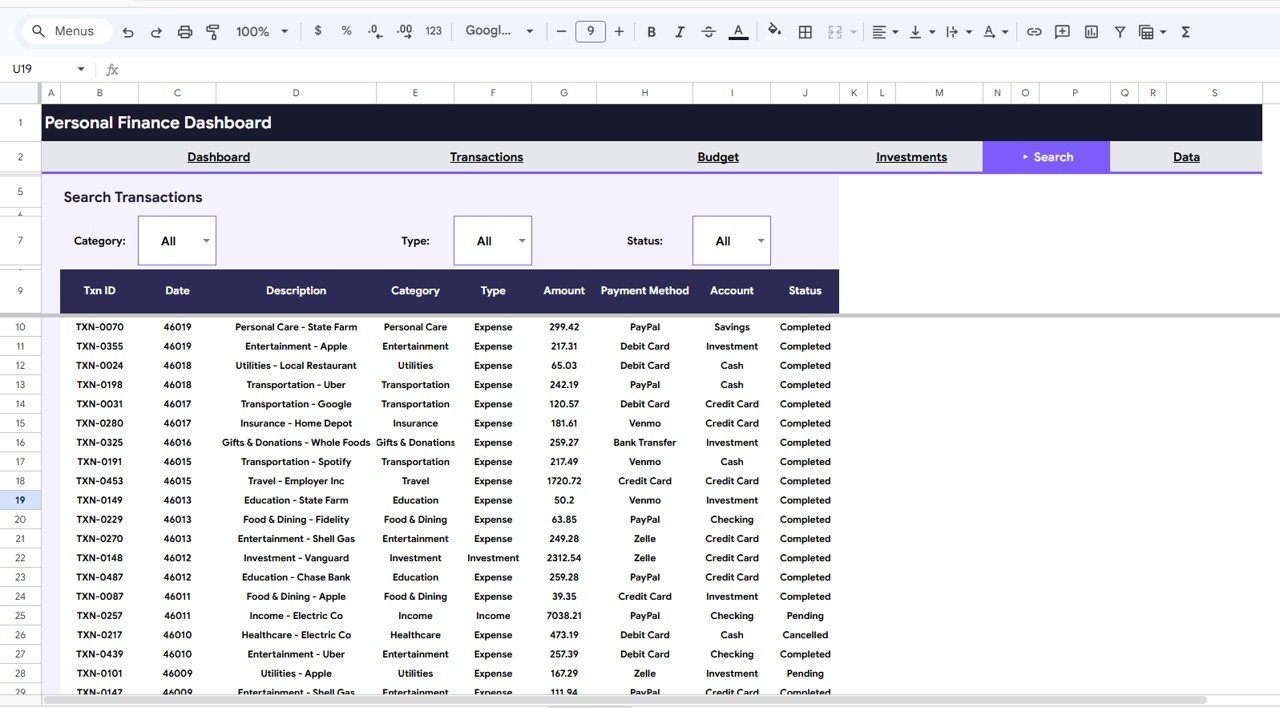
📌 Transaction Search Engine – Search and filter your transactions by Category, Type, and Status on the dedicated Search Transactions page.
📌 Budget vs Actual Tracking – Compare your planned budget against actual spending by category and by quarter to identify areas for improvement.
📌 Investment Portfolio Monitoring – Track your portfolio allocation, breakdown by asset class, and monthly investment contributions all in one place.
📌 Cloud-Based Access – Access your financial dashboard from anywhere using Google Sheets — no software installation required.
📌 Easy Data Entry – Simply replace the sample data in the Data Sheet tab with your own financial records and watch all charts and KPIs update automatically.
If you are also looking for more financial tracking tools or a detailed Personal Investment KPI Dashboard in Google Sheets, explore our full collection of Google Sheets Templates.
📦 What’s Inside the Personal Finance Dashboard in Google Sheets
This dashboard template contains 6 organized sheet tabs designed to give you a 360-degree view of your personal finances:
📊 Overview Page – Displays 4 KPI cards: This Month Income, Total Expenses, Net Savings, and Investments. Includes interactive charts for Account Balance by Account Name, Spending by Category, Budget Spent by Category, and Monthly Income vs Expenses by Month. Multiple slicers allow you to filter the entire dashboard quickly.
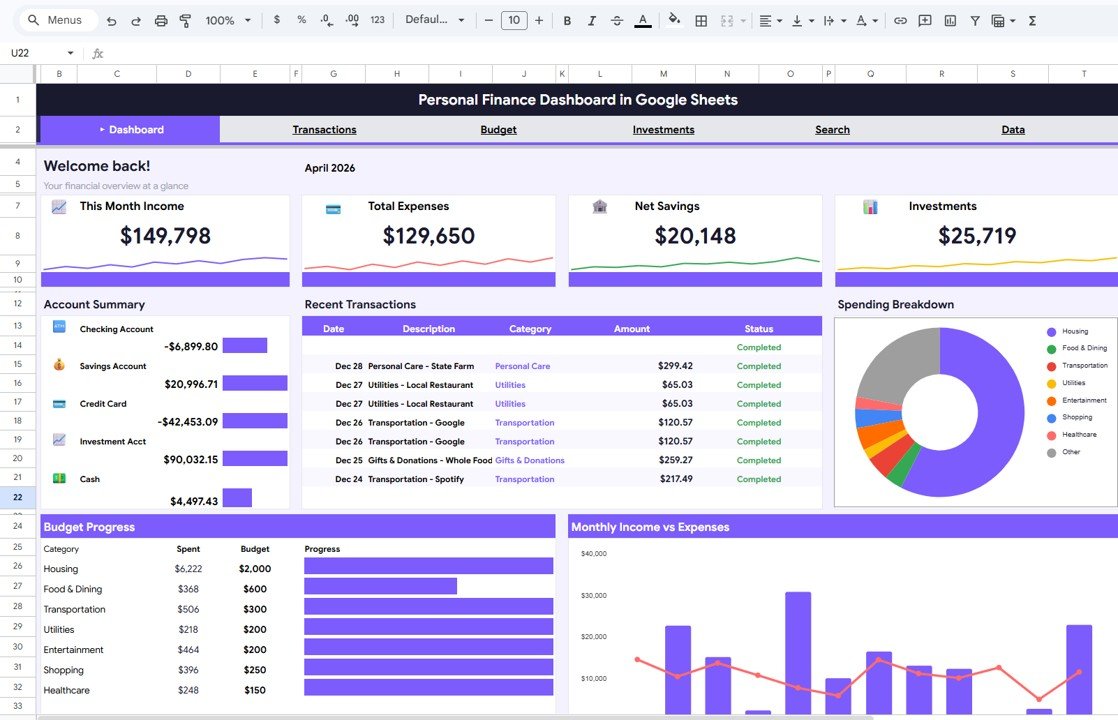
Overview Page
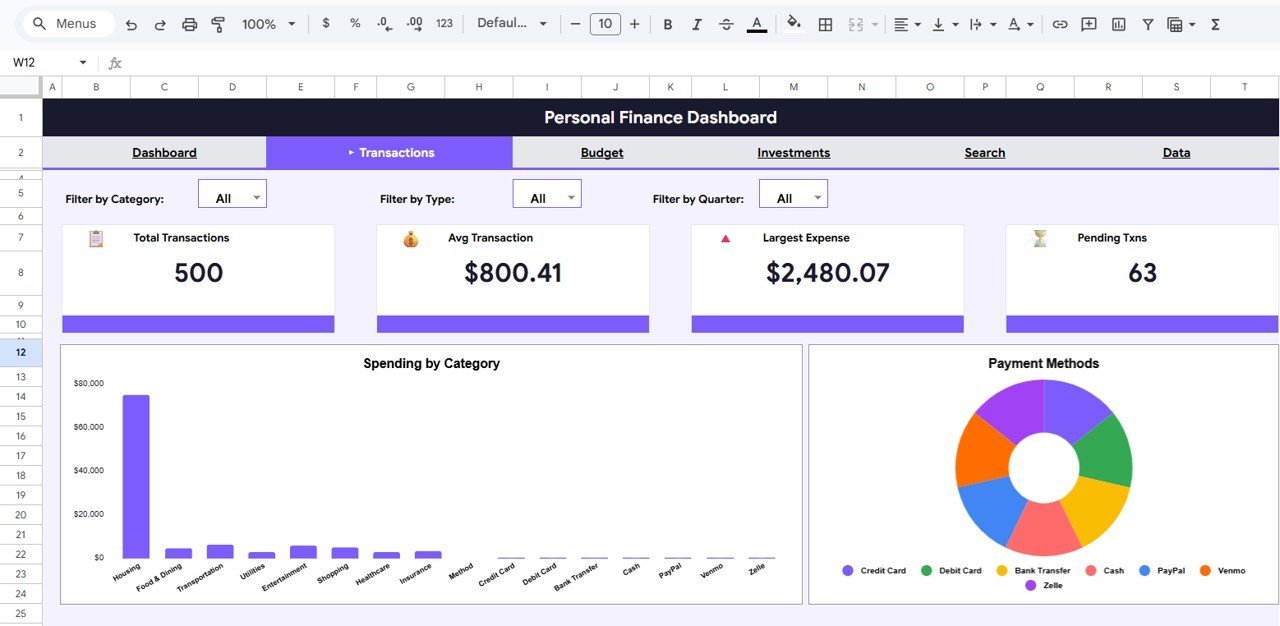
📊 Transactions Analysis – Provides deep insights into your spending patterns with Spending by Category and Payment Methods by Type analysis charts.
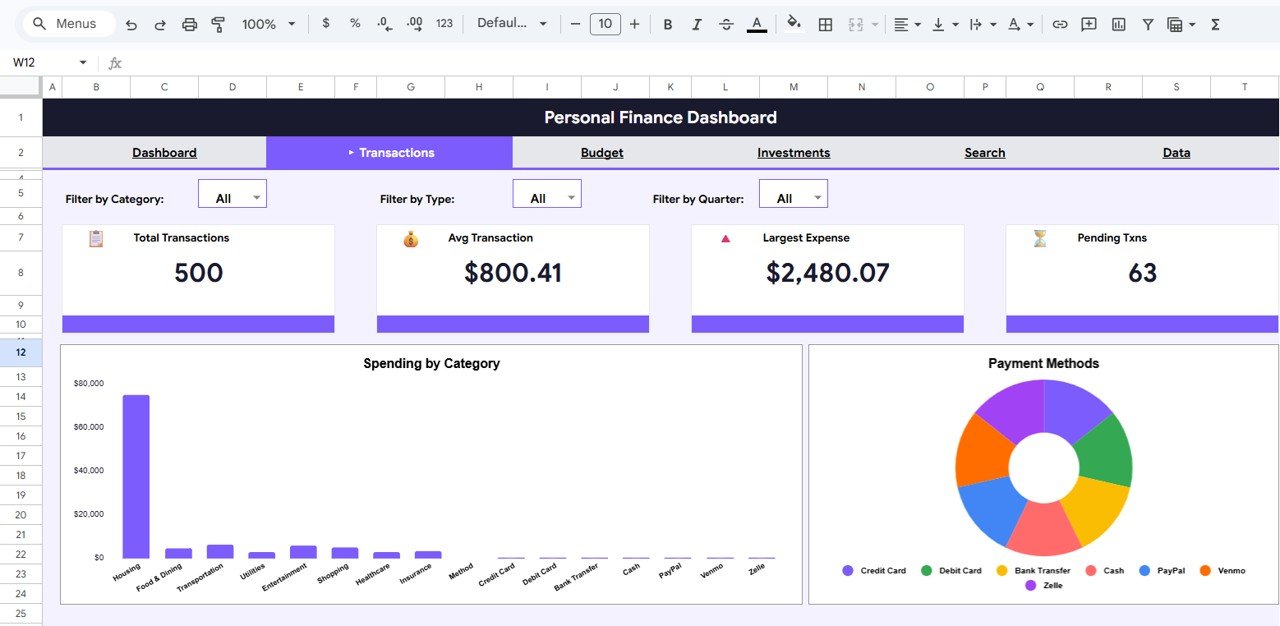
Transactions Analysis
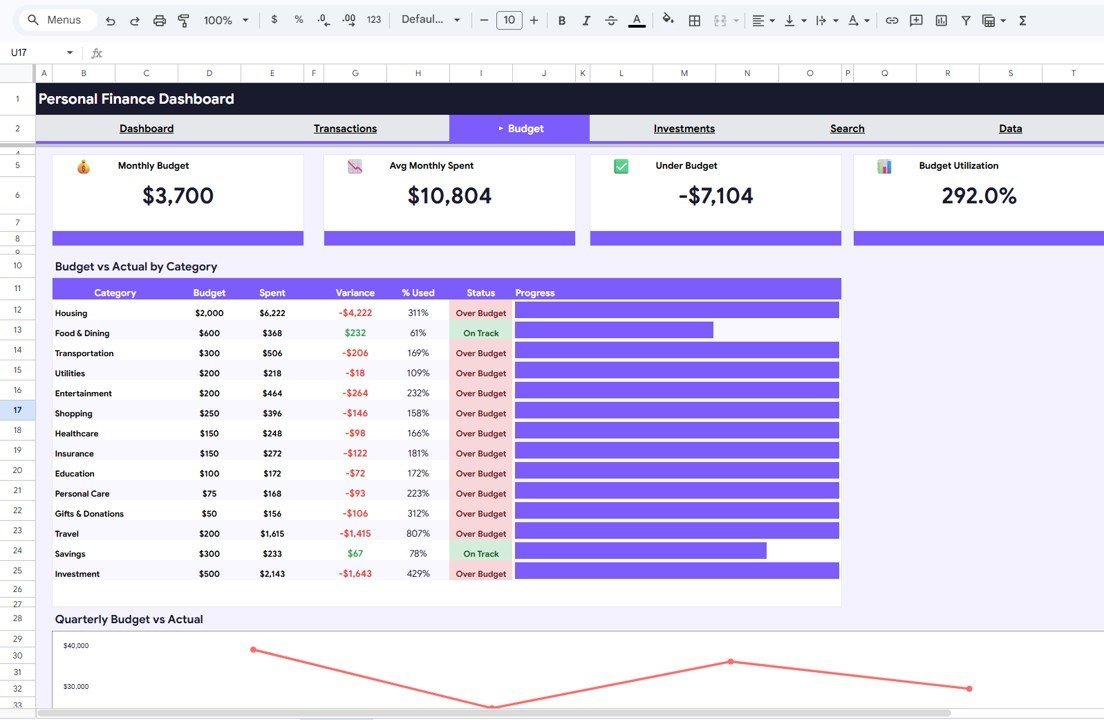
📊 Budget Analysis – Compare your financial plans against reality using Budget vs Actual by Category and Quarterly Budget vs Actual by Quarter charts.
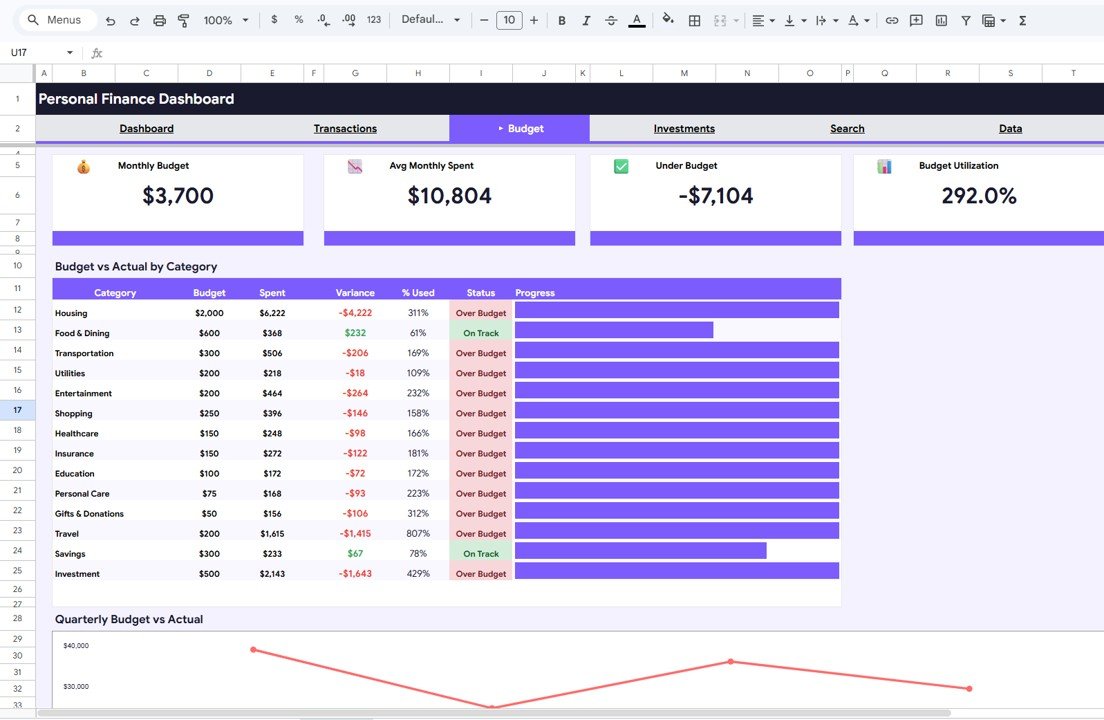
Budget Analysis
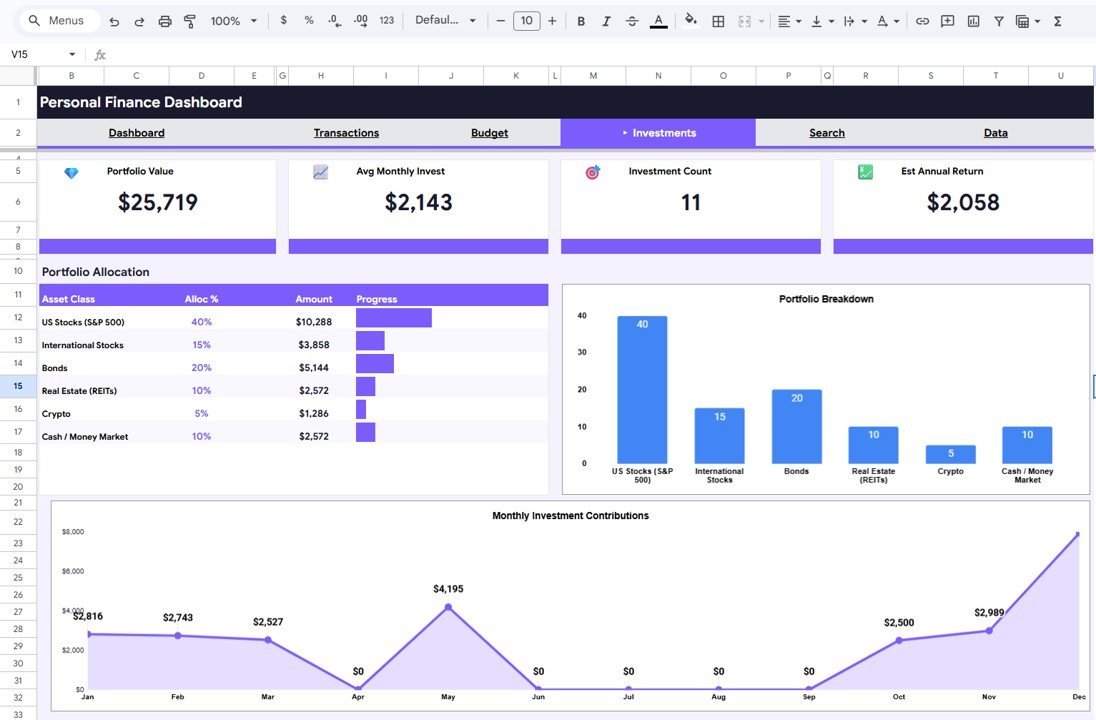
📊 Investments Analysis – Monitor your investment portfolio with Portfolio Allocation by Asset Class, Portfolio Breakdown by Asset Class, and Monthly Investment Contributions by Month.
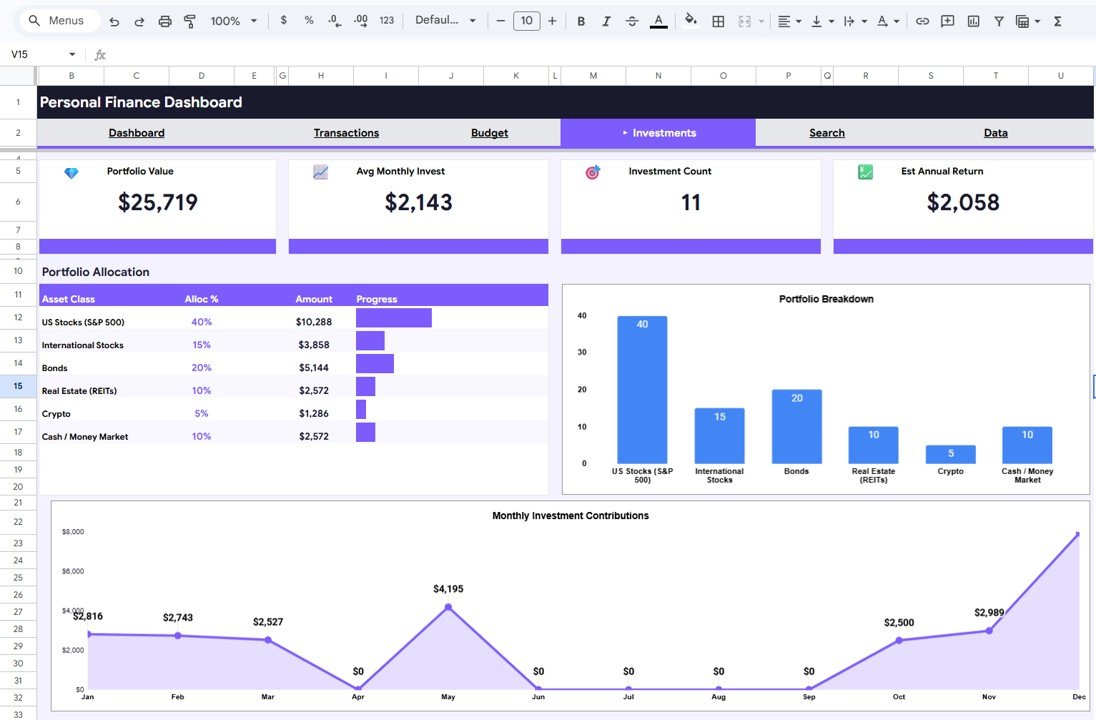
Investments Analysis
📊 Search Transactions – Quickly find any transaction using the built-in search functionality that filters Transaction Search Results by Category, Type, and Status.

Search Transactions
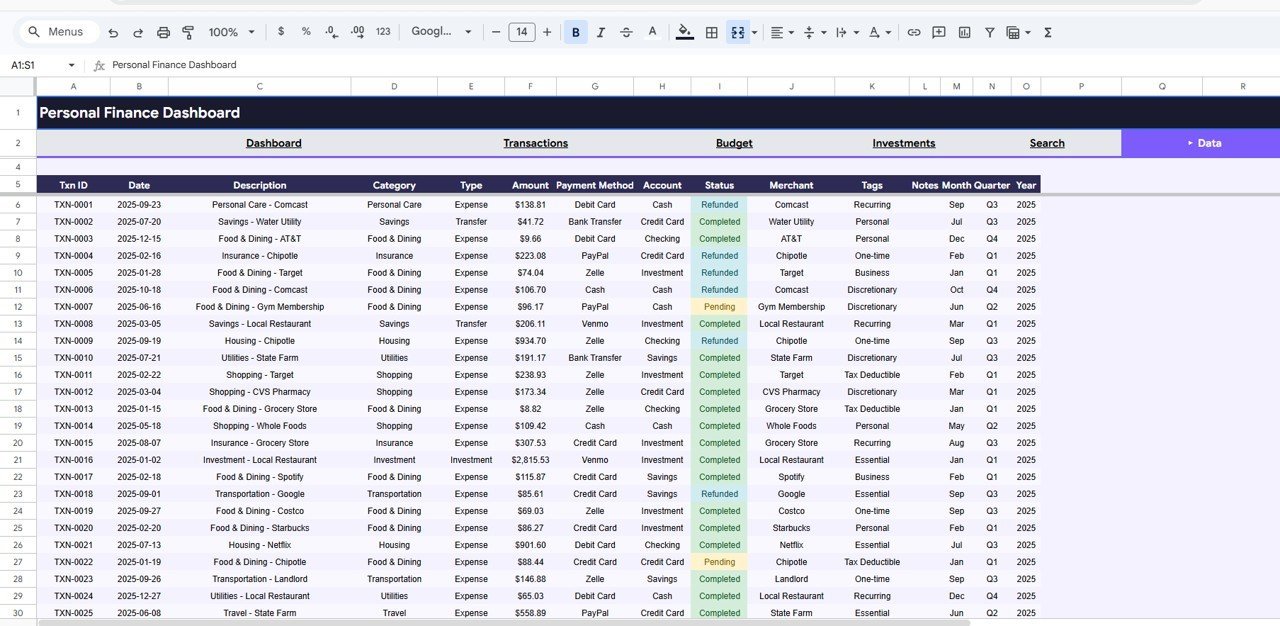
📊 Data Sheet Tab – This is where all your raw financial data lives. Simply add your records in the same format and the entire dashboard updates automatically.
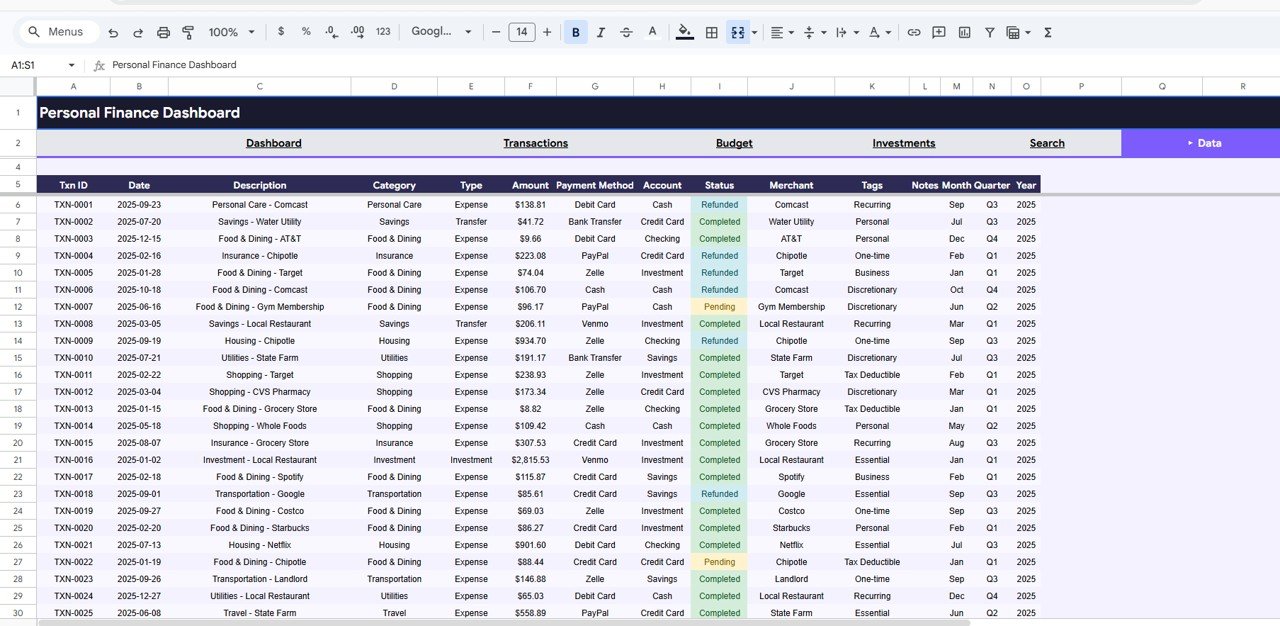
Data Sheet Tab
⚙️ How to Use the Personal Finance Dashboard in Google Sheets
1️⃣ Download the template and open the PDF guide included in your purchase.
2️⃣ Click the Google Sheets copy link in the PDF to create your own editable copy in Google Drive.
3️⃣ Navigate to the Data Sheet tab and replace the sample data with your own income, expense, budget, and investment records.
4️⃣ Head back to the Overview page and use slicers to filter your dashboard by date, category, or account.
5️⃣ Explore the Transactions Analysis, Budget Analysis, and Investments Analysis tabs for detailed breakdowns of your financial performance.
6️⃣ Use the Search Transactions page to quickly locate specific transactions by category, type, or status.
👥 Who Can Benefit from This Personal Finance Dashboard
🔹 Salaried Professionals – Track monthly income, spending habits, and savings goals effortlessly.
🔹 Freelancers and Consultants – Monitor irregular income streams, project-based expenses, and net savings over time.
🔹 Small Business Owners – Get a clear picture of business and personal finances in a single dashboard.
🔹 Students and Young Professionals – Build healthy financial habits early by tracking budgets and spending.
🔹 Investors – Monitor portfolio allocation, asset class breakdown, and monthly investment contributions alongside your regular finances.
🔹 Financial Advisors – Use this as a client-facing reporting tool to present personal finance summaries.
❓ Frequently Asked Questions
What does the Personal Finance Dashboard in Google Sheets track?
The Personal Finance Dashboard in Google Sheets tracks 4 key financial metrics: This Month Income, Total Expenses, Net Savings, and Investments. It also includes detailed analysis across 6 pages covering transactions, budgets, investments, and a transaction search engine.
Do I need advanced Google Sheets skills to use this template?
No. Simply replace the sample data in the Data Sheet tab with your own financial records and all charts, KPI cards, and analysis pages update automatically. No formulas or coding knowledge required.
Can I customize the categories and filters in this dashboard?
Yes. You can modify the spending categories, account names, budget categories, and investment asset classes in the Data Sheet to match your personal financial situation.
Is this dashboard suitable for tracking investments and portfolio allocation?
Absolutely. The Investments Analysis page provides Portfolio Allocation by Asset Class, Portfolio Breakdown by Asset Class, and Monthly Investment Contributions by Month — giving you a complete view of your investment performance.
How is this different from a basic budget spreadsheet?
Unlike a simple budget spreadsheet, this template offers 6 dedicated analysis pages with interactive charts, slicer-based filtering, transaction search functionality, and investment tracking — all in a single professional dashboard.
Can I access this dashboard on my phone or tablet?
Yes. Since it is built on Google Sheets, you can access your Personal Finance Dashboard from any device using the Google Sheets app or a web browser — anytime, anywhere.
🔗 Explore Related Templates
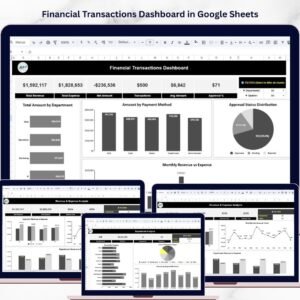
🔹 Financial Transactions Dashboard in Google Sheets – Dive deeper into transaction-level analysis with detailed financial breakdowns.
🔹 Monthly Budget Plan Template in Google Sheets – Plan and track your monthly budget with a dedicated budgeting template.
🔹 Debt Payoff Calculator Template in Google Sheets – Create a strategic debt repayment plan with automated calculations.
📖 Click here to read the Detailed Blog Post
Watch the step-by-step video tutorial:
































Reviews
There are no reviews yet.