

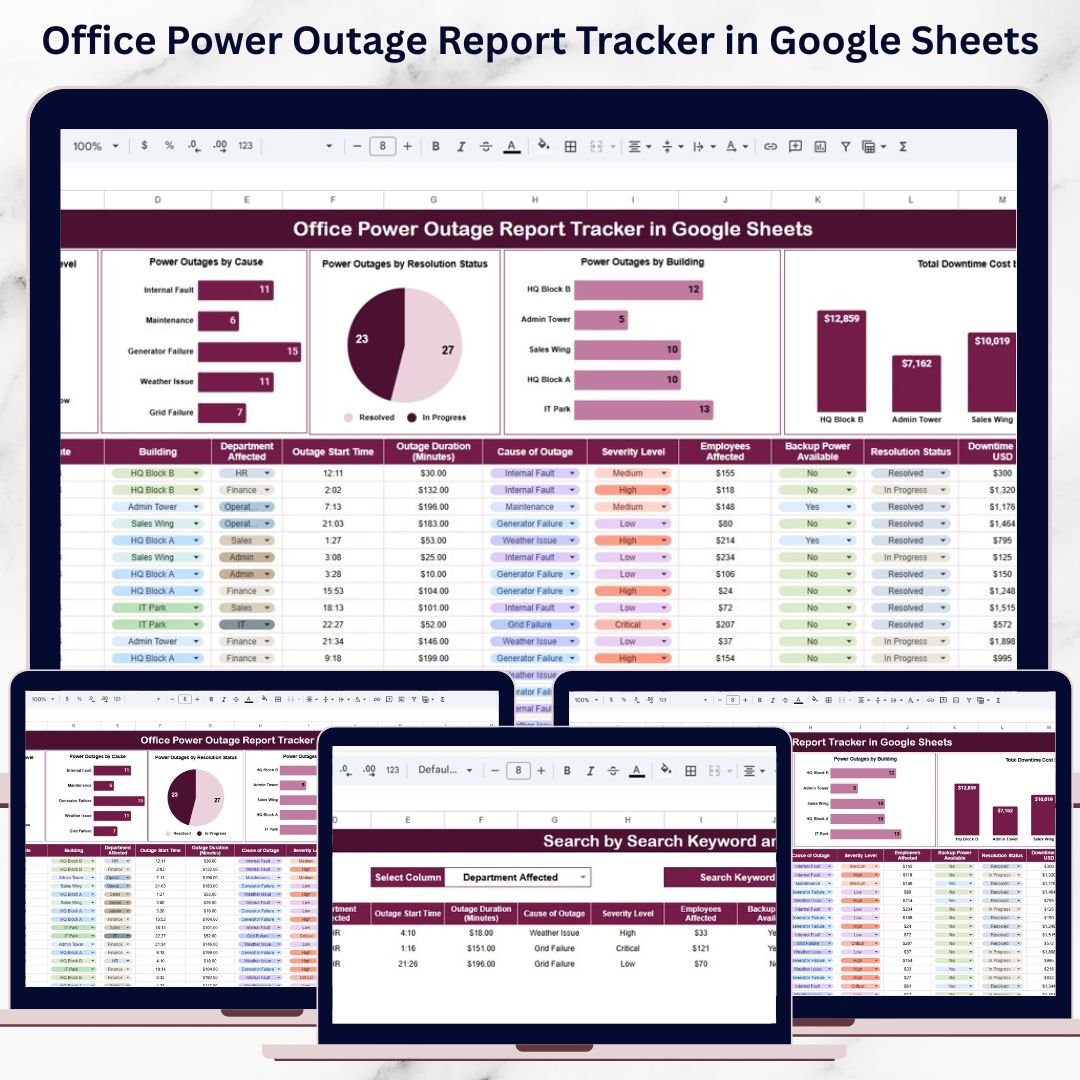
Power outages in offices are more than just an inconvenience. They disrupt daily operations, reduce employee productivity, affect critical IT systems, and can lead to significant financial losses. Even short interruptions can delay work, damage infrastructure, and increase operational risk. However, many organizations still track power outage incidents through emails, calls, or unstructured spreadsheets. As a result, visibility remains poor, root causes go unnoticed, and corrective action is delayed.
That is exactly why the Office Power Outage Report Tracker in Google Sheets becomes a powerful and practical solution.
This ready-to-use tracker helps facility teams, IT teams, and operations managers record, monitor, and analyze all power outage incidents in one centralized system. Instead of manually reviewing logs and reports, teams gain instant visibility into outage frequency, severity, causes, downtime duration, and financial impact through automated charts and a smart search feature. The result is faster response, better planning, and improved infrastructure reliability.
Because the tracker is built entirely in Google Sheets, it is cloud-based, collaborative, easy to maintain, and cost-effective—without the need for expensive facility management software.
✨ Key Features of the Office Power Outage Report Tracker in Google Sheets
⚡ Centralized Outage Incident Logging
Record every power outage incident in one structured tracker instead of scattered files and emails.
📊 Interactive Outage Analysis Charts
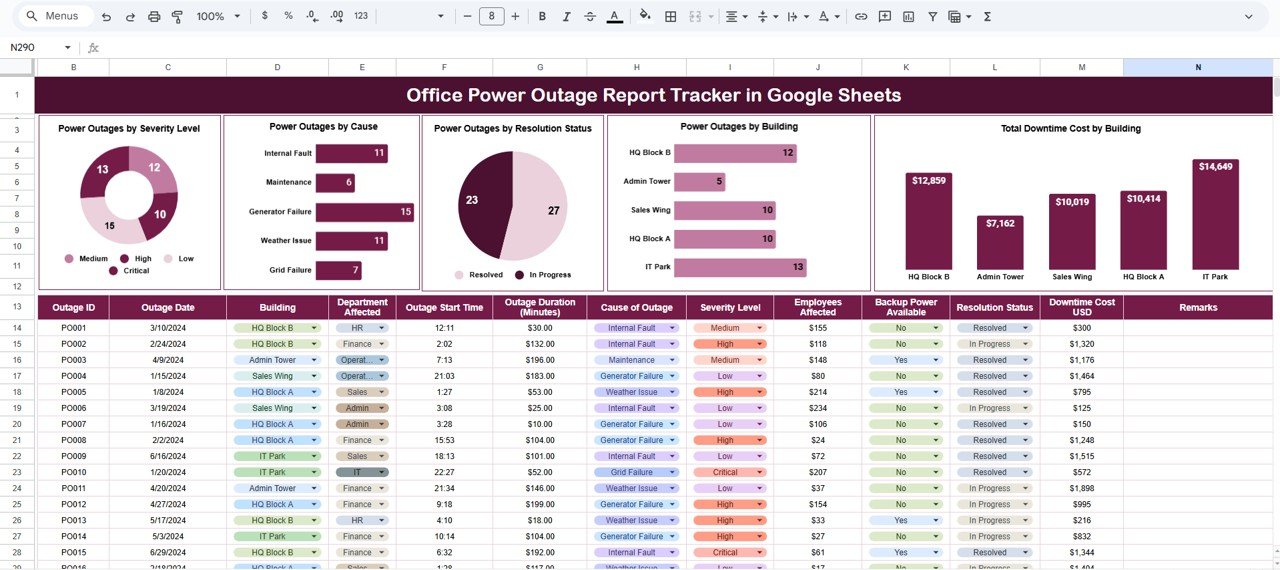
Visual charts instantly highlight outage patterns, severity, causes, and cost impact.
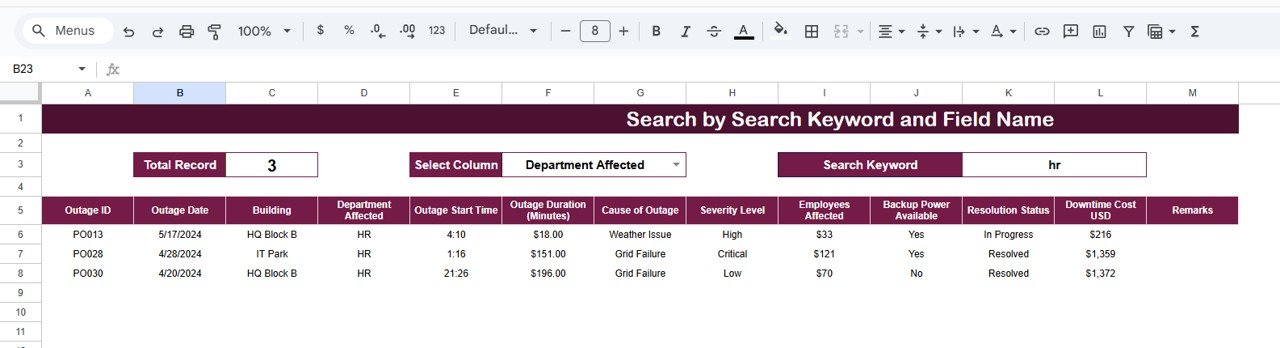
🔍 Smart Search Functionality
Find any outage record instantly using keyword-based search across multiple fields.
💰 Downtime Cost Visibility
Track and analyze the financial impact of power outages by building and location.
🤝 Real-Time Collaboration
Facility, IT, and operations teams can update and review outage data together in real time.
📦 What’s Inside the Office Power Outage Report Tracker in Google Sheets
🗂️ Tracker Sheet Tab – Core Outage Log
This is the backbone of the tracker where all power outage incidents are recorded in a clean and consistent format. Typical fields include:
-
Outage ID
-
Date & Time
-
Building Name
-
Office Location
-
Severity Level (Low, Medium, High, Critical)
-
Outage Cause (Grid Failure, Equipment Fault, Weather, Maintenance, Unknown)
-
Resolution Status (Open, In Progress, Resolved)
-
Downtime Duration (Hours)
-
Downtime Cost (USD)
-
Assigned Team
-
Remarks
As soon as data is entered or updated, all charts refresh automatically.
📊 Charts Included in the Office Power Outage Report Tracker
🚨 Power Outages by Severity Level
Shows the distribution of outages by severity, helping teams prioritize high-impact incidents.
🔧 Power Outages by Cause
Highlights root causes such as grid failures, equipment issues, weather, or maintenance—supporting preventive action.
📌 Power Outages by Resolution Status
Provides real-time visibility into open, in-progress, and resolved outages.
🏢 Power Outages by Building
Identifies buildings with frequent outages so management can plan infrastructure upgrades.
💵 Total Downtime Cost by Building
Displays the financial impact of outages, helping leaders justify investments in backup power and reliability improvements.
🔍 Search Functionality – Find Any Outage Instantly
The tracker includes a powerful Search Panel that allows users to filter incidents by:
-
Building Name
-
Office Location
-
Severity Level
-
Outage Cause
-
Resolution Status
-
Assigned Team
This feature saves time during investigations, audits, emergency reviews, and management meetings.
🎯 Who Can Benefit from This Office Power Outage Report Tracker
🏢 Facility & Admin Teams
Monitor power reliability and maintenance effectiveness.
💻 IT & Infrastructure Teams
Reduce downtime risk and protect critical systems.
📊 Operations & Leadership Teams
Understand outage trends, costs, and risk exposure clearly.
🏭 Multi-Building Organizations
Standardize outage reporting across locations.
🚀 Growing Businesses
Adopt a scalable, low-cost infrastructure monitoring solution.

































Reviews
There are no reviews yet.