
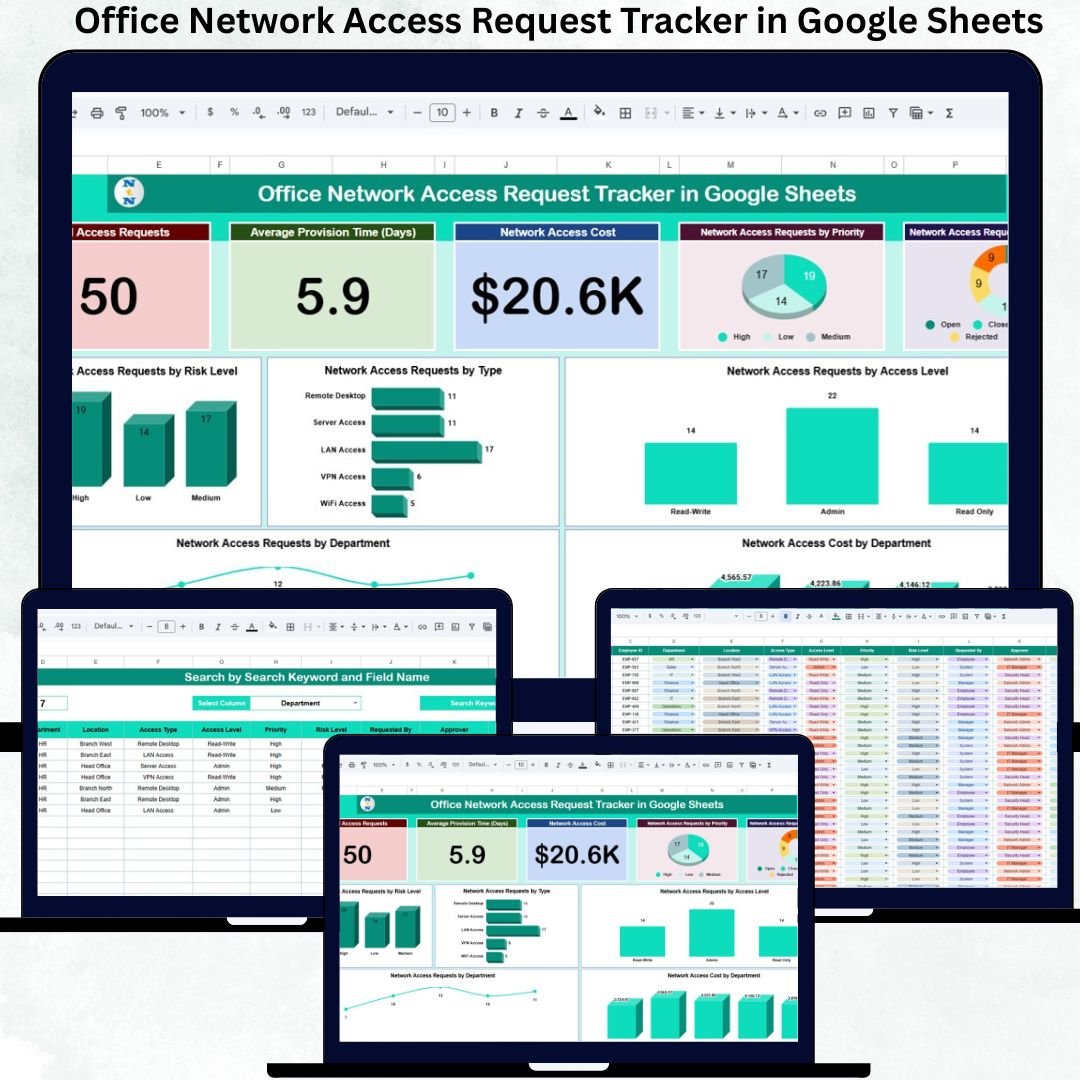
Secure and controlled network access is critical for every modern organization. Employees, contractors, and vendors require timely access to VPNs, applications, databases, servers, Wi-Fi networks, and internal systems. However, when access requests are handled through emails, chats, or informal approvals, organizations face serious risks such as unauthorized access, delayed provisioning, excessive privileges, and compliance gaps.
That is exactly where the Office Network Access Request Tracker in Google Sheets becomes an essential IT and security management tool.
This ready-to-use tracker provides a centralized, transparent, and structured system to manage all network access requests efficiently. It helps IT teams log access requests, track approvals, analyze risk levels, monitor provisioning timelines, control access levels, and track access-related costs from one single Google Sheets file.
Because it is built entirely in Google Sheets, this tracker ensures real-time collaboration, instant updates, and easy sharing—without relying on complex or expensive Identity and Access Management (IAM) software.
✅ Key Features of Office Network Access Request Tracker in Google Sheets
🔐 Centralized network access request management
🚦 Priority-based request tracking
⚠️ Risk-level classification for better security decisions
🕒 Auto-calculated provisioning time
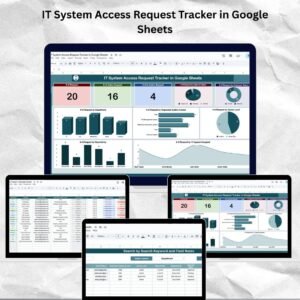
📊 Executive KPI cards for quick overview
📈 7 powerful analytical charts
💰 Department-wise access cost analysis
🔍 Smart search and filtering system
☁️ Google Sheets based – no software installation
📁 What’s Inside the Office Network Access Request Tracker
This tracker is professionally structured with multiple interconnected sections that work together seamlessly.
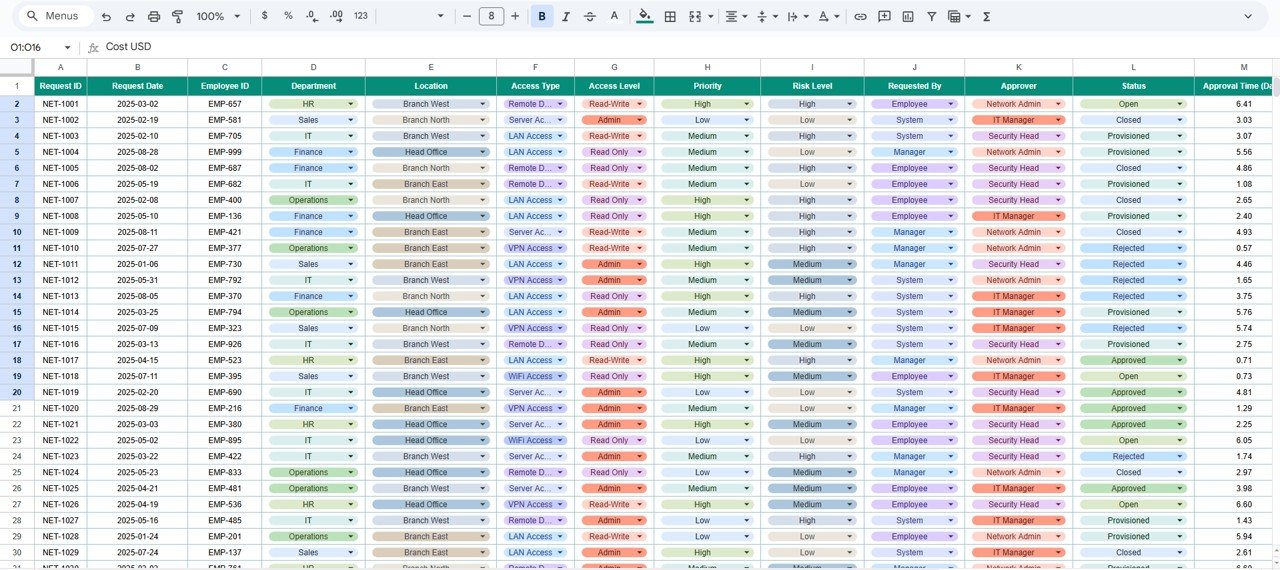
🗂️ Tracker Sheet Tab
This is the main data-entry sheet where all network access requests are logged.
Typical fields include:
-
Request ID
-
Request Date
-
Requester Name / User ID
-
Department
-
Access Type (VPN, Application, Server, Database, Wi-Fi)
-
Access Level (Read, Write, Admin)
-
Risk Level (Low, Medium, High)
-
Priority (Low, Medium, High, Critical)
-
Approval Status
-
Provisioning Start Date
-
Provisioning End Date
-
Provisioning Time (Auto Calculated in Days)
-
Network Access Cost
-
Remarks
Once data is entered or updated, all cards and charts refresh automatically, ensuring accuracy and consistency.
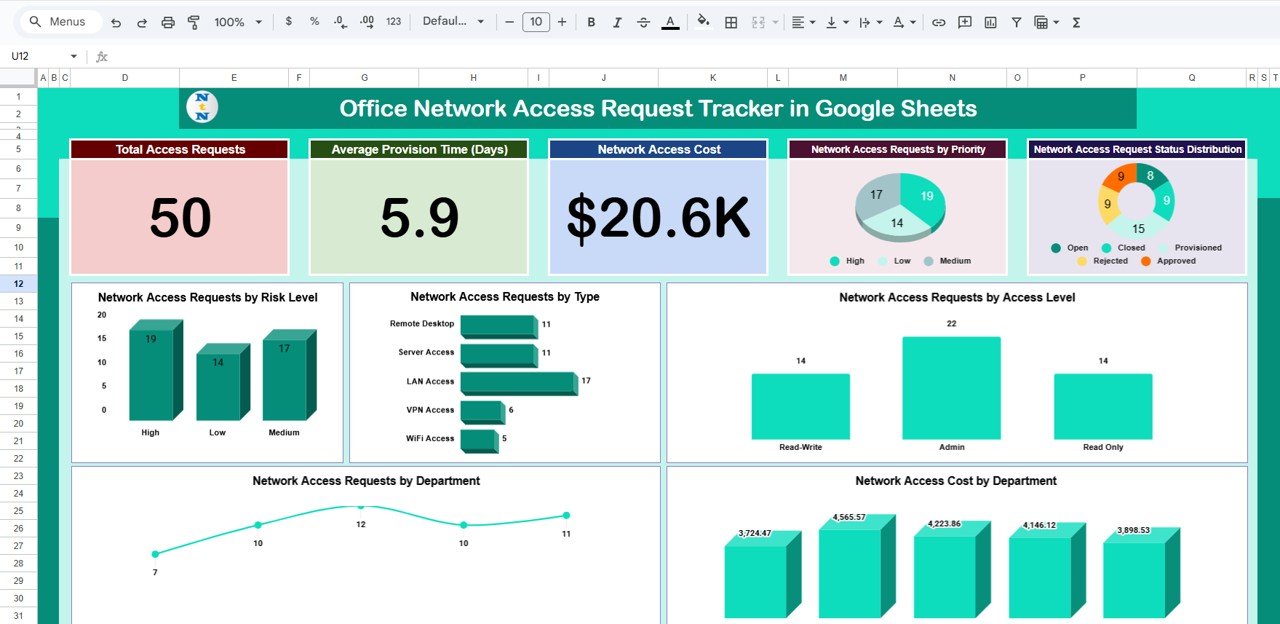
📊 Dashboard Cards – Instant IT Overview
The dashboard includes 4 executive KPI cards that give a quick snapshot of access management health:
📌 Total Access Requests
Displays the total number of network access requests.
📌 Average Provisioning Time (Days)
Shows how quickly access requests are fulfilled.
📌 Network Access Cost
Tracks total cost associated with access provisioning.
📌 (Optional Expansion Ready)
Supports further KPIs such as pending high-risk access requests.
These cards help IT leaders take quick, informed decisions without deep analysis.
📈 Dashboard Charts – Deep Access Insights
The tracker includes 7 powerful charts to analyze access demand, risk, and cost.
📊 Network Access Requests by Priority
Helps IT teams focus on urgent and critical requests first.
📊 Network Access Request Status Distribution
Tracks Pending, Approved, Provisioned, and Rejected requests clearly.
📊 Network Access Requests by Risk Level
Strengthens security by highlighting high-risk access demands.
📊 Network Access Requests by Type
Analyzes demand for VPNs, applications, servers, databases, and Wi-Fi.
📊 Network Access Requests by Access Level
Helps enforce least-privilege and zero-trust principles.
📊 Network Access Cost by Department
Improves financial accountability and cost control.
📊 Network Access Requests by Department
Identifies departments with frequent access needs.
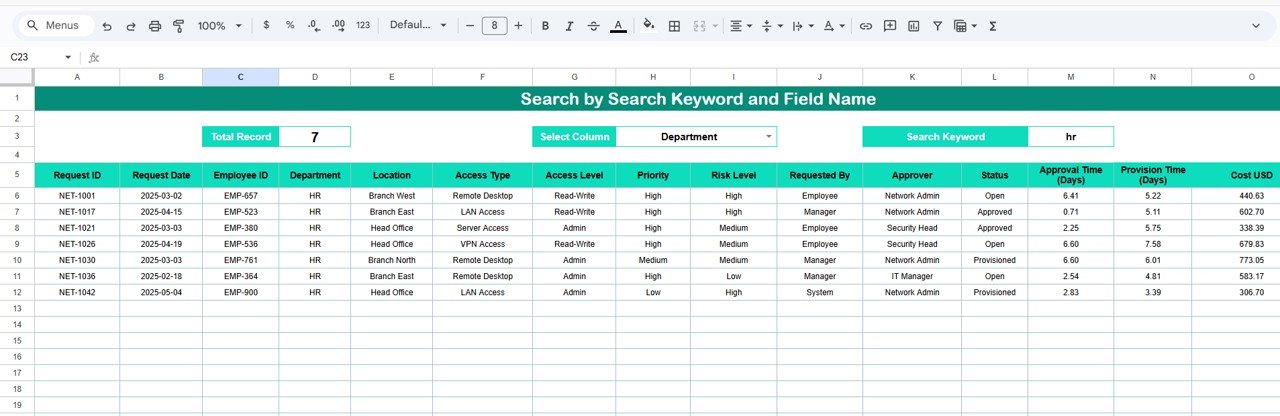
🔍 Search Sheet Tab – Smart & Fast Search
The tracker includes a dedicated Search Sheet Tab to avoid manual scrolling.
You can search using:
-
Search Keyword: Department, user name, access type, priority
-
Field Name: Department, Access Level, Risk Level, Status
Results appear instantly, making it perfect for:
✅ Audits
✅ Security reviews
✅ Management reporting
✅ Incident investigations
⚙️ How to Use the Office Network Access Request Tracker
1️⃣ Log each access request
2️⃣ Assign risk level and priority
3️⃣ Approve and provision access
4️⃣ Track provisioning time automatically
5️⃣ Monitor trends, cost, and risk using dashboards
No coding or technical expertise is required.
👥 Who Can Benefit from This Tracker
-
🖥️ IT Operations Teams
-
🌐 Network Administrators
-
🔐 Cybersecurity Teams
-
📋 Compliance & Audit Teams
-
🏢 Office & Infrastructure Admin Teams
Ideal for corporates, IT services firms, financial institutions, healthcare, education, and regulated industries.
🌟 Advantages of Office Network Access Request Tracker
✅ Centralized and auditable access requests
✅ Faster provisioning with clear visibility
✅ Improved security governance
✅ Risk-based access decisions
✅ Department-wise cost transparency
✅ Easy collaboration using Google Sheets
🔧 Opportunities for Improvement
You can enhance this tracker further by adding:
-
Automated approval workflows
-
Email alerts for high-risk requests
-
IAM system integrations
-
SLA breach indicators
-
Access expiry & recertification tracking
✅ Best Practices
✔ Define access levels clearly
✔ Review high-risk requests regularly
✔ Monitor provisioning time weekly
✔ Conduct monthly access audits
✔ Restrict editing permissions
✔ Keep approval accountability clear
✅ Conclusion
The Office Network Access Request Tracker in Google Sheets transforms scattered access requests into a secure, controlled, and auditable process. It gives IT and security teams complete visibility into access demand, risk levels, provisioning efficiency, and cost impact. Because it is cloud-based, flexible, and easy to use, it becomes a must-have tool for secure IT operations.

























Reviews
There are no reviews yet.