

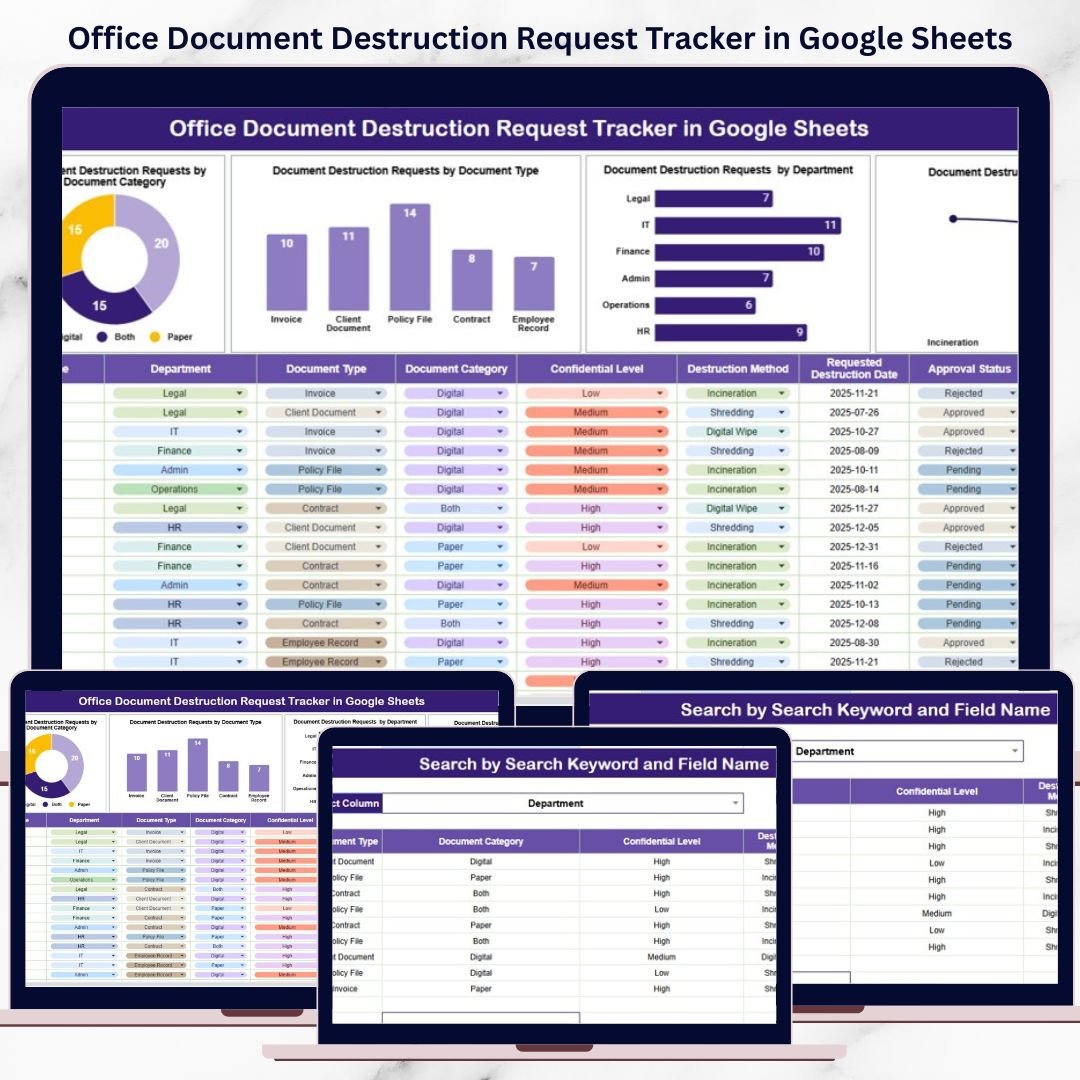
Every organization handles sensitive documents—employee records, financial files, legal papers, contracts, and confidential reports. Over time, these documents reach the end of their retention period and must be destroyed securely. However, when document destruction requests are managed through emails, chats, or informal spreadsheets, organizations face serious risks related to data privacy, regulatory compliance, and audit failures.Office Document Destruction Request Tracker in Google Sheets
That is exactly why the Office Document Destruction Request Tracker in Google Sheets becomes an essential information governance and compliance tool.
This ready-to-use Google Sheets tracker helps organizations centrally manage document destruction requests, track approval status, monitor destruction methods, and maintain a complete audit trail—all in one structured and secure system. Instead of scattered emails or manual follow-ups, every request remains visible, accountable, and traceable.
Because the tracker is built in Google Sheets, it is cloud-based, collaborative, cost-effective, and easy to use, with no additional software or technical skills required.
🔐 Key Features of Office Document Destruction Request Tracker
📂 Centralized Request Management
All document destruction requests are logged in one structured tracker.
✅ Approval Status Tracking
Clearly track requests as Pending, Approved, Rejected, or Completed.
🗃️ Document Category & Type Analysis
Understand which document categories and formats require destruction most often.
🔥 Destruction Method Monitoring
Track shredding, digital wipe, recycling, or third-party destruction methods.
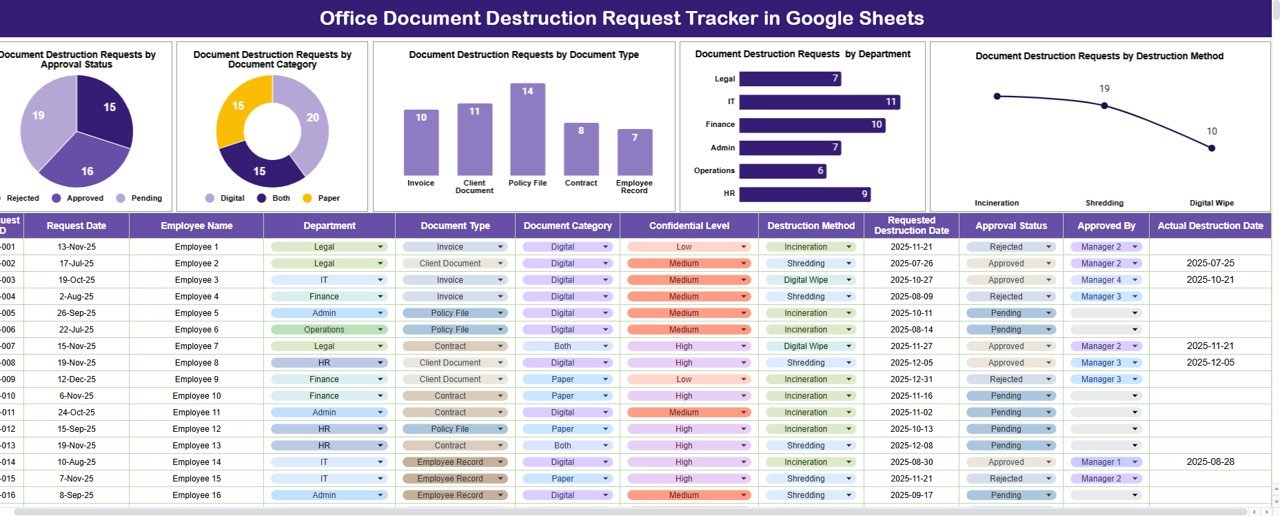
📊 Visual Compliance Charts
Auto-updating charts provide instant visibility into destruction activity.
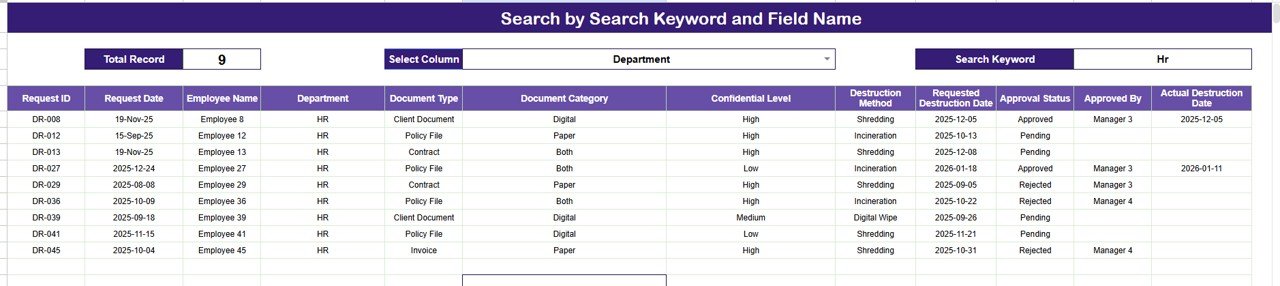
🔍 Smart Search Function
Locate any request instantly using keyword-based search.
📦 What’s Inside the Office Document Destruction Request Tracker
🧾 Tracker Sheet Tab – Central Request Log
This is the main working sheet where all destruction requests are recorded and managed.
📌 Typical Fields Included:
-
Request ID
-
Request Date
-
Requestor Name
-
Department
-
Document Category
-
Document Type
-
Destruction Method (Shredding, Digital Wipe, Incineration, etc.)
-
Approval Status
-
Approved By
-
Destruction Date
-
Remarks / Notes
Once data is entered or updated, all dashboard charts refresh automatically—ensuring real-time compliance visibility.
📊 Charts Included in the Tracker Dashboard
📈 Document Destruction Requests by Approval Status
Shows how many requests are pending, approved, rejected, or completed—helping teams avoid approval backlogs.
🗂️ Document Destruction Requests by Document Category
Analyzes requests across categories such as HR records, finance documents, legal files, and operational records.
📄 Document Destruction Requests by Document Type
Breaks down requests by physical paper, digital files, archived records, or backup media.
🏢 Document Destruction Requests by Department
Identifies departments generating high destruction volumes and supports compliance accountability.
🔥 Document Destruction Requests by Destruction Method
Tracks how documents are destroyed to ensure alignment with data protection policies.
🔍 Search Feature – Search by Keyword and Field Name
One of the most powerful features of this tracker is the smart search functionality.
You can search records by:
-
Request ID
-
Department
-
Document Category
-
Document Type
-
Approval Status
-
Destruction Method
This feature is extremely useful during:
-
Compliance audits
-
Regulatory inspections
-
Internal reviews
-
Management reporting
No scrolling. No filters. Just instant results.
🧭 How to Use the Office Document Destruction Request Tracker
-
Log document destruction requests in the Tracker Sheet
-
Assign document category, type, and destruction method
-
Track approval status and approver details
-
Monitor charts for pending or delayed requests
-
Use search to retrieve records instantly
-
Maintain an audit-ready destruction trail
🎯 Who Can Benefit from This Tracker
-
📋 Compliance & Governance Teams
-
⚖️ Legal Departments
-
👥 HR Teams
-
💻 IT & Records Management Teams
-
🧑💼 Operations & Administration
-
🧾 Audit & Risk Management Teams
🔗 Click here to read the Detailed blog post
Watch the step-by-step video tutorial:
































Reviews
There are no reviews yet.