Managing employee attendance manually often leads to confusion, calculation mistakes, and reporting delays. Many organizations still track late arrivals and early departures using basic spreadsheets, which consumes valuable HR time and increases the risk of errors.
That is exactly why the Late Coming and Early Leaving Management System V1.0 in Excel VBA is the perfect solution for modern workplaces.
This ready-to-use automation tool is built using Microsoft Excel + VBA (Visual Basic for Applications) and is designed to manage employee attendance professionally without installing expensive HR software. Instead of maintaining manual registers, organizations can automate attendance tracking, monitor employee discipline, and generate professional reports instantly.
Because the system operates directly inside Excel, businesses can start using it immediately with minimal training.
🚀 Key Feature of Late Coming and Early Leaving Management System V1.0
✅ Secure Login System – Role-based login ensures controlled and authorized access.
✅ Automated Attendance Tracking – Monitor late arrivals and early departures automatically.
✅ Smart Data Entry Forms – User-friendly forms reduce manual errors.
✅ Dynamic Record Management – Add, update, delete, and filter attendance records easily.
✅ Instant Excel Reporting – Generate professional attendance reports within seconds.
✅ User Access Control – Admins manage permissions and system visibility.
✅ Fully Offline System – Works without internet inside Microsoft Excel.
Because of these features, HR teams save time while improving attendance transparency.
📦 What’s Inside the Late Coming and Early Leaving Management System V1.0
This automation tool includes multiple integrated modules that work together seamlessly.
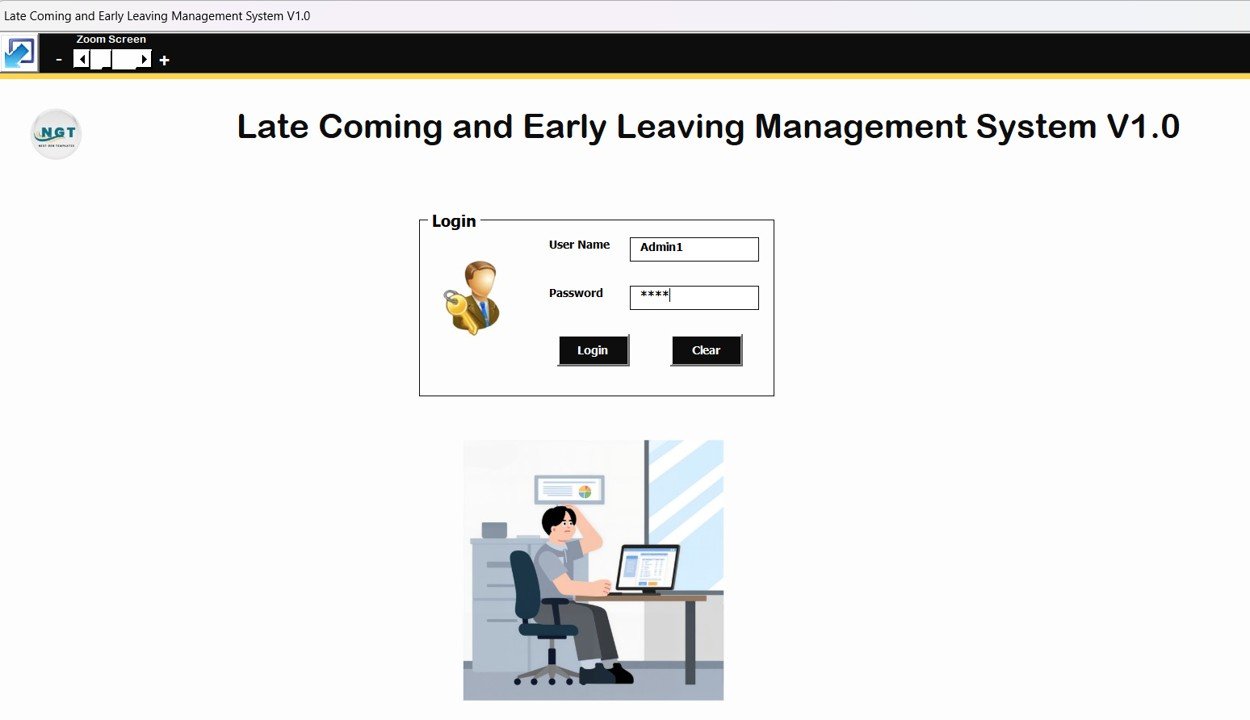
1️⃣ Login Form – Secure Access Control
The system starts with a login screen that protects attendance data.
Default credentials include:
-
Admin Role: Admin1 / abcd
-
User Role: User1 / abcd
After login, users are redirected automatically to the main dashboard.
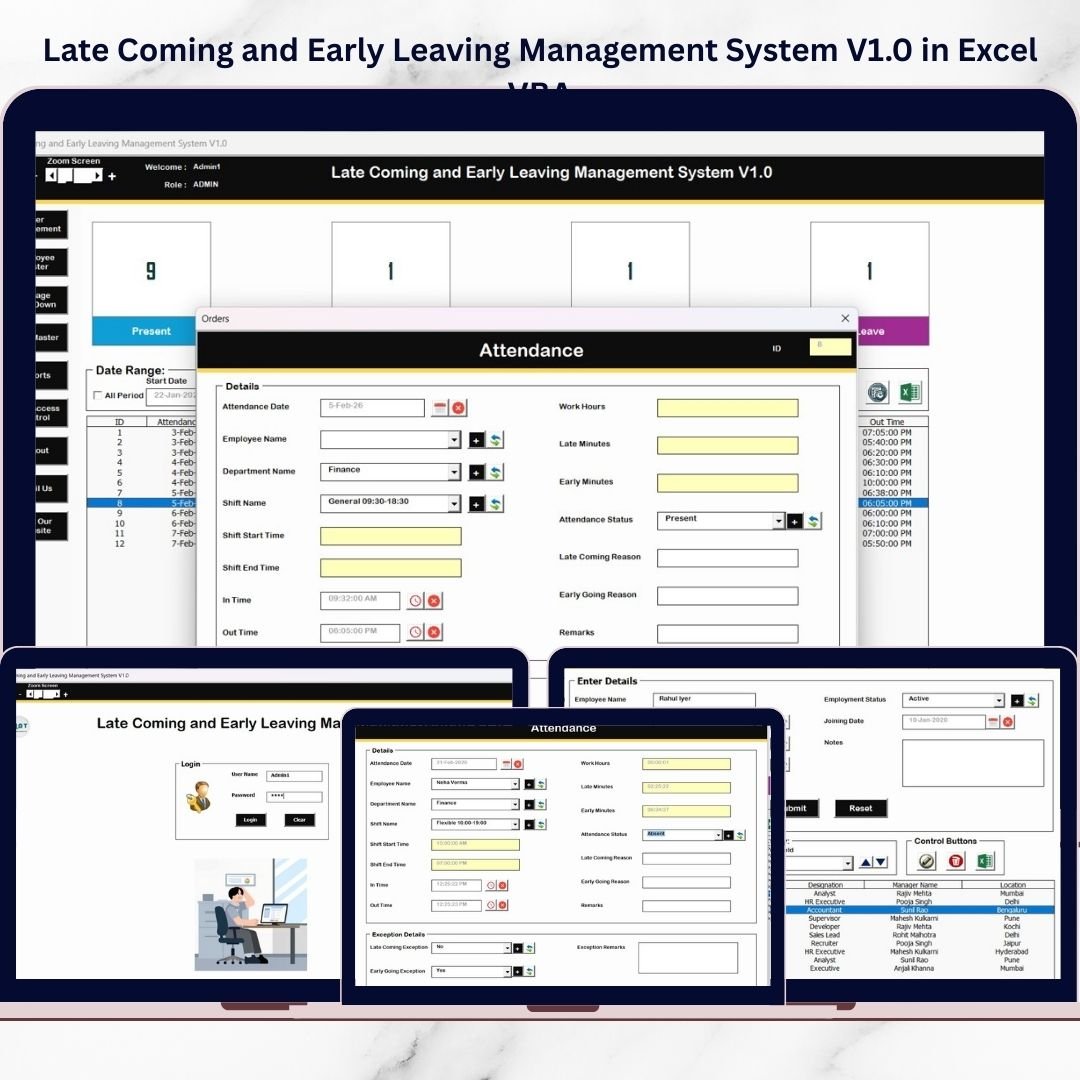
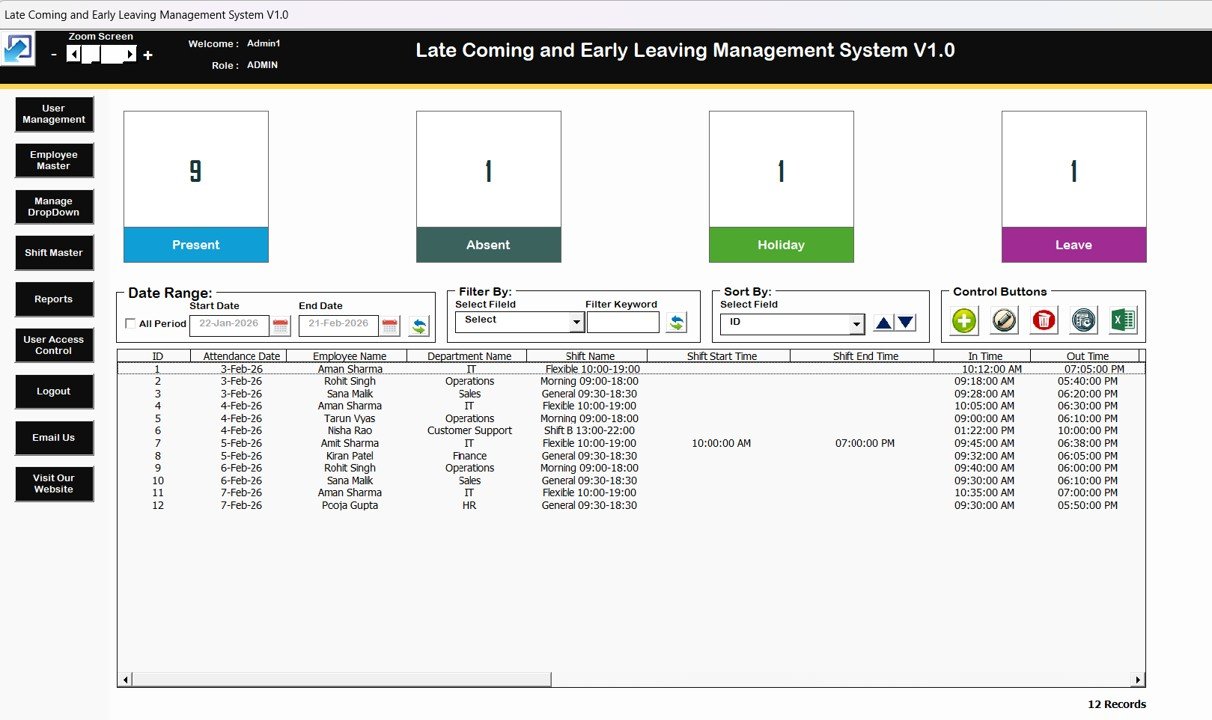
2️⃣ Main Form – Central Control Panel
The command center of the system where users manage attendance records.
Key elements include:
-
Central list box displaying attendance data
-
Date range filters
-
Column-based filtering
-
Built-in sorting options
Control buttons allow users to:
-
Add new records
-
Update records (double-click supported)
-
Delete entries safely
-
View record history
-
Export data to Excel
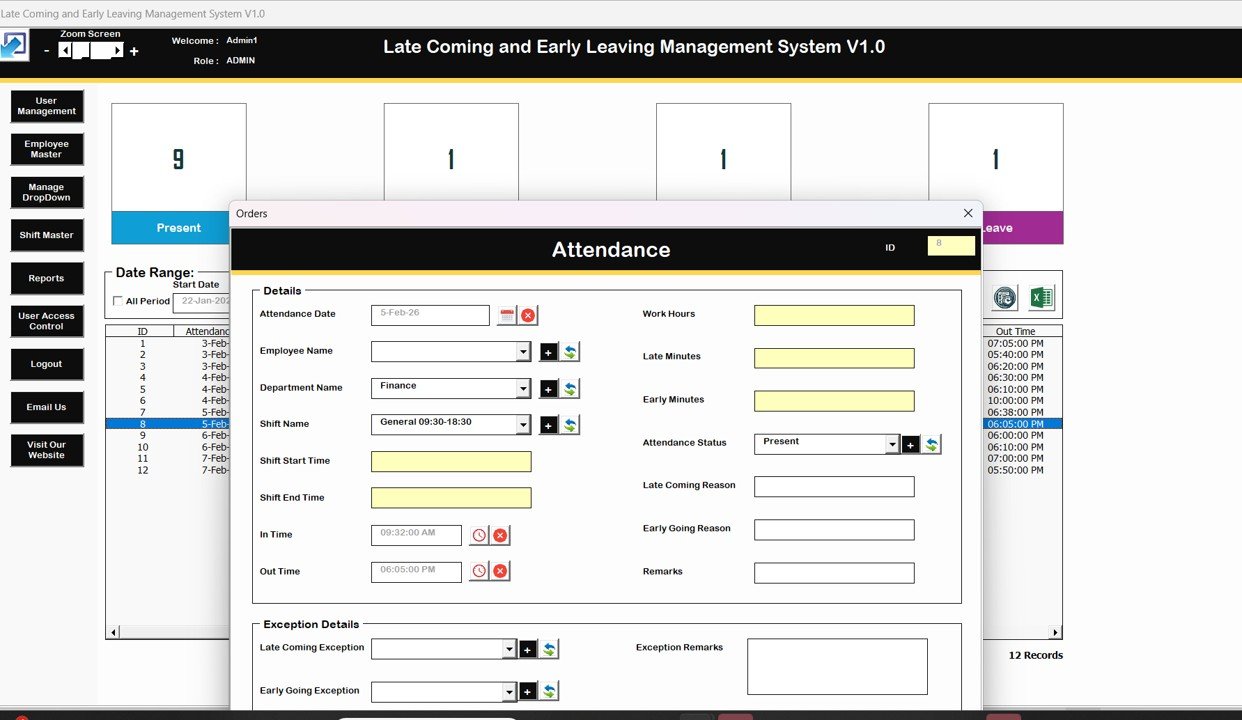
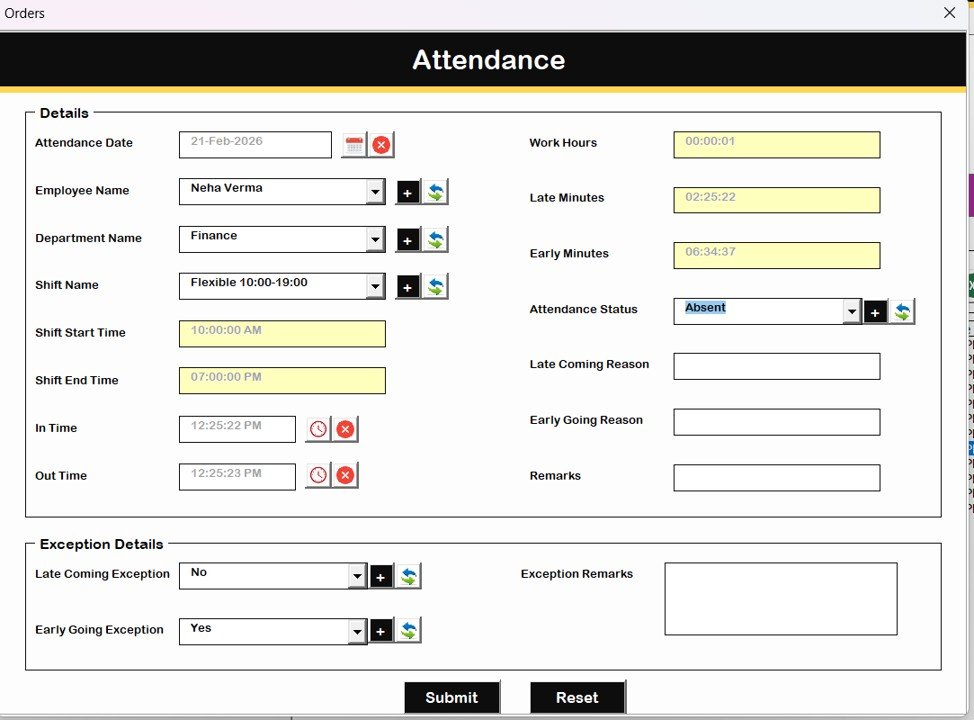
3️⃣ Attendance Form – Data Entry Module
Used for adding and editing attendance records securely.
This form validates inputs automatically, ensuring accurate data entry.
4️⃣ Navigation Menu – Complete System Access
The left panel provides quick navigation to all modules:
-
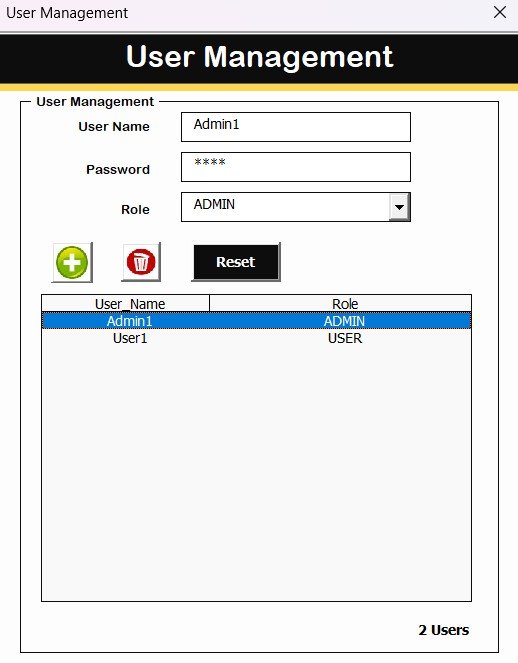
User Management – Add, update, delete users and reset passwords
-
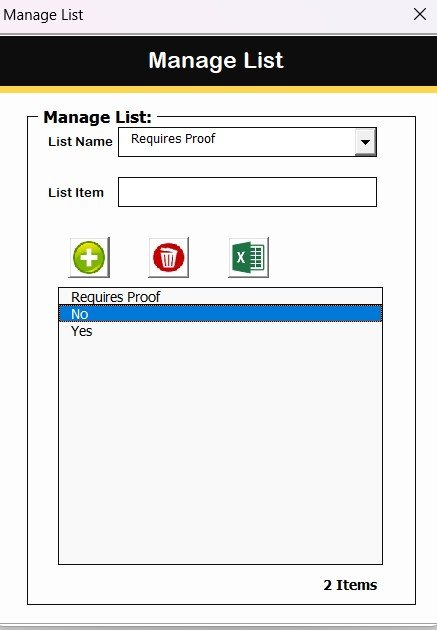
Manage List – Maintain dropdown options dynamically
-
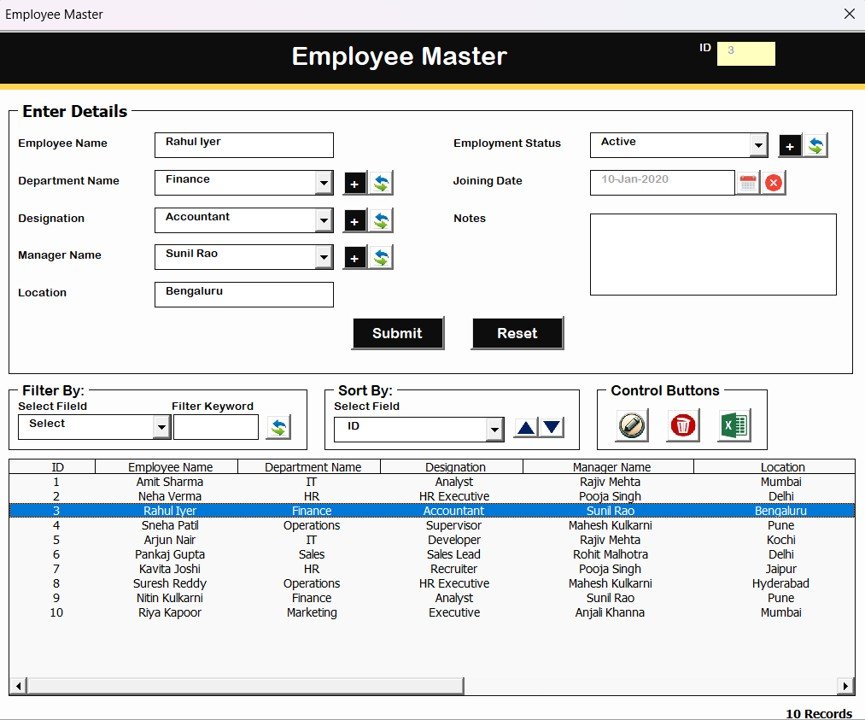
Employee Master – Store employee details and departments
-
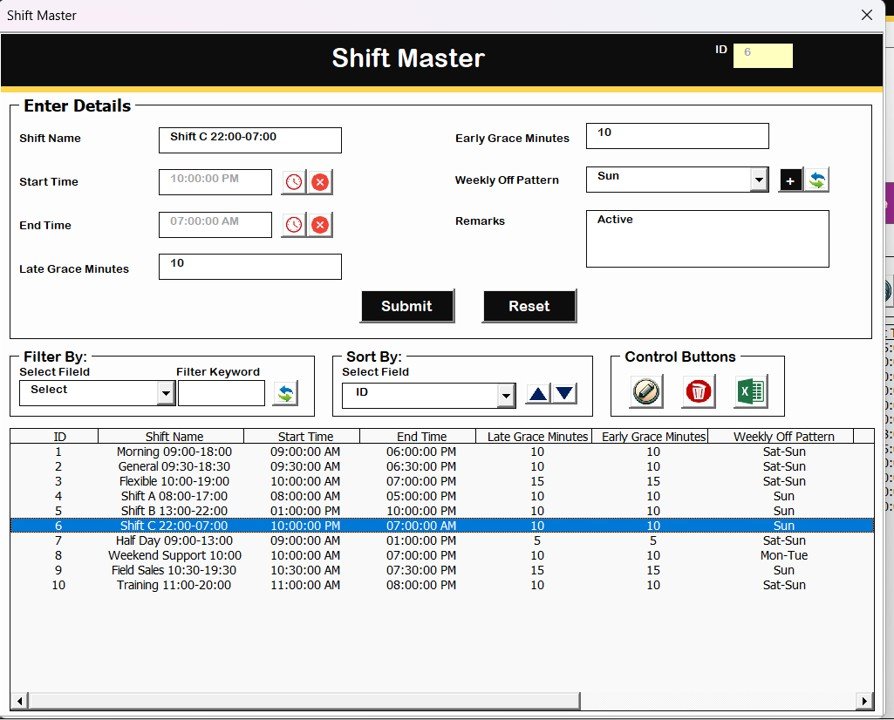
Shift Master – Define working hours and attendance rules
-
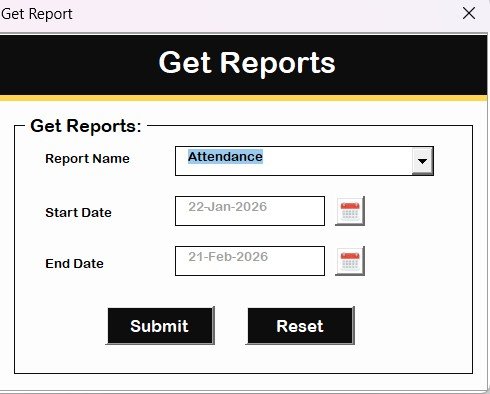
Reports Module – Generate attendance reports by date range
-
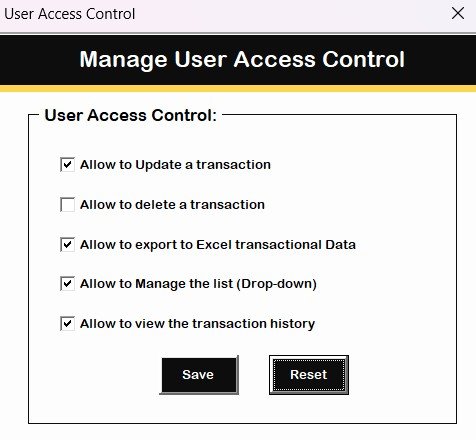
User Access Control – Admin-only permission management
Additional options include Logout, Support Email access, and Website navigation.
Together, these modules create a complete attendance automation ecosystem.
⚙️ How to Use the Late Coming and Early Leaving Management System
Getting started is simple:
-
Open the Excel file in Microsoft Excel Desktop
-
Login using provided credentials
-
Configure Employee Master and Shift Master
-
Add attendance records through forms
-
Filter or search records instantly
-
Generate reports by date range
-
Export reports when required
Within minutes, your organization transitions from manual attendance tracking to automated workforce monitoring.
👥 Who Can Benefit from This Late Coming and Early Leaving Management System
This system is ideal for organizations seeking a simple yet professional attendance solution.
Perfect for:
-
👩💼 HR Departments
-
🏢 Small & Medium Businesses
-
🏭 Manufacturing Units
-
🏫 Educational Institutions
-
🏬 Corporate Offices
-
🧑💻 Administrative Teams
Because it runs in Excel, even non-technical users can operate it easily.
By implementing the Late Coming and Early Leaving Management System V1.0, organizations gain:
-
Automated attendance monitoring
-
Secure role-based access
-
Reduced manual workload
-
Accurate reporting
-
Improved employee discipline
-
Cost-effective HR automation
Instead of investing in expensive attendance software, you get a powerful and flexible solution inside Excel.
This tool delivers automation, control, and simplicity in one system.
💻 How to Use the Late Coming and Early Leaving Management System
-
Open the Excel file using Microsoft Excel Desktop
-
Login using Admin or User credentials
-
Configure employee and shift data
-
Add attendance records through forms
-
Generate reports instantly
Start managing attendance professionally within minutes.
👥 Who Can Benefit from This Late Coming and Early Leaving Management System
-
HR Managers
-
Office Administrators
-
Small Businesses
-
Corporate Teams
-
Educational Institutions
-
Growing Organizations
🔗 Click here to read the Detailed blog post
Watch the step-by-step video tutorial: