

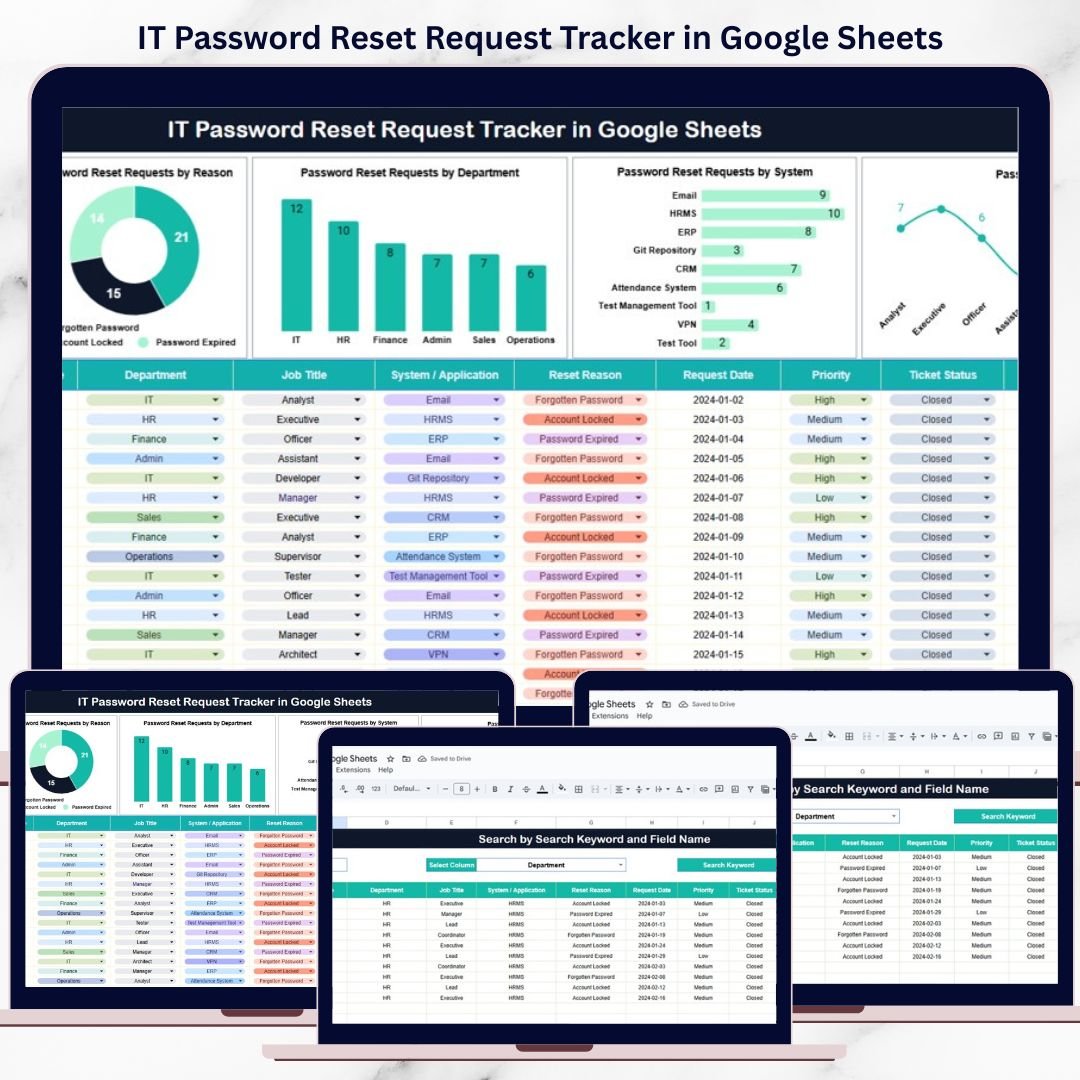
Password reset requests are one of the most frequent and time-consuming IT support activities in any organization. Employees forget passwords, accounts get locked, systems enforce frequent resets, and access issues interrupt daily work. When these requests are handled through emails, calls, or chat messages, IT teams lose visibility, response times increase, and security tracking becomes difficult.
That is exactly why the IT Password Reset Request Tracker in Google Sheets becomes an essential IT operations tool.
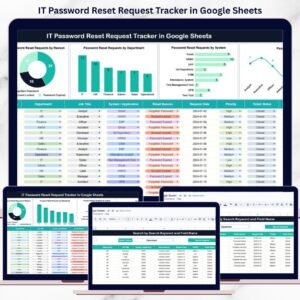
This ready-to-use tracker provides a centralized and structured way to log, monitor, and analyze all password reset requests in one place. Instead of reacting to scattered messages, IT teams gain complete visibility into request status, reasons, departments, systems, and job roles. With built-in charts and a smart search feature, the tracker transforms routine password resets into measurable, manageable IT operations—all inside Google Sheets.
Because it is cloud-based, easy to use, and collaborative, this tracker eliminates the need for complex or expensive ITSM tools for basic password reset management.
✨ Key Features of the IT Password Reset Request Tracker in Google Sheets
🔐 1. Centralized Password Reset Tracking
All password reset requests are captured in one structured tracker, ensuring no request is missed or lost.
📊 2. Automated Visual Insights
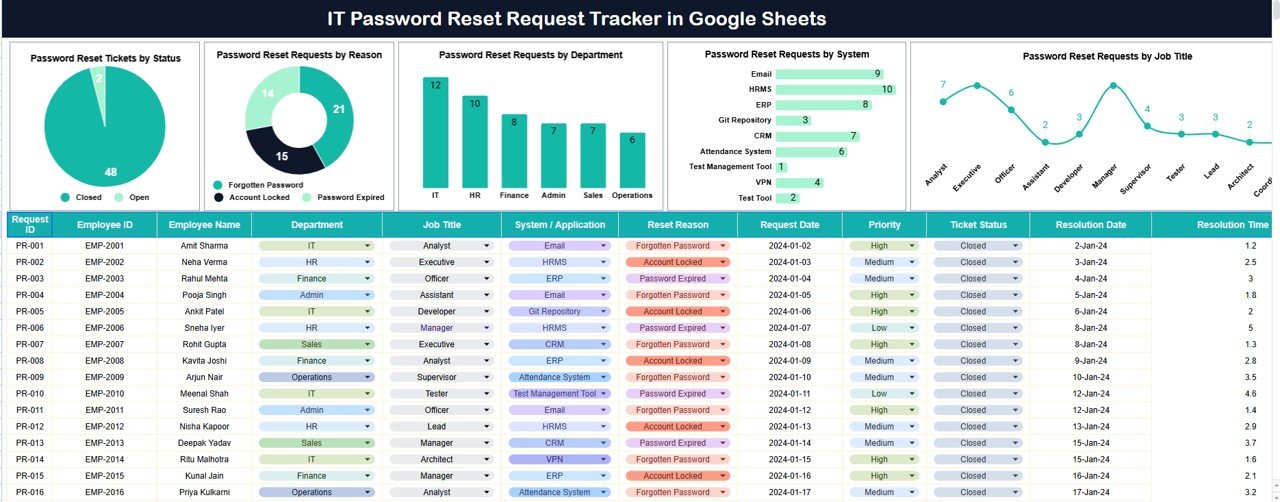
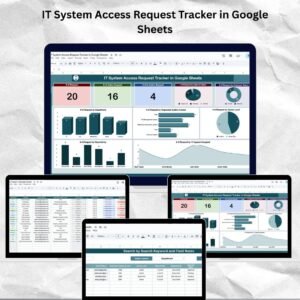
Pre-built charts highlight trends by status, reason, department, system, and job role.
🔍 3. Smart Search Functionality
Find any request instantly using keyword and field-based filtering—perfect for audits and investigations.
⚡ 4. Real-Time Updates
Any update to a request automatically refreshes all charts and summaries.
🤝 5. Easy Team Collaboration
IT teams can work together in real time using Google Sheets with controlled access.
📦 What’s Inside the IT Password Reset Request Tracker in Google Sheets
🗂️ Tracker Sheet Tab (Central Request Log)
This is the core of the tracker where all password reset requests are recorded in a clean and consistent format.
Typical fields include:
-
Request ID
-
Employee Name / Employee ID
-
Department
-
Job Title
-
System / Application Name
-
Password Reset Reason
-
Request Date
-
Ticket Status
-
Resolution Date
-
Remarks
As soon as data is entered or updated, all dashboard visuals refresh automatically, ensuring accurate and up-to-date insights.
📈 Charts Included in the Tracker Dashboard
📌 Password Reset Tickets by Status
Shows request distribution across statuses such as Open, In Progress, Completed, and On Hold.
This helps IT teams monitor workload and pending requests.
📌 Password Reset Requests by Reason
Categorizes requests by reasons like forgotten password, account locked, password expired, or system change.
This insight helps improve password policies and reduce repeat issues.
📌 Password Reset Requests by Department
Highlights which departments raise the most password reset requests.
IT leaders can use this data to plan awareness training or system improvements.
📌 Password Reset Requests by System
Analyzes reset requests by system or application.
This helps identify applications causing frequent access problems.
📌 Password Reset Requests by Job Title
Breaks down requests by role or designation.
It supports better role-based access planning and onboarding improvements.
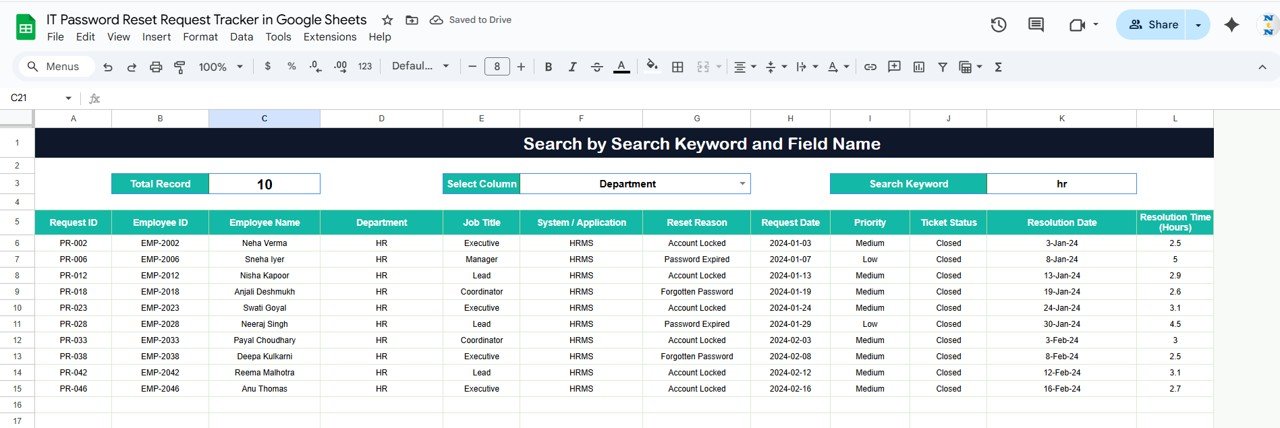
🔍 Smart Search Feature – Find Requests Instantly
The tracker includes a powerful search section that allows users to filter requests by:
-
Employee Name
-
Department
-
Job Title
-
System Name
-
Ticket Status
-
Password Reset Reason
By entering a Search Keyword and selecting the Field Name, matching records appear instantly.
This feature is especially useful for:
-
IT audits
-
Security reviews
-
Incident investigations
-
Management reporting
🎯 Who Can Benefit from This IT Password Reset Request Tracker
🛠️ IT Support & Helpdesk Teams
Manage daily password reset workload efficiently.
🔐 System Administrators
Maintain clear access and security records.
📊 IT Managers
Identify trends and recurring access issues.
⚖️ Compliance & Audit Teams
Review searchable and audit-ready request history.
🏢 Organizations of Any Size
Improve IT efficiency without expensive tools.
🛠️ How to Use the IT Password Reset Request Tracker Effectively
-
Log every password reset request consistently
-
Standardize reset reasons and ticket statuses
-
Review department and system trends monthly
-
Act on recurring access issues proactively
-
Restrict edit access to authorized IT staff
Following these steps ensures accurate tracking and better IT service quality.

















Reviews
There are no reviews yet.