In the high-stakes world of hedge funds, precision is everything. Every trade, every return, and every risk assessment must be backed by data-driven insight — not guesswork. But tracking multiple performance metrics manually can lead to confusion, delays, and inconsistent reporting.
That’s where the Hedge Funds KPI Dashboard in Excel becomes an essential game-changer 📊💹.
This ready-to-use Excel template is designed for fund managers, analysts, and investors who want a comprehensive, automated, and visual tool to monitor key performance indicators (KPIs). From returns and volatility to AUM, drawdowns, and Sharpe ratios — every metric you need is consolidated into one powerful, interactive dashboard.
With real-time updates, trend analysis, and visual comparisons, this dashboard empowers hedge-fund professionals to make smarter, faster, and more informed decisions.
⚙️ Key Features of the Hedge Funds KPI Dashboard in Excel
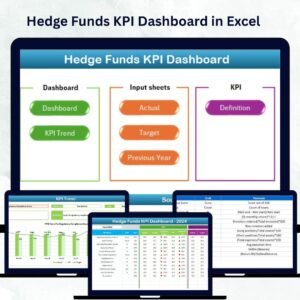
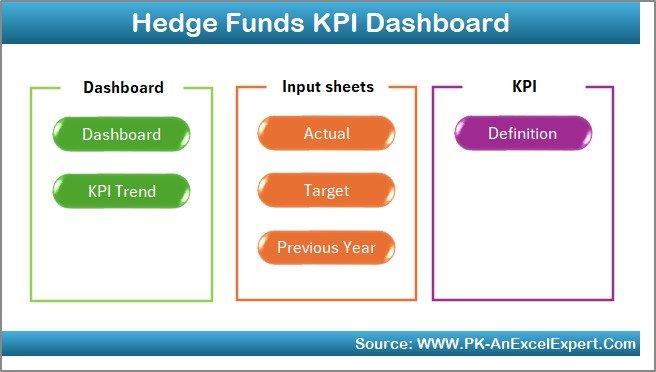
📊 7 Structured Worksheet Tabs – Home, Dashboard, KPI Trend, Actual Numbers, Target, Previous Year, and KPI Definition.
🎯 MTD & YTD Tracking – Monitor Month-to-Date and Year-to-Date data for instant clarity.
📈 Dynamic Dropdowns – Select any month or KPI to auto-update visuals.
🟢 Performance Indicators – Conditional formatting with ↑ ↓ arrows for quick insights.
💼 Comprehensive Metrics – Track returns, risk, fund flows, drawdowns, Sharpe ratio, and volatility.
📊 Automated Charts & Formulas – Linked data ensures accurate and real-time updates.
💡 Fully Customizable – Add, edit, or remove KPIs to match your strategy.
💰 No Complex Tools Needed – 100% Excel-based solution — efficient, affordable, and easy to use.
📦 What’s Inside the Dashboard Template
1️⃣ Home Sheet – Central Navigation Hub
A clean index page with six navigation buttons for seamless movement across sheets.
Save time with one-click access.
Professional layout for quick orientation.
Ideal for managers handling multiple reports simultaneously.
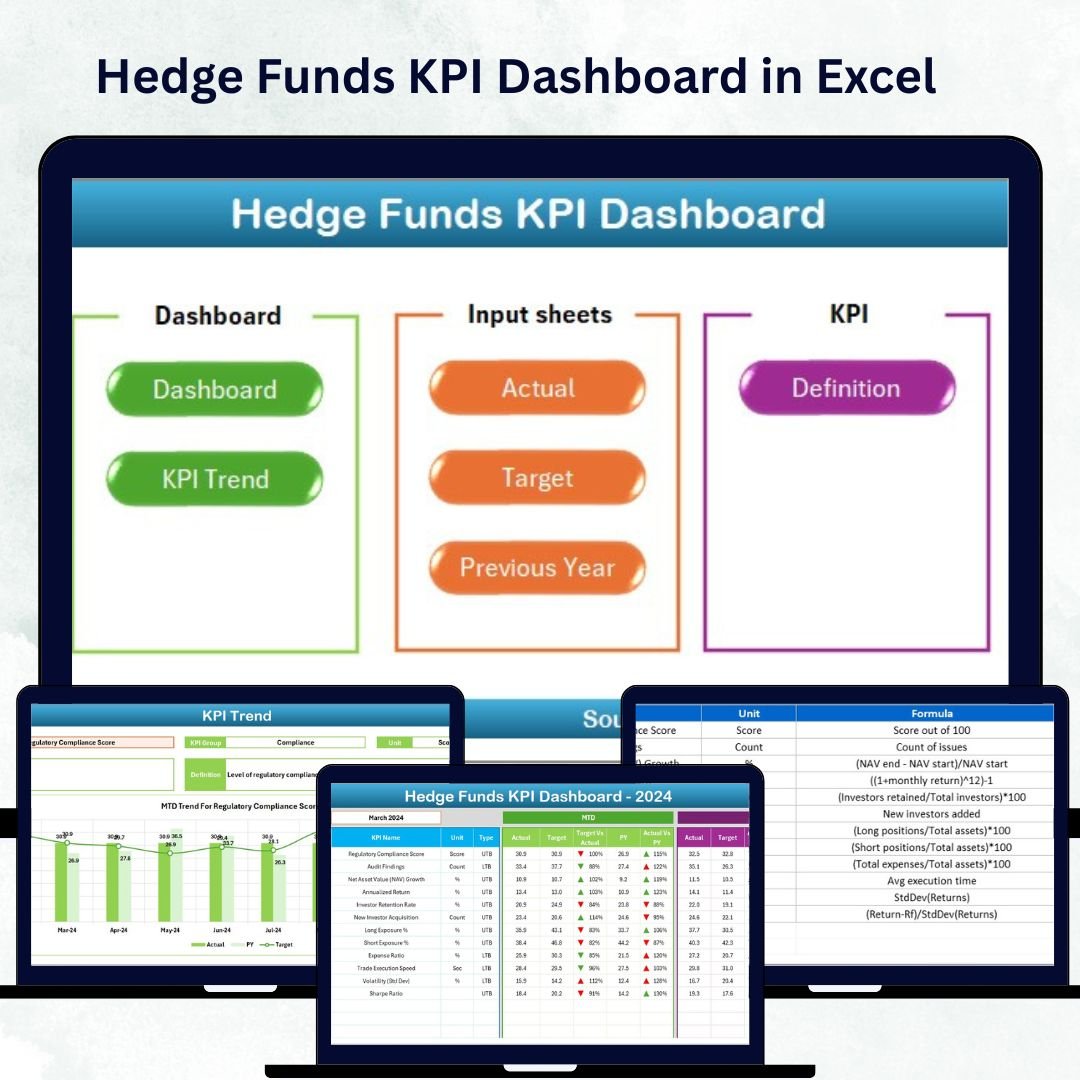
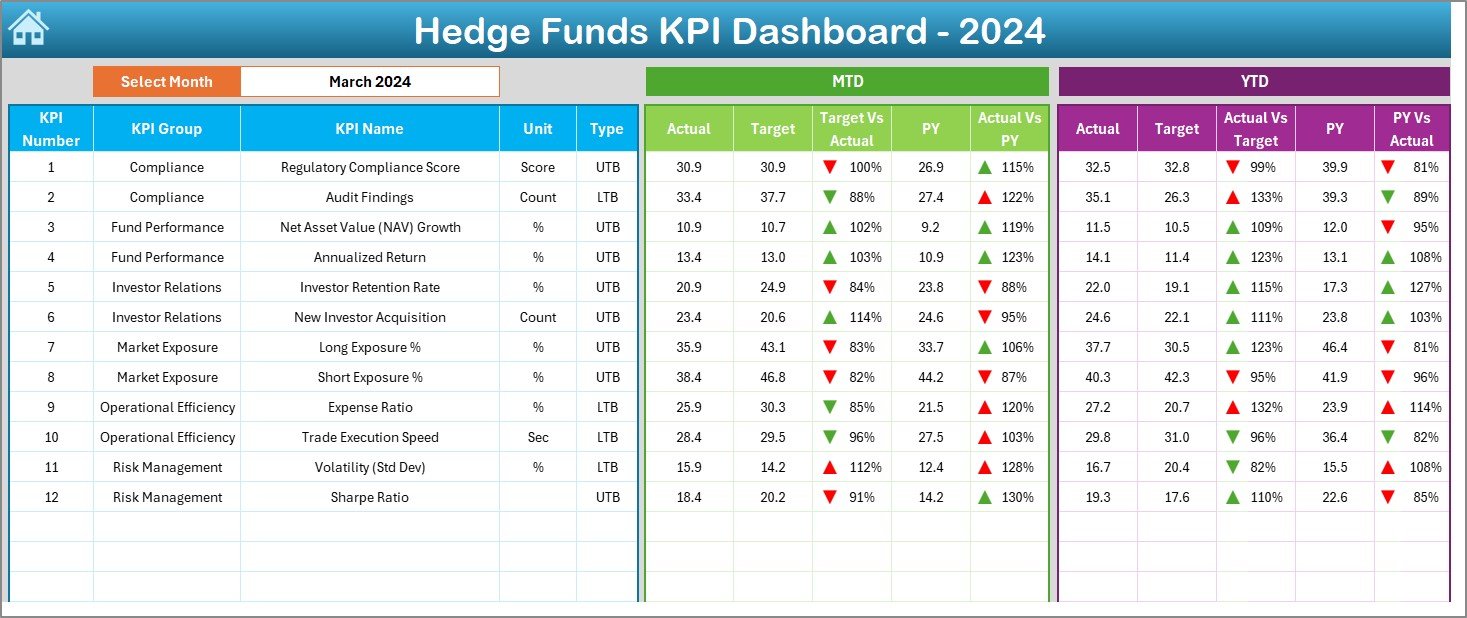
2️⃣ Dashboard Sheet – Performance Command Center
This is the visual heart of your workbook.
Choose a month (cell D3) to instantly refresh all KPIs.
Compare Actual, Target, and Previous-Year (PY) performance for both MTD & YTD.
Visual icons highlight over- and under-performance.
Covers all key hedge-fund metrics — from AUM and returns to liquidity and leverage.
📊 It’s your complete fund-performance snapshot at a glance.
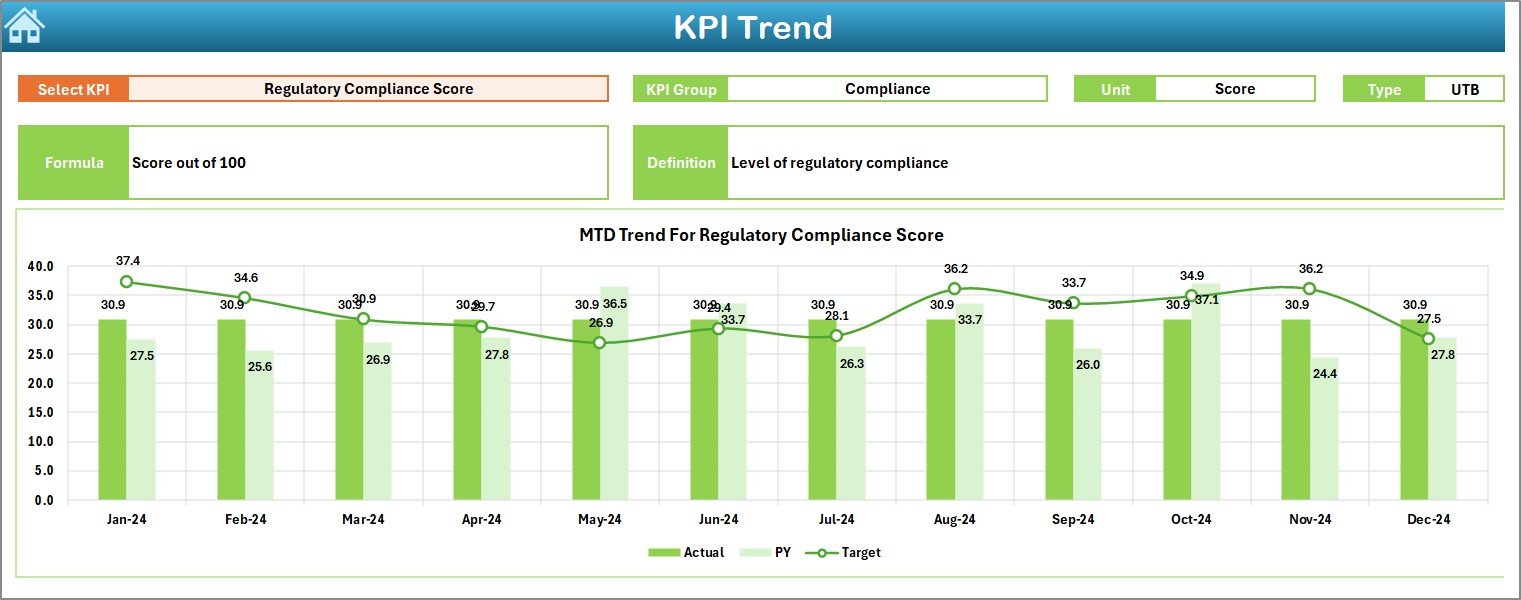
3️⃣ KPI Trend Sheet – Deep-Dive Analytics
Analyze trends and identify emerging patterns:
Select any KPI from the dropdown (cell C3).
View KPI Group, Unit, Type (UTB/LTB), Formula, and Definition.
Auto-generated trend charts display Actual vs Target vs PY for MTD & YTD.
Perfect for spotting volatility shifts and growth opportunities 📈.
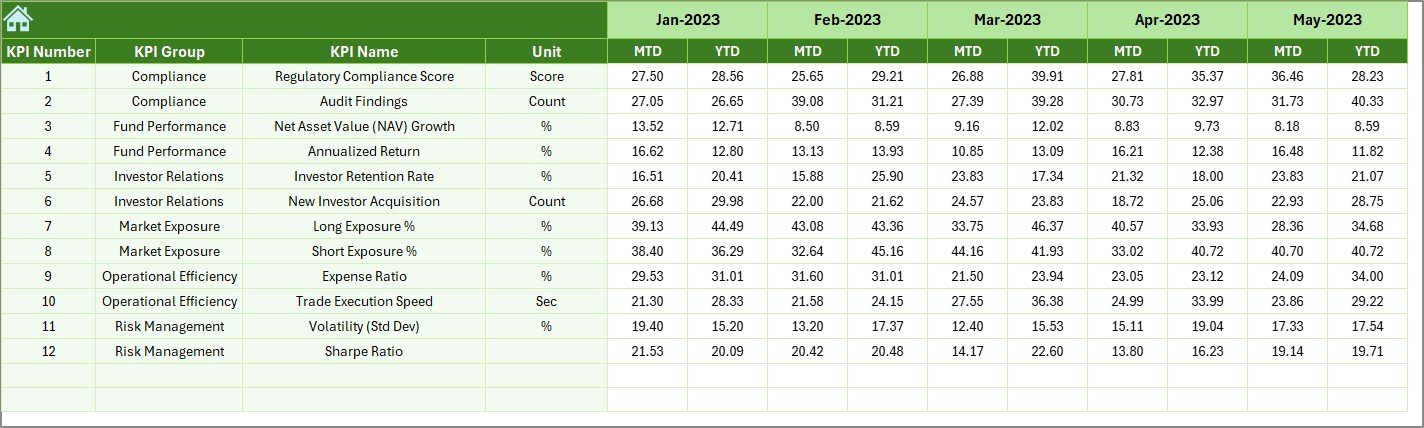
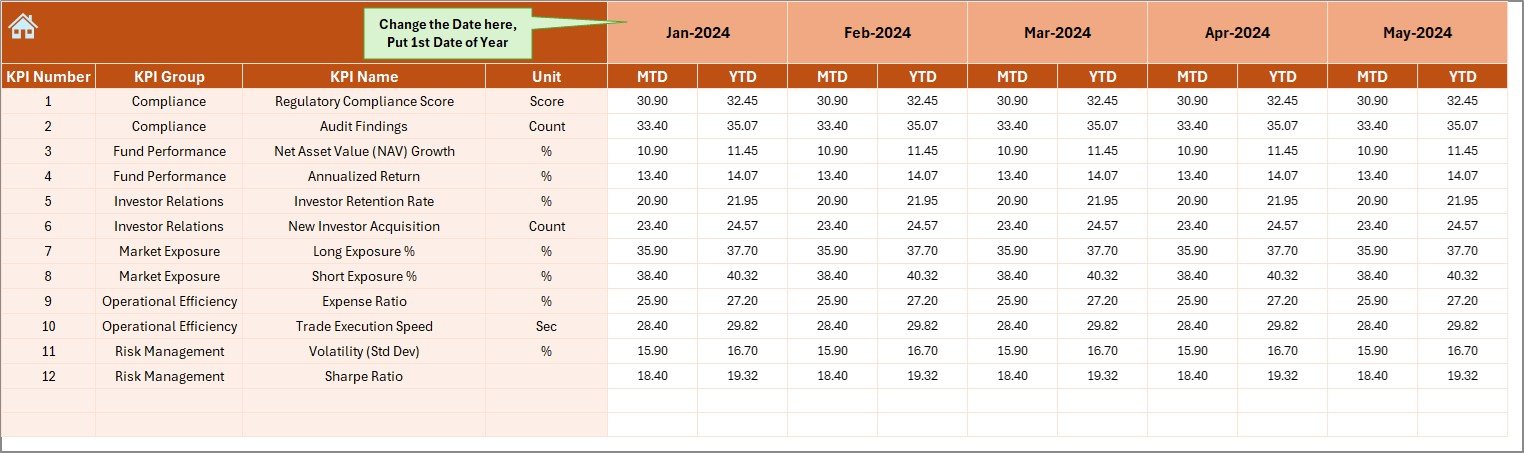
4️⃣ Actual Numbers Sheet – Core Data Input
Enter MTD and YTD figures for each KPI.
Set the fiscal start month (cell E1).
Automatic linkage ensures dashboards refresh instantly.
Maintain data integrity across all tabs.
5️⃣ Target Sheet – Define Benchmarks
Set and adjust monthly or annual MTD & YTD goals.
These serve as comparison baselines for performance evaluation and investor reporting.
6️⃣ Previous Year Sheet – Historical Tracking
Record last year’s KPI data to measure growth or decline.
The dashboard auto-calculates PY vs Actual metrics for trend analysis.
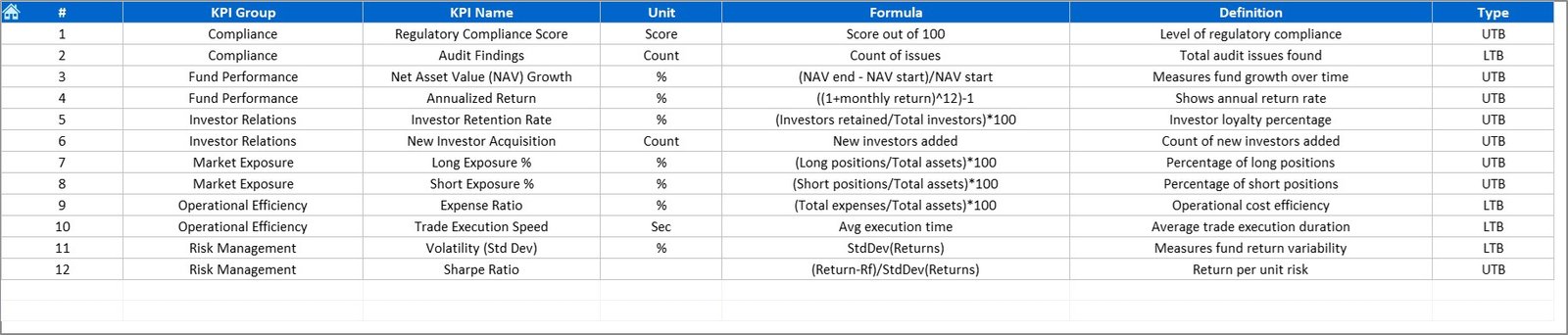
7️⃣ KPI Definition Sheet – Consistency in Reporting
Define KPI names, groups, units, and formulas.
Ensures every team member interprets metrics the same way.
💡 Why Hedge Funds Need This Dashboard
Hedge-fund operations juggle returns, risks, and compliance daily. Without centralized monitoring, inefficiencies go unnoticed.
The Hedge Funds KPI Dashboard in Excel solves this by giving you:
📈 Real-Time Visibility – Evaluate performance immediately as data updates.
🧾 Accurate Reporting – Automated formulas minimize errors.
💬 Actionable Insights – Understand exactly where and why performance shifts.
💹 Operational Efficiency – Eliminate repetitive manual reporting.
💼 Investor Confidence – Present clear, visual results in meetings and reviews.
🌟 Advantages of the Hedge Funds KPI Dashboard
✅ Instant Updates: Real-time visuals refresh as soon as you enter data.
✅ Simplified Analysis: Charts, arrows, and colors make trends easy to interpret.
✅ Flexible Customization: Modify KPIs to fit any hedge-fund strategy.
✅ Centralized Management: Consolidate all financial and operational data in one file.
✅ Compliance Support: Maintain structured and auditable records.
✅ Low-Cost Solution: Professional functionality without expensive BI tools.
✅ Scalable Design: Works for single or multiple fund portfolios.
🧭 How to Use the Dashboard
1️⃣ Define KPIs: Add your fund’s metrics in the KPI Definition tab.
2️⃣ Input Data: Enter Actual, Target, and PY values in their respective sheets.
3️⃣ Select Month: In the Dashboard sheet, pick a month to update all visuals.
4️⃣ Analyze Trends: Use the KPI Trend tab to review historical performance.
5️⃣ Take Action: Identify underperforming areas and execute timely improvements.
👥 Who Can Benefit
Hedge-Fund Managers 🏦
Portfolio Analysts 📊
Risk & Compliance Officers ⚖️
Financial Consultants 💼
Investor Relations Teams 🤝
🧠 Conclusion
The Hedge Funds KPI Dashboard in Excel delivers everything a modern fund manager needs — automation, accuracy, and actionable analytics.
It transforms static spreadsheets into a live, visual command center that highlights opportunities, tracks performance, and ensures accountability.
With this tool, you can analyze trends, compare targets, and manage fund performance like a pro — all without relying on complex or costly software.
Start leveraging your data today and bring unmatched transparency to hedge-fund performance management! 💰📈