

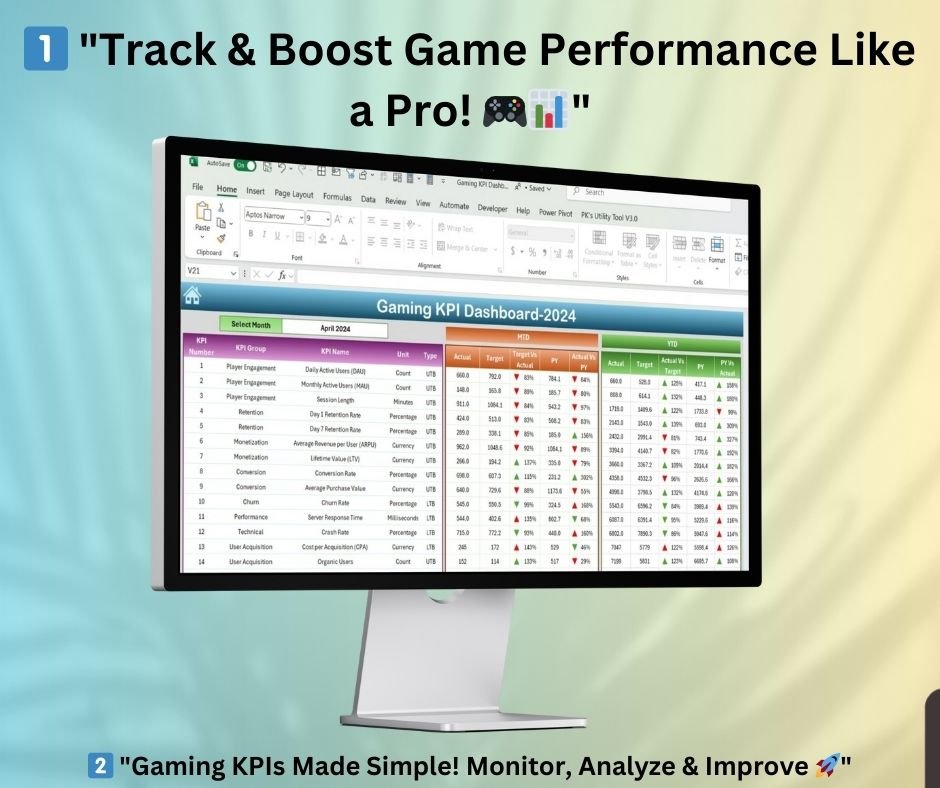
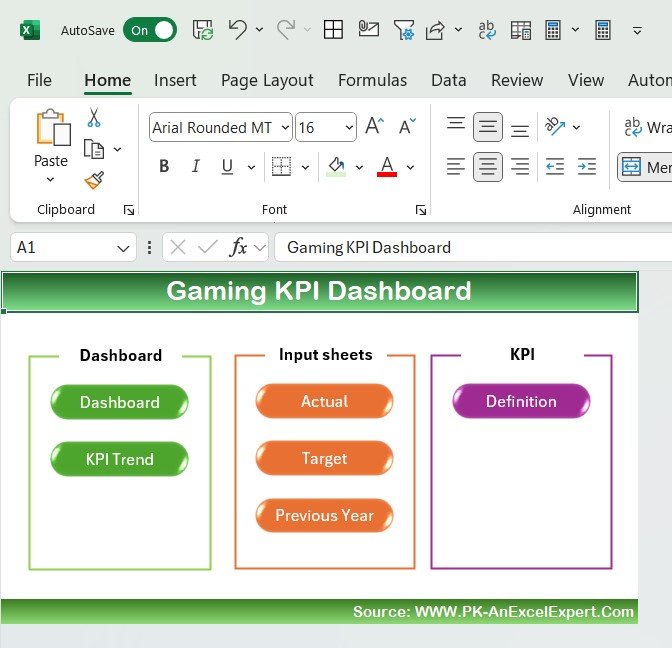


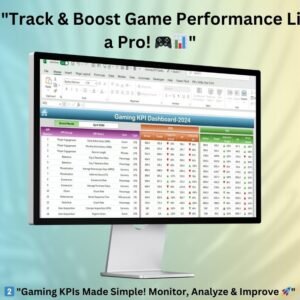
The Gaming KPI Dashboard in Excel is a ready-to-use template for gaming companies, studios and analysts. It tracks KPIs for player engagement, retention, monetization and technical performance. With MTD and YTD performance tracking, trend charts and visual indicators across seven structured sheets, it brings game analytics in Excel together in one workbook for data-driven decisions, a better player experience and higher revenue.
Key Features
- Seven well-structured sheets: Home, Dashboard, KPI Trend, Actual Numbers Input, Target, Previous Year Number and KPI Definition.
- MTD and YTD performance: See Actual, Target and Previous Year (PY) values for each KPI.
- Monthly selection drop-down: Filter and update the dashboard by month.
- Conditional formatting indicators: Up/down arrows and color-coded insights highlight key trends.
- Interactive KPI trend analysis: Pick any KPI and view its monthly and yearly performance in charts.
- Built-in KPI reference: Each KPI comes with its formula, definition, unit and performance type (Upper/Lower is Better).
- Customizable and scalable: Change KPIs, metrics and targets to fit your gaming business.
- Gaming-focused metrics: Monitor Daily Active Users (DAU), ARPU, Churn Rate and engagement metrics, plus technical KPIs such as Server Response Time, Crash Rate and Latency Issues.
What’s Inside: Sheet-by-Sheet Overview
1. Home Sheet
- The navigation hub for the whole dashboard.
- Interactive buttons give quick access to every sheet.
- Move easily between the Dashboard, KPI Trend, Input Sheets and KPI Definitions.
2. Gaming KPI Dashboard Sheet
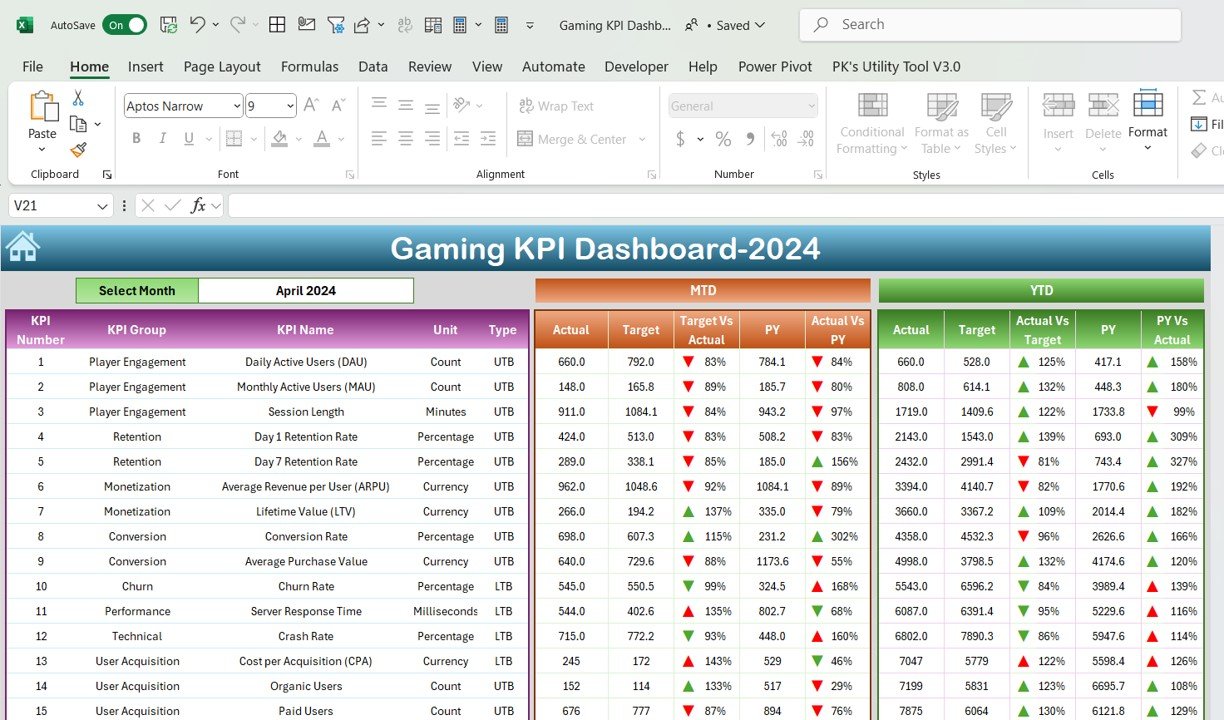
- Shows a complete overview of all gaming KPIs on one screen.
- A monthly selection drop-down filters and updates the data.
- MTD and YTD performance tracking for each KPI, with Actual, Target and Previous Year (PY) values.
- Conditional formatting indicators (up/down arrows and color-coded performance insights) make trends easy to spot.
3. KPI Trend Sheet
- Interactive KPI selection lets you choose which KPI to analyze.
- Shows detailed KPI attributes: KPI Group, Unit, Performance Type (Upper/Lower is Better), Formula and Definition.
- Charts display monthly and yearly KPI performance.
- Helps gaming teams find growth opportunities and performance bottlenecks.
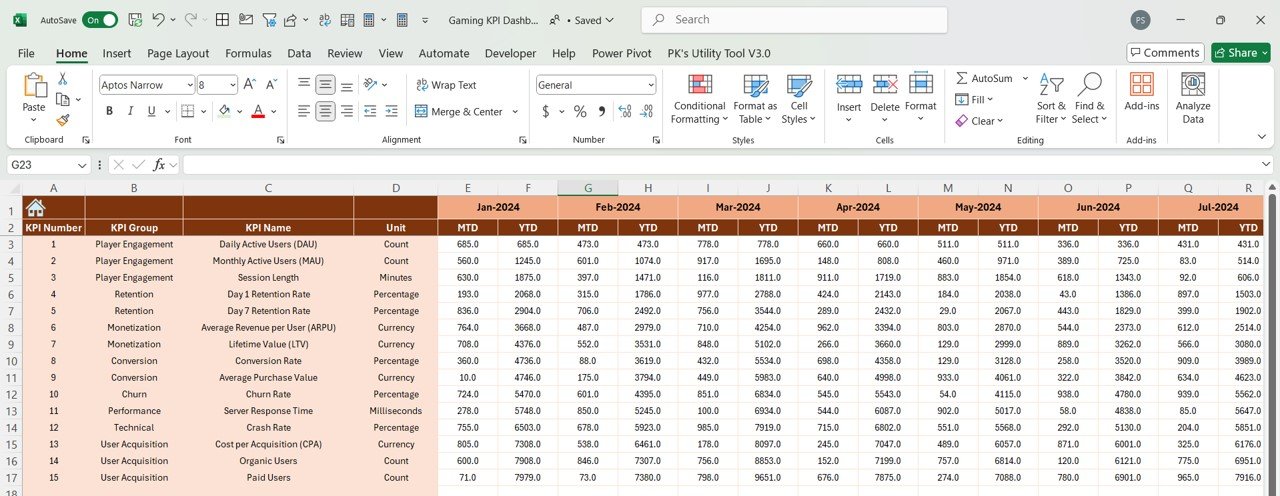
4. Actual Numbers Input Sheet
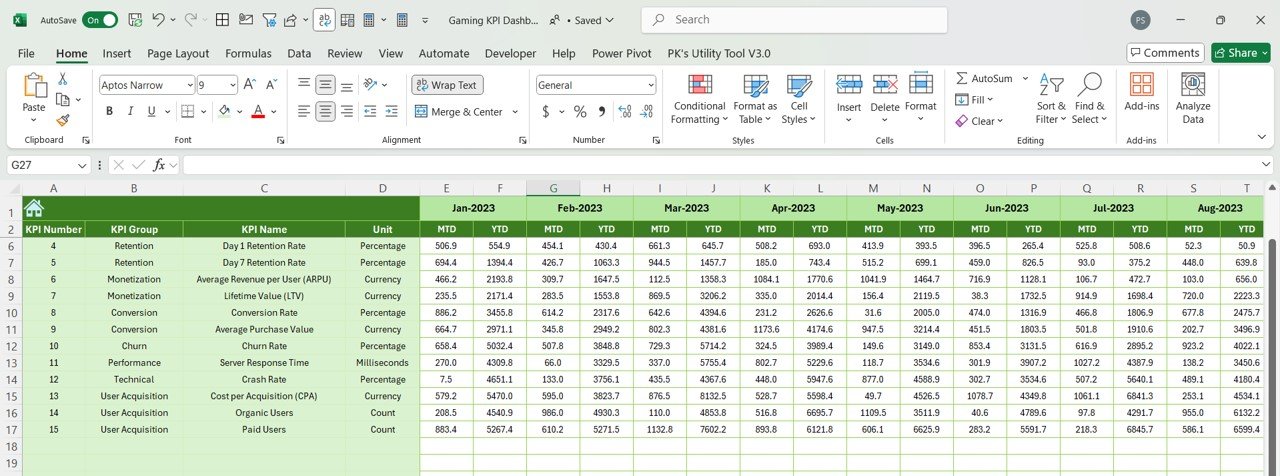
- Built for manual entry of Actual KPI values for both MTD and YTD performance.
- A simple layout keeps updates and record-keeping quick.
- Keeps historical KPI values for performance comparison.
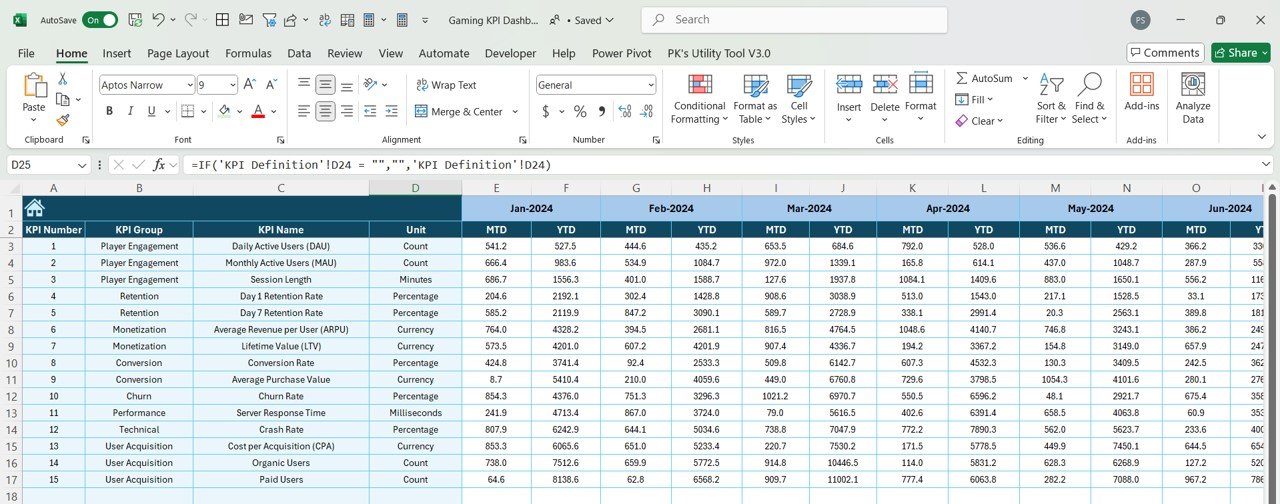
5. Target Sheet
- Lets teams set and update KPI targets.
- Enter monthly and yearly targets for every metric.
- Shows performance gaps so you can evaluate your gaming strategies.
6. Previous Year Number Sheet
- Stores historical KPI data for quick year-over-year comparisons.
- Shows improvement trends and supports strategic adjustments.
7. KPI Definition Sheet
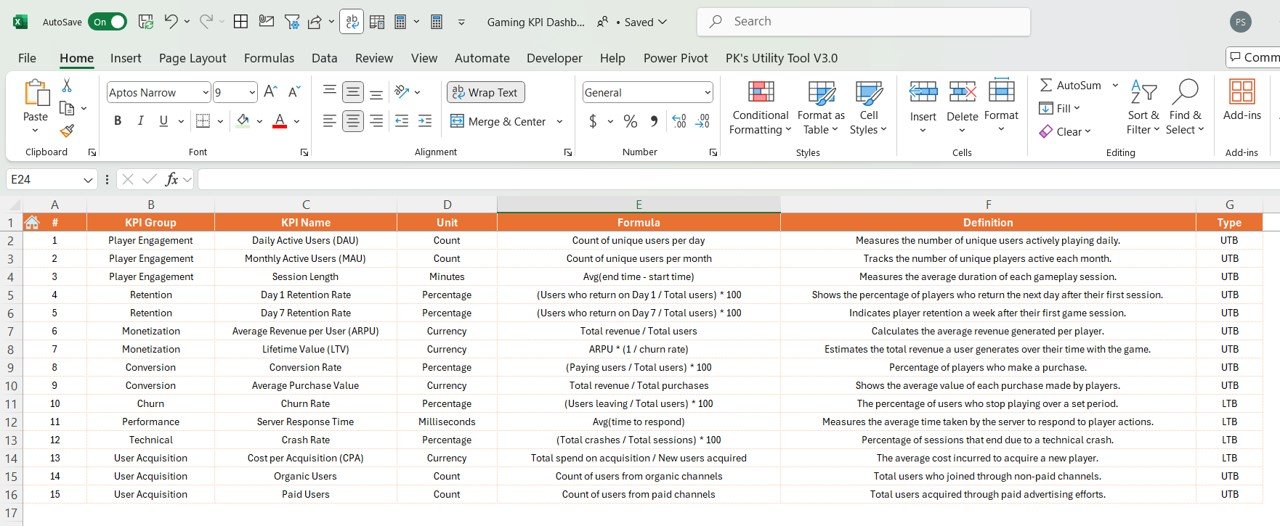
- A central reference that defines every KPI.
- Lists formulas, definitions, performance types and units.
- Gives all teams a shared understanding of how each KPI is calculated.
Why Choose This Gaming KPI Template?
- Pre-built and ready to use: An intuitive, structured Excel template saves hours of setup.
- Customizable and scalable: Adjust KPIs, metrics and targets as your games and studio grow.
- Visual insights: Dynamic charts and indicators support faster decisions.
- Better monetization and retention: Follow DAU, ARPU, Churn Rate and engagement metrics in one place.
- Game performance optimization: Spot technical issues such as Server Response Time, Crash Rate and Latency Issues.
- Easy data input: Dedicated input sheets for MTD and YTD make player engagement tracking and KPI updates simple.
Who Is It For?
- Game studios and developers: Monitor player engagement, revenue and technical performance.
- Gaming analysts: Find insights into retention trends and revenue growth.
- Product managers: Set KPI targets and improve in-game performance.
- Marketing teams: Track user acquisition costs and organic growth.
Compatibility
| Software | Microsoft Excel 2016, 2019, 2021 and Office 365 |
| Operating systems | Windows and macOS |
How to Use the Gaming KPI Dashboard
- Review the KPI Definition sheet: Check or edit each KPI’s group, unit, formula, definition and performance type.
- Enter targets: Add monthly and yearly targets in the Target sheet.
- Add previous year data: Fill in the Previous Year Number sheet for year-over-year comparison.
- Record actuals: Enter MTD and YTD actual values in the Actual Numbers Input sheet.
- Analyze: Pick a month on the Dashboard to see MTD and YTD performance, then open KPI Trend to study any KPI over time.
Frequently Asked Questions
What does the Gaming KPI Dashboard in Excel track?
It tracks KPIs for player engagement, retention, monetization and technical performance, including metrics such as DAU, ARPU, Churn Rate, Server Response Time, Crash Rate and Latency Issues. Each KPI is shown with Actual, Target and Previous Year values.
Which Excel versions are supported?
The template works with Microsoft Excel 2016, 2019, 2021 and Office 365, on both Windows and macOS.
Can I change the KPIs and targets?
Yes. The dashboard is customizable. You can edit KPIs, metrics and targets in the KPI Definition and Target sheets to match your gaming business.
How is MTD and YTD performance shown?
Select a month from the drop-down on the Dashboard sheet. Each KPI then shows its MTD and YTD Actual, Target and PY values, with up/down arrows and color coding to highlight performance.
How do I enter data?
Data is entered by hand in the Actual Numbers Input, Target and Previous Year Number sheets. The Dashboard and KPI Trend sheets update from these inputs.
Is there a tutorial available?
Yes. You can read the detailed blog post and watch step-by-step video tutorials on our YouTube channel. Links are below.
Learn More
Click here to read the detailed blog post
Visit our YouTube channel for step-by-step video tutorials.
Last updated: October 2026
Excel tip: the month selector on the dashboard is a drop-down list. Microsoft’s guide Create a drop-down list explains how these lists work if you want to extend it.
Related Gaming Templates
- Gaming KPI Dashboard in Power BI: the Power BI edition
- Gaming KPI Dashboard in Google Sheets: the Google Sheets edition
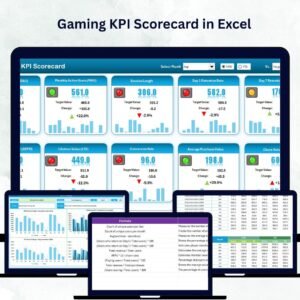
- Gaming KPI Scorecard in Excel: a scorecard view of gaming KPIs
- Mobile Gaming KPI Dashboard in Excel: for mobile game studios
- KPI Dashboard Library (Excel): 15 premium Excel KPI dashboards in one bundle
Browse all Excel KPI dashboards or the Excel dashboards.






















Reviews
There are no reviews yet.