
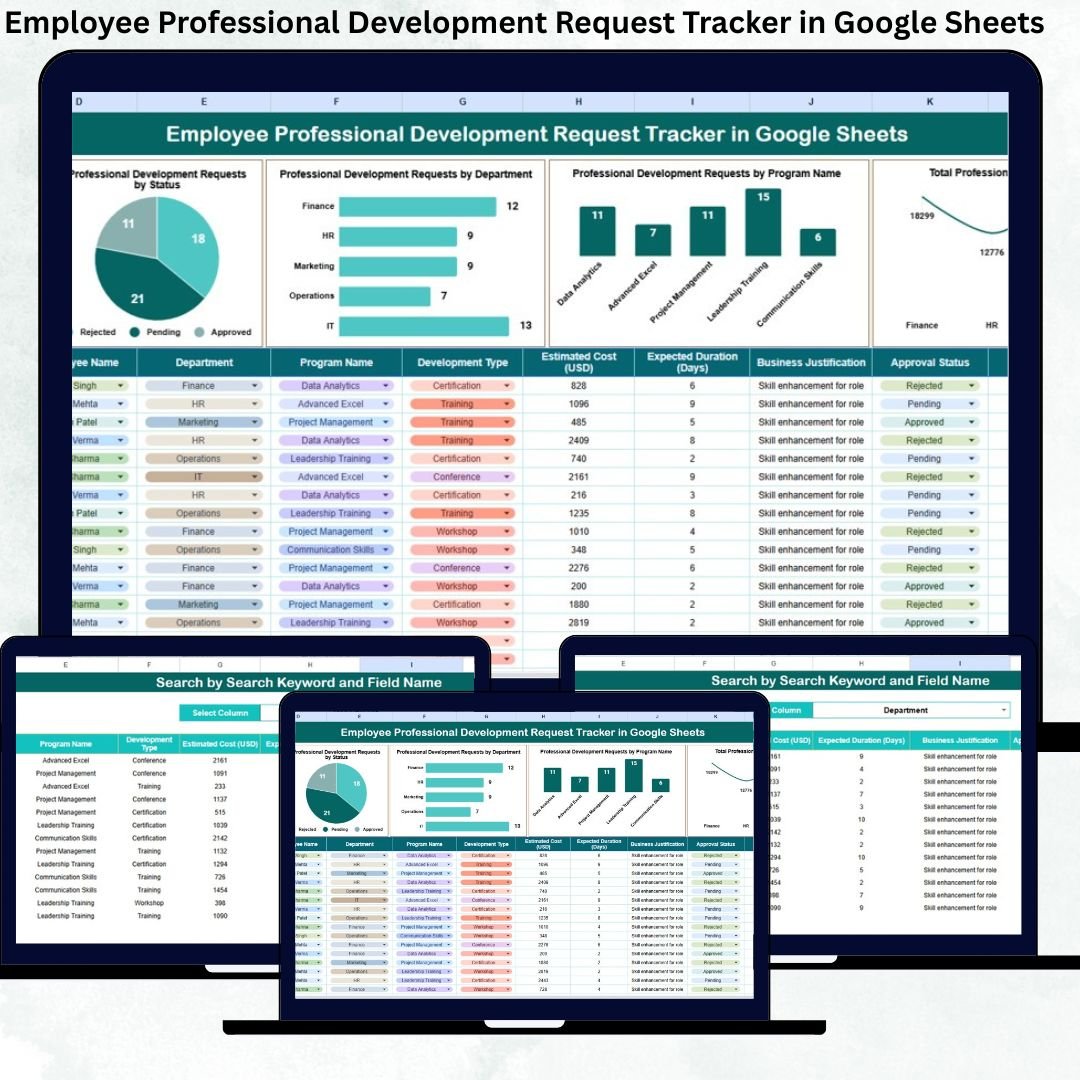
Employee growth is no longer optional—it is a business necessity. Organizations that invest in professional development see higher productivity, stronger retention, and a future-ready workforce. However, managing professional development requests through emails, chats, or informal discussions often leads to confusion, delayed approvals, budget overruns, and poor visibility. That is exactly why the Employee Professional Development Request Tracker in Google Sheets becomes an essential solution for modern HR and L&D teams.
This ready-to-use tracker provides a centralized, structured, and transparent system to capture, review, approve, and monitor employee professional development requests. Instead of chasing emails or maintaining multiple spreadsheets, HR teams and managers can manage every learning request in one clean and easy-to-use Google Sheets tracker.
Because the tracker is built entirely in Google Sheets, it is cloud-based, collaborative, and cost-effective. You do not need expensive HR software or technical expertise. Simply enter the requests, update the status, and let the tracker generate insights automatically.
## 🚀 Key Features of Employee Professional Development Request Tracker
-
📋 Centralized Request Tracking – Manage all employee development requests in one place
-
🎯 Clear Approval Workflow – Track Pending, Approved, Rejected, and Completed requests
-
💰 Cost Visibility – Monitor training and development expenses by department
-
📊 Interactive Charts – Instantly understand trends and demand patterns
-
🔍 Smart Search Functionality – Find any request in seconds
-
🤝 Real-Time Collaboration – HR, managers, and leadership work together seamlessly
These features help organizations maintain control, transparency, and accountability across all learning initiatives.
## 📦 What’s Inside the Employee Professional Development Request Tracker
📌 Tracker Sheet Tab
This is the heart of the entire system. All professional development requests are recorded here in a structured format.
You can track details such as:
-
Employee Name
-
Department
-
Job Role
-
Request Type (Training, Certification, Conference, Coaching, etc.)
-
Program Name
-
Requested Cost
-
Request Status (Pending, Approved, Rejected, Completed)
-
Approval Date
-
Assigned Reviewer
-
Comments
Once data is entered or updated, all charts and summaries update automatically.
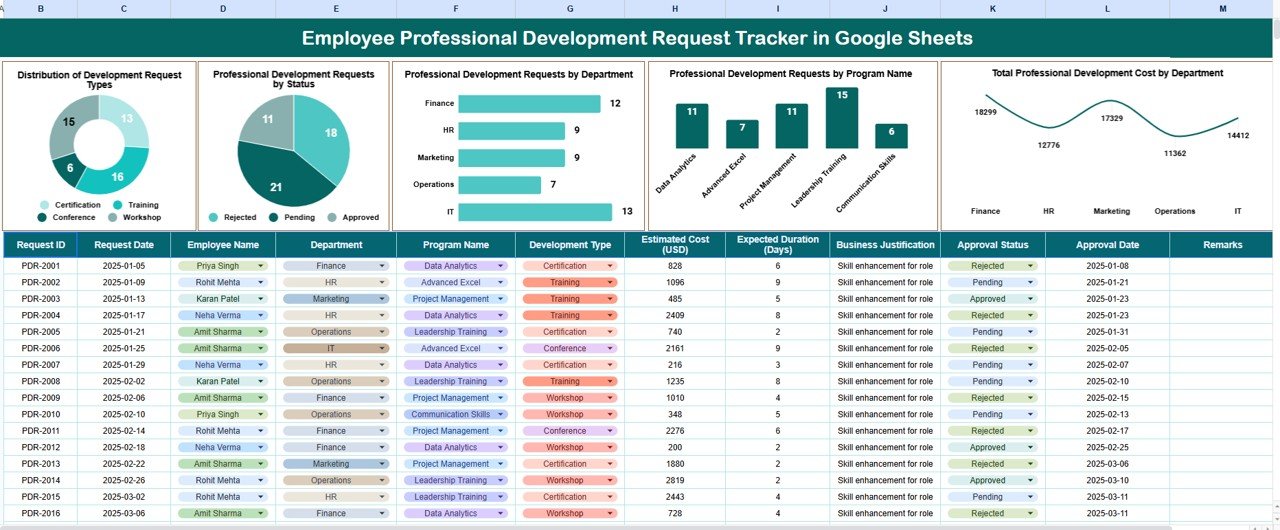
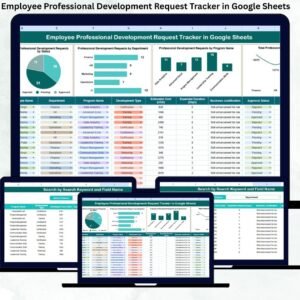
📊 Built-in Dashboard Charts
The tracker includes powerful visual insights that help HR teams and managers make faster decisions.
-
📈 Distribution of Development Request Types
Understand which learning areas employees request most—technical skills, leadership, certifications, or soft skills. -
🟢 Professional Development Requests by Status
Instantly see how many requests are pending, approved, rejected, or completed. -
🏢 Professional Development Requests by Department
Identify departments with high learning demand and evolving skill requirements. -
📚 Professional Development Requests by Program Name
Spot popular programs and standardize high-demand training initiatives. -
💵 Total Professional Development Cost by Department
Maintain budget control and justify learning investments with data.
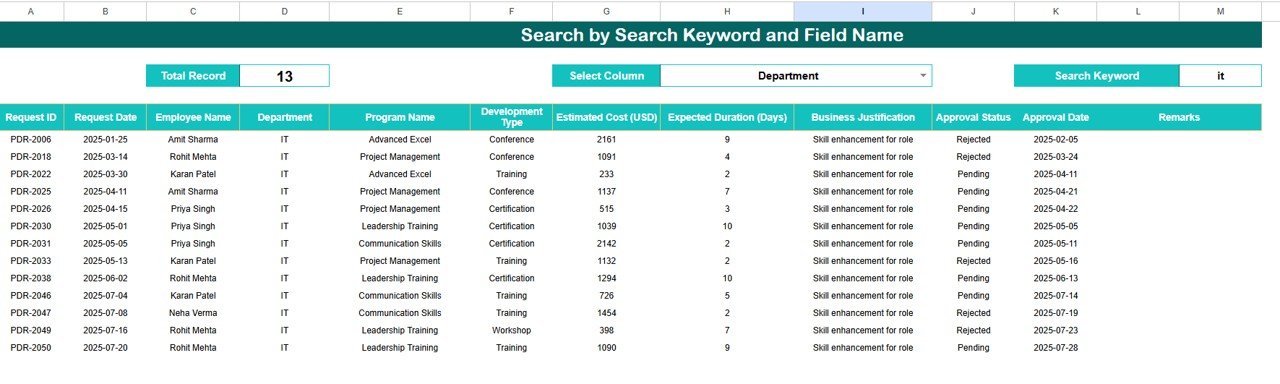
🔍 Search Functionality
The tracker includes a powerful search tool that allows you to:
-
Enter a Search Keyword
-
Select a Field Name (Employee, Department, Program Name, Status, etc.)
Matching records appear instantly. This feature is extremely useful during budget reviews, audits, performance discussions, and leadership meetings.
## 🧭 How to Use the Employee Professional Development Request Tracker
-
Enter new development requests in the Tracker Sheet
-
Update request status as approvals progress
-
Review dashboard charts for trends and insights
-
Use search to locate specific requests quickly
-
Monitor costs and learning demand regularly
This simple workflow keeps learning management organized and transparent.
## 🎯 Who Can Benefit from This Tracker
-
HR & L&D Teams – Manage learning demand efficiently
-
Managers & Team Leads – Approve and prioritize development requests
-
Finance Teams – Control training budgets with clarity
-
Leadership Teams – Make data-driven workforce development decisions
### Click here to read the Detailed blog post
Watch the step-by-step video tutorial:






















Reviews
There are no reviews yet.