
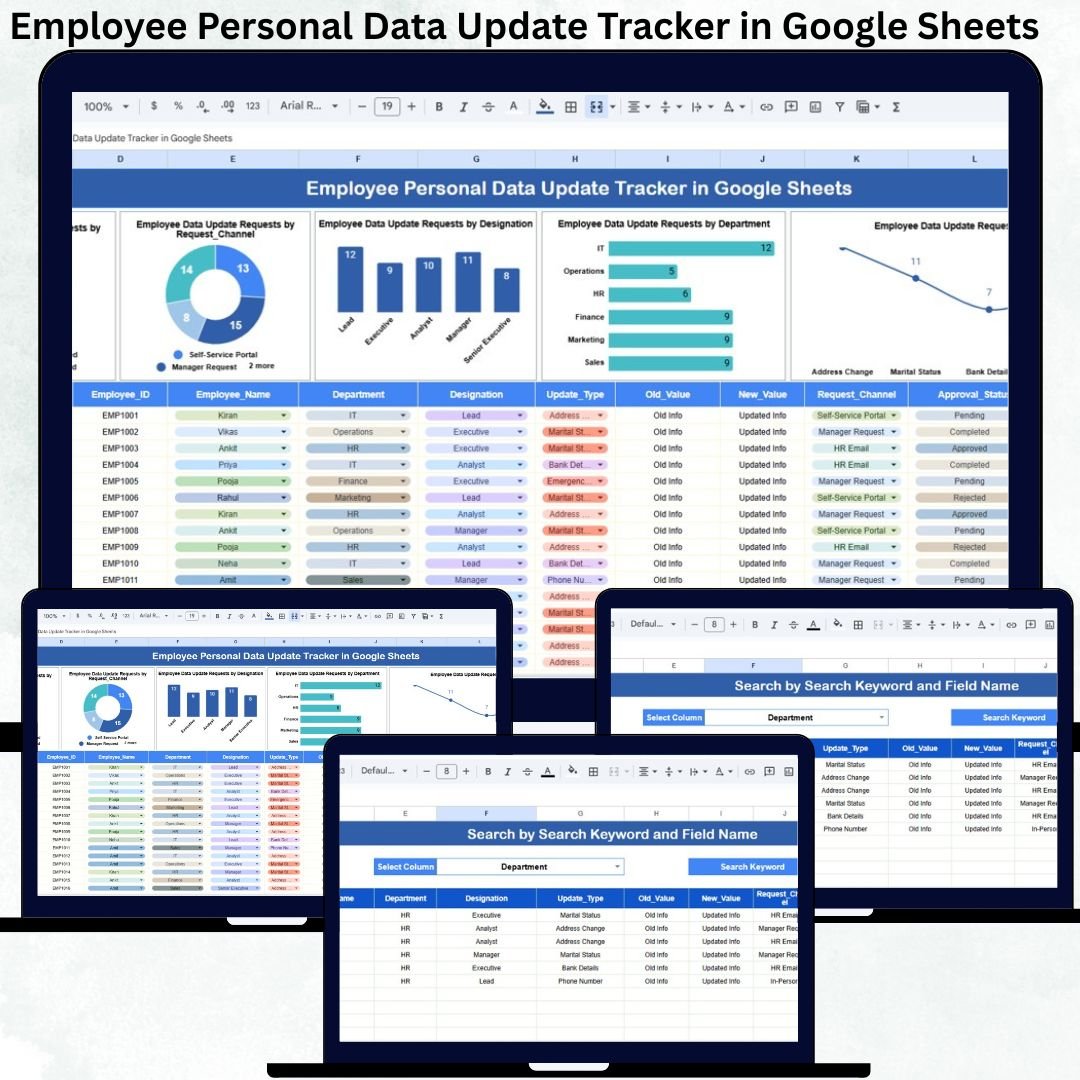
Managing employee personal information accurately is a critical responsibility for every organization. Employee details such as address, contact number, bank account, emergency contacts, identification documents, and personal records change frequently. However, many HR teams still depend on emails, manual registers, or scattered spreadsheets to track these updates. As a result, data inconsistencies increase, payroll errors occur, compliance risks rise, and employee trust weakens. The Employee Personal Data Update Tracker in Google Sheets solves these challenges with a structured, transparent, and easy-to-use tracking system.Employee Personal Data Update Tracker in Google Sheets
This ready-to-use tracker centralizes all employee personal data update requests in one place. It allows HR teams to record requests, track approval status, analyze request patterns, and retrieve records instantly using smart search and automated charts. Since the tracker runs entirely on Google Sheets, it supports real-time collaboration, secure access, and effortless updates without any additional software cost.Employee Personal Data Update Tracker in Google Sheets
✨ Key Features of the Employee Personal Data Update Tracker in Google Sheets
📋 Centralized Request Tracking
All employee-initiated data update requests are captured in one structured Tracker Sheet. No more lost emails or follow-ups.Employee Personal Data Update Tracker in Google Sheets
📊 Auto-Updating Charts for HR Insights
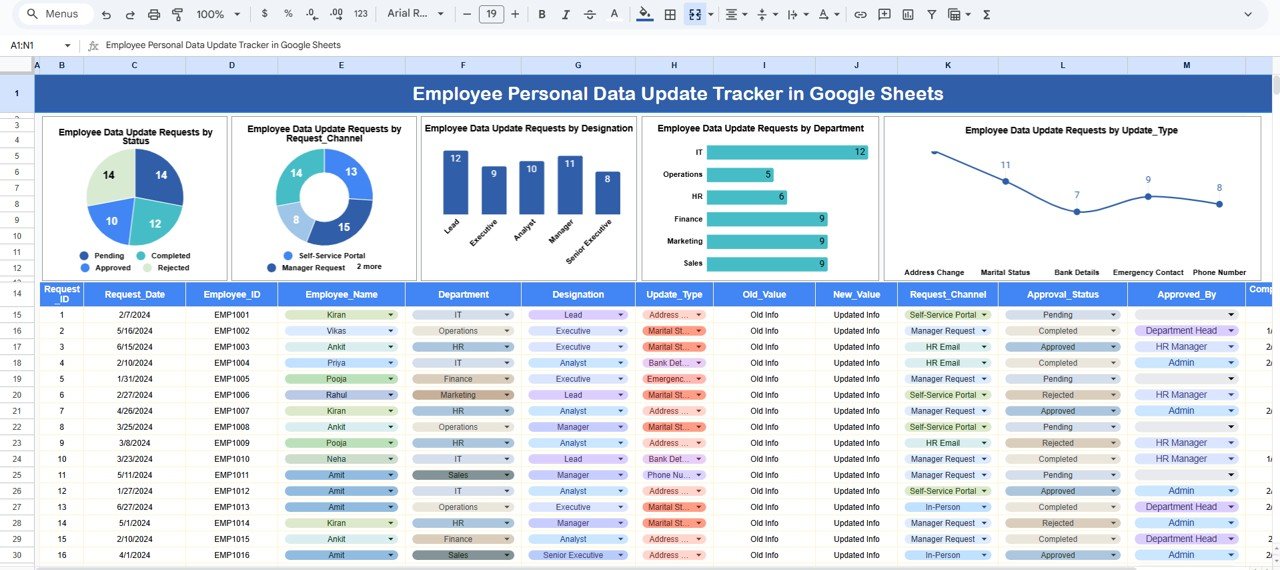
Built-in charts transform raw request data into meaningful visuals, helping HR teams understand workload and trends instantly.
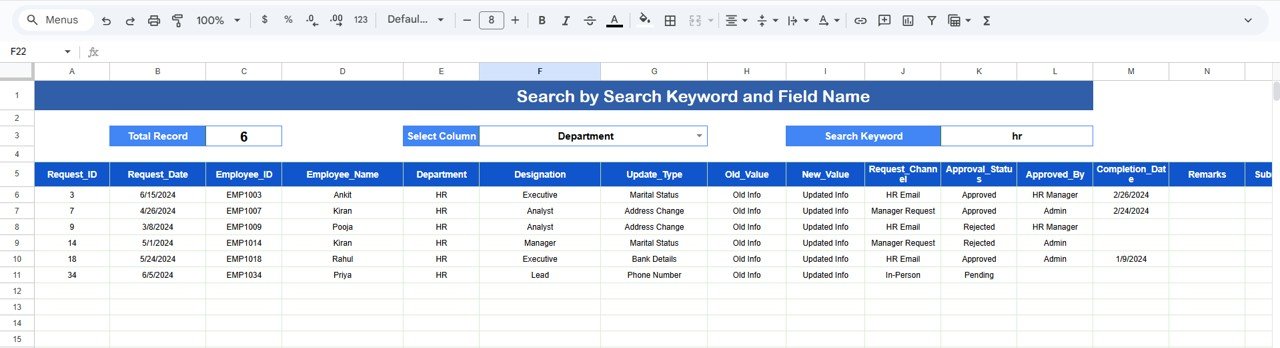
🔍 Smart Search by Keyword & Field Name
Find any employee record in seconds by searching name, department, designation, update type, or request status.
🤝 Real-Time Collaboration
Multiple HR, payroll, and compliance users can work together securely in Google Sheets.
🧩 Fully Customizable Structure
Easily add update types, departments, approval stages, or remarks based on organizational policies.
📦 What’s Inside the Employee Personal Data Update Tracker
🗂️ Tracker Sheet Tab – Core Data Entry Sheet
This is the backbone of the tracker where all update requests are recorded. Typical fields include:
-
Request ID
-
Employee ID
-
Employee Name
-
Department
-
Designation
-
Request Channel
-
Update Type
-
Request Date
-
Status
-
Remarks
Any update in this sheet automatically refreshes all charts.
📈 Charts Included for Better Visibility
📌 Employee Data Update Requests by Status
Shows requests grouped as Open, In Progress, Completed, or Rejected.
✔ Helps identify pending workload
✔ Highlights processing bottlenecks
📨 Employee Data Update Requests by Request Channel
Displays how requests are submitted (Email, HR Portal, Google Form, Walk-in, etc.).
✔ Supports channel optimization
✔ Improves employee accessibility
👔 Employee Data Update Requests by Designation
Shows request volume by designation level.
✔ Supports role-based HR planning
✔ Improves policy alignment
🏢 Employee Data Update Requests by Department
Highlights departments with frequent updates.
✔ Enables targeted HR communication
✔ Improves workload forecasting
📝 Employee Data Update Requests by Update Type
Breaks down update types such as address, bank details, contact info, emergency contact, name correction, or ID document update.
✔ Improves data accuracy focus
✔ Identifies recurring update patterns
All charts update instantly and require no manual effort.
🛠️ How to Use the Employee Personal Data Update Tracker
1️⃣ Log Every Update Request
Record employee requests as soon as they are received.
2️⃣ Update Status Regularly
Move requests through Open → In Progress → Completed or Rejected.
3️⃣ Review Charts Weekly
Identify delays, workload spikes, and improvement opportunities.
4️⃣ Use Search for Quick Resolution
Find records instantly during employee queries or audits.
5️⃣ Restrict Access for Data Security
Use Google Sheets permissions to protect sensitive information.
🎯 Who Can Benefit from This Tracker
👥 HR Teams
Maintain accurate employee records with full visibility.
💰 Payroll Teams
Avoid salary errors due to outdated personal or bank details.
📋 Compliance & Audit Teams
Ensure audit-ready employee data history.
🏢 Admin & Shared Service Centers
Manage high-volume update requests efficiently.
🚀 Startups & Enterprises
Scale employee data management with confidence.




























Reviews
There are no reviews yet.