



In today’s competitive world, organizations can’t afford to guess when it comes to employee performance. Tracking contributions, project completions, and development needs is critical for driving growth and productivity. Unfortunately, manual reports are often slow, error-prone, and hard to analyze.
The Employee Performance Tracking Dashboard in Power BI changes this completely. With interactive visuals, real-time monitoring, and structured KPI analysis, this ready-to-use dashboard empowers HR teams, managers, and executives to make data-driven workforce decisions. From top performers to training needs, everything is presented in a single, easy-to-read platform.
✨ Key Features of Employee Performance Tracking Dashboard in Power BI

📊 5 Analytical Pages – Overview, Department, Job Role, Rating Analysis, and Monthly Trends.
🎯 Performance Cards – Instantly see promotions, ratings, and project completions.
⚡ Interactive Charts – Compare performance across departments, roles, and individuals.
📈 Trend Analysis – Monitor monthly performance patterns and identify seasonal changes.
🗂 Rating Insights – Explore employee ratings and link them to project completions.
🛠 Customizable – Add KPIs like Customer Feedback or Innovation Index.
🌍 Multi-Industry Use – Works for IT, healthcare, education, finance, manufacturing, and more.
💰 Cost-Effective – Built in Power BI, scalable for both small and large businesses.
📂 What’s Inside the Employee Performance Tracking Dashboard
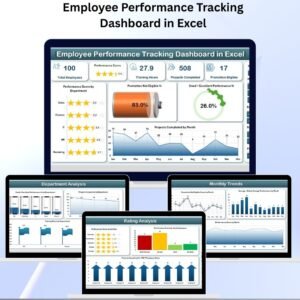
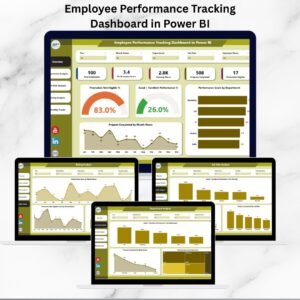
Overview Page – High-level insights with 5 KPI cards and 4 charts covering performance scores, promotions, and projects.
Department Analysis Page – Visuals for training hours, completed projects, and performance ratings by department.
Job Role Analysis Page – Compare Good + Excellent performance % and project completions by role.
Rating Analysis Page – Link employee ratings to project completions and workforce distribution.
Monthly Trends Page – Track performance scores, promotions, and below-average ratings across months.
📖 How to Use the Dashboard
Connect Data – Import employee data from Excel, HR systems, or project tools.
Review Overview Page – Get a big-picture snapshot of organizational performance.
Drill Into Departments – Identify top-performing and struggling departments.
Analyze Roles – Understand role-based productivity and training needs.
Monitor Trends – Use monthly charts to track performance changes over time.
Take Action – Use insights for promotions, training programs, and employee engagement initiatives.
👥 Who Can Benefit from This Dashboard?
👨💼 HR Teams – Track performance scores, training hours, and promotions.
📊 Managers – Monitor project completion rates by individual and team.
🏢 Executives – Gain a holistic view of workforce performance trends.
🎓 L&D Teams – Spot departments needing additional training.
🎯 Employee Engagement Teams – Build recognition and rewards programs with performance insights.
This dashboard ensures transparency, fairness, and efficiency in employee evaluations—helping organizations unlock workforce potential.
✅ Click here to read the Detailed blog post
Visit our YouTube channel to learn step-by-step video tutorials
Watch the step-by-step video tutorial:
Compatibility and Requirements
- Opens in Power BI Desktop, which is a free download from Microsoft.
- You can import employee data from Excel, HR systems or project tools.
- Microsoft explains the download and install steps in Get Power BI Desktop.
Frequently Asked Questions
Which pages does the dashboard include?
It has five pages: Overview, Department Analysis, Job Role Analysis, Rating Analysis and Monthly Trends.
What does the Overview page show?
It shows 5 KPI cards and 4 charts covering performance scores, promotions and completed projects.
Can I add my own KPIs?
Yes. You can add KPIs such as Customer Feedback or an Innovation Index.
Is there an Excel version?
Yes. See the Employee Performance Tracking Dashboard in Excel if your team works in Excel.
Related Employee Performance Templates
- Employee Performance Tracking Dashboard in Excel: the same topic built in Excel
- Employee Performance Tracking Dashboard in Google Sheets: the browser based option
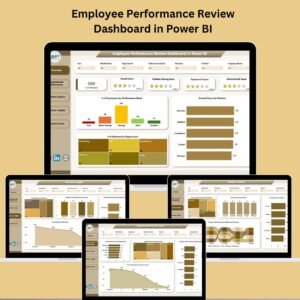
- Employee Performance Review Dashboard in Power BI: review results in Power BI
- Employee Performance Rating Card and Dashboard in Excel: rating cards for each employee
- Power BI Dashboard Mega Collection: 15 Power BI templates in one bundle
Browse all Power BI dashboards or the template bundles.





Reviews
There are no reviews yet.