Managing multiple debts such as credit cards, personal loans, student loans, and medical bills can quickly become stressful. Each debt may have a different balance, interest rate, and minimum payment requirement. Without a structured plan, many individuals struggle to determine which debt should be paid first and how to reduce total interest costs efficiently.
As a result, debt repayment often becomes slow, confusing, and financially draining.
To solve this problem, we created the Debt Payoff Calculator Template in Google Sheets — a powerful and easy-to-use financial planning tool that helps individuals organize their debts, compare repayment strategies, and visualize their progress toward becoming debt-free.
This ready-to-use template automatically calculates repayment schedules using two of the most popular debt repayment strategies:
• Debt Snowball Method – Pay the smallest balance first to build motivation.
• Debt Avalanche Method – Pay the highest interest rate first to minimize total interest.
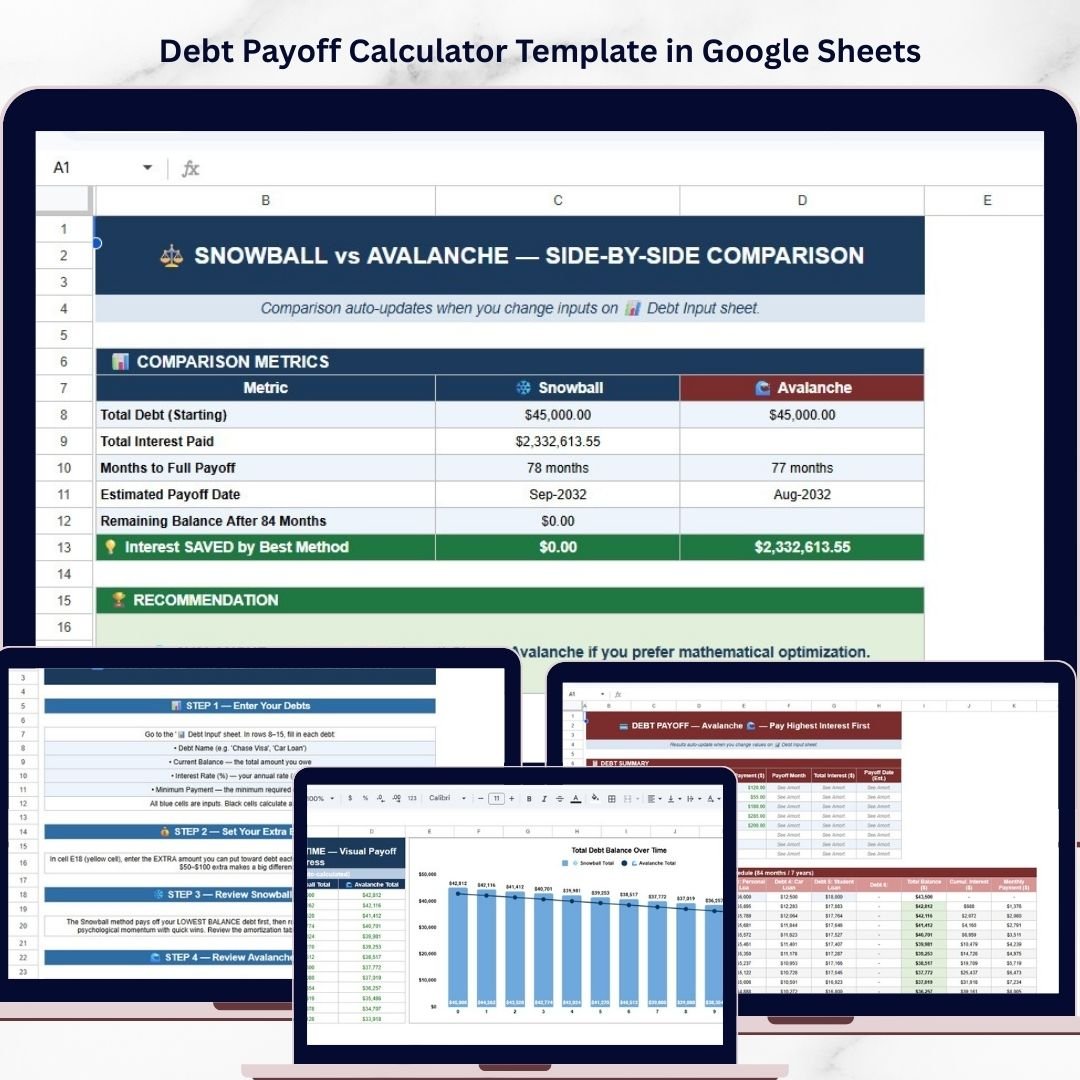
In addition, the template includes automated amortization tables, strategy comparison dashboards, and visual charts that clearly show how your debt decreases over time.
Because the template is built in Google Sheets, users can access and update their debt repayment plan from anywhere. The spreadsheet automatically updates calculations when you modify balances, payments, or interest rates.
Instead of guessing which debt to pay first, this template provides a clear and structured path toward financial freedom.
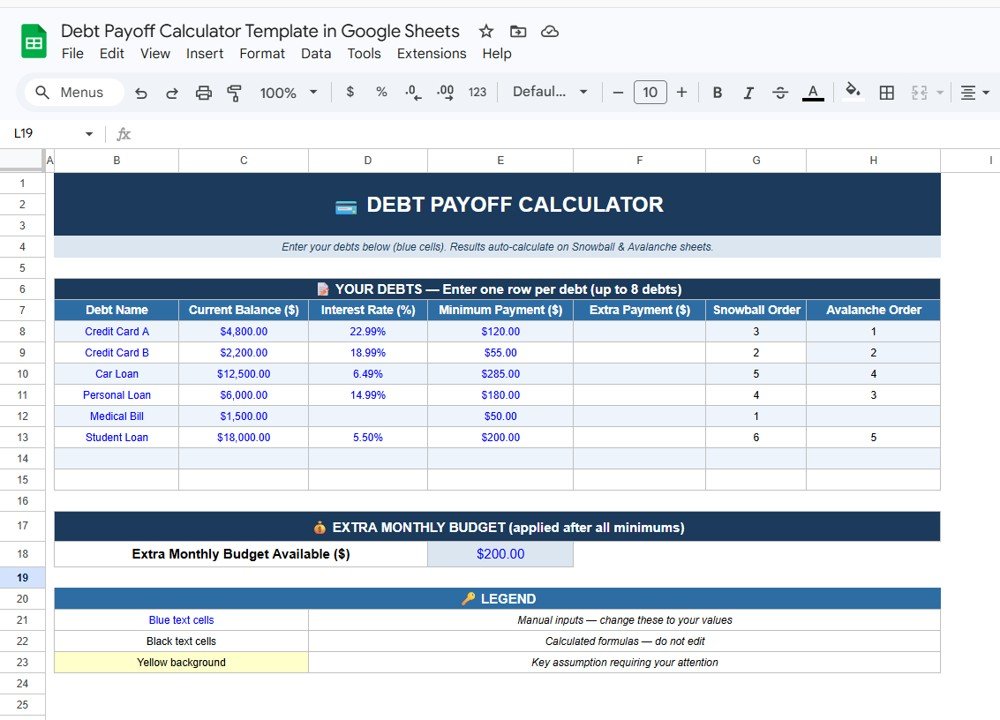
Key Features of the Debt Payoff Calculator Template in Google Sheets
📊 Organized Debt Input Calculator
The template includes a structured input section where users can list up to 8 debts in one centralized table.
Users can enter:
• Debt Name
• Current Balance ($)
• Interest Rate (%)
• Minimum Payment ($)
• Extra Payment ($)
This organized structure provides a complete overview of all debts in one place.
💰 Extra Monthly Payment Allocation
Users can enter an extra monthly payment amount to accelerate debt payoff.
The calculator automatically assigns the extra payment to the highest-priority debt based on the selected strategy.
Once a debt is paid off, the extra payment automatically shifts to the next debt.
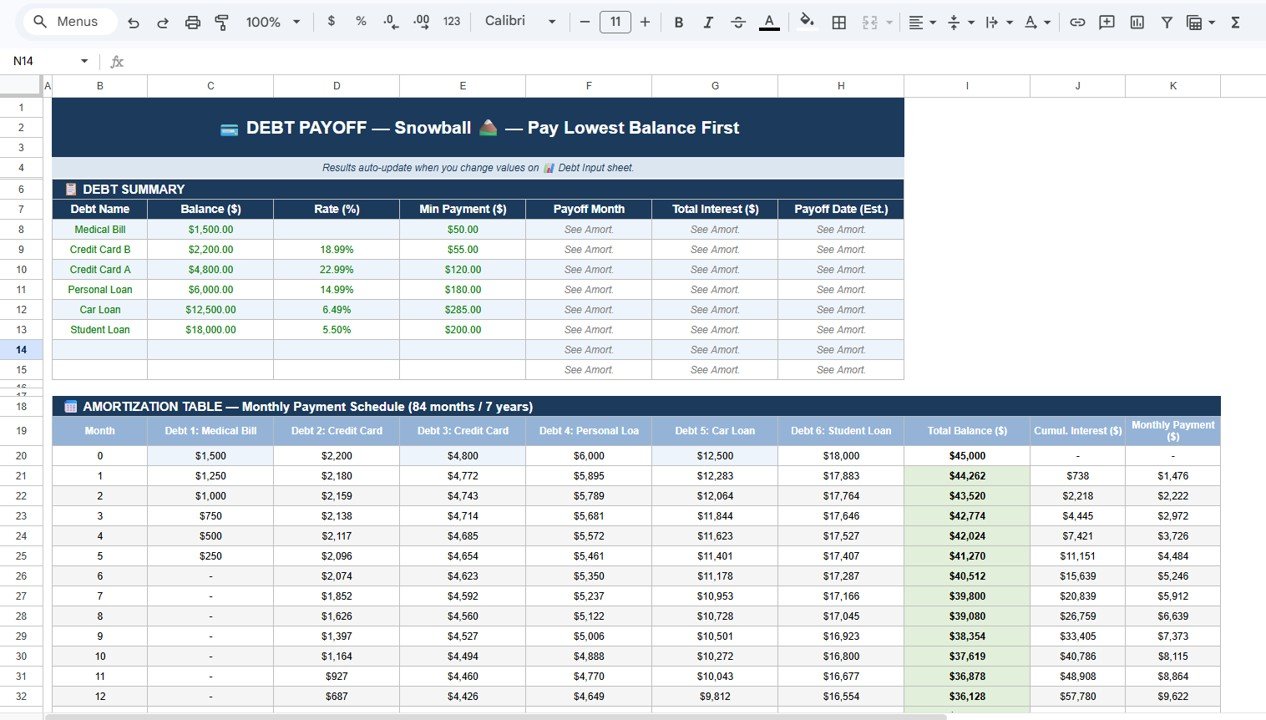
❄️ Debt Snowball Strategy
The Snowball strategy prioritizes debts with the smallest balances first.
This approach provides quick psychological wins that help maintain motivation.
The Snowball sheet calculates:
• Payoff order
• Payoff month
• Total interest paid
• Estimated payoff date
It also includes a detailed amortization schedule showing how balances decrease each month.
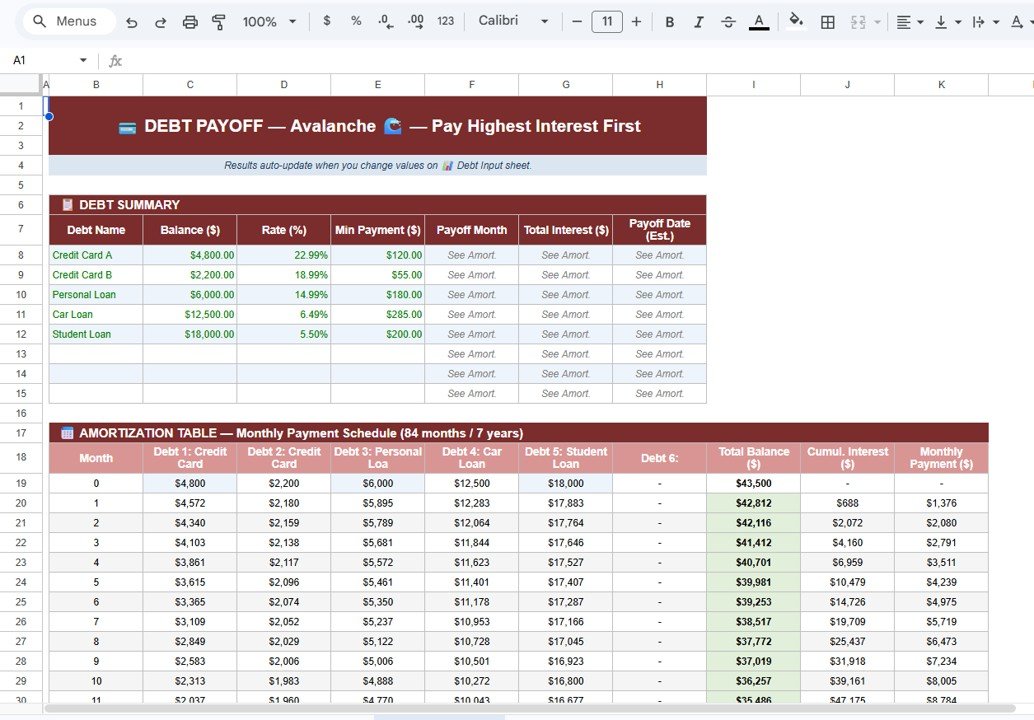
⚡ Debt Avalanche Strategy
The Avalanche strategy prioritizes debts with the highest interest rates first.
This method reduces the total interest paid over time and is often the most financially efficient repayment strategy.
The Avalanche sheet calculates:
• Payoff schedule
• Total interest cost
• Estimated payoff timeline
📅 Automatic Amortization Tables
The template includes month-by-month amortization tables that show:
• Remaining balance
• Interest accumulation
• Total payment progress
This detailed schedule helps users understand exactly how their debt declines over time.
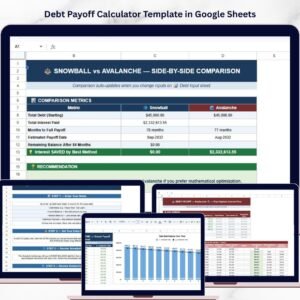
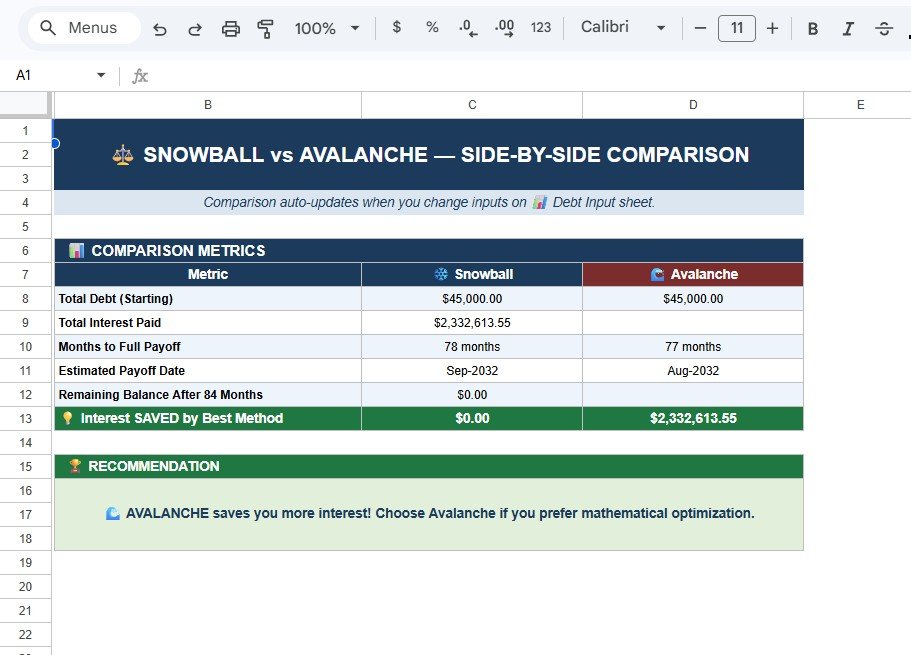
📈 Strategy Comparison Dashboard
The comparison sheet evaluates both strategies side-by-side.
Users can compare:
• Total starting debt
• Total interest paid
• Months required to become debt-free
• Estimated payoff date
• Interest savings between strategies
The template also recommends the best repayment strategy automatically.
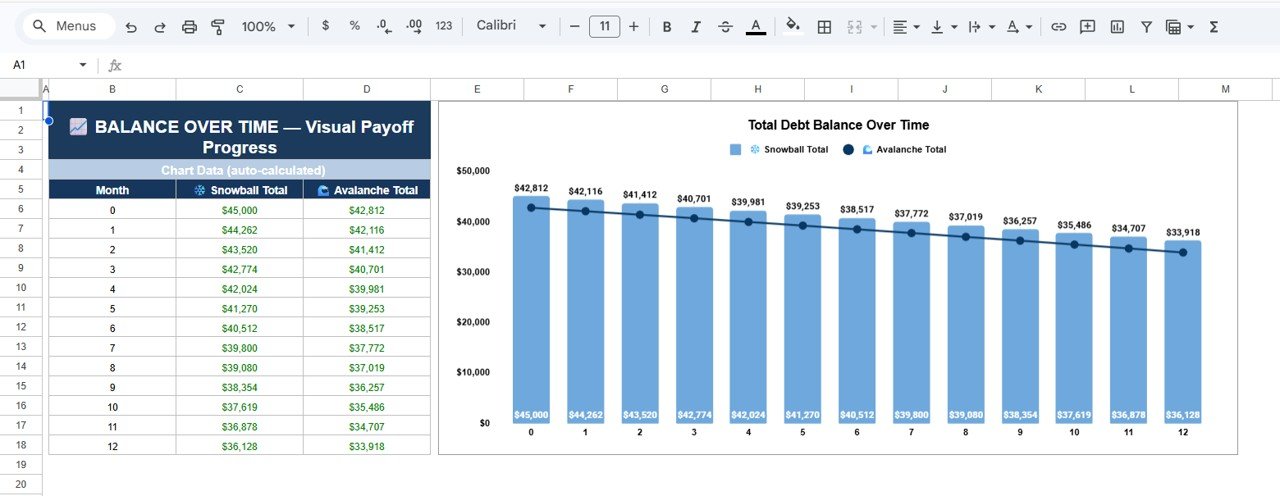
📉 Debt Payoff Progress Charts
The template includes visual charts that display debt reduction progress.
These charts compare:
• Snowball total balance over time
• Avalanche total balance over time
Watching the balance decrease month by month helps users stay motivated during their debt payoff journey.
What’s Inside the Debt Payoff Calculator Template
When you download this template, you receive a Google Sheets file with five structured worksheets:
✔ Debt Input Calculator – Enter all debt details and extra payments.
✔ Snowball Strategy Sheet – Calculate repayment using the smallest balance first strategy.
✔ Avalanche Strategy Sheet – Calculate repayment using the highest interest rate first strategy.
✔ Strategy Comparison Dashboard – Compare Snowball vs Avalanche results.
✔ Debt Payoff Progress Chart – Visual graph showing debt reduction over time.
Each worksheet is fully automated with formulas, making it simple to use.
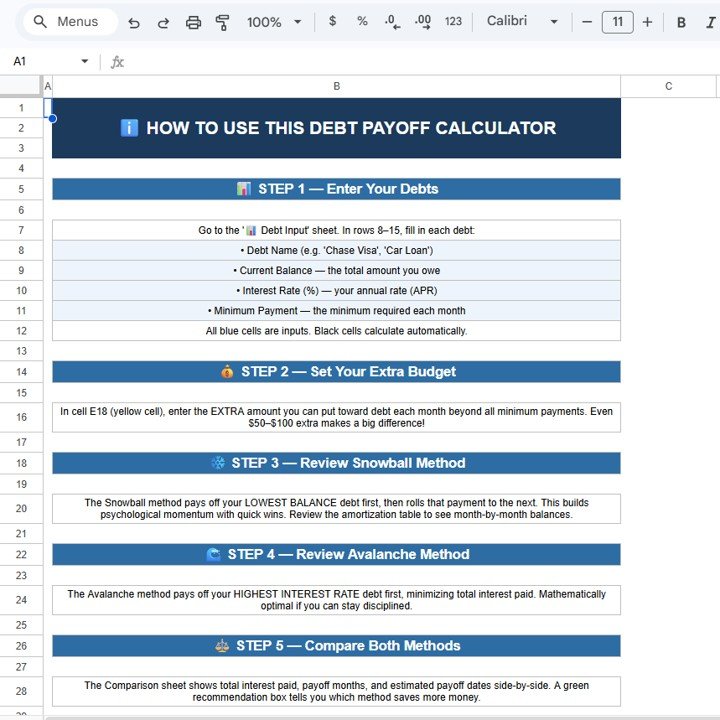
How to Use the Debt Payoff Calculator
Using the template is simple and requires no advanced technical knowledge.
Step 1: Enter your debts in the Debt Input sheet.
Step 2: Add extra monthly payment amounts if available.
Step 3: Review the Snowball and Avalanche payoff strategies.
Step 4: Compare both strategies using the comparison dashboard.
Step 5: Track progress using the visual debt reduction charts.
Because Google Sheets automatically updates calculations, users always have real-time insights into their debt repayment plan.
Who Can Benefit from This Template
This template is perfect for:
✔ Individuals managing credit card debt
✔ Families planning financial recovery
✔ Personal finance enthusiasts
✔ Financial coaches
✔ Budget planners
✔ Anyone working toward financial freedom
Whether you have credit cards, student loans, medical bills, or personal loans, this template helps create a clear and achievable debt payoff strategy.
Take Control of Your Financial Future
Managing debt does not have to be overwhelming. With the Debt Payoff Calculator Template in Google Sheets, you can organize debts, compare repayment strategies, calculate interest savings, and track progress visually.
Instead of guessing which debt to pay first, you can follow a data-driven strategy that helps you become debt-free faster.
Click here to Read detailed blog post
Watch the step-by-step video tutorial:
Visit our YouTube channel to learn step-by-step video tutorials