

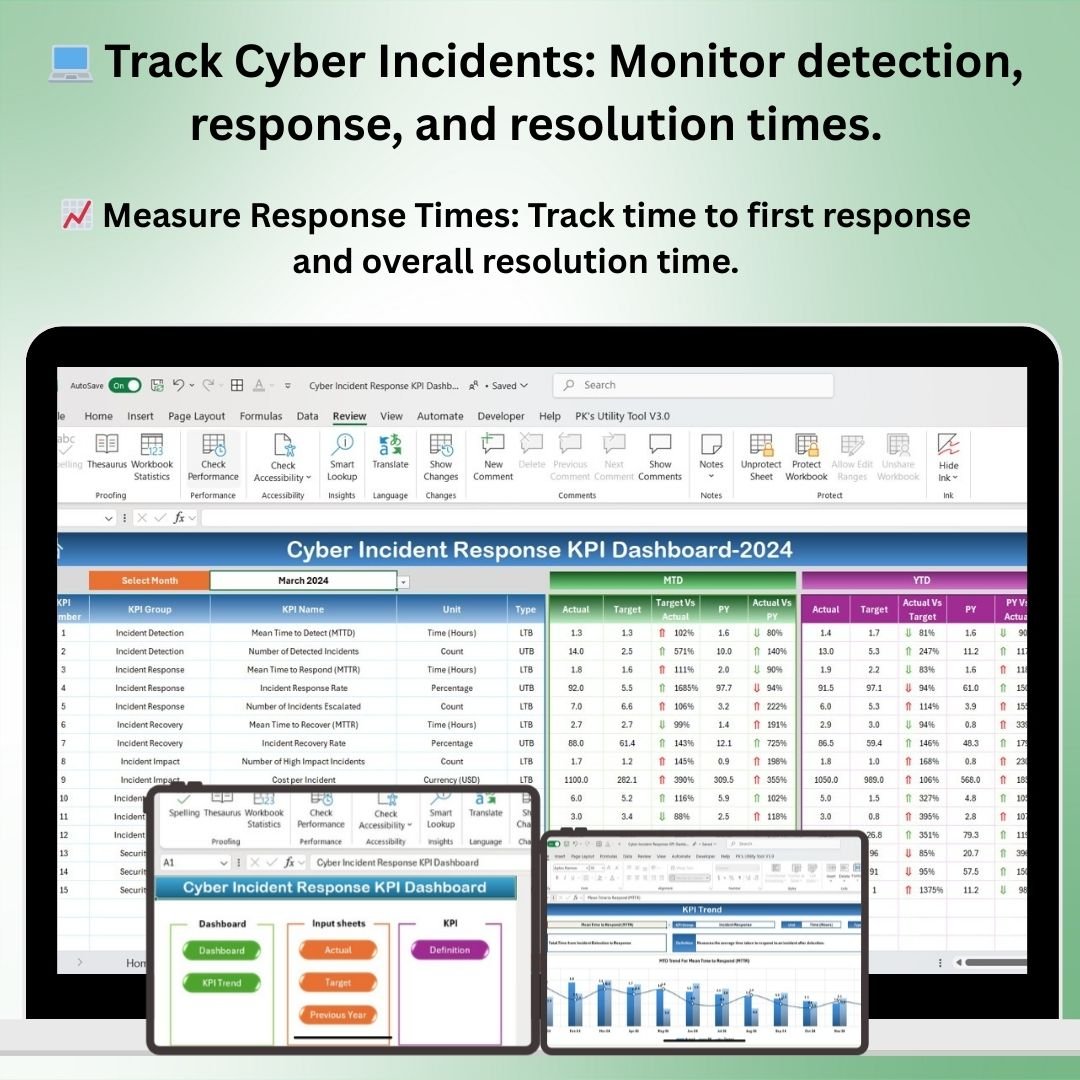
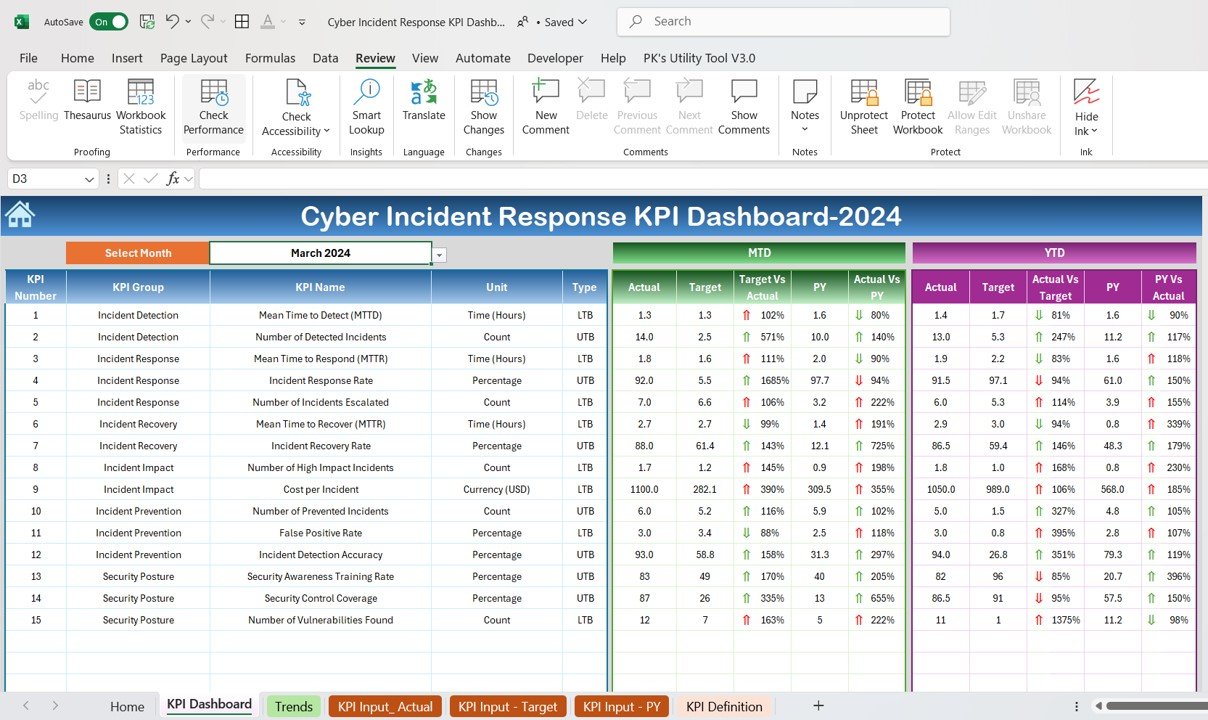
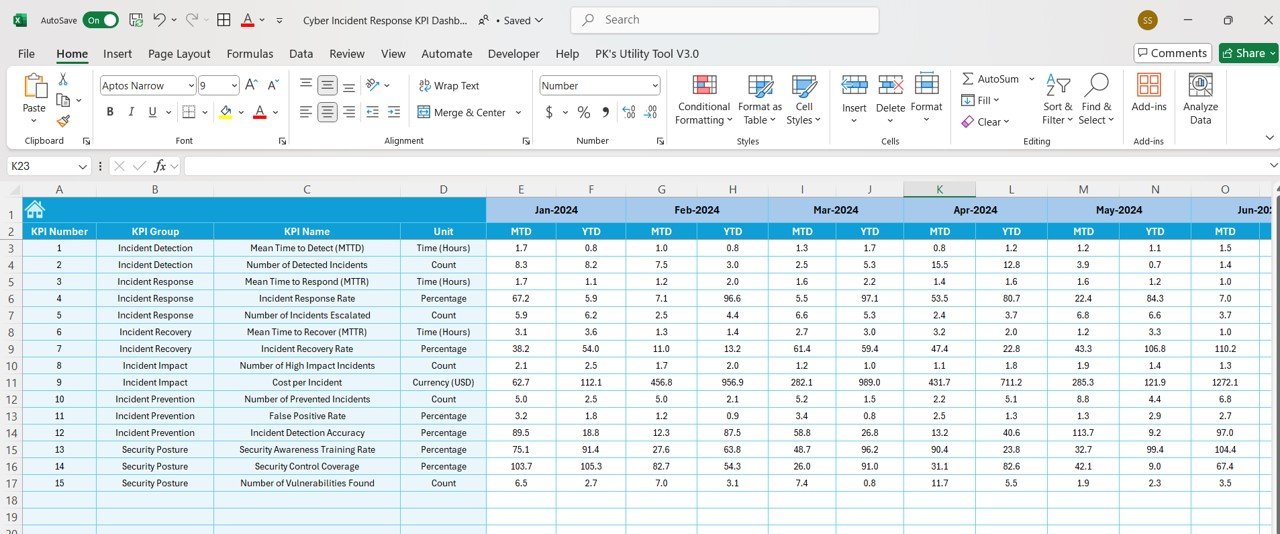
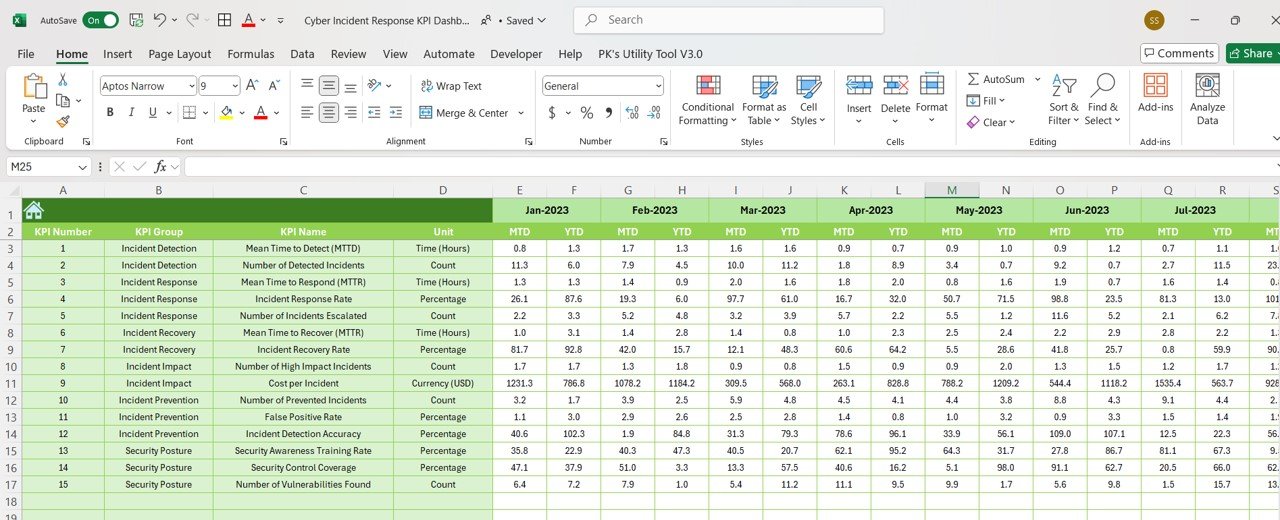
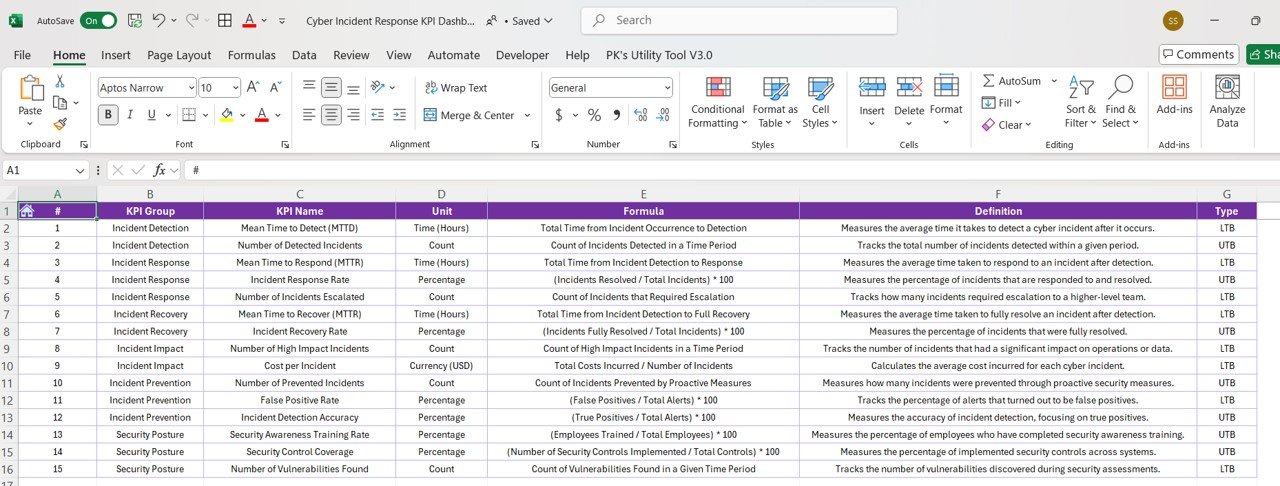

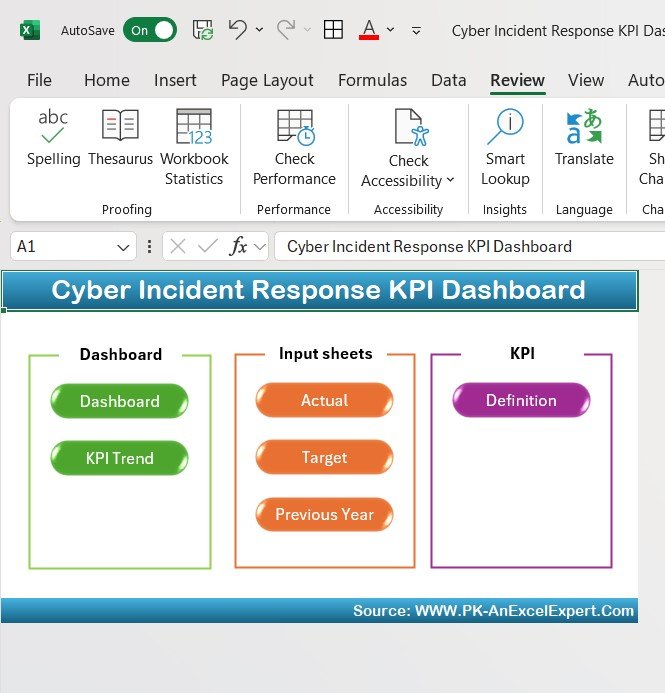
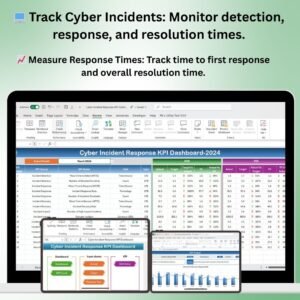
The Cyber Incident Response KPI Dashboard in Excel is an essential tool for IT teams, cybersecurity professionals, and organizations looking to effectively track and manage cyber incidents. This Excel-based dashboard helps monitor key performance indicators (KPIs) related to your organization’s response to cybersecurity incidents, enabling you to assess response times, incident severity, resolution rates, and overall system security.
With this template, you can streamline the incident management process, track the performance of your cybersecurity team, and ensure that every incident is handled in a timely and effective manner. The dashboard provides a centralized view of all incidents, helping you to improve decision-making, enhance security protocols, and minimize the impact of cyber threats on your organization.
Key Features of the Cyber Incident Response KPI Dashboard in Excel
💻 Track Cybersecurity Incidents
Monitor the details of each cyber incident, including incident type, severity level, time to detection, and response time. Track how quickly your team detects, responds to, and resolves incidents to ensure your security protocols are effective.
📈 Measure Response Times & Resolution Rates
Track key response time metrics, such as time to first response and time to resolution. Measure the effectiveness of your incident response efforts by analyzing incident resolution rates and identifying bottlenecks or delays in the response process.
⚠️ Incident Severity & Impact Analysis
Assess the severity of each incident and its potential impact on your organization. Track incidents based on criticality and impact, helping you prioritize your resources and efforts for high-priority threats.
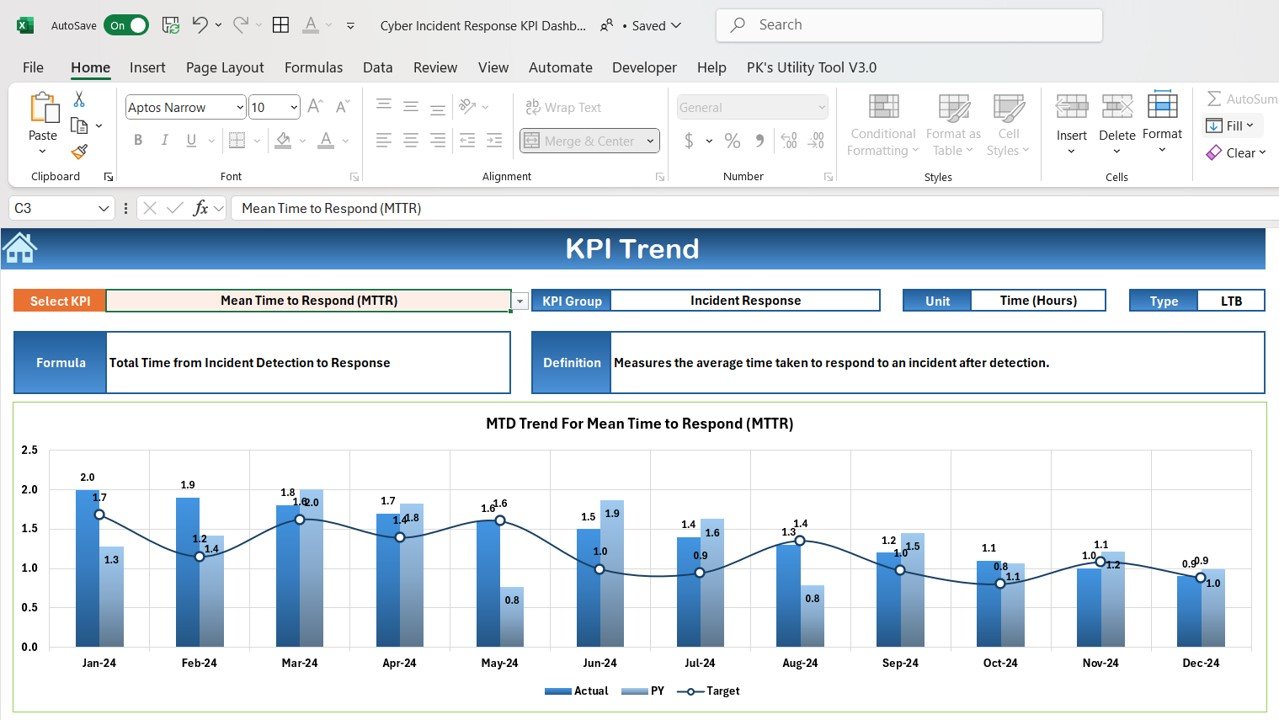
📊 Performance Monitoring & Trend Analysis
Analyze trends in cyber incidents, such as the frequency of incidents over time, common types of attacks, and response times. Use this data to identify areas of improvement in your incident management and cybersecurity posture.
🖥️ Interactive & Customizable Dashboard
The dashboard is interactive, allowing you to filter data based on incident type, status, severity, and time frame. Customize the template to track the most important KPIs for your cybersecurity team and ensure your response processes are optimized.
🔒 Security Compliance Tracking
Track whether incidents comply with security standards and regulations. This feature helps you ensure your organization is meeting legal and regulatory requirements when responding to cyber incidents.
Why You’ll Love the Cyber Incident Response KPI Dashboard in Excel
✅ Efficient Incident Tracking
Track all aspects of your cyber incident response, from detection and response to resolution, in one centralized dashboard.
✅ Monitor Cybersecurity Performance
Measure the performance of your cybersecurity team by tracking key KPIs such as response times, resolution rates, and incident severity.
✅ Improve Incident Response Strategies
Analyze trends and performance metrics to optimize your incident response protocols and reduce resolution times.
✅ Prioritize Critical Incidents
Assess the severity and impact of incidents to prioritize high-risk issues and allocate resources more effectively.
✅ Fully Customizable & Scalable
Adapt the dashboard to fit your organization’s specific cybersecurity needs. Whether you’re tracking incidents across multiple departments or focusing on a single team, this template scales to meet your requirements.
What’s Inside the Cyber Incident Response KPI Dashboard Template in Excel?
- Incident Tracking: Monitor incident details such as type, severity, response times, and resolution status.
- Response Time & Resolution Metrics: Track key metrics like time to first response and overall resolution time.
- Severity & Impact Analysis: Assess the severity of each incident and its potential impact on your organization.
- Trend Analysis: Analyze incident trends over time to identify recurring issues or emerging threats.
- Compliance Tracking: Ensure your incident response processes meet security standards and regulatory requirements.
- Interactive Filters & Customization: Use filters to drill down into specific incident types, teams, or time periods for deeper insights.
How to Use the Cyber Incident Response KPI Dashboard in Excel
1️⃣ Download the Template: Get immediate access to the Cyber Incident Response KPI Dashboard in Excel.
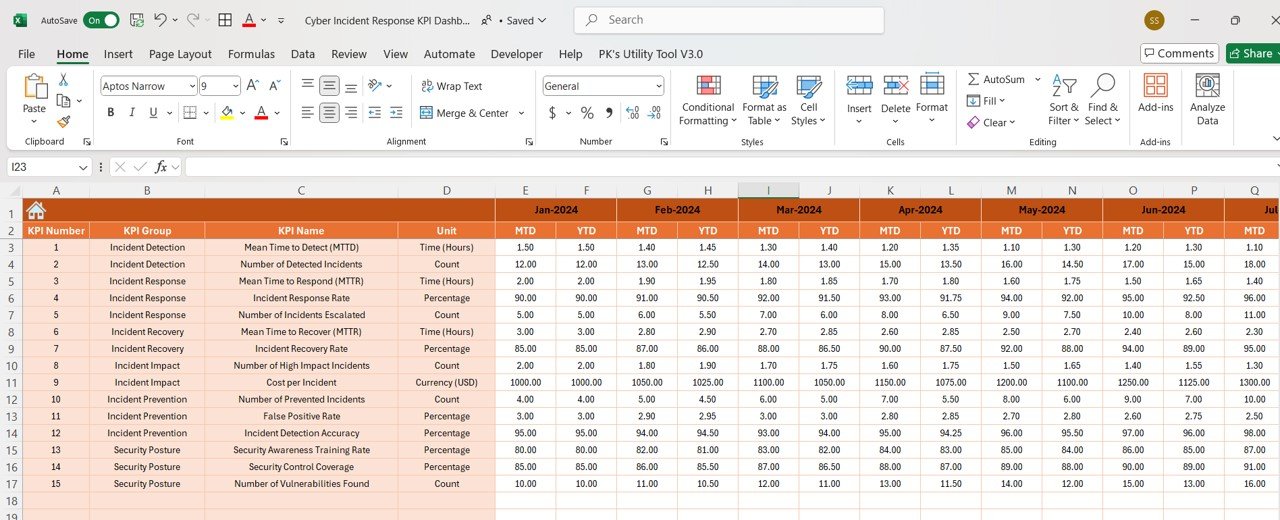
2️⃣ Input Your Incident Data: Enter incident details such as type, severity, response time, and resolution status into the dashboard.
3️⃣ Track & Monitor KPIs: Use the dashboard to track metrics such as response time, incident severity, and resolution rate.
4️⃣ Analyze & Optimize: Use the data to identify areas for improvement in your incident response processes and security protocols.
5️⃣ Ensure Compliance: Track whether incidents comply with security standards and regulations to ensure your organization meets legal requirements.
Who Can Benefit from the Cyber Incident Response KPI Dashboard in Excel?
🔹 IT & Cybersecurity Teams
🔹 Security Operations Centers (SOCs)
🔹 Chief Information Security Officers (CISOs)
🔹 Incident Response Teams
🔹 Risk Management Professionals
🔹 Businesses Looking to Strengthen Cybersecurity
Take control of your cyber incident management process with the Cyber Incident Response KPI Dashboard in Excel. Track, analyze, and optimize your cybersecurity efforts to minimize risk, ensure compliance, and improve overall security posture.
Click here to read the Detailed blog post
Visit our YouTube channel to learn step-by-step video tutorials
Youtube.com/@PKAnExcelExpert
























Reviews
There are no reviews yet.