

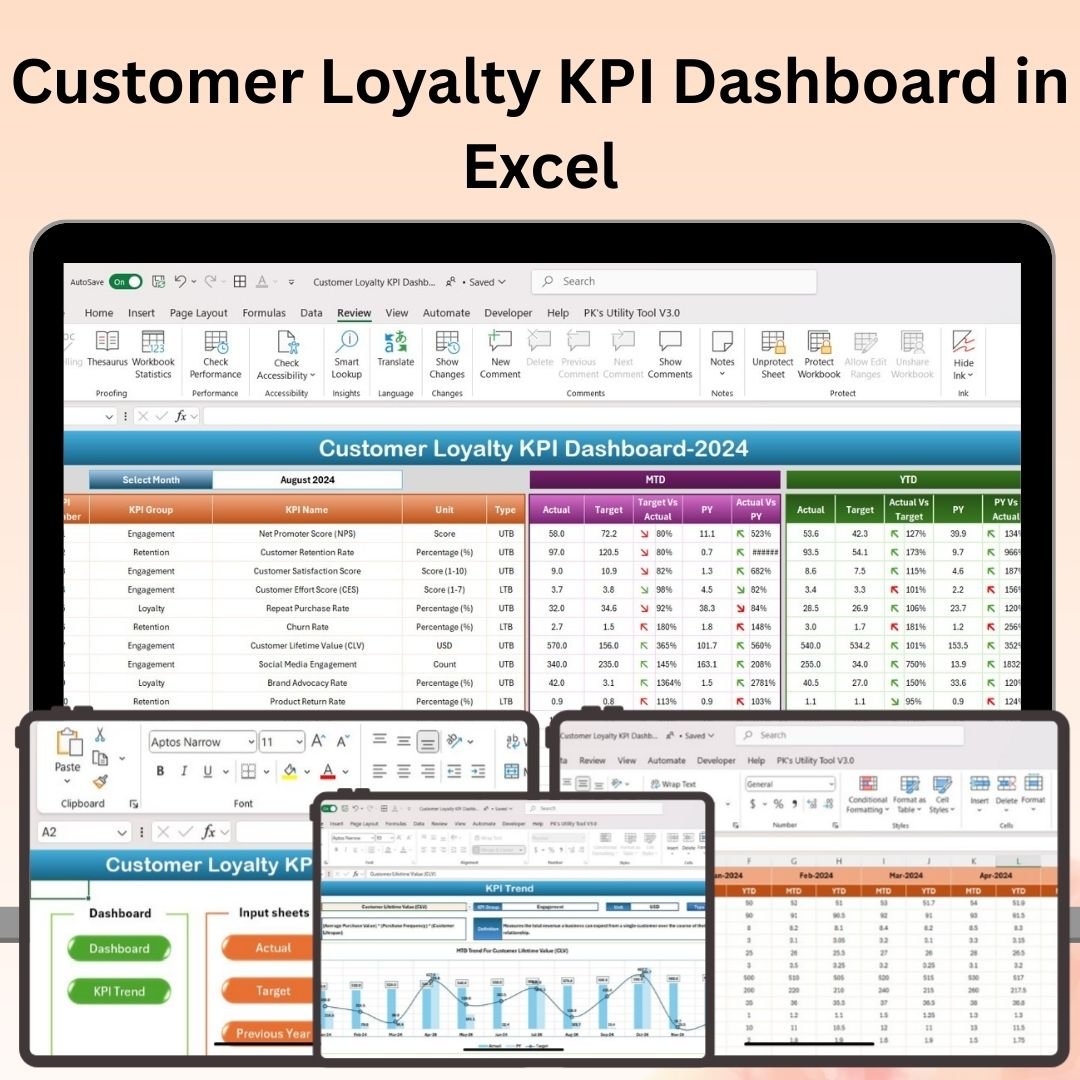




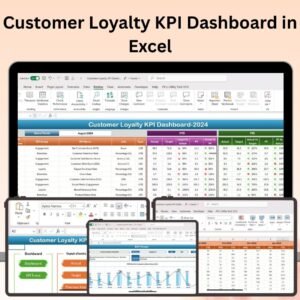
The Customer Loyalty KPI Dashboard in Excel is an essential tool for businesses aiming to measure, track, and optimize customer loyalty. This powerful Excel dashboard allows you to monitor key performance indicators (KPIs) related to customer retention, repeat purchases, Net Promoter Score (NPS), customer satisfaction, and overall loyalty metrics.
With real-time tracking, customizable reports, and interactive data visualization, this dashboard provides valuable insights that help you enhance your customer loyalty programs, improve retention rates, and increase long-term customer value. Whether you’re managing a small business or overseeing customer retention at a larger company, this dashboard helps you make informed decisions to foster customer loyalty.

Key Features of the Customer Loyalty KPI Dashboard in Excel:
🔄 Customer Retention Tracking
Track how well your business is retaining customers, including the number of returning customers, retention rate, and the rate of new customer acquisition.
📊 Repeat Purchase Analysis
Monitor the frequency of repeat purchases and analyze how often your customers return for additional products or services, which is a key indicator of loyalty.
⭐ Net Promoter Score (NPS)
Measure your customer loyalty by tracking NPS, allowing you to evaluate how likely your customers are to recommend your business to others.
💬 Customer Satisfaction Tracking
Use customer satisfaction surveys and feedback to monitor and improve satisfaction levels, which directly influence loyalty.
📈 Churn Rate Monitoring
Keep track of customer churn and identify patterns or reasons for customer attrition to take proactive measures in retaining customers.
📅 Loyalty Program Performance
Monitor the effectiveness of your loyalty programs, track points redemption, and analyze the return on investment (ROI) of your loyalty campaigns.
🚀 Why You’ll Love the Customer Loyalty KPI Dashboard in Excel:
✅ Improve Customer Retention – Track retention rates, repeat purchases, and customer satisfaction to optimize your loyalty programs.
✅ Measure Customer Sentiment – Use NPS and customer satisfaction metrics to understand customer sentiment and their likelihood of recommending your business.
✅ Boost Repeat Purchases – Monitor repeat purchase data to identify trends and develop strategies that encourage customers to make additional purchases.
✅ Optimize Loyalty Programs – Evaluate the effectiveness of your loyalty programs, helping you refine your offerings for better customer engagement.
✅ Data-Driven Decisions – With real-time updates and clear data visualization, make data-driven decisions to improve customer retention and loyalty.
✅ Customizable and Flexible – Tailor the dashboard to suit your business’s unique customer loyalty metrics, whether you’re in retail, e-commerce, or service industries.
What’s Inside the Customer Loyalty KPI Dashboard in Excel:
- Customer Retention Tracker: Track the number of returning customers and retention rates to evaluate loyalty levels.
- Repeat Purchase Tracker: Monitor the frequency of repeat purchases and identify trends in customer buying behavior.
- Net Promoter Score (NPS): Track NPS to measure customer satisfaction and their willingness to recommend your brand.
- Customer Satisfaction Metrics: Gather customer feedback to measure satisfaction and determine factors influencing loyalty.
- Churn Rate Analysis: Monitor customer churn and identify strategies to reduce attrition and improve retention.
- Loyalty Program Performance: Track loyalty program effectiveness, including points redeemed and ROI on loyalty campaigns.
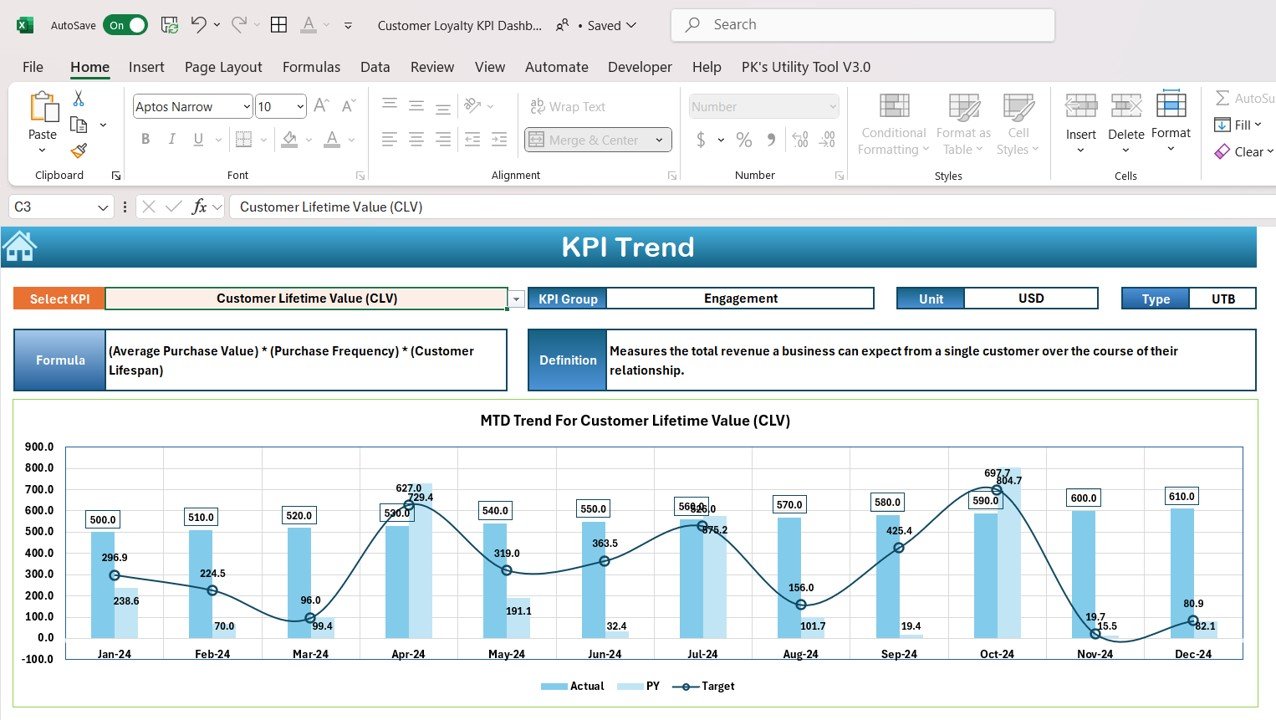
- Interactive Reports: Visualize loyalty data with charts, graphs, and progress bars to help you understand key insights.
How to Use the Customer Loyalty KPI Dashboard in Excel:
1️⃣ Download the Template – Access your Excel file instantly upon purchase.
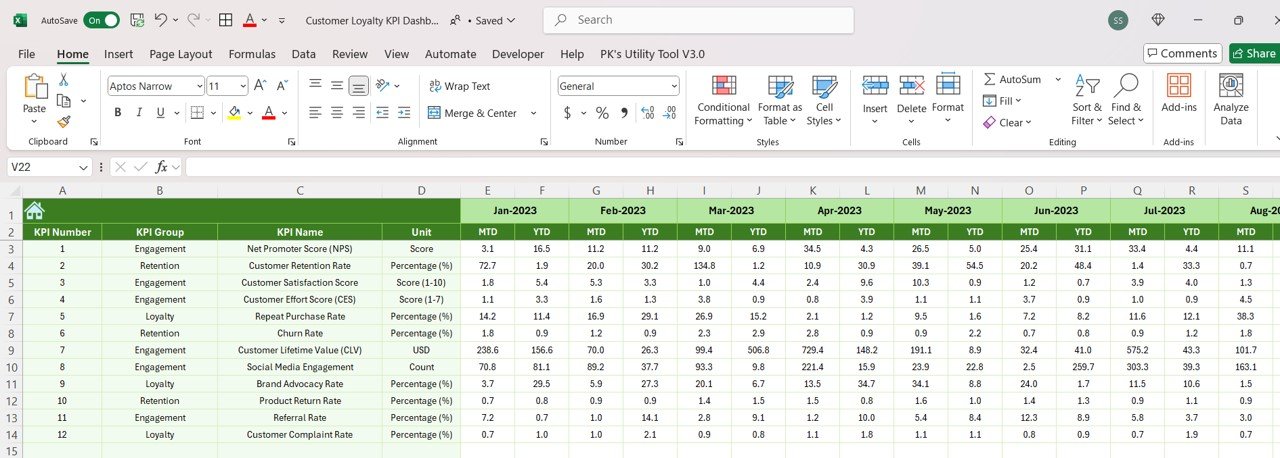
2️⃣ Input Customer Data – Enter customer retention, repeat purchase, NPS, satisfaction, and loyalty program data into the dashboard.
3️⃣ Track Loyalty Performance – Monitor KPIs such as retention rates, NPS, and repeat purchases to understand customer loyalty in real time.
4️⃣ Analyze Trends and Insights – Use the dashboard’s visual tools to identify trends, assess program effectiveness, and make informed decisions.
5️⃣ Generate Reports – Create customized reports to showcase customer loyalty performance and share with stakeholders.
Who Can Benefit from the Customer Loyalty KPI Dashboard in Excel:
- Customer Retention Managers
- Marketing Teams
- E-commerce Businesses
- Retailers
- Customer Success Teams
- Business Owners
- Loyalty Program Managers
- Data Analysts
The Customer Loyalty KPI Dashboard in Excel is an essential tool for anyone looking to track, manage, and improve customer loyalty. Whether you’re tracking repeat purchases, customer satisfaction, or the success of loyalty programs, this dashboard provides all the tools you need to foster lasting customer relationships and improve customer retention.
Click here to read the Detailed blog post
https://www.pk-anexcelexpert.com/customer-loyalty-kpi-dashboard-in-excel/
Visit our YouTube channel to learn step-by-step video tutorials
Youtube.com/@PKAnExcelExpert
Compatibility and Requirements
- Works in Microsoft Excel desktop (Excel 2016 or later, or Microsoft 365).
- Microsoft’s guide Create a chart from start to finish explains how Excel charts work if you want to change one.
Frequently Asked Questions
Which loyalty KPIs does the dashboard cover?
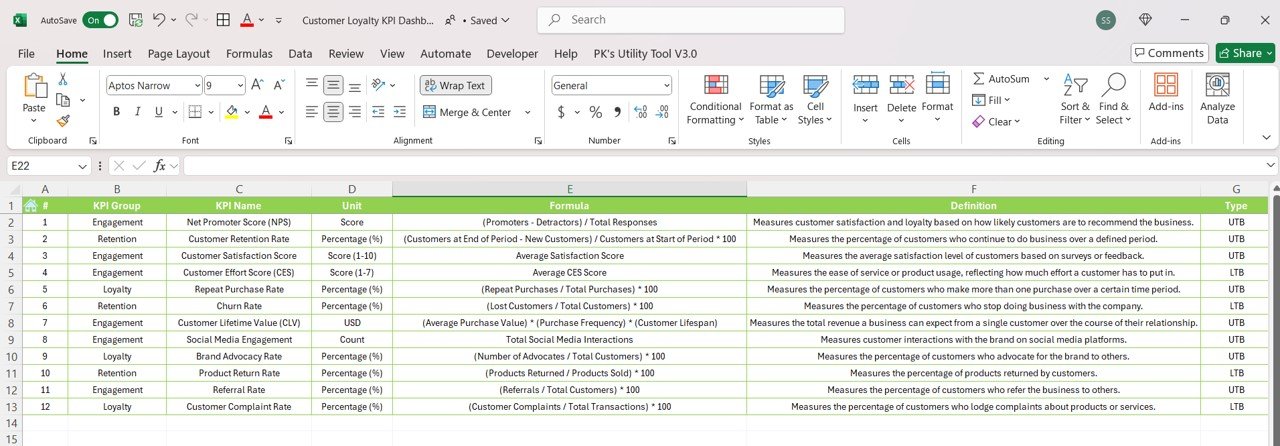
Customer retention rate and returning customers, repeat purchase frequency, Net Promoter Score (NPS), customer satisfaction, churn rate and loyalty program results such as points redeemed and return on loyalty campaigns.
How do I start using it?
Enter your retention, repeat purchase, NPS, satisfaction and loyalty program data. The charts and progress bars then show how loyalty is moving.
Can I change the metrics?
Yes. You can adjust the dashboard to your own loyalty metrics, whether you run a retail store, an online shop or a service business.
Who uses this dashboard?
Customer retention and customer success teams, marketing teams, loyalty program managers, retailers, e-commerce owners and data analysts.
Related Customer Loyalty Templates
- Customer Loyalty KPI Dashboard in Google Sheets: the same loyalty KPIs in Google Sheets
- Customer Retention KPI Dashboard in Excel: focus on customer retention in Excel
- Customer Retention KPI Dashboard in Power BI: customer retention KPIs in Power BI
- Loyalty Programs Management Dashboard in Power BI: loyalty program reporting in Power BI
- Customer Retention Checklist Template in Excel: a step list for customer retention work
Browse all Excel KPI dashboards or the Excel sales and marketing templates.






























Reviews
There are no reviews yet.