



The Customer Engagement KPI Dashboard in Excel is an essential tool for businesses looking to monitor and improve customer interactions, satisfaction, and loyalty. This interactive and customizable dashboard allows you to track key customer engagement metrics such as response times, customer feedback, repeat purchase rates, and more, providing a comprehensive view of how well you’re connecting with your audience.
With this user-friendly Excel template, you can gain real-time insights into customer behavior, identify trends, and make data-driven decisions that enhance customer experiences, increase retention, and ultimately boost sales and revenue.
Key Features of the Customer Engagement KPI Dashboard
📊 Comprehensive Customer Engagement Tracking
Track essential customer engagement metrics like response time, customer satisfaction, retention rates, and repeat purchases. Monitor how well your business is engaging with customers over time.
⚡ Real-Time Monitoring
Get up-to-date insights into your customer engagement performance. Track metrics in real time and make quick adjustments to your strategies to maintain high engagement levels.
📈 Engagement Metrics & Trends
Visualize engagement trends using interactive charts and graphs. Track customer interactions, feedback, and loyalty to identify areas for improvement and opportunities for growth.
📅 Customizable Metrics
Tailor the dashboard to track specific customer engagement KPIs relevant to your business, whether it’s customer service response times, email open rates, or social media interactions.
🖥️ User-Friendly Interface
The intuitive design of this Excel-based dashboard makes it easy to input data and track performance, even for users with limited technical expertise.
Why You’ll Love the Customer Engagement KPI Dashboard

✅ Track Key Customer Engagement Metrics
Monitor important customer engagement KPIs like customer satisfaction, response times, and repeat purchases to measure how effectively your business is interacting with its customers.
✅ Make Data-Driven Decisions
Gain valuable insights into customer behavior and engagement, helping you make informed decisions about customer service, marketing campaigns, and overall strategy.
✅ Visualize Customer Interaction Trends
Use interactive charts to visualize engagement trends, helping you quickly identify patterns and optimize your strategies for better results.
✅ Improve Customer Satisfaction and Retention
Track metrics like customer satisfaction scores and response times to enhance customer service, improve satisfaction, and increase customer loyalty.
✅ Optimize Your Customer Engagement Strategy
By using the dashboard to assess performance, you can identify areas that need attention, adjust your engagement strategies, and ensure you’re connecting with your customers effectively.
What’s Inside the Customer Engagement KPI Dashboard Template?
- Customer Engagement Metrics: Track metrics like customer satisfaction, response time, retention rates, and repeat purchase rates.
- Real-Time Performance Monitoring: Stay up to date on how well your business is engaging with customers across multiple channels.
- Interactive Dashboard: Visualize your customer engagement KPIs with interactive graphs and charts for easier analysis.
- Customizable Sections: Adjust the dashboard to focus on the customer engagement KPIs most important for your business.
- Customer Feedback Tracking: Monitor customer feedback, reviews, and sentiment to improve your products or services.
How to Use the Customer Engagement KPI Dashboard
1️⃣ Download the Template: Access the Customer Engagement KPI Dashboard instantly.
2️⃣ Input Customer Data: Enter customer engagement data such as satisfaction scores, response times, and repeat purchase rates.
3️⃣ Monitor Performance: Use the dashboard to track performance in real time and assess how well your business is engaging with customers.
4️⃣ Analyze & Optimize: Use insights from the dashboard to optimize your customer engagement strategy, improve satisfaction, and increase retention.
Who Can Benefit from the Customer Engagement KPI Dashboard?
🔹 Marketing Teams
🔹 Customer Service Managers
🔹 Sales Teams & Account Managers
🔹 E-commerce Businesses
🔹 Customer Experience Managers
🔹 Anyone Focused on Improving Customer Satisfaction & Retention
Track, analyze, and optimize your customer engagement efforts with the Customer Engagement KPI Dashboard in Excel. Stay on top of key metrics, make data-driven decisions, and build stronger customer relationships to drive business success.
Click here to read the Detailed blog post
Visit our YouTube channel to learn step-by-step video tutorials
Youtube.com/@PKAnExcelExpert
Compatibility and Requirements
- Works in Microsoft Excel desktop (Excel 2016 or later, or Microsoft 365).
- The dashboard is built with Excel charts. Microsoft explains them in Create a chart from start to finish.
Frequently Asked Questions
Which KPIs does the dashboard track?
It tracks customer satisfaction, response time, retention rate, repeat purchase rate and customer feedback.
How do I add my own data?
Enter your figures in the template. The charts and KPI views update from that data.
Can I add other engagement metrics?
Yes. You can tailor it to metrics such as email open rates or social media interactions.
Is there a Google Sheets or Power BI version?
Yes. The Customer Engagement KPI Dashboard in Google Sheets and the Customer Engagement KPI Dashboard in Power BI cover the same KPIs.
Related Customer Engagement Templates
- Customer Engagement KPI Dashboard in Google Sheets: the same KPIs in Google Sheets
- Customer Engagement KPI Dashboard in Power BI: the Power BI edition
- Customer Engagement KPI Scorecard in Excel: a customer engagement KPI scorecard
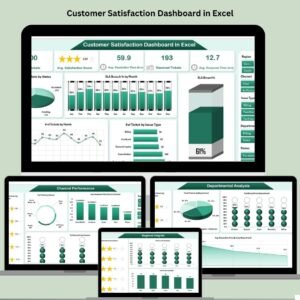
- Customer Satisfaction Dashboard in Excel: a customer satisfaction dashboard
- KPI Dashboard Library (Excel): 15 Excel KPI dashboards in one download
Browse all Excel KPI dashboards or the Google Sheets KPI dashboards.









Reviews
There are no reviews yet.