The co-working industry is growing rapidly as startups, freelancers, remote workers, and even large enterprises increasingly prefer flexible office environments. However, managing a co-working space efficiently requires constant monitoring of business performance indicators such as workspace occupancy, membership growth, revenue per desk, booking utilization, and customer satisfaction.
When these metrics are scattered across multiple spreadsheets and reports, it becomes difficult for managers to understand the real performance of their workspace operations.
This is exactly where the Co-working Spaces KPI Dashboard in Power BI becomes a game-changing solution.
The Co-working Spaces KPI Dashboard in Power BI is a ready-to-use and professionally designed business analytics solution that allows operators to track, analyze, and optimize the performance of their co-working spaces. The dashboard transforms raw data into powerful insights through interactive visuals, KPI indicators, trend charts, and dynamic slicers.
Instead of manually reviewing large datasets, managers can view real-time business insights through a centralized dashboard interface.
Because the dashboard integrates with Excel as the data source, updating numbers becomes simple while Power BI automatically refreshes the analytics visuals.
Whether you manage a single co-working location or multiple facilities, this dashboard helps you monitor operational performance, identify growth opportunities, and make data-driven decisions that improve profitability.
🚀 Key Features of Co-working Spaces KPI Dashboard in Power BI
📊 Interactive KPI Monitoring
Track multiple business KPIs including workspace utilization, revenue performance, membership growth, and operational efficiency through interactive visuals.
📅 MTD & YTD Performance Analysis
Monitor both Month-to-Date (MTD) and Year-to-Date (YTD) metrics to evaluate short-term and long-term performance trends.
🎯 Target vs Actual KPI Comparison
Instantly see whether performance meets business goals with automated target vs actual comparisons.
📉 Previous Year Performance Analysis
Compare current results with previous year data to evaluate business growth and historical performance.
⚡ Conditional Performance Indicators
Visual indicators such as green ▲ and red ▼ icons quickly highlight whether KPIs are performing above or below expectations.
🔎 Dynamic Slicers for Interactive Filtering
Users can filter data using slicers such as Month, KPI Group, and KPI Name for deeper analysis.
📈 KPI Trend Analysis Charts
Analyze KPI performance over time with MTD and YTD trend charts, allowing managers to identify operational patterns.
🔗 Excel Data Integration
The dashboard uses Excel files as the data source, making updates simple without modifying the Power BI report.
📦 What’s Inside the Co-working Spaces KPI Dashboard in Power BI
This Power BI solution includes three powerful analytical pages designed to provide complete workspace performance insights.
🏠 Summary Page – Performance Overview
This page acts as the main dashboard and provides a quick snapshot of workspace performance.

It includes KPI cards such as:
Total KPI Count
MTD Target Meet Count
MTD Target Miss Count
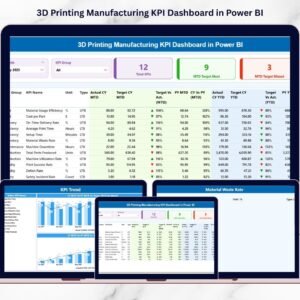
A detailed KPI table also displays important metrics such as:
KPI Name and Group
Unit of Measurement
Actual MTD and Target MTD
Previous Year MTD
Target vs Actual comparisons
Year-to-Date performance indicators
📈 KPI Trend Page – Performance Trends
This page helps managers analyze KPI performance across time.
Users can select any KPI using a slicer and analyze:
Current Year Performance
Previous Year Performance
Target Values
Trend charts display both MTD and YTD KPI performance, enabling managers to evaluate operational progress.
📑 KPI Definition Page – KPI Documentation
This page provides detailed information about each KPI including:
KPI Number
KPI Group
KPI Name
KPI Unit
KPI Formula
KPI Definition
KPI Type (Lower the Better or Upper the Better)
Users can access this page through the drill-through feature, which provides a deeper understanding of KPI calculations.
🛠 How to Use the Co-working Spaces KPI Dashboard in Power BI
Using this dashboard is simple and user-friendly.
1️⃣ Update KPI data in the Excel Input sheets.
2️⃣ Enter monthly Actual values and Target values.
3️⃣ Define KPI attributes in the KPI Definition sheet.
4️⃣ Refresh the Power BI report.
5️⃣ Use slicers to filter KPIs by month, KPI group, or KPI name.
Once the data is refreshed, the dashboard automatically updates all visuals and analytics.
Managers can instantly monitor performance trends, identify KPI gaps, and make strategic business decisions.
👥 Who Can Benefit from This Co-working Spaces KPI Dashboard in Power BI
This dashboard is ideal for professionals responsible for monitoring workspace performance.
🏢 Co-working Space Owners – Track operational performance and business growth.
📊 Operations Managers – Monitor occupancy rates, bookings, and workspace utilization.
💼 Finance Teams & Accountants – Analyze revenue performance and financial KPIs.
📈 Business Analysts – Evaluate performance trends and operational efficiency.
🏬 Multi-Location Workspace Operators – Track KPIs across multiple co-working locations.
By using this dashboard, organizations gain clear visibility into operational performance, enabling faster decision-making and improved workspace management.
Click here to read the Detailed blog post
Visit our YouTube channel to learn step-by-step video tutorials
👉 https://youtube.com/@PKAnExcelExpert
Watch the step-by-step video tutorial:
Compatibility and Requirements
- Works in Power BI Desktop, which is free to download. Microsoft explains how to get it in Get Power BI Desktop.
- The data source is an Excel file, so you also need Microsoft Excel to enter your KPI numbers.
Frequently Asked Questions
Which pages are included?
Three pages: Summary, KPI Trend and KPI Definition.
How do I update the dashboard?
Enter your actual and target values in the Excel input sheets, then refresh the Power BI report. All visuals update after the refresh.
Can I compare this year with last year?
Yes. The Summary page shows Previous Year MTD next to your actual and target values, and the KPI Trend page charts current year, previous year and target.
How can I filter the KPIs?
Use the slicers for month, KPI group and KPI name.
Where can I see how each KPI is calculated?
The KPI Definition page lists the KPI number, group, name, unit, formula, definition and type (Lower the Better or Upper the Better). You can open it with drill-through.
Is there an Excel or Google Sheets version?
Yes. See the Co-working Spaces KPI Dashboard in Excel and the Co-working Space KPI Dashboard in Google Sheets.
Related Co-working Templates
- Co-working Spaces KPI Dashboard in Excel: the same KPI dashboard in Excel
- Co-working Space KPI Dashboard in Google Sheets: a Google Sheets edition
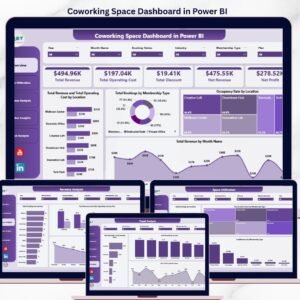
- Coworking Space Dashboard in Power BI: another Power BI dashboard for co-working operators
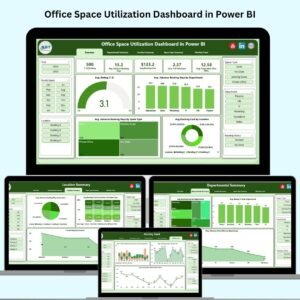
- Office Space Utilization Dashboard in Power BI: space use tracking in Power BI
- Power BI Dashboard Mega Collection: 15 Power BI templates in one download
Browse all Power BI KPI dashboards.