
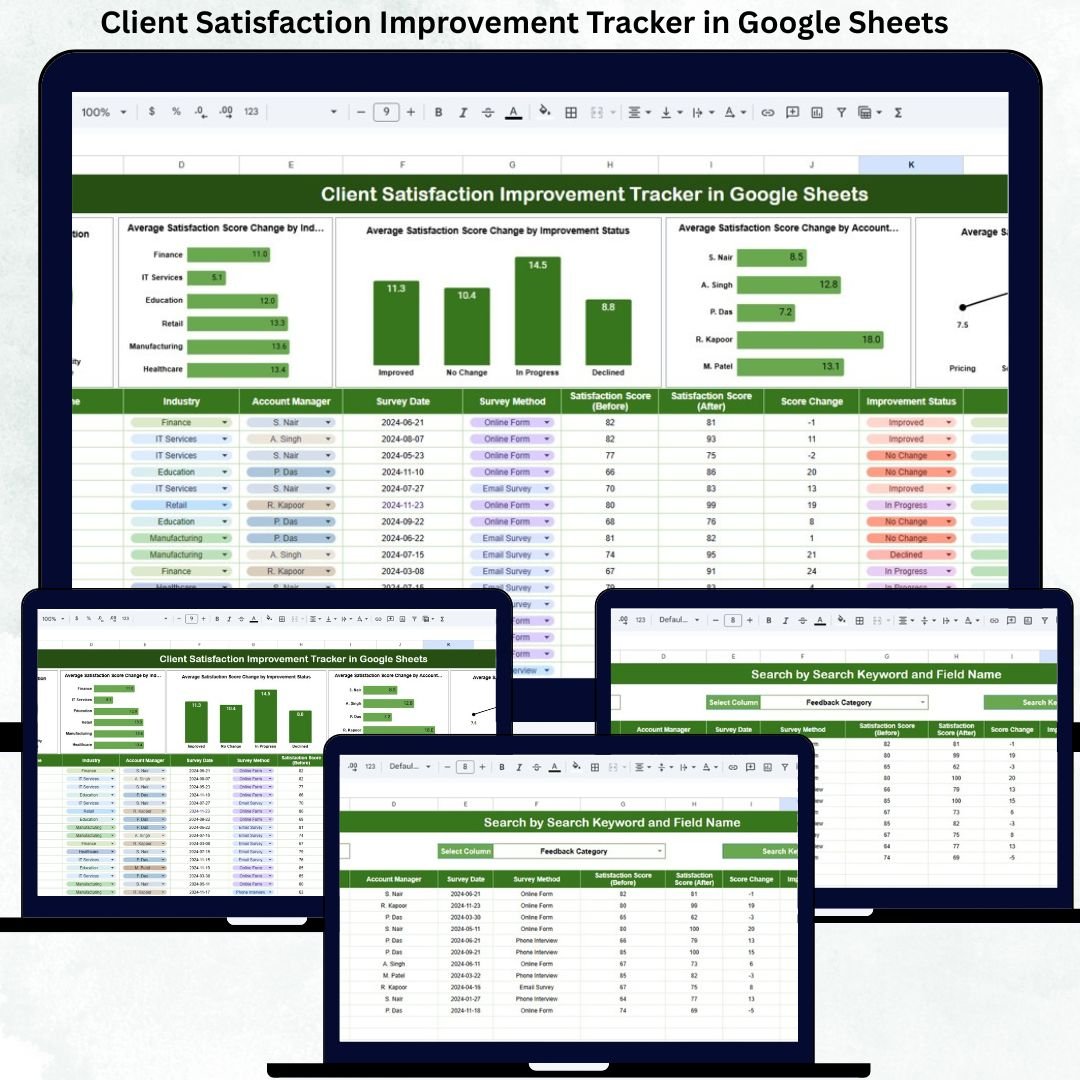
Client Satisfaction Improvement Tracker in Google Sheets is the foundation of sustainable business growth. When clients feel understood, supported, and valued, they stay longer, increase their engagement, and become brand advocates. However, many organizations struggle to manage client feedback and improvement actions in a structured way. Feedback often remains scattered across emails, surveys, and disconnected spreadsheets. As a result, insights fail to translate into real improvements, and satisfaction scores stagnate.
The Client Satisfaction Improvement Tracker in Google Sheets is built to solve this exact problem. It provides a centralized, easy-to-use system that helps teams track client feedback, monitor satisfaction score changes, and follow improvement actions from planning to completion. Instead of reacting to complaints, organizations can proactively manage client experience using clear data and visual insights.
Because this tracker runs entirely in Google Sheets, it is cloud-based, collaborative, and accessible from anywhere. Customer success teams, account managers, leadership, and sales teams can all work on the same file without version conflicts or manual reporting.
🚀 Key Features of the Client Satisfaction Improvement Tracker
📊 Satisfaction Score Change Tracking
Monitor initial vs updated satisfaction scores and instantly see whether improvement actions are delivering results.
📁 Centralized Client Feedback Repository
All client feedback, improvement plans, and review details stay in one structured tracker.
🔄 Improvement Status Monitoring
Track improvement actions as Planned, In Progress, or Completed to ensure nothing is missed.
👤 Account Manager Performance Insights
Understand which account managers consistently improve client satisfaction and where coaching is needed.
🏭 Industry-Wise Satisfaction Analysis
Identify industries with higher or lower satisfaction improvements and adjust strategies accordingly.
🔍 Smart Search Function
Find any client, category, manager, or status instantly without scrolling.
📦 What’s Inside the Client Satisfaction Improvement Tracker
🧾 Tracker Sheet Tab – Core Data Engine
This is the backbone of the entire system where all satisfaction and improvement data is recorded.
Typical fields include:
-
Client Name
-
Industry
-
Account Manager
-
Feedback Category
-
Initial Satisfaction Score
-
Updated Satisfaction Score
-
Satisfaction Score Change
-
Improvement Status (Planned / In Progress / Completed)
-
Feedback Date
-
Review Date
-
Comments
All charts update automatically as soon as data is entered or modified.
📊 Interactive Dashboard Charts
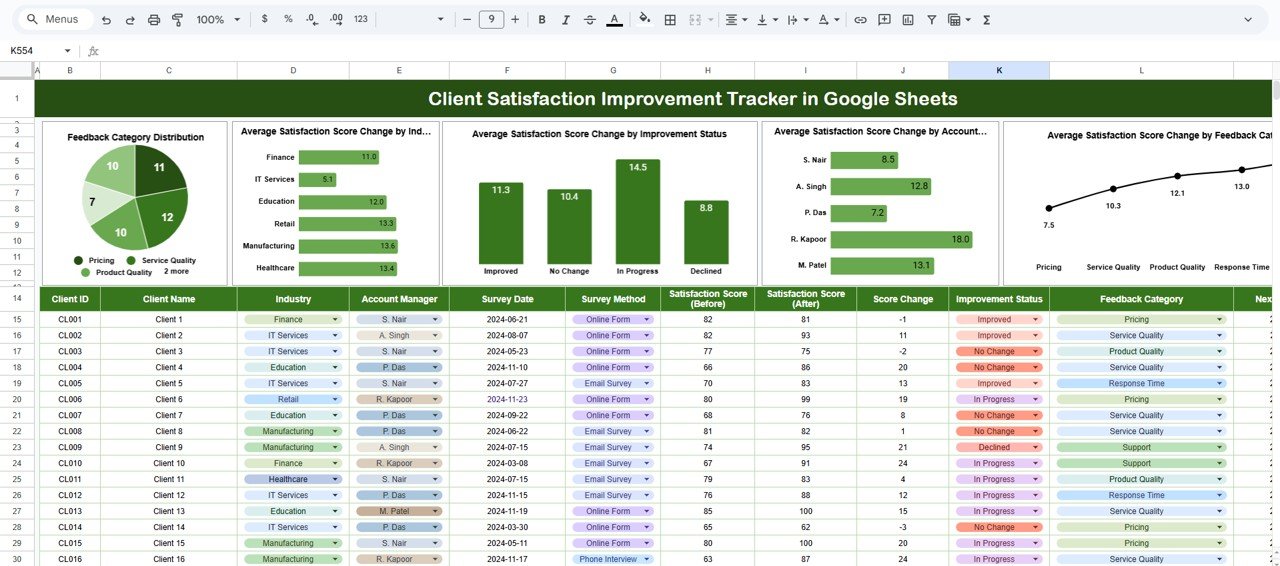
The tracker includes five powerful charts that transform feedback into actionable insights:
-
Feedback Category Distribution
Identify the most common feedback areas such as communication, pricing, service quality, or delivery. -
Average Satisfaction Score Change by Industry
Compare improvement trends across different industries. -
Average Satisfaction Score Change by Improvement Status
Validate whether completed actions actually improve satisfaction. -
Average Satisfaction Score Change by Account Manager
Measure account manager impact on client experience. -
Average Satisfaction Score Change by Feedback Category
Understand which feedback areas respond best to improvement efforts.
These visuals help leadership and client teams focus on high-impact actions instead of guesswork.
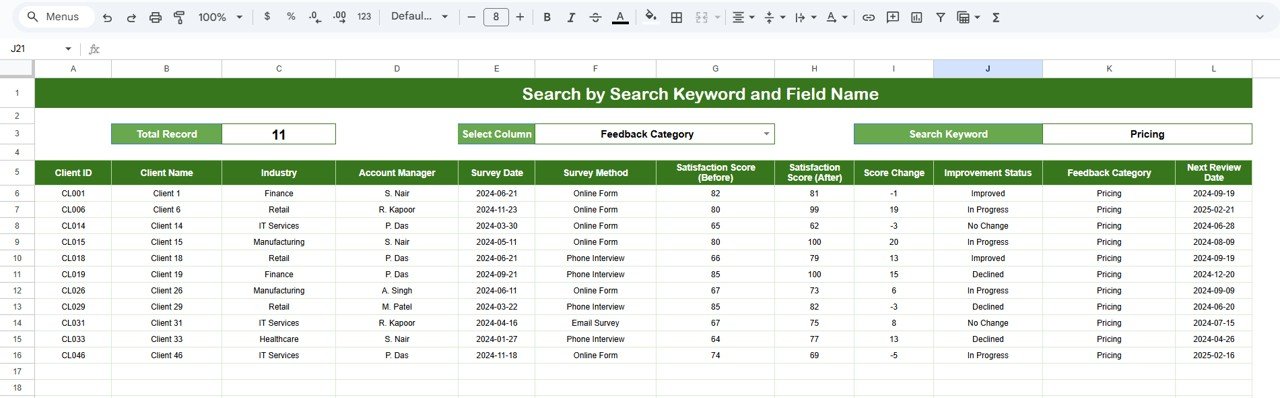
🔎 Search Function – Find Client Records in Seconds
The built-in search panel allows users to:
-
Enter a Search Keyword
-
Select a Field Name (Client, Industry, Manager, Category, Status)
Matching records appear instantly, making audits, reviews, and client discussions fast and effortless.
🛠️ How to Use the Client Satisfaction Improvement Tracker
1️⃣ Enter client feedback and satisfaction scores
2️⃣ Assign improvement status and ownership
3️⃣ Update satisfaction scores after actions
4️⃣ Review charts regularly for trends
5️⃣ Use search for quick access during meetings
👥 Who Can Benefit from This Tracker
-
🤝 Customer Success Teams
-
📈 Account Managers
-
🧑💼 Sales & Relationship Managers
-
🏢 Service Delivery Teams
-
📊 Business & CX Leaders
### Click here to read the Detailed blog post
Watch the step-by-step video tutorial:





























Reviews
There are no reviews yet.