

The best Workday alternatives for small and mid-sized teams in 2026 are spreadsheet and web-app HR templates that replace the modules you actually use — core HR records, attendance, payroll and workforce analytics — for a one-time $4.99–$39.99 instead of a per-employee annual subscription. For most teams under 200 staff, an HR Employee Management System web app plus an HR KPI dashboard covers 80% of Workday at roughly 1% of the cost.
Last updated: August 2026
Key takeaways
- Workday HCM uses custom, quote-based pricing; third-party estimates commonly cited put it around $99 per employee per year at the low end, climbing far higher for larger deployments, plus implementation fees that routinely run into five figures.
- Small teams churn off Workday for three reasons: per-seat cost, modules they pay for but never open, and admin overhead that needs a dedicated HRIS owner.
- The closest single replacement is the HR Employee Management System Web App ($39.99, one-time) — a full employee system of record with no per-seat fee.
- Best value is the HR & Payroll Template Bundle ($14.99) — 10 HR tools at 43% off, cheaper than a single month of most Workday quotes.
- All 8 templates here are one-time purchases in Excel, Google Sheets or Power BI, priced $4.99–$39.99, with no recurring subscription and no user caps.
 Launch offer
SUMIFS, XLOOKUP, FILTER, LAMBDA and checking AI-written formulas, with real business projects. 11h 47m of video by PK, with practice files, quizzes and a capstone.
Workday alternative templates compared
| Template | Format | Best for | Price |
|---|---|---|---|
| HR Employee Management System Web App (Best overall) | Web App | Core HR system of record | $39.99 |
| HR & Payroll Template Bundle (Best value) | Excel | Whole HR stack in one buy | $14.99 |
| Employee Attendance & Payroll Management System | Web App | Time tracking + payroll runs | $39.99 |
| HR KPI Dashboard | Google Sheets | Workforce analytics | $12.99 |
| Employee Productivity Tracking KPI Dashboard | Google Sheets | Output & utilization tracking | $12.99 |
| Employee Training KPI Dashboard | Power BI | Learning & development | $11.99 |
| Employee Advocacy KPI Dashboard | Power BI | Engagement & advocacy | $11.99 |
| Healthcare HR Employee Wellness Calendar | Excel | Wellness & benefits scheduling | $4.99 |
Why small teams leave Workday
Workday is a genuinely excellent enterprise HCM — it was built for organizations with thousands of employees, multiple legal entities and dedicated HRIS teams. That same design is exactly why smaller teams abandon it. Workday does not publish a public price list; its pricing is quote-based and negotiated per deployment. You can see how the vendor frames its platform on the official Workday Human Capital Management page, but you will not find a number there — you have to talk to sales.
The three reasons teams under 200 people consistently churn off it:
- Per-seat cost. Independent buyer research repeatedly cites figures in the region of $99 per employee per year at the entry level, scaling upward with modules and headcount. For a 40-person company that is thousands of dollars a year, every year, forever — before implementation.
- Unused modules. Workday bundles recruiting, learning, talent, compensation, benefits, payroll and analytics. Most small teams actively use two or three. You still pay for the platform.
- Admin overhead. Workday rewards a dedicated administrator who knows its configuration model. Small teams rarely have one, so they either under-use the system or pay a consultant to run it.
Spreadsheet and lightweight web-app templates flip that math. You buy once, you own the file, you pay nothing per employee, and you only deploy the pieces you need. The trade-off — which we are honest about in the “when Workday still wins” section below — is that you give up automation, self-service at scale and audit-grade compliance tooling.
Workday module vs the NGT template that covers it
Here is the head-to-head. Match the Workday capability you actually use against the one-time-purchase template that covers the same job.
| Workday module | NGT template that covers it | Price (one-time) |
|---|---|---|
| Core HR / system of record | HR Employee Management System Web App | $39.99 |
| Time Tracking + Payroll | Employee Attendance & Payroll Management System | $39.99 |
| People Analytics | HR KPI Dashboard (Google Sheets) | $12.99 |
| Workforce productivity reporting | Employee Productivity Tracking KPI Dashboard | $12.99 |
| Workday Learning | Employee Training KPI Dashboard (Power BI) | $11.99 |
| Engagement / Peakon | Employee Advocacy KPI Dashboard (Power BI) | $11.99 |
| Benefits & wellbeing | Healthcare HR Employee Wellness Calendar | $4.99 |
| The whole entry-level stack | HR & Payroll Template Bundle | $14.99 |
How we picked these
We searched the full NextGenTemplates catalog of 1,000+ paid products and shortlisted every HR, payroll, workforce-analytics and employee-management template that maps to a real Workday module. We kept only paid, actively maintained products, excluded generic trackers that duplicate spreadsheet basics, and required each pick to answer a specific Workday job-to-be-done. The eight below span Excel, Google Sheets, Power BI and full web apps so a team can self-select by the tool it already runs. Ranking weighs how completely each template replaces its Workday counterpart, breadth of use, and price-to-value.
The 8 best Workday alternative templates for 2026
1. HR Employee Management System Web App — best overall
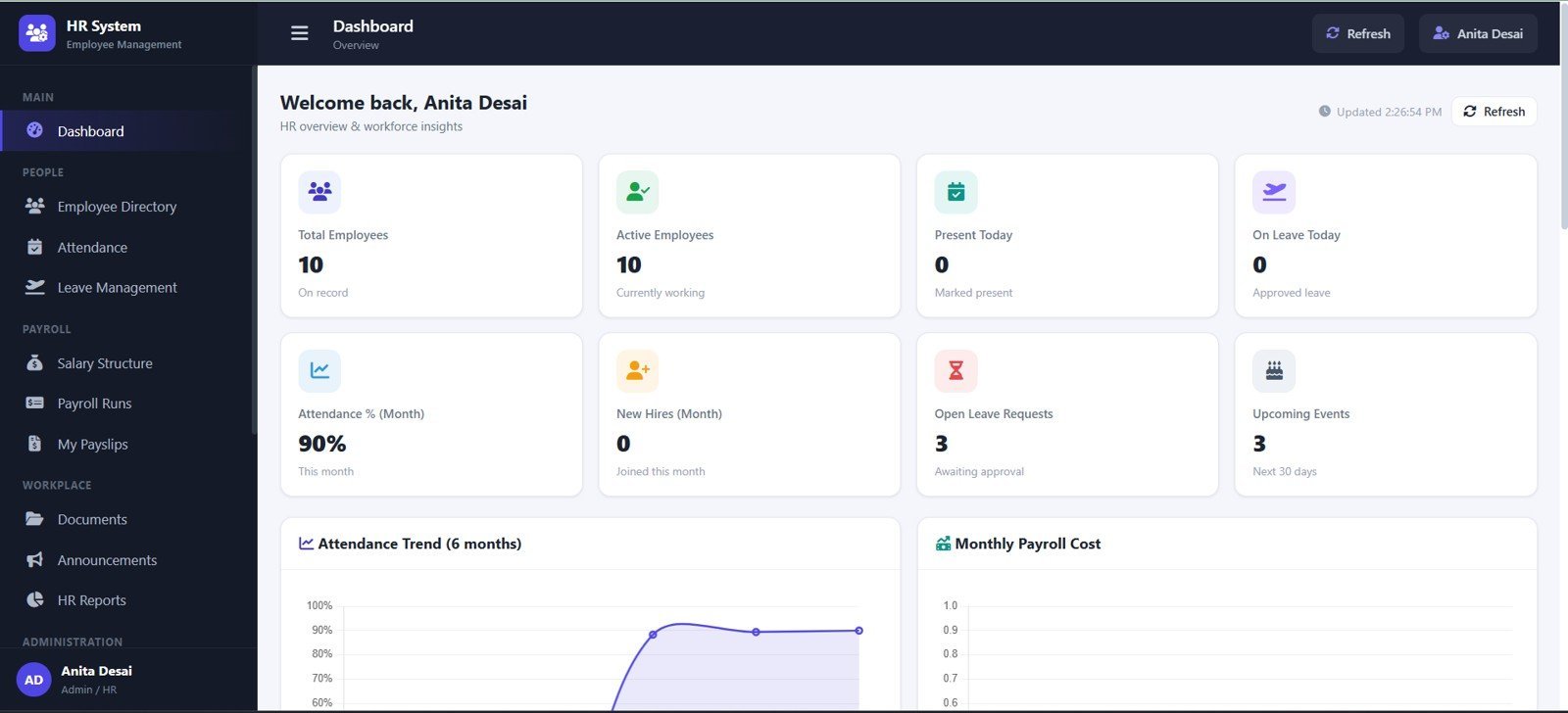
This is the closest single replacement for Workday’s core HCM: a full employee system of record you host yourself, with no per-seat fee. It is #1 because it does the one thing Workday small-team refugees miss most — a central, structured place to hold every employee’s data with role-based access — without the subscription or the administrator.
Who it is for: HR leads at 10–200-person companies who need a proper database, not another spreadsheet tab.
What is inside:
- Employee master records with departments, roles and status
- Add / edit / search / filter across the whole workforce
- Role-based login and access control
- Dashboard with live headcount and workforce metrics
- Runs in the browser — no install, no seat limits
Use cases: onboard a new hire in under two minutes; pull a department roster of 40 staff instantly; grant a manager view-only access to their own team; track active vs inactive headcount without a Workday report writer.
Price: $39.99 one-time. Get the HR Employee Management System Web App »
Best for: the team that wants Workday’s “single source of truth” without the recurring bill.
2. HR & Payroll Template Bundle — best value
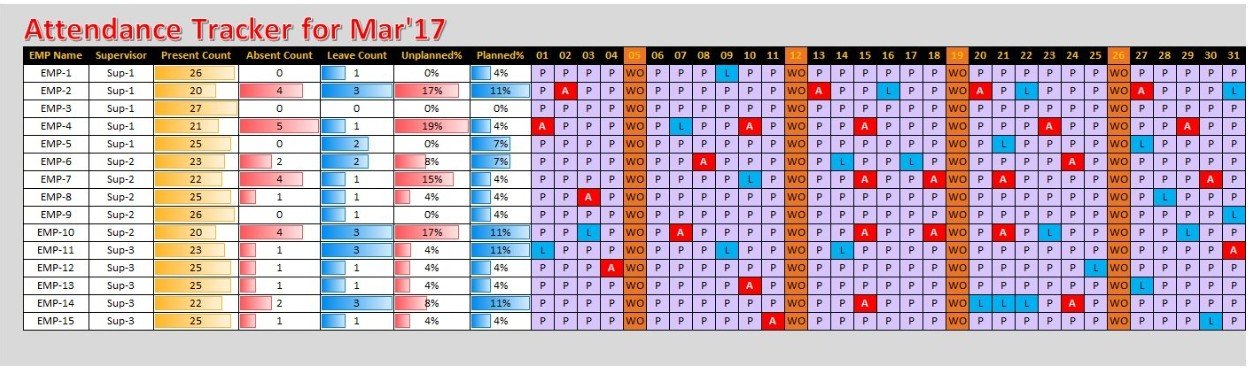
Ten essential HR tools packaged together at 43% off — the fastest way to stand up an entire HR function for less than a single month of most Workday quotes. If you are not sure which modules you will need, buy the bundle and grow into it.
Who it is for: a founder or office manager building HR from scratch who wants the whole toolkit in one purchase.
What is inside:
- 10 HR and payroll templates spanning records, leave, attendance and pay
- Consistent formatting and formulas across every file
- Excel-native — opens on any machine, no login
- 43% cheaper than buying the tools individually
Use cases: replace five separate free spreadsheets that never reconciled; hand a new HR hire a ready-made system on day one; cover leave, attendance and payroll from one download; keep total HR software spend under $15 for the year.
Price: $14.99 one-time. Get the HR & Payroll Template Bundle »
Best for: maximum coverage per dollar — the value pick of the list.
3. Employee Attendance & Payroll Management System
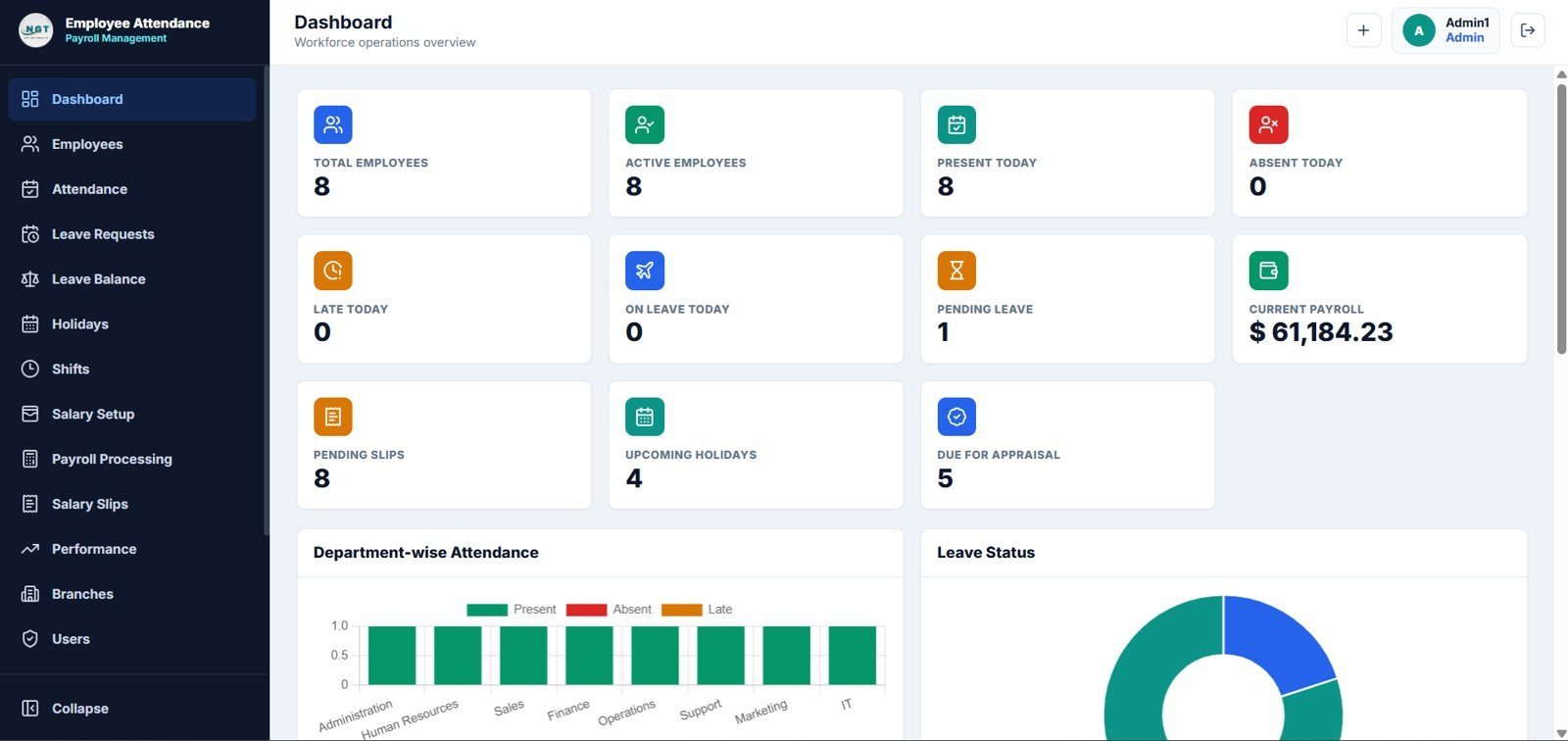
Workday’s Time Tracking and Payroll modules are two of the most expensive add-ons in any quote. This web app covers both jobs — capturing attendance and running pay — in one self-hosted tool with no per-employee charge.
Who it is for: teams that clock hours and run payroll in-house and want them connected rather than living in two disconnected spreadsheets.
What is inside:
- Daily attendance capture per employee
- Payroll calculation tied to recorded hours
- Employee records and status management
- Browser-based dashboard with attendance and pay summaries
Use cases: log attendance for 60 staff each morning; auto-calculate a monthly payroll run from recorded hours; flag absence patterns before they become a problem; export a pay summary without a Workday integration.
Price: $39.99 one-time. Get the Attendance & Payroll System »
Best for: replacing Workday Time + Payroll for an hourly or shift-based workforce.
4. HR KPI Dashboard in Google Sheets

Workday People Analytics is powerful but locked behind the platform. This Google Sheets dashboard gives you the headline HR metrics — headcount, turnover, cost-per-hire, time-to-fill — that leadership actually asks for, in a tool your whole team already knows.
Who it is for: HR managers who need a board-ready metrics page without a data analyst or a Workday report writer.
What is inside:
- Core HR KPIs with visual charts and trend lines
- Editable targets and benchmarks
- Live in Google Sheets — shareable by link, real-time collaboration
- Plug in your own headcount and turnover data
Use cases: report monthly turnover to the leadership team; track time-to-fill across open roles; monitor cost-per-hire against a target; share a live HR scorecard with a co-founder in one link.
Price: $12.99 one-time. Get the HR KPI Dashboard »
Best for: workforce analytics without the People Analytics licence.
5. Employee Productivity Tracking KPI Dashboard in Google Sheets

Where Workday reports on people, this dashboard reports on output. It tracks productivity and utilization per employee and per team so managers can see where capacity is going — the kind of operational view Workday makes you build custom.
Who it is for: team leads and operations managers who need to measure and defend workforce productivity.
What is inside:
- Per-employee and per-team productivity metrics
- Utilization and output tracking with visual charts
- Editable targets per role or team
- Google Sheets — collaborative and shareable
Use cases: compare output across two teams of 15; spot an over-loaded employee before burnout; justify a new hire with utilization data; track productivity trends quarter over quarter.
Price: $12.99 one-time. Get the Productivity Dashboard »
Best for: operational output tracking Workday does not do out of the box.
6. Employee Training KPI Dashboard in Power BI
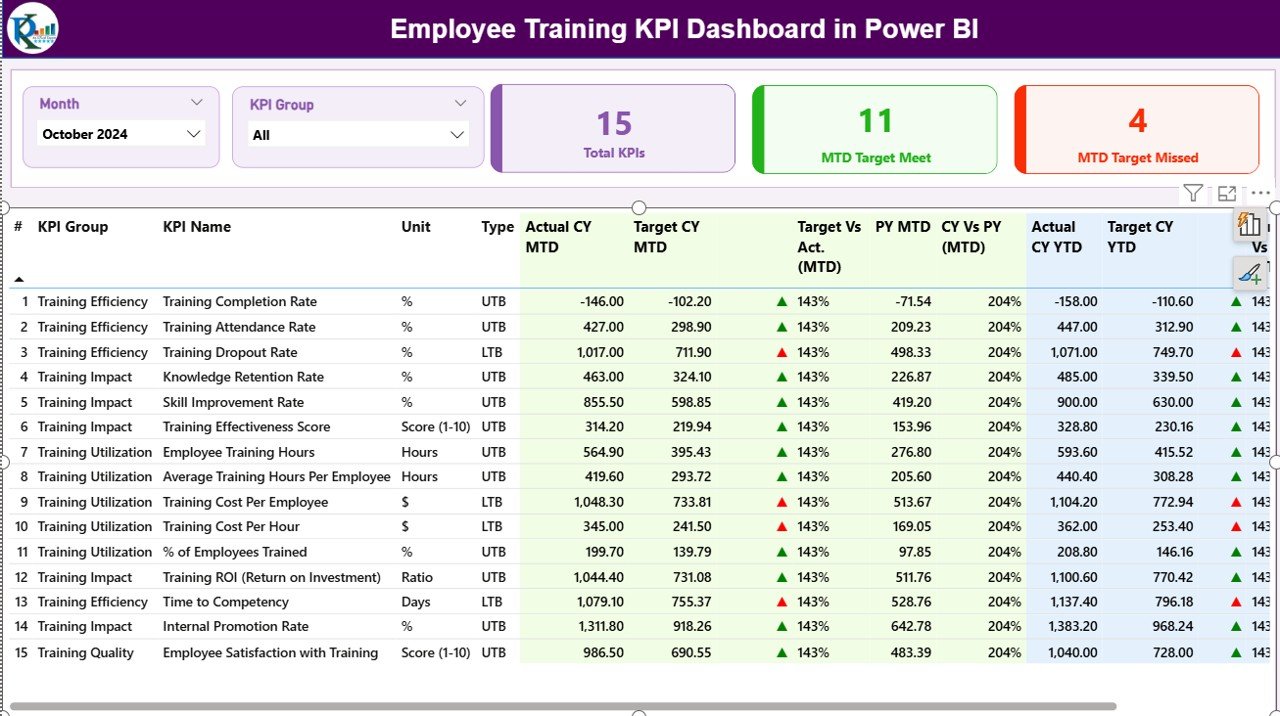
Workday Learning is a full LMS; most small teams only need to know whether training is landing. This Power BI dashboard tracks completion rates, training hours and cost per program — the reporting layer of an LMS without the LMS bill.
Who it is for: L&D and HR teams that run training through external providers but need one place to measure it.
What is inside:
- Training completion and hours by employee and department
- Cost-per-program and cost-per-employee tracking
- Interactive Power BI filters and drill-downs
- Refreshable from your own training data
Use cases: track mandatory-compliance completion across 100 staff; measure training ROI by program; report L&D spend to finance; identify departments falling behind on required training.
Price: $11.99 one-time. Get the Training Dashboard »
Best for: measuring learning without a Workday Learning licence.
7. Employee Advocacy KPI Dashboard in Power BI
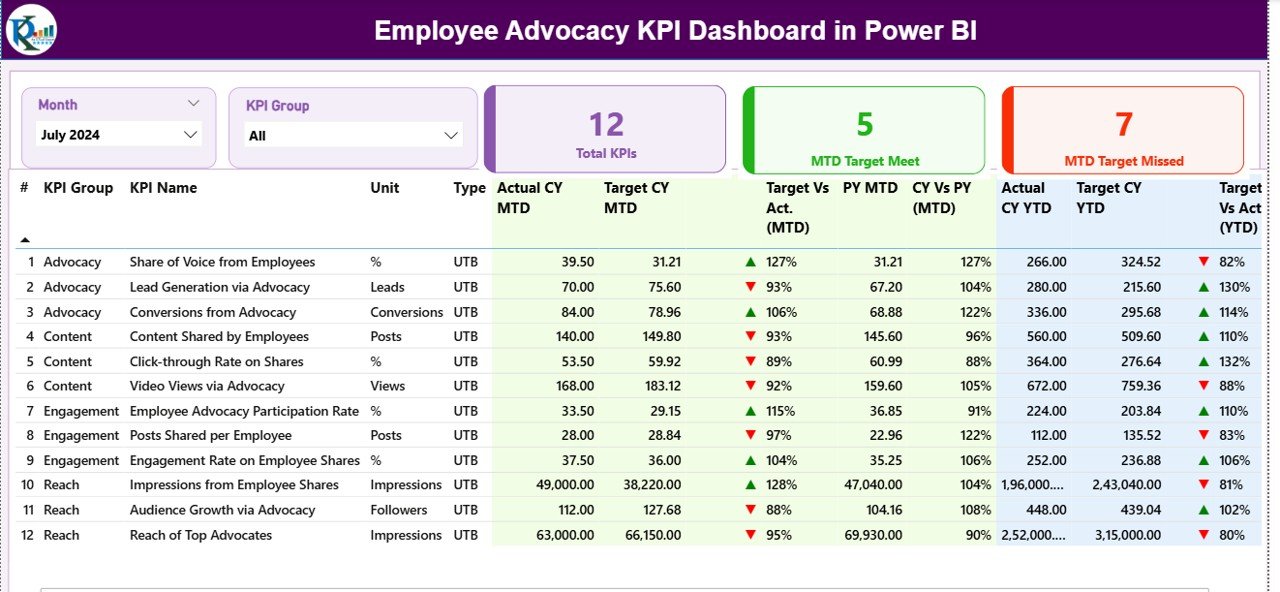
Workday’s Peakon engagement suite is a premium add-on. This Power BI dashboard covers the engagement and advocacy side — participation, sentiment and advocacy scores — so you can run an engagement program on data you already collect.
Who it is for: people teams measuring engagement and employee advocacy without a dedicated survey platform.
What is inside:
- Engagement and advocacy metrics with trend visuals
- Participation and sentiment tracking
- Interactive Power BI filtering by team and period
- Refreshable from survey or HRIS exports
Use cases: track engagement-survey participation across departments; monitor advocacy score movement after a policy change; report sentiment trends to leadership; benchmark teams against each other.
Price: $11.99 one-time. Get the Advocacy Dashboard »
Best for: engagement reporting without the Peakon subscription.
8. Healthcare HR Employee Wellness Calendar in Excel
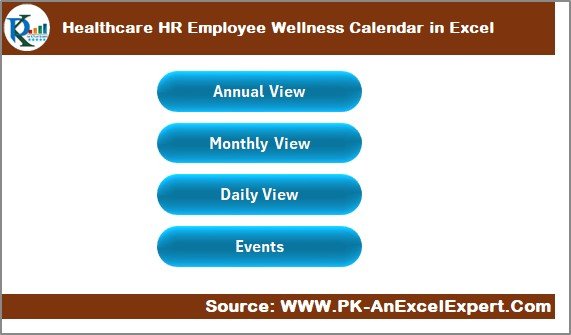
The most affordable pick and a neat replacement for the wellbeing-scheduling corner of Workday Benefits. This Excel calendar plans wellness activities, health drives and benefit events across the year — a job Workday over-serves for a small team.
Who it is for: HR and office managers running a wellness or benefits program without a benefits-administration platform.
What is inside:
- Annual wellness and benefits event calendar
- Editable categories for health, wellbeing and benefit drives
- Excel-native — print, share or embed
- Ready-to-fill layout for a full year
Use cases: schedule quarterly health drives; plan a year of wellbeing activities in one sheet; coordinate open-enrollment reminders; share a wellness calendar with the whole office.
Price: $4.99 one-time. Get the Wellness Calendar »
Best for: the smallest, cheapest slice of Workday Benefits.
How to choose between them
Use this quick decision path:
- Need one central employee database? Start with the HR Employee Management System Web App.
- Want everything and unsure what you’ll use? Buy the HR & Payroll Bundle — best value.
- Run hourly staff and payroll? Get the Attendance & Payroll System.
- Just need reporting? Pick the dashboard for your tool — Google Sheets for HR and productivity, Power BI for training and engagement.
- On a $5 budget? The Wellness Calendar is the entry point.
Most small teams end up pairing a system (web app) with a dashboard (analytics) — that combination covers roughly 80% of what they used Workday for, at a combined cost under $55 one-time.
When Workday is still the right call
We would be doing you a disservice to pretend a spreadsheet replaces an enterprise HCM in every case. Buy or keep Workday when:
- You have 500+ employees across multiple countries. Multi-entity, multi-currency payroll and localized compliance are exactly what Workday is engineered for, and templates will not scale there.
- You need audit-grade compliance and SOC-level controls. Regulated industries with formal audit trails, segregation of duties and automated compliance reporting need a platform, not files.
- Employee self-service at scale matters. When thousands of employees update their own details, request leave and enroll in benefits directly, Workday’s self-service portal earns its cost.
- You want deep integrations. Native connections to finance, recruiting and third-party systems, plus a real API, are beyond what a template offers.
- You have a dedicated HRIS team. If you already staff an administrator, the platform’s configurability becomes an asset instead of overhead.
The honest rule of thumb: under ~200 employees with a couple of active modules, templates win on cost and simplicity. Above that, or in a regulated, multi-country setup, Workday’s price starts to make sense. Many teams also run a hybrid — Workday for core payroll, templates for the analytics and planning layers that are cheaper to own outright.
Frequently asked questions
How much does Workday cost per employee?
Workday does not publish public pricing; every deal is a custom quote. Independent buyer research commonly cites figures around $99 per employee per year at the entry level, rising with headcount and modules. Implementation is separate and frequently runs into five figures, which is why small teams look for one-time alternatives.
What is the cheapest Workday alternative?
Among the templates here, the Healthcare HR Employee Wellness Calendar at $4.99 is the cheapest single tool. For broad coverage, the HR & Payroll Template Bundle at $14.99 gives ten tools for less than the cost of one month of most Workday quotes — the best value overall.
Can a spreadsheet really replace Workday?
For teams under about 200 employees using two or three modules, yes — a web-app HR system plus a KPI dashboard covers core records, attendance, payroll and analytics. It will not replace enterprise self-service, multi-country payroll or audit-grade compliance, which is where Workday still wins.
Do these templates require a subscription?
No. Every template on this list is a one-time purchase between $4.99 and $39.99. You own the file, there are no per-employee fees, no user caps and no recurring bill — the opposite of Workday’s per-seat annual model.
Which template is the closest all-in-one Workday replacement?
The HR Employee Management System Web App ($39.99) is the closest single tool — it provides a central employee system of record with role-based access and a live dashboard, which is the core of what Workday HCM does, minus the subscription and the administrator overhead.
Can I use these with Google Sheets instead of Excel?
Yes. The HR KPI Dashboard and Employee Productivity Tracking Dashboard are built natively in Google Sheets for real-time collaboration. The web apps run in any browser. Excel files also open in Google Sheets, so you are covered whichever spreadsheet tool your team uses.
Do these handle payroll like Workday?
The Employee Attendance & Payroll Management System calculates payroll from recorded hours for a single-country team, which suits most small businesses. It does not handle multi-country, multi-currency payroll or automated tax filing — if you need those, Workday or a dedicated payroll provider is the better fit.
Are these templates a good fit for a startup?
They are ideal for startups. A founder can stand up an entire HR function with the $14.99 bundle, add the $39.99 employee system as headcount grows, and layer dashboards for reporting — all for under $60 one-time, avoiding a per-seat contract during the years when cash matters most.
What about employee self-service?
This is the main trade-off. The web apps offer role-based access, but they are not built for thousands of employees self-serving leave requests and benefit enrollment. If large-scale self-service is a core requirement, that is a genuine reason to stay on Workday.
Can I customize these templates?
Yes. Every template is fully editable — adjust fields, formulas, categories and branding to match your organization. That is a key advantage over Workday, where configuration changes often require an administrator or consultant.
Get more Workday alternative templates
Ready to leave the per-seat bill behind? The fastest start is the HR & Payroll Template Bundle for $14.99 — ten HR tools at 43% off, less than a single month of most Workday quotes. Pair it with the HR Employee Management System Web App ($39.99) for a complete, subscription-free HR stack.
Exploring alternatives to other business software too? See our guides to HubSpot alternatives, Salesforce alternatives, Monday.com alternatives, Asana alternatives, Zoho CRM alternatives and Pipedrive alternatives. Working in a clinical setting? Our healthcare & hospital management templates pair well with the HR tools above.
For walkthroughs of these dashboards and systems in action, subscribe to the NextGenTemplates YouTube channel.
Related: Planning headcount is one job; rostering it week to week is another. Our guide to Deputy alternatives: 6 shift scheduling templates in Excel & Sheets covers the shift schedule, attendance and workforce-planning files that sit underneath this reporting, from $6.99 one-time.
Related: Workday sits at the enterprise end of this market; Rippling chases the same buyer much further down it, pairing HR with IT device management. For the small-team version of that switch, see our Rippling alternatives — 6 HR & IT asset templates in Excel & Sheets — from $1.99, paid once.