

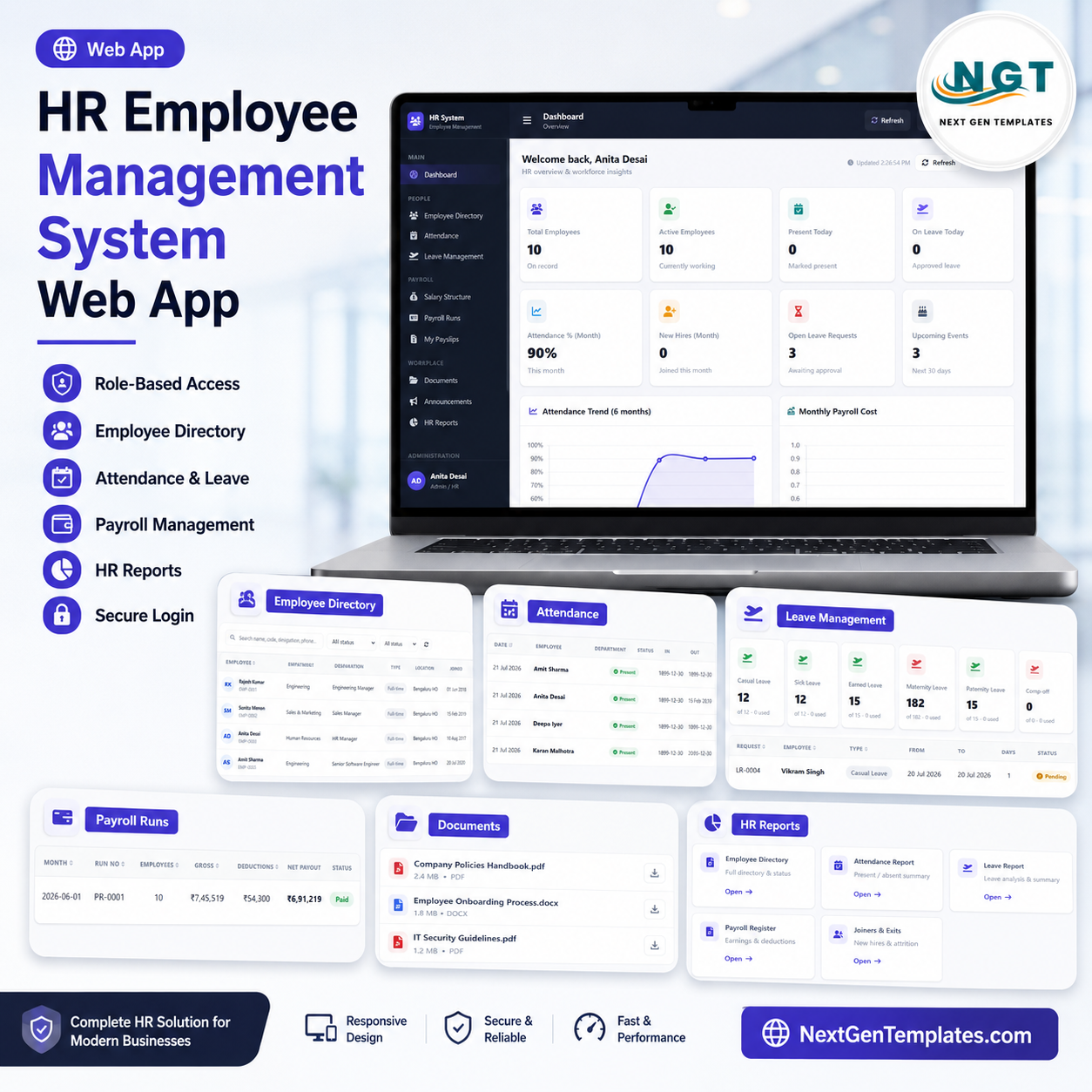

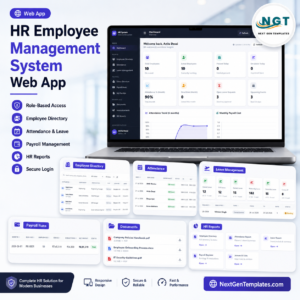
The HR Employee Management System Web App gives HR teams a 16-page browser workspace for employee records, attendance, leave, salary, payroll, payslips, documents, announcements, reports, settings, archive rules, and audit logs. The U.S. Bureau of Labor Statistics reported that private-industry compensation costs averaged $46.60 per hour worked in March 2026, with wages and salaries accounting for 69.9% of employer costs, so even small HR and payroll errors can become expensive. Built by PK, a Microsoft Certified Professional with 15+ years of experience and 300K+ YouTube subscribers, this $39.99 launch-sale web app template lets buyers review every major page before purchase.
Use it when you want more structure than separate HR spreadsheets, but you are not ready for a high-cost HR SaaS rollout. It is designed for small businesses, schools, clinics, agencies, branch offices, consultants, and operations teams that need employee lifecycle, attendance, leave, payroll, and document workflows in one editable system.
Key Features of HR Employee Management System Web App
- 16 connected pages: Login, dashboard, employee directory, attendance, leave, salary, payroll, payslips, documents, announcements, reports, user management, lists, settings, archive, and audit log.
- Employee lifecycle tracking: Manage employee records by department, designation, employment type, location, joined date, and status.
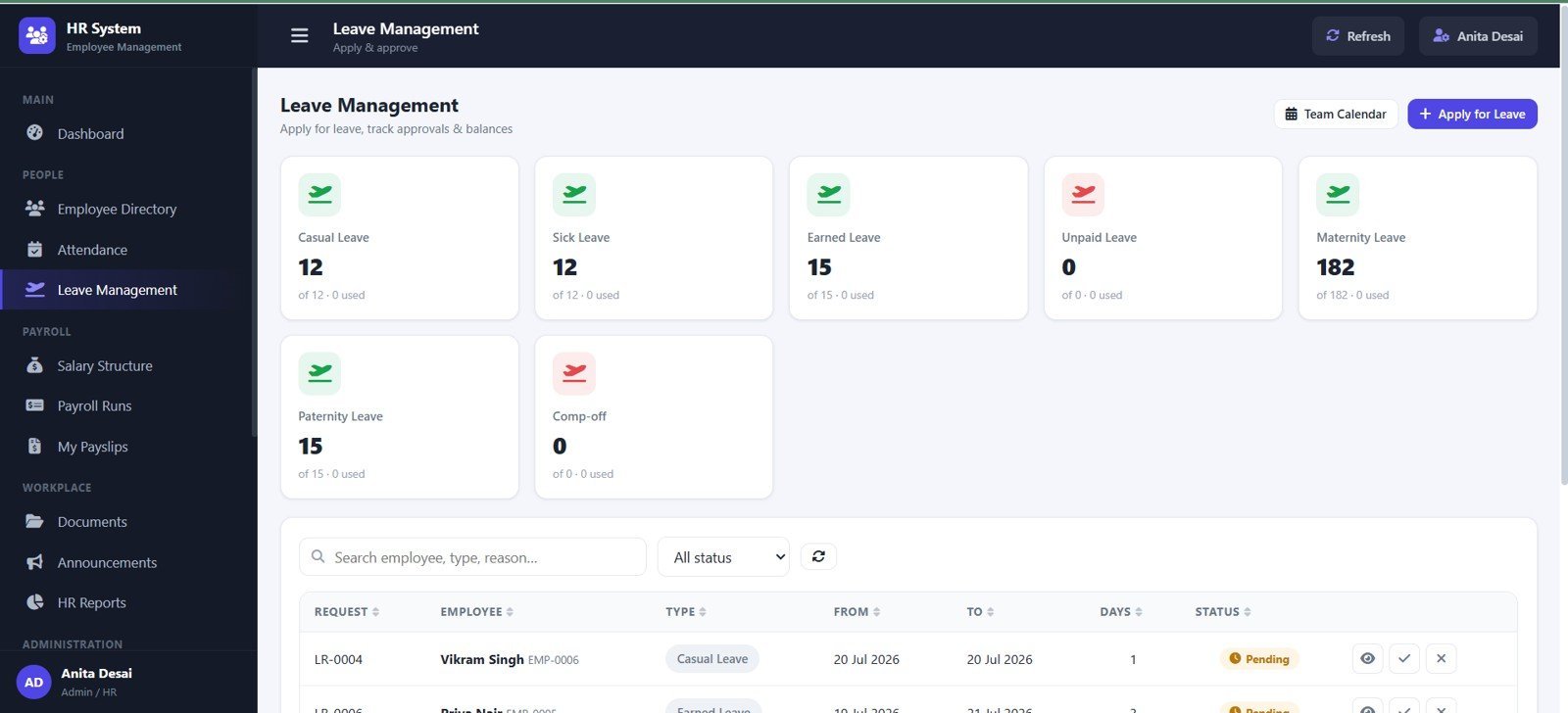
- Attendance and leave workflow: Review daily attendance, present status, leave requests, leave balance, approval status, and attendance remarks.
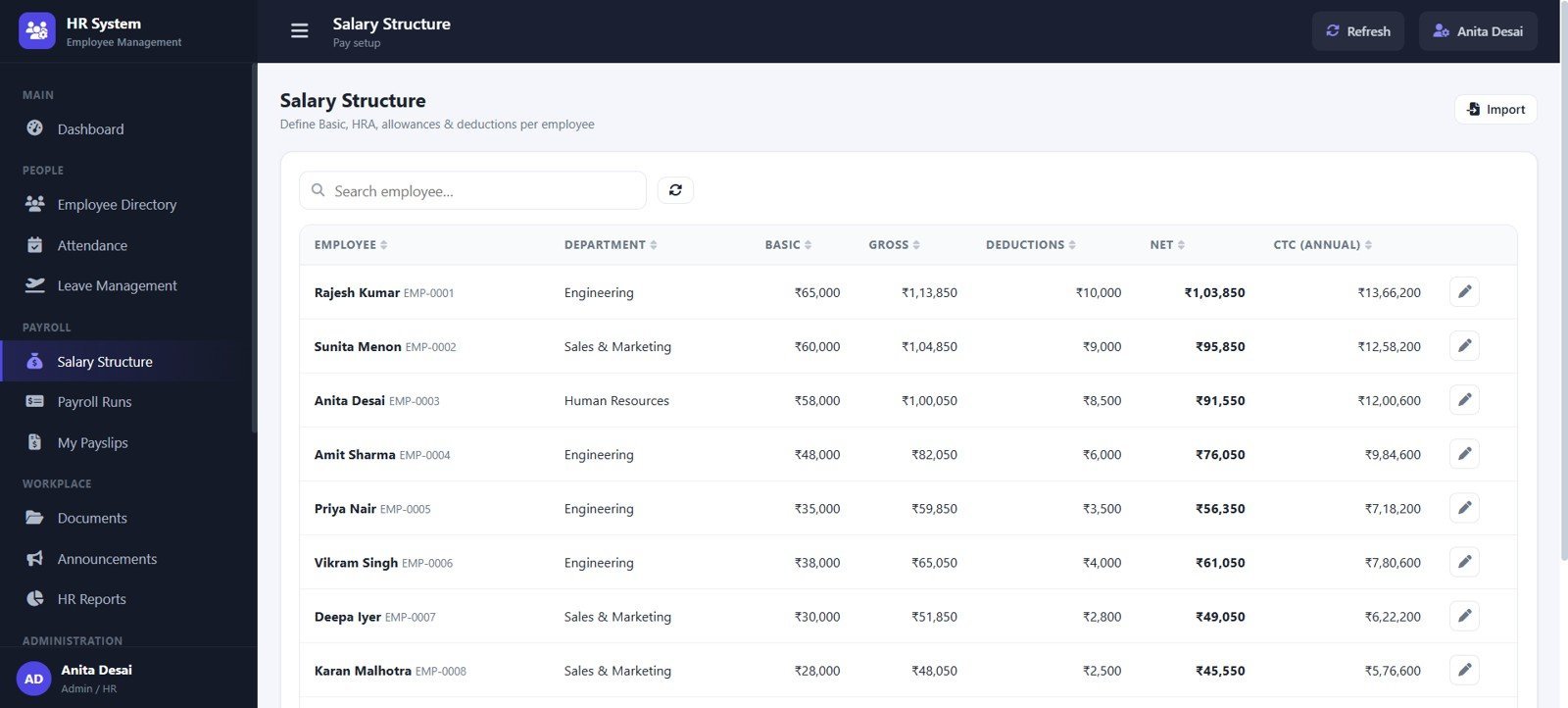
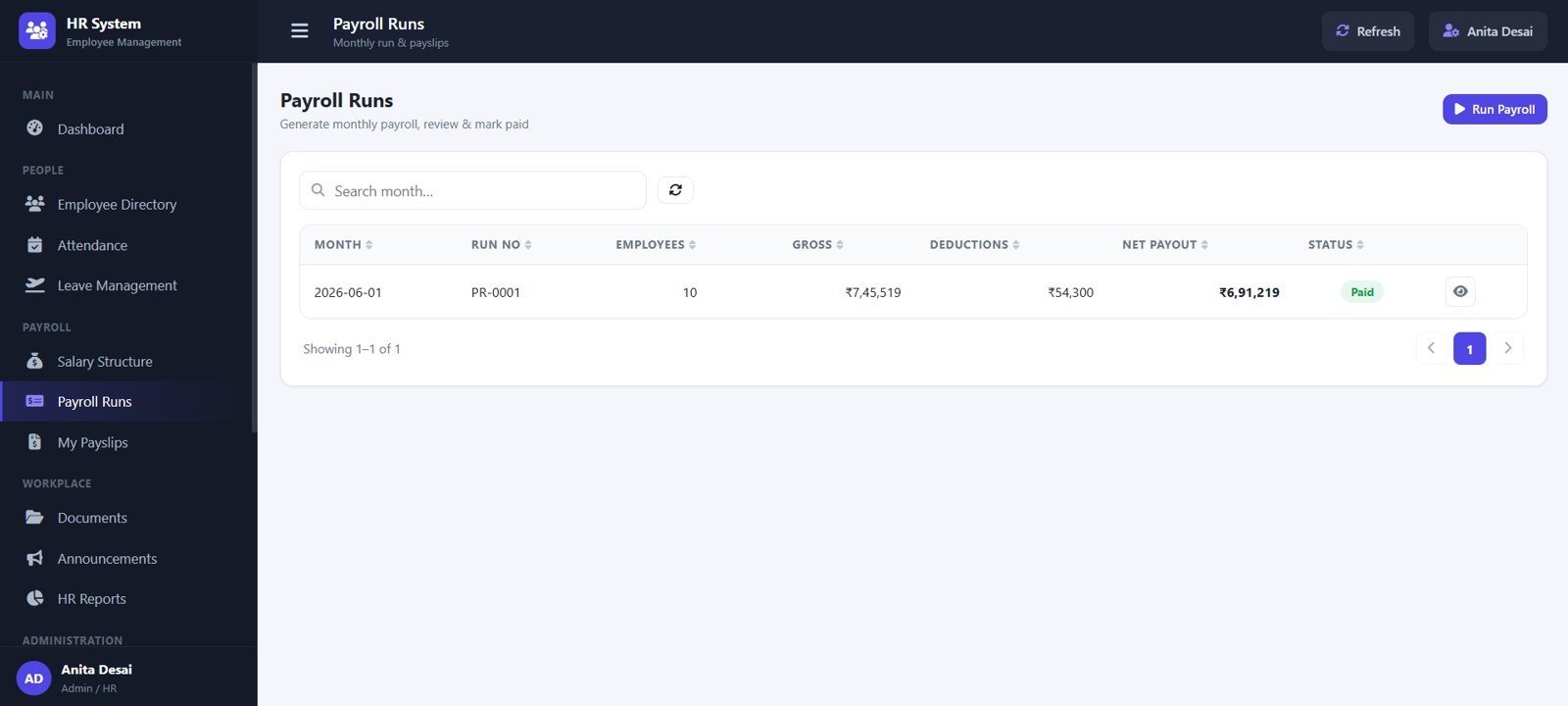
- Payroll and payslip control: Track salary structure, payroll runs, gross pay, deductions, net payout, payable days, and payslip status.
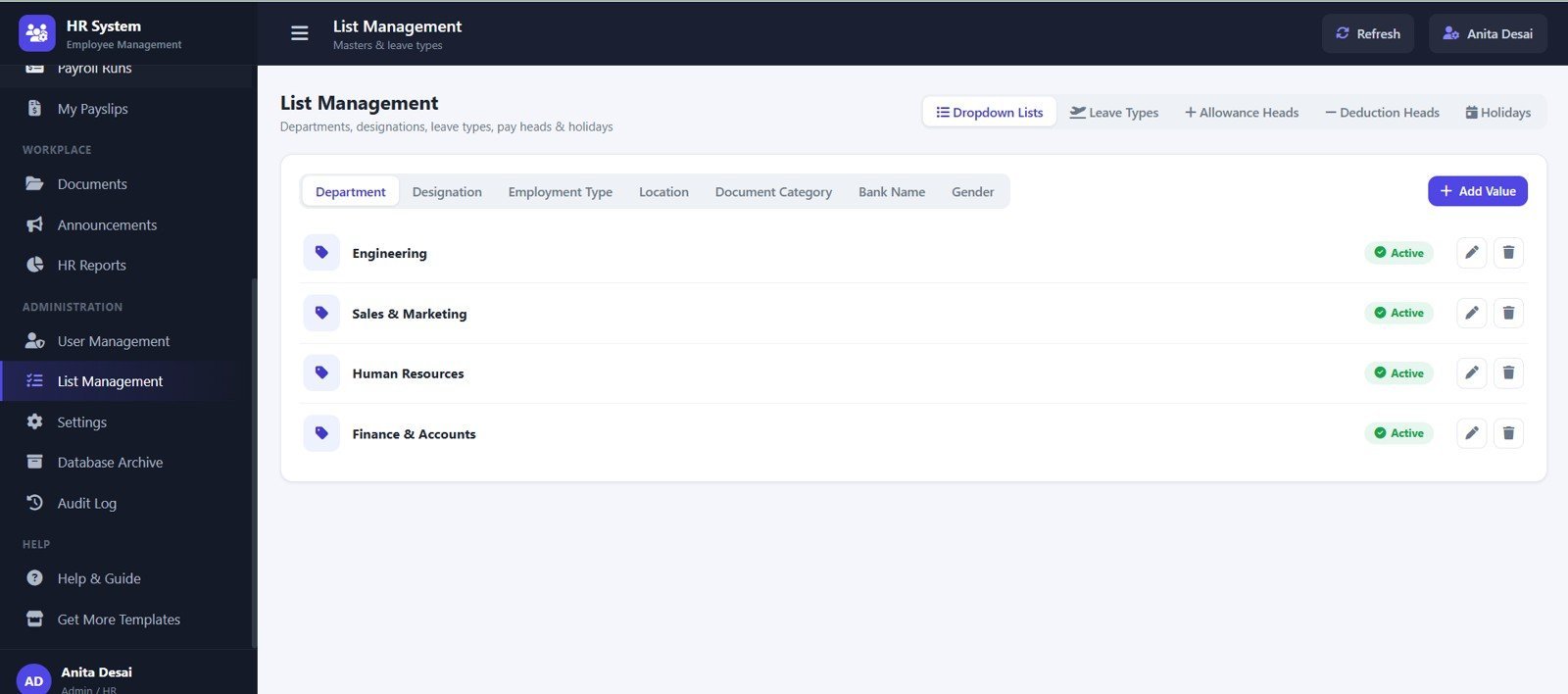
- Admin setup pages: Maintain users, leave types, allowance heads, deduction heads, holidays, departments, designations, locations, bank names, and settings.
- Archive and audit visibility: Review old attendance, closed leave, finalized payroll, eligible rows, archive history, user activity, modules, and login activity.
What’s Inside the HR Employee Management System Web App
The template is organized around the daily HR operating cycle: sign in, review dashboard cards, update employee records, record attendance, approve leave, manage salary details, run payroll, issue payslips, maintain documents, publish announcements, and review audit history.
1. Login Page
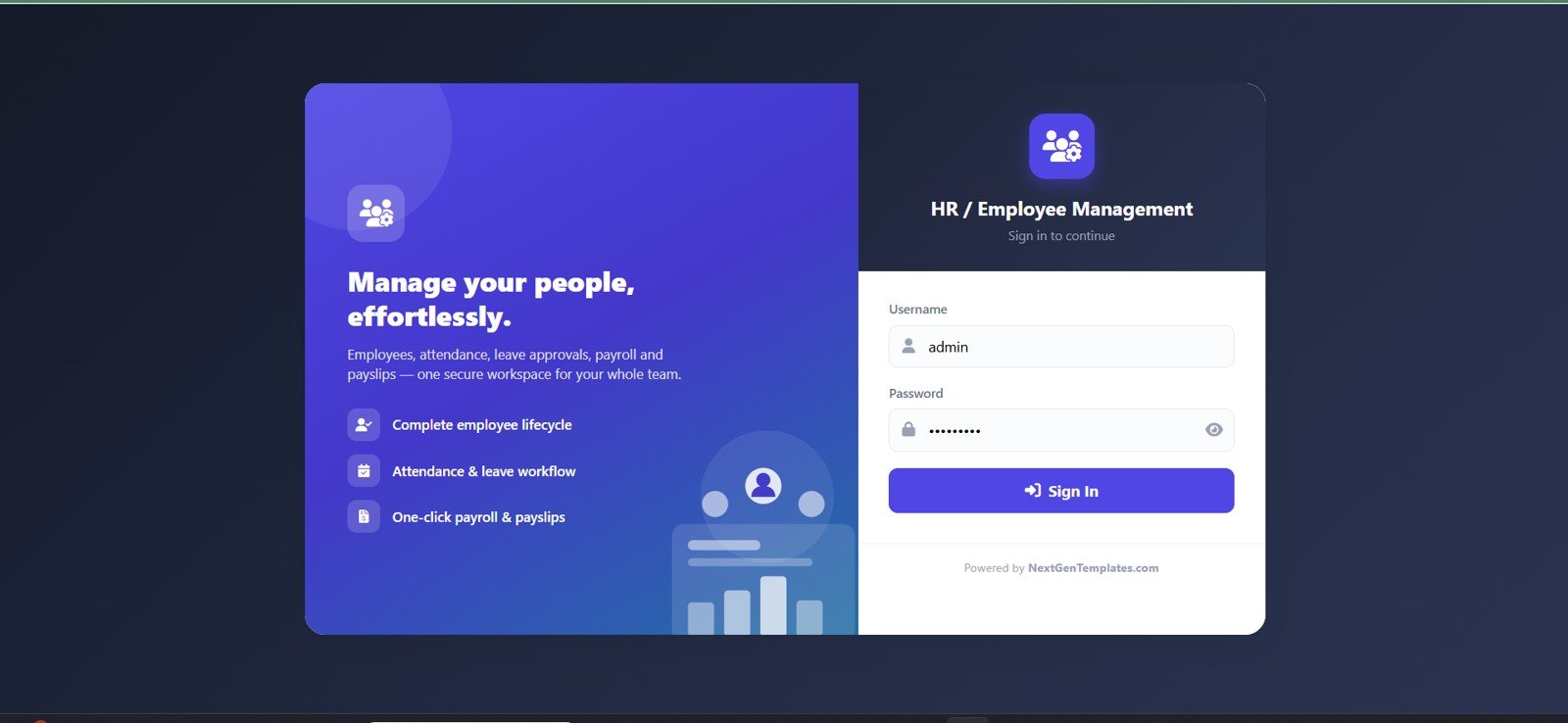
The Login Page starts the system with username and password sign in. It introduces the people-management workspace and gives users a controlled entry point before they access employee, attendance, leave, payroll, and admin pages.
🚀 Try the Live Demo Before You Buy
We have deployed this web app in our own Google account so you can test every page, every role, and the full attendance → leave → payroll flow — with real sample data — before purchasing. No signup, no email required.
🔑 Test Login Credentials
Sign in as admin to run payroll, set up salaries, manage users & settings and view the audit log; as rajesh (Manager) to approve your team’s leave, track attendance and pull department reports; or as priya (Employee) to mark attendance, apply for leave and view your own payslips.
💡 More test logins: sunita / Manager@123 (Sales Manager), and employees amit, deepa, neha — all with password Emp@123.
💡 What you get after purchase: The full source code (Code.gs + Index.html) plus a step-by-step deployment guide so you can deploy your own private instance in your own Google account in under 15 minutes.
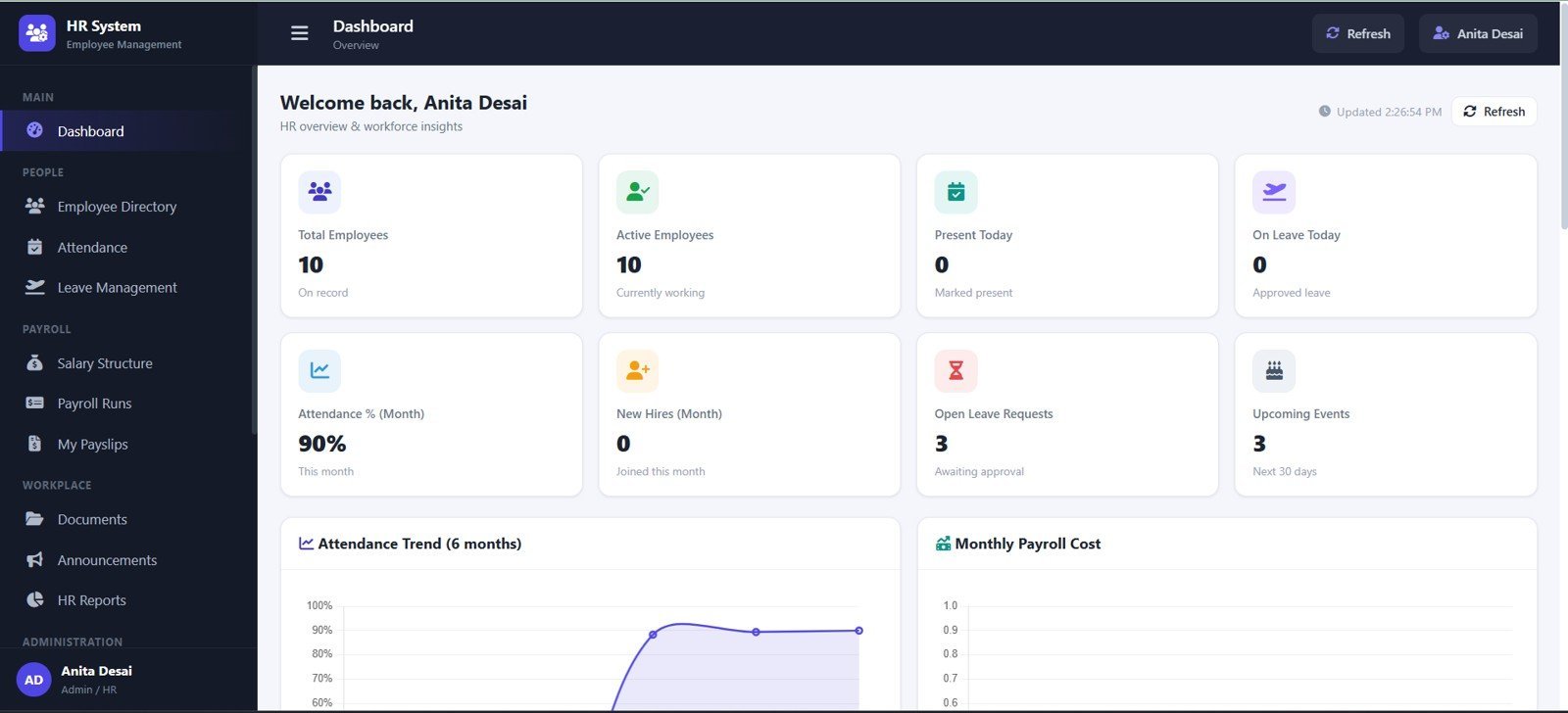
2. Dashboard Overview
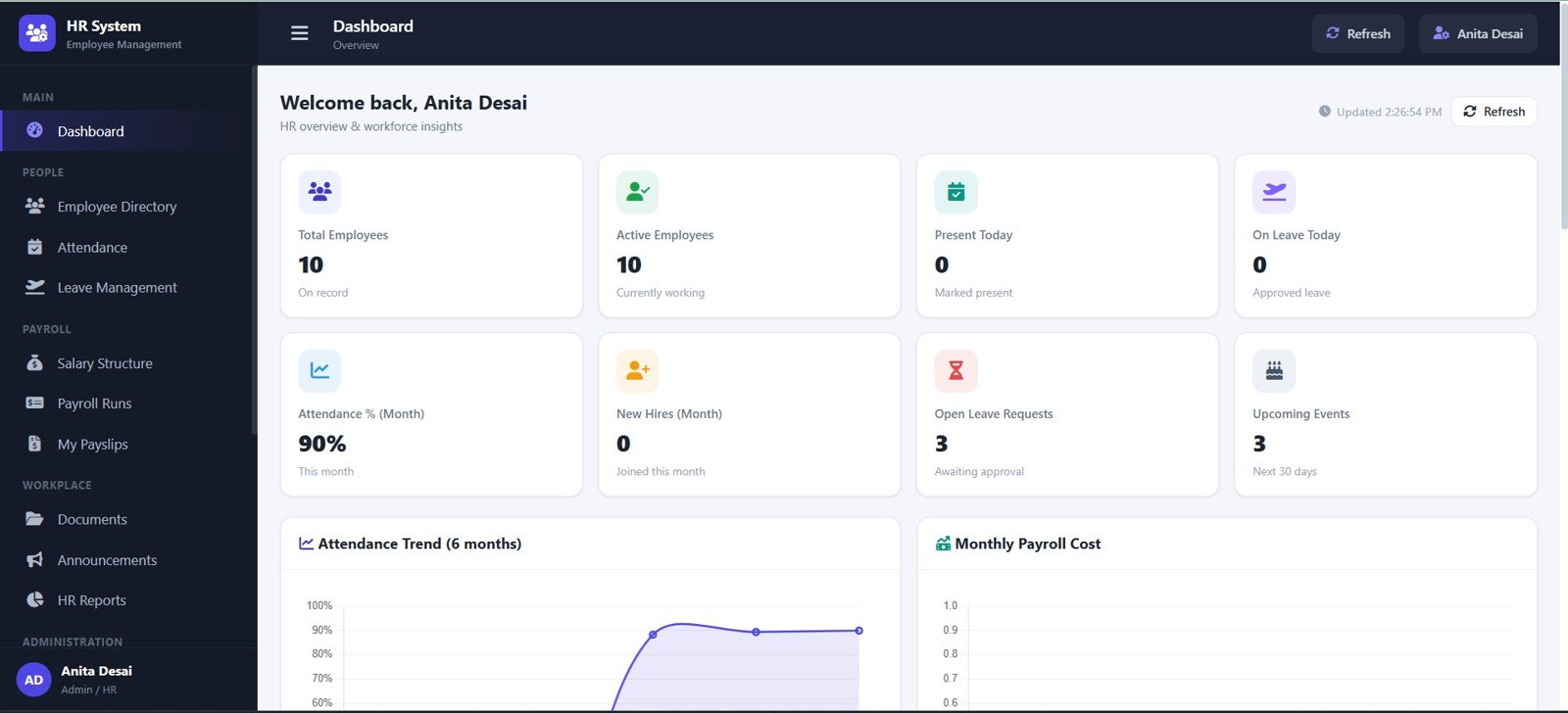
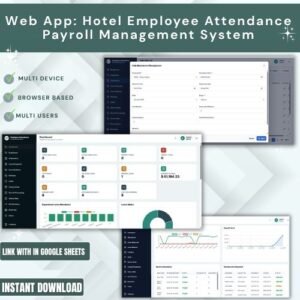
The dashboard shows Total Employees, Active Employees, Present Today, On Leave Today, Attendance Percent, New Hires, Open Leave Requests, Upcoming Events, Attendance Trend, and Monthly Payroll Cost.
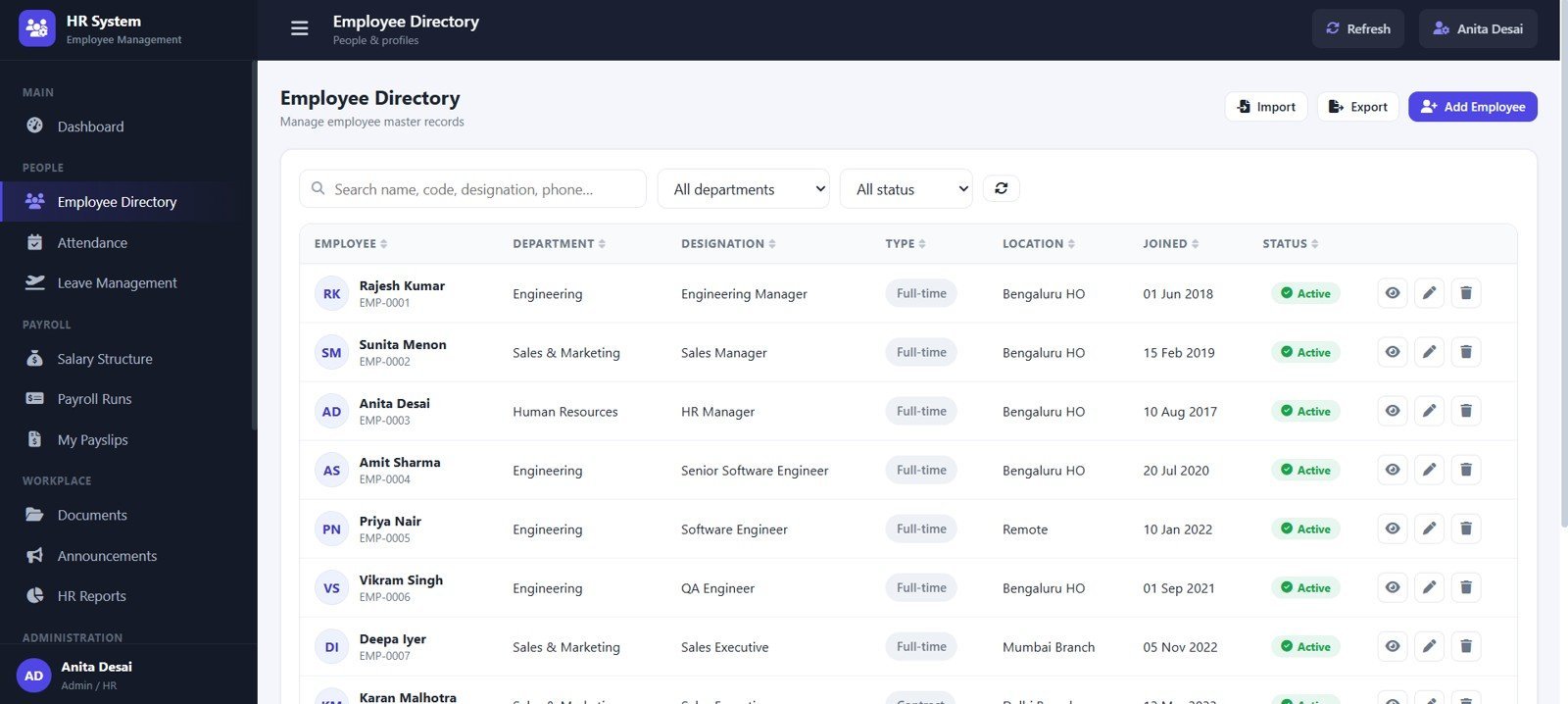
3. Employee Directory
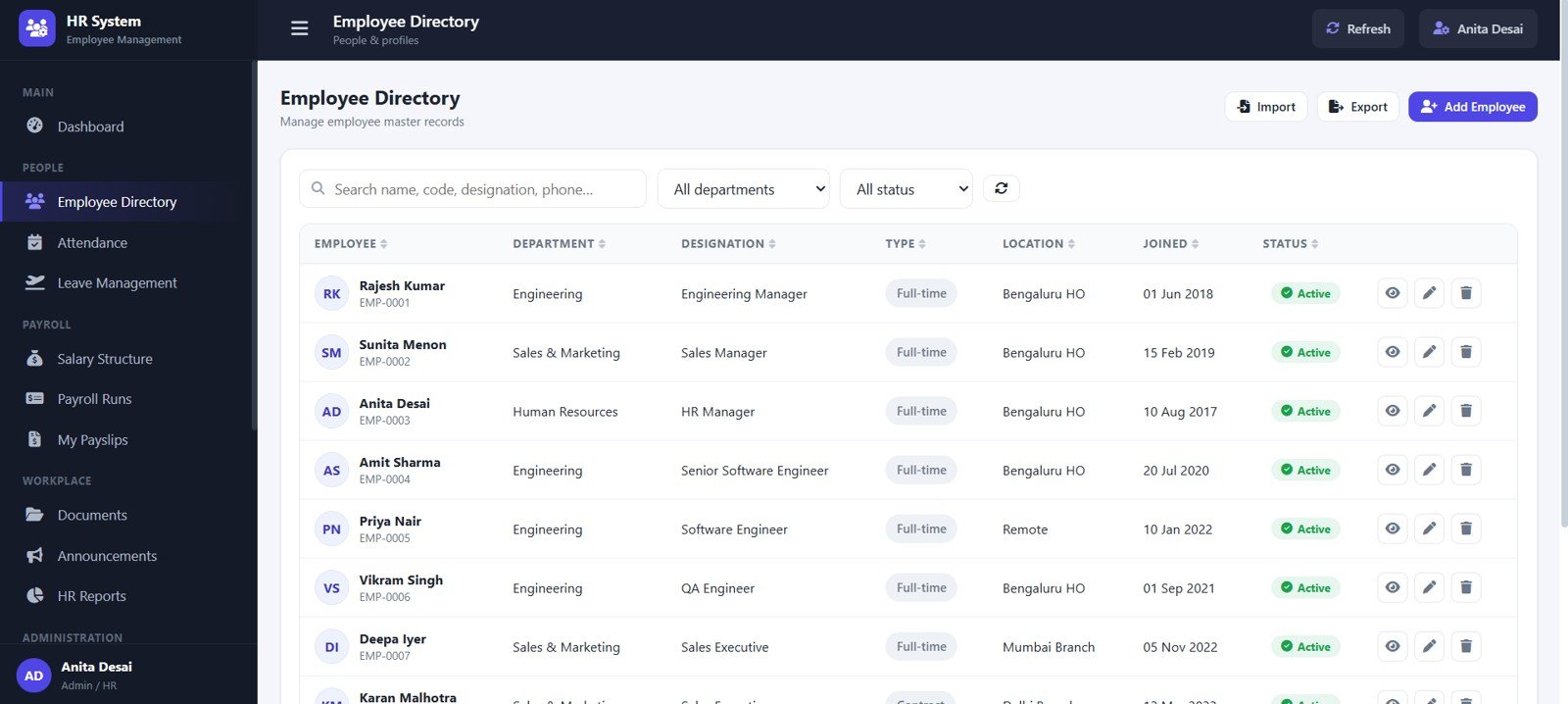
The Employee Directory organizes records by department, designation, employment type, location, joined date, status, and row-level actions.
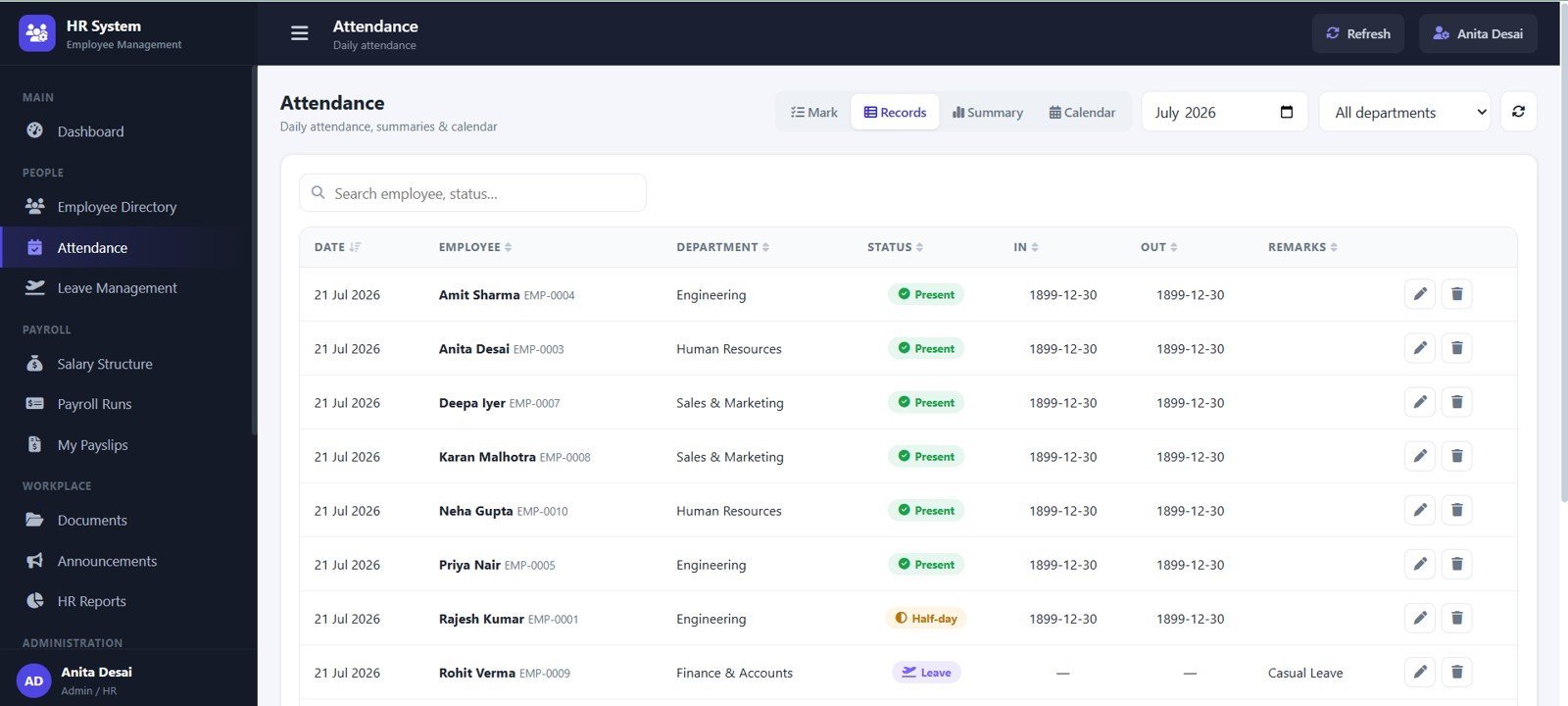
4. Attendance
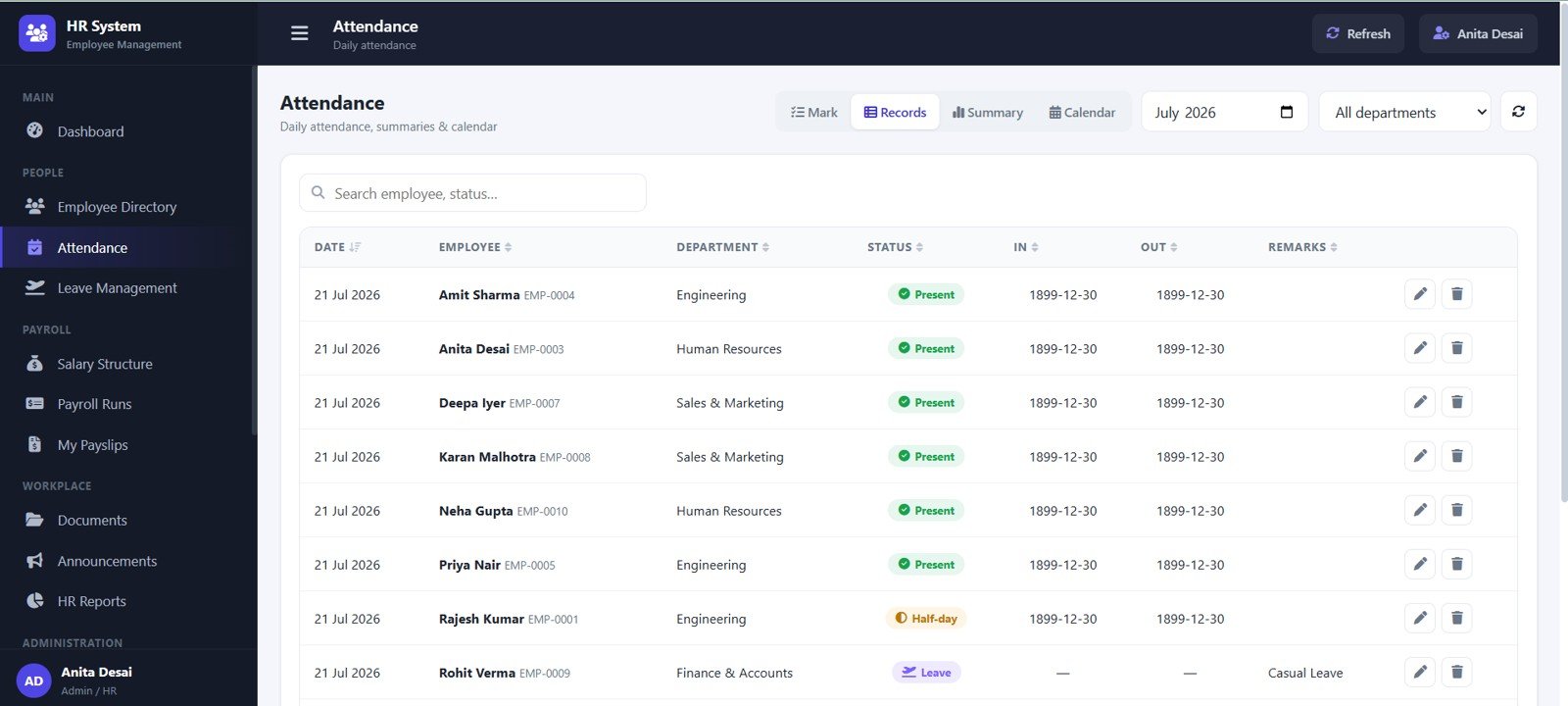
The Attendance page tracks attendance records by date, employee, department, employee status, in time, out time, and remarks.
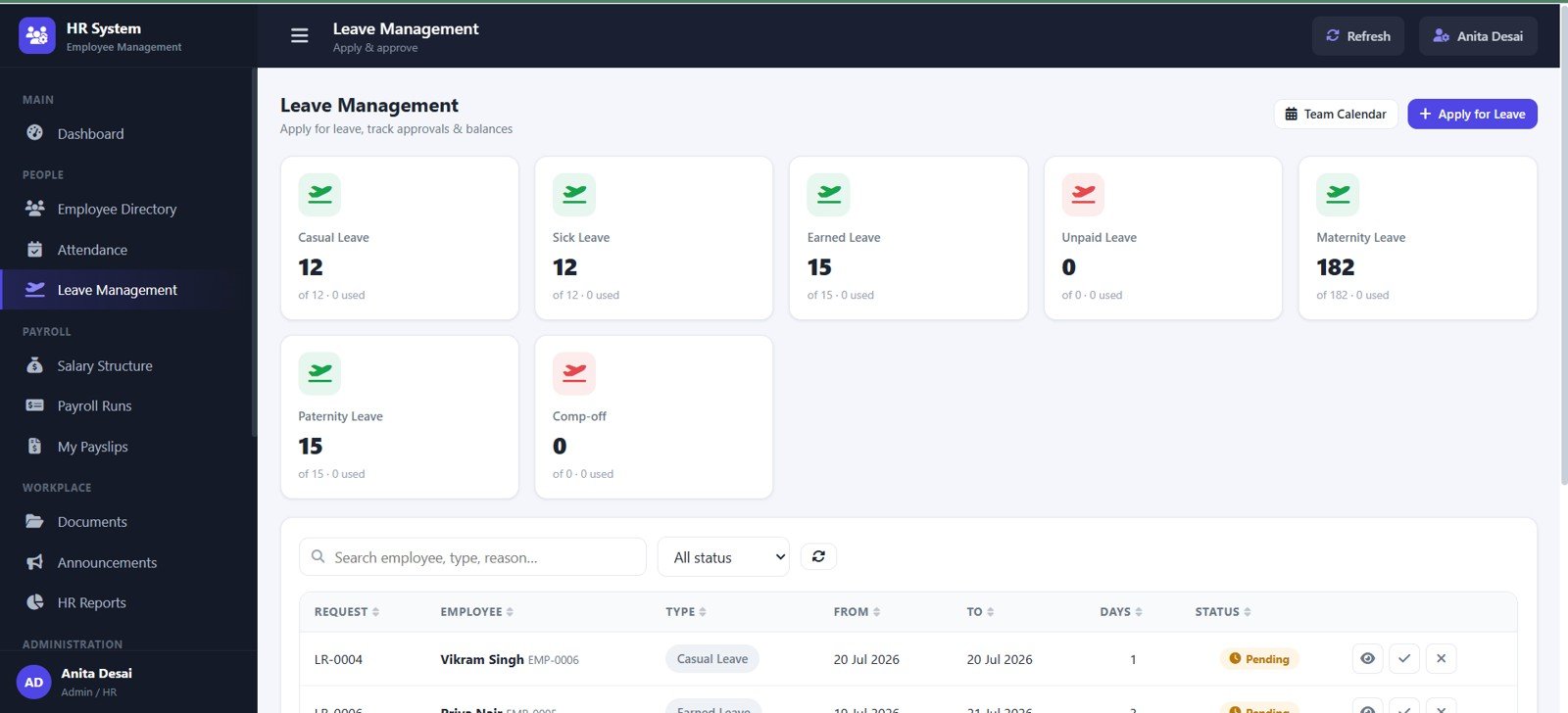
5. Leave Management
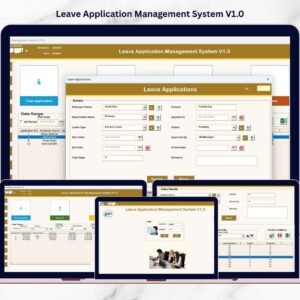
Leave Management helps review leave balance by type, leave requests by employee, date range, days, approval status, and request actions.
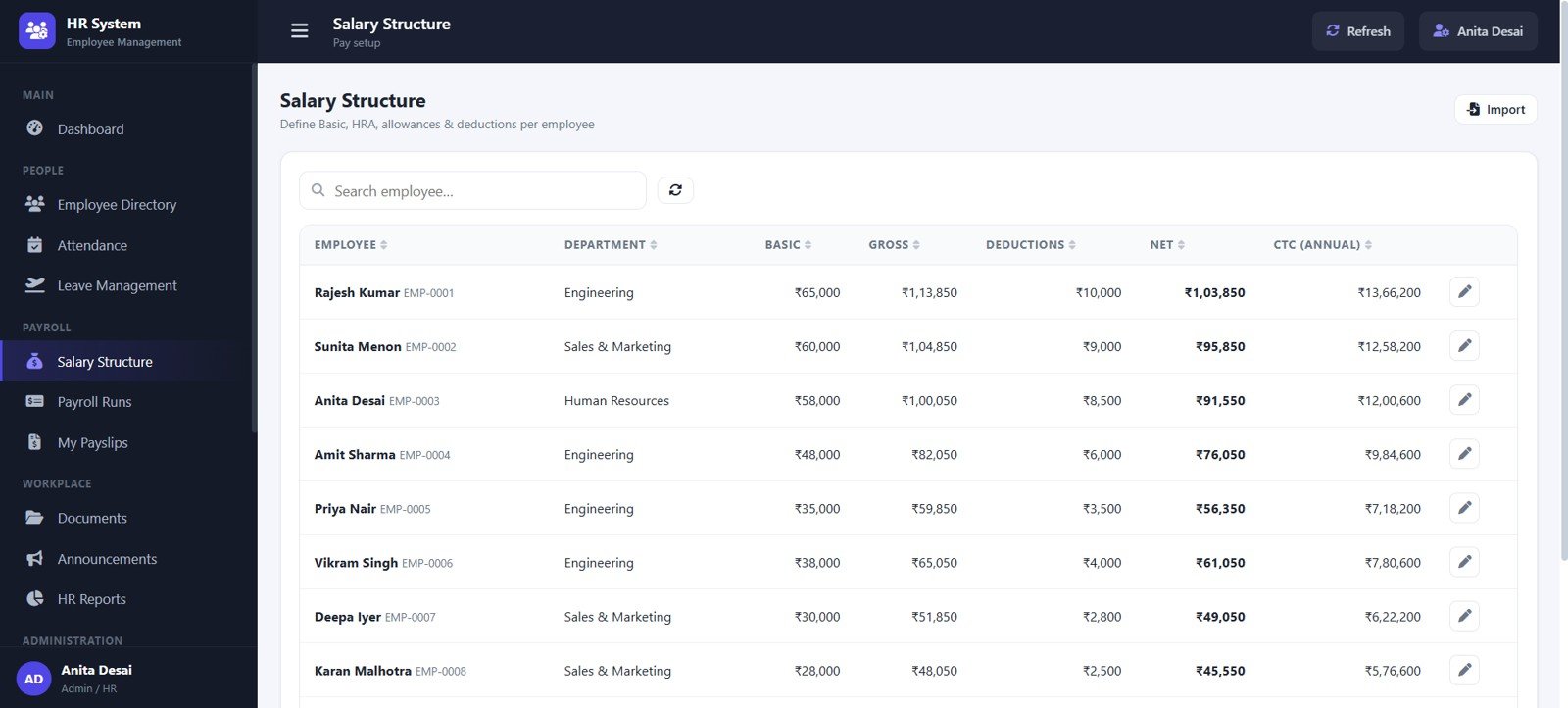
6. Salary Structure
Salary Structure keeps employee salary details, basic pay, gross salary, deductions, net pay, annual CTC, and department-level review together.
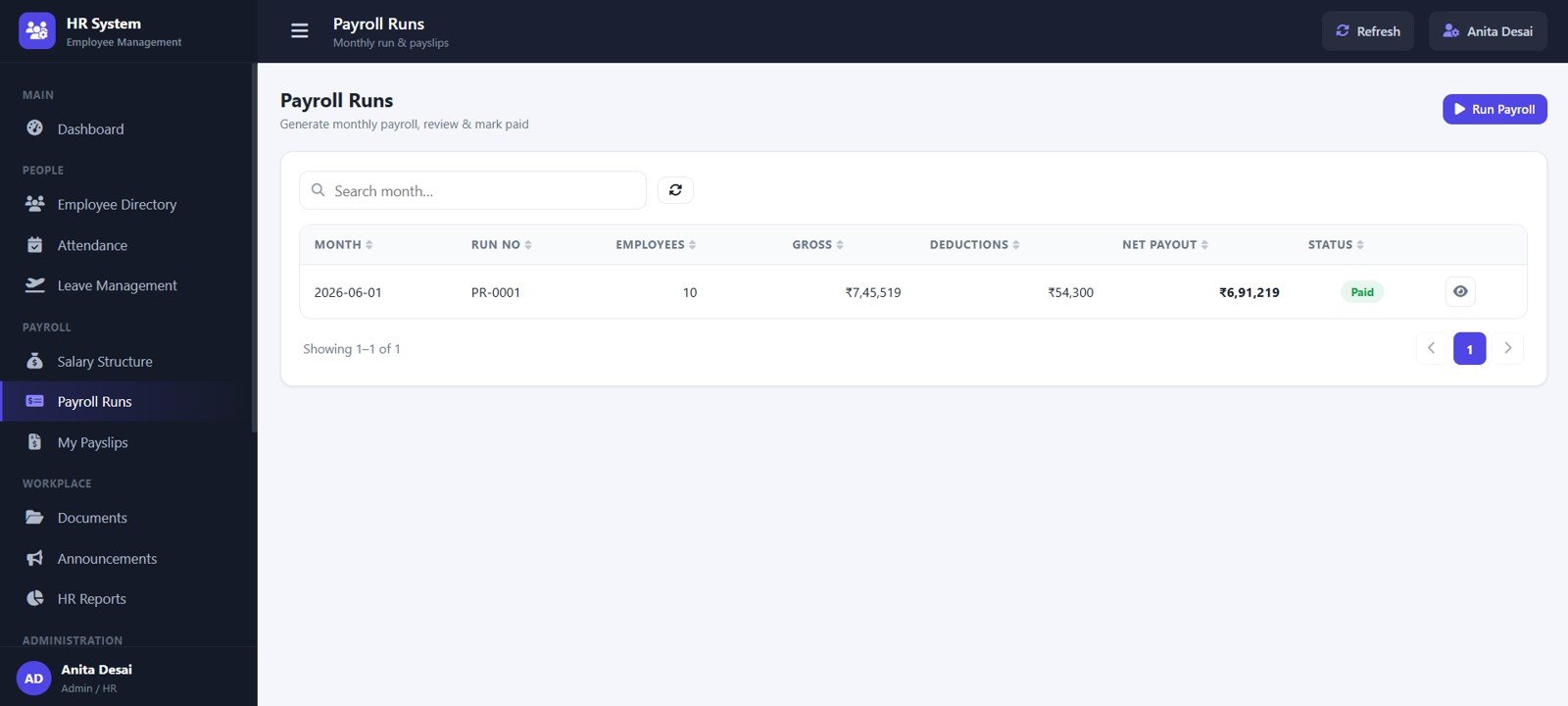
7. Payroll Runs
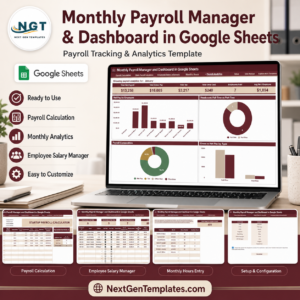
Payroll Runs groups payroll by month, run number, employees, gross pay, deductions, net payout, and payroll status.
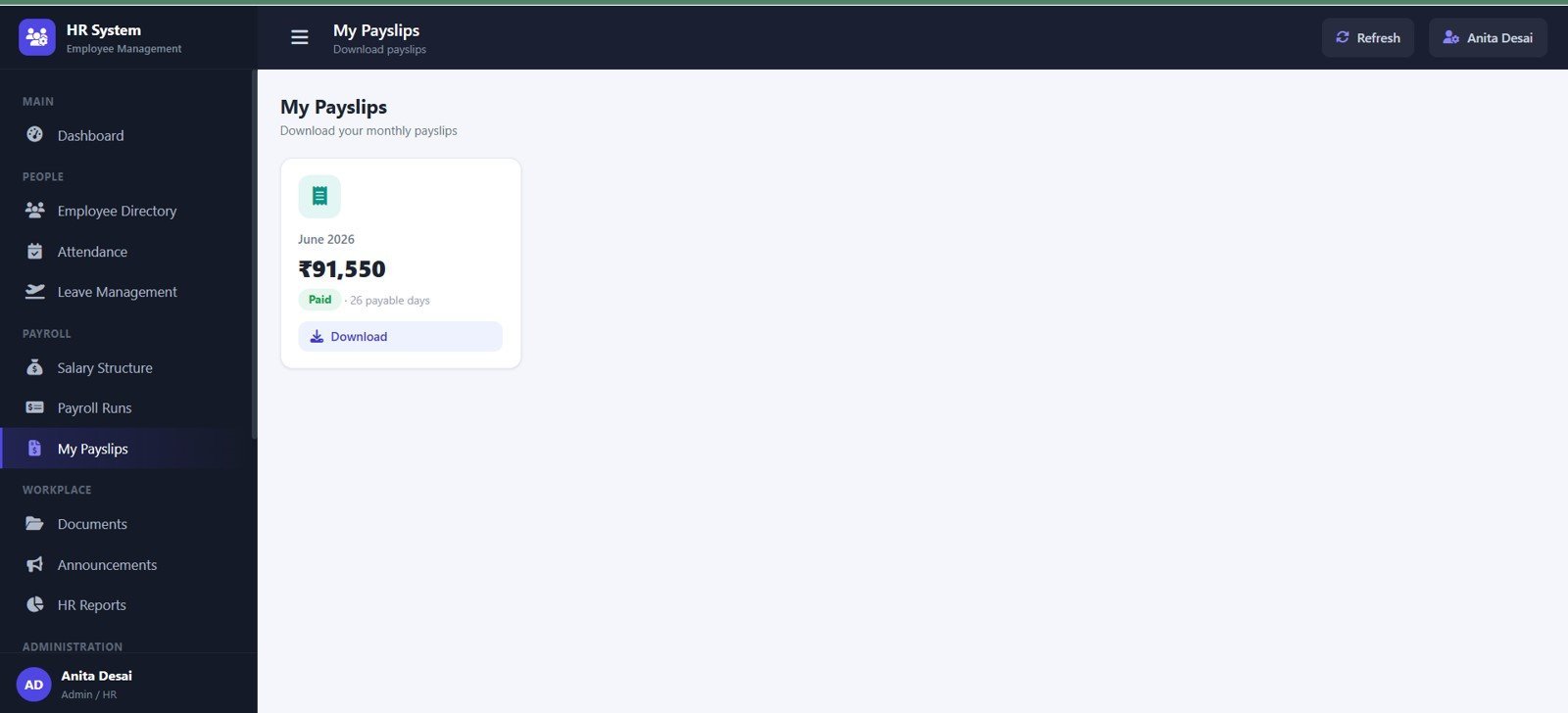
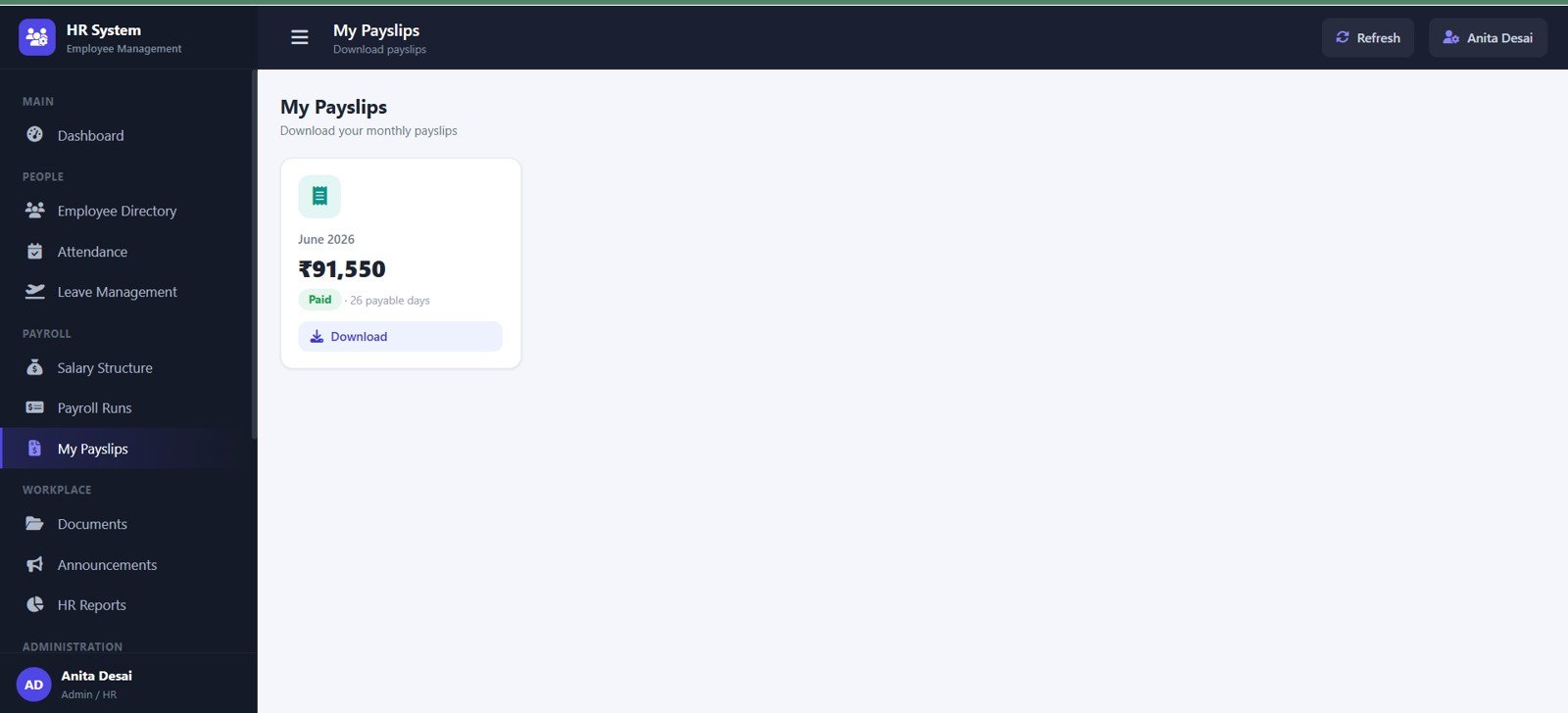
8. My Payslips
My Payslips lets users review payslip month, net salary, payable days, payslip status, and download actions.
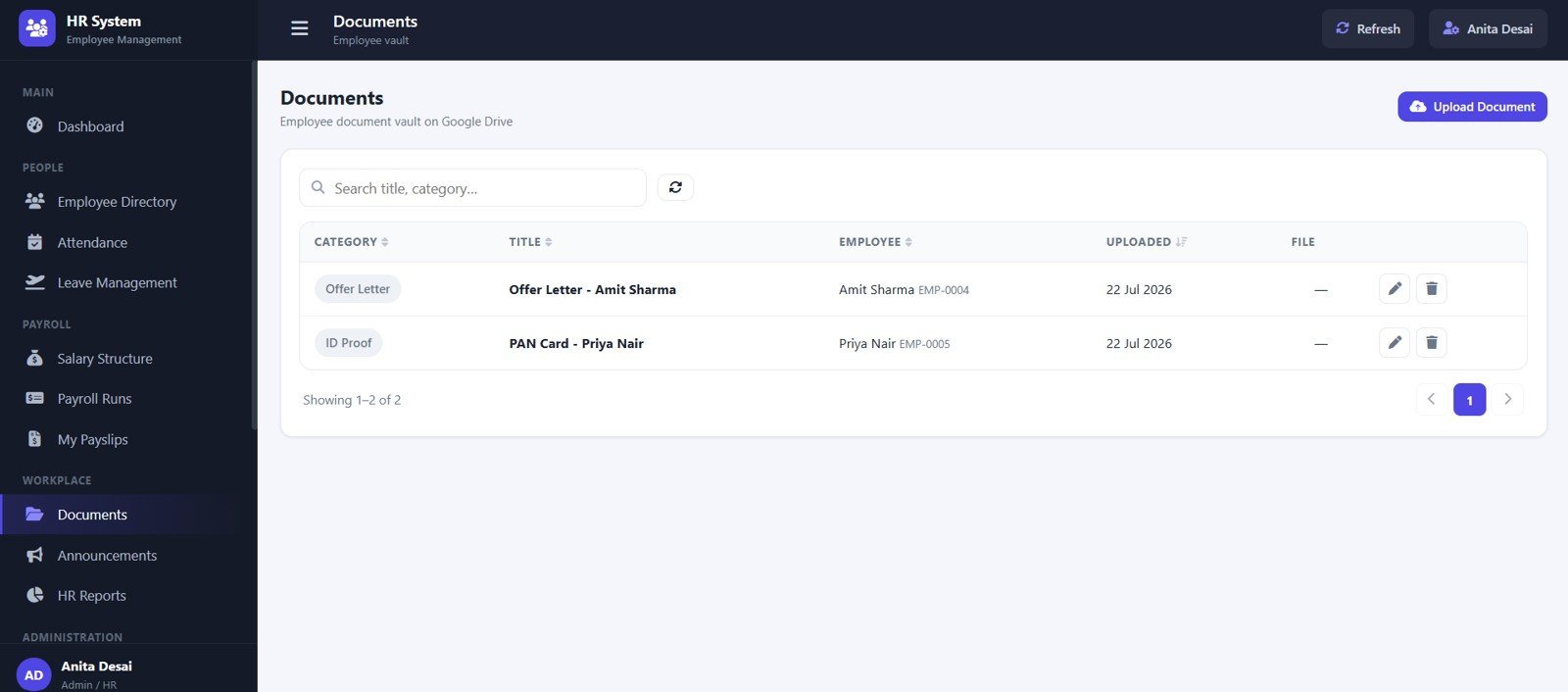
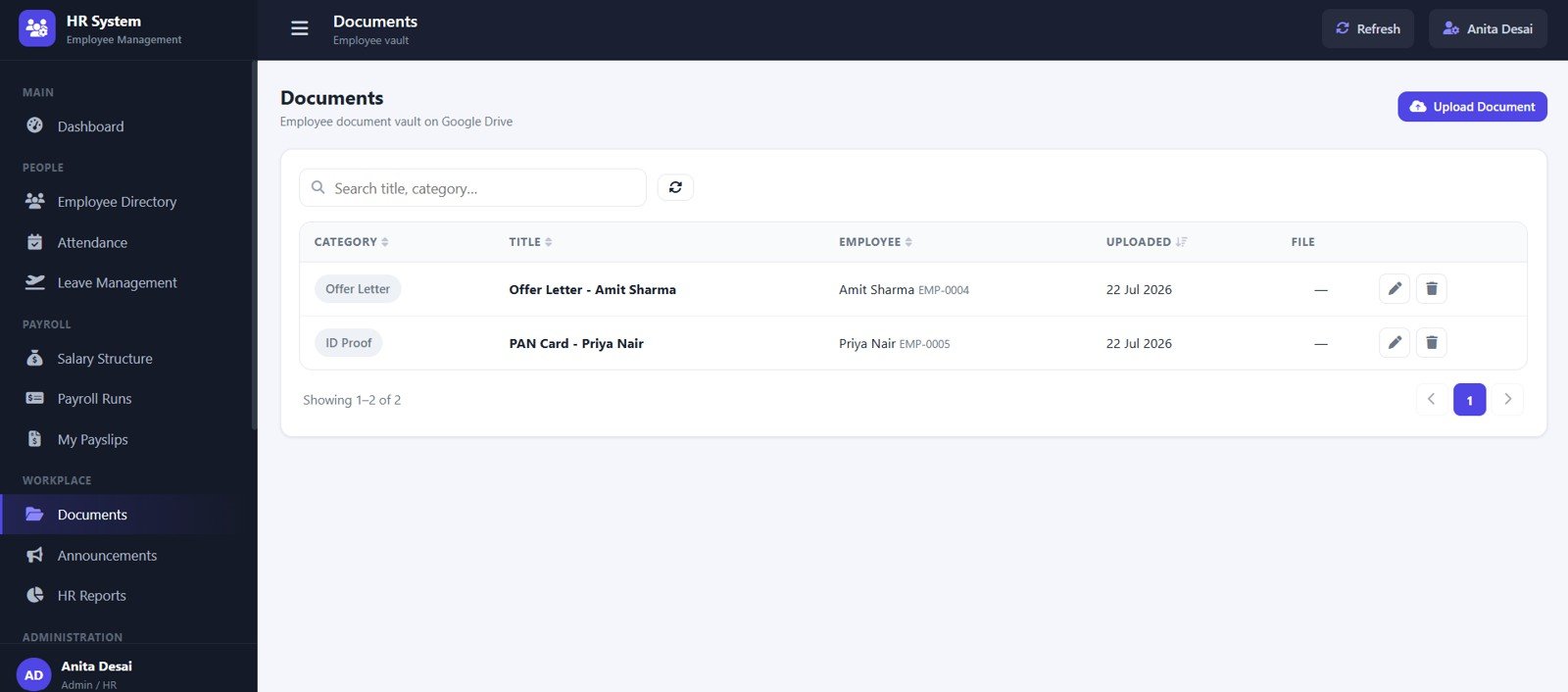
9. Documents
The Documents page organizes document category, title, employee, upload date, document file, and record actions.
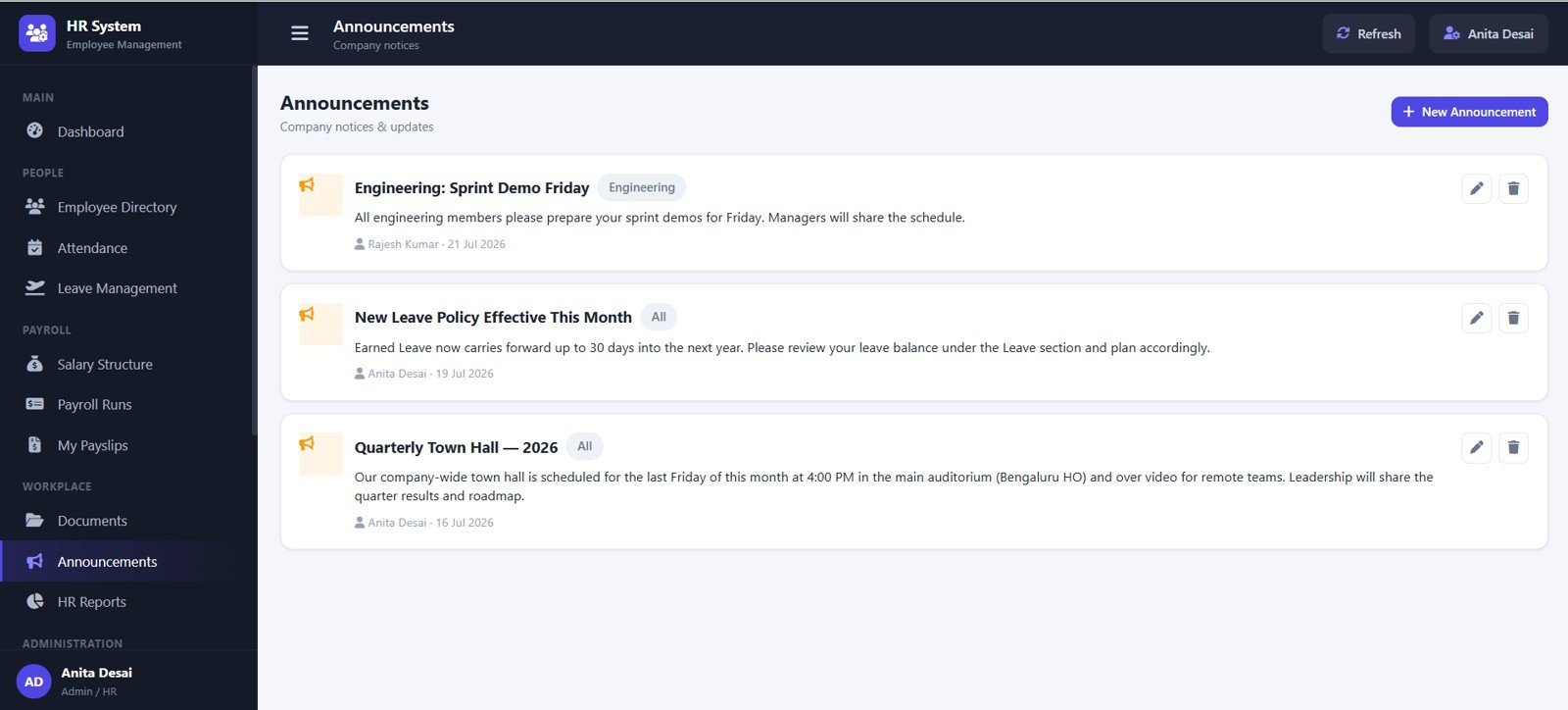
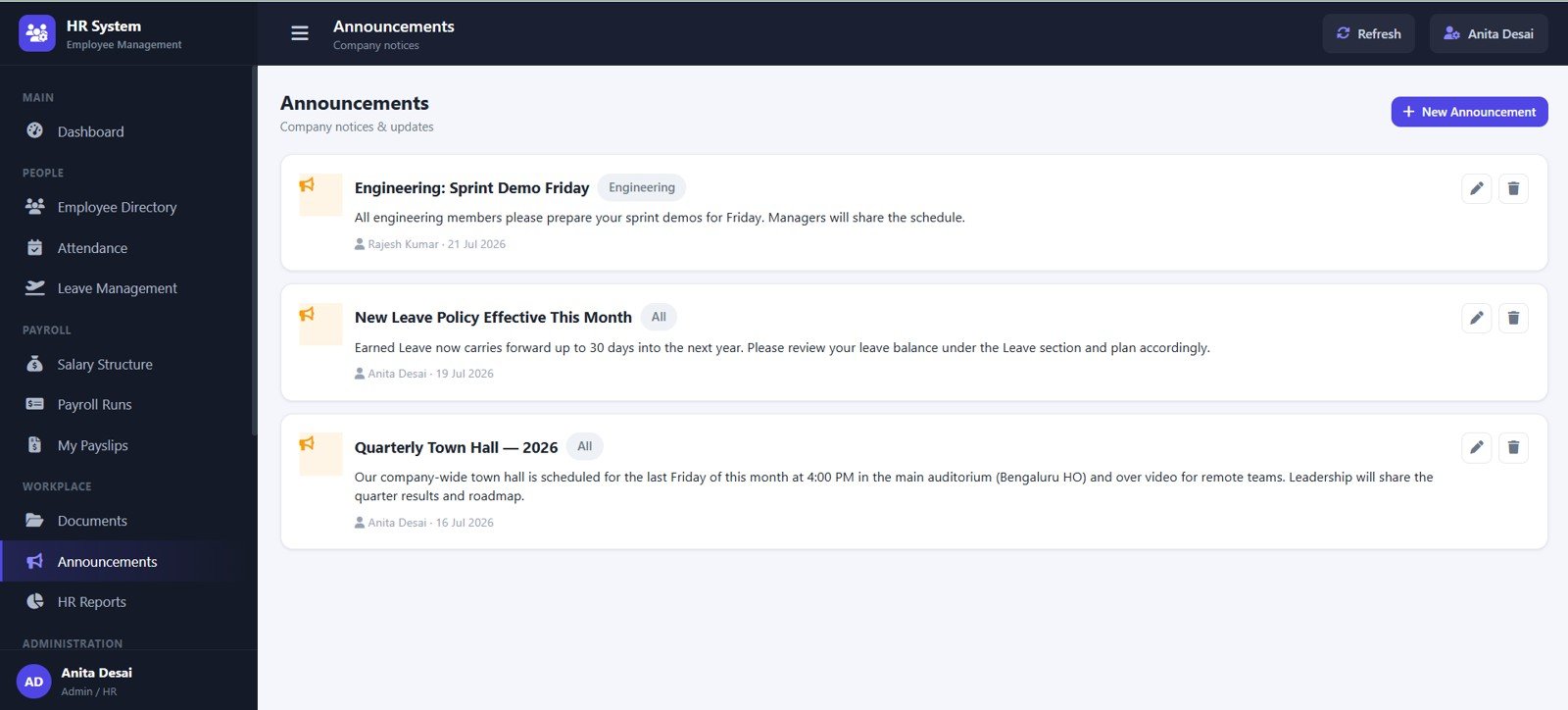
10. Announcements
Announcements tracks notices by title, department, audience, author, date, and action.
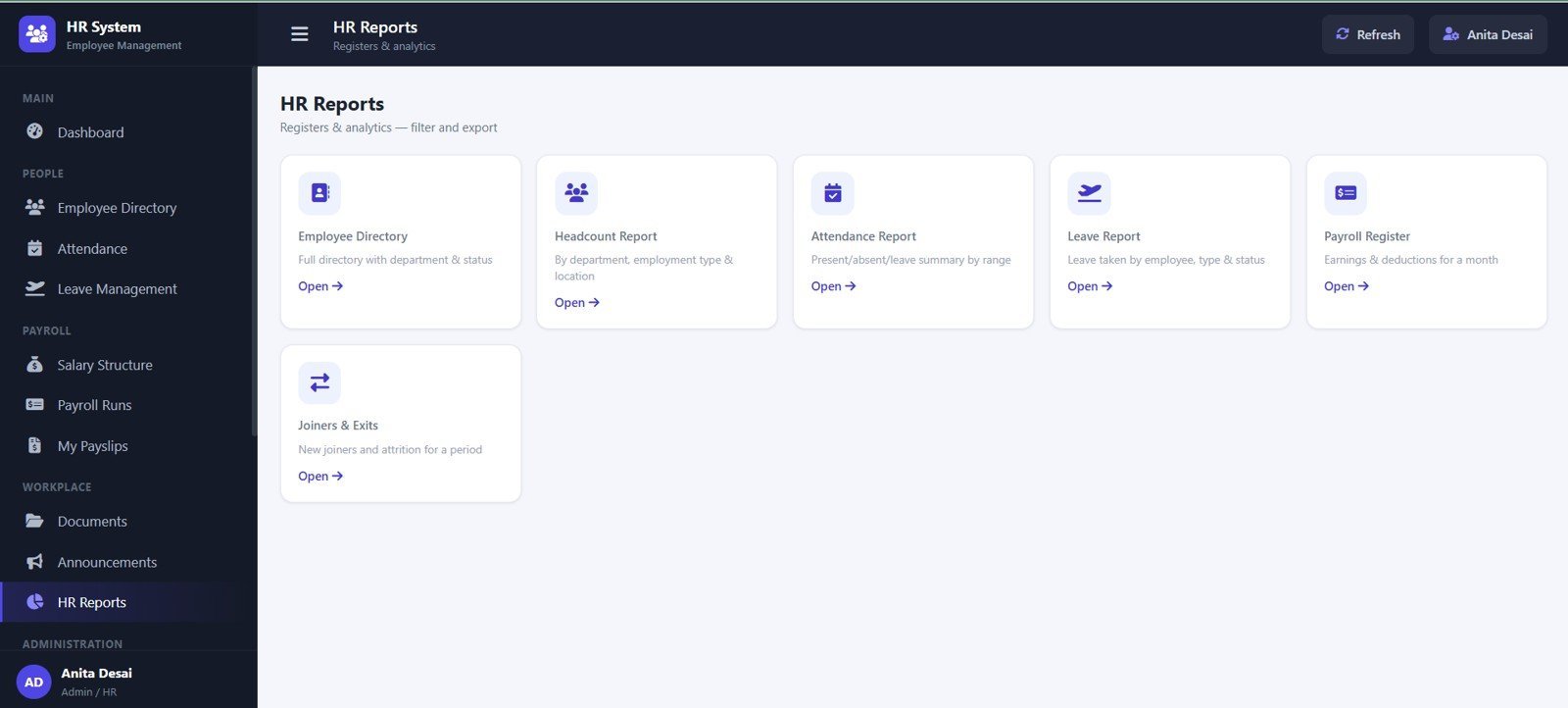
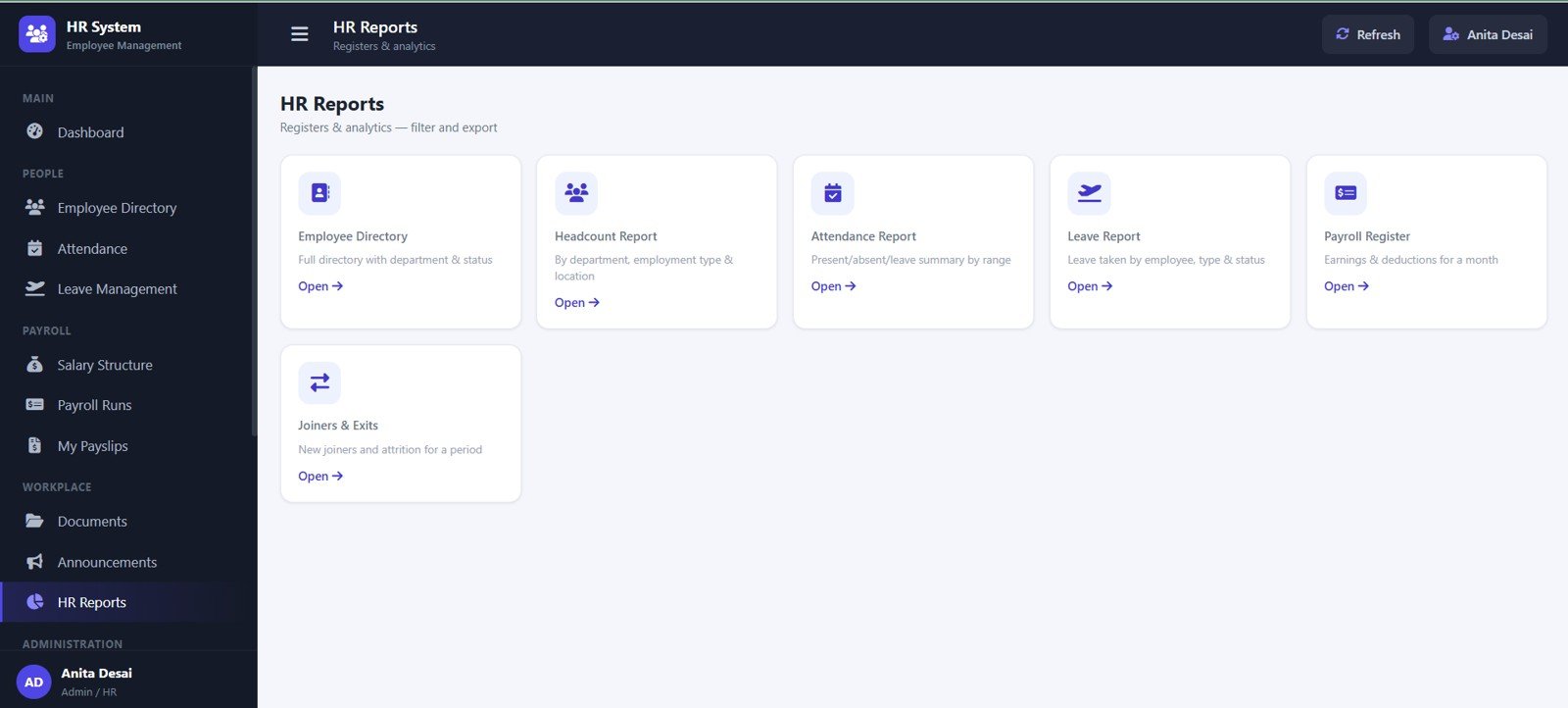
11. HR Reports
HR Reports includes employee directory, headcount, attendance, leave, payroll register, and joiners/exits report views.
12. User Management
User Management supports admin masters, leave types, allowance heads, deduction heads, holidays, and active master values.
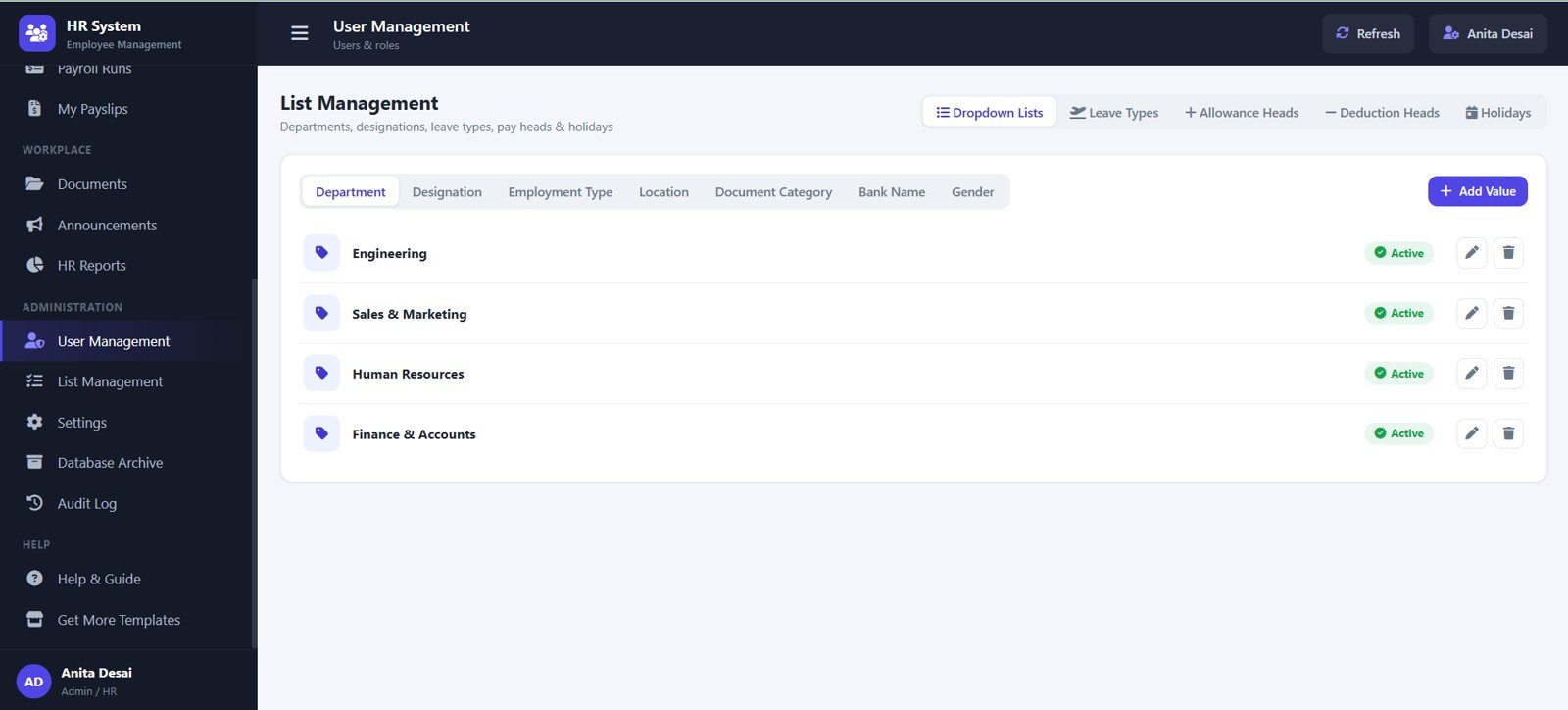
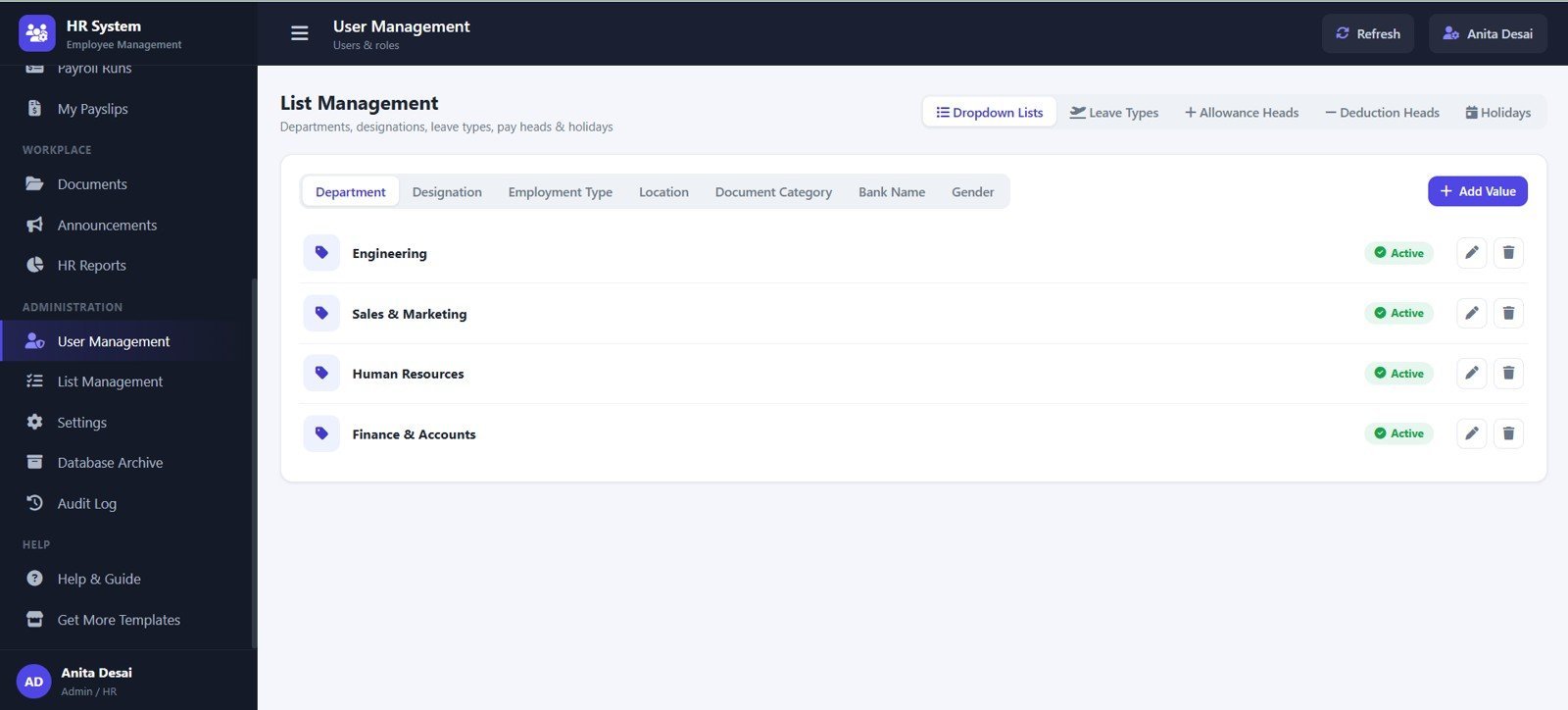
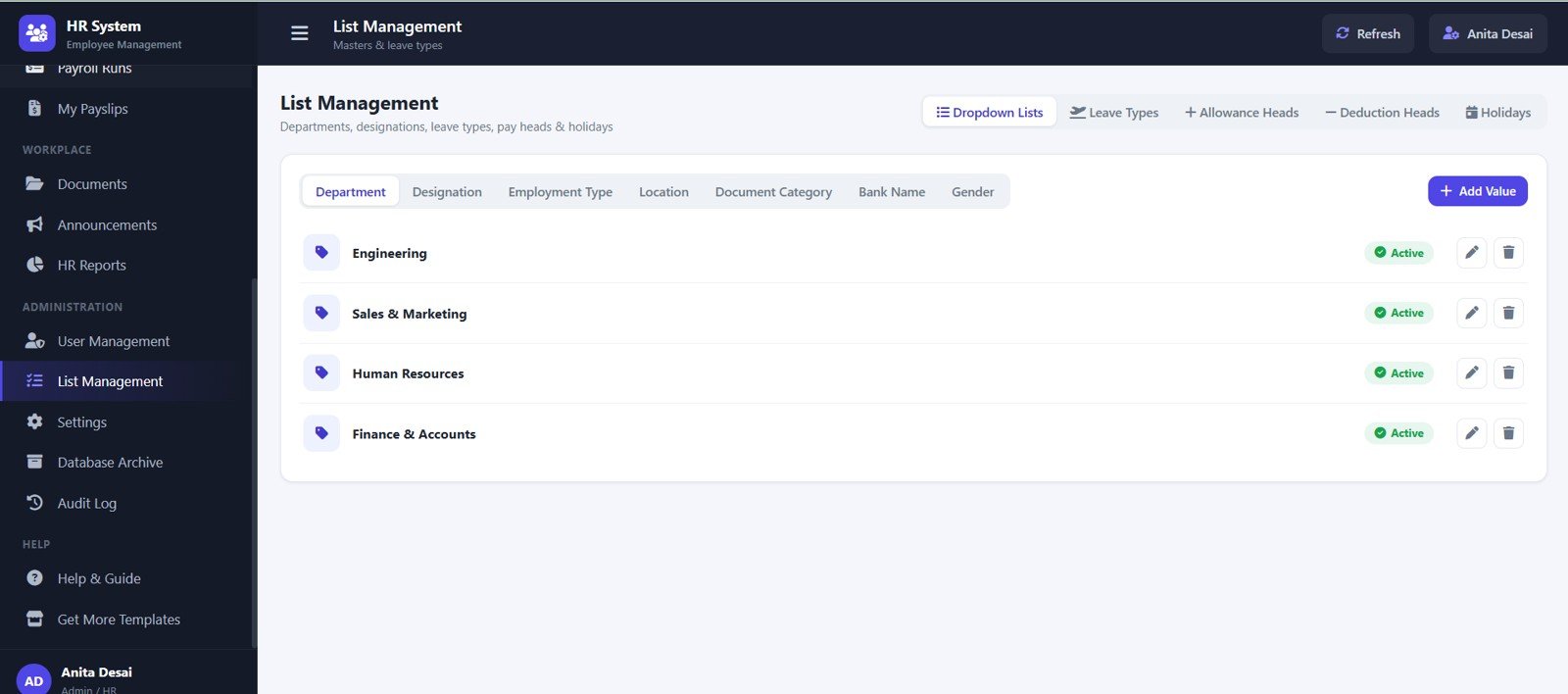
13. List Management
List Management maintains departments, designations, employment types, locations, document categories, bank names, and gender values.
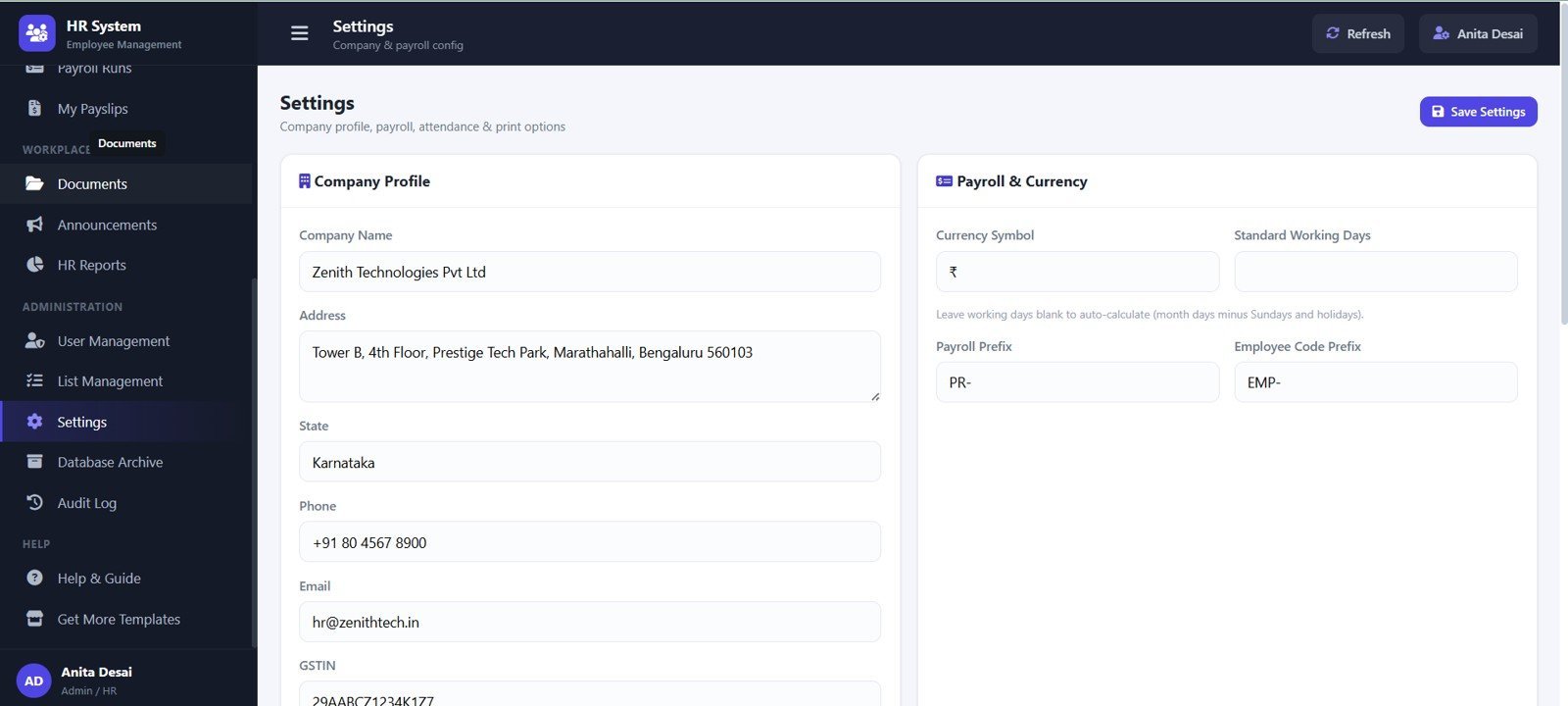
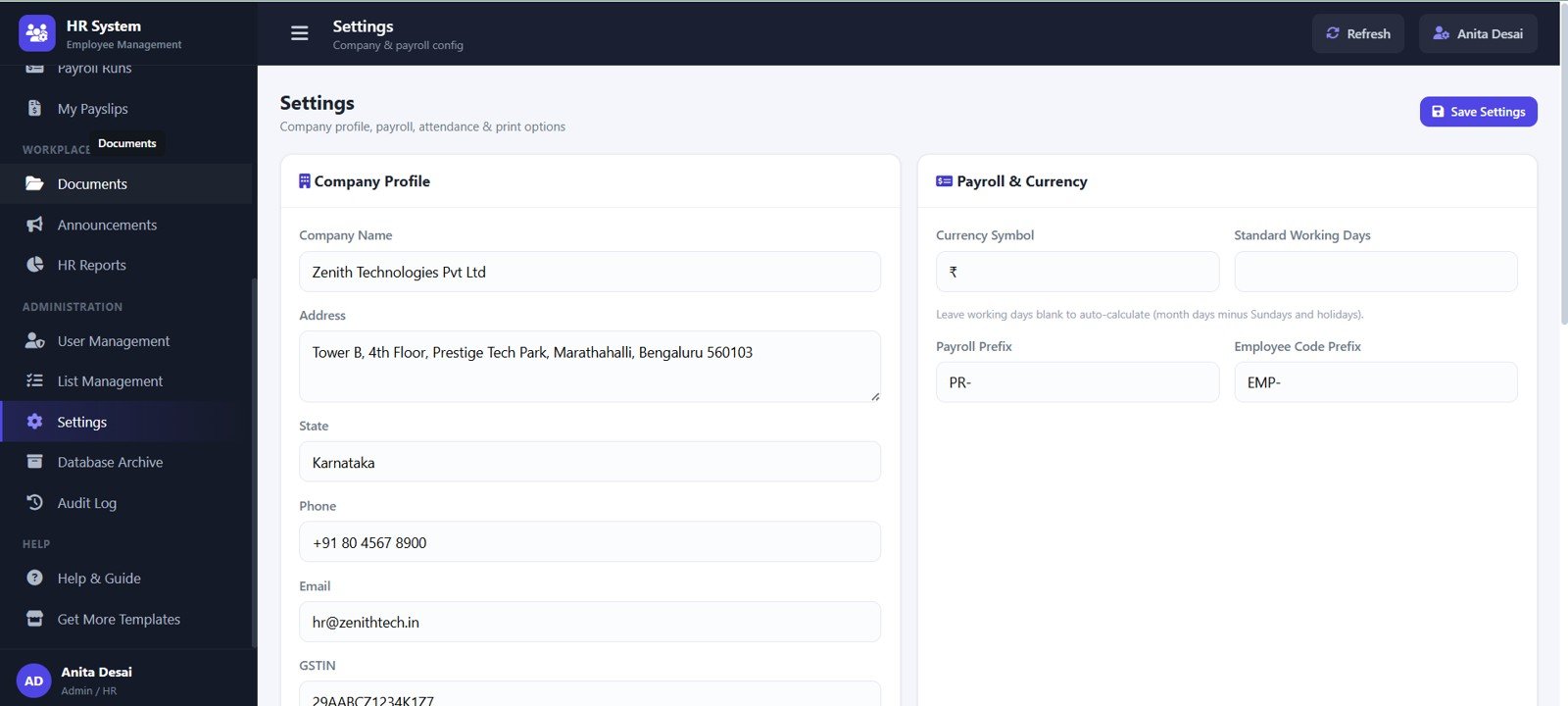
14. Settings
Settings stores company profile details, payroll currency, working days, payroll prefix, employee code prefix, and GSTIN.
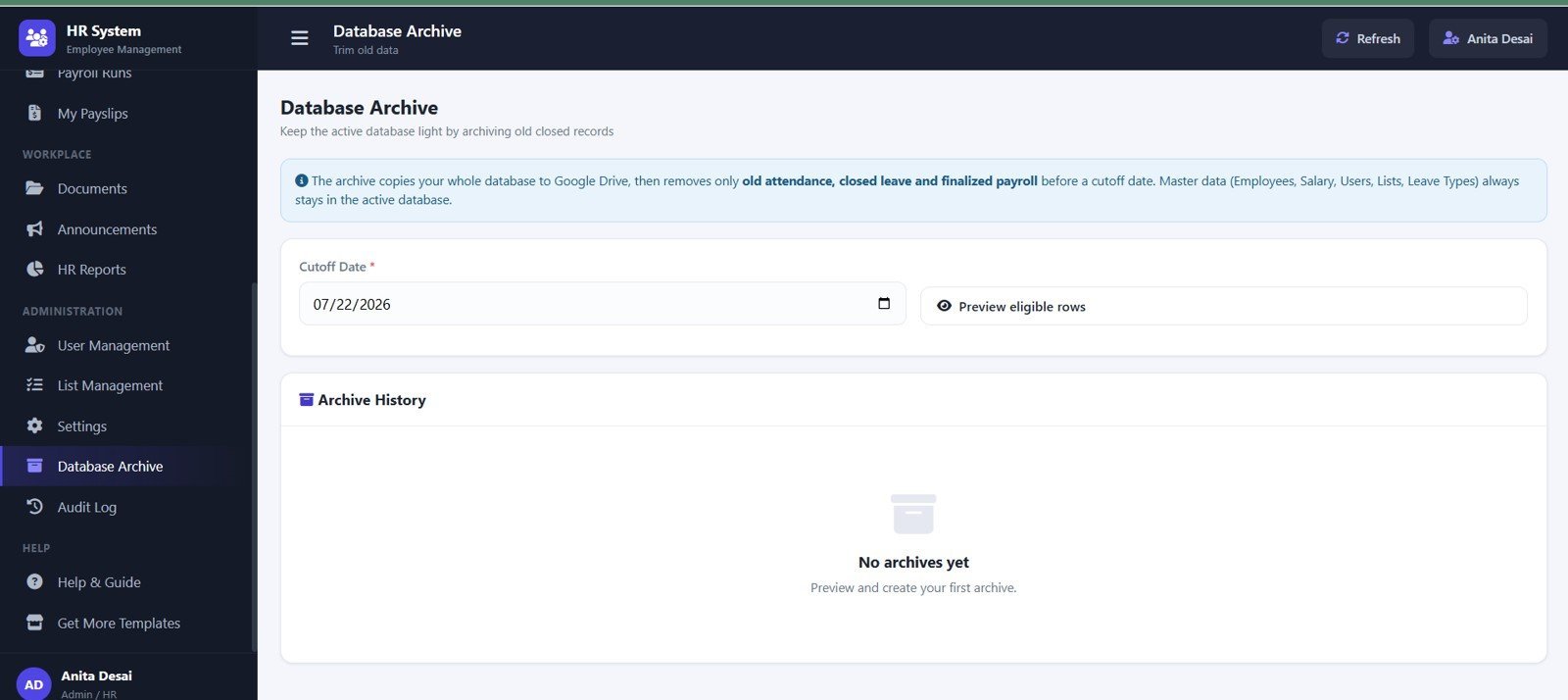
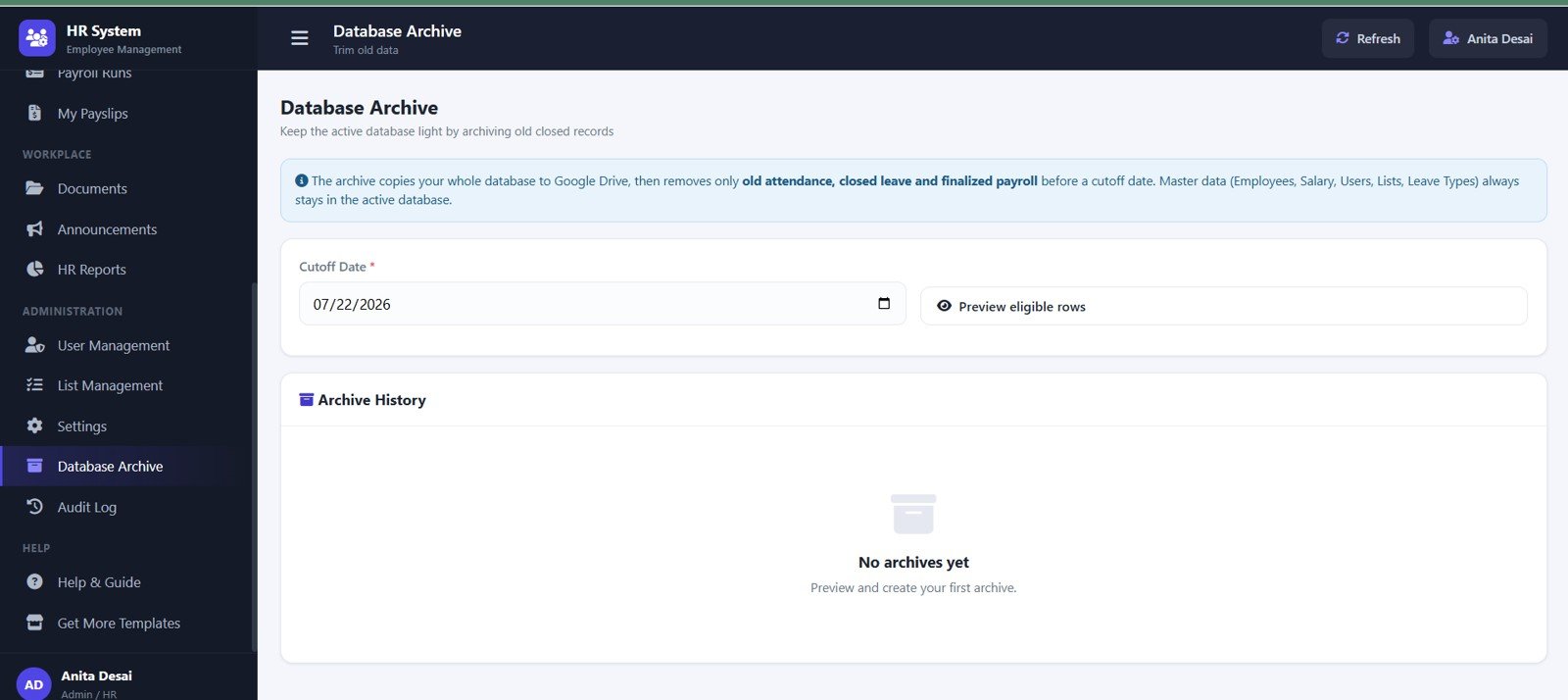
15. Database Archive
Database Archive helps review archive cutoff date, eligible rows, old attendance, closed leave, finalized payroll, and archive history.
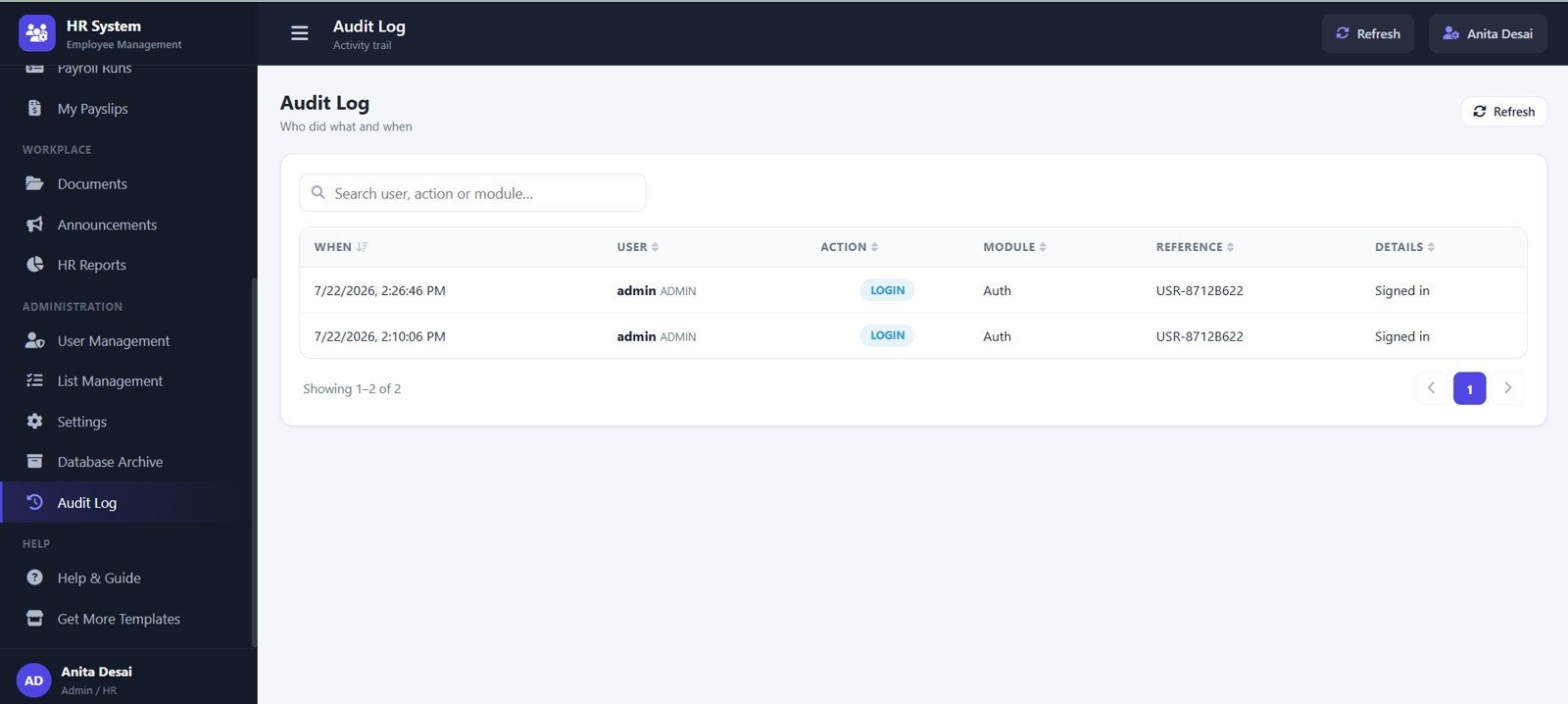
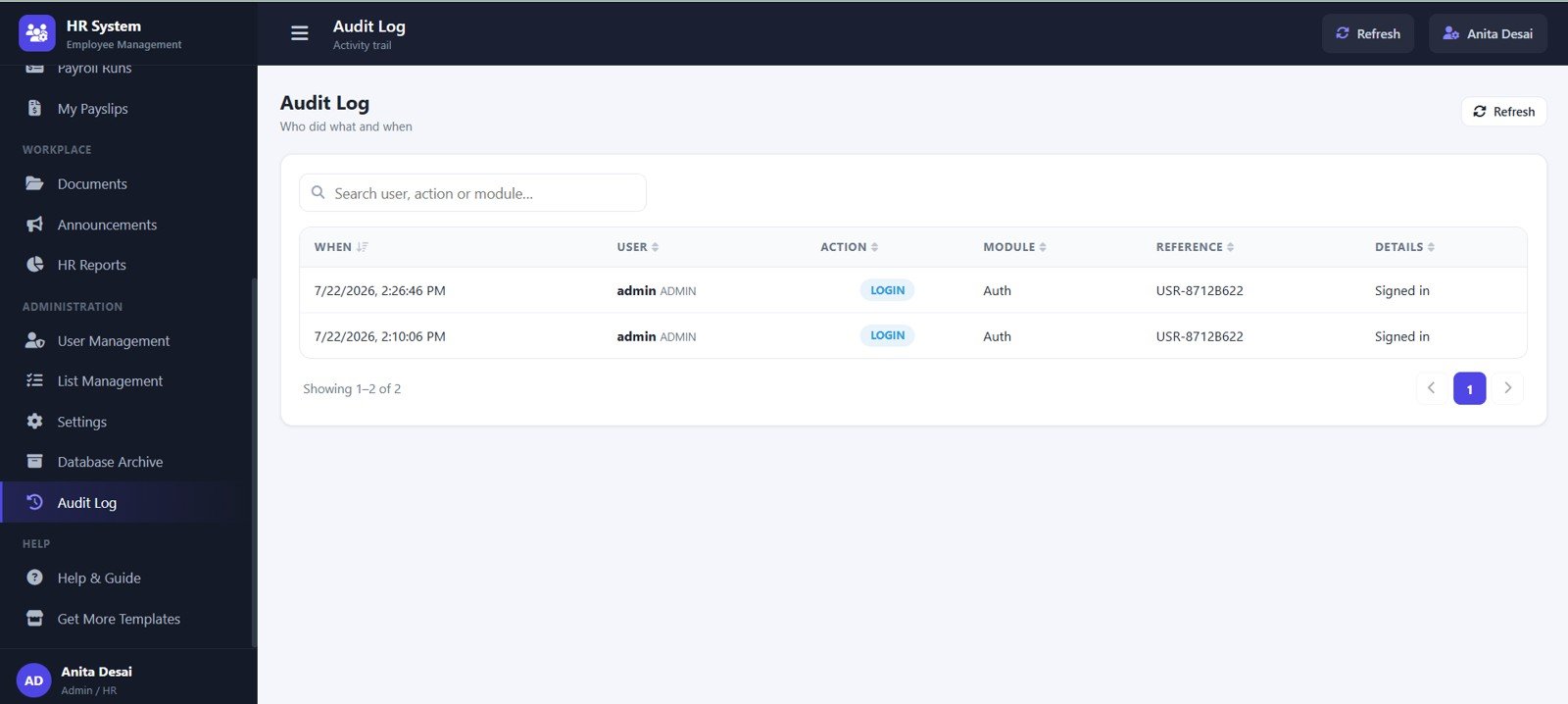
16. Audit Log
Audit Log records activity by date and time, user, module, reference record, action detail, and login activity.
HR Employee Management System Web App vs. Google Sheets Tracker vs. Paid HR SaaS – Where This Fits
| Area | This web app template | Google Sheets tracker | Paid HR SaaS |
|---|---|---|---|
| Cost | $39.99 sale price, one-time download | Low template cost, more manual handling | Recurring subscription or per-user pricing |
| Platform | Browser-based web app built around connected pages | Spreadsheet tabs and filters | Vendor-hosted cloud system |
| Setup time | Start from 16 prepared HR pages | Fast start, but many workflows stay separate | Longer onboarding and configuration |
| Real-time team collaboration | Possible after deployment and access setup | Possible through file sharing | Usually included by plan |
| Mobile access | Modern browser access after deployment | Spreadsheet app or mobile browser | Usually included |
| Customizable fields | Editable lists, settings, records, and source structure | Editable columns and formulas | Limited by vendor configuration |
| Share with link | Possible after deployment and permission setup | Yes, with Drive permissions | Usually account based |
| Year-1 cost at 5 users | $39.99 template cost before any workspace or customization costs | Low cash cost, higher internal effort | Can become hundreds or thousands per year |
| Payroll and payslips | Built into payroll runs and My Payslips pages | Needs separate formulas or tabs | Usually available in HR/payroll plans |
| Archive and audit control | Included with Database Archive and Audit Log pages | Usually manual | Depends on plan and permissions |
Who This Template Is For – and Who It’s Not For
This template is for HR managers, founders, school admins, clinic operators, payroll coordinators, branch managers, office admins, and consultants who want employee records, attendance, leave, payroll, documents, reports, and admin setup in one browser workflow.
It is not the right fit if you need biometric attendance devices, country-specific payroll tax filing, statutory submission, bank payment integration, enterprise HRIS connectors, or complex approval routing out of the box.
How to Use the HR Employee Management System Web App
- Unzip the download and review the included source files and setup instructions.
- Update company profile, payroll currency, working days, payroll prefixes, employee code prefix, and core settings.
- Add departments, designations, employment types, locations, document categories, bank names, leave types, allowance heads, and deduction heads.
- Create user accounts and assign access for HR, payroll, admin, and employee workflows.
- Add employee records, attendance entries, leave requests, salary details, documents, announcements, and payroll runs.
- Review dashboards, reports, archive rules, and audit logs on a regular schedule.
Real-World Use Cases
Meera, HR manager at a 60-person services company
Meera uses the dashboard, employee directory, leave management, payroll runs, and payslips pages to manage daily HR operations without maintaining separate files.
Arjun, founder of a branch office
Arjun reviews attendance, active employees, open leave requests, upcoming events, payroll cost, and audit logs before weekly operations meetings.
Sofia, HR consultant
Sofia adapts the template for a client by updating master lists, departments, user roles, salary fields, and document categories before handover.
Frequently Asked Questions
What is the HR Employee Management System Web App?
It is a downloadable web app template for employee records, attendance, leave, payroll, payslips, documents, announcements, reports, settings, archive rules, and audit logs.
Does it include attendance and leave management?
Yes. The template includes Attendance and Leave Management pages with date, employee, department, status, leave type, date range, days, approval status, and actions.
Can it manage payroll and payslips?
Yes. Salary Structure, Payroll Runs, and My Payslips pages help track salary details, gross salary, deductions, net pay, payroll status, payable days, and payslip downloads.
Can I customize dropdown lists?
Yes. List Management and User Management pages support departments, designations, employment types, locations, document categories, bank names, leave types, allowance heads, deduction heads, and holidays.
Is this a monthly subscription?
No. This is a one-time downloadable template product. You may still have your own deployment, hosting, Google Workspace, or customization responsibilities.
Does it replace enterprise HR software?
No. It is best for small and mid-size teams that want an editable HR web app template, not a full enterprise HRIS replacement.
About the Author
Built by PK – Microsoft Certified Professional with 15+ years of Excel, Google Sheets, and Power BI experience. Founder of NextGenTemplates, reaching 300K+ subscribers across YouTube channels. Every template is hand-built and tested before release.
Explore Related Templates
- HR & Workforce Analytics Bundle
- Employee Attendance Payroll Management System – HR Web App Template
- Attendance Tracker in Google Sheets
- Payroll Management Dashboard in Excel
- Browse Web Apps
- Browse Google Sheets HR and Payroll templates<
Watch the step-by-step video Demo:
Ready to organize employee records, attendance, leave, payroll, documents, and audit history in one workspace? Add the HR Employee Management System Web App to your toolkit and customize it for your team.
Last updated: July 22, 2026














Reviews
There are no reviews yet.