

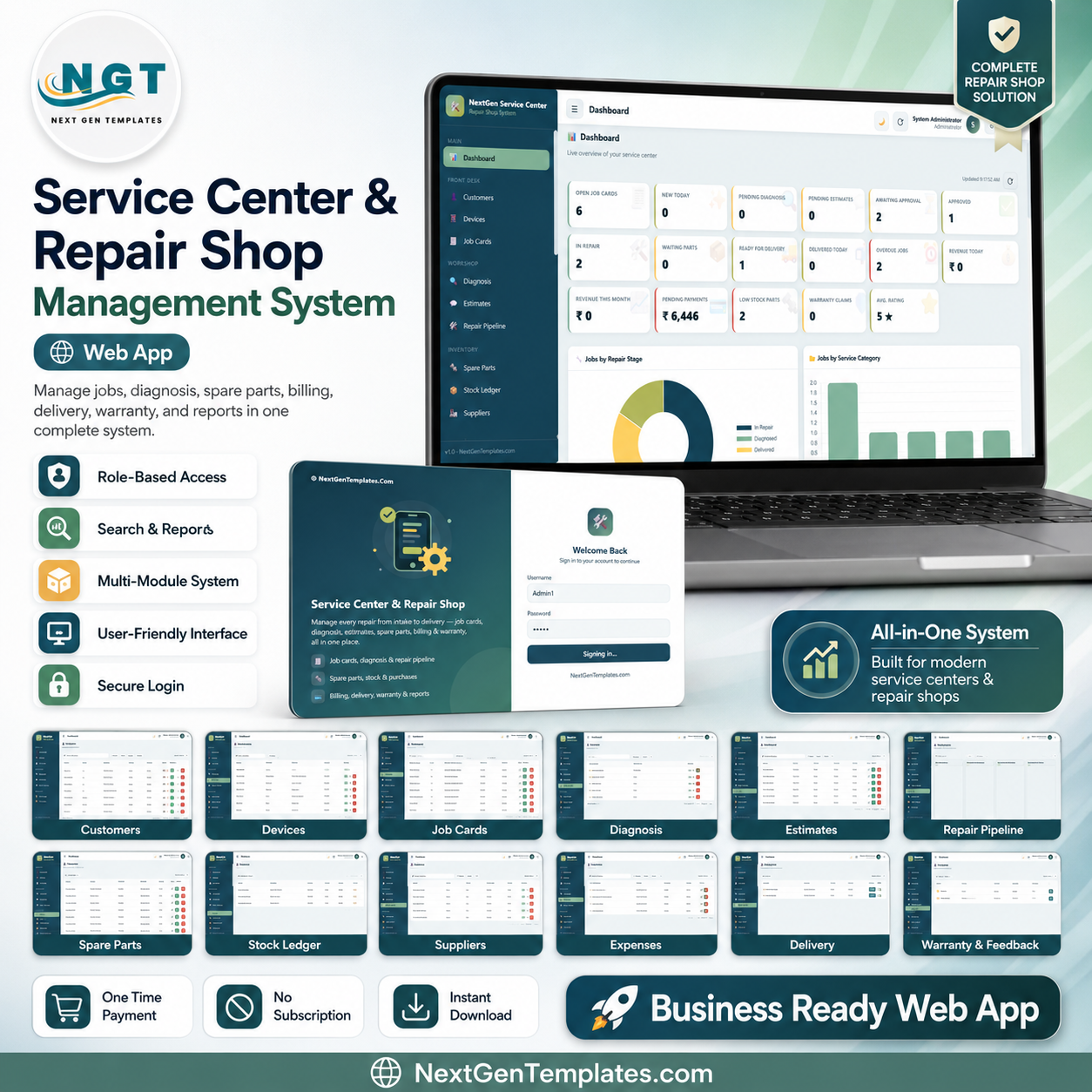

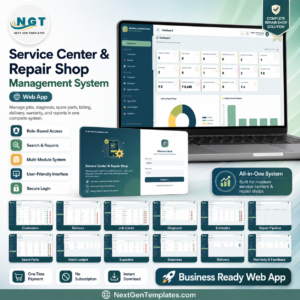
The Service Center and Repair Shop Management System Web App runs 25 connected screens — from job card intake and diagnosis to estimates, spare parts, billing and warranty — inside one login-based browser tool. Its dashboard surfaces 17 KPI cards and 2 analytical charts, and the whole system runs on Google Apps Script, so there is no server to rent and no per-user subscription.
🌍 Join 8,400+ teams in 40+ countries using NextGenTemplates to replace paid SaaS tools with one-time-purchase Excel, Google Sheets, Power BI, and HTML templates.
✅ Instant download · One-time payment · No subscription · No per-user fees · Lifetime access
🔑 Key Features of the Service Center and Repair Shop Management System Web App
This repair shop software is a complete multi-user web application built on Google Sheets and Google Apps Script. A job card, an estimate or a spare-part sale flows straight into billing, inventory and reports without re-typing.
- 🔐 Secure role-based login: Admin, Manager, Reception and Technician roles control who can see and edit job cards, billing, stock and settings, so every staff member sees only what they need.
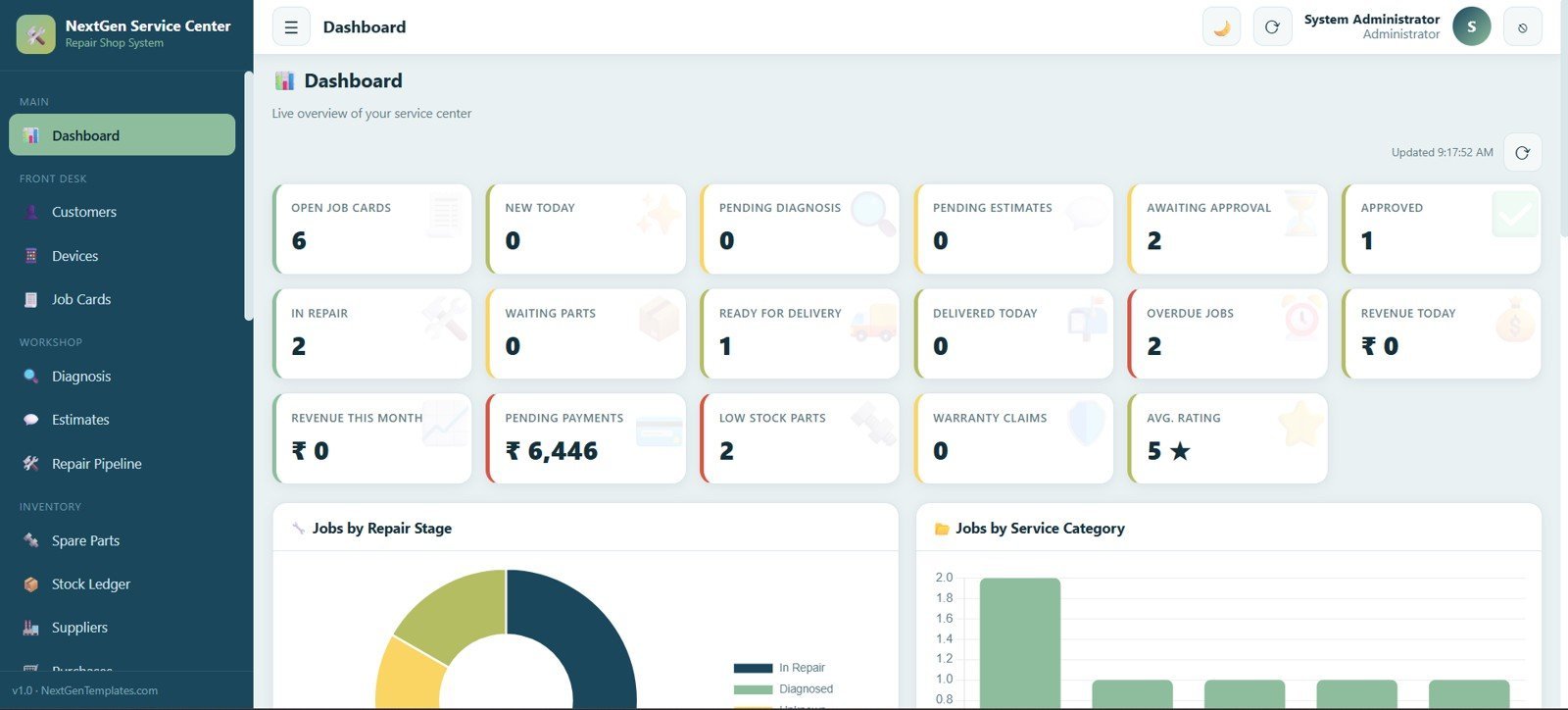
- 📊 Live dashboard: 17 KPI cards — Open Job Cards, New Today, Pending Diagnosis, Pending Estimates, Awaiting Approval, Approved, In Repair, Waiting Parts, Ready for Delivery, Delivered Today, Overdue Jobs, Revenue Today, Revenue This Month, Pending Payments, Low Stock Parts, Warranty Claims and Average Rating — plus Jobs by Repair Stage and Jobs by Service Category charts.
- 🔧 End-to-end repair lifecycle: a job moves from intake to diagnosis, estimate, approval, repair, delivery and warranty without ever leaving the app.
- 📋 Visual repair pipeline: a drag-and-drop board moves each job through Received, Diagnosis Pending, Diagnosed, Estimate Sent and Awaiting Approval.
- 🧾 Billing tied to inventory: every invoice and spare-part sale updates the stock ledger automatically, so parts on hand always match what’s billed.
📦 What’s Inside the Service Center and Repair Shop Management System Web App
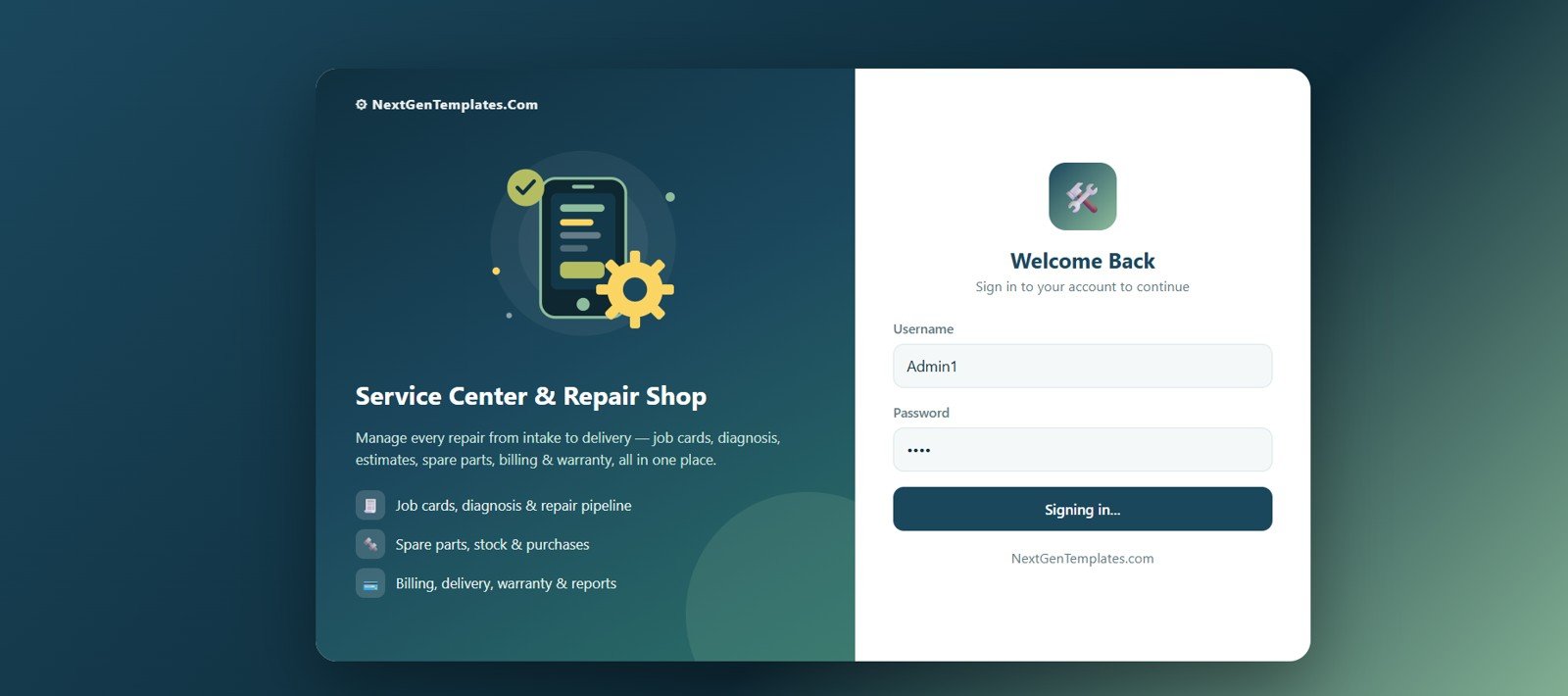
1. Login Page
The secure sign-in screen where every user enters their own username and password, with role-based access for Admin, Manager, Reception and Technician. It highlights that the system manages every repair from intake to delivery, including job cards, diagnosis, estimates, spare parts, billing and warranty.
🚀 Try the Live Demo Before You Buy
We have deployed this web app in our own Google account so you can test every page, every role — with real sample data — before purchasing. No signup, no email required.
🔑 Test Login Credentials
This system has 7 role-based logins so you can explore exactly what each type of user sees — from full Admin control down to a read-only Viewer.
💡 What you get after purchase: The full source code (Code.gs + Index.html) plus a step-by-step deployment guide so you can deploy your own private instance in your own Google account in under 15 minutes.
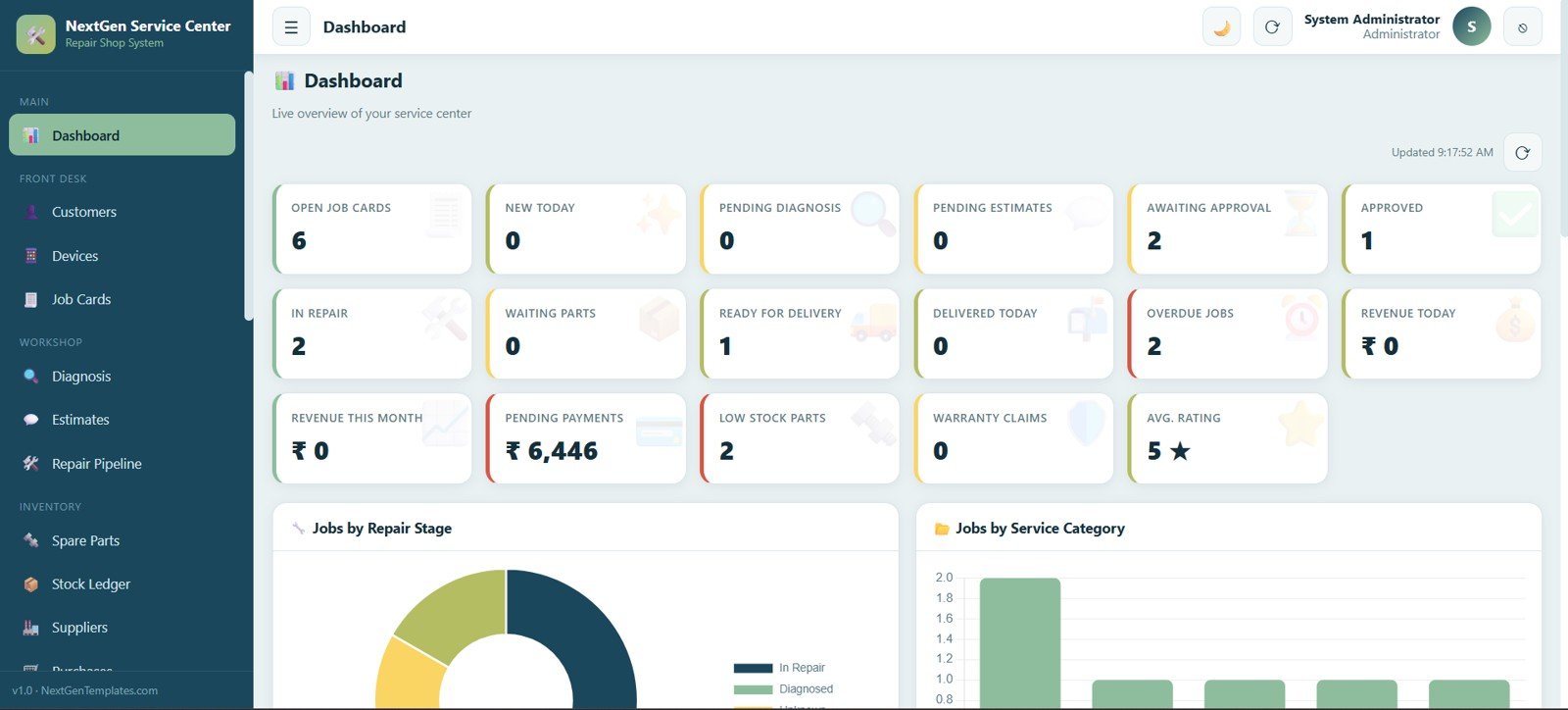
2. Dashboard
The live dashboard opens with 17 KPI cards — Open Job Cards, New Today, Pending Diagnosis, Pending Estimates, Awaiting Approval, Approved, In Repair, Waiting Parts, Ready for Delivery, Delivered Today, Overdue Jobs, Revenue Today, Revenue This Month, Pending Payments, Low Stock Parts, Warranty Claims and Average Rating — followed by Jobs by Repair Stage and Jobs by Service Category charts.
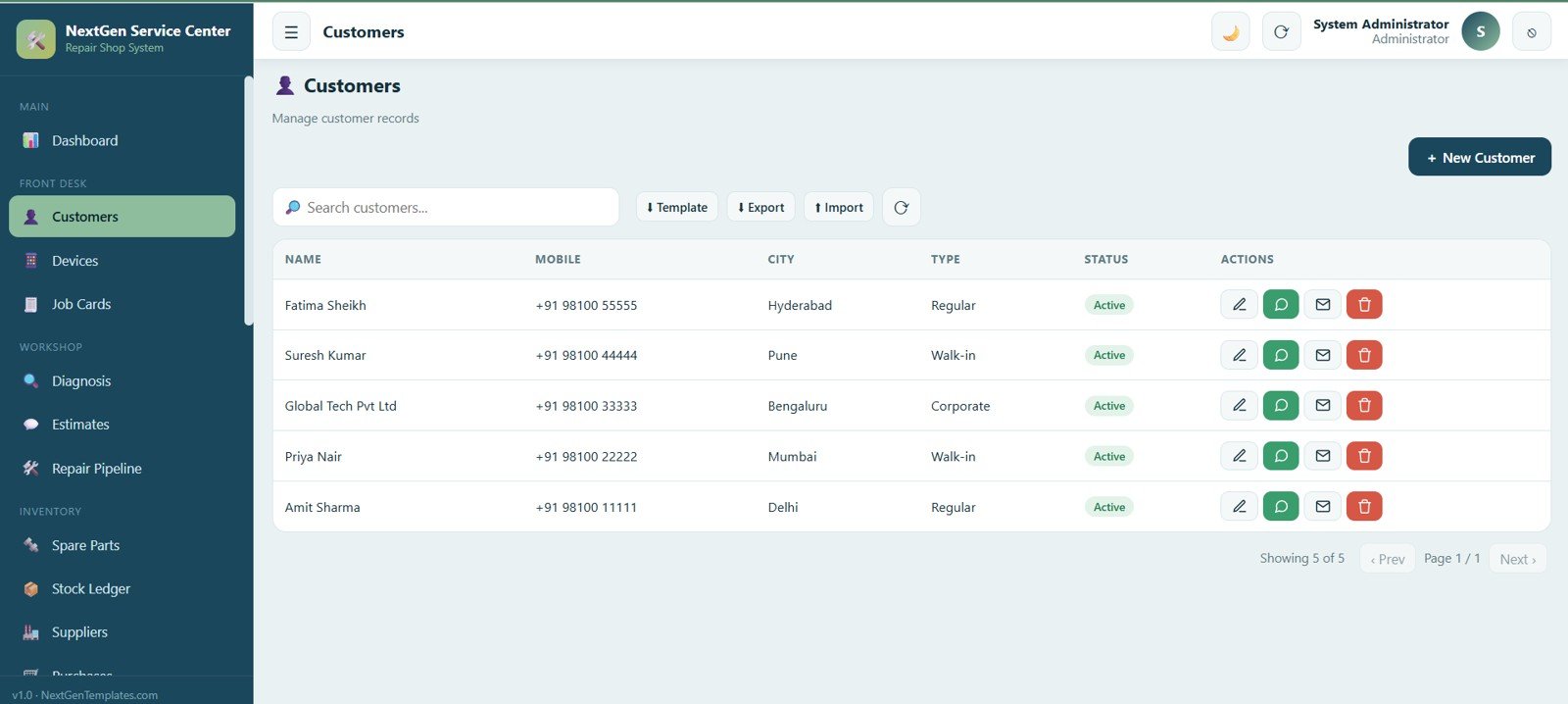
3. Customers
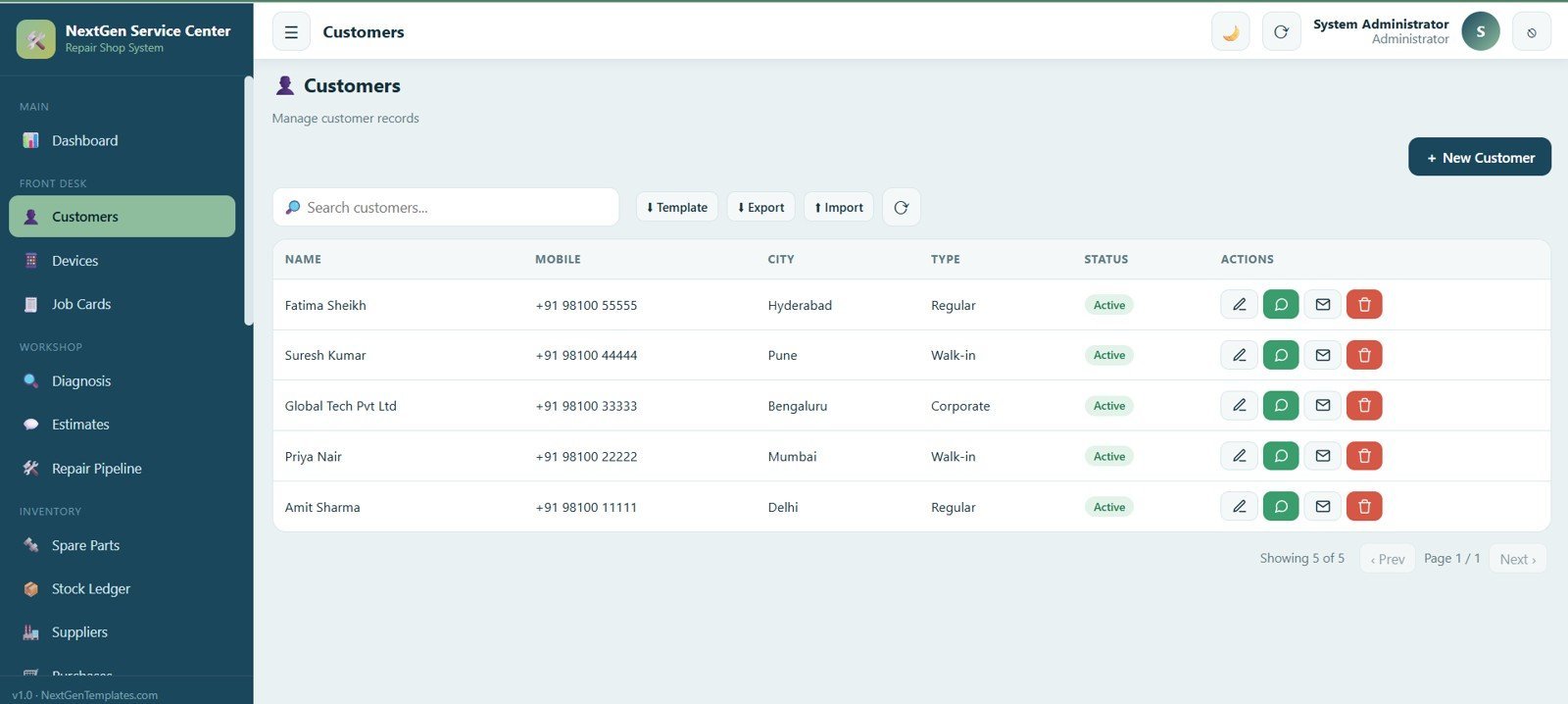
Manage every customer record with name, mobile number, city, type and status, and add, edit, search, import and export customers from one screen.
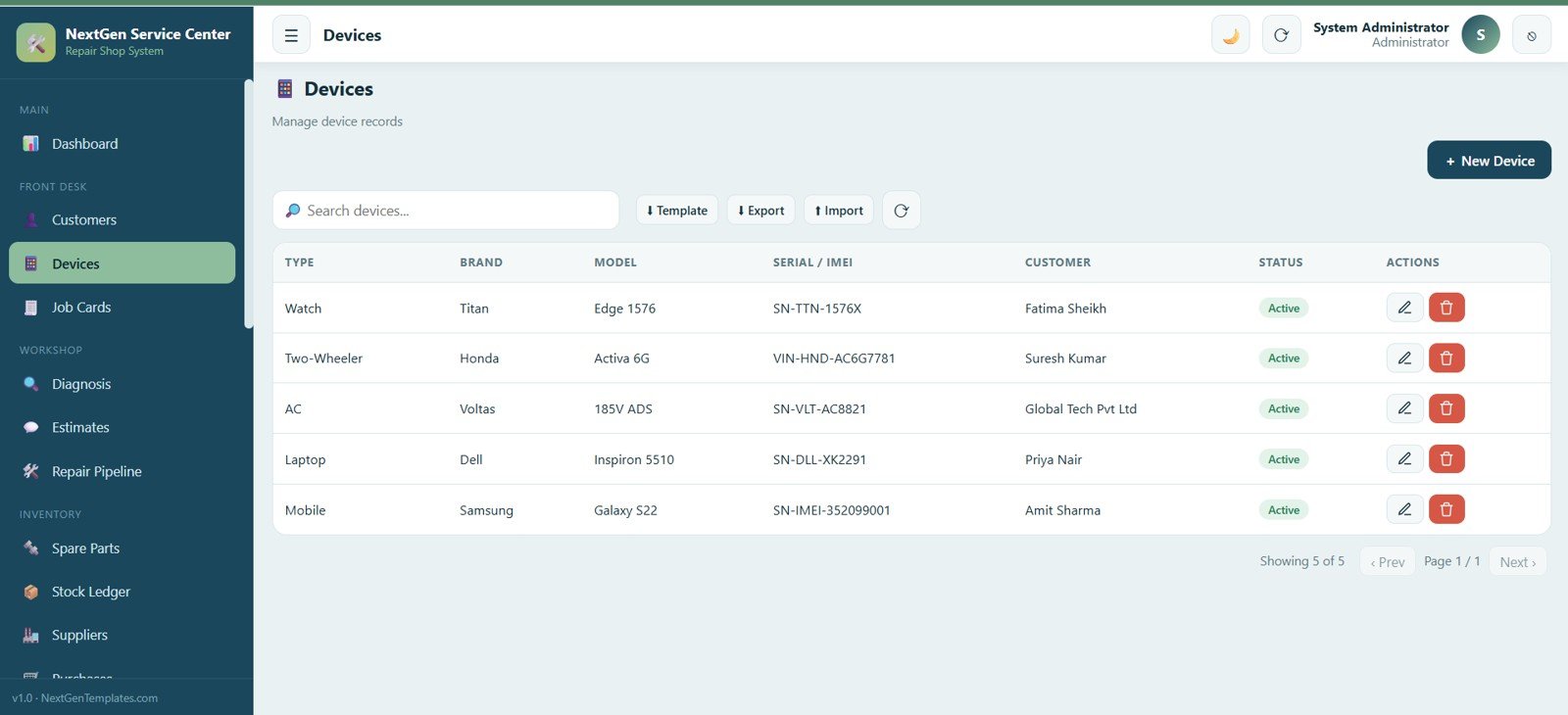
4. Devices
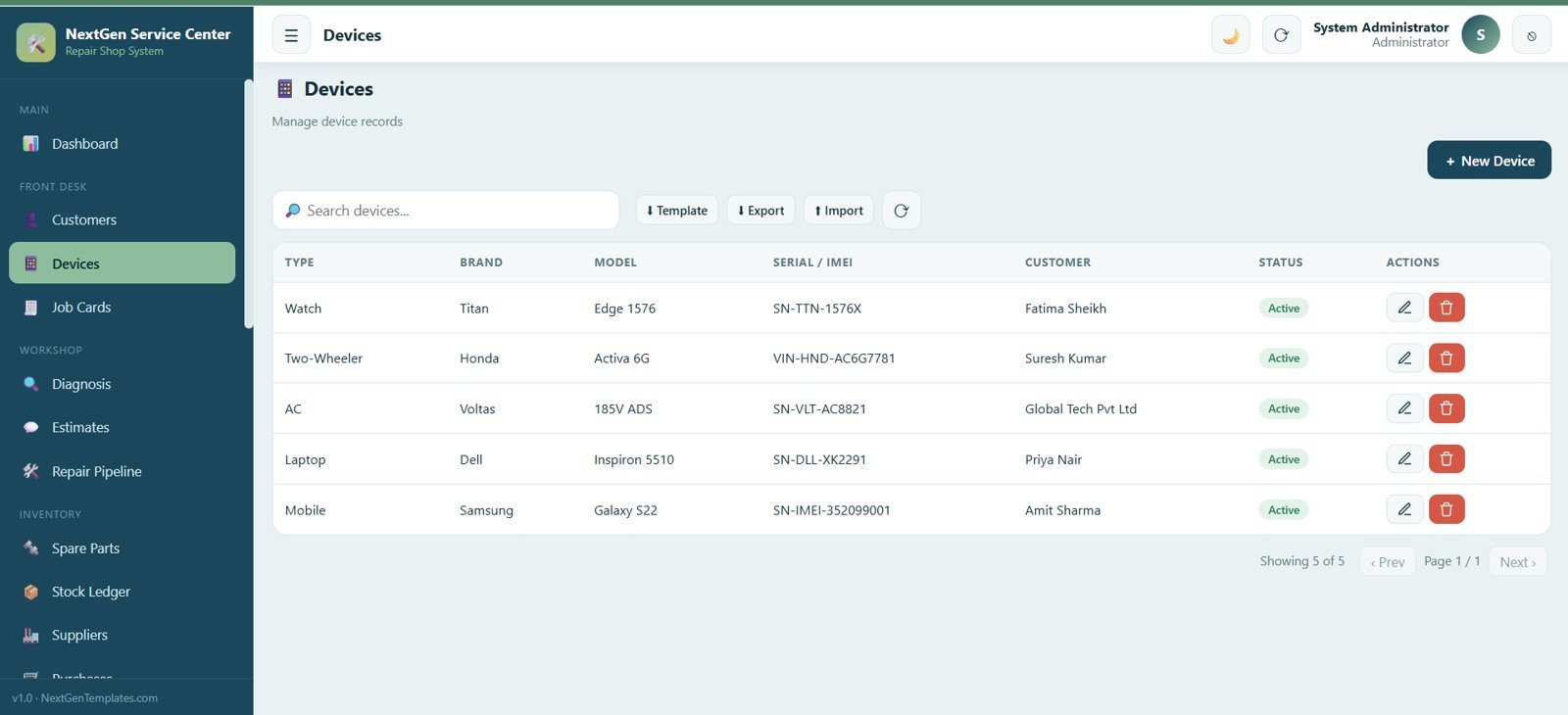
Track every device that comes in for repair with device type, brand, model, serial or IMEI number and the linked customer, covering mobiles, laptops, watches, air conditioners, two-wheelers and more.
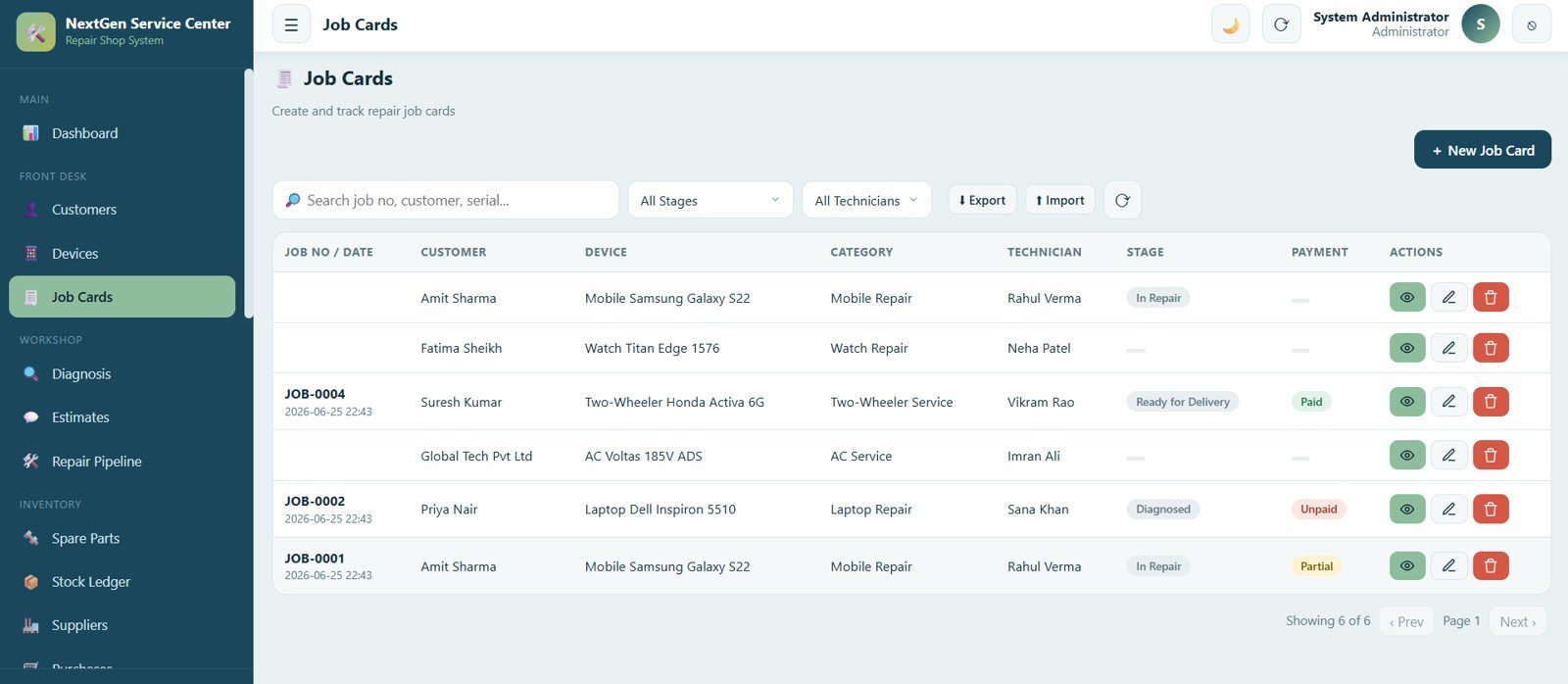
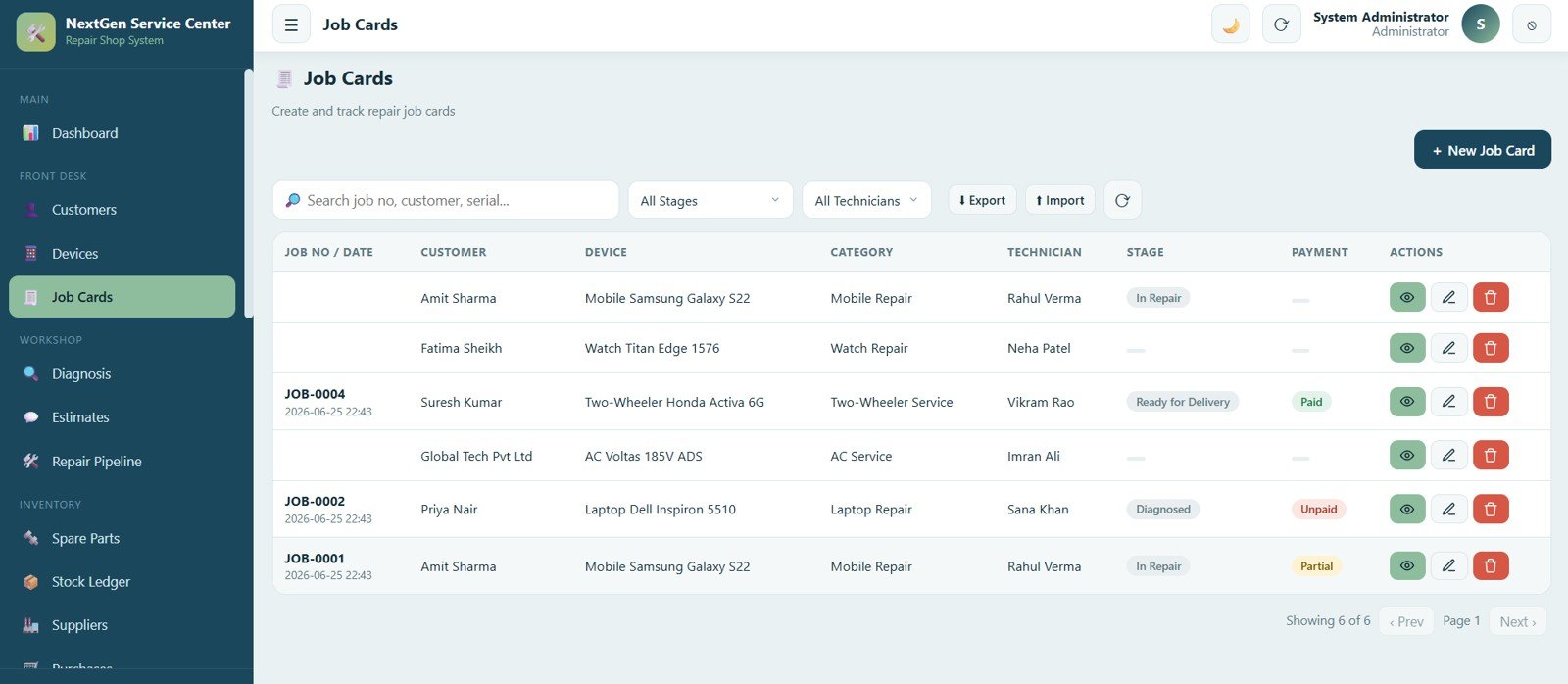
5. Job Cards
Create and track every repair job with customer, device, service category, assigned technician, current repair stage and payment status, filterable by stage or technician.
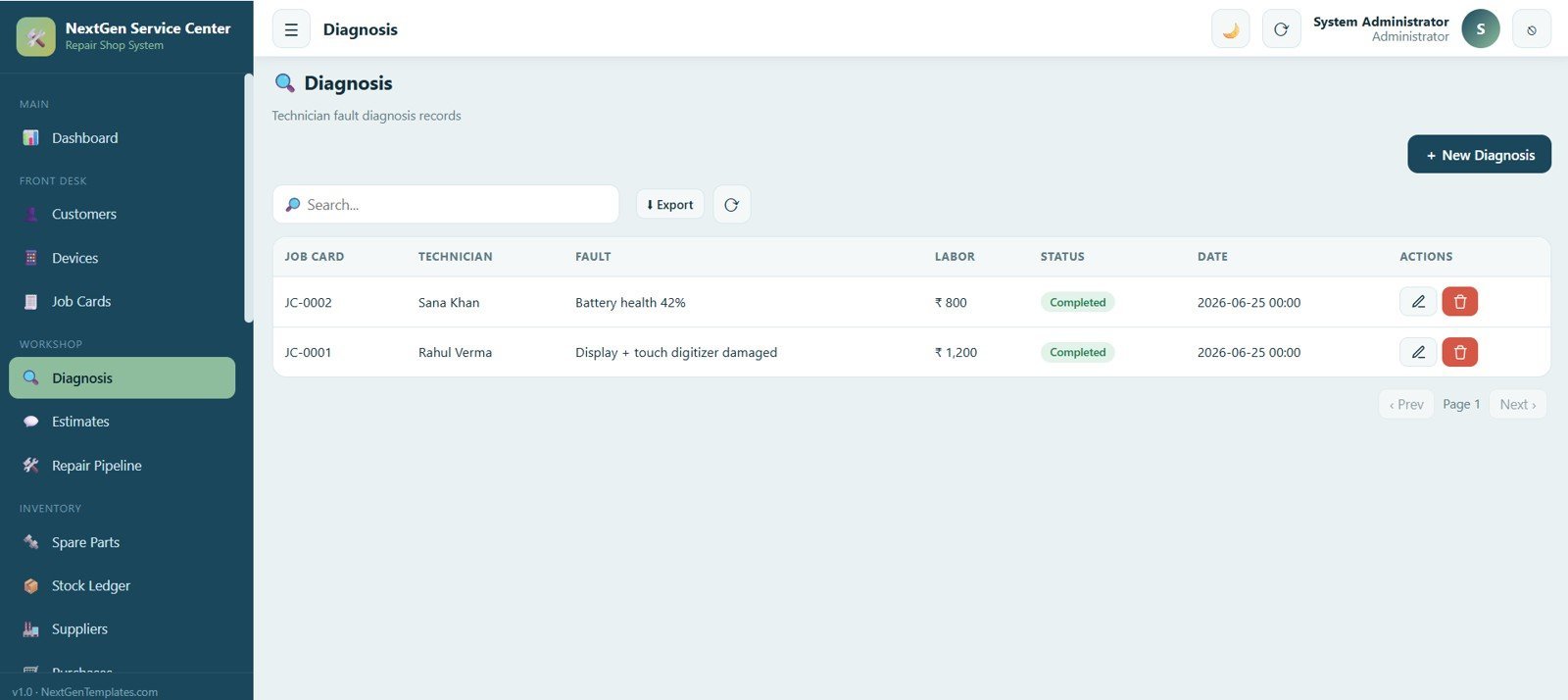
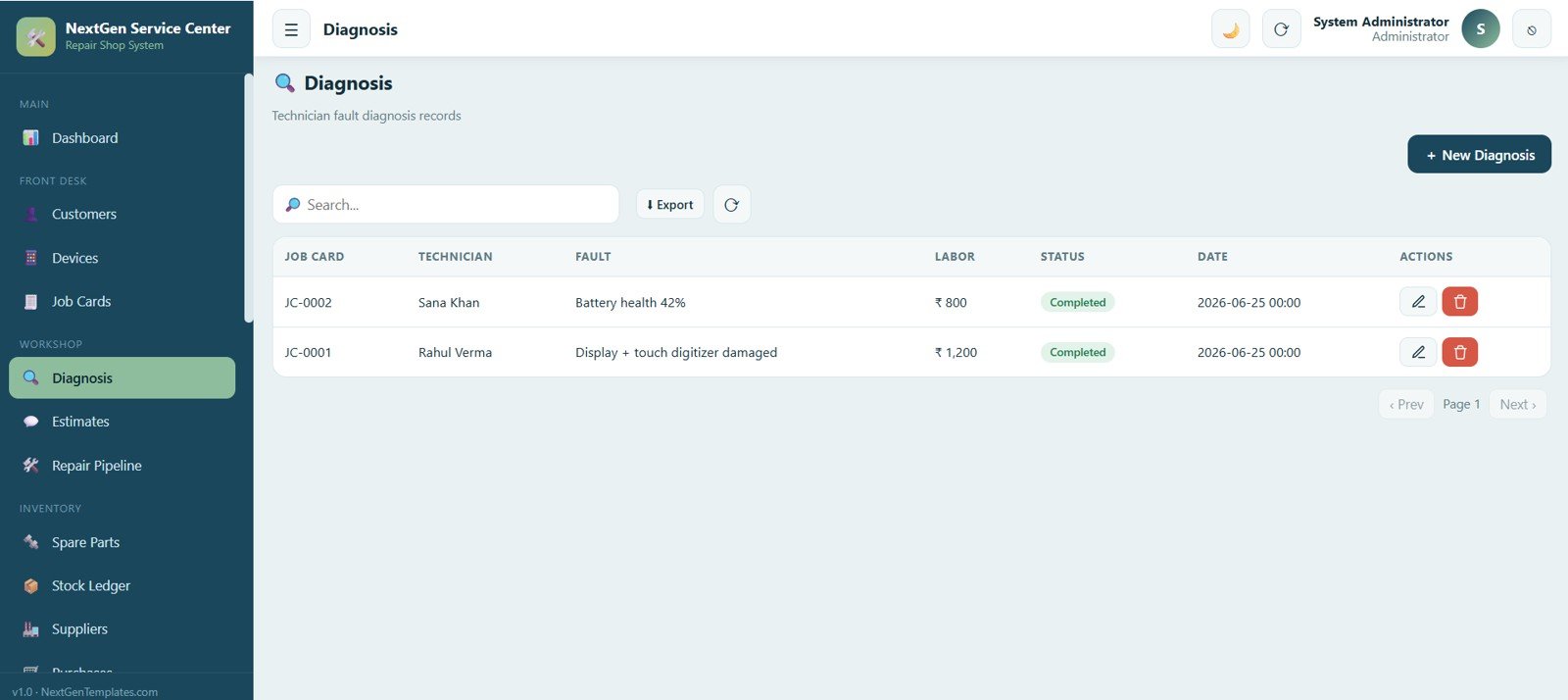
6. Diagnosis
Technicians record fault diagnosis for each job card with labor charge, status and date, capturing fault findings before the repair begins.
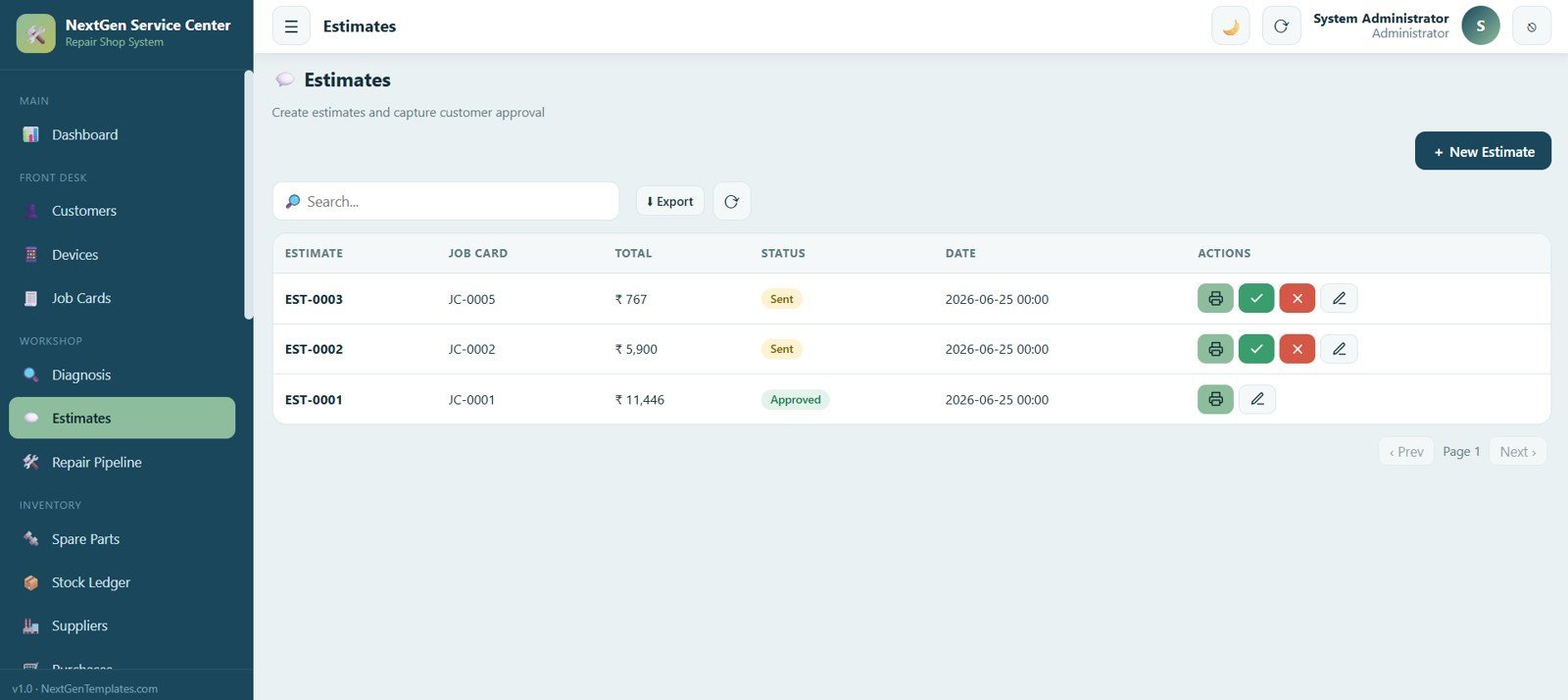
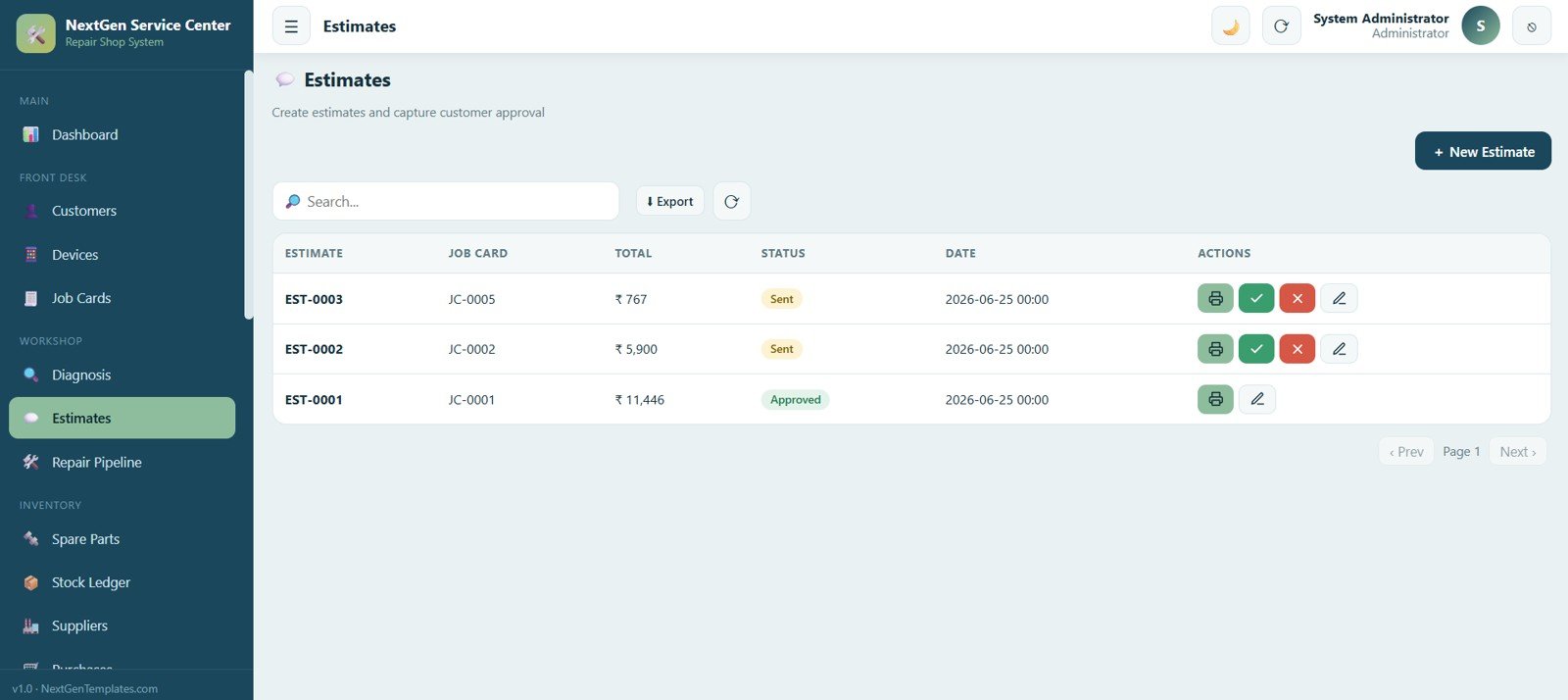
7. Estimates
Create cost estimates linked to a job card with total amount, status (sent or approved) and date, with options to print, approve or reject.
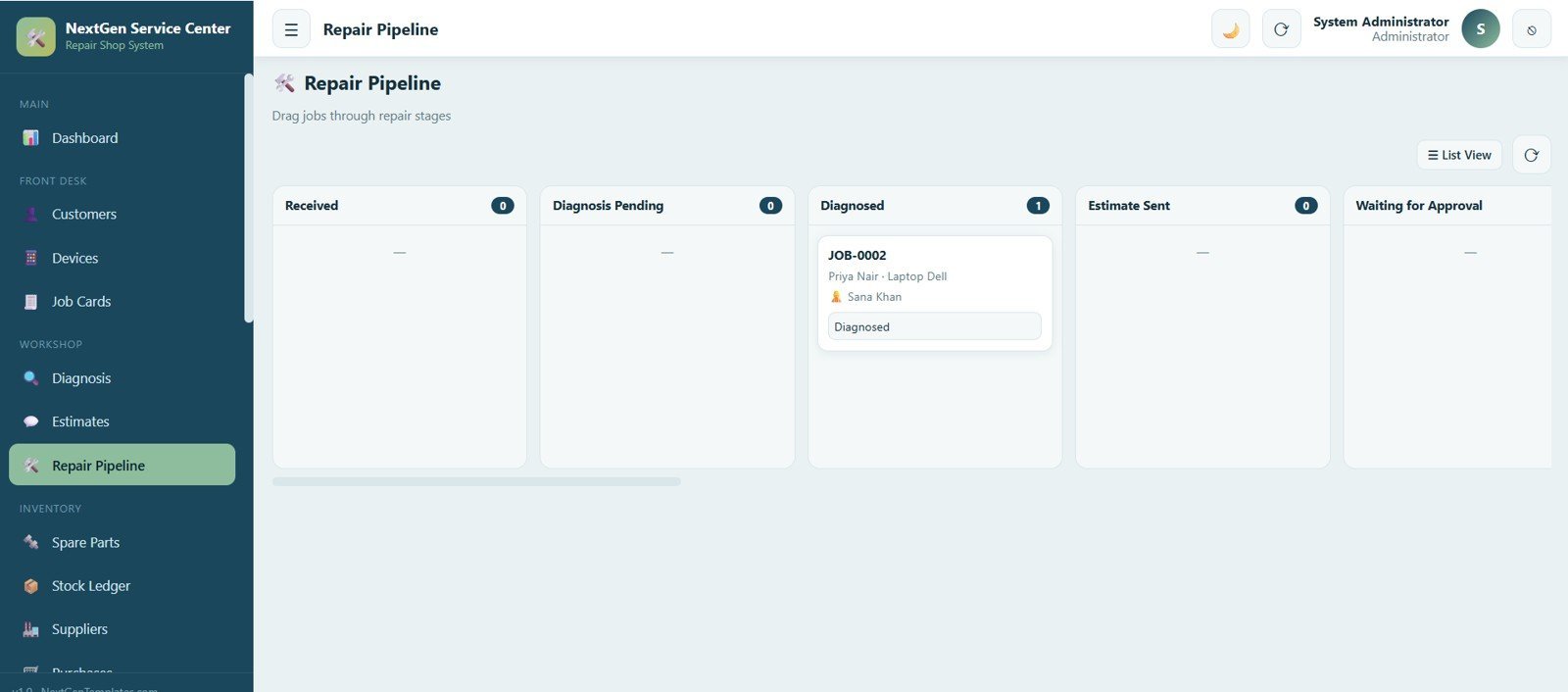
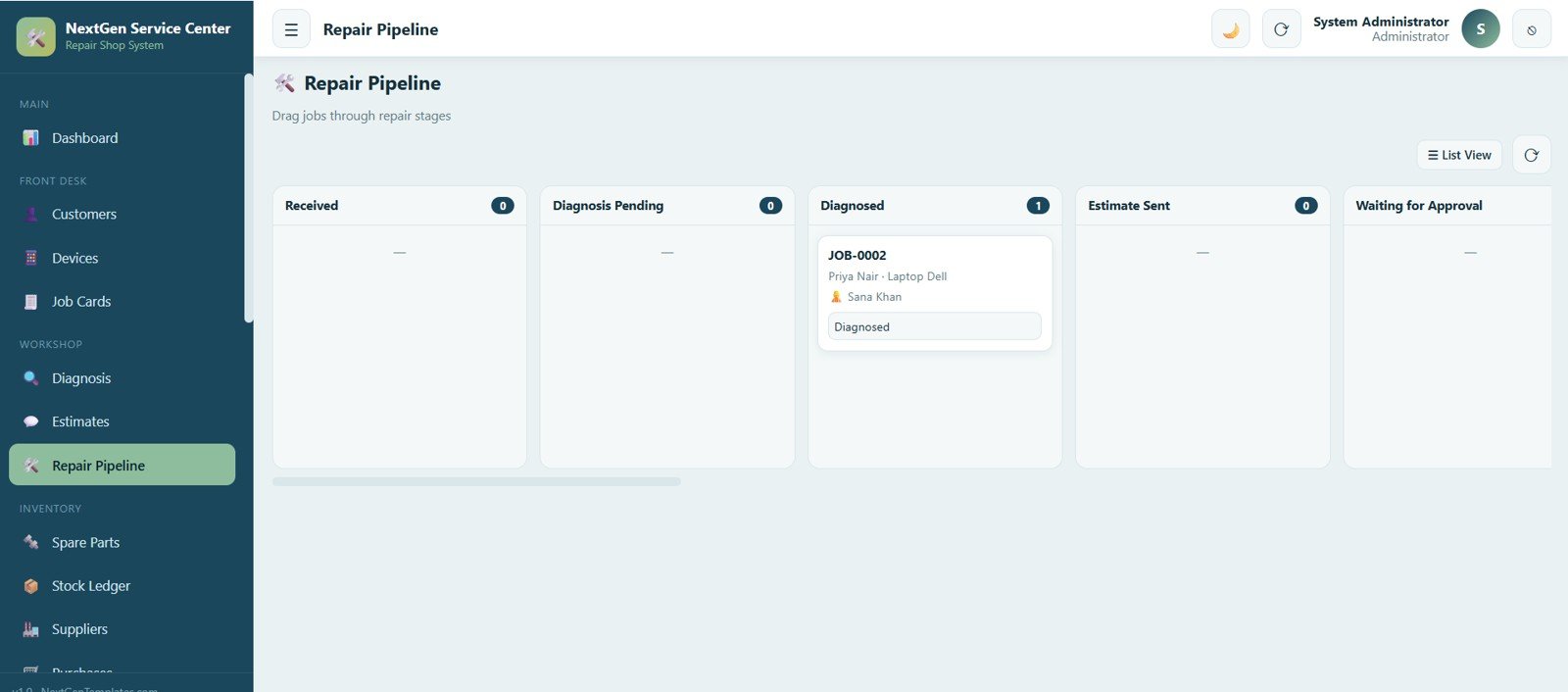
8. Repair Pipeline
A visual board moves each job through Received, Diagnosis Pending, Diagnosed, Estimate Sent and Awaiting Approval with a simple drag from one column to the next.
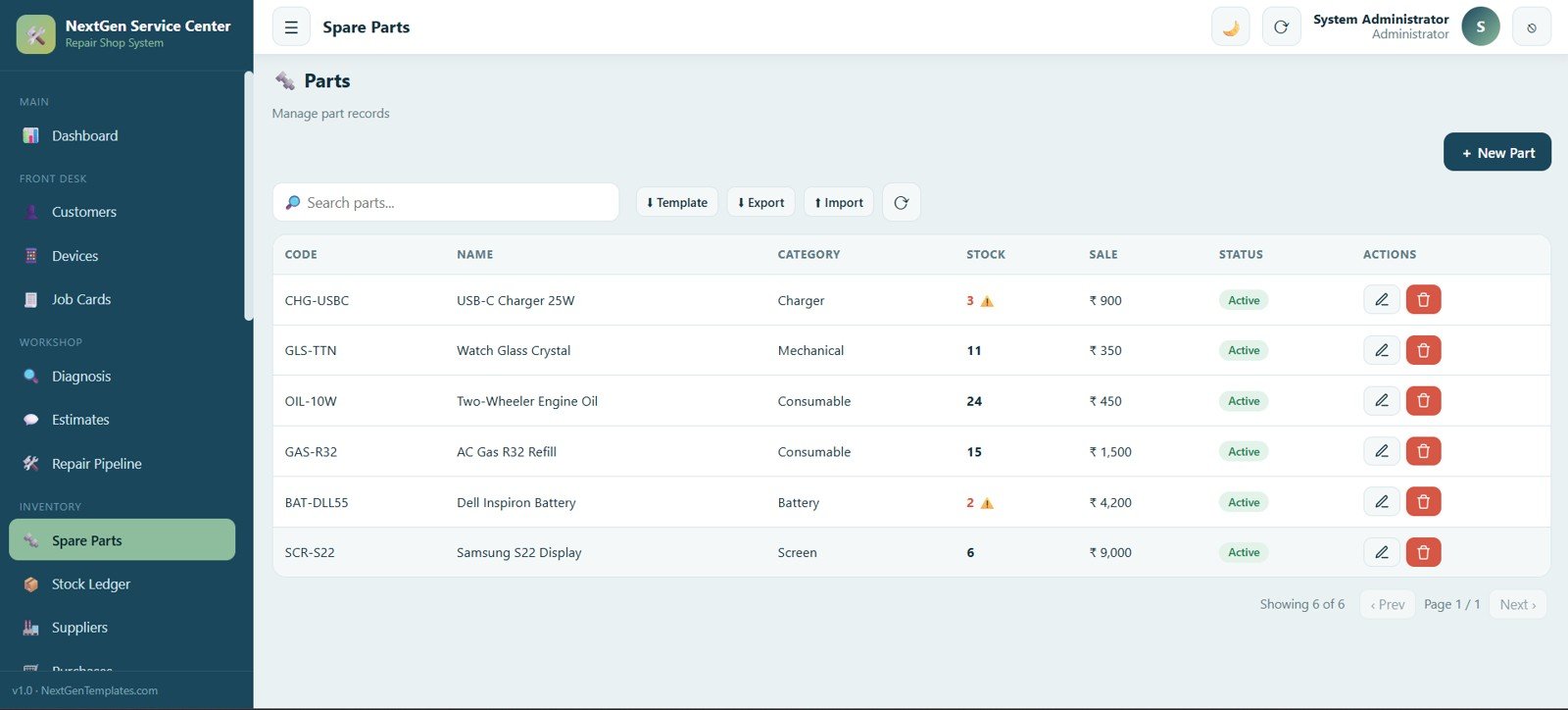
9. Spare Parts
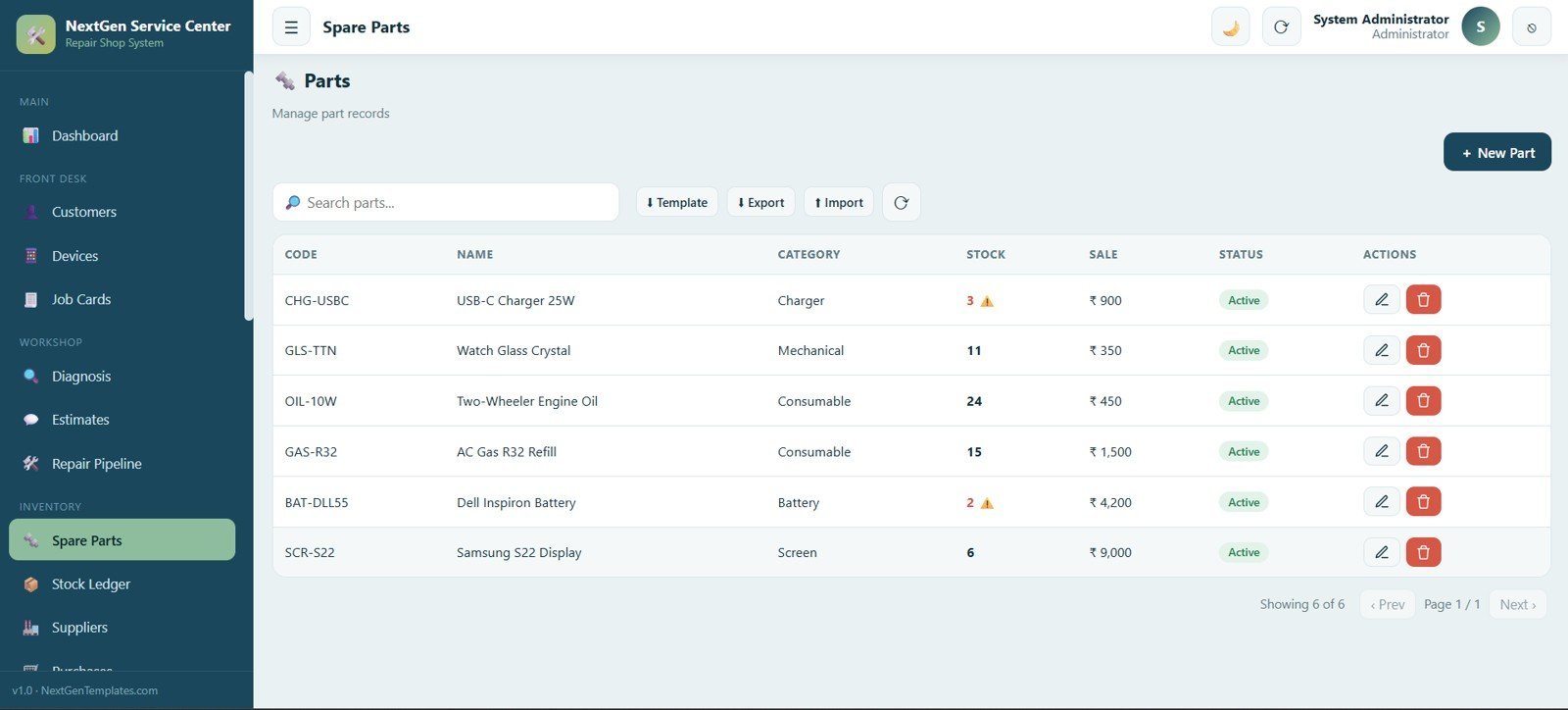
Manage the full spare parts catalog with part code, name, category, stock level and sale price, and highlight parts running low on stock.
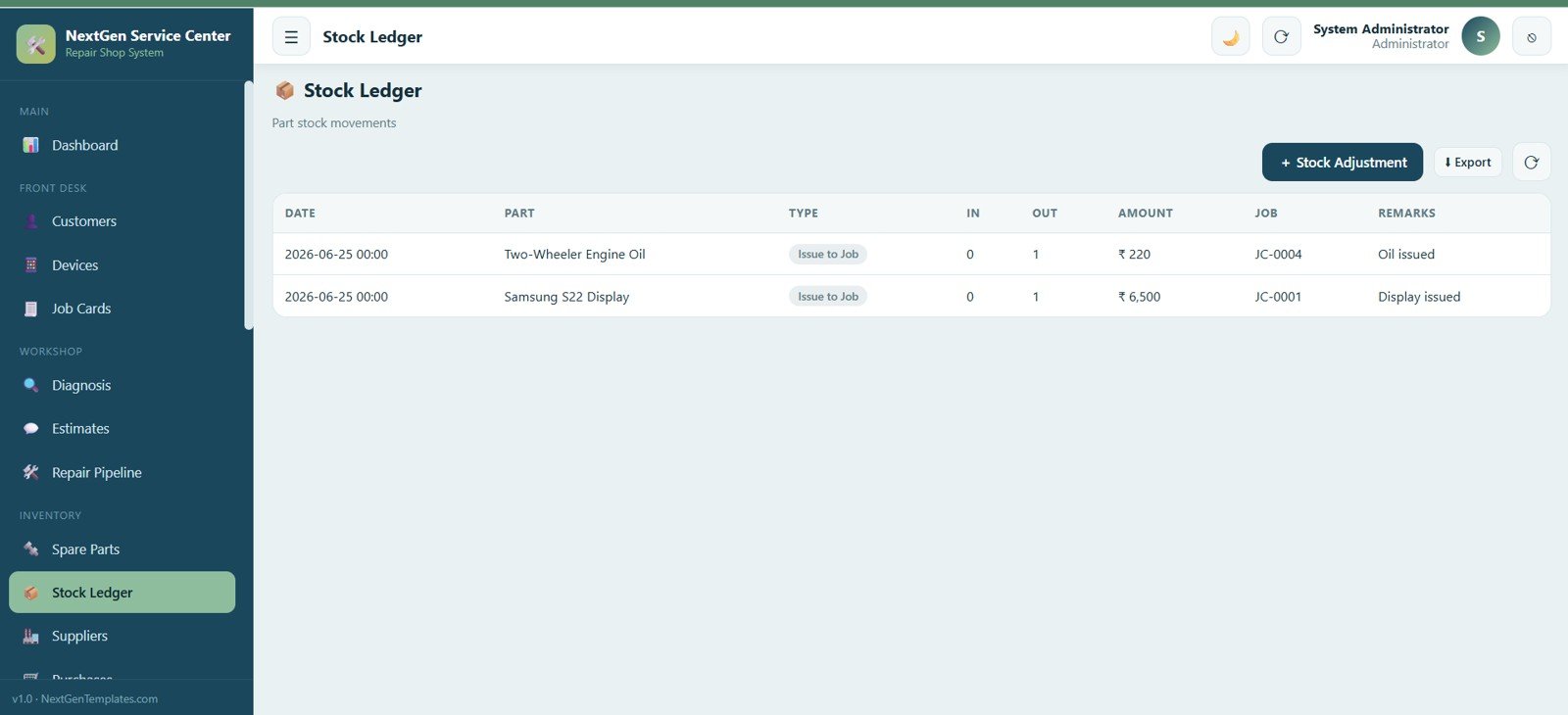
10. Stock Ledger
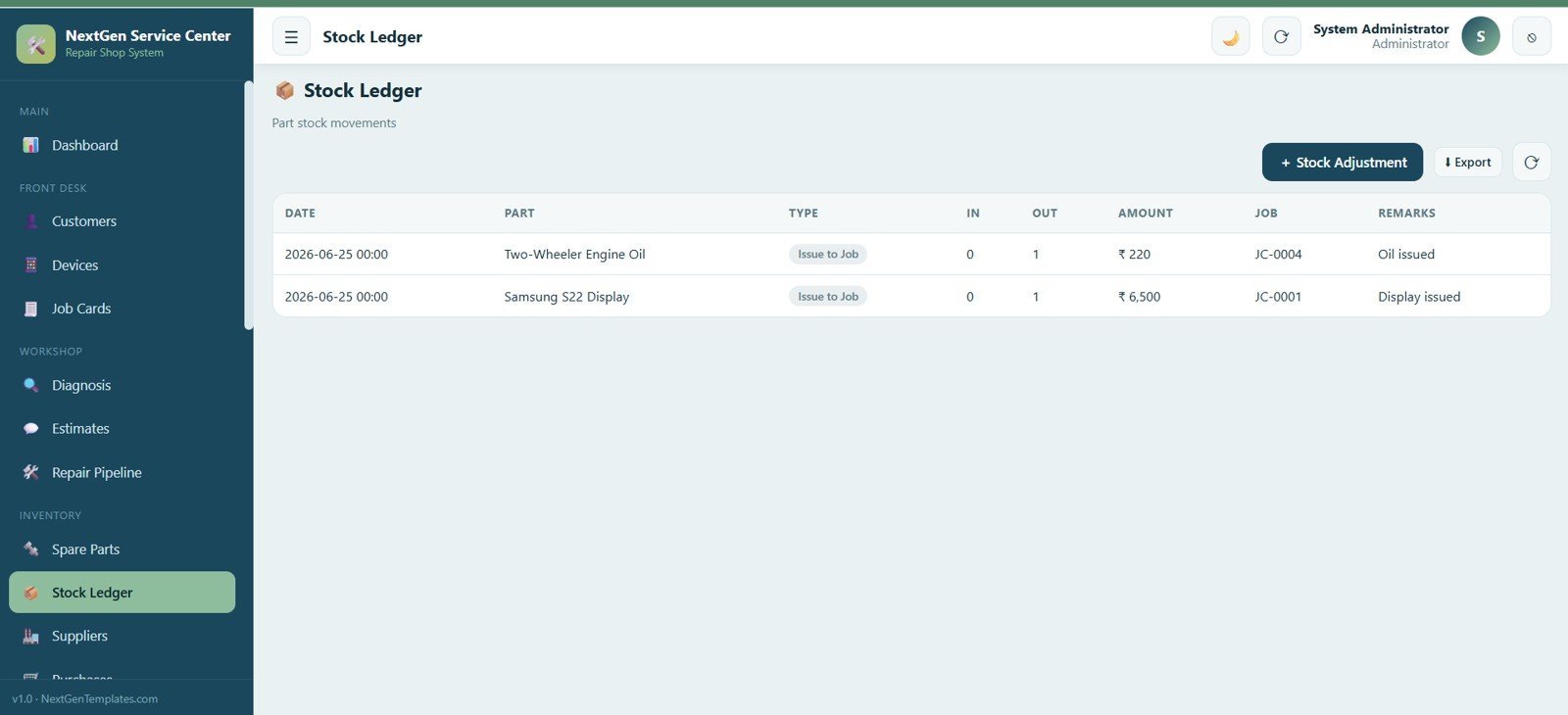
Record every stock movement with date, part, movement type, quantity in and out, amount, linked job and remarks.
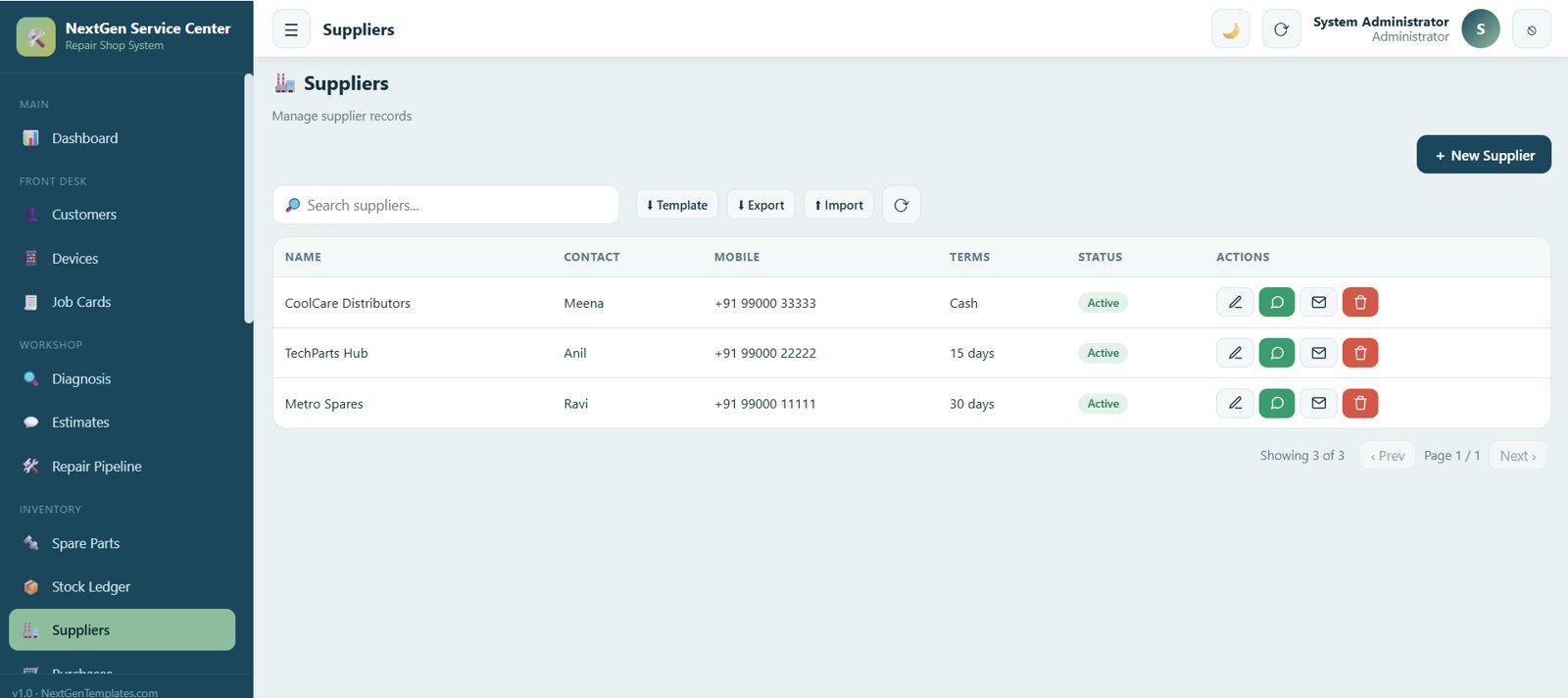
11. Suppliers
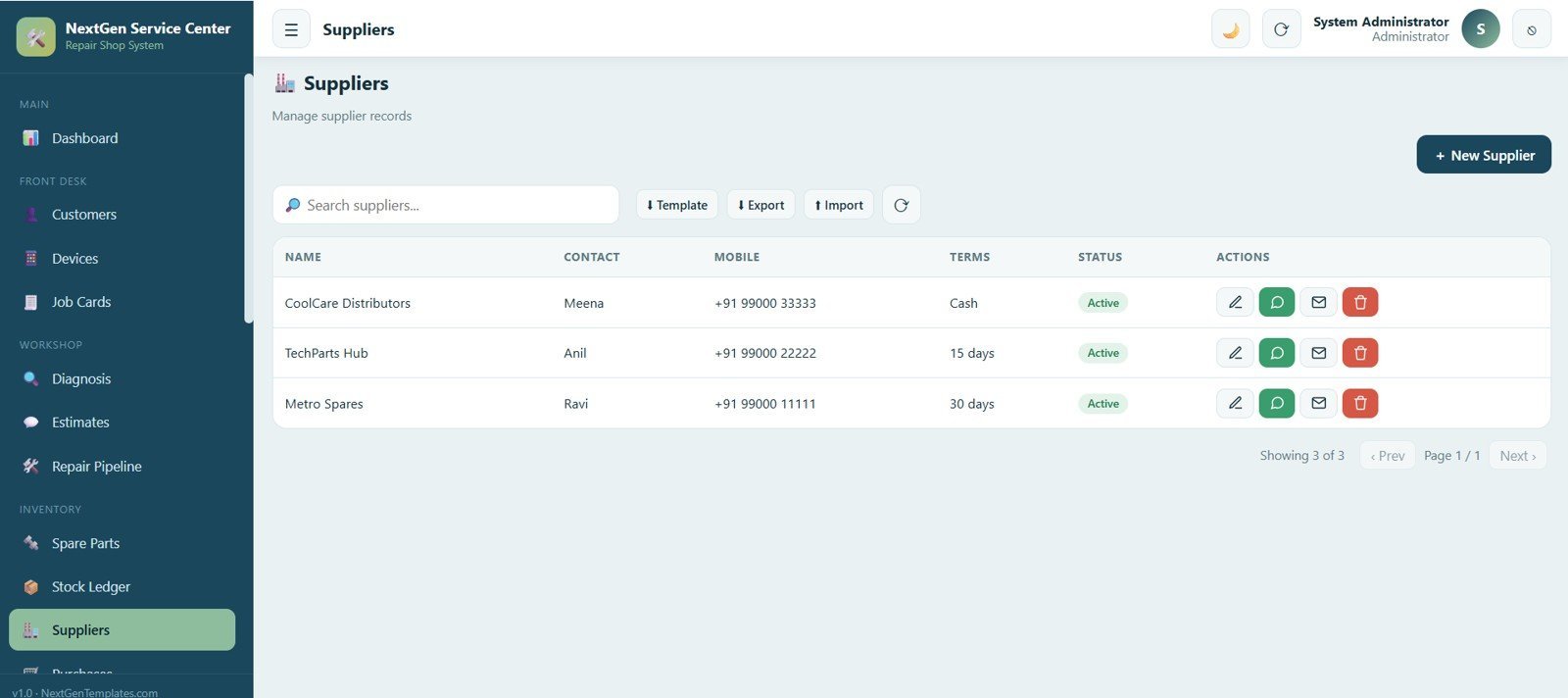
Manage every supplier record with name, contact person, mobile number, payment terms and status, and add, edit, import and export suppliers.
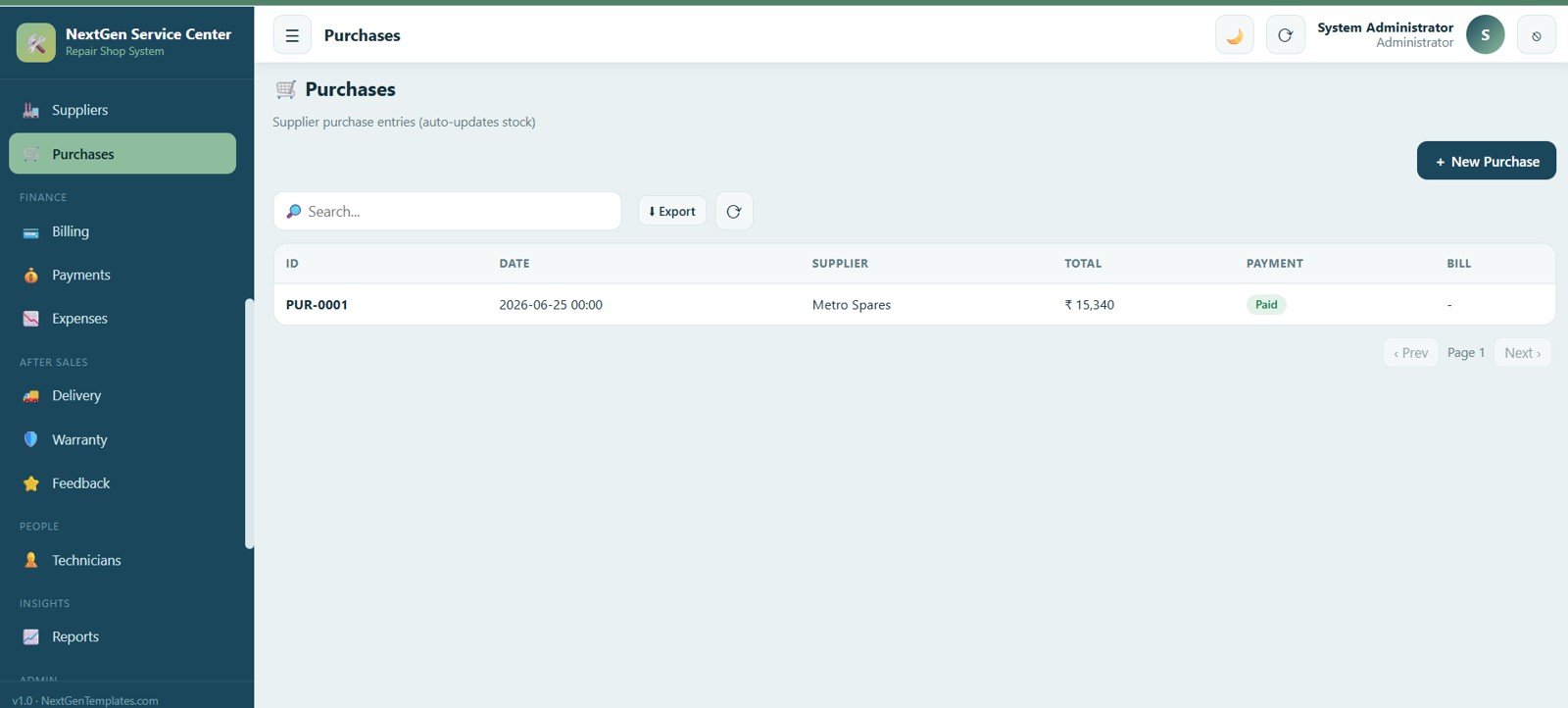
12. Purchases
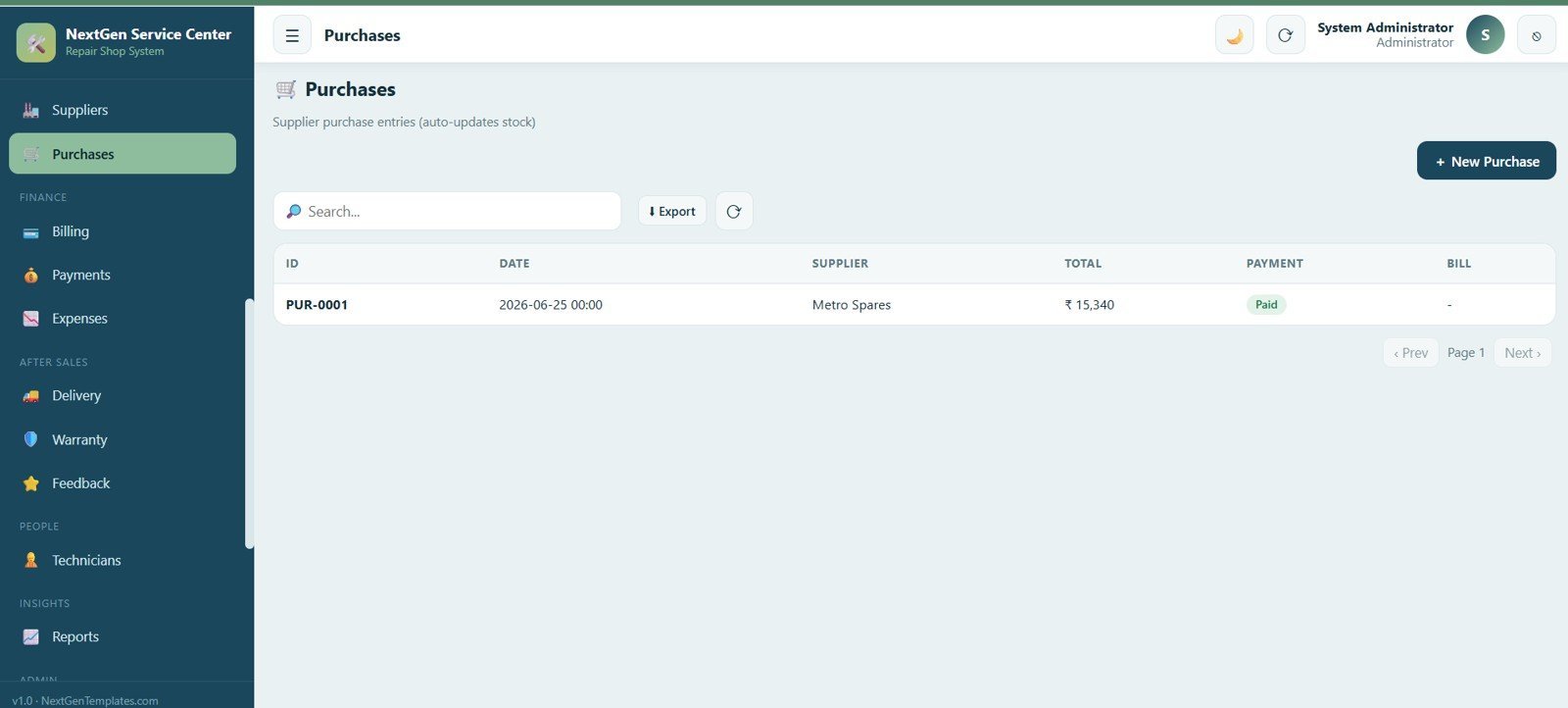
Record supplier purchase entries that update stock automatically, showing id, date, supplier, total amount and payment status.
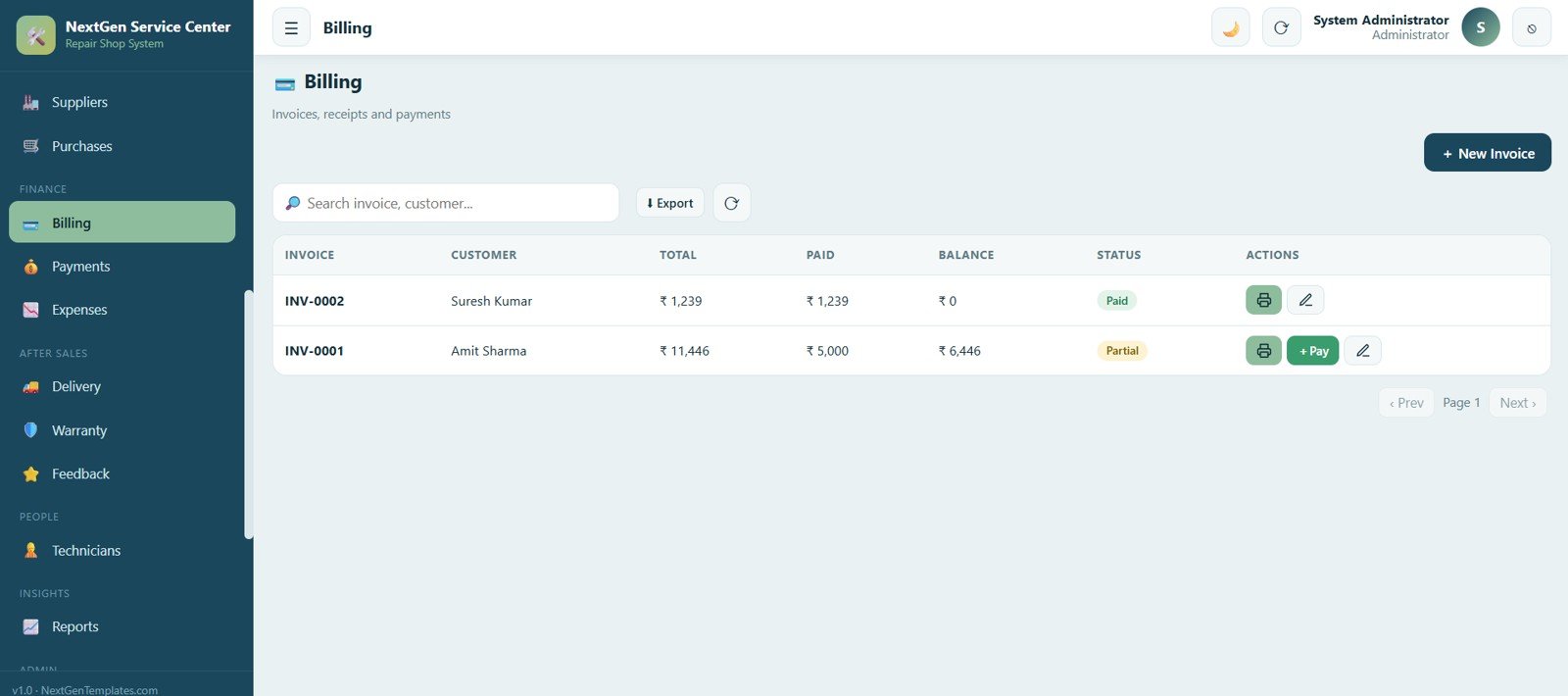
13. Billing
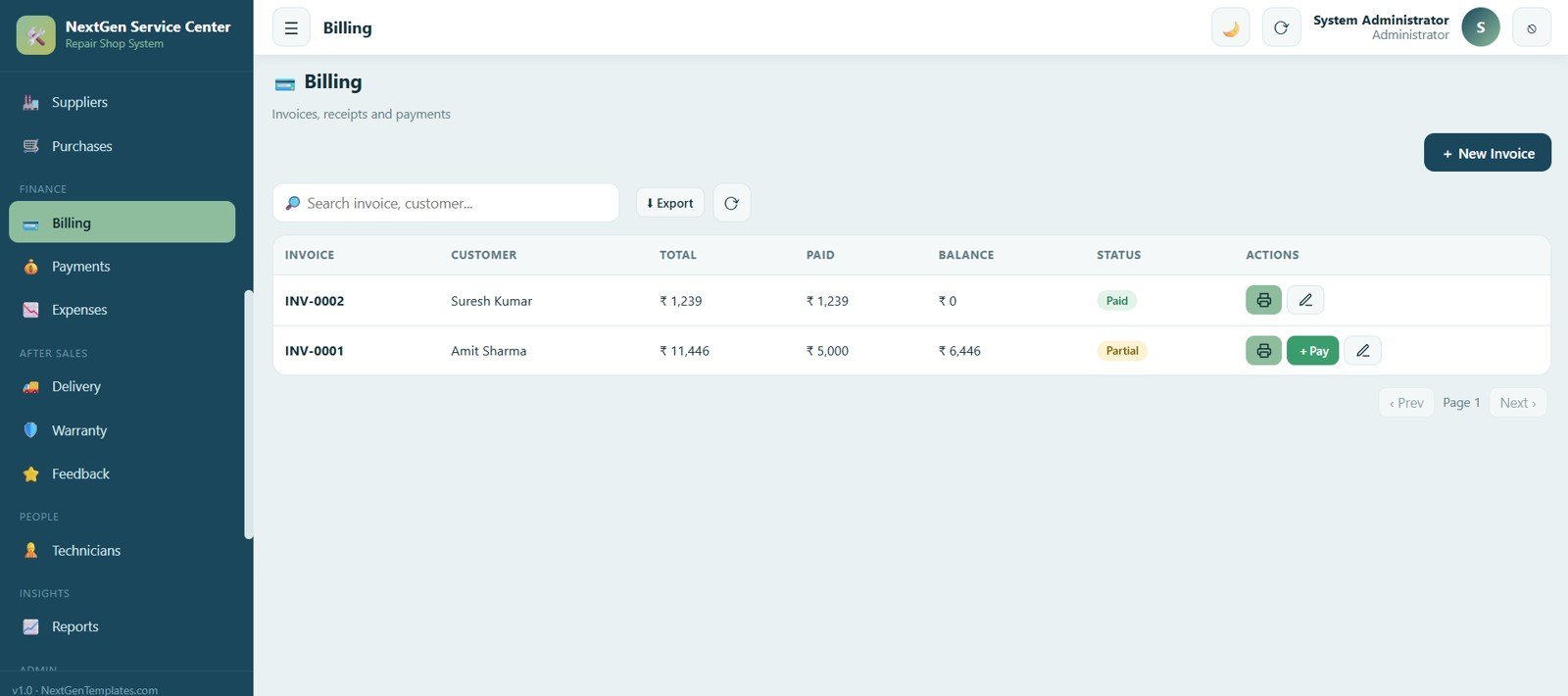
Create invoices and manage receipts and payments with customer, total, amount paid, balance and status (paid or partial), with print and payment-collection options.
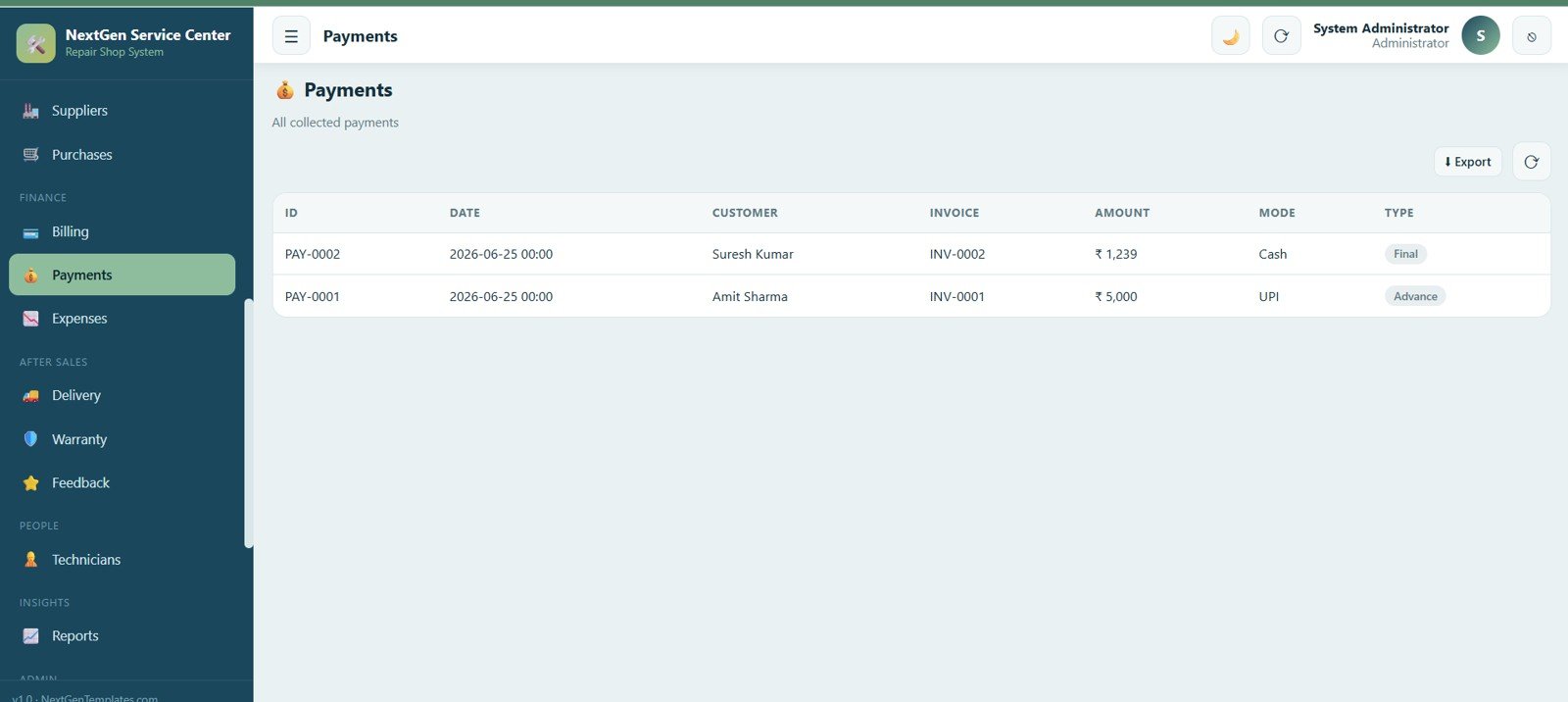
14. Payments
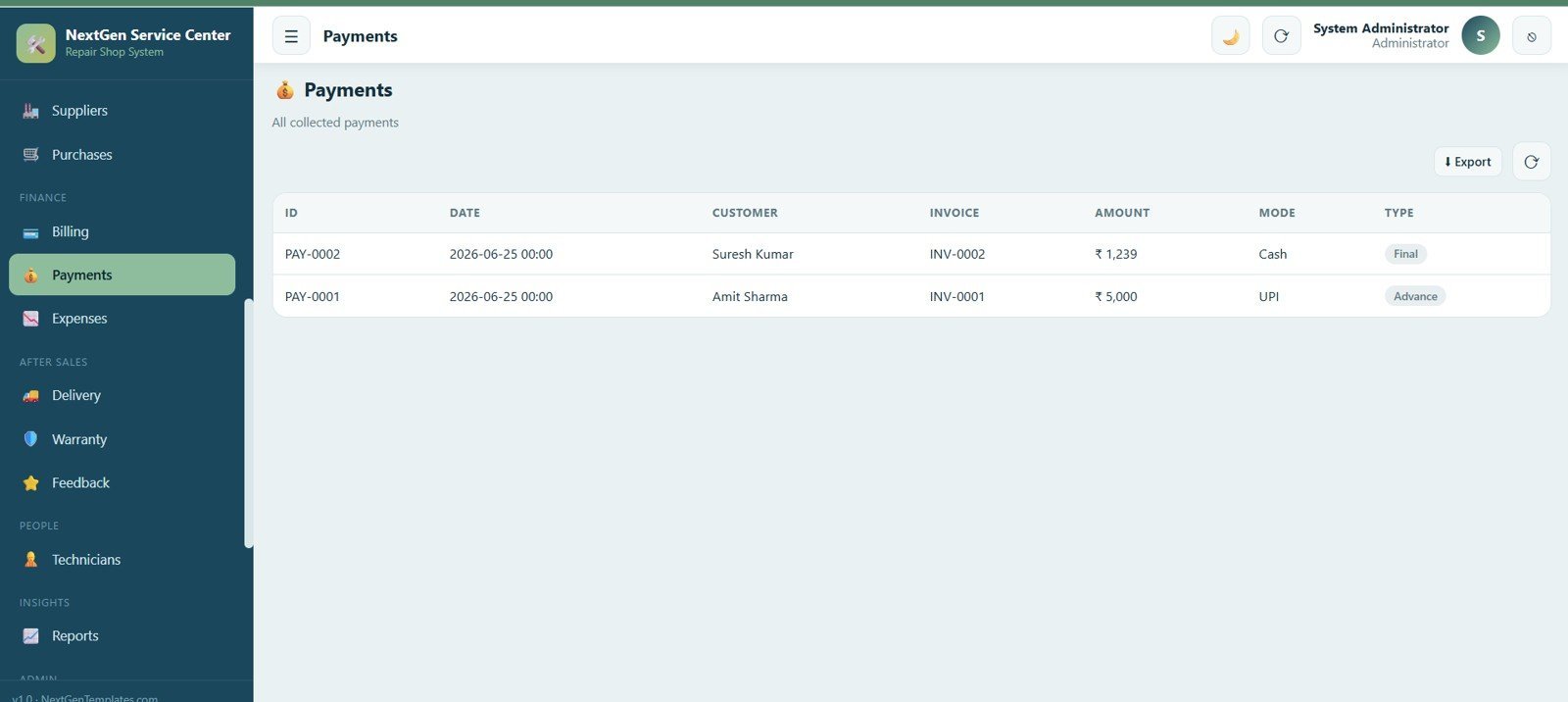
View every payment collected with payment id, date, customer, linked invoice, amount, payment mode and type (advance or final).
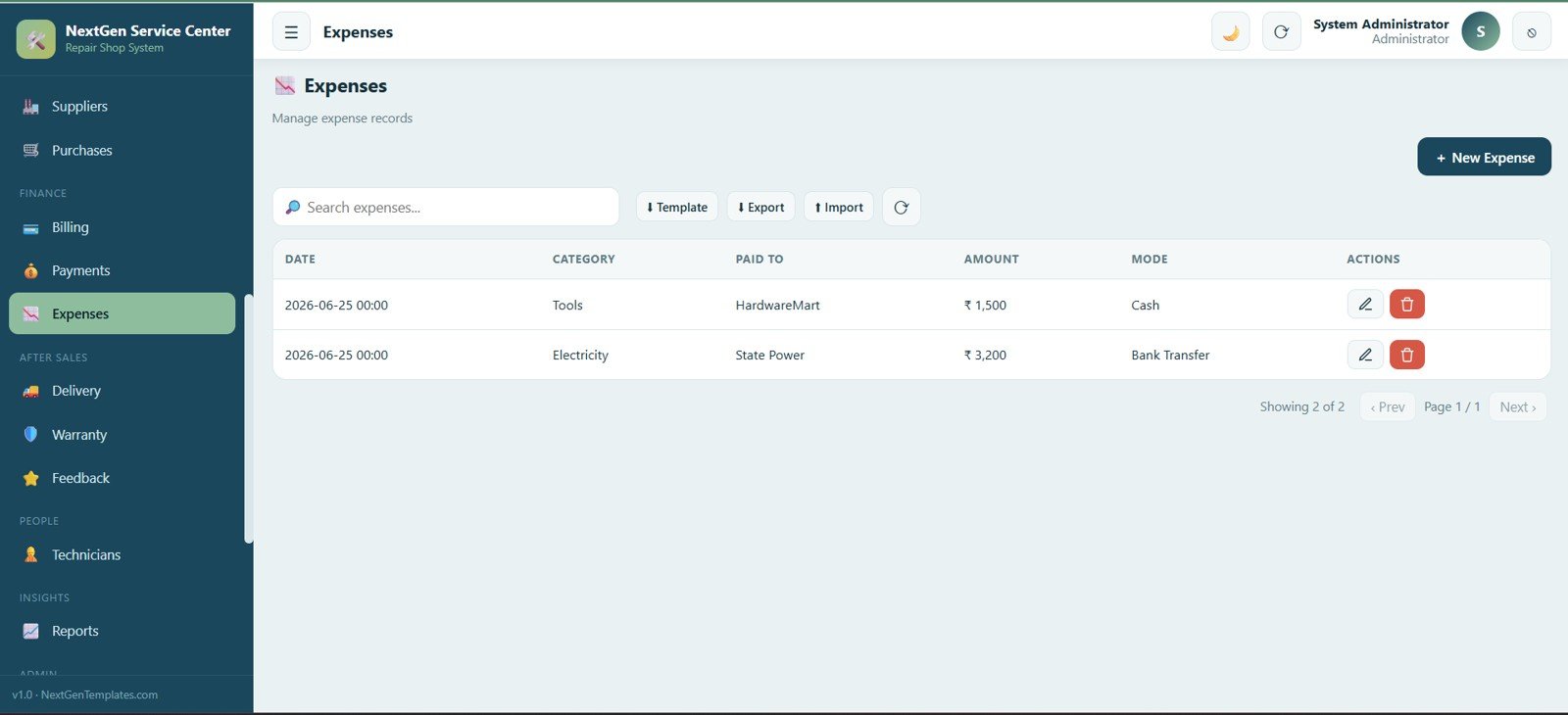
15. Expenses
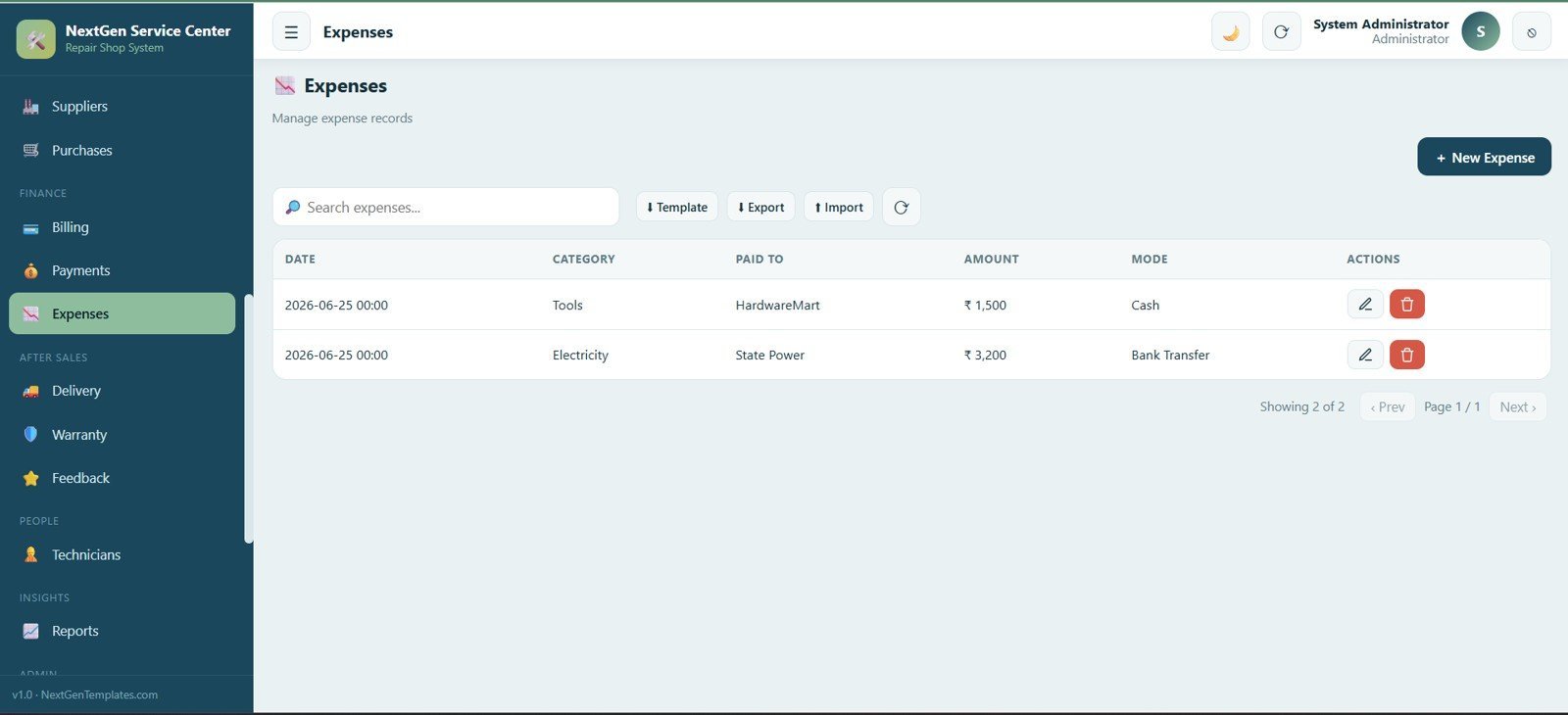
Track day-to-day business expenses with date, category, paid to, amount and payment mode.
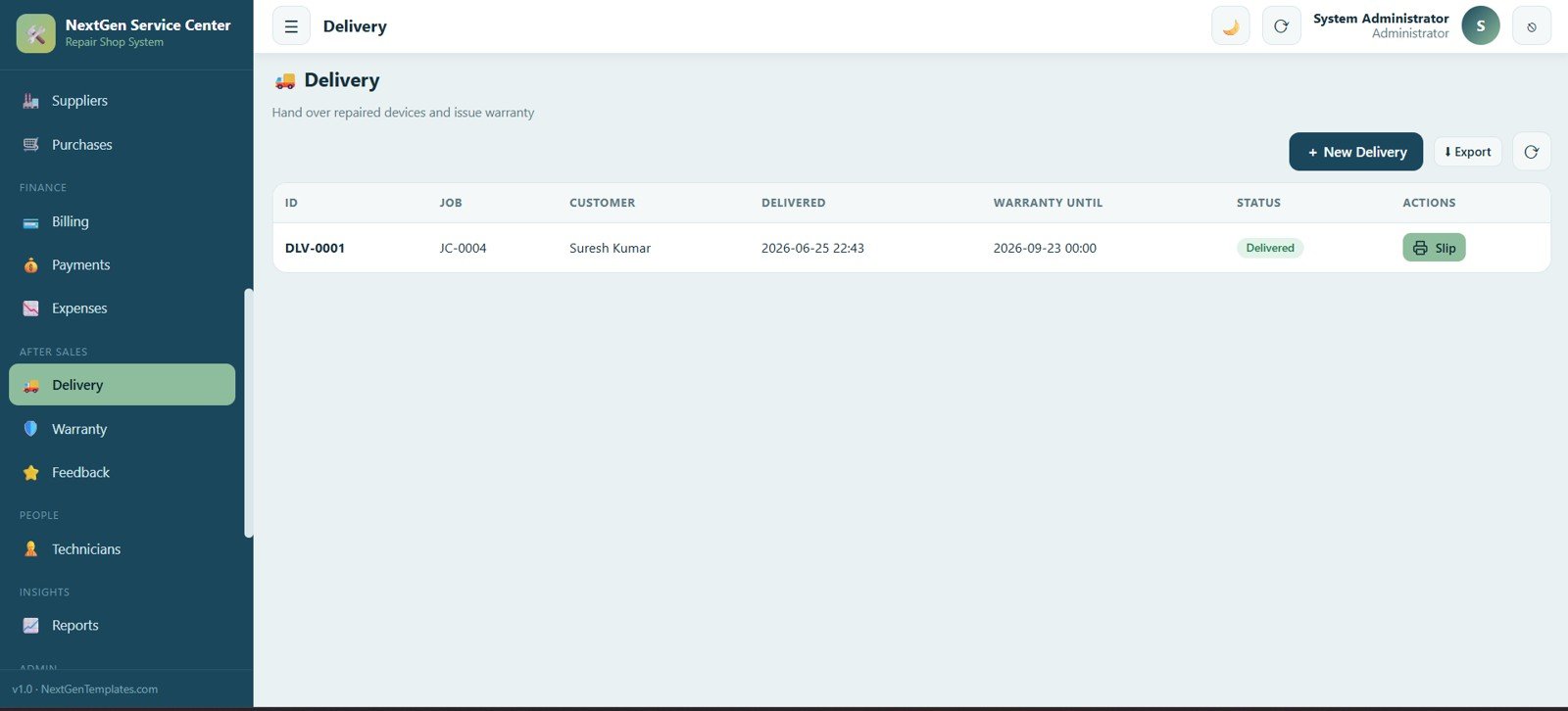
16. Delivery
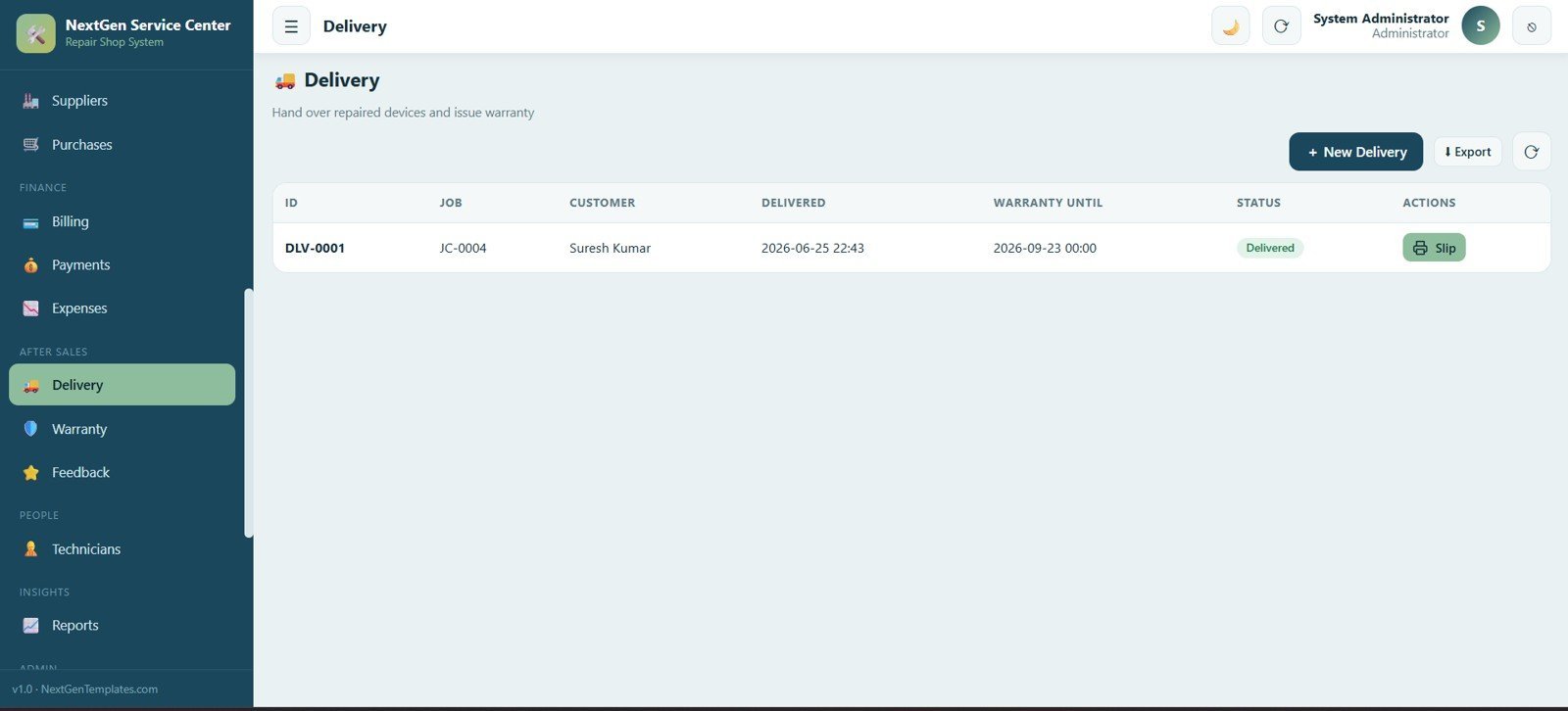
Hand over repaired devices and issue warranty with linked job, customer, delivery date, warranty-until date and status, plus a printable delivery slip.
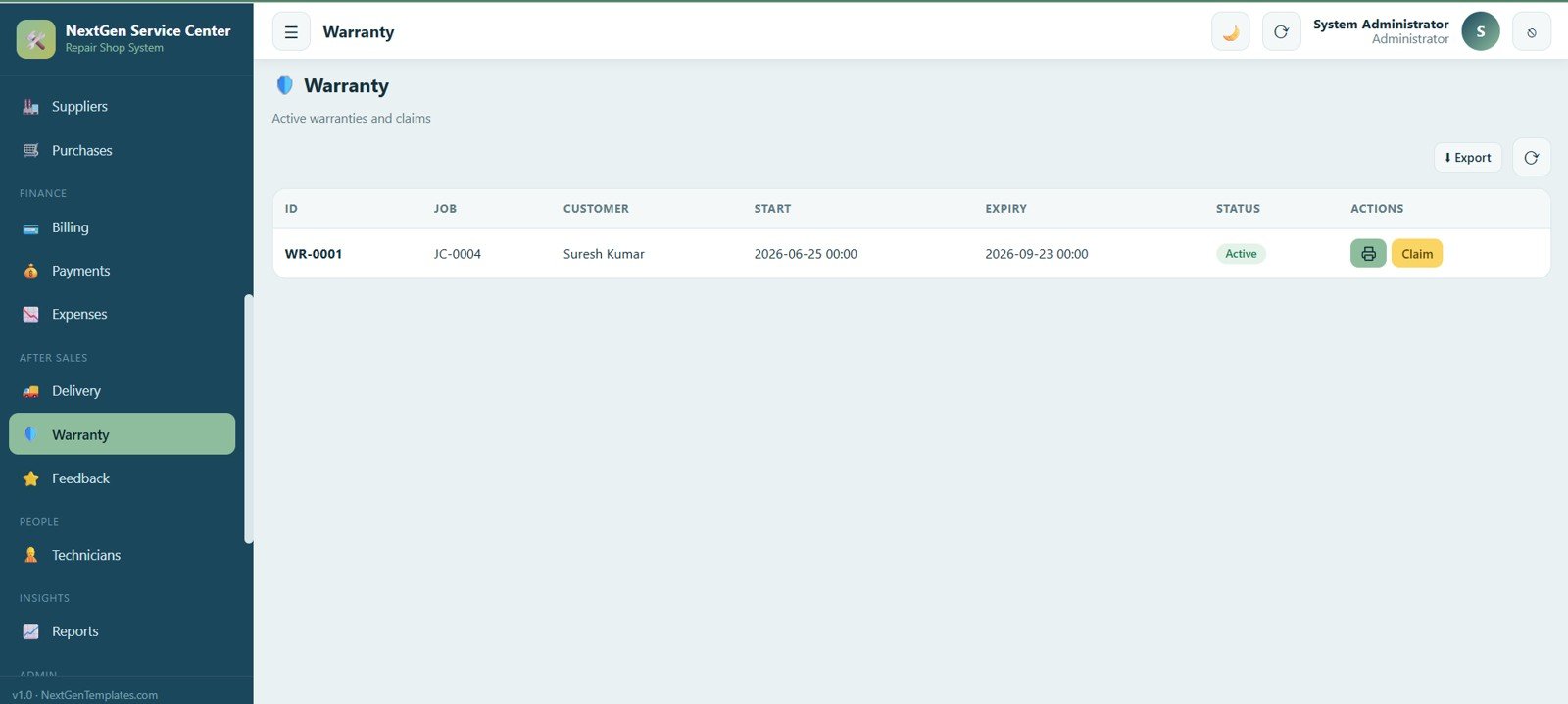
17. Warranty
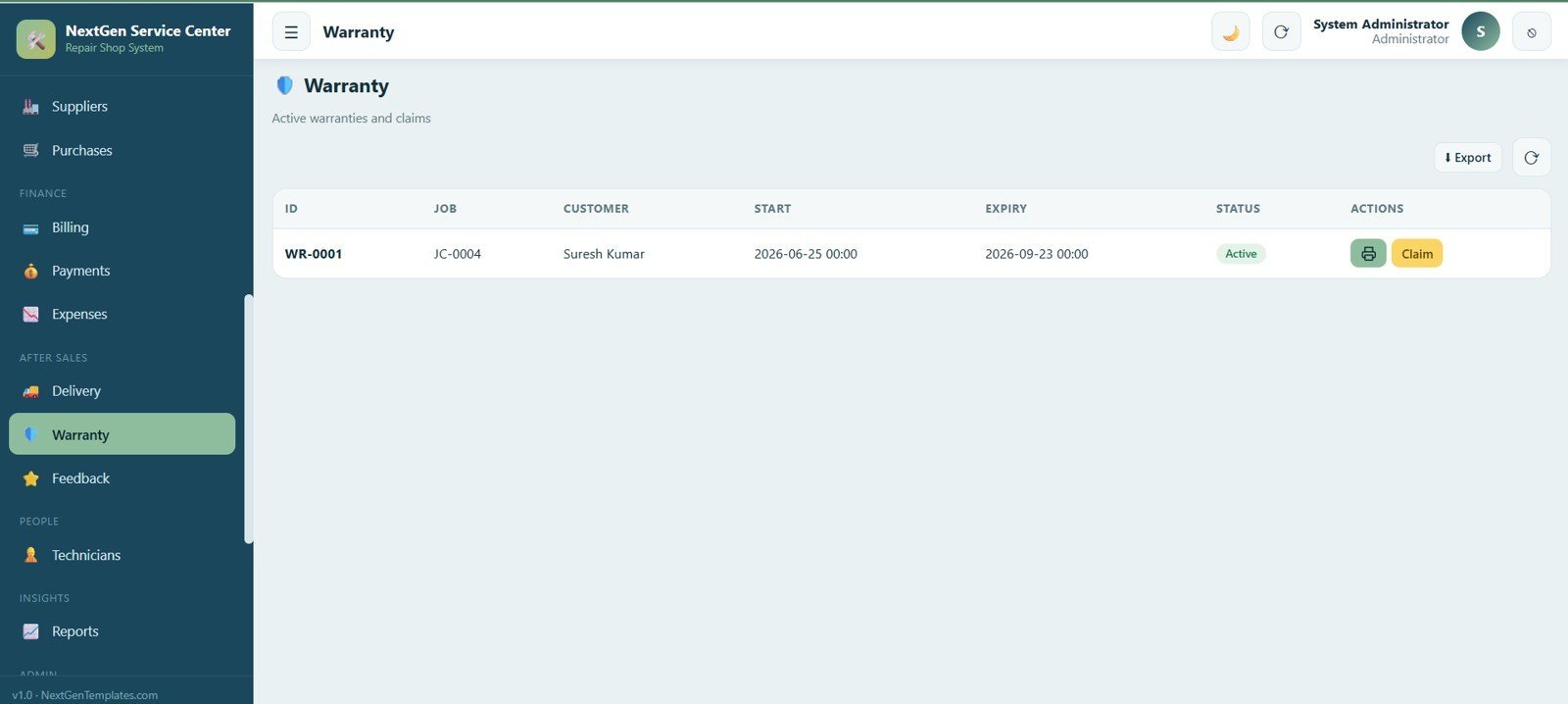
Track active warranties and claims with linked job, customer, warranty start and expiry dates and status, with print and claim-registration options.
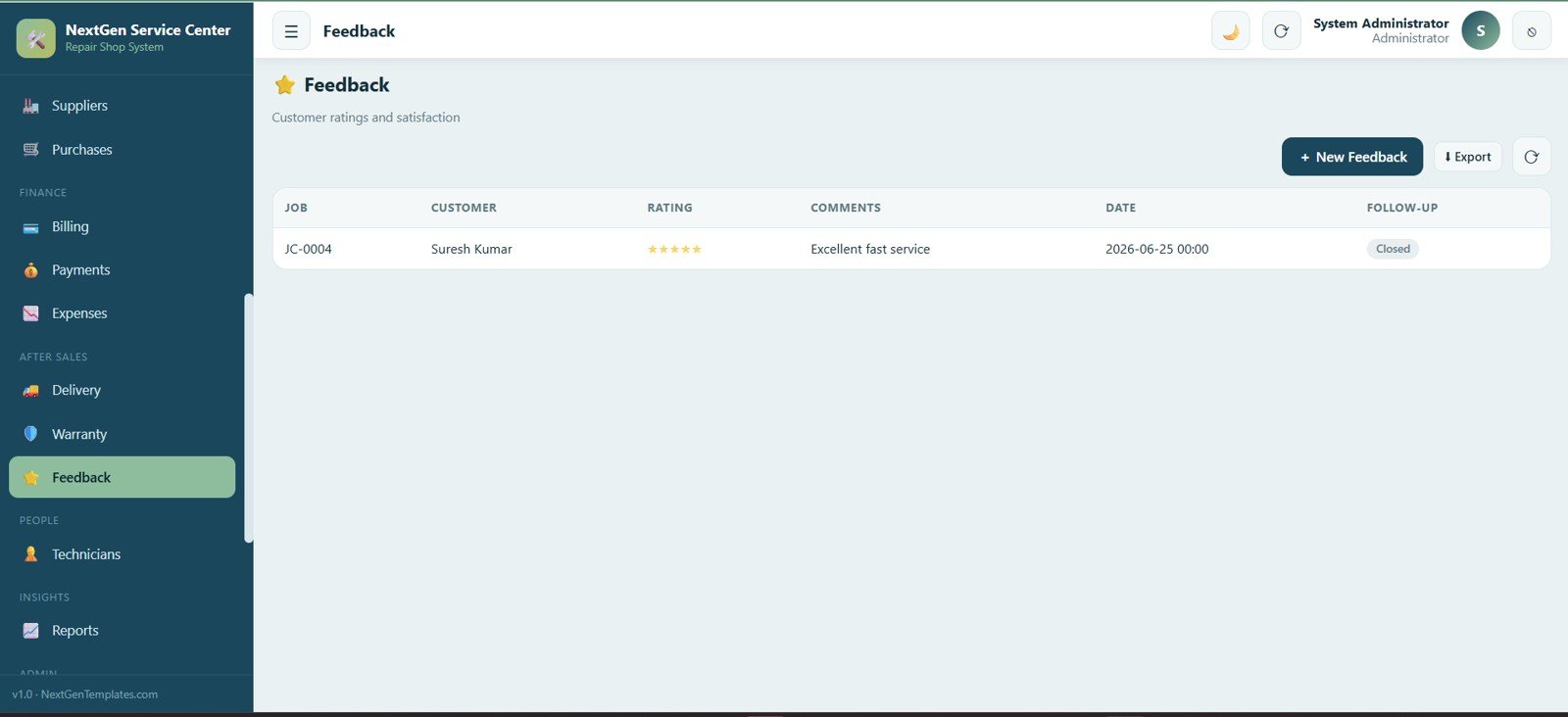
18. Feedback
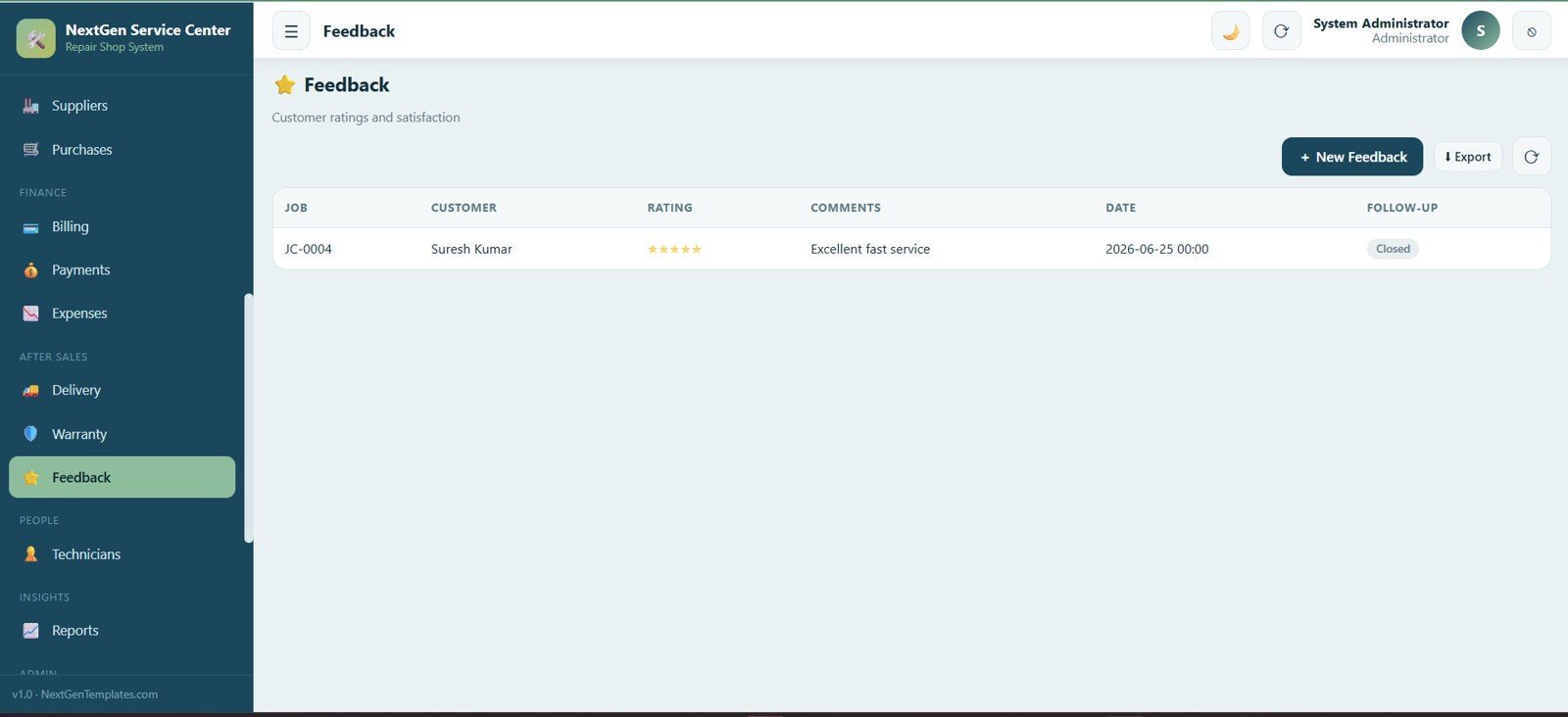
Capture customer ratings and satisfaction with linked job, customer, star rating, comments, date and follow-up status.
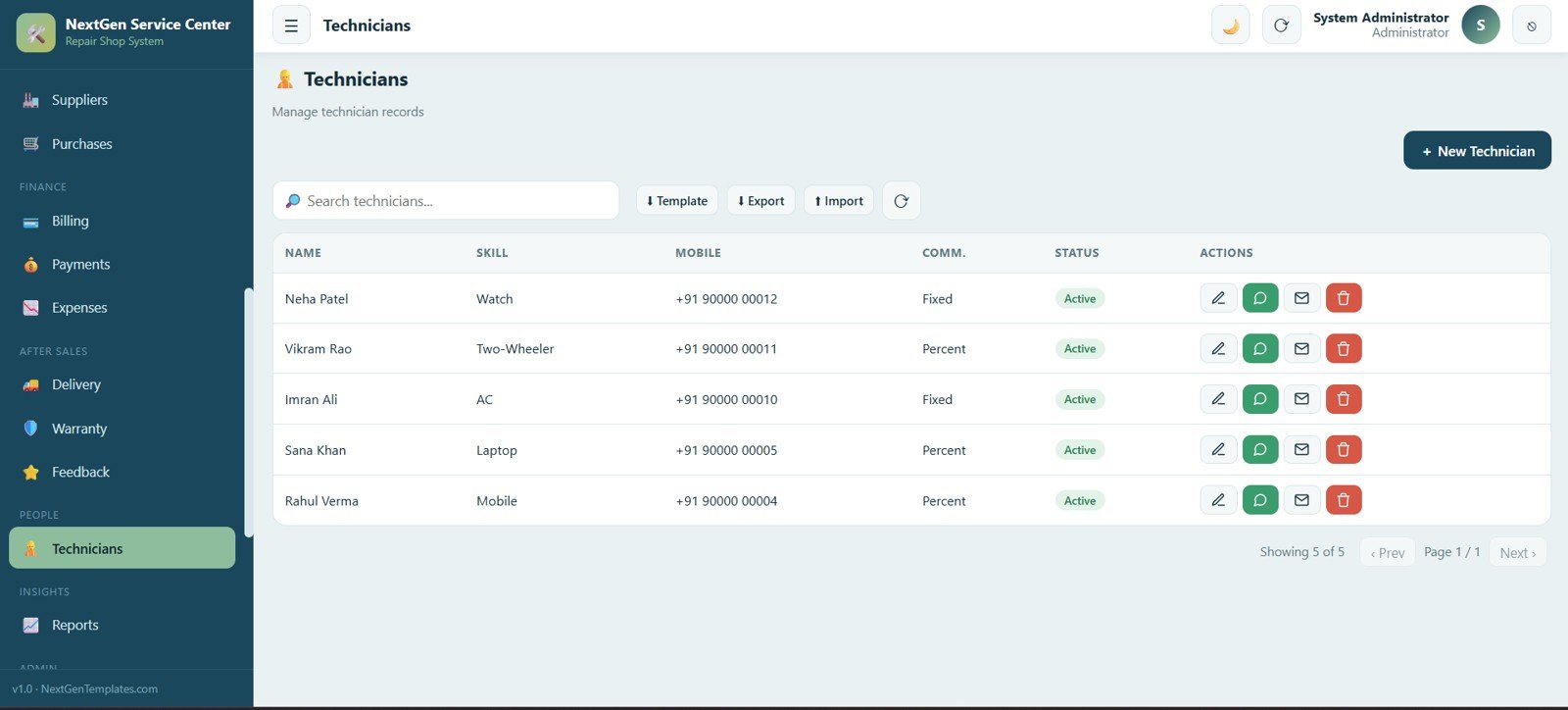
19. Technicians
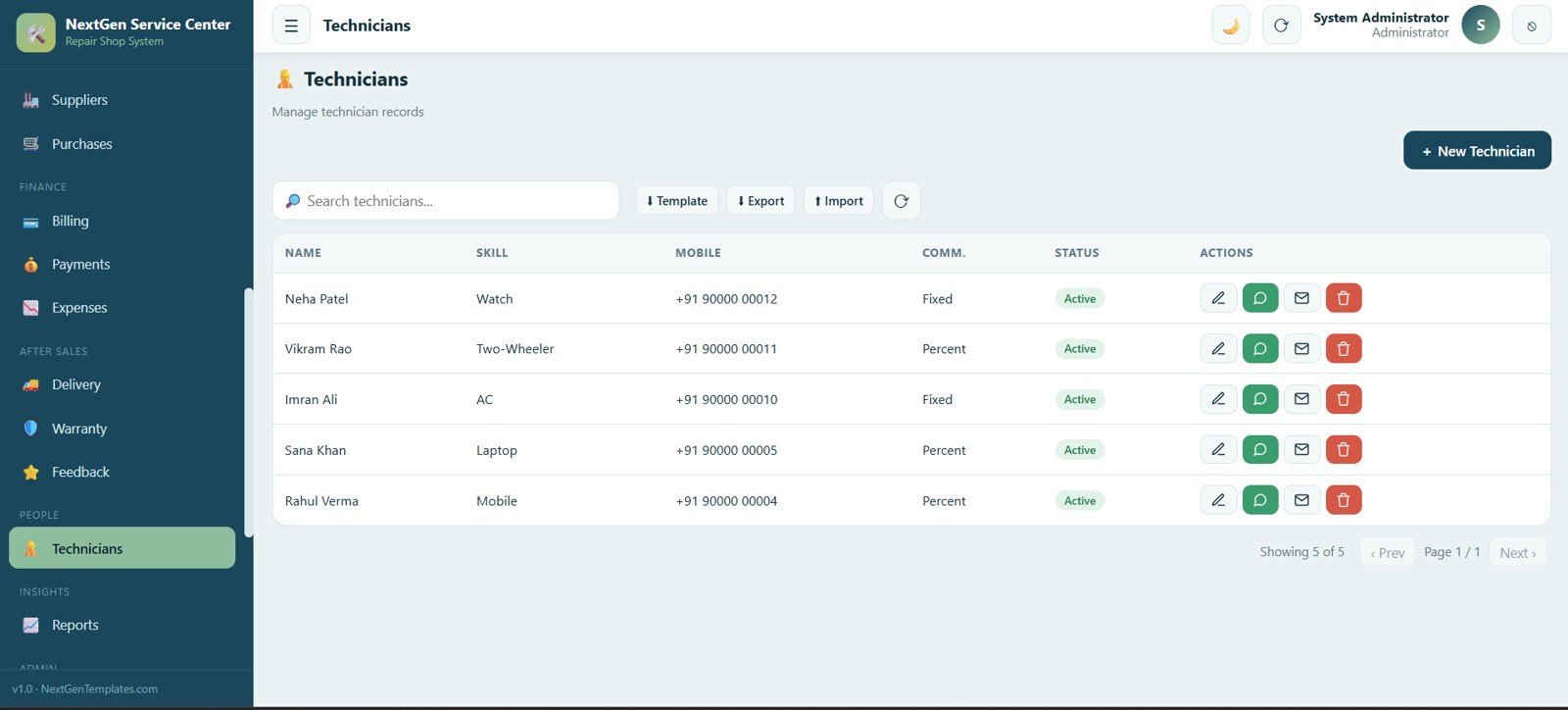
Manage the technician team with name, skill, mobile number, commission type and status, and add, edit, import and export technicians.
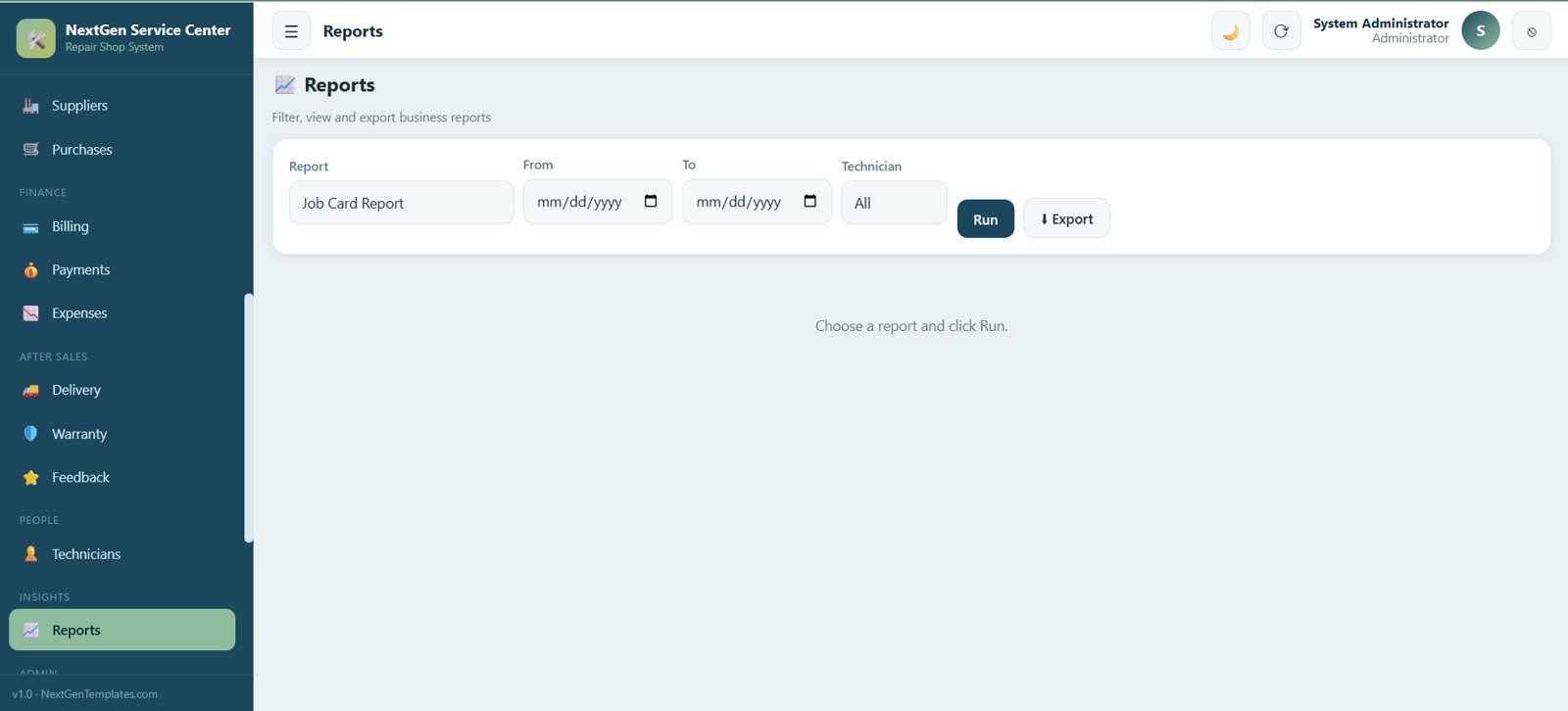
20. Reports
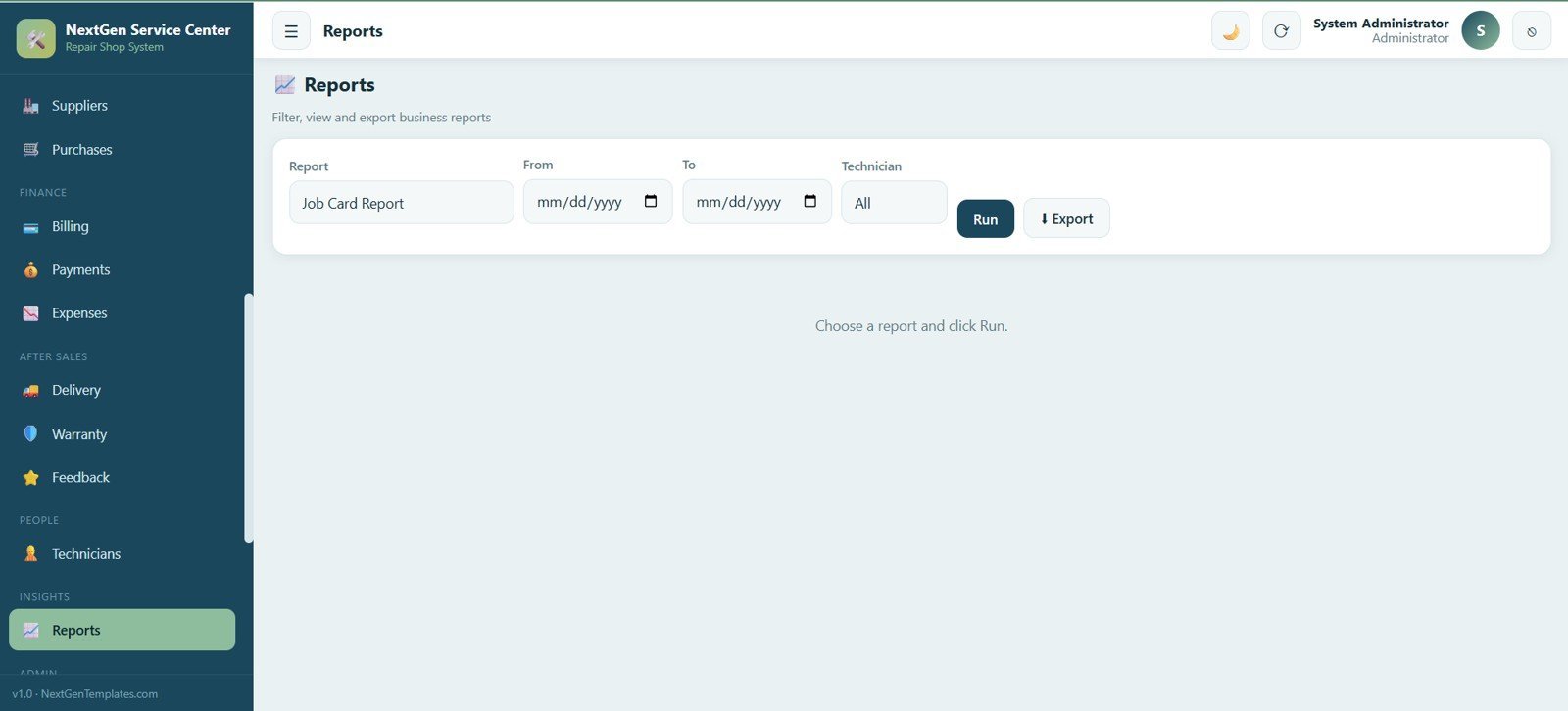
Filter, view and export business reports by report type, date range and technician, then run or export the report.
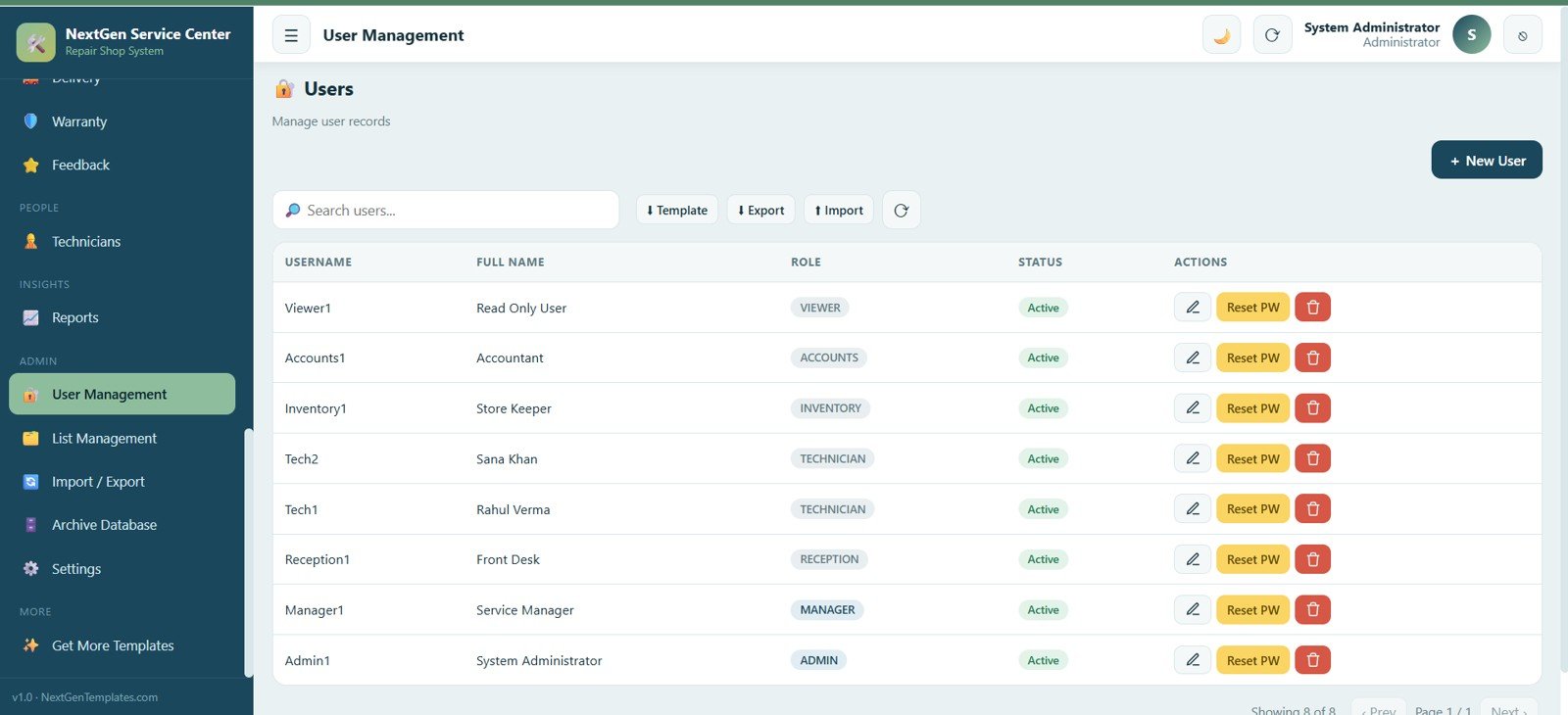
21. User Management
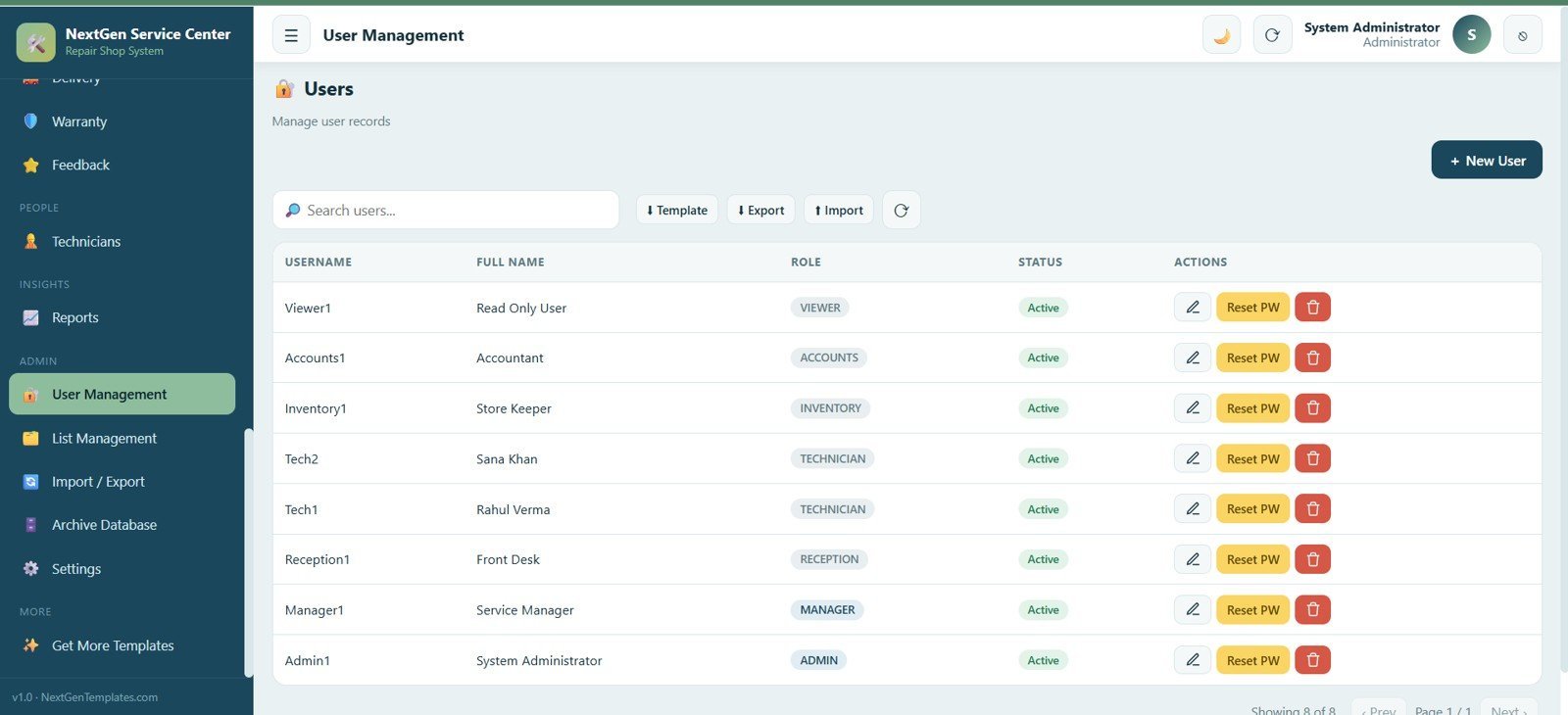
Manage user accounts with username, full name, role (admin, manager, reception or technician) and status, with edit, reset password and remove options.
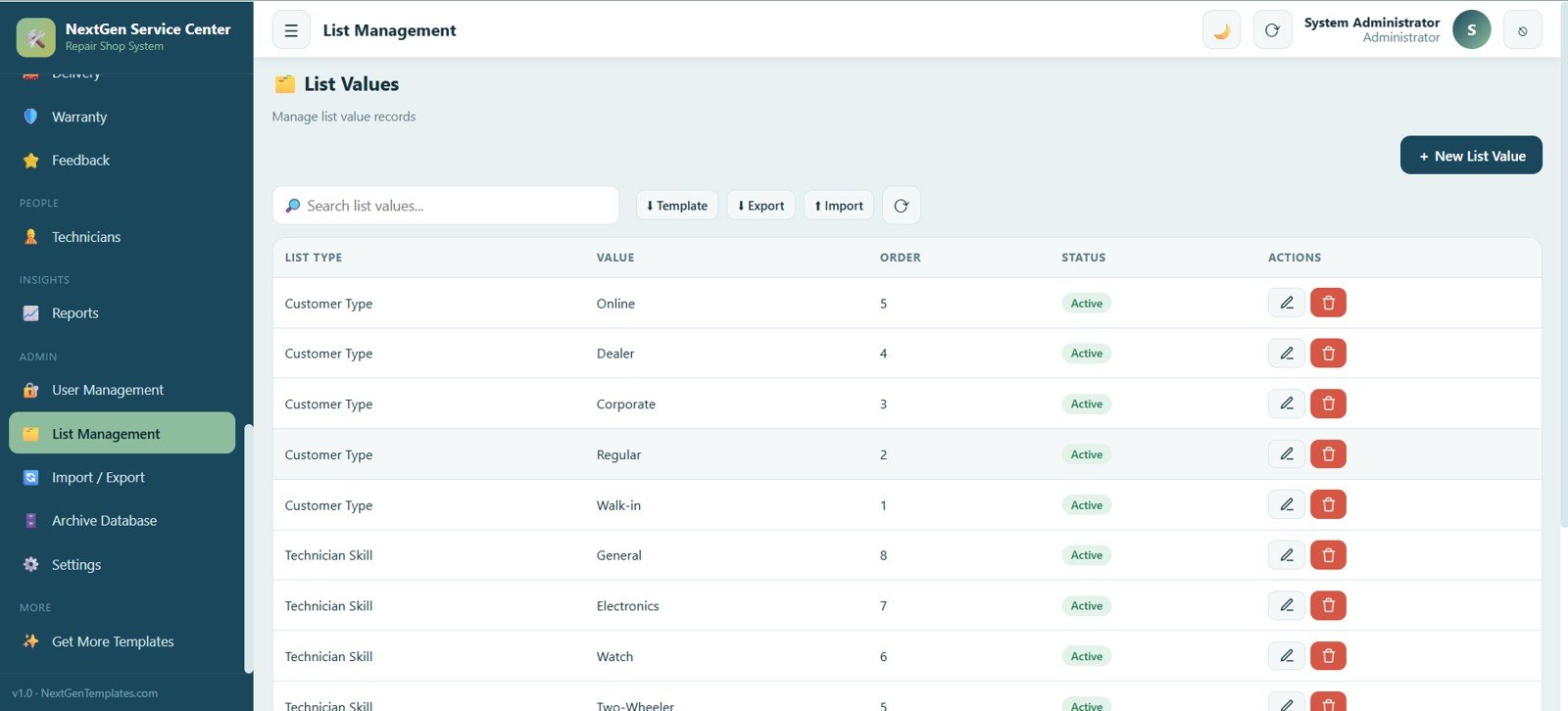
22. List Management
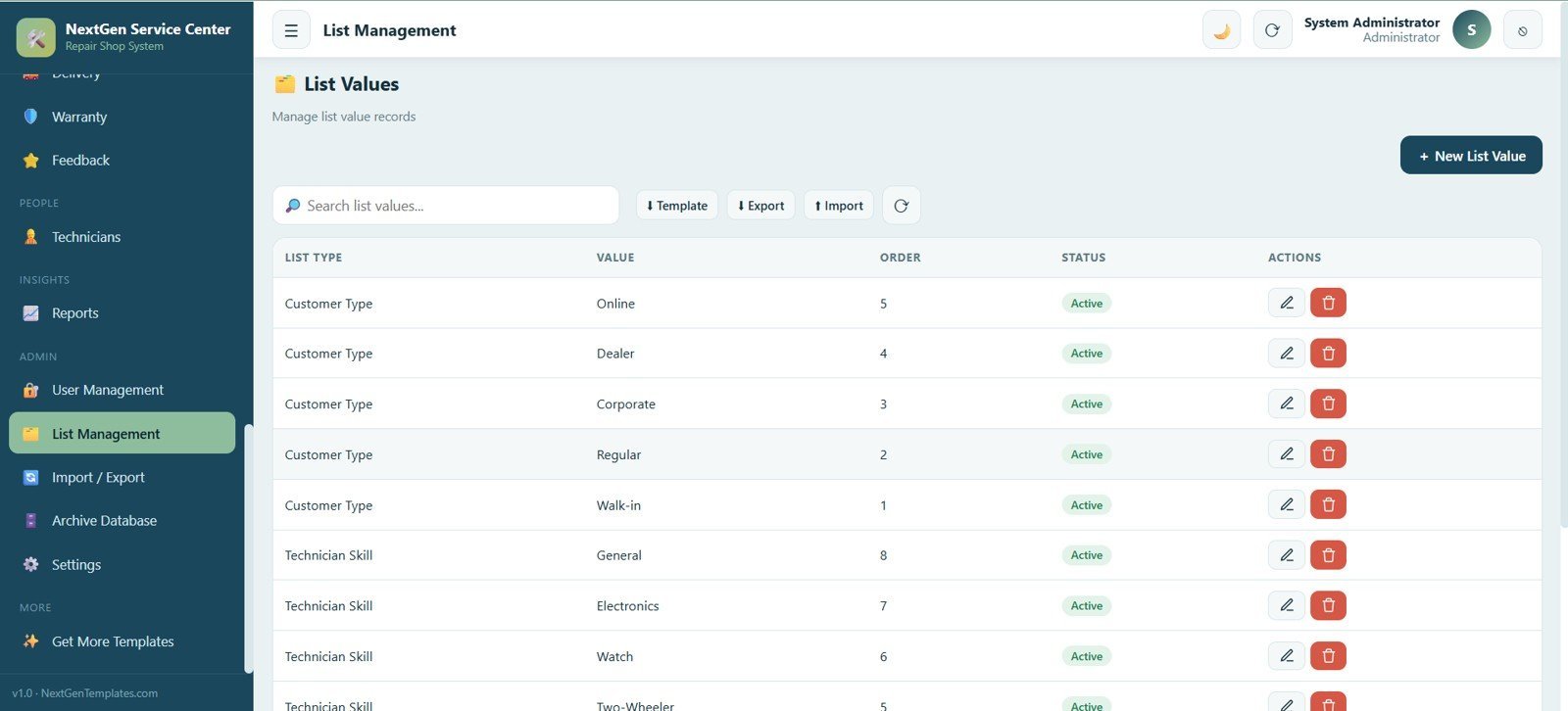
Manage the dropdown values used across the app, such as customer types and technician skills, with list type, value, display order and status.
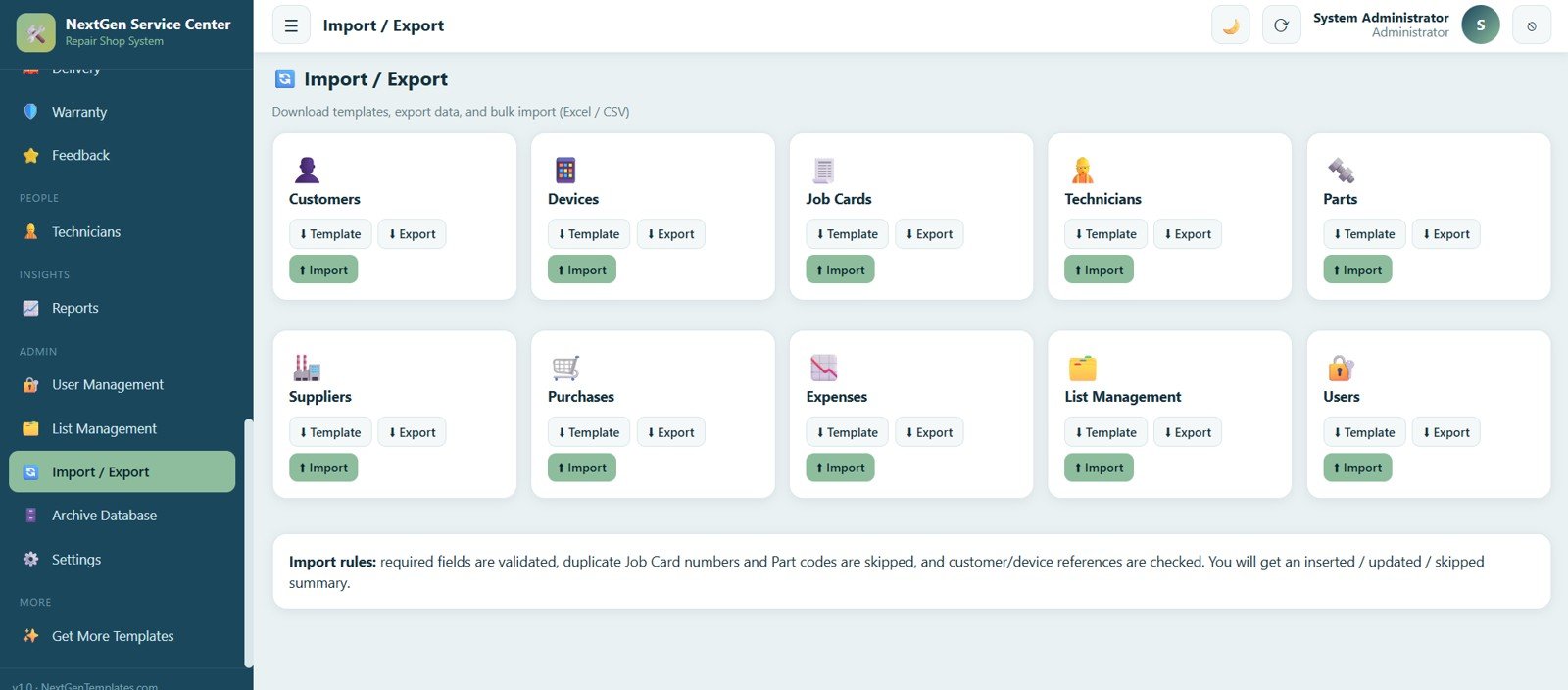
23. Import and Export
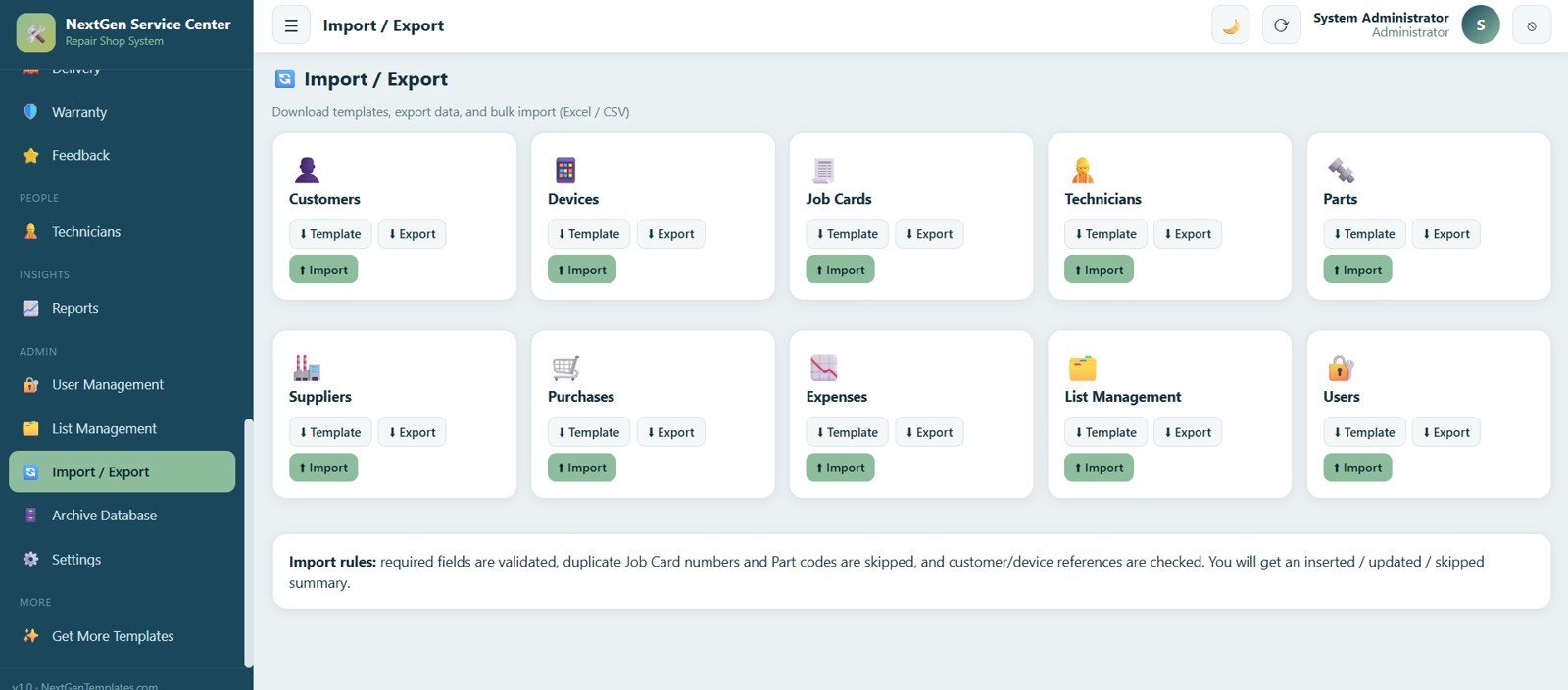
Download templates, export data and bulk import records for customers, devices, job cards, technicians, parts, suppliers, purchases, expenses, list values and users, validating required fields while skipping duplicates.
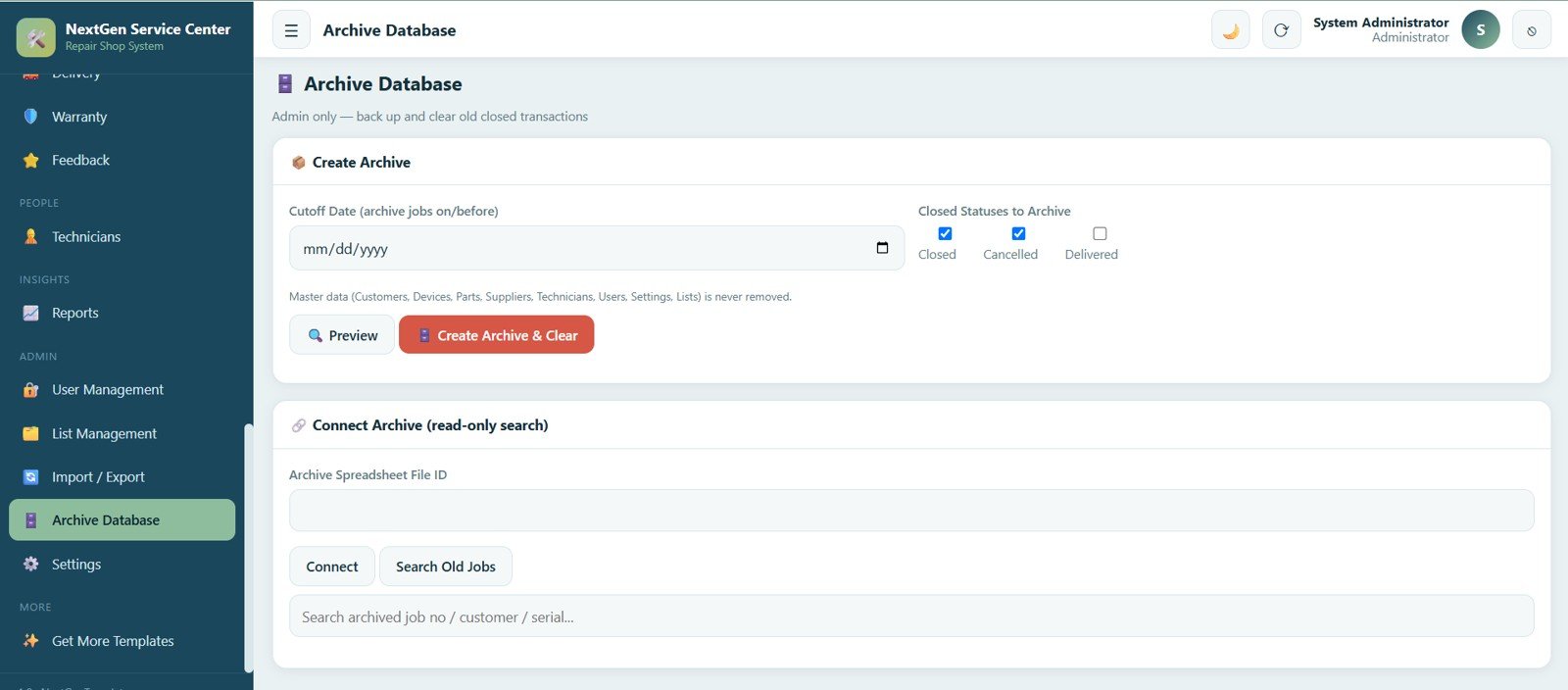
24. Archive Database
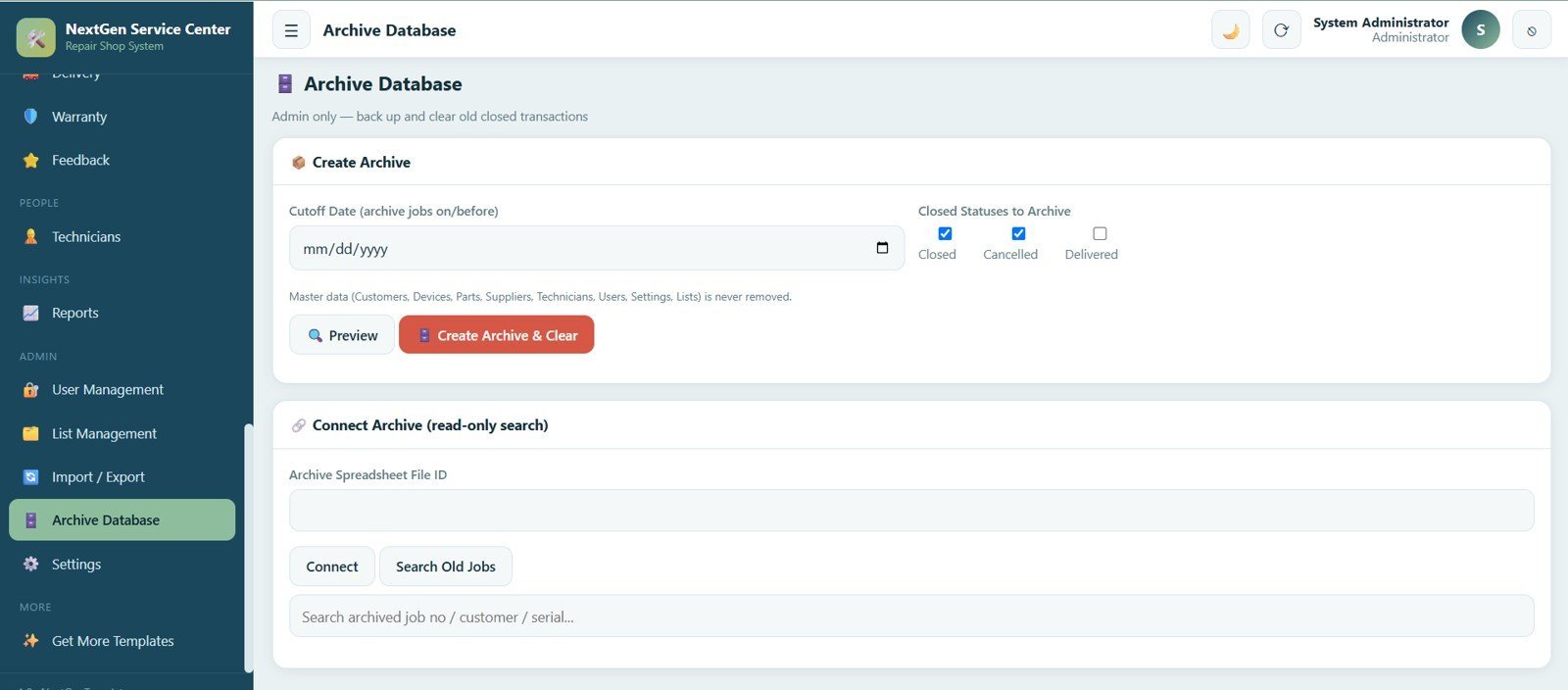
An admin-only screen to back up and clear old closed transactions by a cutoff date while master data — customers, devices, parts, suppliers, technicians, users, settings and lists — is never removed, with a read-only connection to search old jobs.
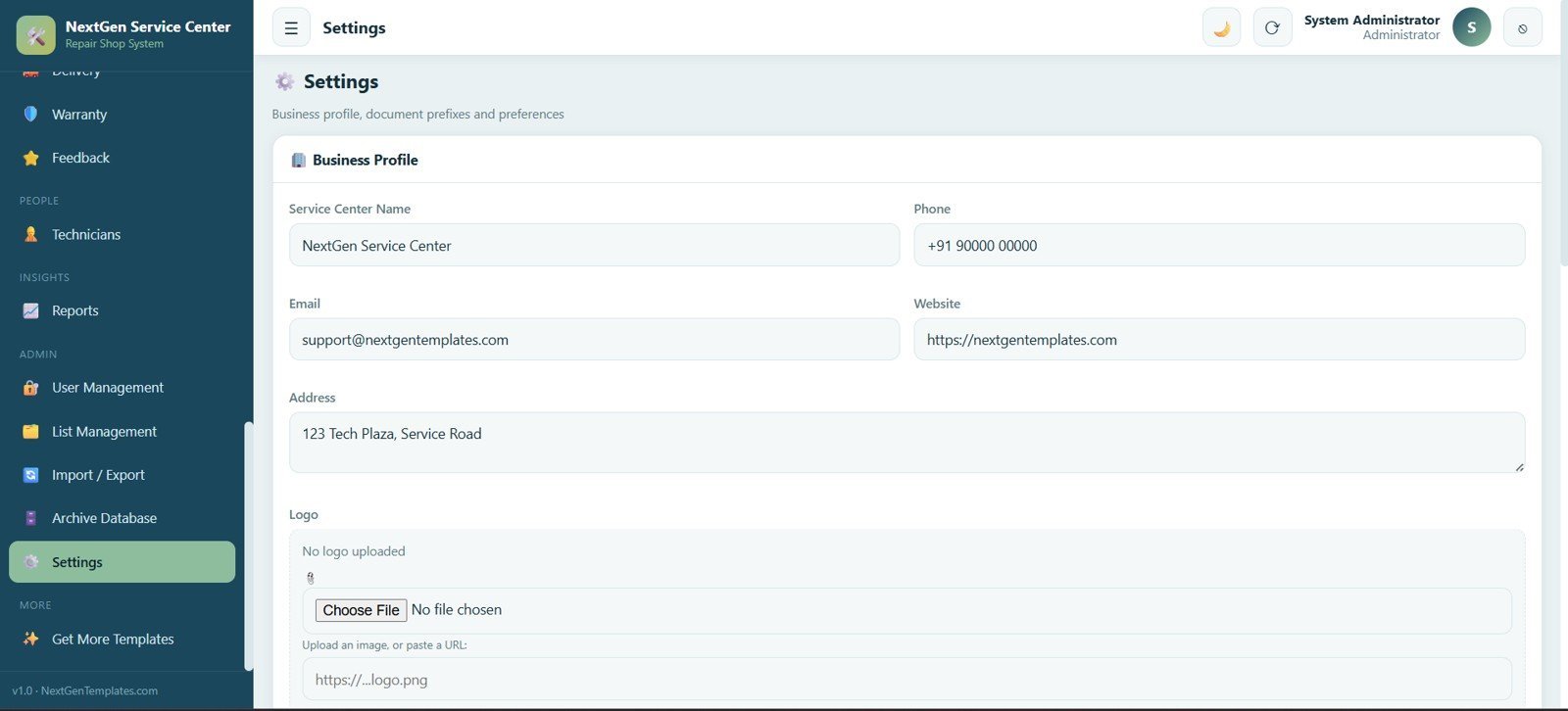
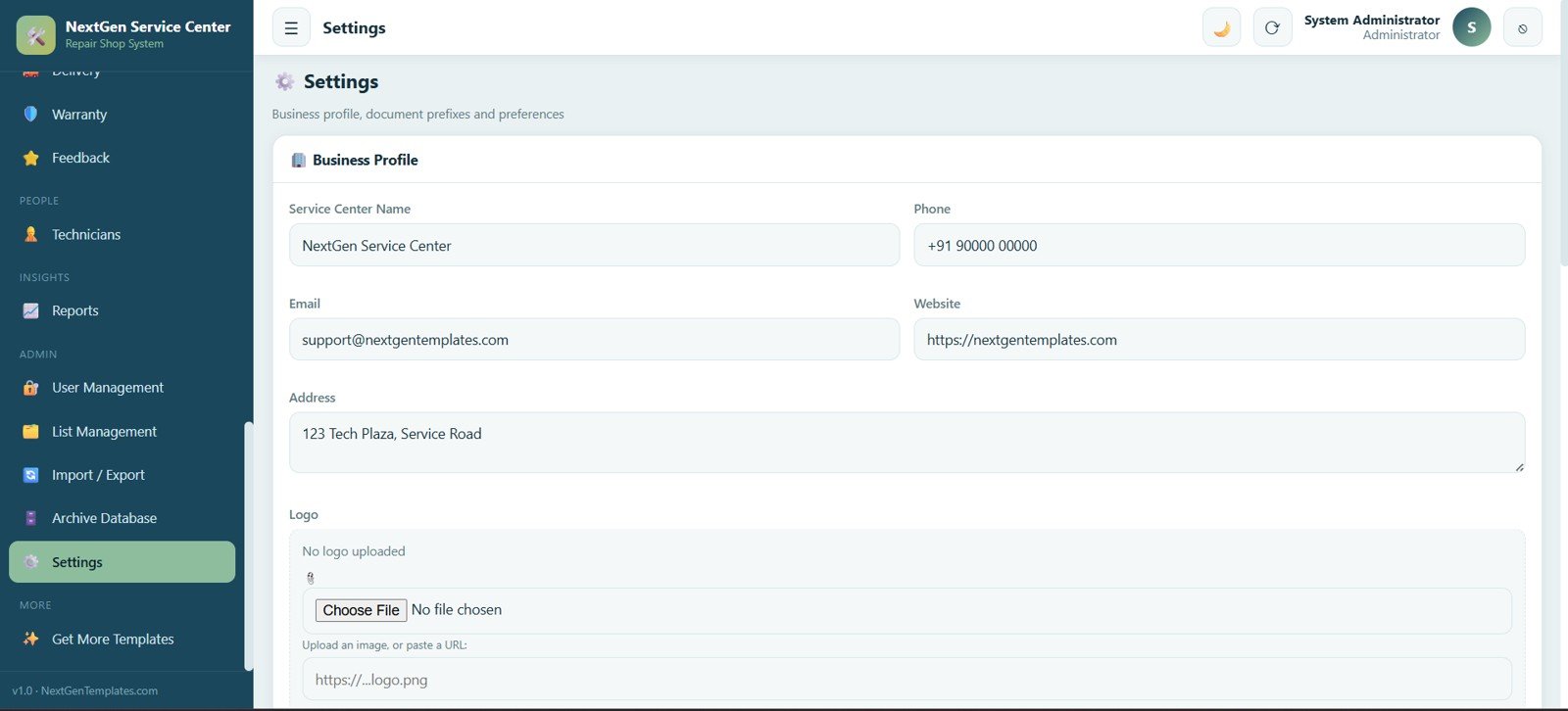
25. Settings
Set up the business profile and preferences — service center name, phone, email, website, address, logo and document settings — to make the system your own.
📊 Service Center and Repair Shop Management System Web App vs. Excel/Google Sheets Files vs. Paid Repair Shop SaaS — Where This Fits
| Feature | Service Center and Repair Shop Management System Web App | Excel / Google Sheets Files | RepairShopr / RepairDesk (Paid SaaS) |
|---|---|---|---|
| Cost | $39.99 one-time ✅ | $0–15 one-time | $50–200+ / month |
| Platform | Google Apps Script — any browser ✅ | Excel / Google Sheets | Proprietary web SaaS |
| Modules included | 25 connected screens ✅ | Whatever you build | Varies by plan tier |
| Job card → diagnosis → estimate → delivery | ✅ End-to-end in one app | ❌ Disconnected sheets | ✅ Yes |
| Multi-user login & roles | ✅ Admin, Manager, Reception, Technician | ❌ No real roles | ✅ Yes |
| Setup time | Under 20 minutes ✅ | Hours to build | Days + onboarding |
| Data ownership | ✅ Your own Google account | ✅ Your file | ❌ Vendor-hosted |
| Year-1 cost at 5 users | $39.99 ✅ | ~$0 | $600–2,400+ |
For repair shops and service centers that want a real multi-user system without paying per user every month, this web app sits between fragile spreadsheets and expensive repair-shop SaaS.
👥 Who This Template Is For — and Who It’s Not For
✅ This template is built for:
- Mobile, laptop, appliance and electronics repair shops handling 20–1,000 job cards a month
- Two-wheeler, watch and AC service centers running intake, diagnosis, estimate and delivery workflows
- Independent service center owners who want billing, spare parts and warranty tracking in one place
- Managers replacing a stack of paper job cards and disconnected Excel sheets
❌ This template is NOT for:
- Large multi-branch chains needing SOC 2 certified, vendor-hosted infrastructure
- Shops that require integrated card/UPI payment gateways (payments are recorded manually)
- Businesses with no Google account or Gmail to host the app
⚙️ How to Use the Service Center and Repair Shop Management System Web App
- Copy the script to your Google Drive and deploy it as a web app.
- Set your service center name, logo, address and document settings in Settings.
- Add technicians, spare parts, suppliers and list values before your team starts entering data.
- Create user accounts and assign Admin, Manager, Reception or Technician roles.
- Log every job card from intake through diagnosis, estimate, repair and delivery.
- Review the dashboard daily and clear pending diagnosis, estimates and deliveries.
💼 Real-World Use Cases
Arjun runs a mobile and laptop repair shop handling 250 job cards a month. He uses the Repair Pipeline to see every job’s stage at a glance, sends estimates for approval before starting work, and watches Overdue Jobs and Pending Payments on the dashboard each morning — without paying $99 a month for a repair-shop SaaS.
Meera manages a two-wheeler service center with four technicians. She assigns job cards by technician, tracks commission through the Technicians screen, and uses Warranty to register claims on parts replaced last month, cutting her end-of-day paperwork from an hour to ten minutes.
A home-appliance service center owner uses Spare Parts and the Stock Ledger to stop over-ordering, tracks supplier payment terms in Purchases, and reviews the Jobs by Service Category chart to see which appliance type brings in the most revenue.
❓ Frequently Asked Questions
What does the Service Center and Repair Shop Management System Web App include?
The Service Center and Repair Shop Management System Web App includes 25 screens covering Login, Dashboard, Customers, Devices, Job Cards, Diagnosis, Estimates, Repair Pipeline, Spare Parts, Stock Ledger, Suppliers, Purchases, Billing, Payments, Expenses, Delivery, Warranty, Feedback, Technicians, Reports, User Management, List Management, Import/Export, Archive Database and Settings.
Does this web app require any paid subscription or server?
No. The Service Center and Repair Shop Management System Web App runs entirely on Google Apps Script, which is free with any Google account. You pay once for the template and deploy it yourself, with no monthly fee and no separate server.
How does it compare to RepairShopr or RepairDesk?
Those platforms typically charge $50–200 per month. The Service Center and Repair Shop Management System Web App is a one-time $39.99 purchase covering job cards, diagnosis, estimates, billing, spare parts and warranty while keeping data in your own Google account.
Can multiple technicians and staff use it at the same time?
Yes. The system supports multiple simultaneous users with Admin, Manager, Reception and Technician roles, so each staff member sees only the job cards and screens relevant to their role.
How long does setup take?
Most users deploy the Service Center and Repair Shop Management System Web App in under 20 minutes: copy the script to Google Apps Script, deploy it as a web app, then configure the business profile, technicians and list values in Settings.
Can I track warranty and spare parts stock in one place?
Yes. The Warranty screen tracks start and expiry dates with claim registration, while Spare Parts and the Stock Ledger track stock levels, movements and low-stock alerts, all linked to the same job cards.
👤 About the Author
Built by PK — Microsoft Certified Professional with 15+ years of Excel, Google Sheets, and Power BI experience. Founder of NextGenTemplates, reaching 300K+ subscribers across YouTube channels (@PK-AnExcelExpert, @NextGenTemplates, @NeoTechNavigators). Every template is hand-built and tested before release.
🔗 Explore Related Templates
Looking for more Web App Templates? These pair well with the Service Center and Repair Shop Management System Web App:
- Logistics Management System Web App — booking, tracking, dispatch and fleet in one system
- Multi-Branch Shop Accounting Management System Web App — accounting across multiple outlets
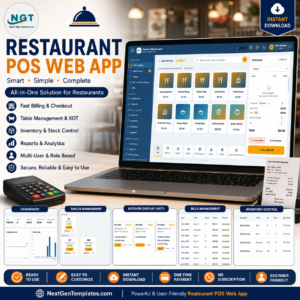
- Restaurant POS Web App — billing and kitchen order management for restaurants
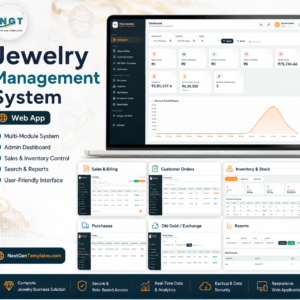
- Jewelry Management System Web App — sales, old-gold exchange and karigar job work
📖 Click here to read the Detailed Blog Post
🎥 Visit our YouTube channel for step-by-step video tutorials
👉 YouTube.com/@NextGenTemplates
Watch the step-by-step video Demo:
📅 Last updated: July 2026






























Reviews
There are no reviews yet.