

Quick answer: A payroll Excel template toolkit gives a US small business a practical way to calculate payroll, create payslips, schedule deadlines, and review payroll KPIs without committing to a recurring software plan on day one Payroll Template Toolkit
Payroll is one of those back-office jobs where a small spreadsheet mistake can turn into a late paycheck, a tax notice, or hours of cleanup. Many small US teams start with manual spreadsheets because full-service payroll software feels expensive before headcount is stable. For context, Gusto lists its Simple payroll plan at $49 per month plus $6 per person per month. A 10-person team would pay $109 per month, or $1,308 per year, before add-ons. By comparison, the highest-priced standalone payroll template in this roundup is $17.99, and the bundle-style toolkit here covers seven different Excel tools: a payroll calculator, payslip generator, salary slip generator, payroll dashboard, KPI dashboard, accuracy scorecard, payroll calendar, and HR/payroll bundle.
This guide is written for small business owners, bookkeepers, HR admins, and finance leads who want a clear way to choose the right payroll Excel template before buying.
Compare The 7 Payroll Excel Templates
| Template | Format | Best For | Price |
|---|---|---|---|
| Payroll Calculator and Payslip Generator in Excel | Excel VBA tool | Salary calculation, employee master data, PDF payslips | $14.99 |
| Payroll Management Dashboard in Excel | Excel dashboard | Payroll cost visibility by month, department, region, and branch | $17.99 |
| Payroll Management KPI Dashboard in Excel | Excel KPI dashboard | MTD/YTD payroll KPIs, target tracking, performance trends | $12.99 |
| Payroll Accuracy KPI Dashboard in Excel | Excel KPI dashboard | Payroll accuracy, error detection, deduction checks, compliance review | $14.99 |
| Payroll Processing Calendar in Excel | Excel calendar | Pay dates, payroll tasks, tax dates, reminders, processing schedule | $4.99 |
| HR and Payroll Template Bundle – 1 | Excel template bundle | A broader HR toolkit with payroll, onboarding, attendance, scheduling, and compliance tools | $14.99 |
| Automatic Bulk Salary Slips Generator in Excel | Excel VBA tool | Bulk PDF salary slip creation from payroll data | $6.99 |
For more options beyond payroll, browse the NextGenTemplates HR and Payroll template collection or the Excel VBA tools library.
Why Payroll Tools Matter For US Small Business
Payroll software costs compound quickly. Gusto’s entry payroll plan is currently listed at $49 per month plus $6 per person per month, so a 10-person team is $109 per month before optional add-ons. Excel templates do not replace tax filing software, but they can reduce spreadsheet rebuild time and give early-stage teams a low-cost operating layer.
Payroll is tied directly to federal tax duties. IRS Publication 15 explains employer responsibilities such as withholding federal income tax, Social Security, and Medicare taxes, then depositing required amounts based on the employer’s schedule.
Late deposit penalties can be material. IRS Publication 15 lists failure-to-deposit penalty tiers that can rise from 2% for short delays to higher rates for longer delays or unpaid balances. A payroll calendar is not glamorous, but it is a control system for avoiding missed dates.
Recordkeeping is not optional. The US Department of Labor says payroll records should generally be saved for at least three years, while wage calculation records such as time cards and wage-rate tables should generally be saved for two years.
Tax calendars make payroll more than payday. IRS Publication 509 lists due dates for filing returns and making employment tax deposits. For small teams, the right payroll calendar helps convert these dates into a repeatable monthly checklist.
The 7 Payroll Excel Template Tools
1. Payroll Calculator and Payslip Generator in Excel
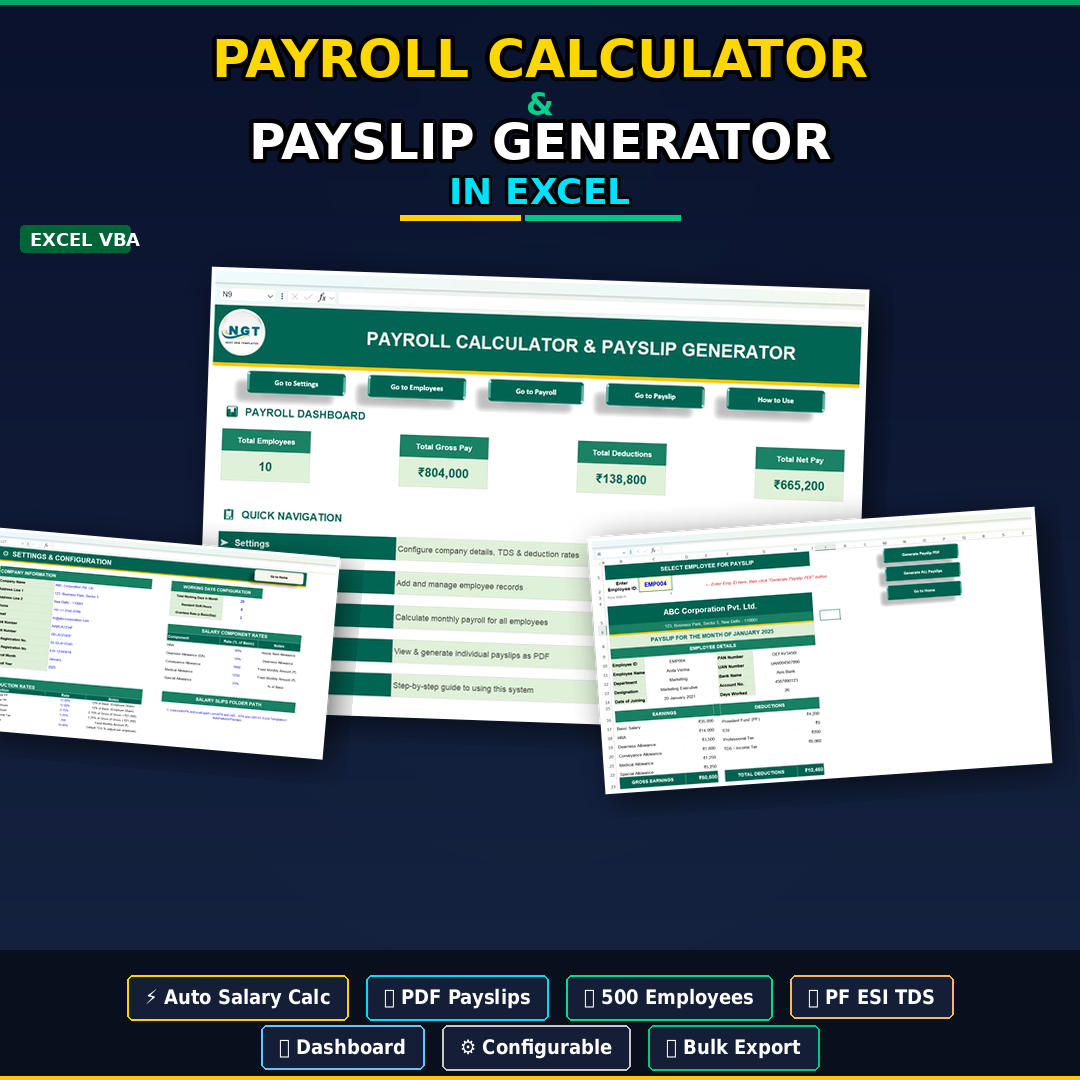
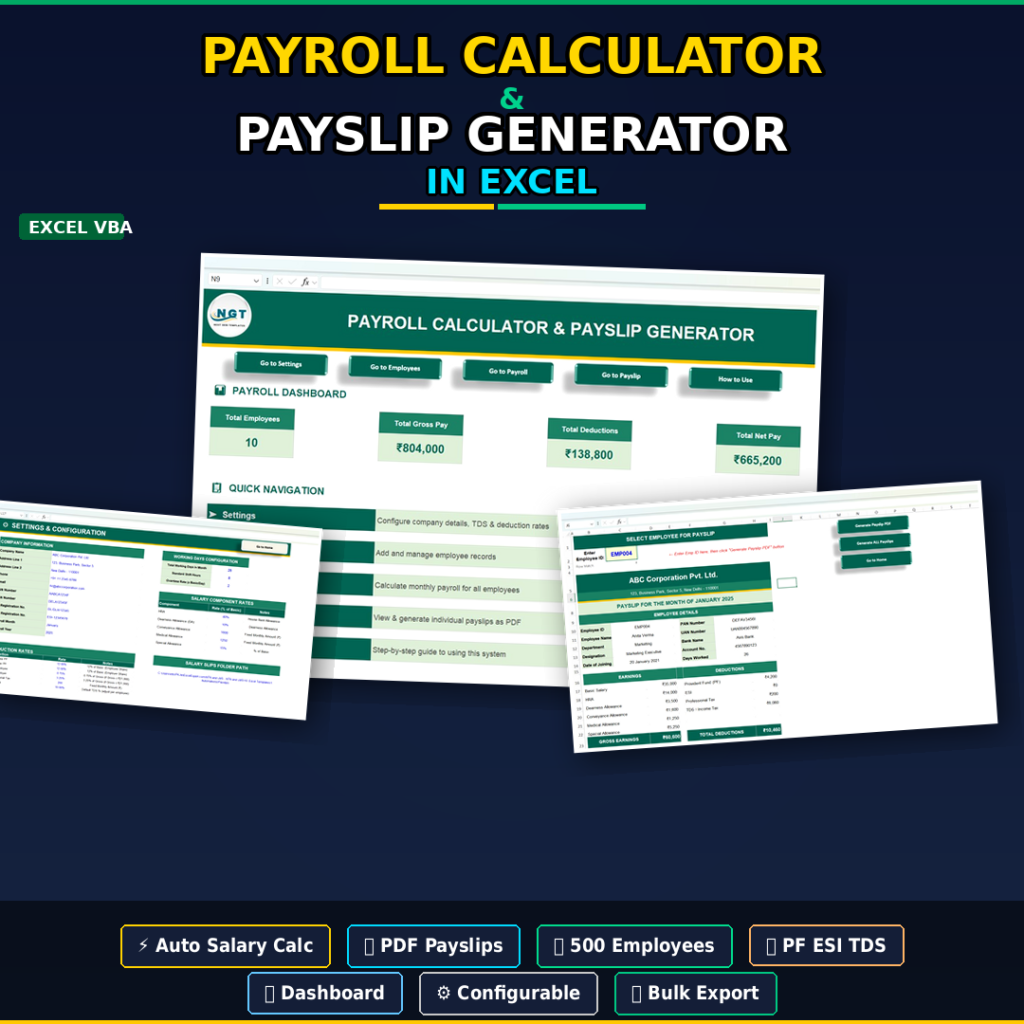
The Payroll Calculator and Payslip Generator in Excel is the best starting point when you want one workbook to hold employee records, calculate payroll, and generate professional payslips. It includes employee master data, payroll settings, salary components, deduction fields, a payroll dashboard, and PDF payslip generation. For US users, the editable payroll fields can be adapted for federal, state, local, benefit, and voluntary deductions, but it should be reviewed against your actual payroll requirements before use.
Screenshot preview: The workbook preview shows a payroll dashboard with total employees, gross pay, deductions, and net pay, plus navigation to settings, employee data, payroll calculation, payslip generation, and a how-to-use sheet.
- Run monthly gross-to-net salary calculations for a small team.
- Create individual or bulk PDF payslips after payroll review.
- Maintain employee master records in one structured workbook.
- Audit salary components and deductions before payday.
Price: $14.99. Get the payroll calculator and payslip generator.
2. Payroll Management Dashboard in Excel

The Payroll Management Dashboard in Excel is for owners, HR teams, and finance leads who want payroll visibility after the numbers are processed. Instead of focusing on the payslip itself, this dashboard turns payroll data into a management view: total paid salary, average gross pay, overtime pay, deductions, performance rating, department analysis, region analysis, branch analysis, and monthly trends.Payroll Template Toolkit
Screenshot preview: The workbook includes an overview page plus department, region, branch, and month analysis pages. The product screenshots show KPI cards, payroll trend charts, payment mode views, payroll distribution charts, slicers, and support/data sheets for refreshable analysis.Payroll Template Toolkit
- Review payroll cost movement month by month.
- Compare payroll by department, region, or branch location.
- Spot overtime and deduction patterns before they become budget issues.
- Give leadership a simple payroll snapshot without exposing every row of payroll data.
Price: $17.99. Buy the payroll management dashboard.
3. Payroll Management KPI Dashboard in Excel
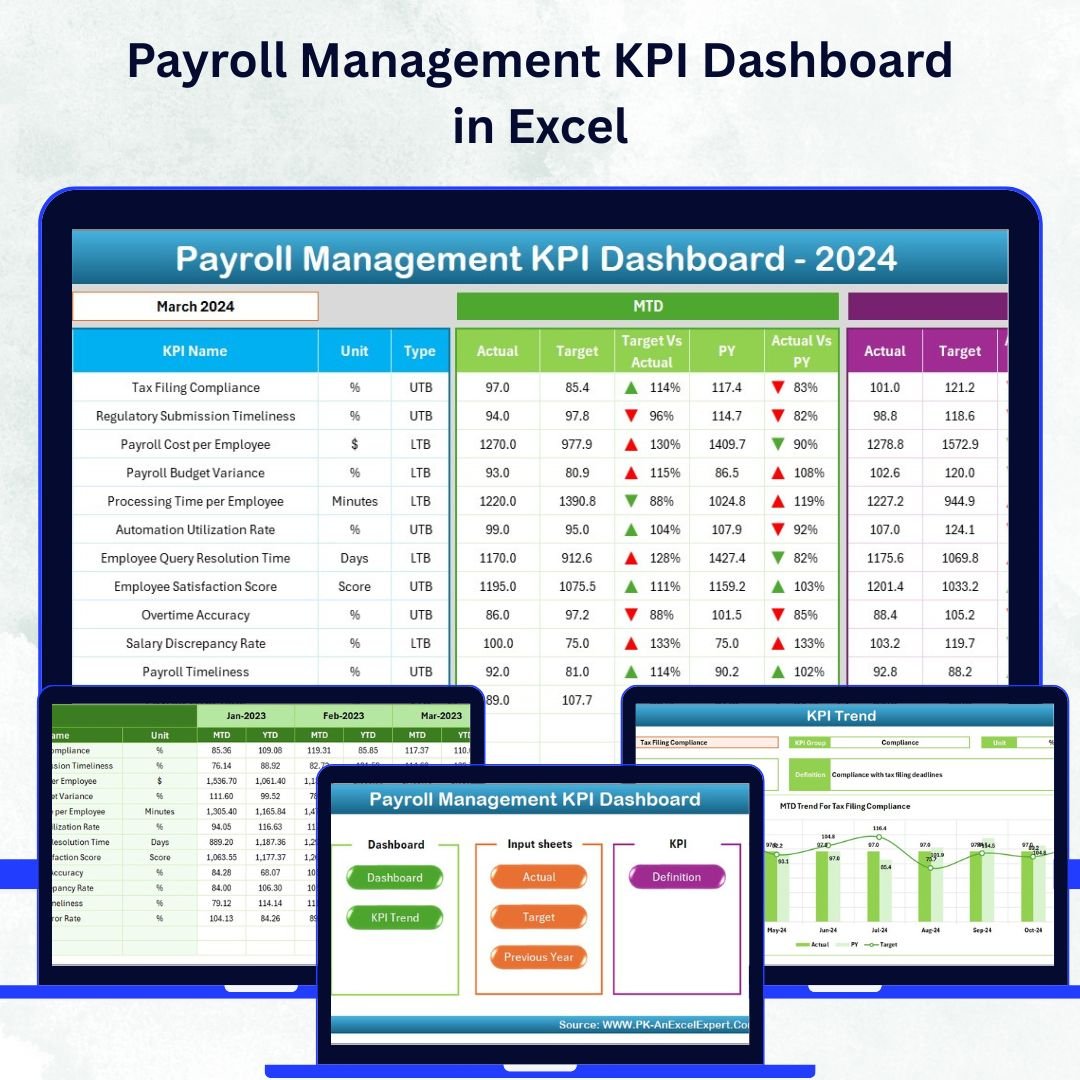
The Payroll Management KPI Dashboard in Excel is the stronger choice when your payroll process already exists, but you want to measure it. The template is built around KPI tracking: processing time, accuracy rate, compliance percentage, payroll cost, target vs actual comparison, MTD/YTD views, previous-year comparisons, and trend charts. It works especially well for teams that report payroll performance to management or clients.Payroll Template Toolkit
Screenshot preview: The product includes seven worksheets: Home, Dashboard, KPI Trend, Actual Numbers Input, Target, Previous Year, and KPI Definition. Screenshots show color-coded indicators, trend arrows, monthly and yearly views, and KPI definition fields that make payroll metrics easier to standardize.Payroll Template Toolkit
- Track payroll process KPIs across the year.
- Compare actual payroll performance against monthly targets.
- Create KPI reports for HR, finance, or outsourced payroll clients.
- Review whether payroll accuracy and processing time are improving.
Price: $12.99. Get the payroll KPI dashboard.
4. Payroll Accuracy KPI Dashboard in Excel

The Payroll Accuracy KPI Dashboard in Excel is designed for teams that worry less about payroll volume and more about payroll correctness. It focuses on payroll accuracy, error detection, compliance monitoring, benefits deductions, tax calculation checks, gross pay, overtime, deductions, and net pay. If your payroll process involves multiple people, manual data entry, or frequent payroll adjustments, this dashboard gives you a separate review layer before payroll is finalized.
Screenshot preview: The product screenshots show payroll accuracy visuals, KPI-style monitoring, discrepancy tracking, and payroll component review. It is meant to help you compare expected values against actual payroll data and identify records that deserve a second look.Payroll Template Toolkit
- Review payroll data before paychecks or direct deposit files are issued.Payroll Template Toolkit
- Track deduction accuracy for taxes, benefits, retirement, insurance, or loans.
- Monitor payroll errors by period and type.Payroll Template Toolkit
- Give auditors or accountants a cleaner view of payroll control metrics.
Price: $14.99. Buy the payroll accuracy KPI dashboard.
5. Payroll Processing Calendar in Excel
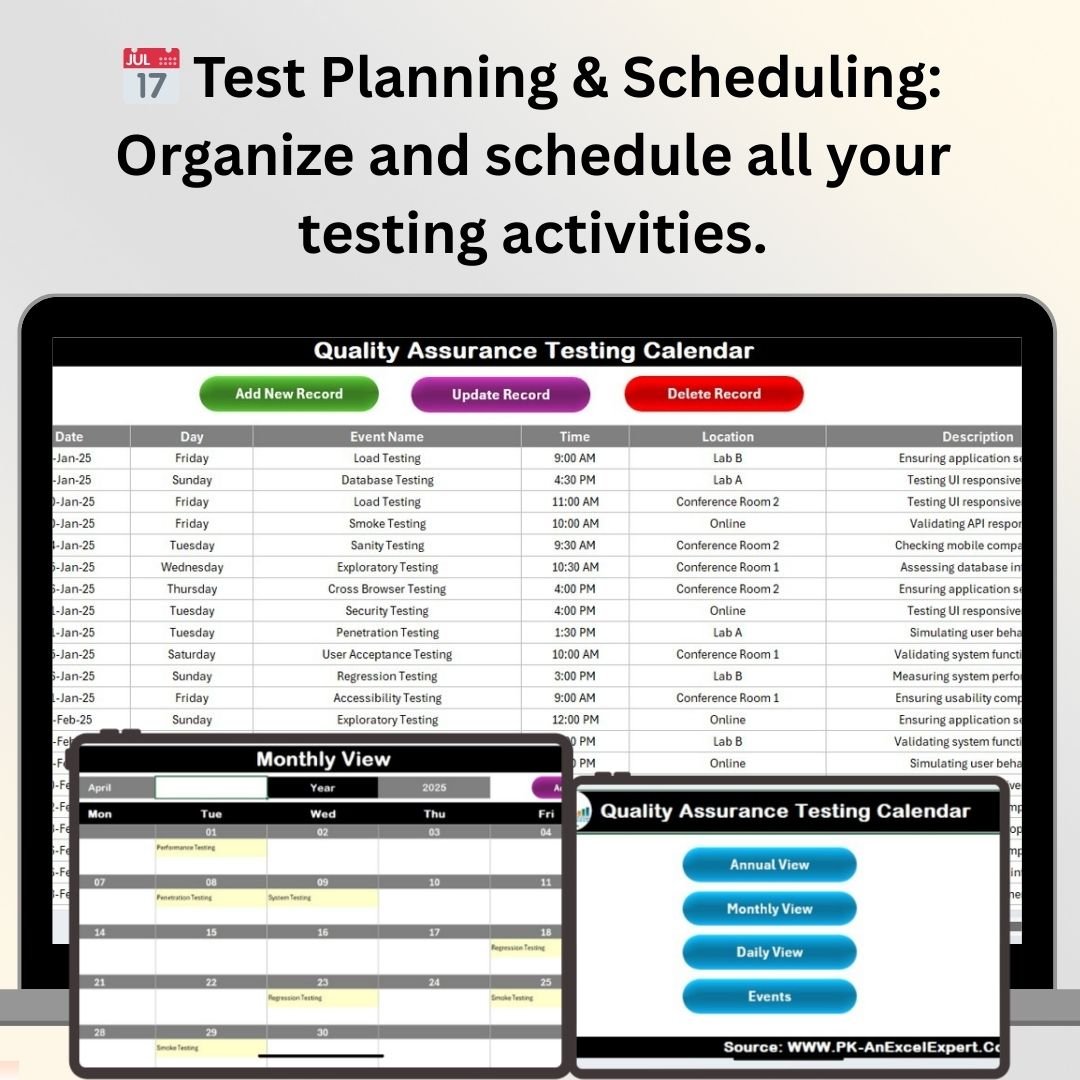
The Payroll Processing Calendar in Excel is the lowest-priced tool in the toolkit and one of the easiest wins. It helps you organize pay periods, pay dates, payroll tasks, tax dates, deduction reviews, reminders, and payroll history. For US small businesses, this kind of calendar is useful because payroll is not just a payday event. It includes data collection, time approval, deduction review, tax deposit planning, recordkeeping, and post-payroll reporting.
Screenshot preview: The workbook preview includes payroll scheduling, deductions and contributions tracking, payroll history, alerts or reminders, reporting, and customizable calendar views. The current featured image returned by the product record is used above exactly as fetched from WooCommerce.
- Map weekly, biweekly, semi-monthly, or monthly payroll cycles.
- Track payroll cutoffs, approval dates, pay dates, and filing dates.
- Create a repeatable checklist for each payroll cycle.
- Keep a payroll processing log for review and handoff.
Price: $4.99. Add the payroll calendar to your toolkit.
6. HR and Payroll Template Bundle – 1
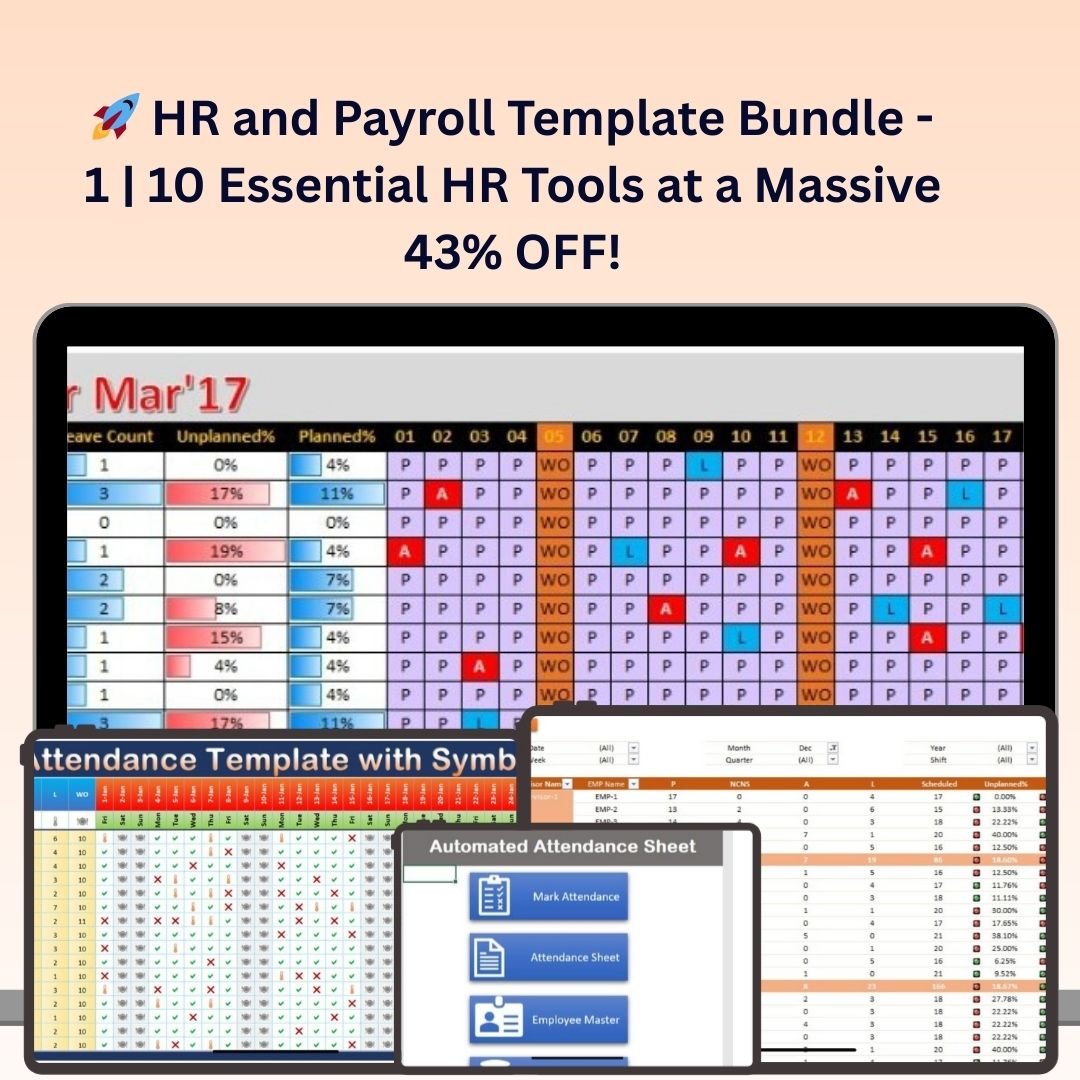
The HR and Payroll Template Bundle – 1 is the value play if payroll is only one part of a wider HR admin problem. It includes 10 HR and payroll tools covering onboarding, payroll management, employee performance, attendance and leave, HR compliance, job descriptions, employee compensation, training and development, employee scheduling, and exit interviews. If your business is moving from scattered files to a more organized HR system, the bundle gives you more coverage than buying a single payroll-only workbook.
Screenshot preview: The product images show a bundle-style workbook collection with HR and payroll screens. The listed contents cover both payroll operations and adjacent HR workflows that feed payroll accuracy, such as attendance, scheduling, compensation, and compliance tracking.
- Build a starter HR operations folder for a growing team.
- Connect payroll with attendance, leave, compensation, and scheduling data.
- Prepare better HR handoffs when one person owns multiple admin tasks.
- Standardize forms and trackers across HR and payroll work.
Price: $14.99. Get the HR and Payroll Template Bundle.
7. Automatic Bulk Salary Slips Generator in Excel
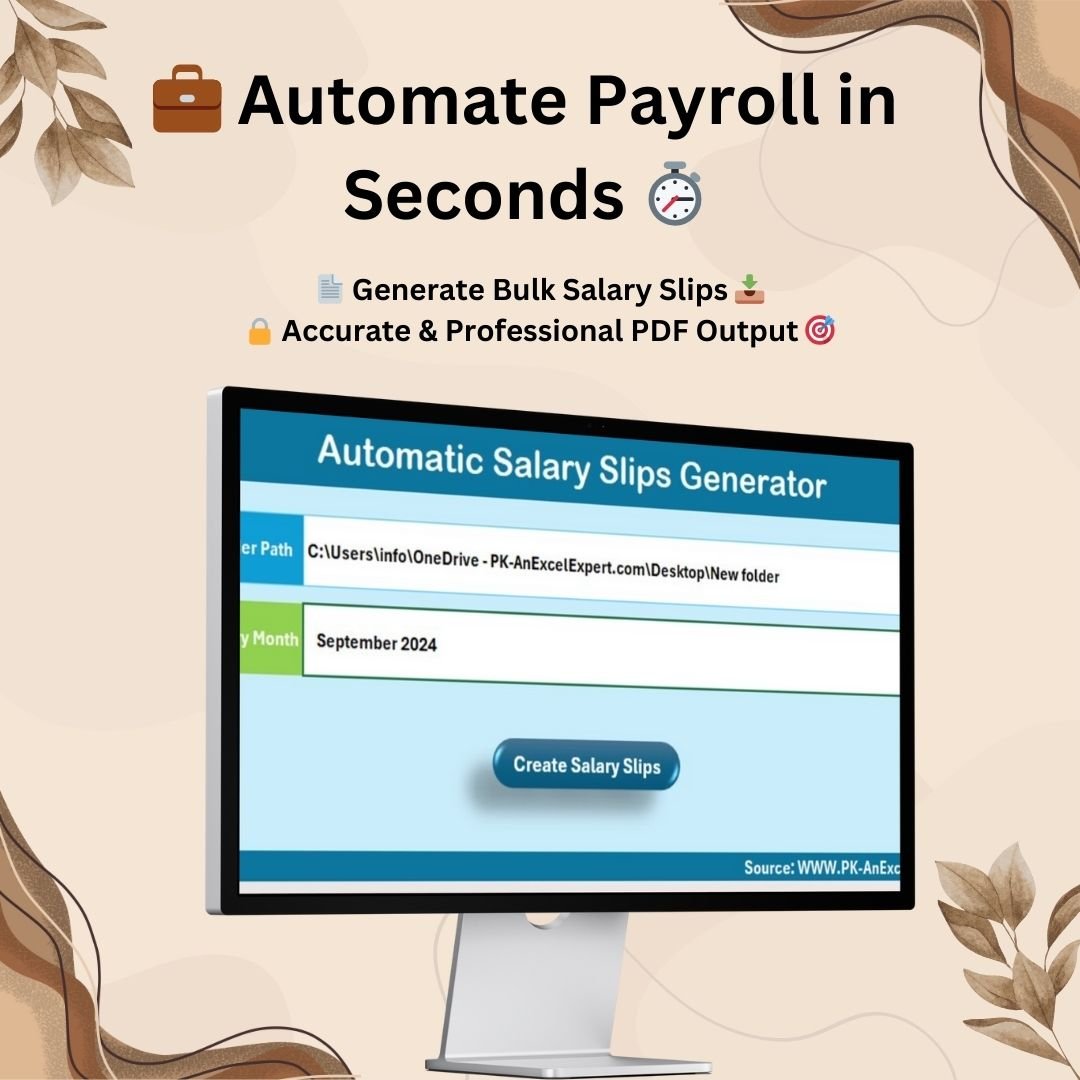
The Automatic Bulk Salary Slips Generator in Excel is more specialized than the full payroll calculator. Its job is simple: take payroll data and generate professional PDF salary slips in bulk. It includes a Setting Sheet for output folder and salary month, a Data Sheet for employee payroll information, and a Template Sheet that auto-populates the salary slip for each employee. If your payroll numbers already exist but creating individual slips is the painful part, this tool is the shortest path.
Screenshot preview: The screenshots show the settings area, data-entry sheet, salary slip template, and PDF output workflow. The tool is built for repeated monthly slip generation with fewer copy-paste steps.
- Create salary slips for multiple employees in one process.
- Save PDF salary slips to a designated folder.
- Standardize employee salary slip formatting.
- Reduce manual copy-paste errors during payroll documentation.
Price: $6.99. Buy the bulk salary slips generator.
How To Choose Between These Payroll Templates
Use the decision framework below if you are not sure which payroll calculator, payslip generator, or dashboard to buy first.
- If you need payroll calculation and payslips in one file, start with the Payroll Calculator and Payslip Generator in Excel.
- If you already calculate payroll but need PDF slips, choose the Automatic Bulk Salary Slips Generator in Excel.
- If missed dates are the biggest risk, use the Payroll Processing Calendar in Excel.
- If owners want payroll cost visibility, buy the Payroll Management Dashboard in Excel.
- If leadership asks for payroll KPIs, use the Payroll Management KPI Dashboard in Excel.
- If payroll mistakes are the recurring issue, add the Payroll Accuracy KPI Dashboard in Excel.
- If payroll is part of a broader HR cleanup project, choose the HR and Payroll Template Bundle – 1.
A practical small-business stack is calendar plus calculator plus dashboard. Add the accuracy KPI dashboard once payroll volume or payroll risk increases. Add the HR bundle if attendance, scheduling, onboarding, and compensation tracking are also fragmented. For deeper HR operations, the Monthly Attendance Sheet in Excel and Attendance Management System Lite are useful internal links to review next.
Payroll Excel Template FAQs
What is a payroll Excel template?
A payroll Excel template is a structured workbook used to calculate pay, organize employee payroll data, track deductions, create payslips, monitor payroll dates, or review payroll KPIs. It gives small teams a repeatable payroll workflow inside Excel.Payroll Template Toolkit
Can Excel replace payroll software for a US small business?
Excel can support payroll preparation, analysis, recordkeeping, and review, but it does not automatically file payroll taxes, remit deposits, or replace professional payroll compliance advice. US employers should verify federal, state, and local payroll requirements before relying on any spreadsheet workflow.
Which payroll Excel template should I start with?
Start with the Payroll Calculator and Payslip Generator if you need calculation plus payslips. Start with the Payroll Processing Calendar if missed dates are the problem. Start with the Payroll Management Dashboard if you already have payroll data and need reporting.
What is the difference between a payroll calculator and a payslip generator?
A payroll calculator works out earnings, deductions, and net pay. A payslip generator turns those finalized numbers into employee-facing salary slips or payslips, often as printable or PDF documents.Payroll Template Toolkit
Can these templates be used for weekly or biweekly payroll?
Yes, Excel payroll templates can usually be adapted for weekly, biweekly, semi-monthly, or monthly payroll cycles. The important step is to align pay periods, cutoffs, deductions, and reporting dates with your actual payroll schedule.Payroll Template Toolkit
Do these templates calculate US payroll taxes automatically?
They are Excel templates and should be treated as editable payroll tools, not tax filing software. Some fields may need to be adjusted for US federal, state, local, benefit, and voluntary deduction rules. Confirm formulas before using the results for payroll decisions.
How do payroll dashboards help small businesses?
Payroll dashboards help small businesses see total payroll cost, overtime, deductions, department trends, monthly movement, and payroll KPIs in one place. This makes payroll easier to review before and after each pay cycle.
Why use a payroll calendar?
A payroll calendar helps track pay dates, timesheet cutoffs, approval dates, payroll processing windows, tax deposit dates, filing dates, and reporting tasks. It reduces the risk of relying on memory or scattered reminders.
Are these payroll templates one-time purchases?
Yes. The templates featured here are paid digital downloads from NextGenTemplates with one-time prices ranging from $4.99 to $17.99 at the time of writing.
Is Excel secure enough for payroll data?
Excel can be used for payroll data when files are stored carefully, access is restricted, backups are maintained, and sensitive employee information is protected. Payroll workbooks should not be emailed casually or stored in shared folders without permissions.
Build Your Payroll Toolkit
Recommended starter set: For most small teams, begin with the Payroll Processing Calendar, the Payroll Calculator and Payslip Generator, and the Payroll Management Dashboard. Together they cover deadlines, calculations, payslips, and management reporting.
Browse all HR and Payroll Excel templates on NextGenTemplates.
Payroll is too important to run from scattered sheets, but not every small business is ready for a full payroll SaaS stack. A carefully chosen payroll Excel template can give you cleaner data, faster review, better payslips, and a stronger monthly process while you grow. Use the calculator when you need to process payroll, the payslip generator when documentation is the bottleneck, the calendar when deadline control matters, and the dashboards when you need to explain payroll performance.
Built by PK – Microsoft Certified Professional with 15+ years of Excel, Google Sheets, and Power BI experience. Founder of NextGenTemplates, reaching 300K+ subscribers across YouTube channels. Every template is hand-built and tested before release.
For step-by-step template tutorials and product walkthroughs, visit the NextGenTemplates YouTube channel.
Last updated: June 4, 2026.
Planning the rest of your 2026 stack? See The 2026 Small Business Software Stack: What to Buy and What to Template.
Related reading: Not sure which license you need? See Template Licensing Explained: Personal, Commercial and Team Use for a plain-English breakdown of personal, commercial and team use with a full pricing table.
Related reading: To measure whether your payroll is accurate, on time and affordable, pair this toolkit with our guide to the 10 payroll KPIs to track in 2026 and its 8 ready-made dashboard templates.