

An Excel template license commercial use grant lets you use a paid template inside a business to make money, while a personal license covers private, non-commercial use only, and a team or multi-seat license extends those rights to several named users. The right choice depends on how many people open the file and whether the work earns revenue.
Last updated: September 2026
Key takeaways
- Personal, commercial and team are three different permission levels – a personal license is usually for one individual and non-revenue use, commercial covers business use, and team covers multiple seats in one organisation.
- An Excel template license commercial use right is what almost every business actually needs – if the spreadsheet touches invoices, clients, payroll or reporting, personal-only terms do not cover you.
- Bundles are the cheapest route to team-scale licensing – the NextGen Ultimate and category bundles range from $34.99 to $79.99 and can cut the per-template cost by 40-68% versus buying singly.
- Single templates start at $19.99, like the Software License Management System, and are the right call when you need exactly one tool.
- Always read the actual license the seller supplies at checkout – category names are industry shorthand, and the binding terms are the ones written in the license file, not the label.
 Launch offer
SUMIFS, XLOOKUP, FILTER, LAMBDA and checking AI-written formulas, with real business projects. 11h 47m of video by PK, with practice files, quizzes and a capstone.
Personal vs commercial vs team use compared
The fastest way to pick a license is to match it to who opens the file and what the file does. This table sets out the three common tiers in plain terms so you can self-select before you read a single clause.
| License type | Who it is for | Typical rights | Best for |
|---|---|---|---|
| Personal use | One individual, private projects | Use and edit the file for your own non-revenue purposes; no resale, no client delivery | Home budgets, study, hobby tracking |
| Commercial use (Best value for businesses) | A business or self-employed professional | Use the template inside a business, including revenue-generating work and internal client reporting | Freelancers, agencies, small companies |
| Team / multi-seat use (Best for organisations) | Several named users in one organisation | Commercial rights extended across a defined number of seats or a whole department | Finance teams, HR departments, multi-branch operations |
These descriptions are educational categories, not a quote of any single vendor’s contract. Before you buy, open the license document the seller provides and confirm the exact seat count, redistribution rules and support terms in writing.
How we approached this guide
We reviewed the paid template catalogue on NextGenTemplates, which spans single Excel tools from $19.99 up to multi-format bundles at $79.99, and mapped each price point to the three licensing questions buyers actually ask: can I use this at work, how many people can open it, and is a bundle cheaper than buying one at a time. We then worked the bundle-versus-single maths on real list prices rather than rounded estimates. We deliberately excluded free templates, because licensing questions only matter once money and business use are involved, and we cross-checked general copyright principles against the U.S. Copyright Office guidance on copyright.
What each license type actually means
Personal use
A personal license typically permits one person to use and edit a template for private, non-commercial purposes. You can change formulas, rebrand tabs and reuse it across your own projects, but you generally cannot deliver the file to paying clients, resell it, or roll it out across a company. If your spreadsheet never earns revenue and only you touch it, personal terms are usually enough.
Commercial use
Commercial rights are where most buyers actually sit. An Excel template license commercial use grant lets you run the template inside a business – tracking real invoices, building client-facing reports, managing payroll or inventory – as part of work that generates income. What commercial use almost never includes is the right to resell or redistribute the template itself as a competing product. You are licensed to use the tool, not to become its distributor.
Team and multi-seat use
Team licensing extends commercial rights to more than one named user inside a single organisation. Instead of every analyst buying a personal copy, a department licenses the template once for an agreed number of seats. In template catalogues this most often shows up as a bundle: one purchase, a stack of related tools, and enough coverage that a whole finance or HR function can standardise on the same files. That is why bundles are the practical answer to “how do I license this for my team”.
Full template pricing table
Here is the complete price ladder for the products referenced in this guide, from a single-purpose system at $19.99 up to the largest category bundle at $79.99. Every price is the current USD list price.
| Template | Format | Best for | Price |
|---|---|---|---|
| Healthcare & Hospital Management Bundle (8 templates) – Best value | Excel + Power BI | Clinics and hospital admin teams | $79.99 |
| IT and Cybersecurity Operations Bundle (8 templates) | Excel + Power BI | IT and security teams | $69.99 |
| Executive & Operations Scorecard Bundle (9 templates) | Excel | Leadership and ops reporting | $69.99 |
| Energy & ESG Sustainability Bundle (8 templates) | Excel + Power BI | Sustainability and utilities | $59.99 |
| Hospitality & Restaurant Bundle (7 templates) | Excel + VBA | Restaurants and hotels | $49.99 |
| Nonprofit & NGO Operations Bundle (7 templates) | Excel + Google Sheets | Charities and NGOs | $44.99 |
| Education & School Management Bundle (8 templates) | Excel + Google Sheets | Schools and training providers | $34.99 |
| Software License Management System V1.0 – Best single tool | Excel | Tracking your own software licenses | $19.99 |
Bundle vs single: the real math
The single most common licensing decision is whether to buy one template or a bundle. Here is a worked example using real list prices, not estimates.
Say a finance team needs eight related tools. Bought as individual single templates at an average of $17.99 each, that is 8 x $17.99 = $143.92. The comparable Healthcare & Hospital Management Bundle delivers eight premium templates for $79.99 – a saving of $63.93, or about 44%. The Education & School Management Bundle goes further, advertising a 68% saving against buying its eight templates separately.
The break-even is simple: if you need three or more templates from the same category, a bundle almost always wins. Below three, buy singles. The bundle also quietly solves the team-licensing problem, because one purchase covers a coordinated set of tools your whole department can standardise on. For a deeper breakdown, see our companion piece on template bundles vs single templates and the real math for small teams.
The templates worth licensing
These are the products that best illustrate each licensing tier – a single tool, mid-range bundles, and a flagship team bundle. Prices are current USD list.
1. Software License Management System V1.0 – best single tool
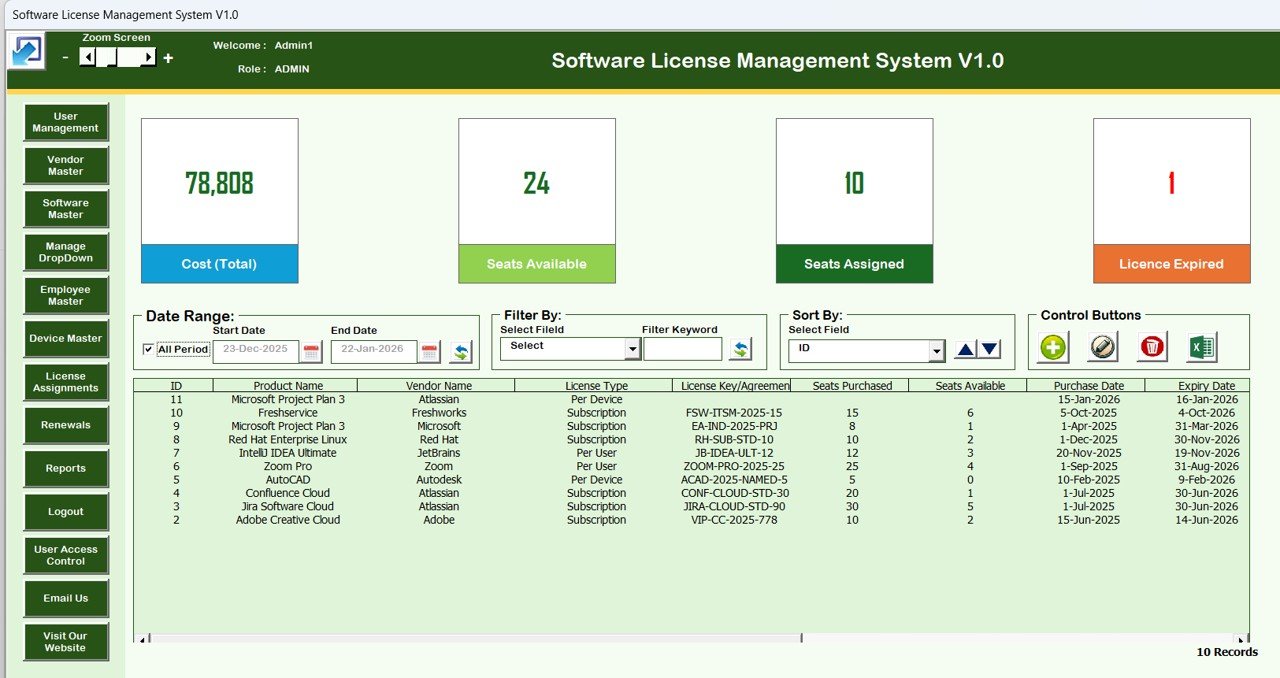
What it is: a dedicated Excel system for recording every software and template license your business owns.
- Track seats purchased, seats assigned and seats available
- Renewal-date reminders so nothing lapses silently
- Add, update, delete and reset controls built in
If you are reading a guide about licensing, this is the tool that keeps your own licenses in order. Best for: any team that has lost track of what it has actually paid for. Price: $19.99.
2. Education & School Management Bundle – deepest discount

What it is: eight Excel and Google Sheets templates for schools and training providers, sold together at a 68% saving versus singles.
- Attendance, grades and student trackers
- Excel plus Google Sheets formats for mixed teams
- One license covering a coordinated toolset
Best for: schools that want a whole department on the same files. Price: $34.99.
3. Healthcare & Hospital Management Bundle – best value for teams
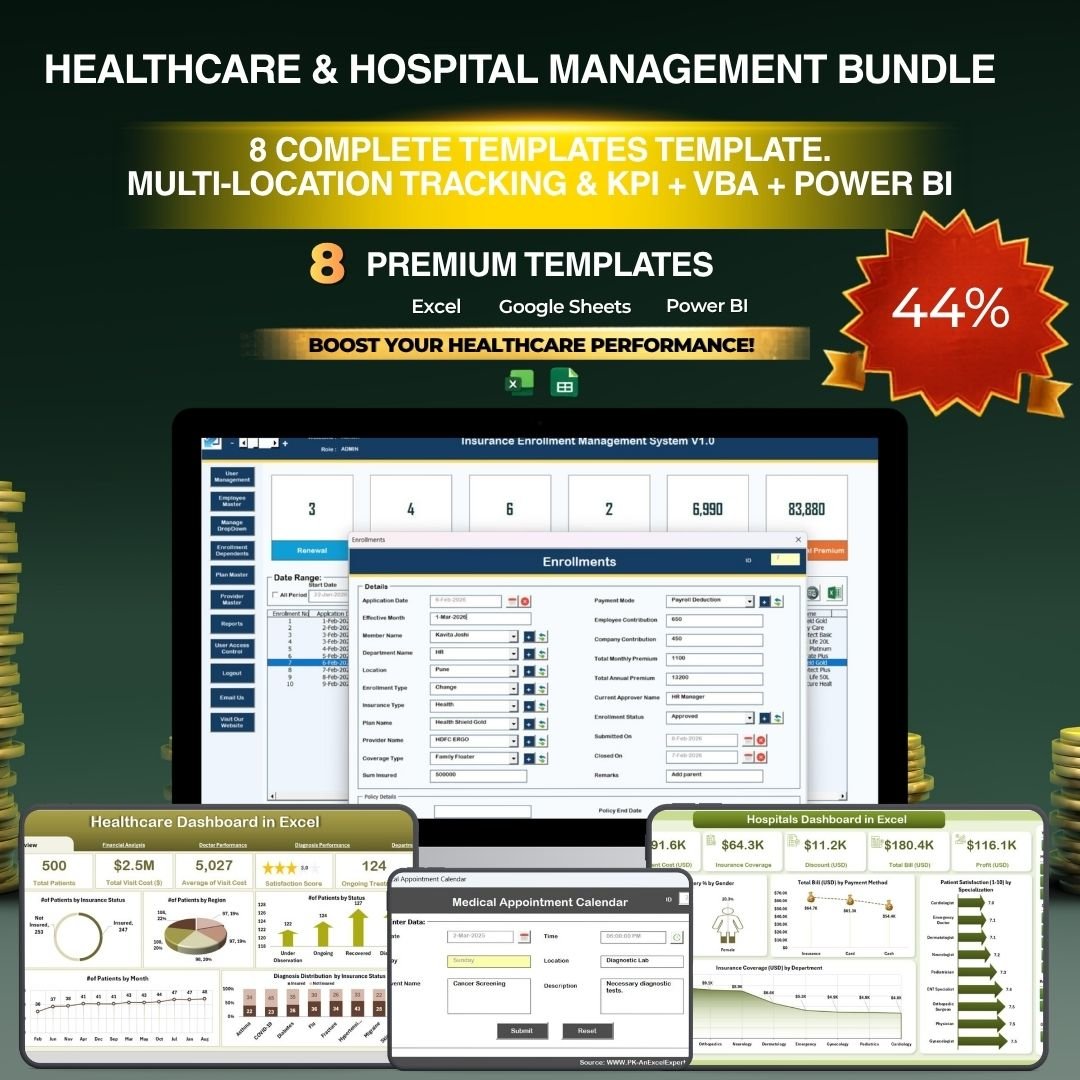
What it is: eight premium Excel and Power BI templates for clinics and hospital administration, priced at a 38% saving.
- Patient, staff and operations dashboards
- Excel plus Power BI for reporting at scale
- The single best illustration of commercial, team-scale licensing in the catalogue
Best for: healthcare operations that need coverage across a whole admin function. Price: $79.99. Explore related tools in our healthcare and hospital management templates roundup.
Need commercial rights for your business today? A single template starts at just $19.99, and a full 8-template bundle with team-scale coverage is $79.99. Browse the Healthcare & Hospital Management Bundle or pick the single tool that fits.
How to choose the right license for your situation
Use this quick decision path rather than reading every clause:
- Only you use it, no revenue involved? A personal-tier single template is enough.
- You or your business earn money using it? You need an Excel template license commercial use grant – buy the commercial/business tier.
- More than one person needs the same file? Choose a team or multi-seat license, which in practice usually means a bundle.
- You need three or more tools from one category? A bundle is cheaper and covers the whole team in one purchase.
When in doubt, size up. A commercial license on a $19.99 tool costs a fraction of the time you would lose untangling a rights problem later. For broader buying context, compare options in our 25 best-selling business templates guide and the budget template Excel comparison.
When buying a template license is NOT the right answer
A licensed spreadsheet template is the wrong purchase in a few honest situations, and saying so up front saves refunds and frustration.
- You need to resell or rebrand the template as your own product. Standard commercial use does not grant redistribution rights. You would need an explicit resale or developer license, which most template sellers do not offer at these prices.
- Hundreds of concurrent users across an enterprise. Once you are past a single department, dedicated software with its own admin console and audit trail is usually a better fit than a shared spreadsheet.
- Regulated data with strict access controls. If licensing rules also imply HIPAA, GDPR or SOX-level access logging, a spreadsheet’s file-level permissions may not be sufficient on their own.
- You genuinely only need it once, privately. If no revenue is involved and only you will ever open the file, do not overpay for commercial or team rights you will not use.
For workflows that outgrow spreadsheets, our Salesforce alternatives comparison and HR dashboard templates guides show where templates stop and software begins.
Frequently asked questions
What is an Excel template license commercial use grant?
An Excel template license commercial use grant is permission to use a paid template inside a business, including work that generates revenue such as client reporting, invoicing or payroll. It typically does not allow you to resell or redistribute the template itself, only to use it as a tool in your own commercial activity.
Can I use a personal-license template for my business?
Usually not. Personal licenses generally cover private, non-revenue use by one individual. The moment a spreadsheet supports paid work or client delivery, you should hold a commercial license. Using a personal-only file for business can breach the license terms, so upgrade to the commercial or business tier instead.
How many people can use a team or multi-seat license?
It depends on the specific license, which is why you should confirm the seat count in writing before buying. In template catalogues, team coverage most often arrives as a bundle that a whole department can standardise on. Always read the license document for the exact number of named users permitted.
Is a bundle cheaper than buying single templates?
Almost always, once you need three or more tools from the same category. For example, eight singles at roughly $17.99 each total about $143.92, while a comparable eight-template bundle is $79.99 – a saving of around 44%. Some bundles advertise savings up to 68% versus buying separately.
Does commercial use let me resell the template?
No. A commercial license permits you to use the template in your business, not to resell, sublicense or redistribute it as a competing product. Reselling requires an explicit resale or developer license, which is a separate and less common grant. Do not assume commercial use includes redistribution rights.
What is the difference between a license and copyright?
Copyright is the creator’s underlying legal ownership of the work; a license is the permission they grant you to use it under stated conditions. You buy a license, not the copyright. General copyright principles are explained by the U.S. Copyright Office, but the binding terms for your purchase are in the seller’s license file.
Do I need a new license for each computer?
That depends on whether your license is per-user or per-seat. A personal license usually covers one individual across their own devices, while team licenses are counted by named users or seats rather than machines. Check the license wording, and if several colleagues need the file, choose a team tier or bundle.
How do I keep track of the licenses I already own?
Use a dedicated tracker. The Software License Management System V1.0 at $19.99 records seats purchased, assigned and available, plus renewal dates, so licenses do not lapse or get double-bought. It is a small spend that pays for itself the first time it stops a duplicate purchase or a missed renewal.
What happens if I use a template beyond my license terms?
You risk breaching the agreement, which can mean losing access, being asked to buy the correct tier, or in serious commercial cases a legal claim. The practical fix is simple: match your license to your real use from the start, and upgrade proactively when your usage grows from personal to commercial or from single-user to team.
Where do I find the exact license terms before buying?
Read the license or terms document the seller provides on the product page and at checkout. Category labels like personal, commercial and team are helpful shorthand, but the enforceable terms are the written ones. If anything is unclear, ask the seller to confirm seat counts and permitted uses in writing before you pay.
Get more templates and licensing help
Ready to buy with the right license? Single templates start at $19.99 and the largest 8-template bundle with team-scale coverage is $79.99. Start with the Healthcare & Hospital Management Bundle ($79.99) for best value, or the Software License Management System ($19.99) to track what you own.
See more Excel and Google Sheets tools in our payroll template toolkit and expense tracker templates guides, and watch walkthroughs on the NextGenTemplates YouTube channel.