

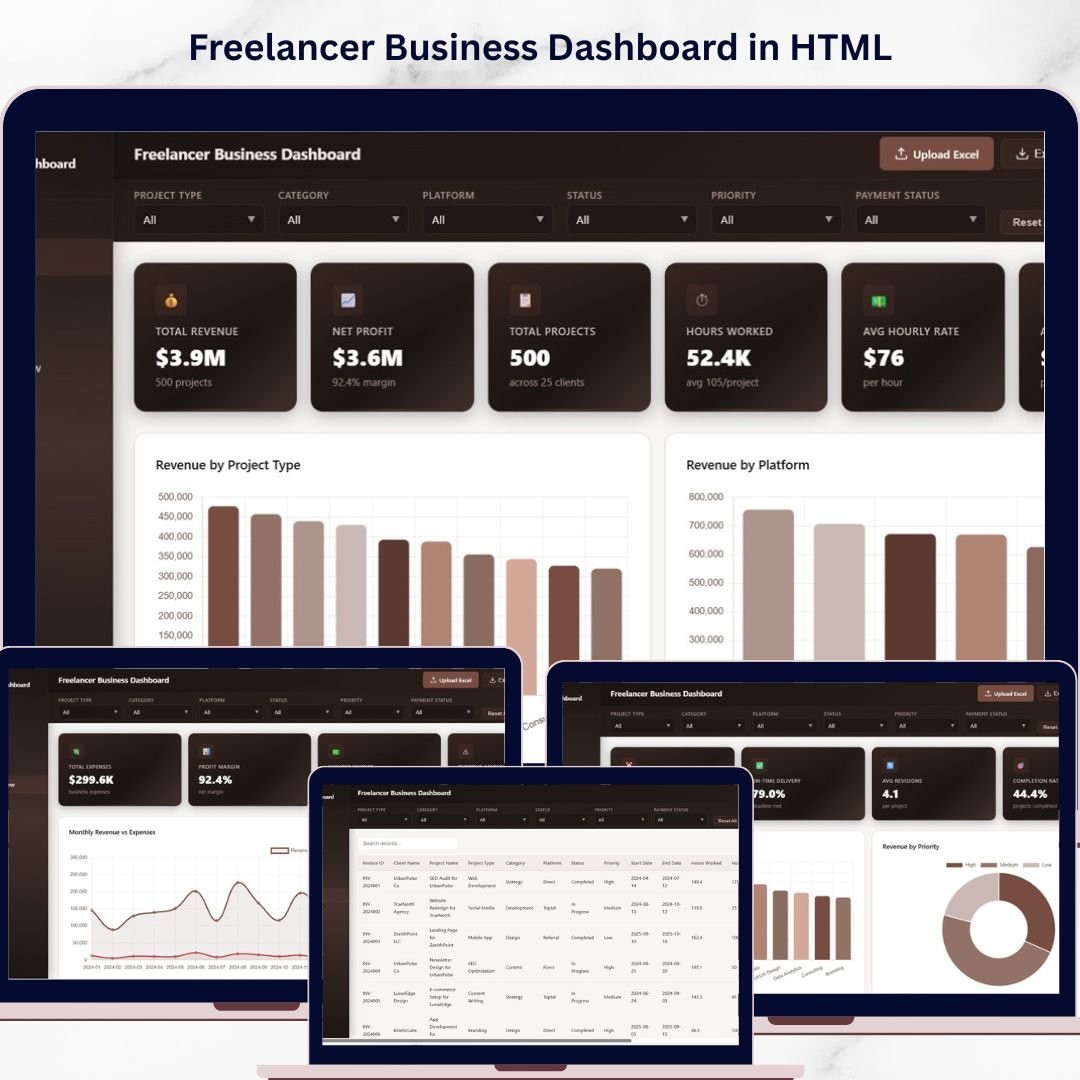
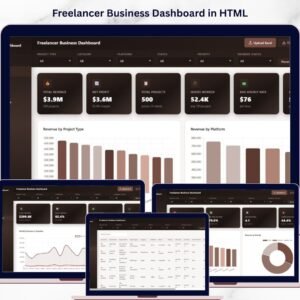
Freelancer Business Dashboard in HTML is a browser-based, interactive analytics template built for freelancers, independent consultants, solopreneurs, and small business owners who want to monitor revenue, projects, clients, hourly rates, and financial performance from a single dynamic interface. This ready-to-use HTML Dashboard includes 5 dedicated pages covering an Overview with KPI cards, Client Insights, Project Analytics, Financial Overview, and a detailed Data View — giving you a complete 360-degree picture of your freelance business health 🚀.
Whether you are a graphic designer tracking project revenue, a web developer analyzing client profitability, or a marketing consultant monitoring monthly trends, this Freelancer Business Dashboard in HTML transforms your raw freelance data into clear, actionable visual insights. Simply unzip the file, open index.html in any modern browser, and replace the sample data with your own records. If you prefer working in Excel, check out the Freelancer Business Dashboard in Excel, or explore the Freelancer Business Dashboard in Power BI for advanced analytics.
🔑 Key Features of Freelancer Business Dashboard in HTML
📊 5 Interactive Dashboard Pages — Navigate between Overview, Client Insights, Project Analytics, Financial Overview, and Data View tabs to explore your freelance business data from every angle. This dashboard tracks 6 key metrics including Total Revenue, Net Profit, Total Projects, Hours Worked, Avg Hourly Rate, and Avg Project Value.
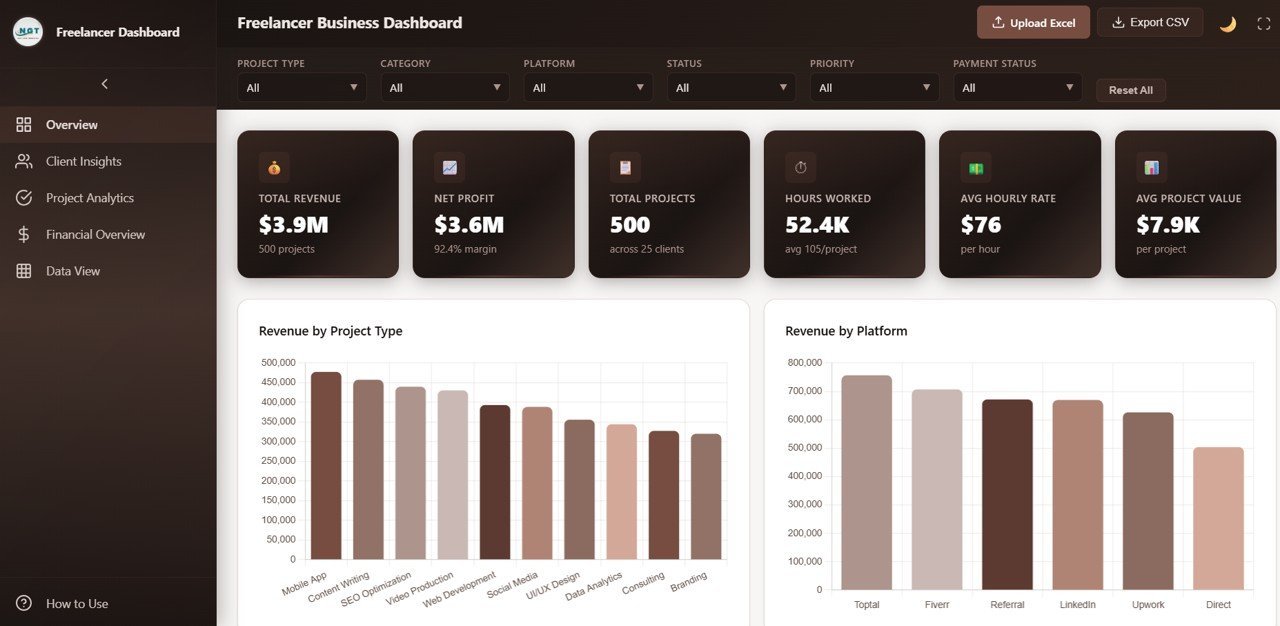
📈 6 Dynamic KPI Cards on Overview — Instantly view Total Revenue, Net Profit, Total Projects, Hours Worked, Avg Hourly Rate, and Avg Project Value at the top of the Overview page for a quick executive summary of your freelance business performance.
🔍 Multiple Slicer Filters — Apply quick filters across the dashboard using built-in slicers to drill down into specific project types, platforms, categories, and time periods for targeted analysis.
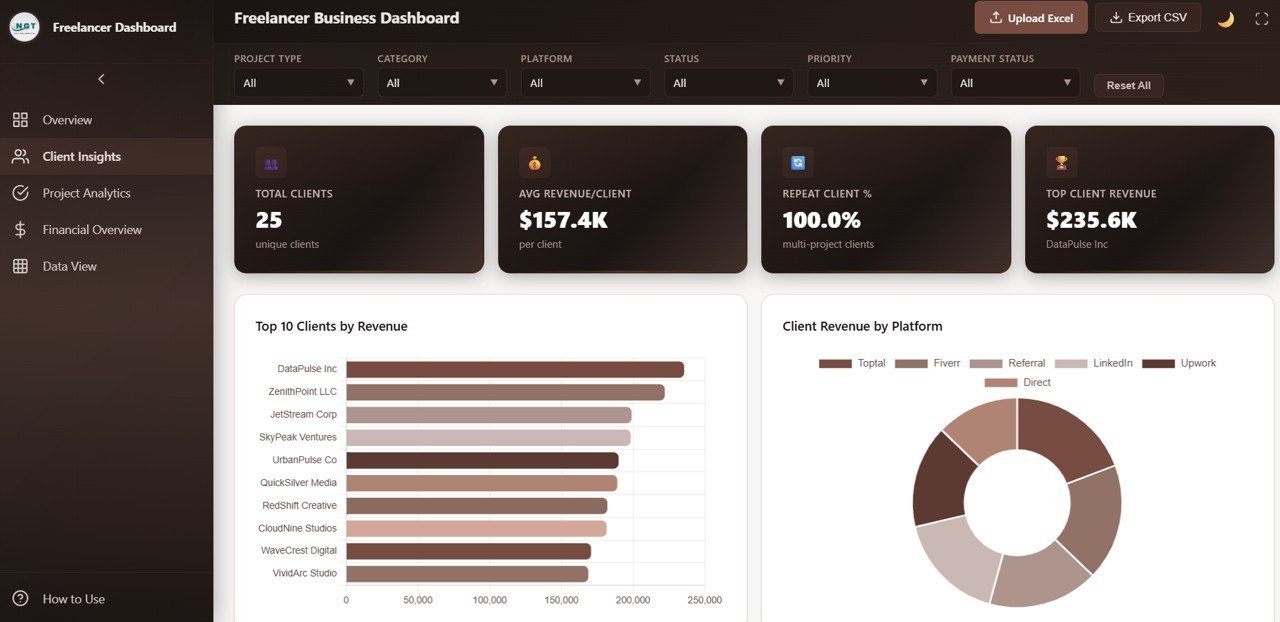
👥 Client-Level Revenue Analysis — The Client Insights page provides Top 10 Clients by Revenue, Client Revenue by Platform, Projects per Client, and Satisfaction Distribution to help you identify your highest-value relationships.
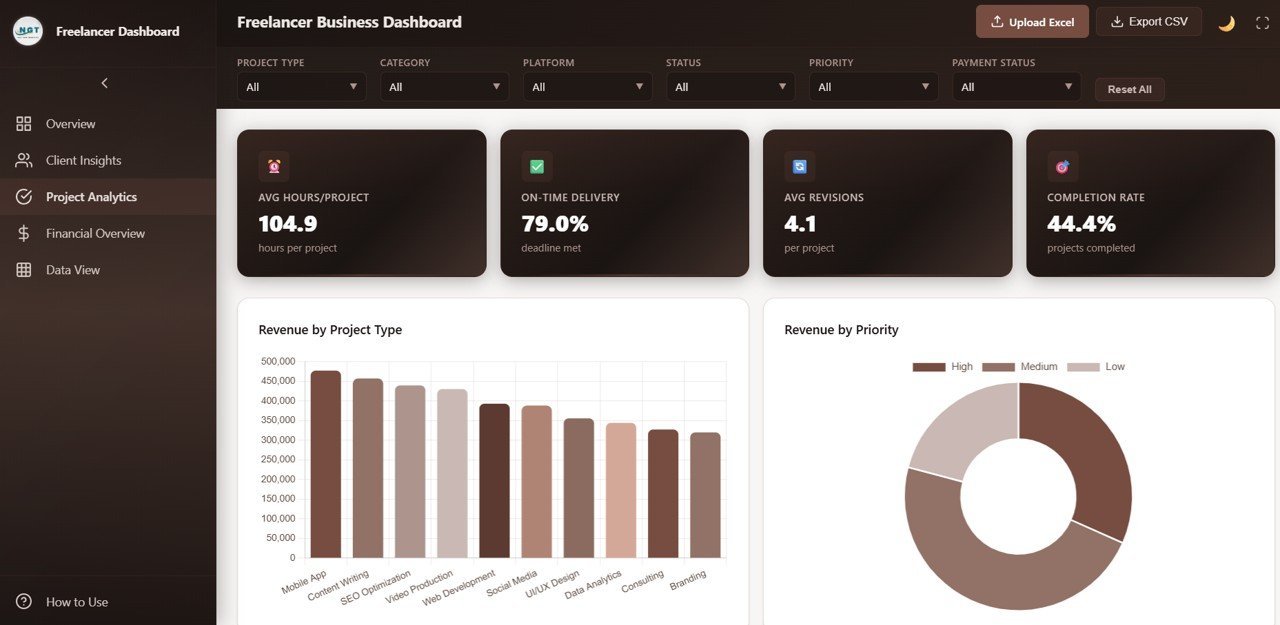
📋 Project Performance Breakdown — The Project Analytics page features Revenue by Project Type, Revenue by Priority, Status by Project Type, and Avg Revisions by Project Type to understand which projects deliver the best returns.
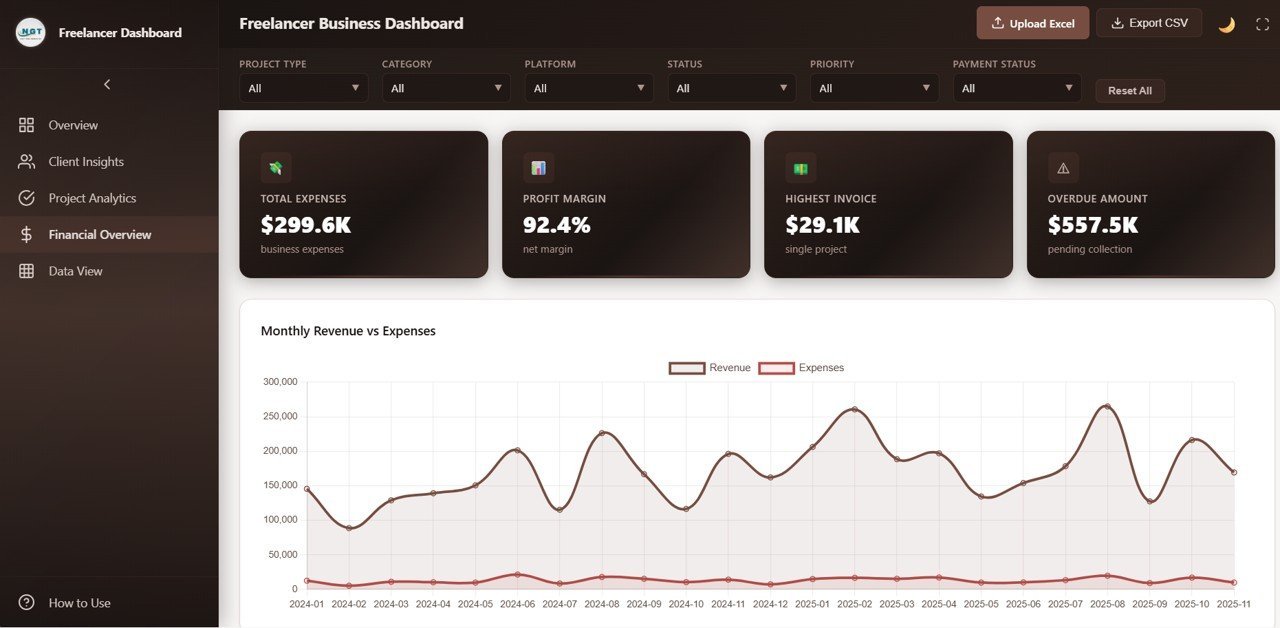
💰 Financial Health Monitoring — The Financial Overview page tracks Monthly Revenue vs Expenses, Revenue by Payment Status, Revenue by Hourly Rate Tier, and Profit Margin by Category for complete financial visibility.
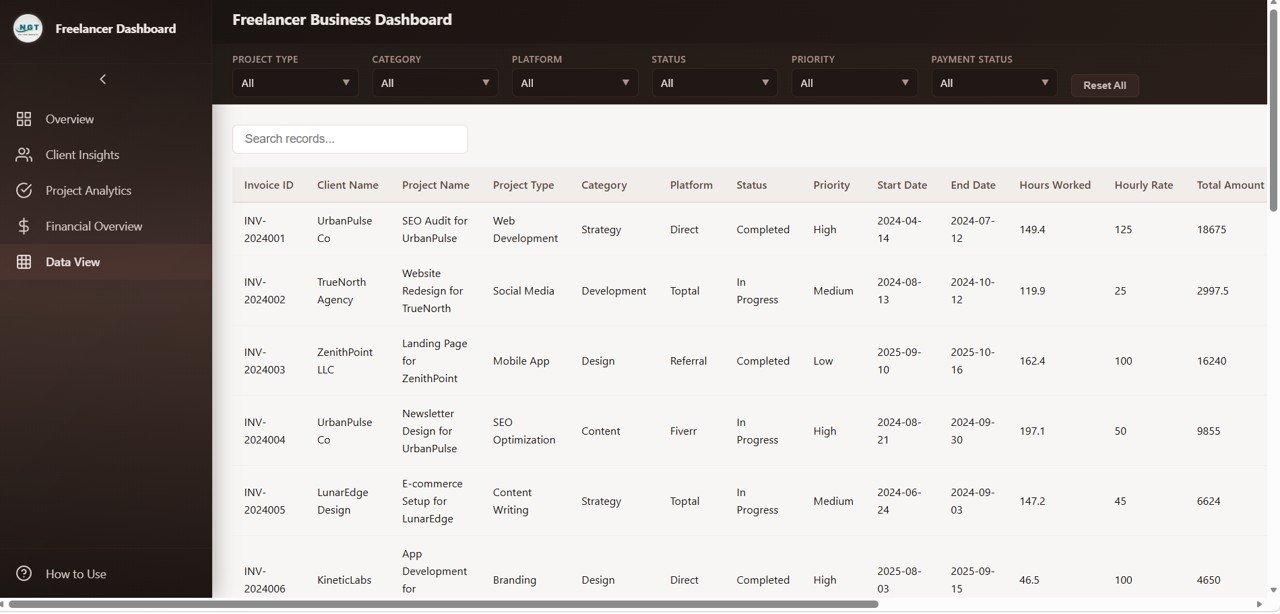
📑 Full Data View with Search and Export — Browse all records with search, sort, and pagination features on the Data View page. Export filtered data to CSV for external analysis and reporting.
🌐 Works in Any Modern Browser — No software installation required — simply unzip and open index.html in Chrome, Edge, Firefox, or Safari.
🔄 Easy Data Replacement — Swap the sample dataset with your own freelance records and the entire dashboard updates automatically.
📦 What’s Inside the Freelancer Business Dashboard in HTML
This template includes 5 fully interactive dashboard pages designed for comprehensive freelance business analytics:
📌 Overview Page — Displays 6 KPI cards: Total Revenue, Net Profit, Total Projects, Hours Worked, Avg Hourly Rate, and Avg Project Value. Below the cards, interactive charts show Revenue by Project Type breaking down income across different project categories, Revenue by Platform comparing earnings across freelance platforms, Projects by Status displaying the distribution of completed, in-progress, and pending projects, Revenue by Category analyzing income by service category, and Monthly Revenue Trend tracking earnings trajectory over time. Multiple slicers let you filter the entire page instantly.
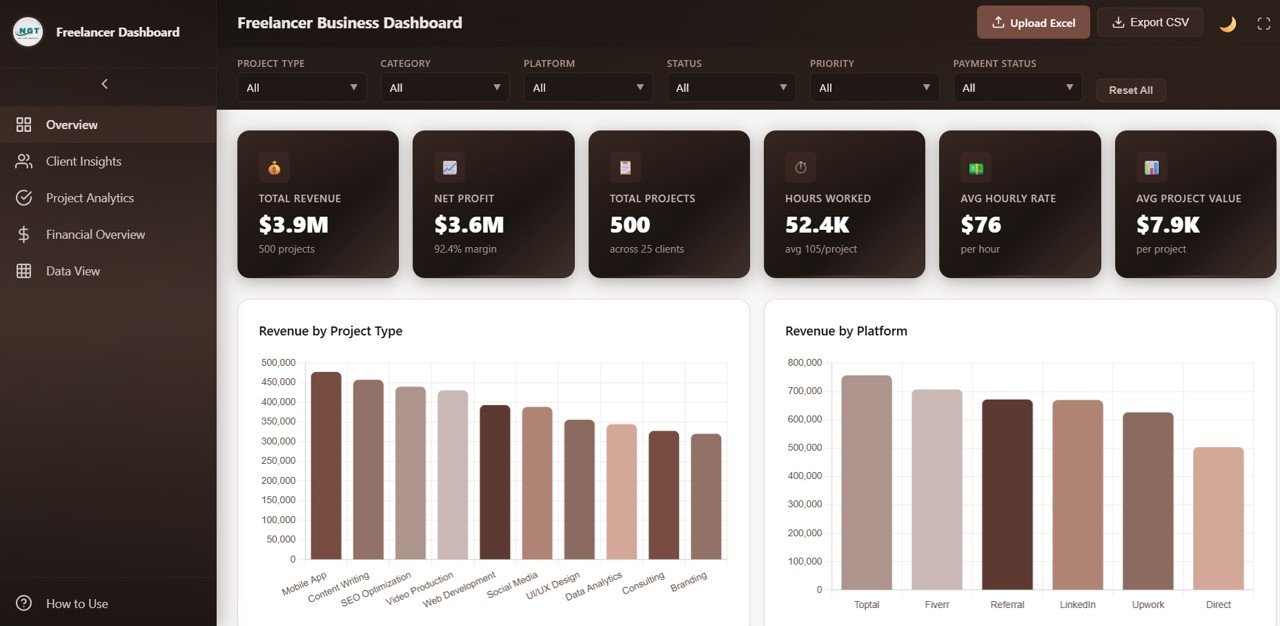
Freelancer Business Dashboard Overview
📌 Client Insights Page — Deep-dive into client performance with Top 10 Clients by Revenue identifying your highest-value relationships, Client Revenue by Platform showing which channels drive the most client revenue, Projects per Client measuring engagement frequency, and Satisfaction Distribution tracking client happiness levels across your portfolio.
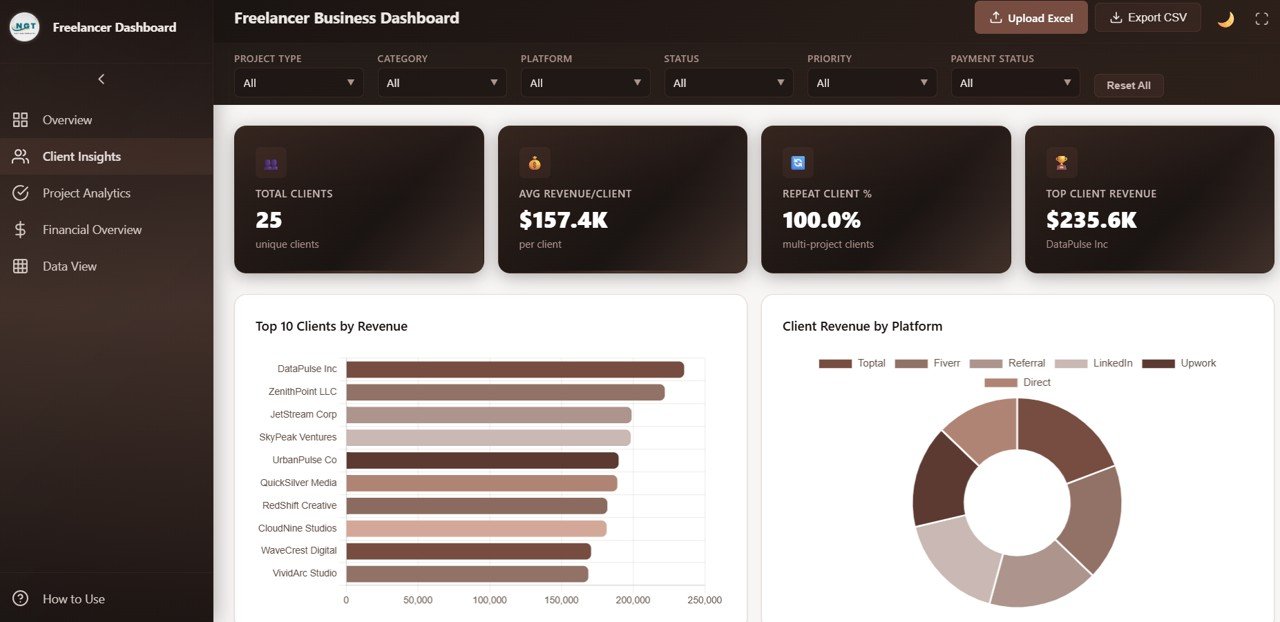
Client Insights
📌 Project Analytics Page — Analyze project performance with Revenue by Project Type showing which project categories generate the most income, Revenue by Priority comparing earnings across priority levels, Status by Project Type tracking completion patterns, and Avg Revisions by Project Type identifying which project types require the most rework.
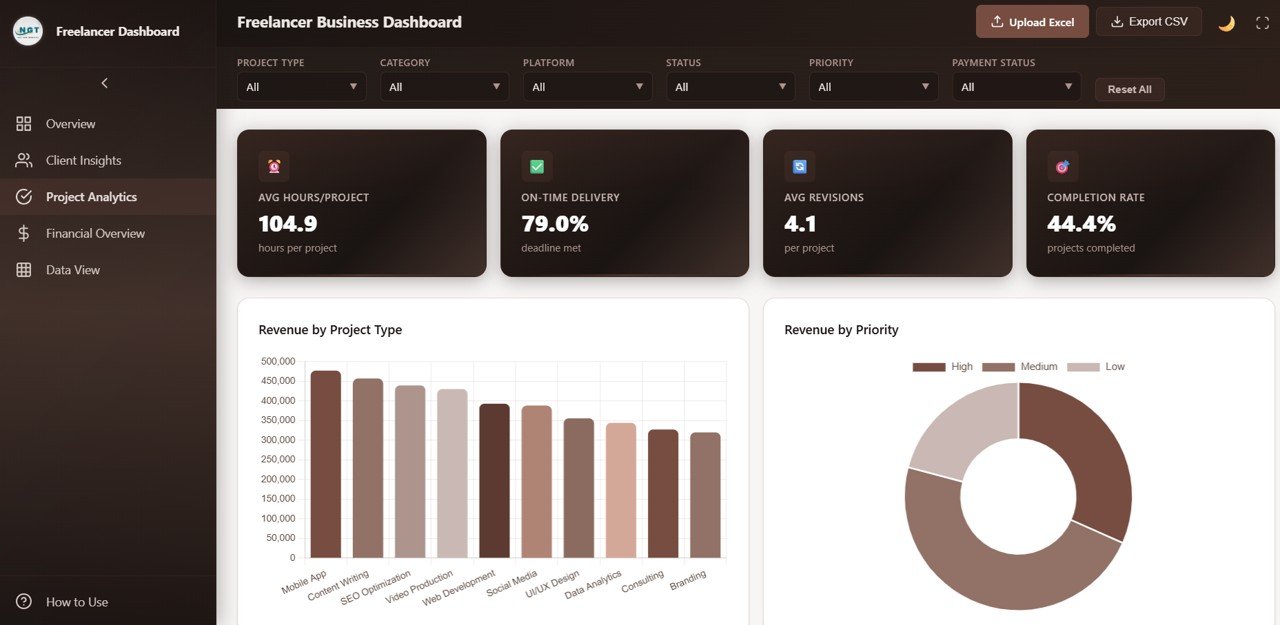
Project Analytics
📌 Financial Overview Page — Monitor financial health with Monthly Revenue vs Expenses tracking profitability trends over time, Revenue by Payment Status showing paid, pending, and overdue amounts, Revenue by Hourly Rate Tier analyzing which rate brackets generate the most income, and Profit Margin by Category identifying your most profitable service lines.
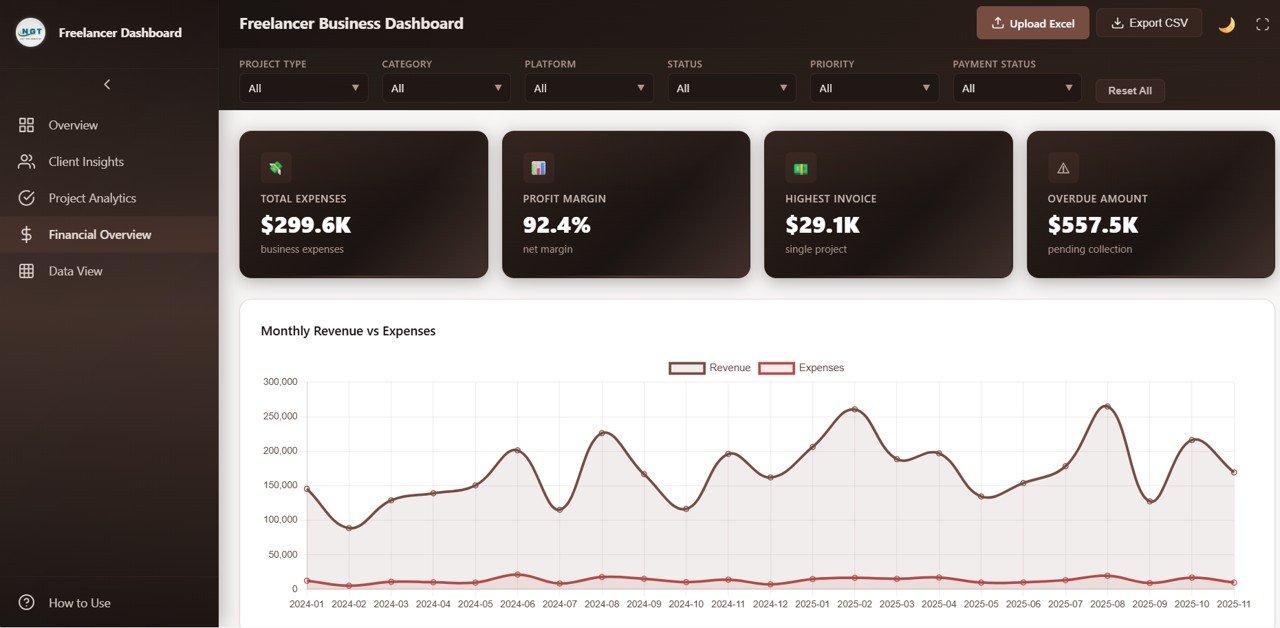
Financial Overview
📌 Data View Page — A detailed data table page where you can see all records with search, sort, and pagination features. You can also export the filtered data to CSV for external reporting and deeper analysis.
⚙️ How to Use the Freelancer Business Dashboard in HTML
1️⃣ Download and unzip the file to your computer.
2️⃣ Open the index.html file in any modern browser (Chrome, Edge, Firefox, Safari).
3️⃣ Explore the 5 dashboard pages using the navigation tabs at the top.
4️⃣ Use the slicer filters to drill down into specific project types, platforms, or time periods.
5️⃣ Replace the sample data in the data file with your own freelance business records.
6️⃣ All charts, KPI cards, and tables update automatically based on your data.
7️⃣ Use the Data View page to search, sort, and export your records to CSV.
👥 Who Can Benefit from This Freelancer Business Dashboard in HTML
🎨 Creative Freelancers — Graphic designers, photographers, videographers, and content creators can track project revenue, client profitability, and service performance across platforms.
💻 Tech Freelancers — Web developers, app developers, and IT consultants can monitor project hours, platform performance, and payment tracking.
📝 Content and Marketing Freelancers — Writers, SEO specialists, and social media managers can analyze revenue trends and client satisfaction metrics.
📊 Consulting Professionals — Business, financial, and management consultants can track client revenue, profit margins, and project profitability. Also explore the Freelance Business KPI Scorecard in Google Sheets for KPI-based performance tracking.
🚀 Freelance Entrepreneurs — Anyone running a freelance business who wants a professional, browser-based, data-driven approach to business growth and financial health.
❓ Frequently Asked Questions
What metrics does the Freelancer Business Dashboard in HTML track?
The Freelancer Business Dashboard in HTML tracks 6 key metrics on the Overview page: Total Revenue, Net Profit, Total Projects, Hours Worked, Avg Hourly Rate, and Avg Project Value. Additional analysis across 5 interactive pages covers client revenue breakdowns, project analytics, financial health monitoring, and a searchable data view with CSV export.
Do I need any special software to use this HTML dashboard?
No. Simply unzip the downloaded file and open index.html in any modern web browser like Chrome, Firefox, Edge, or Safari. No Excel, Power BI, or additional software installation is needed.
Can I replace the sample data with my own freelance data?
Yes. The dashboard is designed for easy data replacement. Update the data file included in the download with your own freelance business records, and all charts, KPIs, and tables refresh automatically to reflect your actual performance.
Can I track multiple freelance platforms in this dashboard?
Yes. The dashboard includes platform-level analysis in the Overview page showing Revenue by Platform and in the Client Insights page showing Client Revenue by Platform — perfect for freelancers working across Upwork, Fiverr, Toptal, and direct client channels.
What is the best HTML dashboard template for freelancers?
The Freelancer Business Dashboard in HTML from NextGenTemplates is one of the most comprehensive browser-based freelance analytics templates available. It includes 5 interactive pages, 6 KPI cards, client insights, project analytics, financial overview, slicer filters, and a full data view with CSV export — all in a single HTML file ready for immediate use.
🔗 Explore Related Templates
📌 Freelancer Business Dashboard in Excel — The Excel version with pivot tables and interactive charts for freelancers who prefer Microsoft Excel.
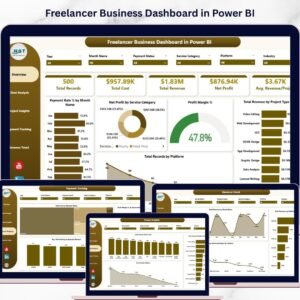
📌 Freelancer Business Dashboard in Power BI — The Power BI version with advanced analytics, dynamic slicers, and 5 interactive pages.
📌 Personal Finance Dashboard in HTML — Track personal income, expenses, savings, and budgets in a browser-based HTML dashboard.
📖 Click here to read the Detailed Blog Post
🎥 Visit our YouTube channel to learn step-by-step video tutorials
👉 YouTube.com/@NextGenTemplates
Watch the step-by-step video tutorial:
YouTube






























Reviews
There are no reviews yet.