
Managing your taxes doesn’t have to be stressful or confusing. When you deal with multiple income sources, deductions, and tax-saving strategies, things can quickly become overwhelming.
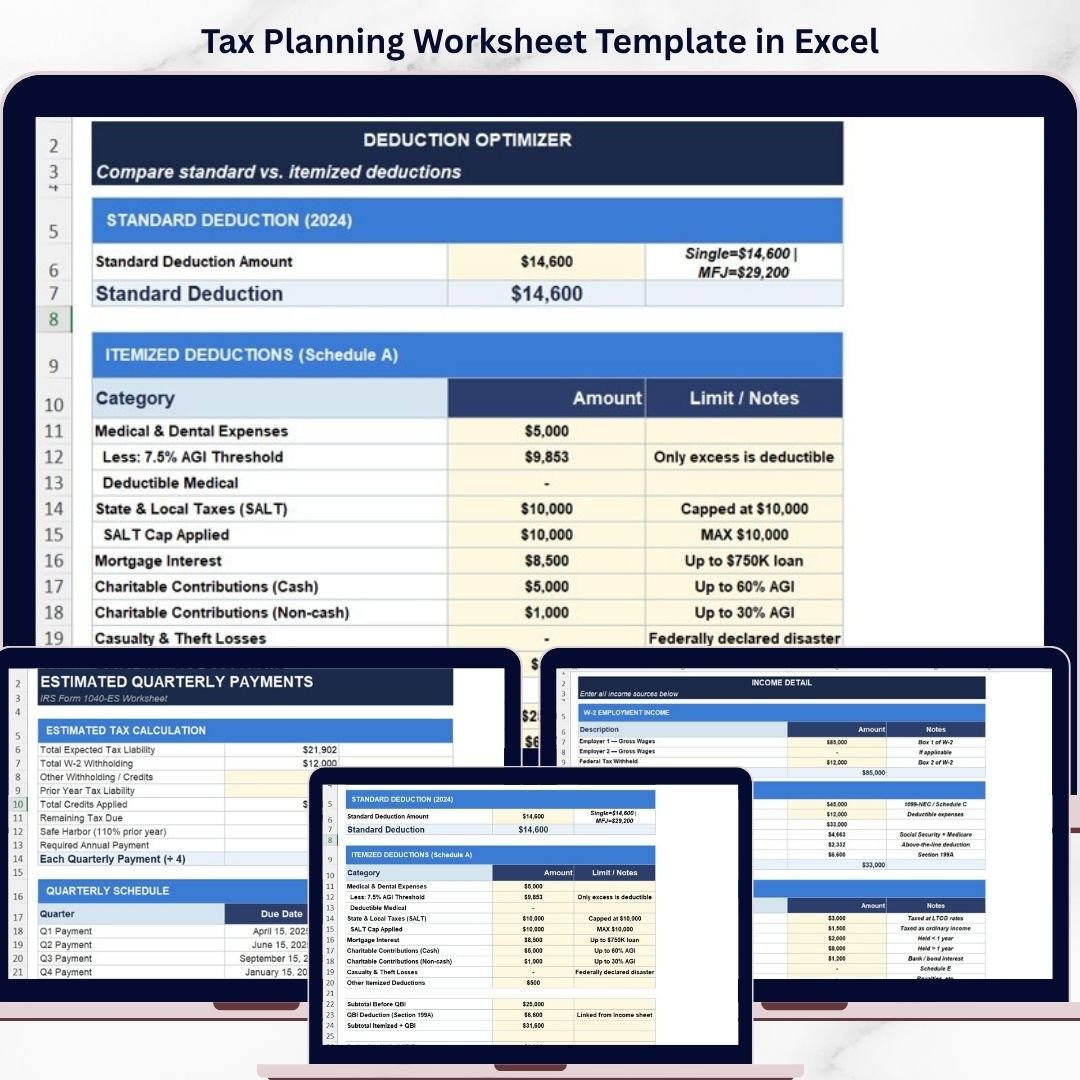
Tax Planning Worksheet Template in Excel — a smart, easy-to-use solution designed to simplify tax planning and help you make better financial decisions.
This ready-to-use Excel template allows you to organize your income, optimize deductions, calculate tax liability, and even simulate different tax-saving scenarios — all in one place. Instead of relying on complicated software or manual calculations, you can now take control of your taxes with confidence.
Whether you are a salaried individual, freelancer, or business owner, this template gives you a clear financial picture and helps you reduce your tax burden legally and effectively.
🚀 Key Features of Tax Planning Worksheet Template in Excel
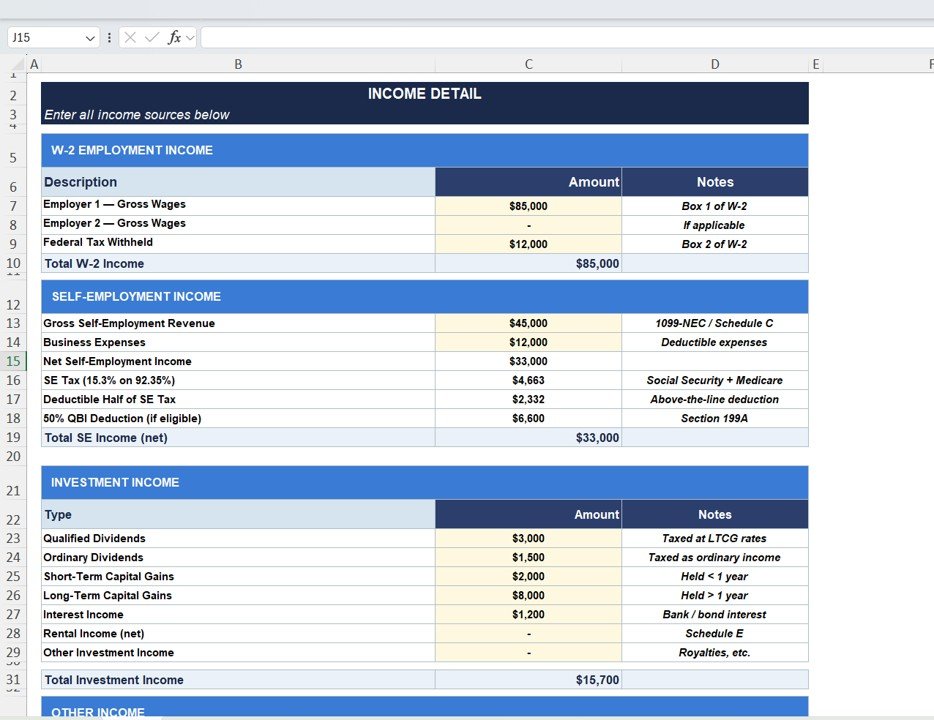
💼 Comprehensive Income Tracking – Track income from employment, self-employment, and investments in one place.
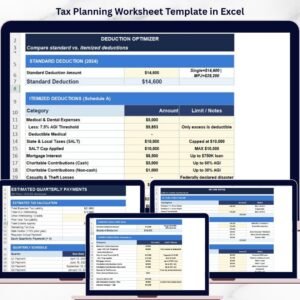
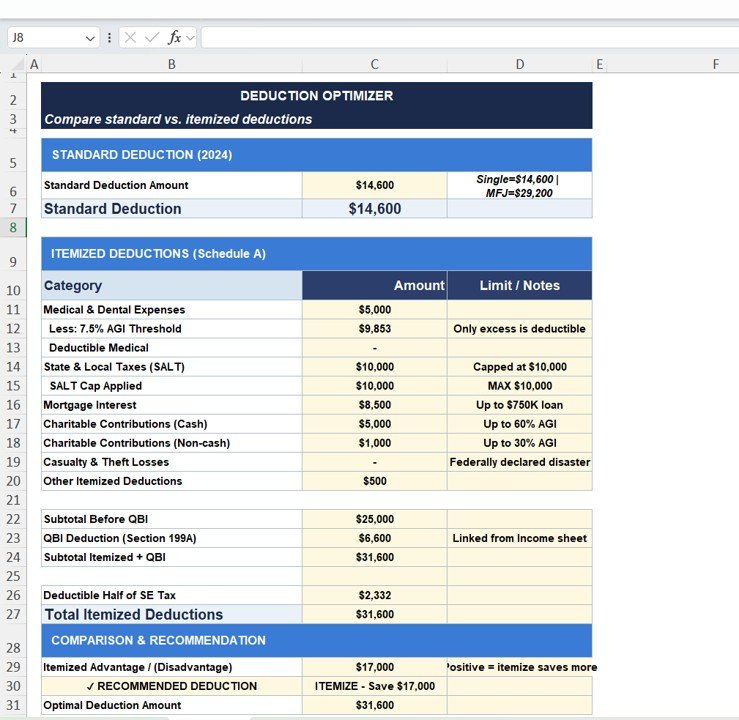
📊 Deduction Optimization Tool – Compare standard vs itemized deductions to maximize savings.
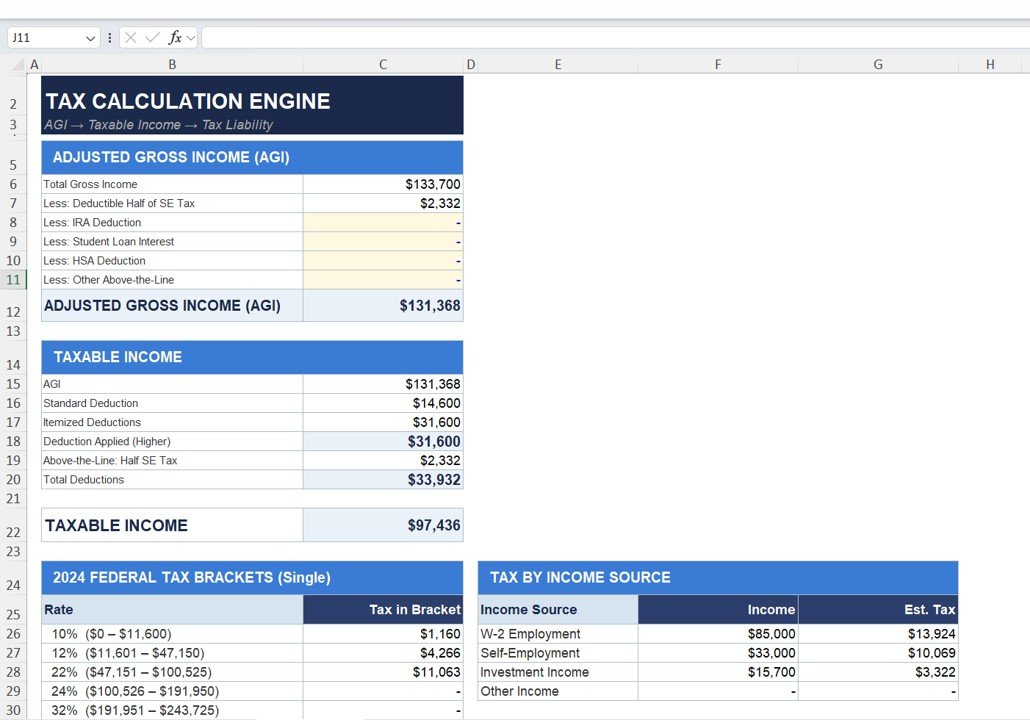
📈 Automated Tax Calculations – Instantly calculate AGI, taxable income, and tax liability.
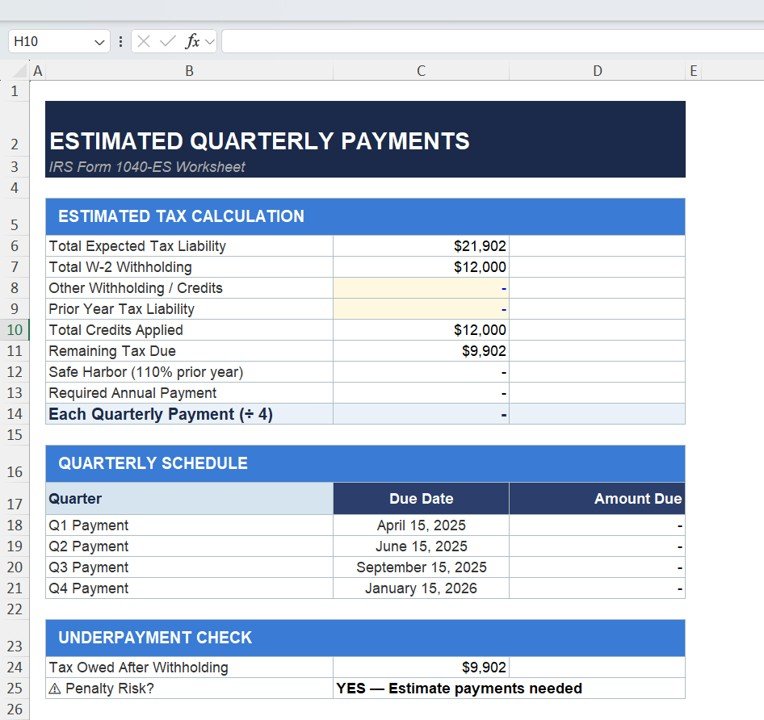
📅 Quarterly Tax Planning – Plan estimated tax payments and avoid penalties.
🔮 What-If Scenario Analysis – Test different tax-saving strategies before making decisions.
📉 Tax Liability Insights – Understand how income and deductions impact your taxes.
⚡ User-Friendly Excel Design – No advanced Excel skills required.
🎯 Fully Customizable Template – Adjust inputs based on your financial situation.
📂 What’s Inside the Tax Planning Worksheet Template in Excel
This template includes multiple structured sections to cover all aspects of tax planning:
📌 Income Detail Sheet
Track all income sources including salary, business income, investments, and rental income.
📌 Deduction Optimizer Section
Compare standard and itemized deductions to identify the best option.
📌 Tax Calculation Engine
Automatically calculates Adjusted Gross Income (AGI), taxable income, and applies tax brackets.
📌 Estimated Quarterly Payments Section
Calculate tax liability and plan quarterly payments to avoid penalties.
📌 What-If Scenario Analysis Section
Simulate tax-saving strategies like retirement contributions, donations, and business expenses.
🛠️ How to Use the Tax Planning Worksheet Template in Excel
Using this template is simple and beginner-friendly:
1️⃣ Enter all income details in the Income section
2️⃣ Add deductions in the Deduction Optimizer
3️⃣ Review calculated taxable income and tax liability
4️⃣ Plan quarterly payments based on results
5️⃣ Use What-If scenarios to test tax-saving strategies
6️⃣ Compare different scenarios and choose the best option
7️⃣ Make smarter financial decisions
Within minutes, you can turn complex tax data into clear and actionable insights.
👥 Who Can Benefit from This Tax Planning Worksheet Template in Excel
This template is perfect for:
👨💼 Salaried Professionals managing multiple income sources
💻 Freelancers and Consultants tracking business income and expenses
🏢 Small Business Owners planning taxes efficiently
📊 Accountants and Financial Advisors analyzing tax scenarios
💰 Investors managing capital gains and income streams
Whether your finances are simple or complex, this template helps you stay organized and financially smart.
With this template, you no longer need expensive software or confusing spreadsheets. Everything is structured, automated, and easy to understand. As a result, you save time, reduce errors, and improve your financial planning.
So, if you want to reduce tax liability, avoid penalties, and make smarter financial decisions, this template is a must-have tool.