

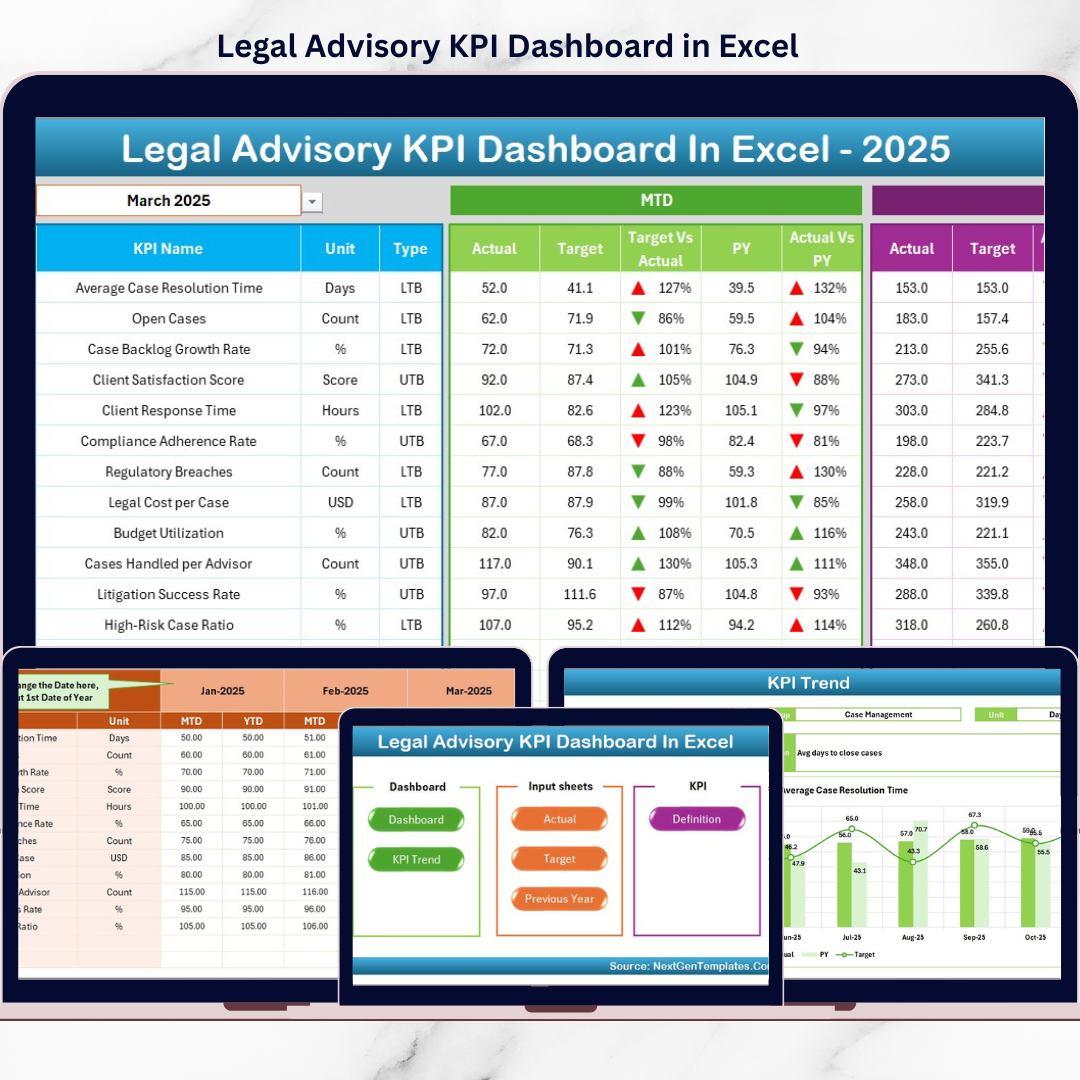

Legal Advisory KPI Dashboard teams operate at the intersection of risk, compliance, strategy, and accountability. They manage contracts, litigation, regulatory filings, internal advisory requests, and high-impact decisions every day. However, despite their critical role, legal performance often remains difficult to measure. Many teams still rely on emails, manual trackers, or static spreadsheets. As a result, leadership lacks visibility, and legal teams struggle to demonstrate value.
That is exactly where the Legal Advisory KPI Dashboard in Excel delivers real impact ⚖️📊.
This ready-to-use Excel dashboard transforms complex legal operations into clear KPIs, automated comparisons, and actionable insights. Instead of reactive reporting, legal teams gain a centralized, structured, and visual performance management system—built entirely in Excel.
Designed for clarity, control, and credibility, this dashboard helps legal teams move from intuition-based management to data-driven legal governance.
## Key Features of Legal Advisory KPI Dashboard in Excel🚀
This dashboard is purpose-built to measure and manage legal performance effectively.
📊 Centralized Legal KPI Tracking
Monitor contracts, litigation, compliance, turnaround time, and advisory performance in one place.
📅 Dynamic Month Selection
Change the reporting month using a drop-down, and the entire dashboard updates automatically.
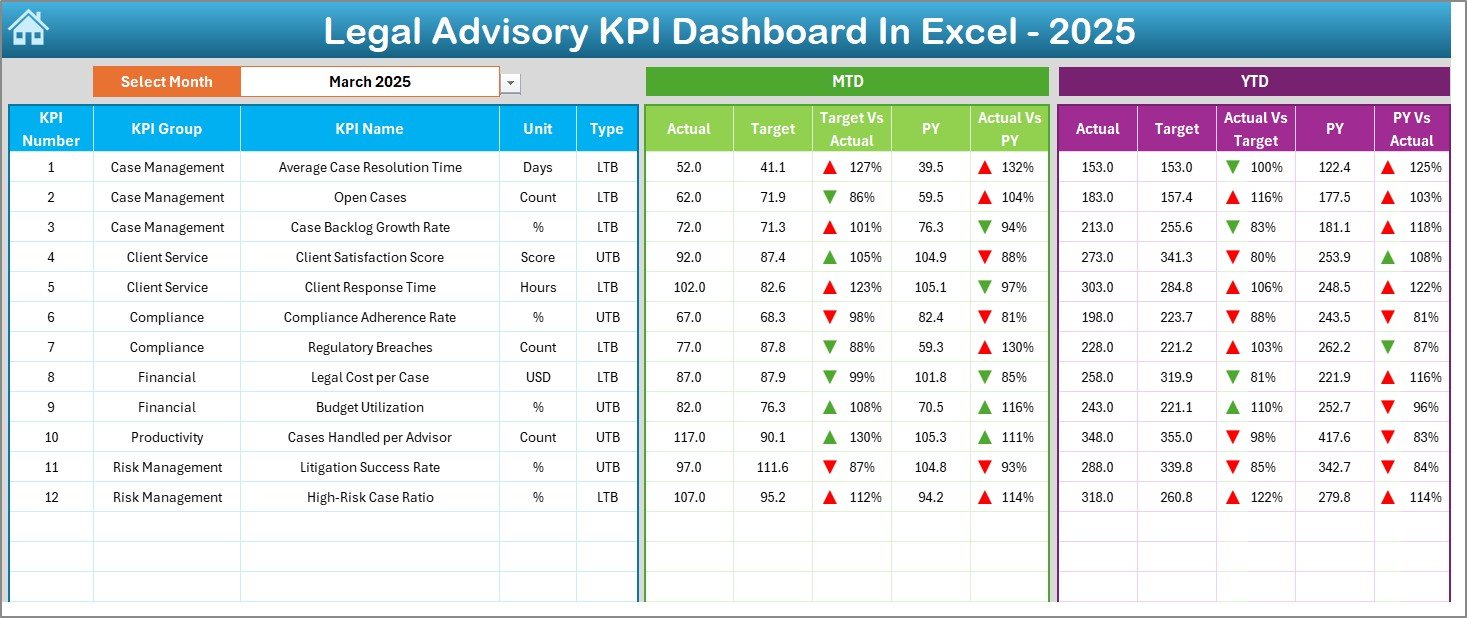
📈 MTD & YTD Performance Analysis
Track Month-to-Date and Year-to-Date actuals against targets and previous-year benchmarks.
🚦 Visual Performance Indicators
Up and down arrows instantly highlight improvements, delays, or risks.
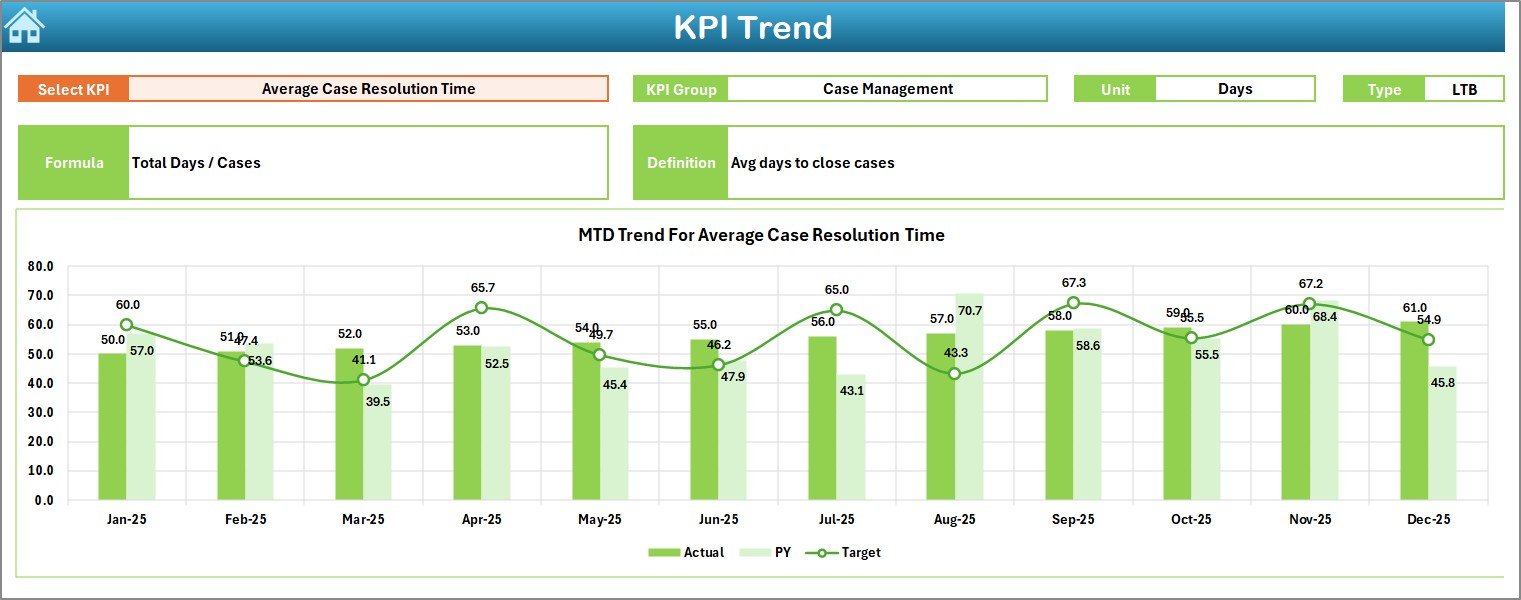
📉 KPI Trend Analysis
Analyze KPI behavior over time using MTD and YTD trend charts.
🧭 Executive-Friendly Navigation
One-click buttons allow users to jump between sheets effortlessly.
💡 100% Excel-Native Solution
No BI tools required—easy to adopt, customize, and maintain.
## What’s Inside the Legal Advisory KPI Dashboard in Excel 📂
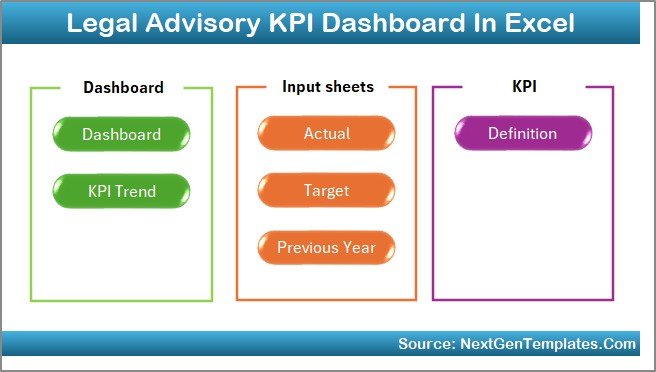
This dashboard includes 7 professionally designed worksheets, each supporting a specific legal management function.
🟦 Home Sheet
Acts as the index page with 6 navigation buttons for quick access to all sections.
🟦 Dashboard Sheet
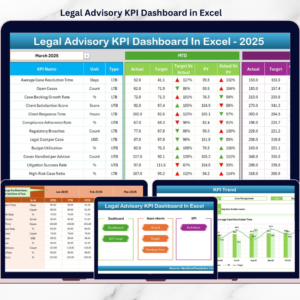
The main performance view showing MTD and YTD Actual vs Target and Actual vs Previous Year with visual indicators.
🟦 KPI Trend Sheet
Allows deep-dive analysis for a selected KPI, including KPI group, unit, type (LTB/UTB), formula, definition, and trend charts.
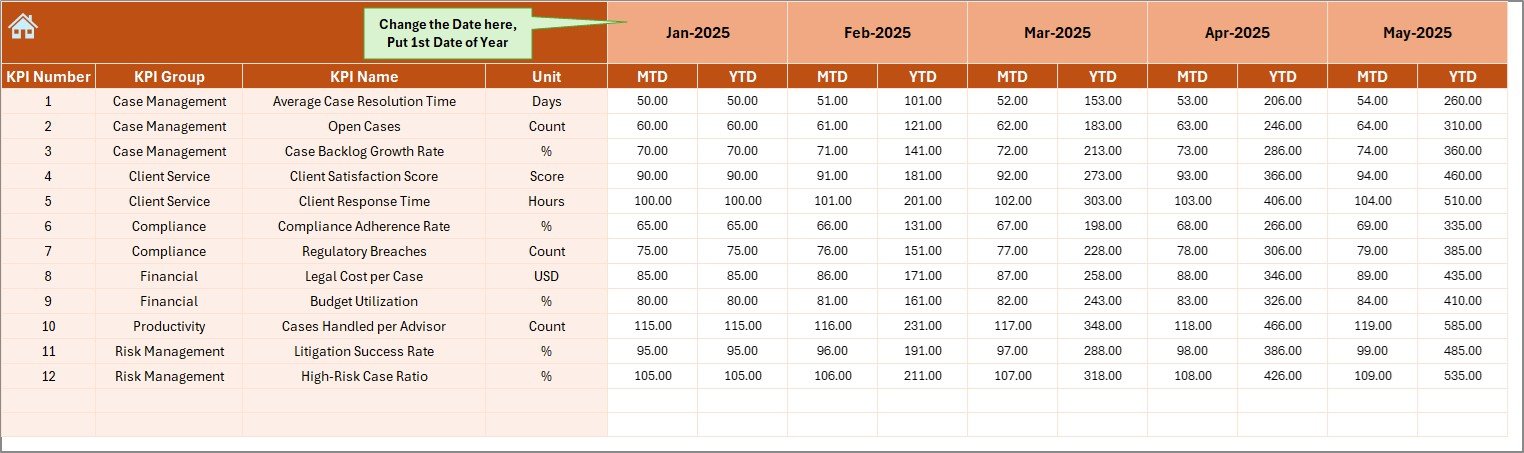
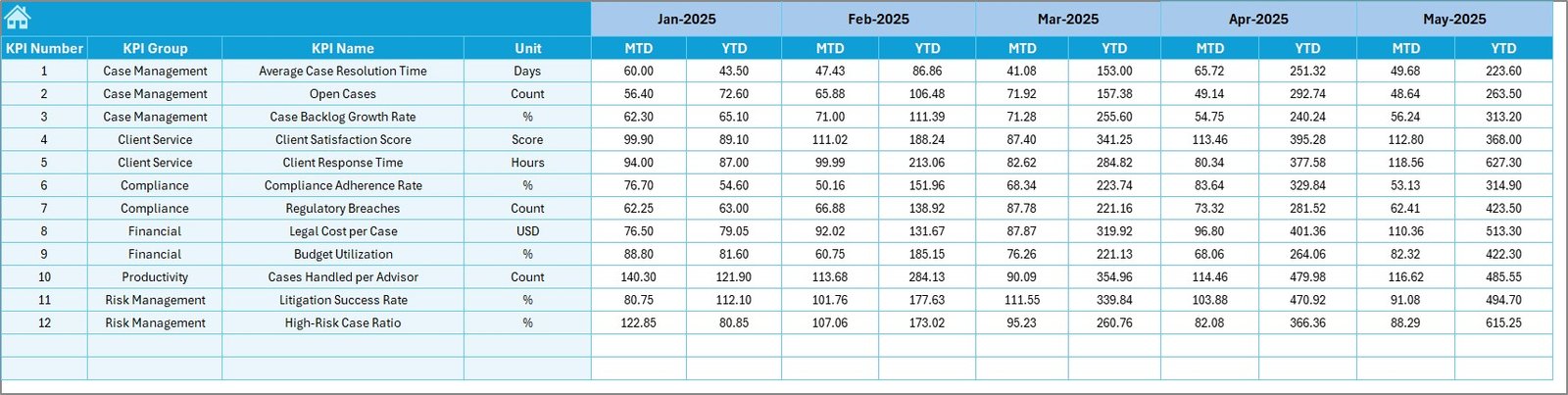
🟦 Actual Numbers Input Sheet
Captures MTD and YTD actual performance values with smart month control to reduce data entry effort.
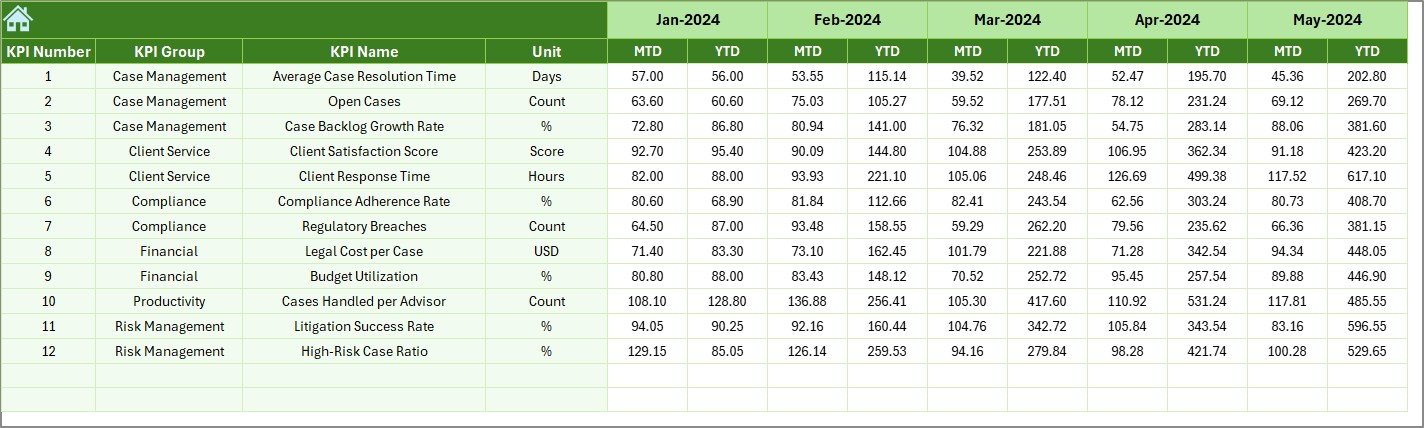
🟦 Target Sheet
Stores monthly and cumulative legal KPI targets for structured goal tracking.
🟦 Previous Year Numbers Sheet
Enables year-over-year comparison to measure progress and recurring issues.
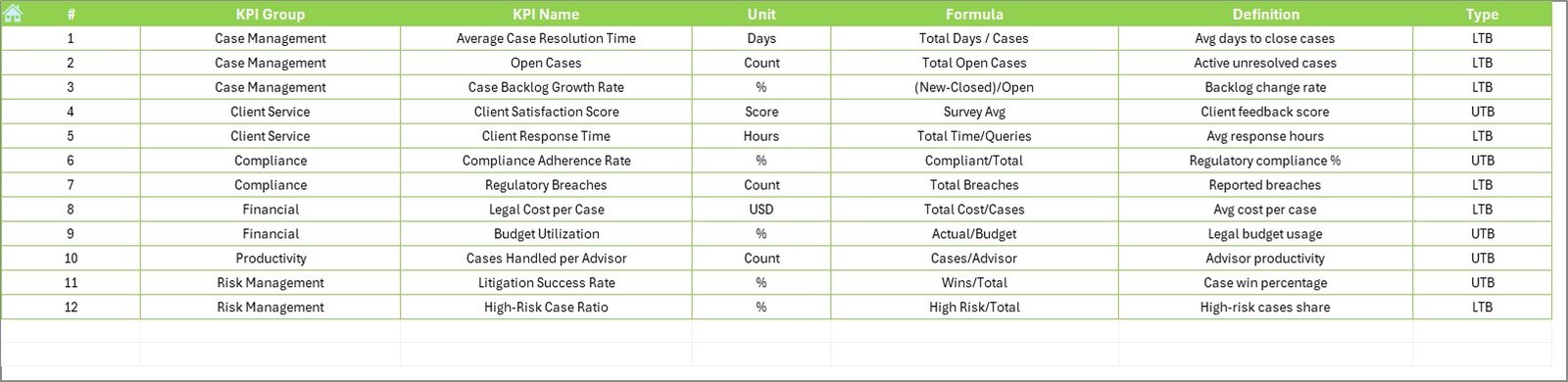
🟦 KPI Definition Sheet
Maintains KPI name, group, unit, formula, definition, and type to ensure clarity and consistency.
Together, these sheets create a complete legal performance management framework.
## How to Use the Legal Advisory KPI Dashboard in Excel 🧩
Using the dashboard is simple and intuitive:
1️⃣ Define KPIs in the KPI Definition Sheet
2️⃣ Enter actual MTD and YTD values in the Actual Numbers sheet
3️⃣ Set targets in the Target Sheet
4️⃣ Add previous-year data for comparison
5️⃣ Select the reporting month and review dashboards instantly
Excel automatically handles calculations, comparisons, and visuals—so teams focus on legal strategy, not reporting.
## Who Can Benefit from This Legal Advisory KPI Dashboard in Excel 👥
This dashboard is ideal for:
✔️ Legal Advisory Teams
✔️ Corporate Legal Departments
✔️ Law Firms
✔️ Compliance & Risk Officers
✔️ Legal Operations Managers
✔️ General Counsels & Leadership Teams
Because it is Excel-based, both technical and non-technical users can adopt it quickly.
### Click here to read the Detailed blog post
Visit our YouTube channel to learn step-by-step video tutorials
👉 YouTube.com/@PKAnExcelExpert
Watch the step-by-step video tutorial:
Compatibility and Requirements
- Works in Microsoft Excel desktop (Excel 2016 or later, or Microsoft 365).
- You pick the reporting month from a dropdown, and the dashboard updates. Microsoft explains dropdowns in Create a drop-down list.
Frequently Asked Questions
How many worksheets does the dashboard have?
Seven: Home, Dashboard, KPI Trend, Actual Numbers, Target, Previous Year Numbers and KPI Definition.
How do I change the reporting month?
Select the month from the dropdown and the whole dashboard updates. The Actual Numbers sheet also uses month control to cut down data entry.
Can I compare results with targets and with last year?
Yes. The Dashboard sheet shows MTD and YTD Actual vs Target and Actual vs Previous Year, with up and down arrows that flag improvements or delays.
What does the KPI Trend sheet show?
It shows one selected KPI with its group, unit, type (LTB or UTB), formula and definition, plus MTD and YTD trend charts.
Is there a Power BI or Google Sheets version?
Yes. See the Legal Advisory KPI Dashboard in Power BI and the Legal KPI Dashboard in Google Sheets.
Related Legal Templates
- Legal Advisory KPI Dashboard in Power BI: the same dashboard for Power BI
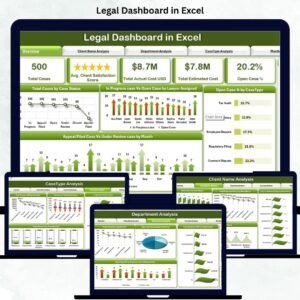
- Legal KPI Dashboard in Excel: a general legal KPI view
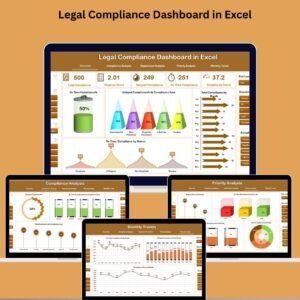
- Legal Compliance KPI Dashboard in Excel: KPIs focused on compliance
- Legal Compliance Calendar in Excel: a calendar for compliance dates
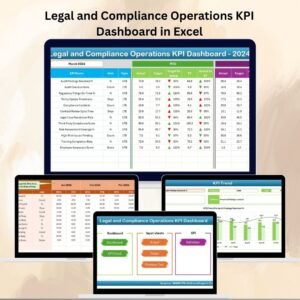
- Legal and Compliance Operations KPI Dashboard in Excel: operations KPIs for legal teams
Browse all Excel KPI dashboards.



















Reviews
There are no reviews yet.