


Modern workplaces are evolving fast. Flexible working hours, remote and hybrid models, shift rotations, and personal commitments are now part of daily operations. As a result, employees frequently request adjustments to their work hours. However, when these requests are handled through emails, chats, or verbal conversations, HR teams face confusion, approval delays, lack of transparency, and compliance risks.
That is exactly why the Employee Work Hours Adjustment Request Tracker in Google Sheets becomes an essential HR operations solution.
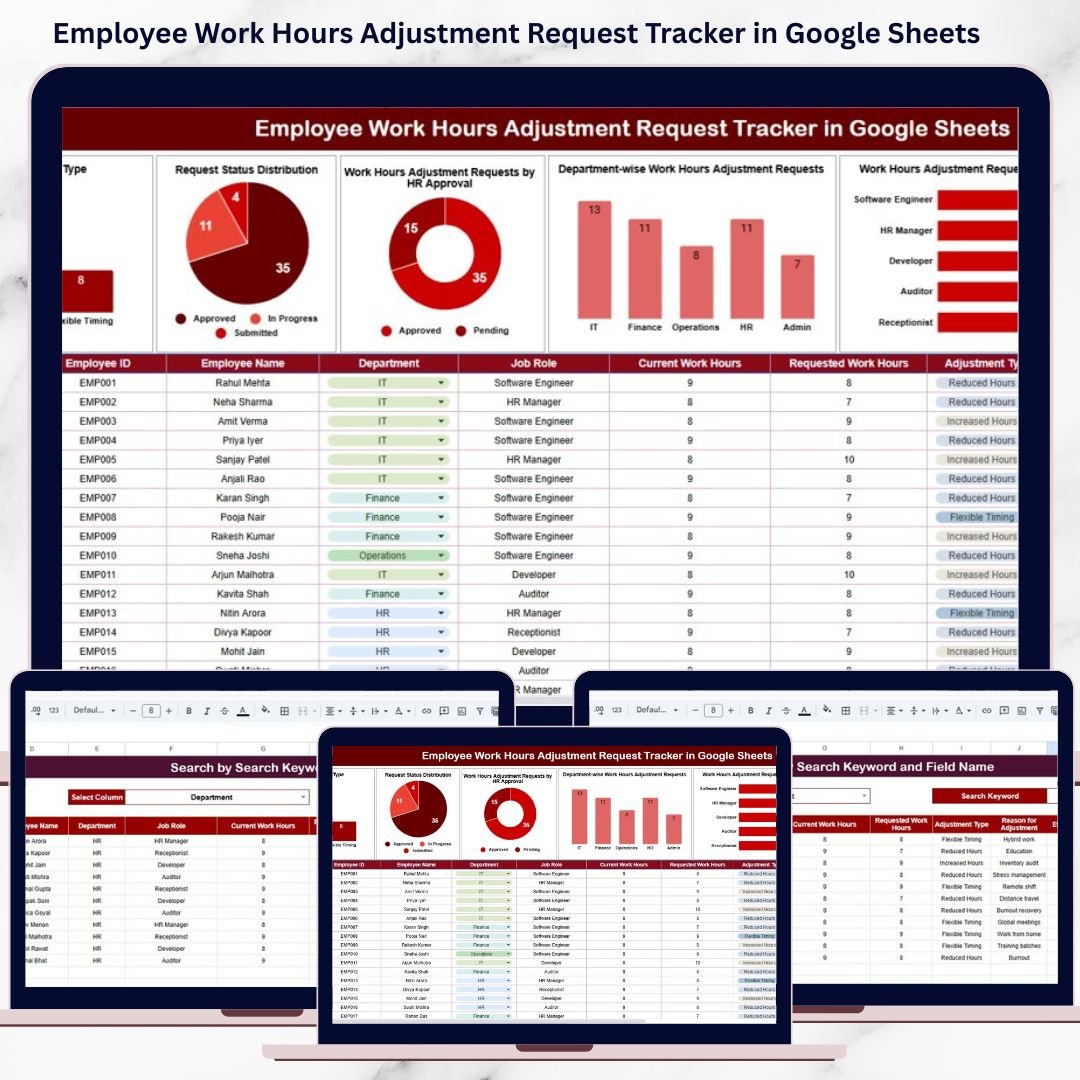
This ready-to-use tracker provides a structured, centralized, and transparent way to manage all employee work hours adjustment requests. It captures request details, approval status, department and role impact, and effective dates—while offering clear charts and a powerful search feature. Instead of chasing approvals or searching through emails, HR teams gain instant visibility and control, all within Google Sheets.
Because the tracker is cloud-based, it supports real-time collaboration, easy updates, and secure access—without any additional software cost.
✨ Key Features of the Employee Work Hours Adjustment Request Tracker in Google Sheets
🕒 1. Centralized Work Hours Adjustment Tracking
All employee requests related to work hour changes are logged in one structured tracker, eliminating scattered records and manual follow-ups.
📊 2. Visual Dashboard Charts
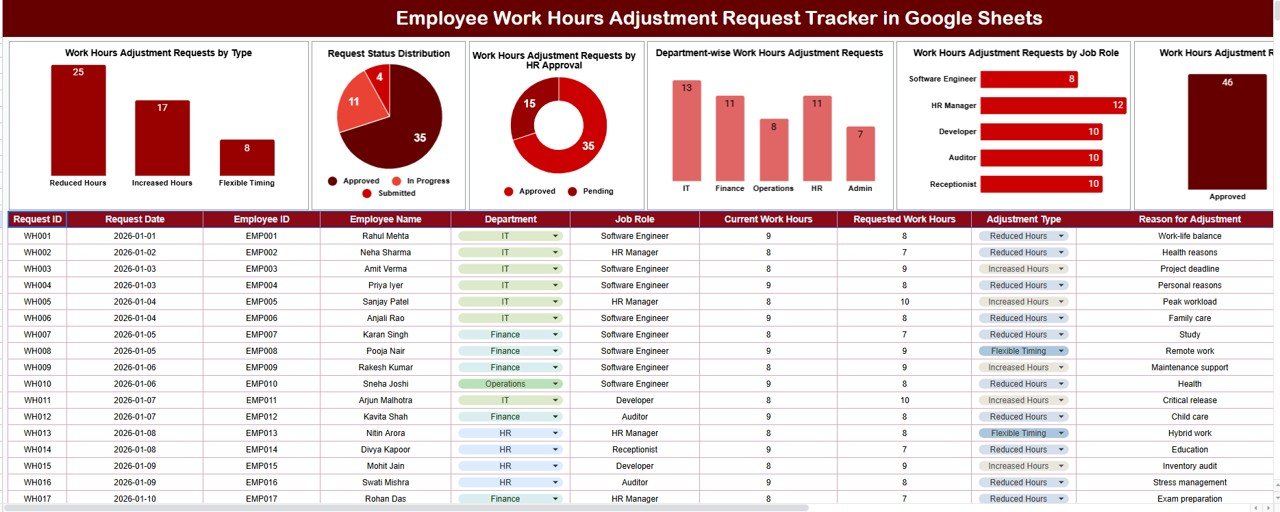
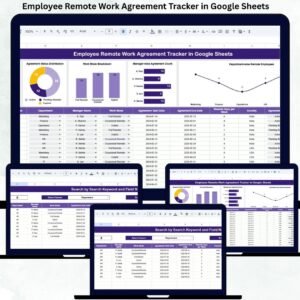
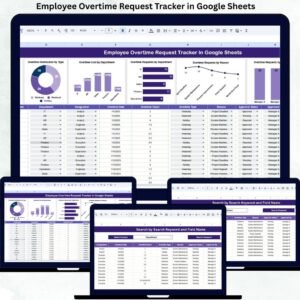
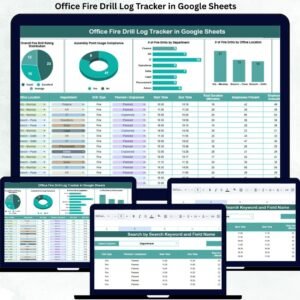
Built-in charts provide instant insights into request types, approval status, department trends, and job role patterns.
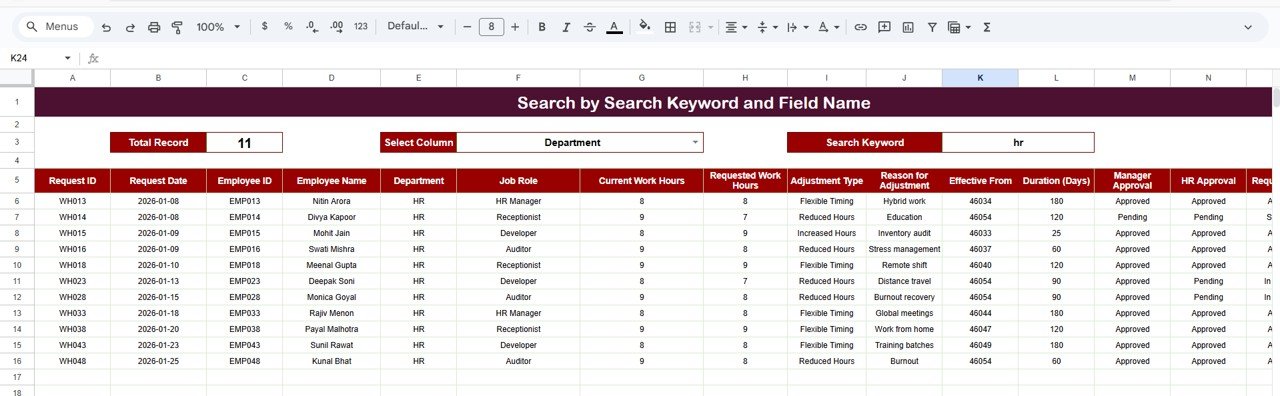
🔍 3. Smart Search Functionality
Quickly locate any request using employee name, department, job role, adjustment type, or approval status.
⚡ 4. Real-Time Updates
As soon as HR updates a request, all charts refresh automatically, ensuring accurate and up-to-date reporting.
🤝 5. Google Sheets-Based Collaboration
HR teams, managers, and leadership can collaborate in real time using a single shared file.
📦 What’s Inside the Employee Work Hours Adjustment Request Tracker in Google Sheets
🗂️ Tracker Sheet Tab (Core Data Sheet)
This is the foundation of the tracker where all work hours adjustment requests are recorded in a clean and consistent format.
Typical fields include:
Request ID
Request Date
Employee Name
Department
Job Role
Adjustment Type (Shift Change, Flexible Hours, Temporary Adjustment, etc.)
Requested Work Hours
HR Approval Status (Pending, Approved, Rejected)
Effective Date
Comments / Remarks
Any update made here instantly reflects across all dashboard charts.
📈 Dashboard Charts Included
📌 Work Hours Adjustment Requests by Type
Shows how many requests fall under shift changes, flexible hours, reduced hours, or extended hours—helping HR understand common adjustment needs.
📌 Request Status Distribution
Displays Pending, Approved, and Rejected requests, allowing HR teams to monitor workload and avoid approval backlogs.
📌 HR Approval Overview
Highlights the overall approval outcome, improving transparency and accountability in HR decisions.
📌 Department-Wise Adjustment Requests
Compares request volumes across departments, helping leadership identify teams that need flexible scheduling strategies.
📌 Job Role-Wise Adjustment Requests
Analyzes adjustment requests by job role, supporting workforce planning and role-specific policy decisions.
🔍 Smart Search Feature – Find Requests Instantly
The tracker includes a powerful search section that allows users to filter requests by:
Keyword (employee name, department, job role)
Field Name (Adjustment Type, Approval Status, Department, Job Role)
This feature helps HR teams:
Respond quickly to employee queries
Track historical adjustments effortlessly
Prepare audit or management reports
Avoid manual filtering or scrolling
🎯 Who Can Benefit from This Employee Work Hours Adjustment Request Tracker
👥 HR Teams
Manage flexible work requests with clarity and fairness.
🏢 Department Managers
Understand team-level scheduling trends and impacts.
📊 Leadership & Management
Gain visibility into workforce flexibility and policy effectiveness.
🏭 Operations & Shift-Based Teams
Plan resources better with structured adjustment data.
🤝 Employees
Experience transparent and consistent approval processes.
🛠️ How to Use the Tracker Effectively
Log every work hours adjustment request
Review pending approvals daily
Update approval status promptly
Analyze department and role trends monthly
Use insights for long-term workforce planning
Consistent use ensures transparency, compliance, and employee satisfaction.
### Click here to read the Detailed blog post
Watch the step-by-step video tutorial:






















Reviews
There are no reviews yet.