

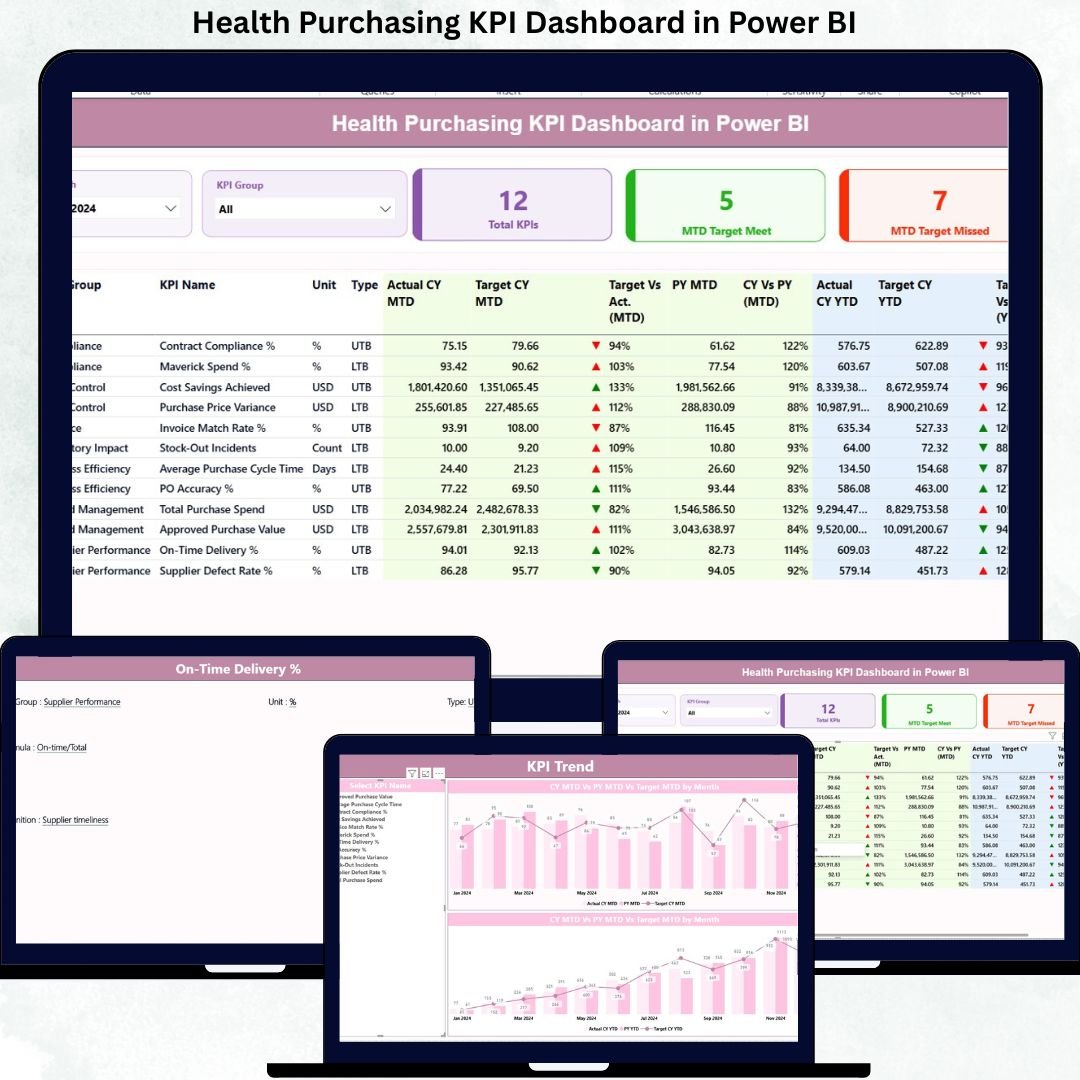
Managing healthcare purchasing without proper performance tracking can lead to cost overruns, vendor inefficiencies, and missed targets. That’s why modern healthcare organizations rely on data-driven KPI dashboards to stay in control.
The Health Purchasing KPI Dashboard in Power BI is a professionally designed, ready-to-use analytics solution that helps healthcare teams monitor purchasing performance, track KPIs, analyze trends, and make smarter decisions — all from one interactive dashboard.
This dashboard transforms raw purchasing data into clear insights using Power BI and Excel. Whether you manage hospital procurement, medical supplies, or vendor performance, this dashboard gives you complete visibility and control.
🚀 Key Features of Health Purchasing KPI Dashboard
✅ Interactive Power BI Dashboard – Clean, professional, and easy-to-use interface
✅ Excel-Based Data Source – Simple data updates without technical effort
✅ MTD & YTD Performance Tracking – Monitor monthly and yearly performance
✅ Target vs Actual Analysis – Instantly identify gaps and inefficiencies
✅ Automated KPI Status Indicators – Green & red arrows for quick review
✅ Dynamic Slicers – Filter by month and KPI group
✅ Trend Analysis Charts – Compare current vs previous year performance
✅ Management-Ready Reports – Ideal for reviews and decision-making
📊 What’s Inside the Health Purchasing KPI Dashboard
This Power BI dashboard consists of three powerful pages, designed to give complete visibility into purchasing performance:
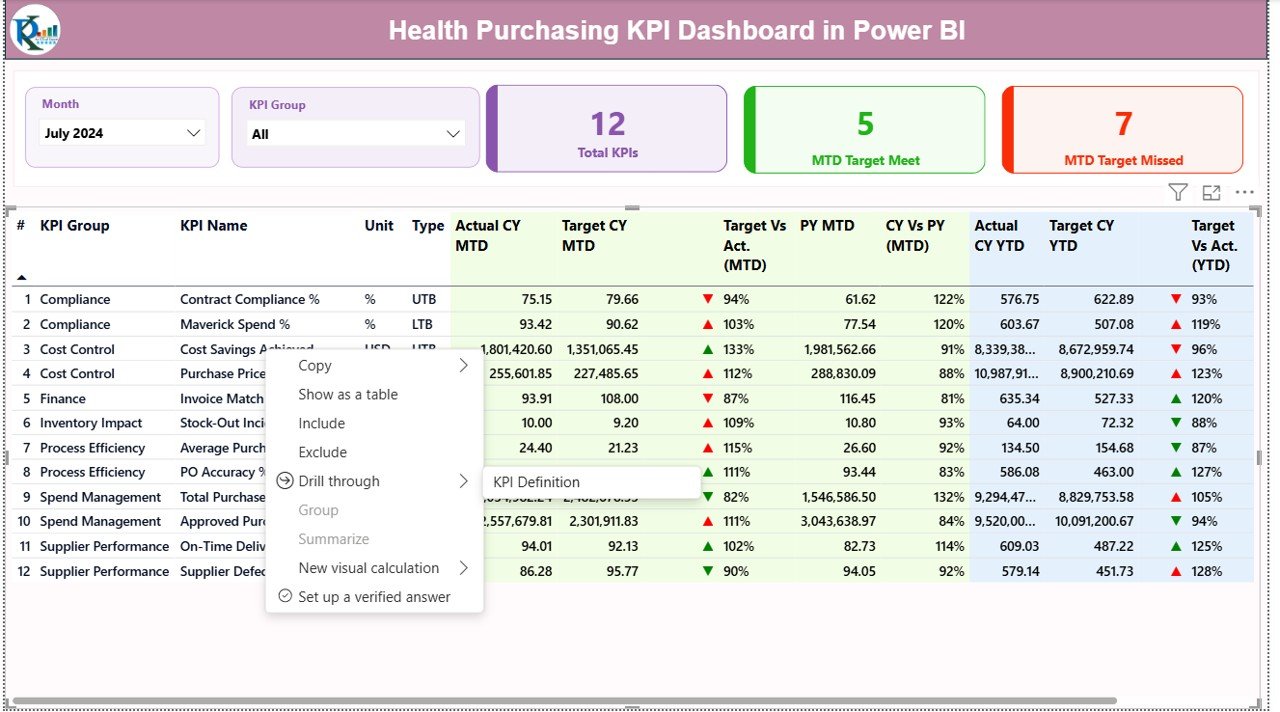
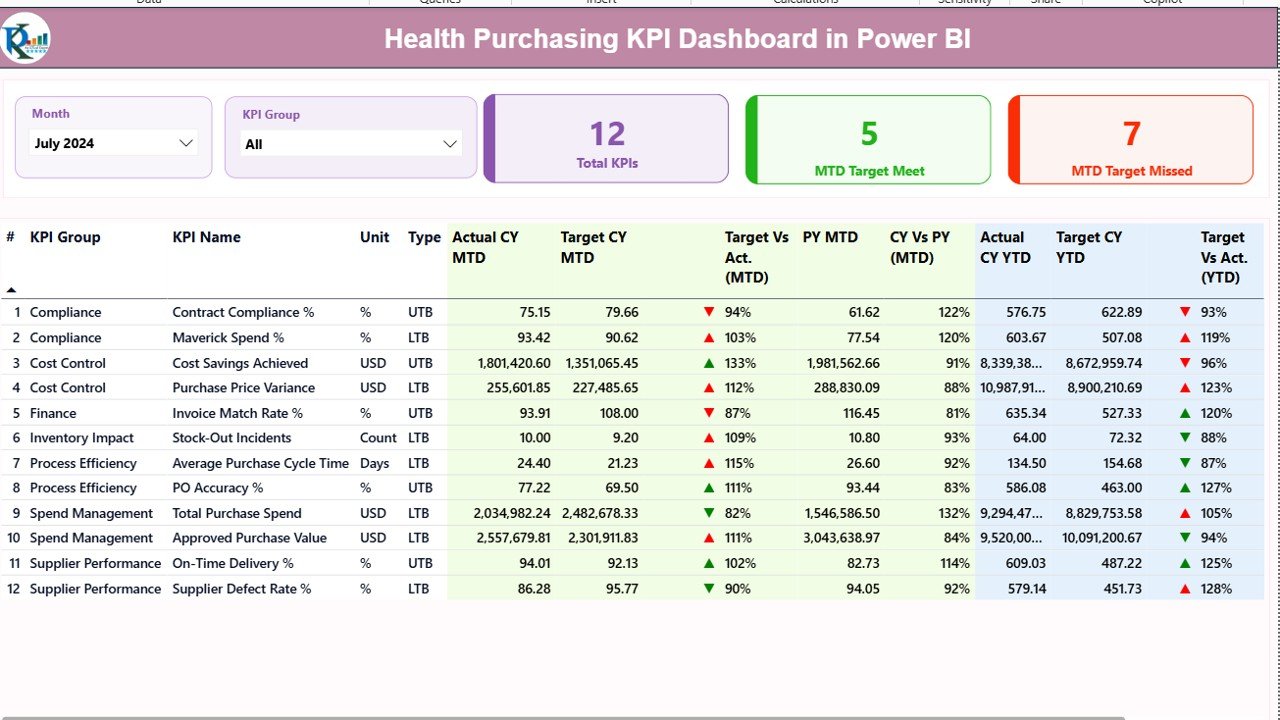
🔹 Summary Page
The main dashboard view that displays:
Month and KPI Group slicers
Total KPIs count
MTD Target Met & Missed KPIs
Detailed KPI table with:
KPI Number
KPI Group
KPI Name
Unit
KPI Type (LTB / UTB)
Actual vs Target (MTD)
Status Indicators
Previous Year Comparison
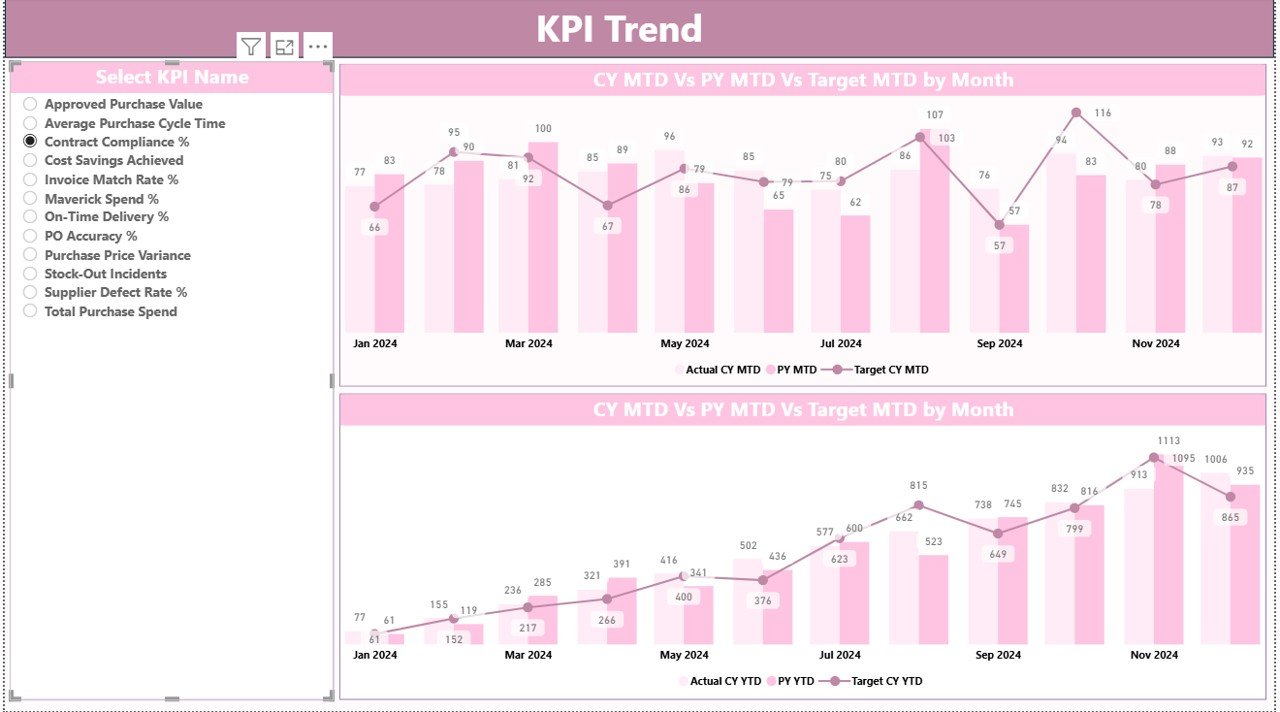
🔹 KPI Trend Page
This page helps analyze performance visually using:
Current Year vs Previous Year charts
Target vs Actual trends
MTD and YTD analysis
KPI selection slicer for deep insights
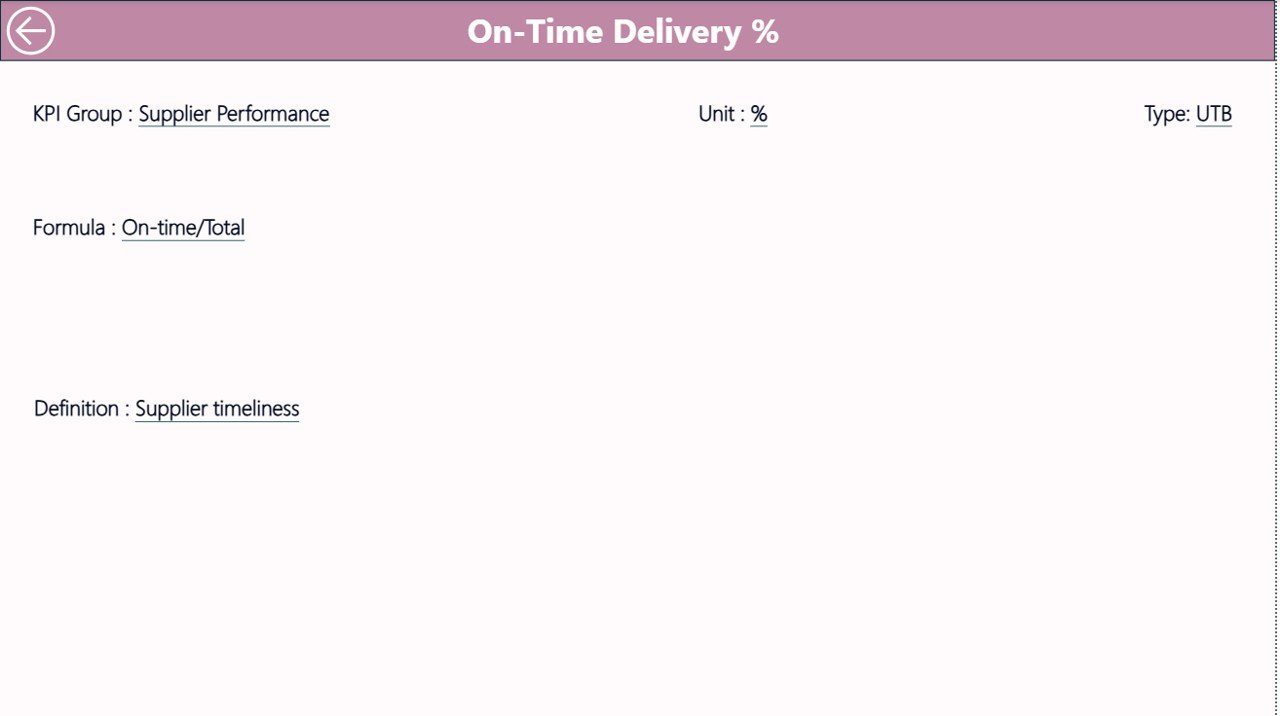
🔹 KPI Definition Page
A reference section that explains:
KPI name & group
Formula & definition
Measurement unit
KPI type (LTB / UTB)
This ensures clarity, accuracy, and consistency across teams.
⚙️ How to Use the Health Purchasing KPI Dashboard
1️⃣ Enter actual values in the Input_Actual Excel sheet
2️⃣ Update targets in the Input_Target sheet
3️⃣ Define KPIs in the KPI Definition sheet
4️⃣ Refresh the Power BI file
5️⃣ Instantly view updated insights and performance trends
No complex setup. No technical knowledge required.
👥 Who Can Benefit from This Dashboard?
✔ Healthcare procurement teams
✔ Hospital purchasing managers
✔ Supply chain professionals
✔ Finance & operations teams
✔ Healthcare administrators
✔ Data analysts & MIS teams
✔ Hospital management
If you manage purchasing data and want better control, this dashboard is built for you.
📌 Why Choose This Dashboard?
✔ Improves purchasing visibility
✔ Reduces cost leakage
✔ Saves manual reporting time
✔ Enhances decision-making
✔ Easy to customize
✔ Perfect for healthcare environments
This dashboard helps organizations move from manual tracking to intelligent performance management.
Click here to read the detailed blog post
Watch the step-by-step video tutorial:






























Reviews
There are no reviews yet.