Planning a corporate retreat should be exciting—not stressful. But when HR teams manage registrations through scattered spreadsheets, emails, and manual follow-ups, the process becomes slow, confusing, and error-prone. Missing details, incorrect headcounts, and late updates make event planning harder. The Corporate Retreat Registration Tracker in Google Sheets solves these problems instantly by bringing all participant information into one organized, automated, and easy-to-use system.
This tracker allows HR teams to record registrations, track status, manage accommodation and transport preferences, understand meal requirements, and analyze participation trends through clear charts. Everything updates automatically as soon as data is added or modified. Since it operates entirely on Google Sheets, there is no software installation, and teams enjoy real-time collaboration, fast sharing, and easy access from any device.
✨ Key Features of the Corporate Retreat Registration Tracker in Google Sheets
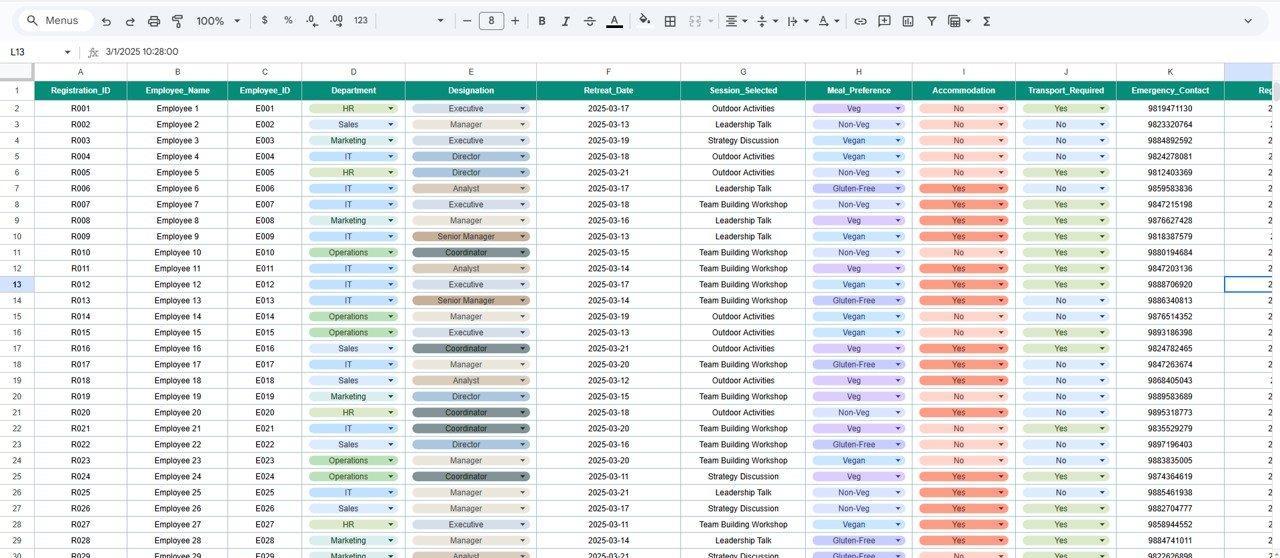
📋 1. Centralized Tracker Sheet for All Registrations
The Tracker Sheet is your main workspace. It stores all essential participant details, including:
Participant Name
Employee ID
Department
Designation
Registration Status
Accommodation Preference
Transport Requirement
Meal Preference
Contact Information
Special Notes
This clean structure ensures that every detail stays organized and accessible for quick review.
📊 2. Automated Charts for Clear Event Insights
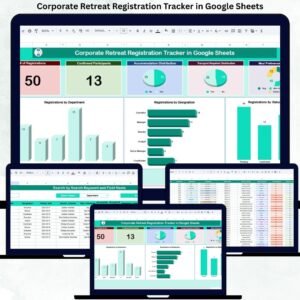
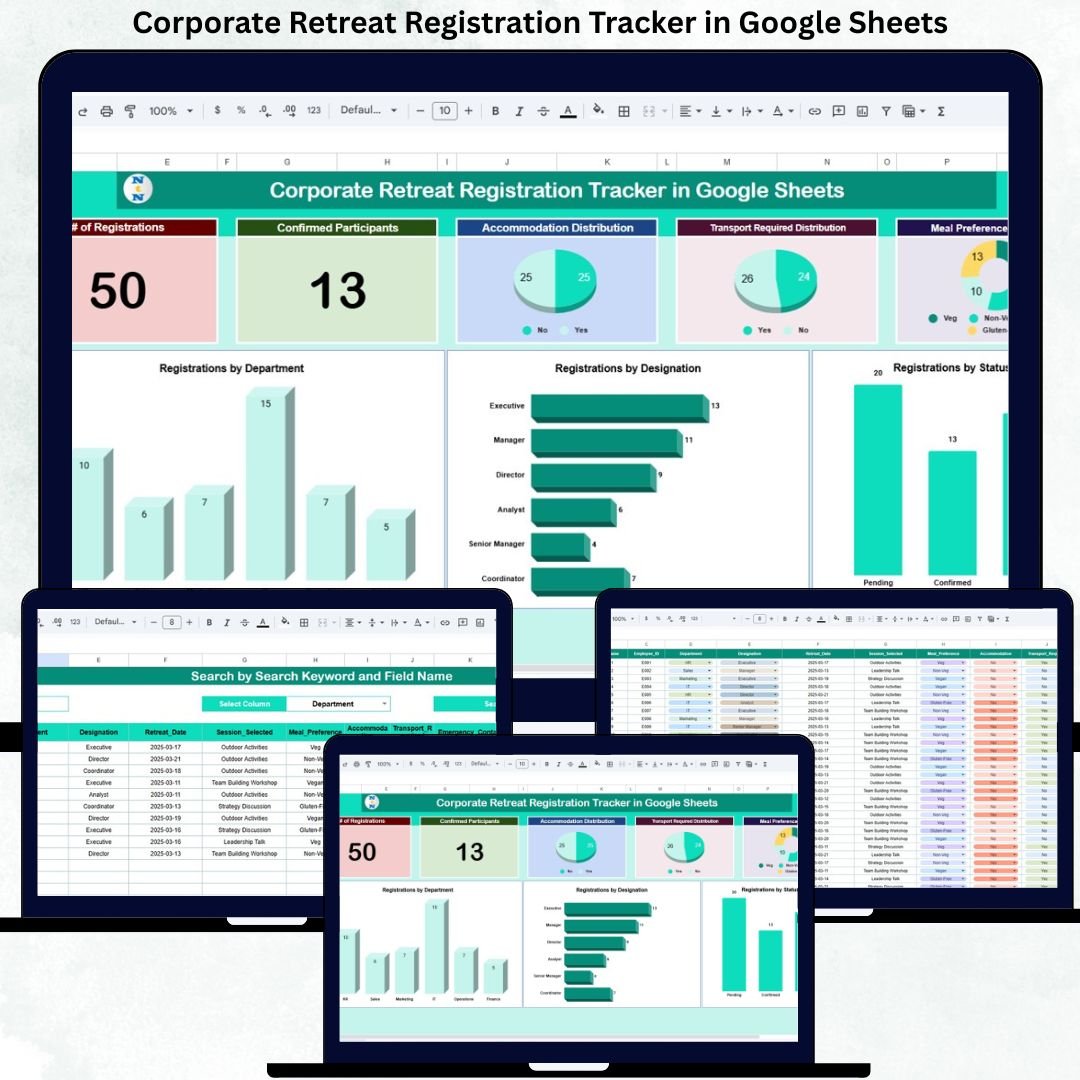
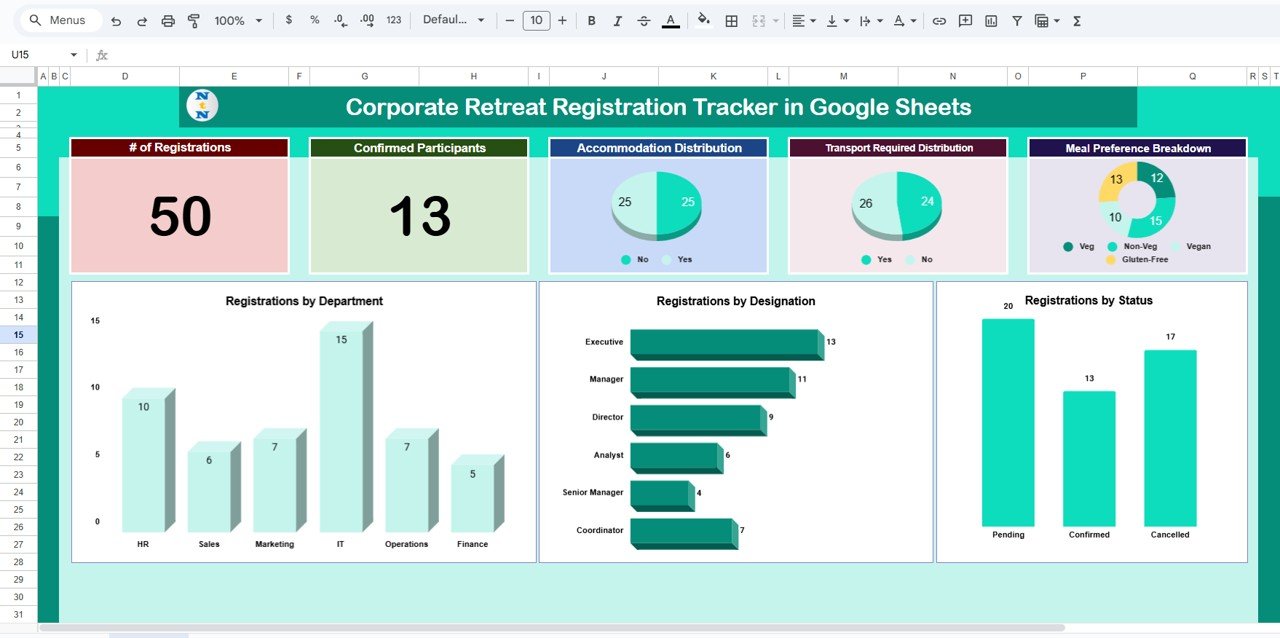
Planning becomes easier when you can see trends instantly. The dashboard includes six powerful charts that help you understand participation, logistics, and requirements:
🏨 Accommodation Distribution
See how many participants need single rooms, double-sharing, or no accommodation. Plan hotel bookings accurately.
🚌 Transport Requirement Distribution
Understand transport needs to plan bus capacity, shuttle timings, and pickup routes.
🍽 Meal Preference Breakdown
Get clear visibility into vegetarian, non-vegetarian, vegan, and special dietary requirements for hassle-free catering.
📌 Registrations by Status
View how many employees have completed, pending, or cancelled registrations—helpful for follow-ups.
👔 Registrations by Designation
Check leadership-level participation across senior leaders, managers, executives, and trainees.
🏢 Registrations by Department
Identify department-wise turnout to plan breakout sessions, team-building activities, and seating arrangements.
All charts update instantly, making HR decision-making faster and more accurate.
📦 What’s Inside the Corporate Retreat Registration Tracker
🗂️ Tracker Sheet Tab
A structured space for inputting and updating participant details. All metrics, charts, and summaries pull their data from this sheet.
📈 Dashboard Charts
A set of fully automated visuals that give HR teams a complete overview of how employees are registering for the retreat.
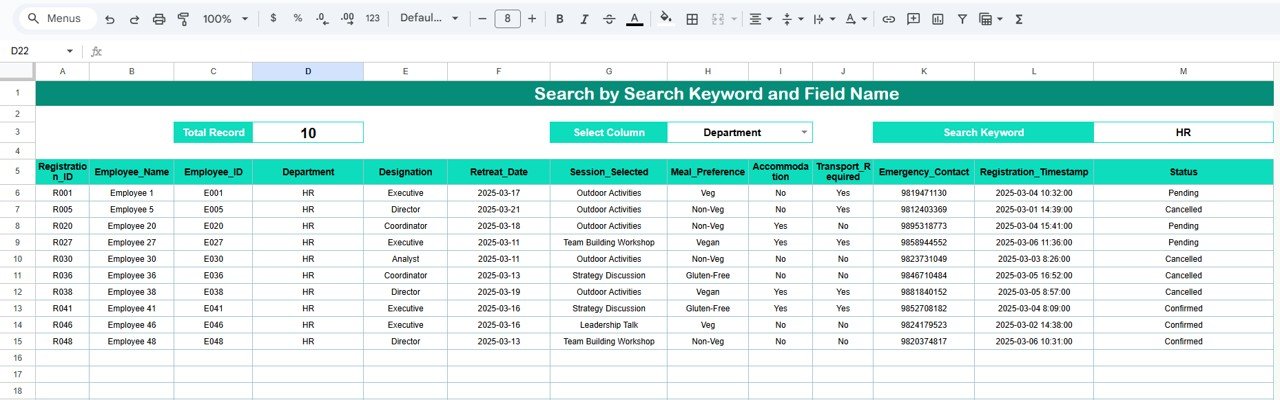
🔍 Smart Search Feature
A built-in Search Panel helps you instantly filter and find information. Enter a keyword, choose a field name—within seconds, you can locate:
Specific employees
All vegetarians
Pending registrants
Participants requesting accommodation
Members from any department
This feature saves time and eliminates data-hunting stress.
🛠️ How to Use the Corporate Retreat Registration Tracker in Google Sheets
1️⃣ Add Participant Details Regularly
Enter every new registration as it arrives—keeping your tracker current.
2️⃣ Update Registration Status
Mark participants as Completed, Pending, or Cancelled.
3️⃣ Review Charts Weekly
Use visual insights to plan accommodation, meals, and transport early.
4️⃣ Use Search for Quick Preparation
Find any detail instantly without scrolling long lists.
5️⃣ Share Access with Key Team Members
Allow HR staff, event coordinators, and operations teams to update and monitor the tracker together.
6️⃣ Back Up Data Before Major Changes
A quick backup avoids accidental loss during bulk updates.
🎯 Who Can Benefit from This Corporate Retreat Registration Tracker
🏢 HR Teams
Track participant details and logistical needs with zero confusion.
📅 Event Planners & Coordinators
Plan accommodation, meals, and transport based on real-time data.
💼 Department Heads & Team Leaders
Monitor team participation and encourage pending employees.
🚀 Operations & Admin Teams
Use clean insights to execute smooth and accurate event planning.