

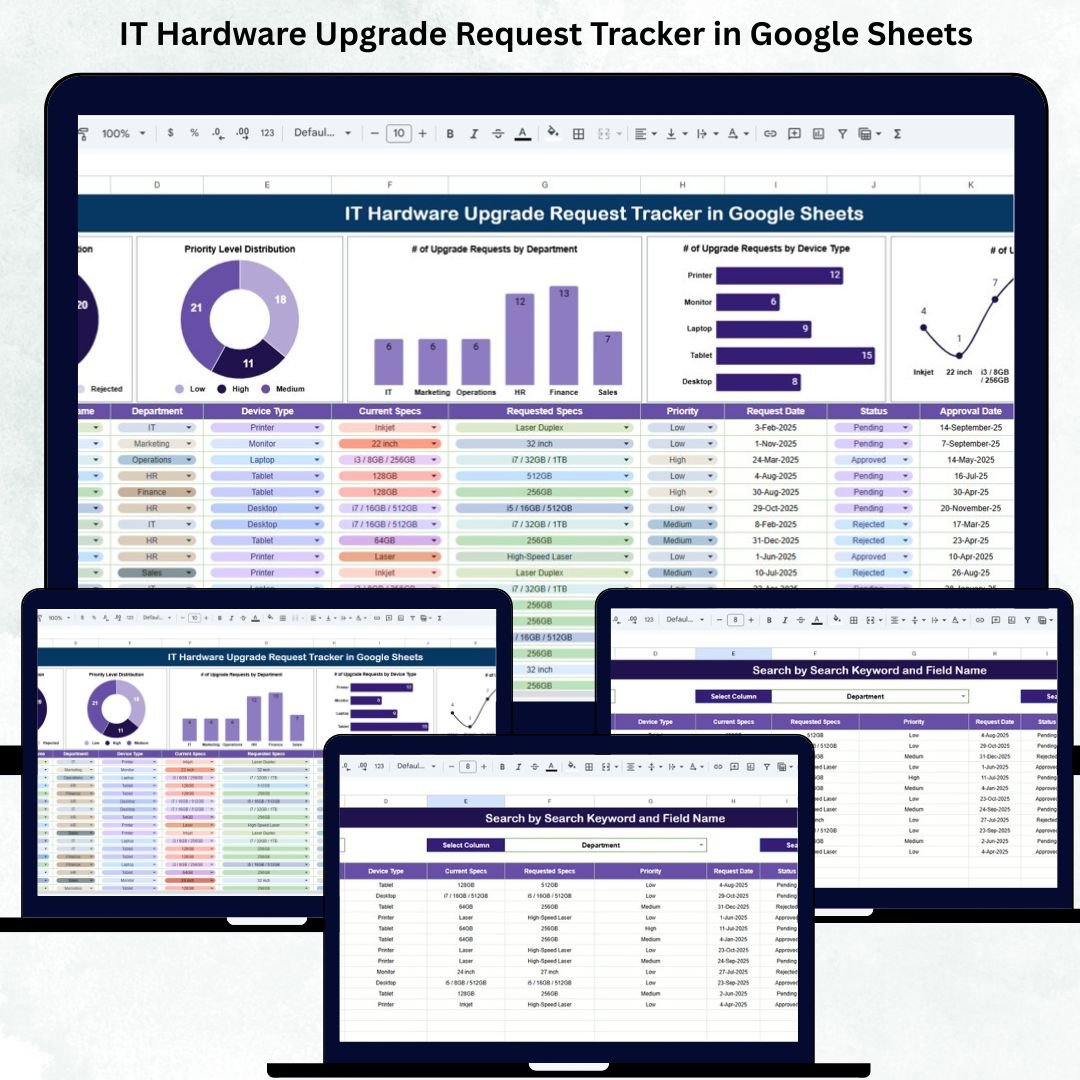
Modern organizations rely heavily on IT Hardware Upgrade Request Tracker in Google Sheetsto maintain operations, support teams, and deliver high productivity. As businesses scale, hardware upgrade requests increase across multiple departments—Finance needing new laptops, Sales requiring upgraded tablets, IT requesting networking replacement, or HR requiring new monitors for onboarding. Managing all these requests through emails, chats, or scattered spreadsheets quickly becomes chaotic. This is where the IT Hardware Upgrade Request Tracker in Google Sheets becomes the perfect all-in-one solution.IT Hardware Upgrade Request Tracker in Google Sheets
This ready-to-use tracker centralizes every upgrade request so IT teams, system administrators, and support departments can manage workload efficiently. It provides real-time visibility into request status, priority levels, device categories, and department-wise trends. With automated charts and a clean dashboard, IT managers can instantly understand which upgrades are urgent, which devices are outdated, and where budgets should be allocated.IT Hardware Upgrade Request Tracker in Google Sheets
✨ Key Features of the IT Hardware Upgrade Request Tracker in Google Sheets
💻 1. Centralized Upgrade Request Tracking
Every incoming request—laptops, desktops, monitors, printers, network devices, or peripherals—gets recorded in one structured system. This eliminates miscommunication and ensures no request is missed.
⚙️ 2. Real-Time Status Tracking
View requests categorized as:
Pending
Approved
In Progress
Rejected
This visual clarity helps the IT team prioritize work and maintain transparency with stakeholders.
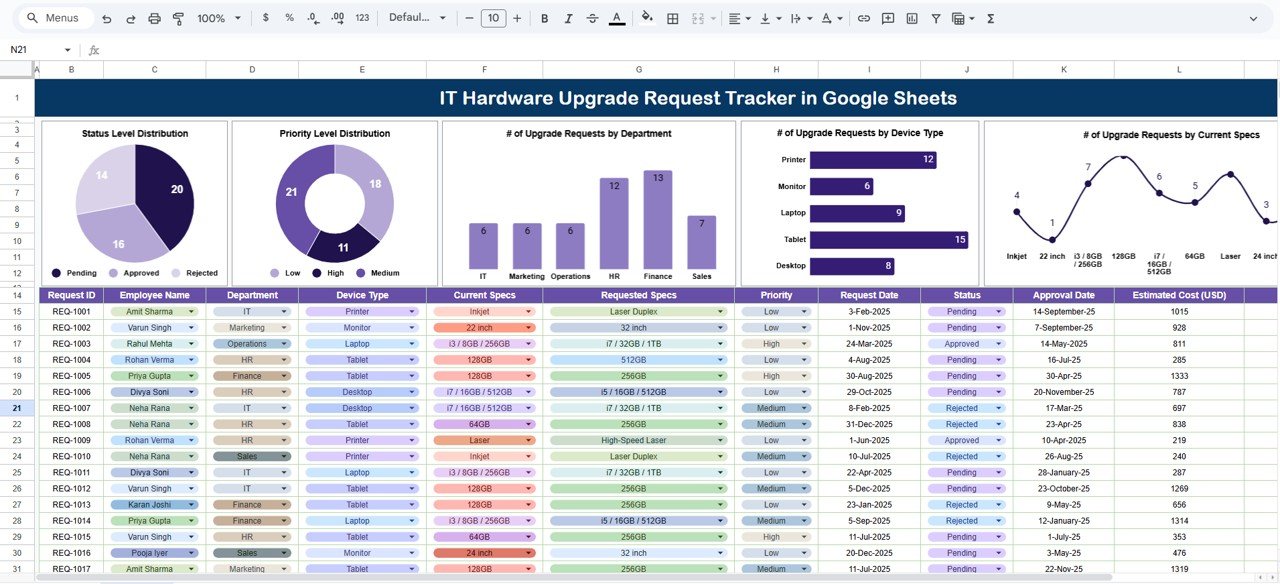
📊 3. Clear & Interactive Visual Charts
The Tracker Dashboard includes multiple charts that show:
Status Level Distribution
Priority Level Distribution (High/Medium/Low)
Upgrade Requests by Department
Requests by Device Type
Requests by Current Specs
These visuals highlight top-demand devices, departments needing urgent upgrades, and outdated specifications across the organization.
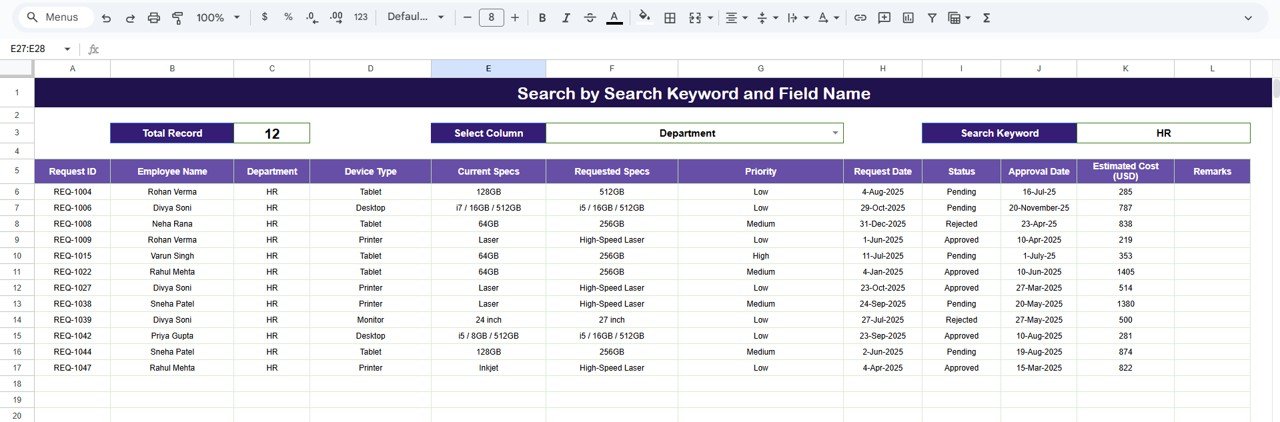
🔍 4. Smart Search & Filtering System
The Search Sheet allows IT teams to quickly locate any request using:
Keywords like “Laptop”, “HR”, “High Priority”, “8GB RAM”
Field-based filters such as Department, Device Type, Status, Priority, Current Specs
This dramatically reduces the time spent manually browsing through long lists.
📁 5. Easy-to-Manage Data Sheet
The Data Sheet stores every detail related to the request:
Request ID
Requester Name
Department
Location
Device Type
Current Specs
Priority
Status
Request Date
Comments
All dashboard analytics depend on this sheet, ensuring clean and accurate processing.
📦 What’s Inside the IT Hardware Upgrade Request Tracker in Google Sheets
📊 1. Tracker Sheet – The Main Dashboard
This dashboard gives IT teams a complete overview with visual insights. You can quickly understand:
Which departments need the most upgrades
Which devices have high demand
How many requests are pending approval
Where outdated hardware exists
Which upgrades hold high priority
This sheet becomes the command center for upgrade planning.
🔍 2. Search Sheet – Fast Request Lookup
Find any request instantly through smart keyword search or dropdown-based filtering. Perfect for speeding up IT team response time, audit checks, and review meetings.
📝 3. Data Sheet – Master Upgrade Database
Stores all raw data and acts as the backbone of the entire system. The cleaner the data, the more accurate the dashboard becomes.
🛠️ How to Use the IT Hardware Upgrade Request Tracker in Google Sheets
1️⃣ Step 1 – Enter All Upgrade Requests
Fill out details including device type, department, specs, and priority.
2️⃣ Step 2 – Update Status and Priority
Modify status as requests move through the workflow.
3️⃣ Step 3 – Review Dashboard Insights
Use visual charts to analyze demand and plan bulk upgrades.
4️⃣ Step 4 – Use Search to Speed Up Processing
Quickly find any request for follow-ups or approvals.
5️⃣ Step 5 – Plan Budget & Upgrade Cycles
Use department-wise and device-wise data to predict hardware needs.
🎯 Who Can Benefit from This IT Hardware Upgrade Request Tracker in Google Sheets
💻 IT Teams & System Administrators
Track workloads, manage pending tasks, and analyze device trends.
🏢 Corporate Support Departments
Process upgrades faster with clear request visibility.
📊 Facility & Operations Teams
Plan hardware budgeting and replacement cycles.
🧑💼 Department Managers
Monitor upgrade requests submitted by their teams.
🏙️ Multi-Location Organizations
Track hardware demands across all sites or offices.
Click here to read the Detailed blog post
Watch the step-by-step video Demo:






















Reviews
There are no reviews yet.