

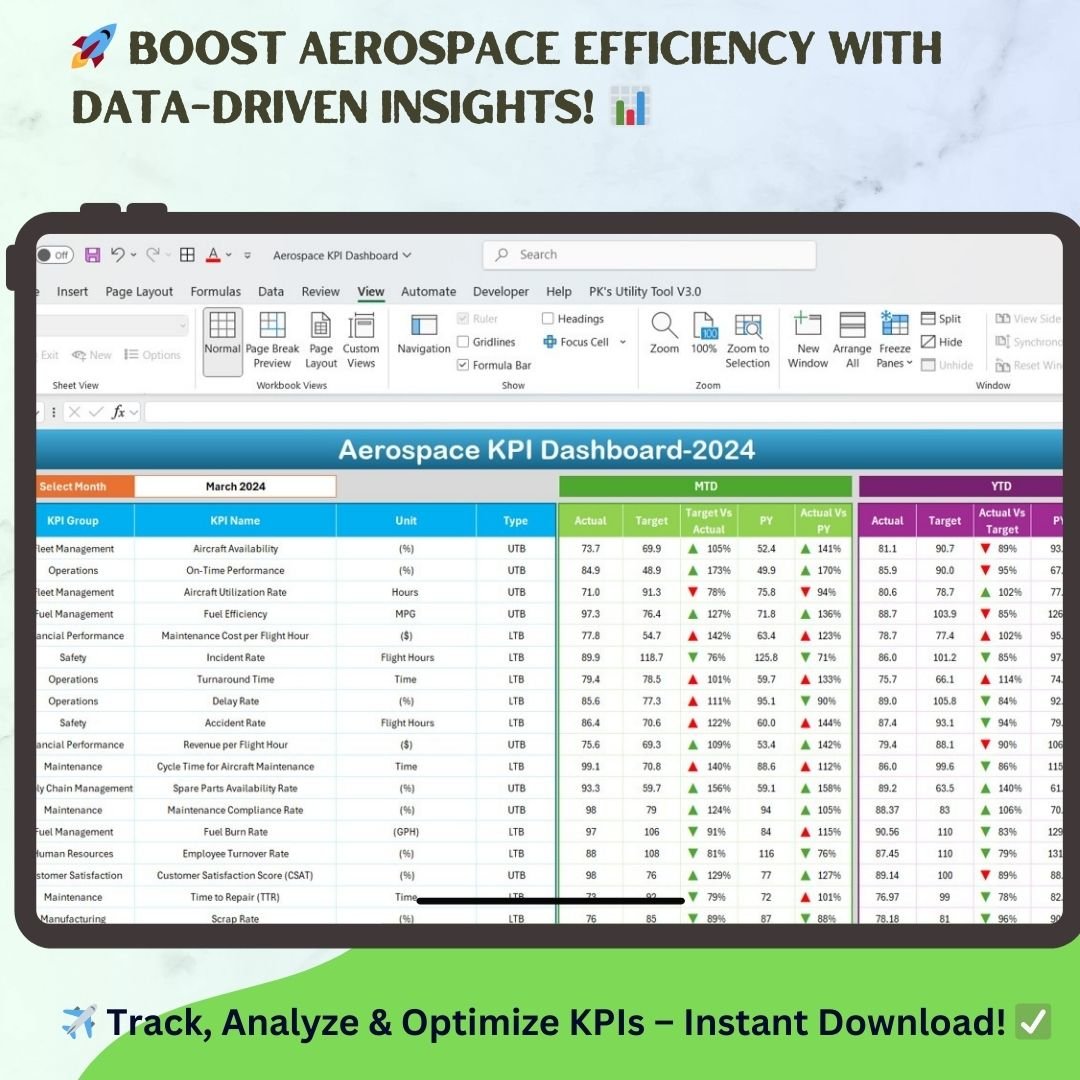
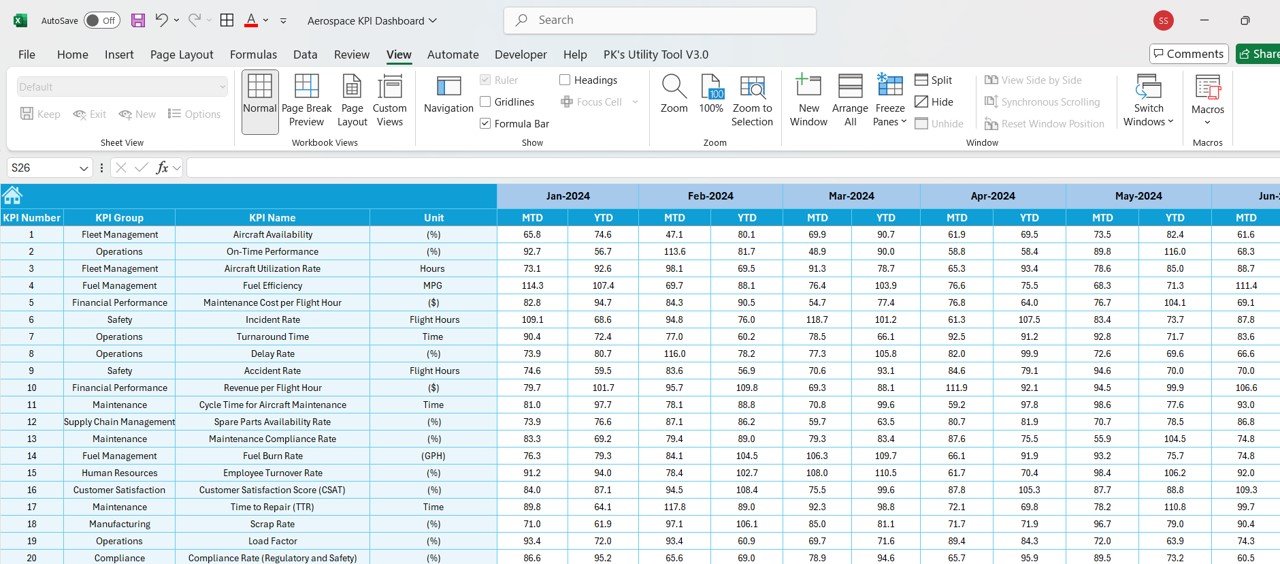
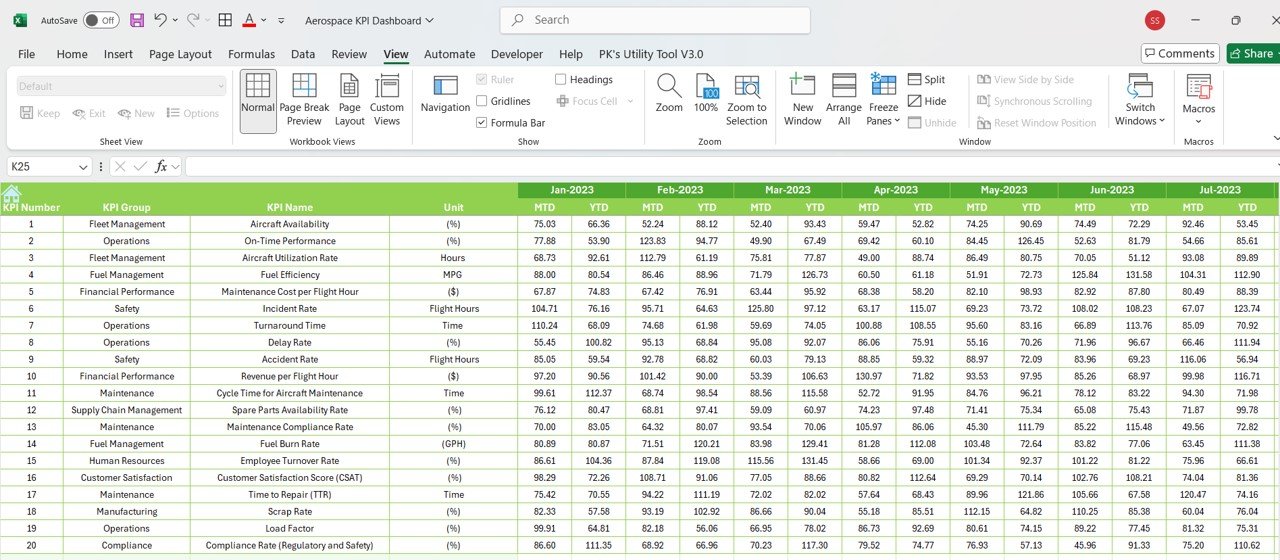

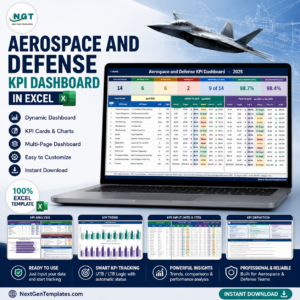
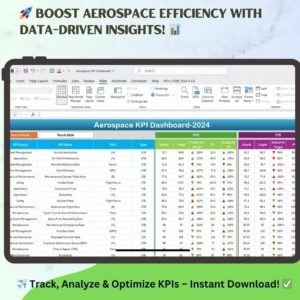
The Aerospace KPI Dashboard in Excel is a ready-to-use tool that helps aviation and aerospace professionals track, analyze, and improve their key performance indicators (KPIs). It is built for fleet management, operations, maintenance, finance, and compliance teams. You enter actuals and targets, and the dashboard compares results against benchmarks with clear MTD and YTD views, trend charts, and color-coded indicators.
Key Features of the Aerospace KPI Dashboard in Excel
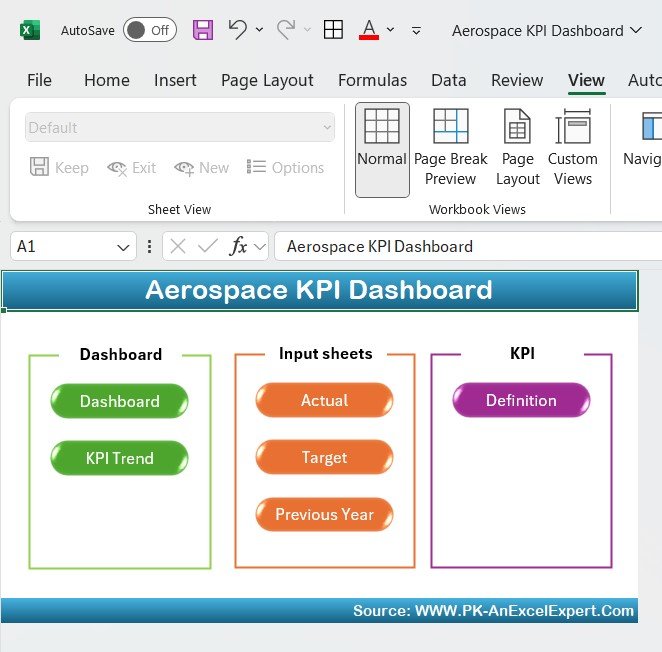
- Centralized navigation: A Home sheet with buttons that take you to each section.
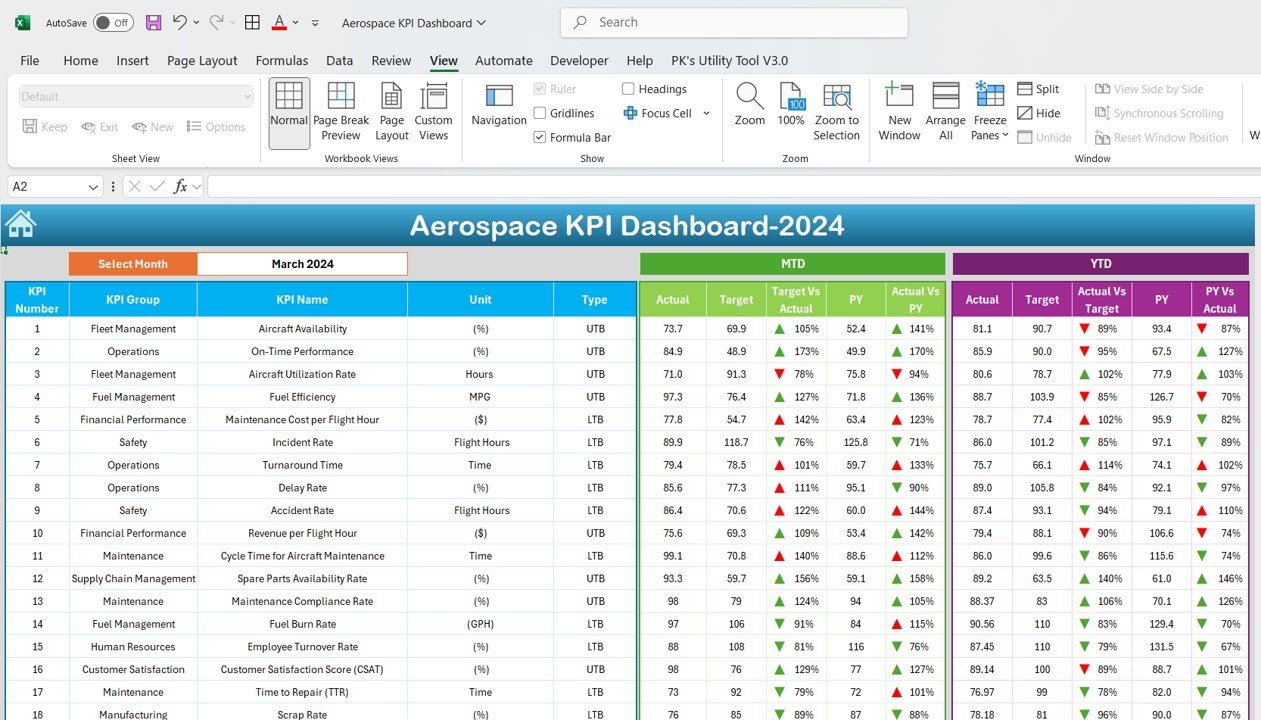
- MTD and YTD performance view: Month-to-Date and Year-to-Date results side by side.
- Color-coded indicators: Red flags underperformance and green shows KPIs that meet or exceed targets.
- Month filter: Choose a month to update the dashboard view.
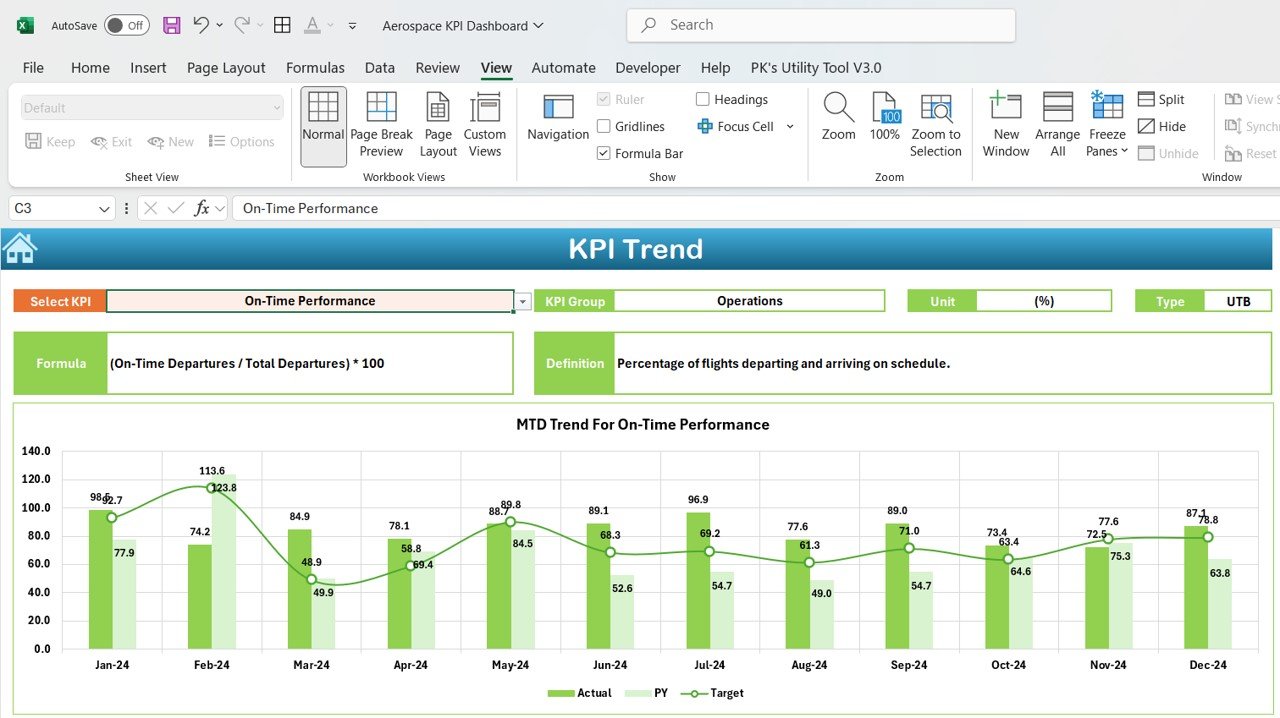
- Dynamic trend charts: Graphs show the history of each KPI over time.
- Target setting: Set monthly targets for every KPI.
- Year-over-year comparison: Compare the current year with the previous year.
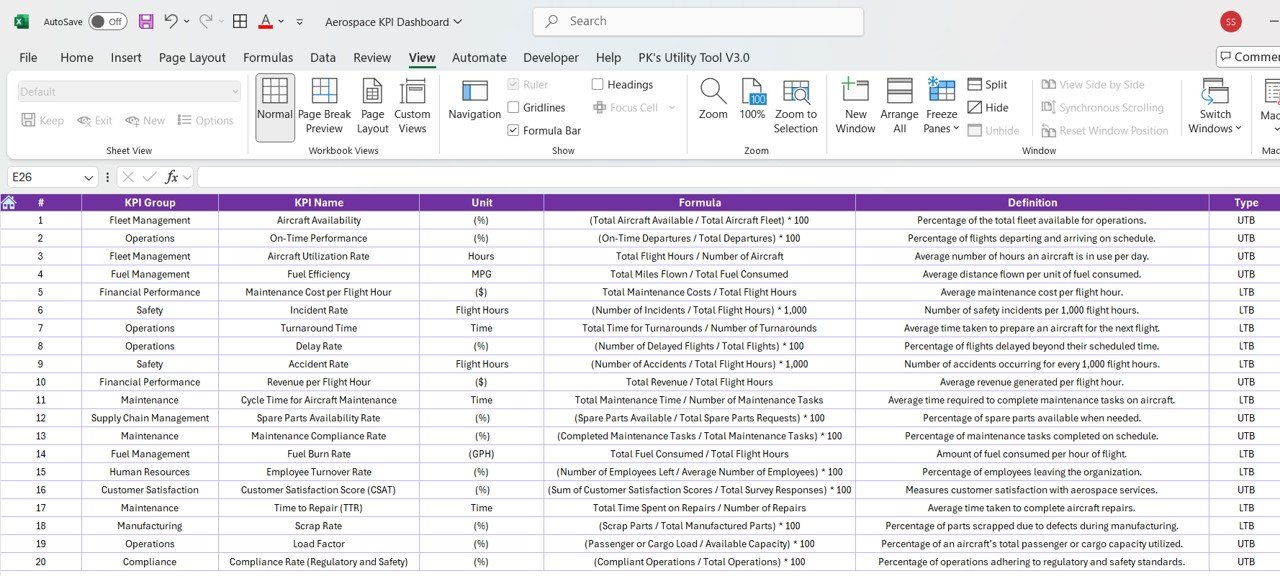
- Standardized KPI definitions: Formulas, units, and a clear note on whether lower or higher is better.
- Conditional formatting and KPI indicators for professional, easy-to-read reporting.
What’s Inside: Sheets in the Workbook
1. Home Sheet – Centralized Navigation
- Acts as the main hub for accessing every section of the dashboard.
- Easy-to-use navigation buttons give quick access to the relevant sheets.
- Keeps data entry and reporting simple and organized.
2. Aerospace KPI Dashboard – Performance Overview
- Displays Month-to-Date (MTD) and Year-to-Date (YTD) data.
- Includes color-coded indicators (red for underperformance, green for meeting or exceeding targets).
- Allows filtering by month to view data dynamically.
- Tracks essential KPIs such as aircraft availability, on-time performance, maintenance costs, and compliance rates.
3. KPI Trend Sheet – Data Visualization
- Presents historical trends for each KPI in an easy-to-read format.
- Uses dynamic graphs and charts for clear insights.
- Helps you spot patterns in aircraft utilization, fuel efficiency, turnaround times, and safety metrics.
4. Actual Numbers Sheet – Data Input
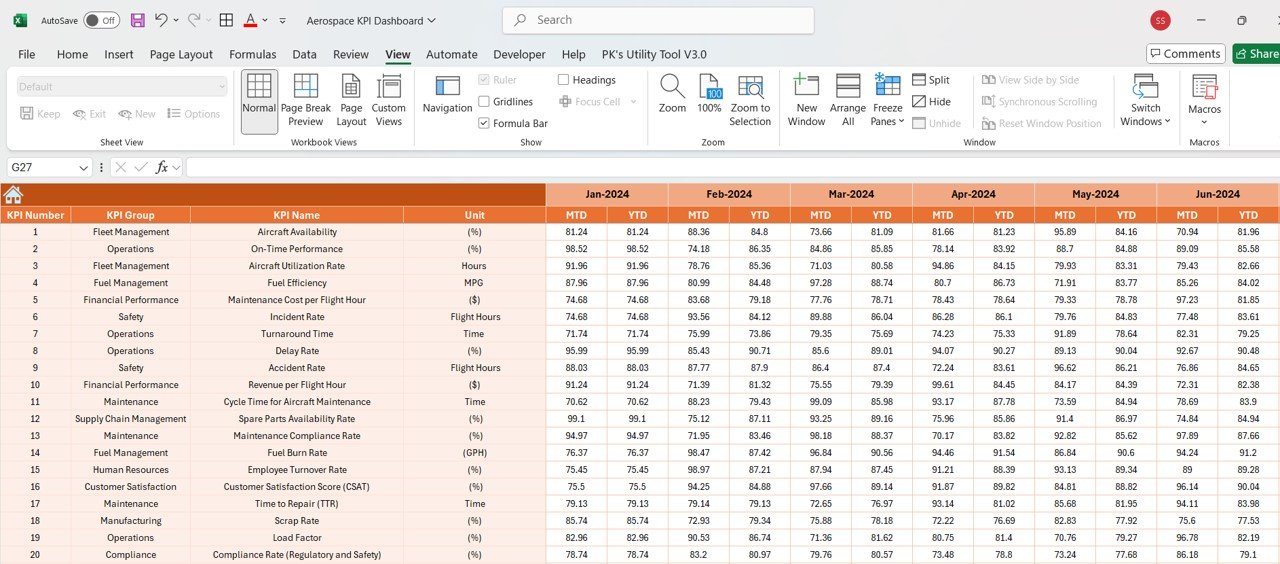
- Enter actual performance data for both MTD and YTD.
- Supports comparison of current figures against historical data.
- Gives you real numbers to base aviation operations decisions on.
5. Target Sheet – Goal Setting and Benchmarking
- Set monthly targets for each KPI.
- Keeps performance aligned with organizational and regulatory goals.
- Supports strategic planning and performance improvement.
6. Previous Year Numbers Sheet – Year-over-Year Comparison
- Provides a side-by-side view of the current year vs. previous year.
- Helps measure long-term performance and identify areas for improvement.
- Helps you forecast trends and assess the impact of past strategies.
7. KPI Definition Sheet – Standardized Metrics
- Includes detailed KPI definitions, formulas, and units of measurement.
- Shows whether each KPI is “Lower is Better” (LTB) or “Upper is Better” (UTB).
- Ensures consistency and accuracy in KPI tracking across teams.
Why Choose This Dashboard?
- Comprehensive and industry-specific: Covers critical aerospace KPIs for a well-rounded performance review.
- User-friendly interface: Simple navigation and a structured format for smooth data entry and analysis.
- Customizable and scalable: Adaptable for different aerospace organizations, from airlines to defense contractors.
- Data-driven decisions: Up-to-date insights support proactive aviation KPI tracking and planning.
- Professional and visual: Conditional formatting, graphs, and KPI indicators make reports easy to share.
Who Is It For?
- Aerospace Engineers and Analysts – Track aircraft utilization and performance metrics.
- Airline Operations Managers – Improve flight schedules and on-time performance.
- Maintenance Teams – Monitor turnaround time, spare parts availability, and repair efficiency.
- Finance Departments – Evaluate maintenance costs, revenue per flight hour, and compliance expenses.
- Compliance Officers – Support safety and regulatory adherence through compliance tracking.
- Fleet managers – Keep an eye on aircraft availability and fuel efficiency.
How to Use It
- Open the Home Sheet – Use the buttons to move to each section.
- Enter actual performance data – Input your MTD and YTD figures in the Actual Numbers sheet.
- Set monthly and annual targets – Define the expected benchmark for each KPI in the Target sheet.
- Monitor trends – Use the KPI Trend Sheet to visualize performance over time.
- Analyze and compare – Use the Previous Year Numbers sheet for a year-over-year comparison.
Instant Download and Easy Setup
- Fully functional Excel file – no additional software required.
- Ready to use – just enter your data and start analyzing.
- Instant download – access immediately after purchase.
Click here to read the detailed blog post
Visit our YouTube channel to learn from step-by-step video tutorials.
Frequently Asked Questions
What KPIs does the Aerospace KPI Dashboard in Excel track?
It covers aerospace metrics such as aircraft availability, on-time performance, maintenance costs, compliance rates, fuel efficiency, turnaround times, and safety metrics. Each KPI is documented in the KPI Definition sheet with its formula and unit.
Does it show MTD and YTD results?
Yes. The main dashboard displays Month-to-Date and Year-to-Date figures, compares them with targets, and uses color-coded indicators to highlight performance. You can filter by month to change the view.
Can I compare this year with last year?
Yes. The Previous Year Numbers sheet stores prior-year data so the dashboard can provide a year-over-year comparison and help you assess long-term performance.
Do I need any extra software?
No. It is a fully functional Excel file, so no additional software is required. Just enter your data and start analyzing.
Can I adapt it to my organization?
Yes. The dashboard is customizable and scalable, making it suitable for different aerospace organizations, from airlines to defense contractors.
How do I learn to use it?
Follow the short steps above, read the detailed blog post linked on this page, or watch the step-by-step video tutorials on our YouTube channel.
Last updated: October 2026
Compatibility and Requirements
- Works in Microsoft Excel desktop (Excel 2016 or later, or Microsoft 365).
- KPI status uses red and green color-coded indicators.
- Learn how these rules work in Use conditional formatting to highlight information on Microsoft Support.
Related Aerospace Templates
- Aerospace KPI Dashboard in Power BI: the same KPIs in Power BI
- Aerospace KPI Dashboard in Google Sheets: a shared online version
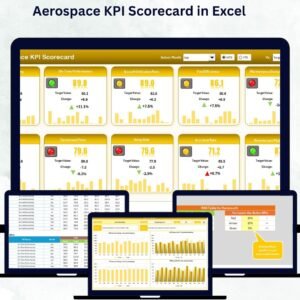
- Aerospace KPI Scorecard in Excel: a scorecard view
- Aerospace and Defence Dashboard in Excel: a full aerospace and defence dashboard
- KPI Dashboard Library (Excel): 15 Excel KPI dashboards in one bundle
Browse all Excel KPI dashboards or the Power BI KPI dashboards.





















Reviews
There are no reviews yet.