

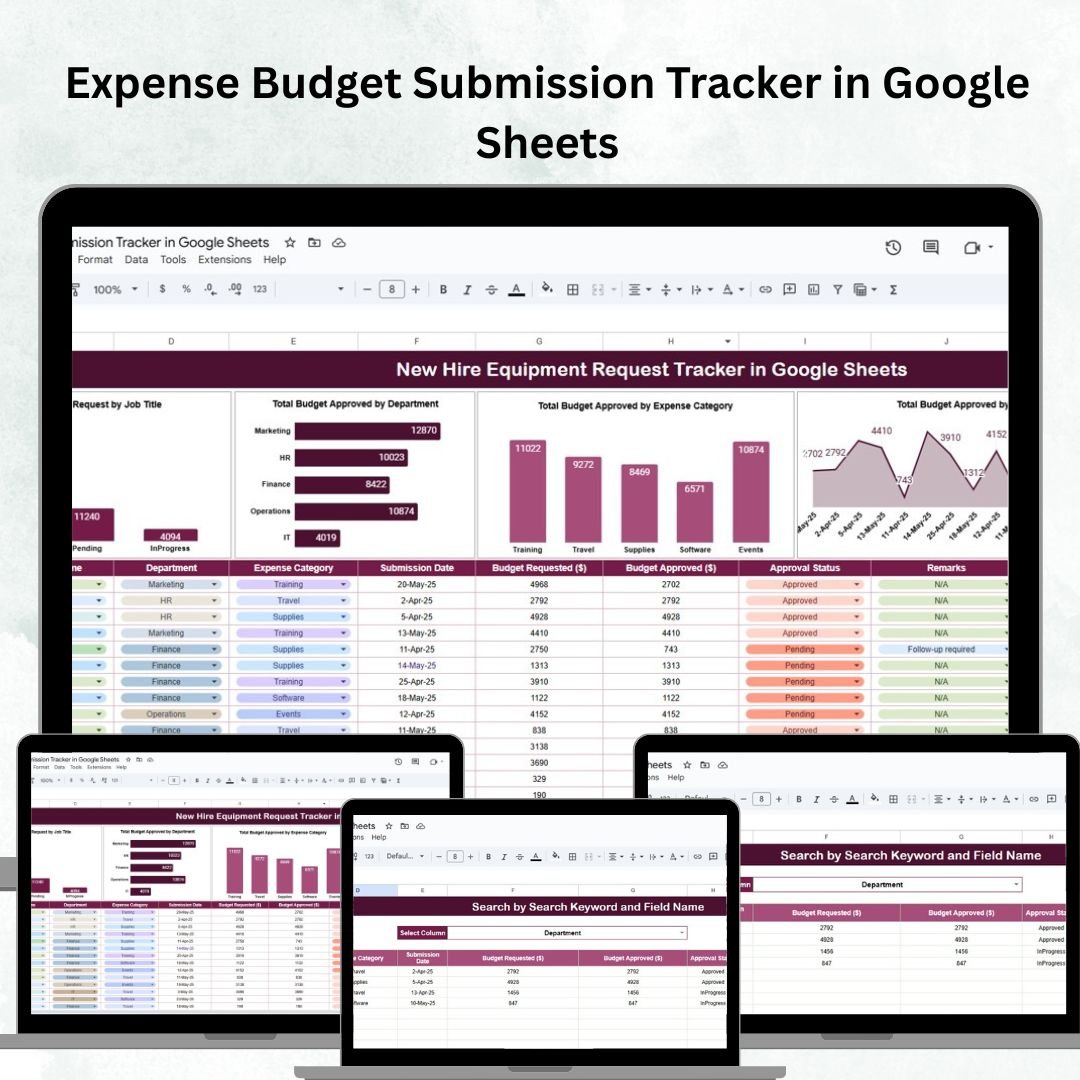

Managing departmental budgets can be overwhelming without a structured system. Missed deadlines, pending approvals, and unclear tracking often lead to inefficiencies. The Expense Budget Submission Tracker in Google Sheets solves these challenges by offering a ready-to-use, collaborative tool that simplifies budget management for finance teams, department heads, and executives. 📊💡
With built-in charts, search functionality, and real-time collaboration, this tracker helps you monitor budget submissions, approvals, and allocations in one centralized place. Designed to be both powerful and user-friendly, it eliminates manual tracking and ensures accountability across departments. ✅

🔑 Key Features of the Expense Budget Submission Tracker
📋 Tracker Sheet Tab
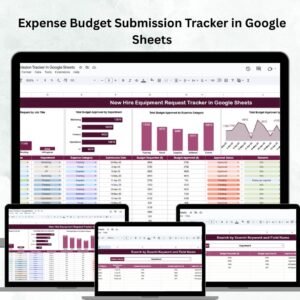
Visual dashboards for quick insights into:
Total Budget Approved by Department
Budget by Expense Category – analyze allocations easily
Budget by Submission Date – monitor submission patterns over time
Budget by Approval Status – track pending, approved, or rejected submissions
Interactive charts auto-update as data changes
Search functionality to quickly filter records by keyword or field name
📊 Real-Time Insights
Automatic updates when new submissions are added
Built-in formulas ensure accurate reporting without manual work
🧾 Collaboration-Friendly
Multiple users can update simultaneously in Google Sheets
Permissions and sharing features ensure secure access
📦 What’s Inside the Expense Budget Submission Tracker?
When you download this template, you’ll get:
✅ Tracker Sheet – Visual dashboards with approval trends and charts
✅ Data Sheet – Structured entry form for all budget submissions
✅ Pre-filled Sample Data – To help you understand how to use it instantly
✅ Search & Filter Options – Quickly locate department or category-specific budgets
✅ Interactive Reports – Auto-generated as soon as data is entered
No coding or setup is required. Just input your data and start tracking. 🚀
🧑💼 Who Can Benefit from This Tracker?
🎯 Finance Teams – Streamline approvals and improve transparency
🎯 Department Managers – Monitor submissions and avoid missed deadlines
🎯 Executives – Gain high-level visibility into budget approvals and rejections
🎯 Large Organizations – Handle multi-departmental submissions efficiently
🎯 SMEs & Startups – Simplify budget allocation without expensive software
🧪 How to Use the Expense Budget Submission Tracker
Enter Data – Record submissions in the Data Sheet
Check Dashboards – View approval trends in the Tracker Sheet
Search & Filter – Use the search bar to quickly find submissions
Monitor Approvals – Track pending vs. approved budgets in real time
Analyze Trends – Spot delays or overspending patterns by category or department
With Google Sheets’ collaborative features, your entire team can update and monitor budgets in real time — improving both efficiency and accountability.
🌟 Why Choose This Tracker?
Centralized submission and approval tracking
Automatic, real-time updates with visual dashboards
Searchable and filterable data for quick access
Scalable for small, medium, or large organizations
Improves accountability across finance and management
100% customizable to your categories and departments
With the Expense Budget Submission Tracker in Google Sheets, you’ll have the clarity and efficiency needed to make informed financial decisions and streamline budget management. 🌟
🔗 Click here to read the Detailed blog post
Watch the step-by-step video Demo:

Reviews
There are no reviews yet.