

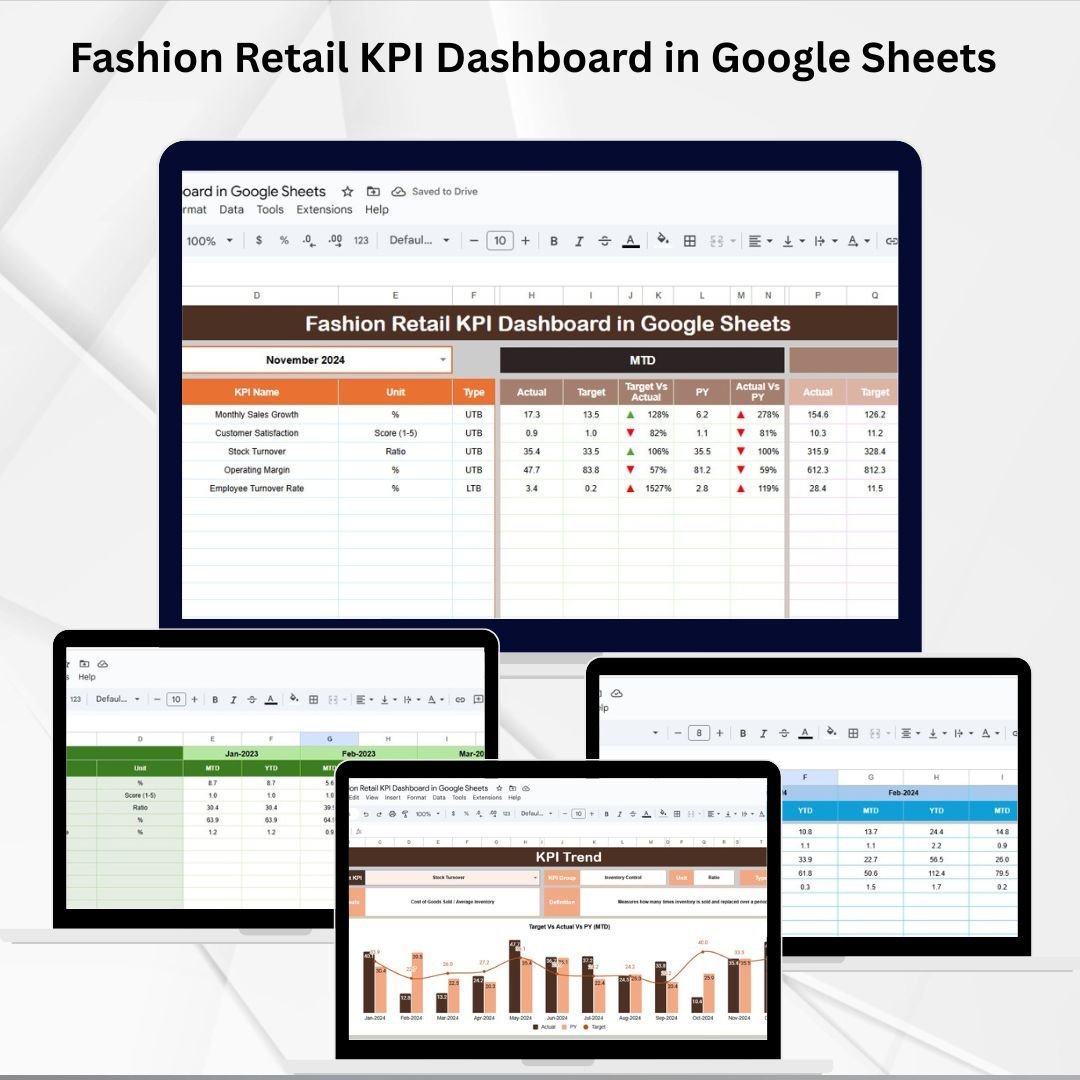

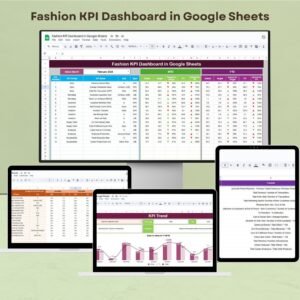
In the highly competitive world of fashion retail, success depends on how effectively you monitor your store’s performance. Sales numbers, customer footfall, stock turnover, and return rates can’t just sit in scattered spreadsheets — they need to be visualized and analyzed in one place. That’s exactly what the Fashion Retail KPI Dashboard in Google Sheets delivers. 🎯
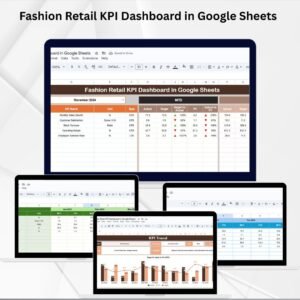
This ready-to-use dashboard helps managers, analysts, and business owners track Month-to-Date (MTD) and Year-to-Date (YTD) KPIs, compare results with targets, and measure progress against the previous year. With interactive charts, dropdowns, and pre-built calculations, it transforms raw data into actionable insights. 📊✨
🔑 Key Features of Fashion Retail KPI Dashboard in Google Sheets
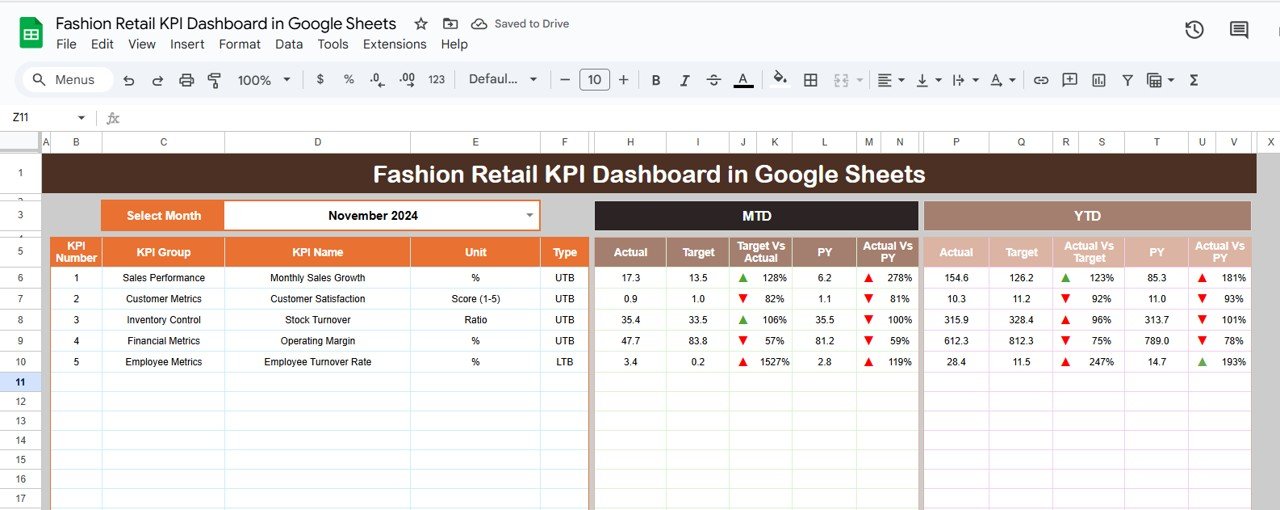
📋 Dashboard Sheet (Main Page)
Central hub with all KPIs in one place.
Month selection dropdown updates MTD and YTD metrics instantly.
Conditional formatting with green/red arrows shows if KPIs are on track.
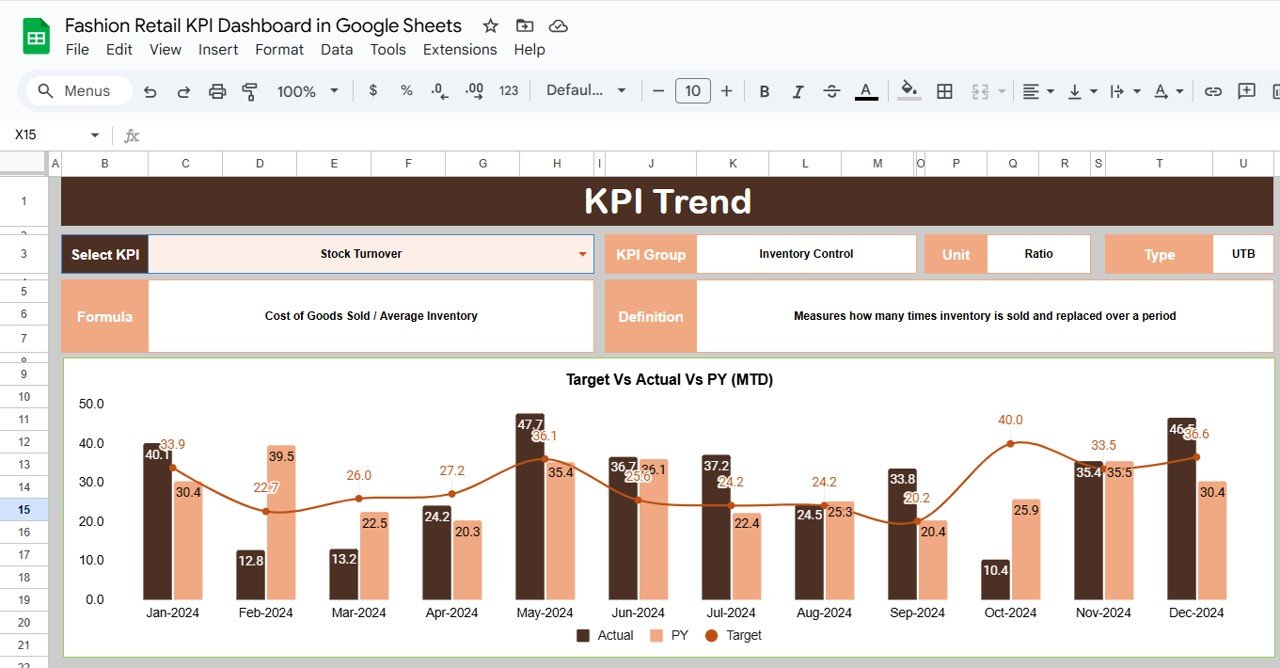
📈 KPI Trend Sheet
Select a KPI from the dropdown to view detailed trends.
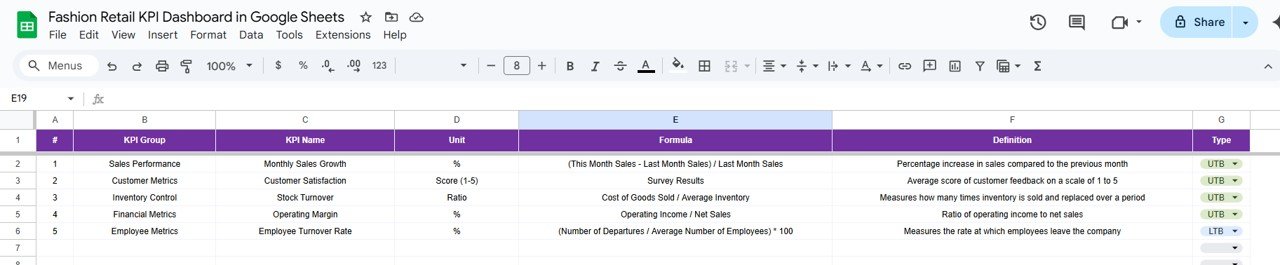
Displays KPI Group, Unit, Type (LTB/UTB), Formula, and Definition.
Visual trend charts for performance tracking.
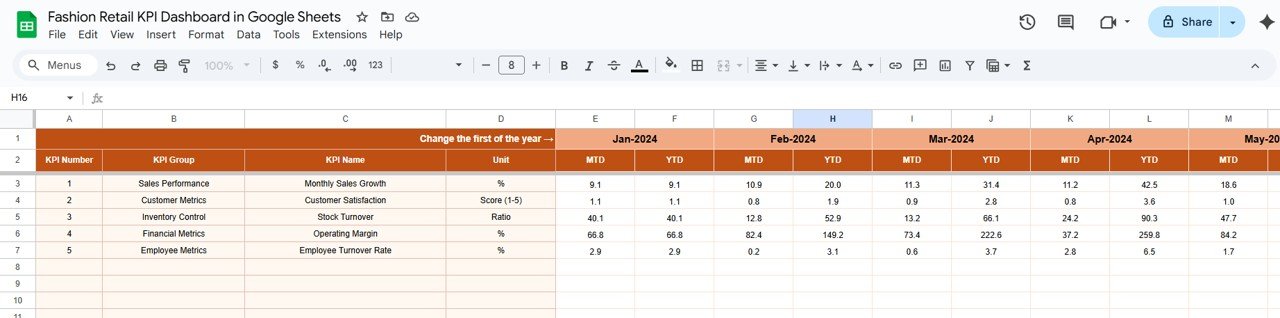
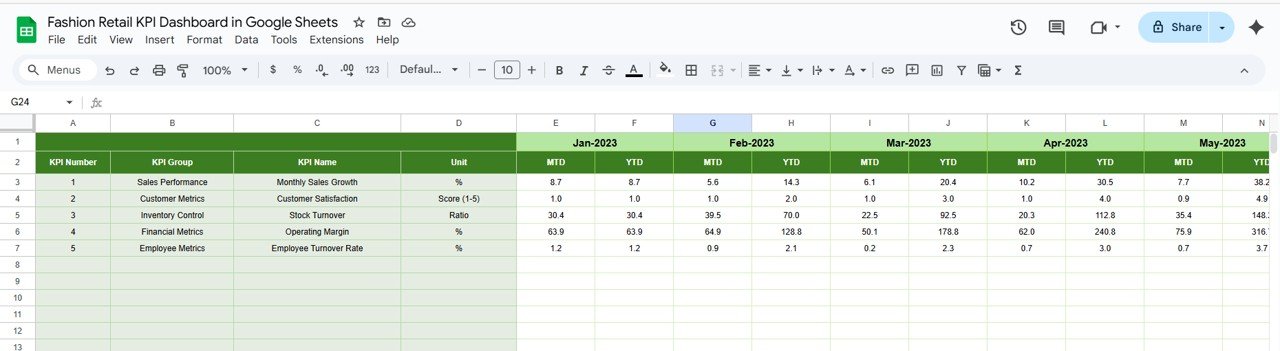
🧾 Actual Number Sheet
Enter actual monthly KPI values.
Automatically feeds into dashboard for instant insights.
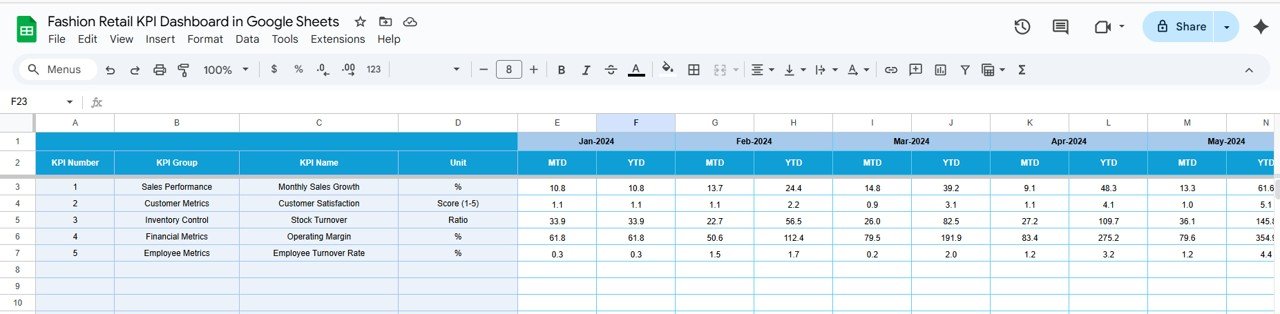
🎯 Target Sheet
Define monthly and yearly targets.
Compare target vs. actual performance side by side.
📊 Previous Year Number Sheet
Store last year’s data for historical comparisons.
Measure growth and identify long-term trends.
📘 KPI Definition Sheet
Clear documentation of KPIs: Name, Group, Unit, Formula, Definition, Type.
Ensures clarity and consistency across the dashboard.
📦 What’s Inside the Dashboard?
When you download this Google Sheets dashboard, you’ll get:
✅ A fully interactive dashboard with dropdowns and visual indicators
✅ Pre-built trend charts and conditional formatting
✅ Structured tabs for Actual, Target, and Previous Year data
✅ A complete KPI Definition library
✅ Ready-to-use formulas and formatting — no coding required
Everything is designed for plug-and-play use, so you can start tracking performance right away. 🚀
🧑💼 Who Can Benefit from This Dashboard?
👕 Fashion Retail Managers – Monitor store-level KPIs in real time
📈 Business Analysts – Identify underperforming metrics and trends
👗 Store Owners – Stay on top of sales, margins, and customer engagement
💡 Decision Makers – Use insights to plan promotions, staffing, and inventory
🏬 Multi-Store Chains – Customize to track performance across multiple locations
🧠 How to Use the Fashion Retail KPI Dashboard
Open the Actual Number Sheet and input monthly performance data.
Update Target Sheet and Previous Year Sheet for accurate comparisons.
Select a month in the Dashboard Sheet to see MTD and YTD performance.
Use the KPI Trend Sheet to drill down into specific metrics.
Review arrows and charts to quickly spot strengths and bottlenecks.
It’s that simple. With Google Sheets’ cloud-based features, you can also share the dashboard with your team for collaborative decision-making. 🌍
🔗 Click here to read the Detailed blog post
Watch the step-by-step video Demo:
🔗 Visit our YouTube channel to learn step-by-step video tutorials
Compatibility and Requirements
- Works in Google Sheets with a free Google account and a web browser. Nothing to install.
- The month and KPI selectors are in-cell dropdowns. Google explains these in Create an in-cell dropdown list.
Frequently Asked Questions
Which sheets are in the Fashion Retail KPI Dashboard?
Six: Dashboard, KPI Trend, Actual Number, Target, Previous Year Number and KPI Definition.
How do I see results for a month?
Pick the month from the dropdown on the Dashboard sheet. MTD and YTD metrics update for that month.
What do the green and red arrows mean?
Conditional formatting shows whether each KPI is on track against its target and the previous year.
What do LTB and UTB mean?
Lower The Better and Upper The Better. You set the type for each KPI on the KPI Definition sheet.
Is there an Excel or Power BI version?
Yes. See the Fashion Retail KPI Dashboard in Excel and the Fashion Retail KPI Dashboard in Power BI.
Related Fashion Retail Templates
- Fashion Retail KPI Dashboard in Excel: the Excel edition.
- Fashion Retail KPI Dashboard in Power BI: the Power BI edition.
- Fashion KPI Dashboard in Google Sheets: KPIs for fashion brands.
- Fashion and Apparel Dashboard in Google Sheets: sales and product charts.
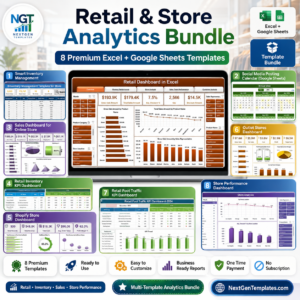
- Retail & Store Analytics Bundle: 8 Excel and Google Sheets retail templates.
Browse all Google Sheets KPI dashboards or the Google Sheets sales and marketing templates.



























Reviews
There are no reviews yet.