

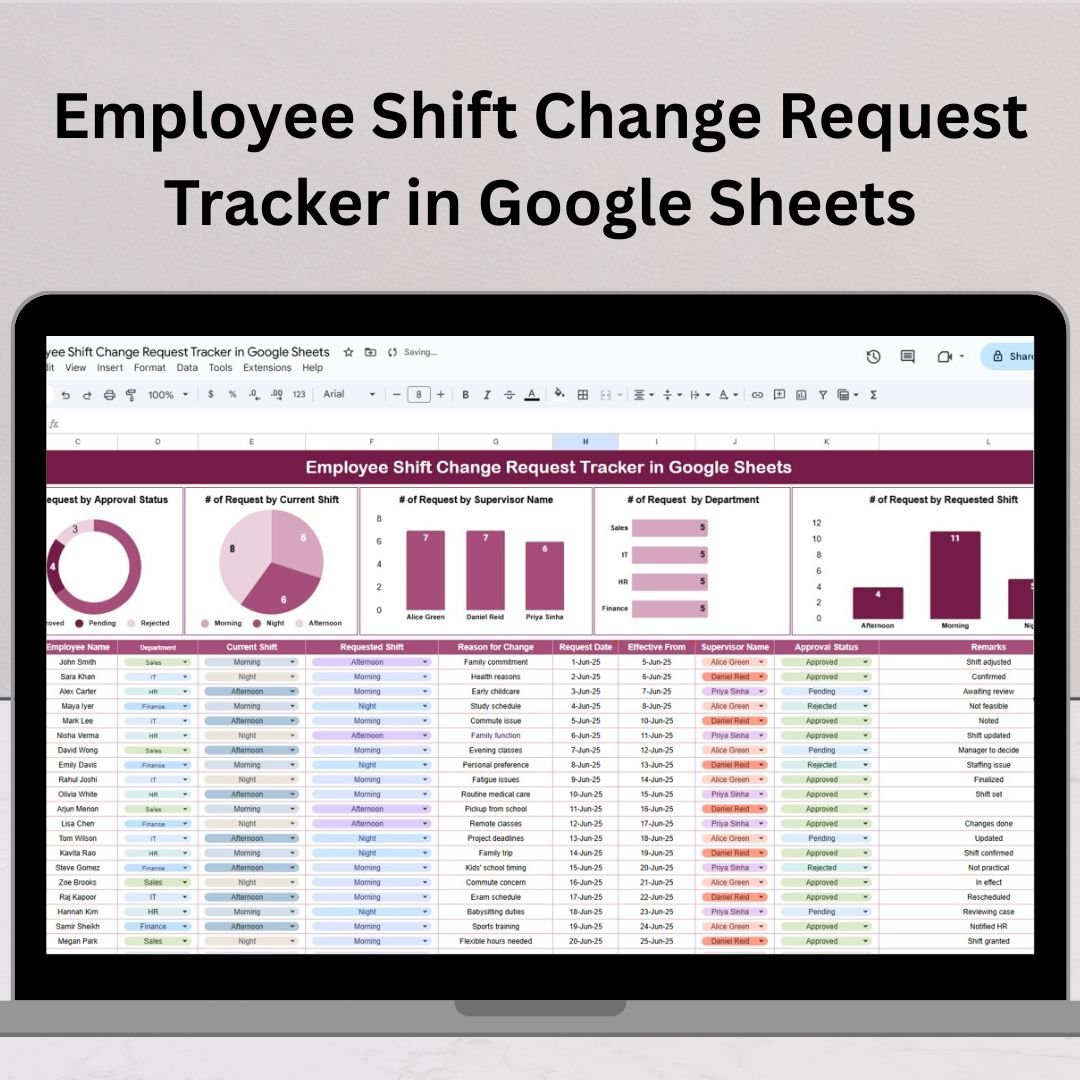

Managing employee shift changes can quickly spiral into confusion, especially if you rely on unorganized emails or outdated logs. Enter the Employee Shift Change Request Tracker in Google Sheets — your all-in-one solution to handle shift swaps, approvals, and reporting with clarity and efficiency.Employee Shift Change Request Tracker in Google Sheets
This ready-to-use tracker helps HR teams, managers, and team leaders streamline the shift change process, log requests accurately, assign responsibility, and view trends using auto-updating charts. Whether you’re in retail, manufacturing, IT support, or healthcare — this tool can transform how you manage your workforce.Employee Shift Change Request Tracker in Google Sheets
🧾 What Is It?
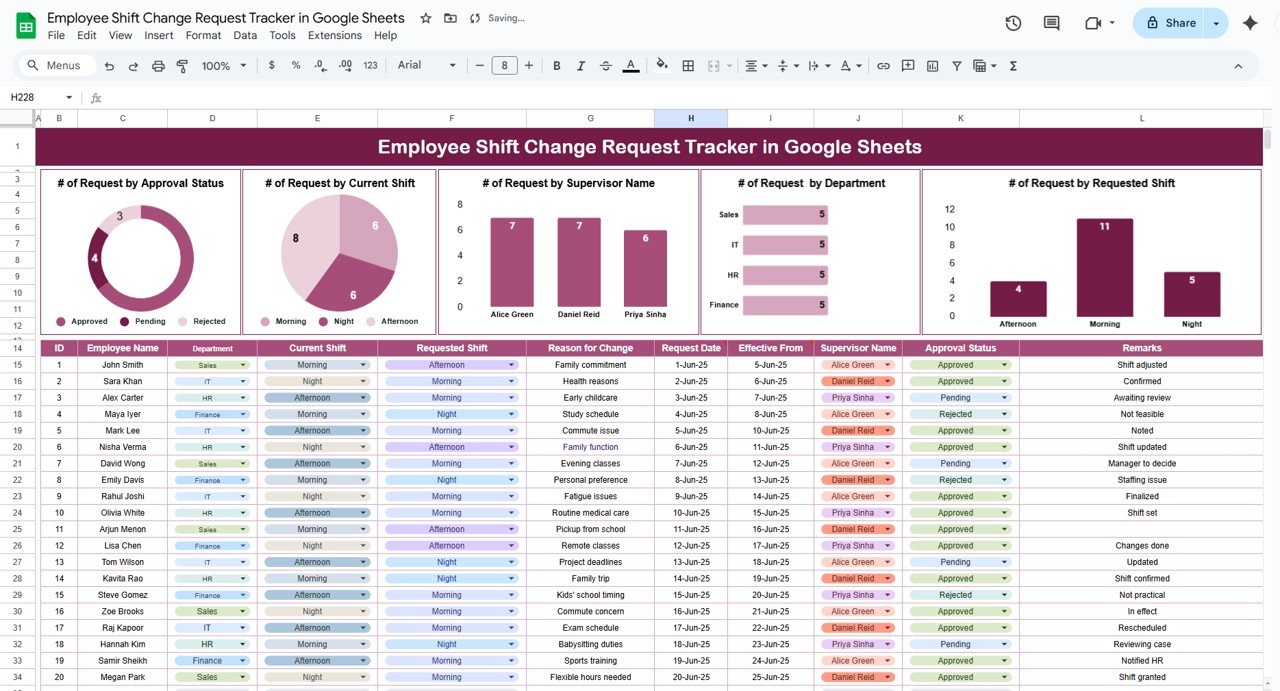
The Employee Shift Change Request Tracker is a dynamic Google Sheets template designed to track shift change requests submitted by employees. It enables centralized data entry, supervisor approval tracking, and automatic chart generation — all within a single user-friendly spreadsheet.
Unlike manual processes, this tracker reduces delays, miscommunication, and recordkeeping errors — empowering teams to make smarter scheduling decisions with real-time visibility.
📌 Key Features
This tool comes with one powerful sheet tab divided into two parts: Data Entry and Auto-Generated Charts.
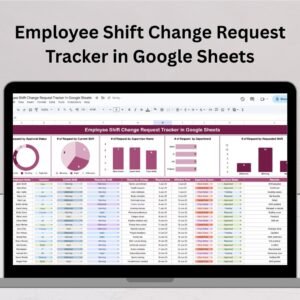
📊 Visual Chart Dashboard
Requests by Approval Status: Quickly see how many are Approved, Rejected, or Pending
Requests by Current Shift: Identify which shifts are being frequently changed
Requests by Requested Shift: Understand which shift timings are in high demand
Requests by Supervisor: Track workload and approval behavior
Requests by Department: Spot which departments generate the most requests
These charts help you visualize patterns and plan resources more effectively.
📝 Data Entry Section
The bottom half of the sheet captures all shift request data in an organized table:
Employee Name
Department (Dropdown)
Current Shift
Requested Shift
Request Date
Requested Date for Change
Supervisor Name (Dropdown)
Approval Status (Pending, Approved, Rejected)
Remarks
Each entry instantly reflects in the dashboard above. Just log new requests, and the analytics update in real time.
💡 Why Use Google Sheets?
Here’s why Google Sheets is the ideal platform for this template:
🌐 Cloud-based: Access from anywhere — office, home, or mobile
👥 Collaborative: Multiple people can edit or view at once
🎯 Customizable: Easily modify layouts, dropdowns, or formulas
💰 Cost-effective: 100% free for Google account holders
📱 Device-friendly: Works on phones, tablets, and laptops
✅ Advantages
Centralized Request Tracking – Avoid miscommunication with one clear record
Improved Accountability – Supervisors and departments are clearly tagged
Audit-Ready Data – Keep a historical log of all approvals and rejections
Time-Saving – Dropdowns, charts, and filters make tracking simple
Scalable – Use for one department or an entire organization
No Training Needed – Spreadsheet format is intuitive for everyone
🚀 Opportunities to Improve
Want to level up this tracker?
✉️ Automated Alerts: Use Google Apps Script to send email alerts to supervisors
📆 Google Calendar Sync: Link approved changes to team calendars
💬 Comments Column: Allow supervisors to explain approval decisions
🚨 Conflict Alerts: Use conditional formatting to flag overlapping requests
🔍 Filters & Slicers: Add slicers to filter requests by department, date, or status
🧠 Best Practices
✅ Restrict editing access to HR or managers
✅ Use dropdown validation for consistent data entry
✅ Update request statuses weekly
✅ Backup the tracker monthly
✅ Train supervisors on how to review and update their sections
👥 Who Should Use This?
This tracker is ideal for:
🏬 Retail Stores
🏭 Manufacturing Plants
💻 IT Helpdesks
🏥 Healthcare Facilities
🎤 Event Management Teams
☎️ Call Centers and Customer Support
🎯 Conclusion
The Employee Shift Change Request Tracker in Google Sheets offers a smart, simple, and scalable solution to manage shift requests with confidence. With one clean interface, you can manage approvals, monitor trends, and keep your workforce operations running smoothly.
Say goodbye to chaos and confusion — and hello to clarity, accountability, and smart shift management. 📈🕘
Click here to raed detailed blog post
Watch the step-by-step video Demo:
📺 Watch setup tutorials on our YouTube channel:
👉 youtube.com/@NeotechNavigators
Compatibility and Requirements
- Works in Google Sheets. You need a free Google account and a web browser.
- Department, supervisor and approval status are chosen from dropdown lists. Google explains dropdowns in Create an in-cell dropdown list.
Frequently Asked Questions
What does each shift change request record?
Each row holds the employee name, department, current shift, requested shift, request date, requested date for change, supervisor name, approval status and remarks.
Which approval statuses can I use?
Pending, Approved and Rejected, picked from a dropdown on each row.
Which charts does the tracker include?
Five charts: requests by approval status, by current shift, by requested shift, by supervisor and by department. They update when you add or change a row.
How many sheets does the template have?
One sheet. The charts sit in the top half and the data entry table in the bottom half.
Is there an Excel version?
Yes. See the Employee Shift Change Request Tracker in Excel.
Related HR Templates
- Employee Shift Change Request Tracker in Excel: the same tracker for Excel
- Shift Change Request Form Template in MS Word and Google Docs: a printable request form (free)
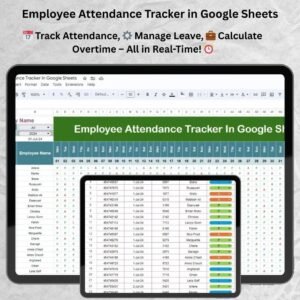
- Employee Attendance Tracker in Google Sheets: track attendance alongside shifts
- Employee Complaint Resolution Tracker in Google Sheets: another HR tracker in Google Sheets
- HR Google Sheets Pack: 10 HR templates in one download
Browse all HR and Payroll templates in Google Sheets and Google Sheets trackers.















Reviews
There are no reviews yet.