



The Project Management Training and Development KPI Dashboard in Excel is a comprehensive and customizable tool designed to help organizations track and optimize their training and development programs for project management teams. This powerful Excel dashboard allows you to monitor key performance indicators (KPIs) related to the effectiveness, progress, and overall success of your training initiatives.
Whether you’re an HR manager, training coordinator, or project manager, this tool simplifies the tracking of training sessions, development milestones, and employee progress, providing valuable insights to enhance learning outcomes and boost team productivity. The user-friendly interface ensures that tracking is both efficient and accessible for all team members involved in managing or participating in training programs.
Key Features of the Project Management Training and Development KPI Dashboard in Excel
📊 Comprehensive KPI Tracking
Monitor KPIs such as training completion rates, employee performance post-training, training hours, and skill assessments. These key metrics allow you to evaluate how effective your training programs are in improving team performance.
📈 Training Progress Monitoring
Track each participant’s progress through the training program, including course completion, assessments, and feedback. This helps ensure that all participants are on track to meet development objectives.
👥 Employee Development Tracking
Track individual employee development after training sessions. This includes skill improvements, new certifications, and role advancements, giving you clear insights into the impact of your training efforts.
📅 Training Schedules & Milestones
Easily manage and plan upcoming training sessions with visual timelines and schedules. Keep track of key milestones in training programs and development goals, ensuring no deadlines are missed.
📉 Performance Comparison
Analyze the effectiveness of your training initiatives by comparing pre- and post-training performance metrics. This feature provides measurable outcomes that demonstrate the value of your training program.
⚙️ Customizable Inputs
This Excel dashboard is fully customizable. You can add or modify KPIs and metrics according to your specific needs and project requirements, making it adaptable to any organization.
Why You’ll Love the Project Management Training and Development KPI Dashboard in Excel

✅ Track Employee Progress
Keep a clear record of employee training progress, certification completion, and skill development after each training session.
✅ Monitor Training Effectiveness
Use KPIs to evaluate the success of training programs and improve them over time to ensure optimal performance.
✅ Stay Organized with Visual Dashboards
The easy-to-read dashboard provides a visual overview of KPIs, training progress, and performance comparison, helping you stay on top of all your training activities.
✅ Customizable for Your Organization
Tailor the dashboard to fit your organization’s unique training goals and needs, whether you’re tracking a single project or multiple programs.
✅ Save Time and Effort
With built-in templates and automated tracking, the dashboard saves time on data entry and ensures consistency across training programs.
What’s Inside the Project Management Training and Development KPI Dashboard in Excel?
Training Progress Tracking: Monitor completion, assessments, and performance improvements.
Performance Comparison: Evaluate the pre- and post-training performance of employees.
KPI Metrics Tracking: Track metrics such as training completion rates, skill assessments, and training hours.
Timeline & Milestone Management: Manage training schedules and key milestones for better planning.
Customizable Layout: Modify KPIs and metrics based on the needs of your organization.
How to Use the Project Management Training and Development KPI Dashboard in Excel
1️⃣ Download the Template: Access the Project Management Training and Development KPI Dashboard in Excel immediately.
2️⃣ Input Your Data: Add your team members, training sessions, and relevant KPIs for tracking.
3️⃣ Track Training Progress: Monitor participant progress and completion of various training milestones.
4️⃣ Evaluate Effectiveness: Use the performance comparison feature to assess the effectiveness of your training programs.
5️⃣ Customize the Dashboard: Modify KPIs and metrics to suit your organization’s specific needs and goals.
Who Can Benefit from the Project Management Training and Development KPI Dashboard in Excel?
🔹 HR Managers
🔹 Training Coordinators
🔹 Project Managers
🔹 Team Leaders
🔹 Training & Development Specialists
🔹 Learning & Development Teams
🔹 Employees Looking to Track Their Development Progress
Ensure the success of your project management training initiatives and employee development efforts with the Project Management Training and Development KPI Dashboard in Excel. Track, measure, and optimize your training programs for the best results.
Click here to read the Detailed blog post
Visit our YouTube channel to learn step-by-step video tutorials
Youtube.com/@PKAnExcelExpert
Compatibility and Requirements
- Works in Microsoft Excel desktop (Excel 2016 or later, or Microsoft 365).
- New to Excel charts? Microsoft explains the basics in Create a chart from start to finish.
Frequently Asked Questions
Which KPIs does the dashboard track?
Training completion rates, employee performance after training, training hours and skill assessments.
Can I compare performance before and after training?
Yes. The performance comparison shows pre- and post-training metrics for your team.
Can I plan upcoming sessions?
Yes. It has timelines and schedules for upcoming training sessions and development milestones.
Can I add my own KPIs?
Yes. You can add or change KPIs and metrics to match your training goals.
Related Training and Development Templates
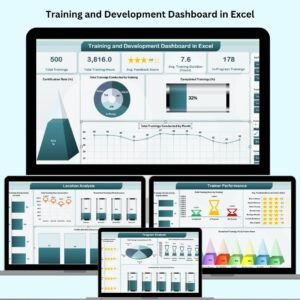
- Training and Development Dashboard in Excel: a full training dashboard for all teams
- Training and Development Dashboard in Power BI: training analysis in Power BI
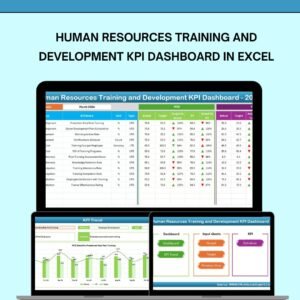
- Human Resources Training and Development KPI Dashboard in Excel: training KPIs for HR teams
- Project Management KPI Dashboard in Excel: delivery KPIs for the same teams
- KPI Dashboard Library (Excel): 15 Excel KPI dashboards in one download
Browse all Excel KPI dashboards or the Excel HR and payroll templates.

















Reviews
There are no reviews yet.