

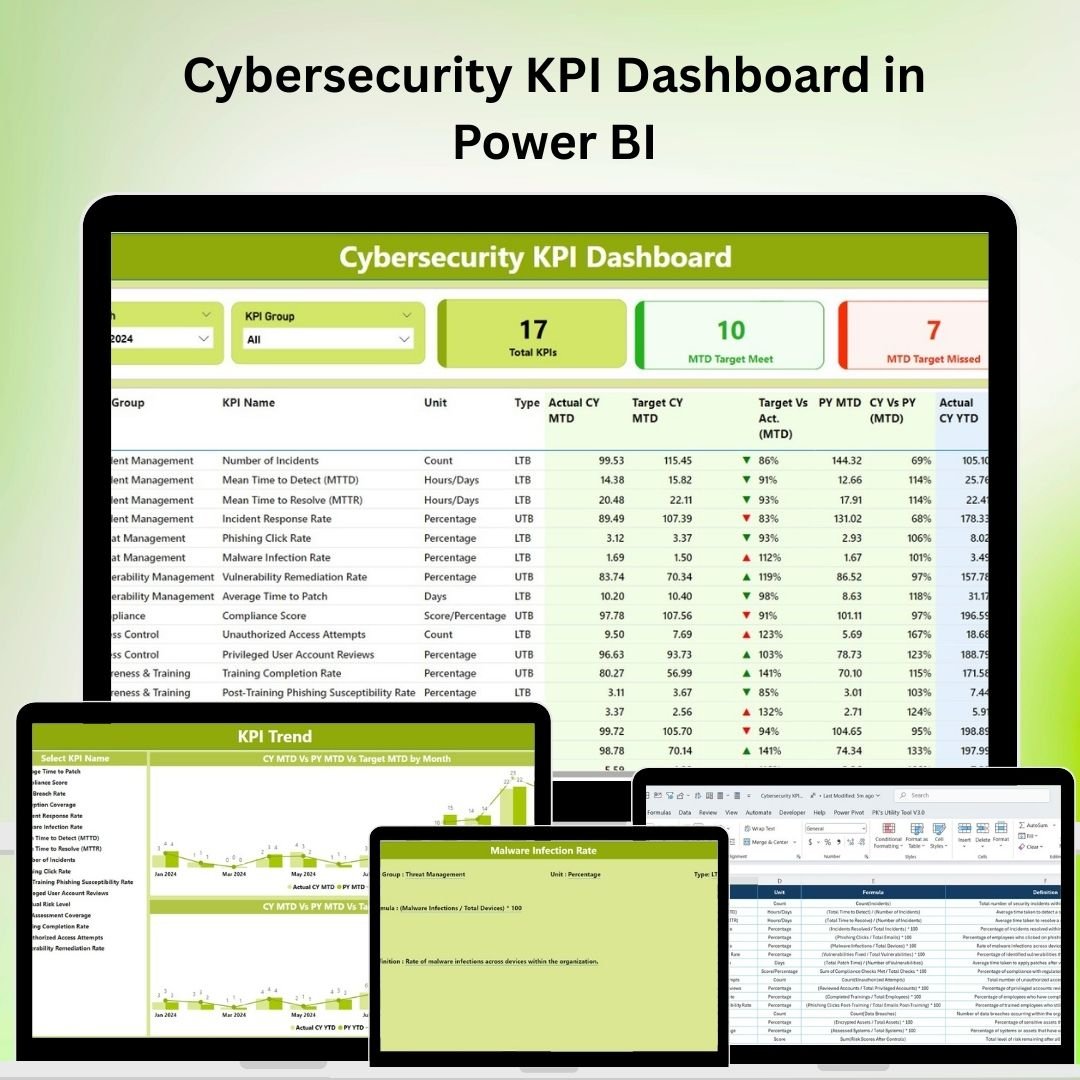
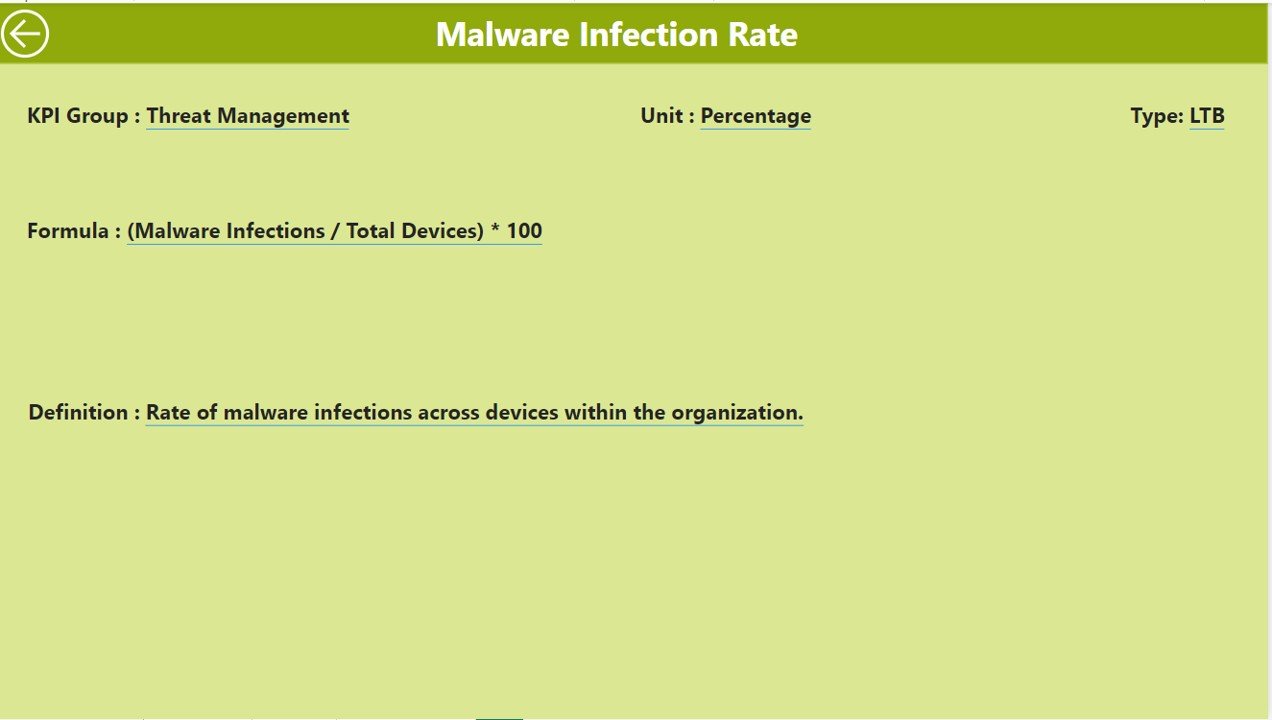
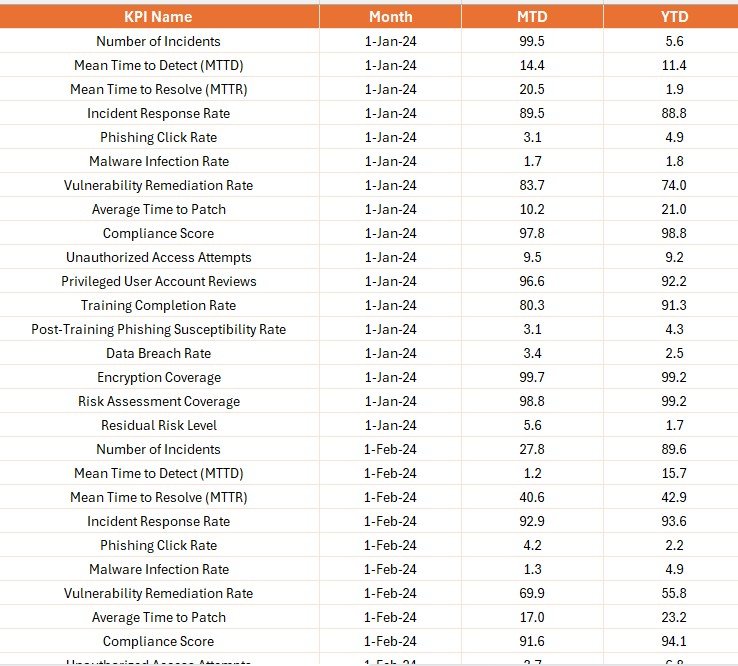
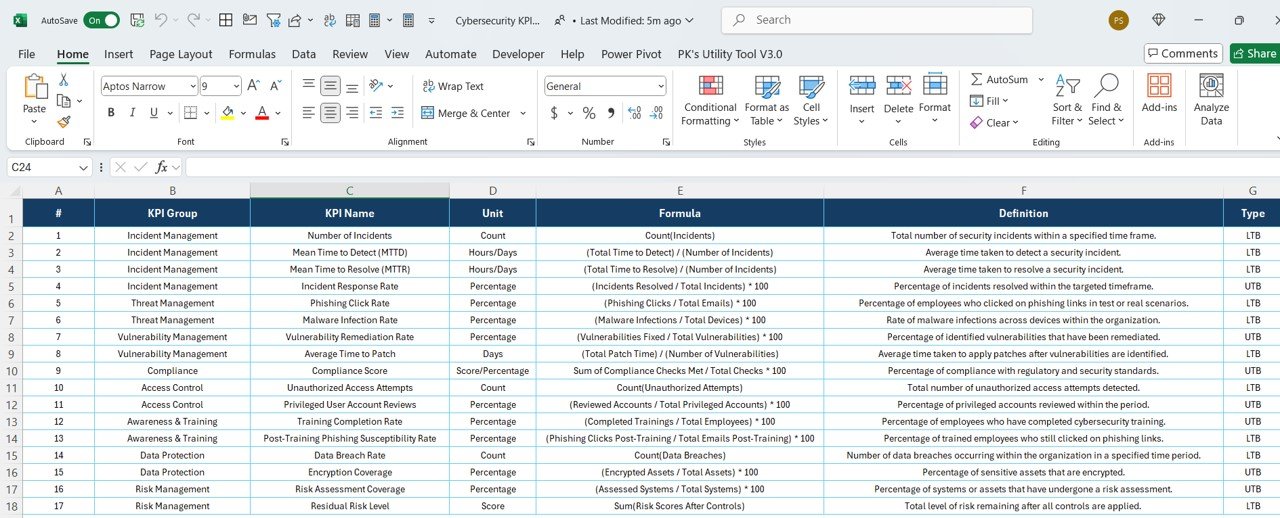

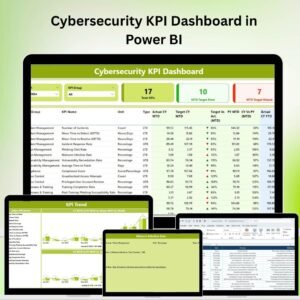
The Cybersecurity KPI Dashboard in Power BI is an advanced tool designed to help organizations monitor and analyze their cybersecurity performance. This Power BI-based dashboard provides real-time insights into key performance indicators (KPIs) such as incident detection times, threat response rates, system vulnerabilities, and security compliance, helping you ensure the safety and integrity of your network and data.
With cybersecurity threats evolving daily, it’s crucial to have a comprehensive overview of your organization’s security posture. This dashboard offers visualizations and data-driven insights to help you stay ahead of potential risks, improve response times, and make data-backed decisions to strengthen your cybersecurity strategy. Whether you’re monitoring security incidents or tracking compliance metrics, this tool provides an efficient way to enhance your cybersecurity operations.
Key Features of the Cybersecurity KPI Dashboard in Power BI
📊 Incident Detection & Response Monitoring
Track the time it takes to detect and respond to security incidents. Monitor response efficiency to reduce potential damage and improve your organization’s threat detection capabilities.
⏱ Response Time Tracking
Monitor the time it takes for your cybersecurity team to address threats. Use this KPI to identify bottlenecks in the response process and optimize incident management.
📈 System Vulnerabilities Tracking
Track and analyze known system vulnerabilities across your network. Monitor the patching process and ensure that systems are up-to-date with the latest security measures to prevent potential breaches.
🔐 Compliance Monitoring
Ensure that your organization is meeting cybersecurity compliance requirements, such as GDPR, HIPAA, or PCI-DSS. Track your compliance status and make sure you are up-to-date with relevant standards.
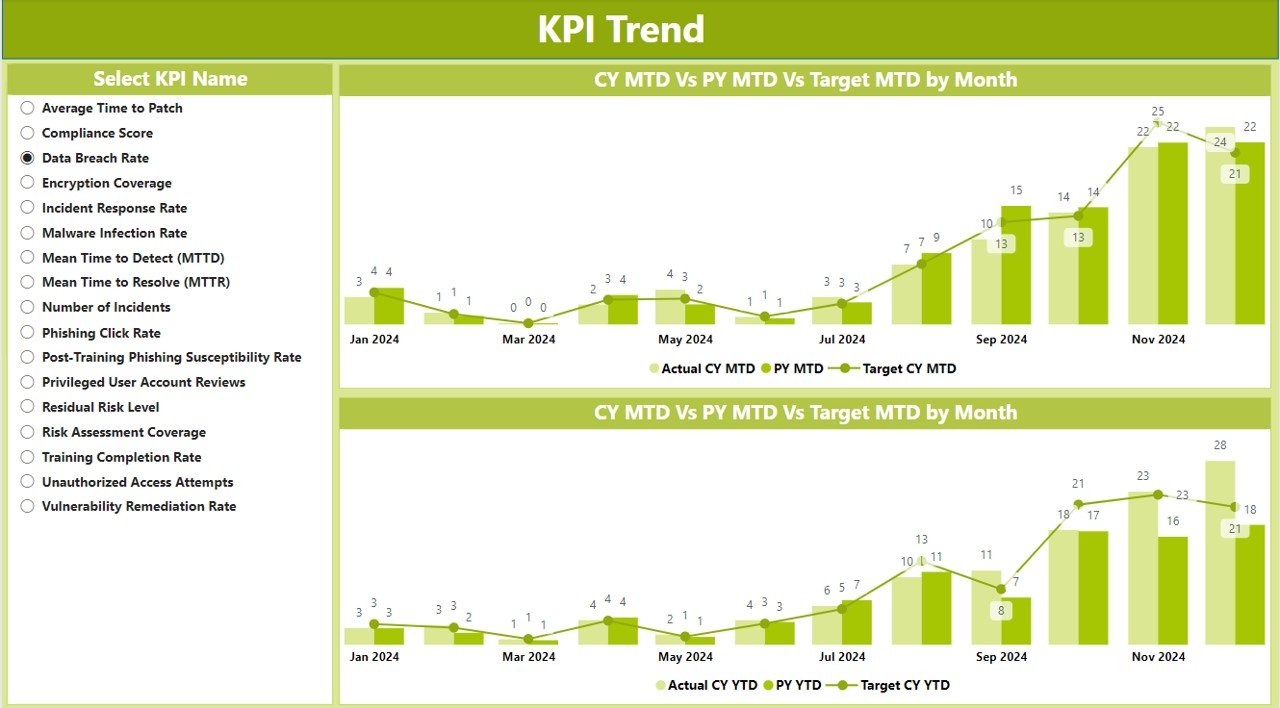
📅 Time-Based Performance Tracking
Monitor KPIs such as incident detection time, system vulnerabilities, and response times over different periods. Use historical data to identify trends and improve cybersecurity protocols.
⚙️ Customizable & Scalable Dashboard
The dashboard can be customized to track the specific KPIs that are most relevant to your organization. Add or remove metrics as your cybersecurity strategy evolves, and scale it based on your company size or complexity.
Why You’ll Love the Cybersecurity KPI Dashboard in Power BI

✅ Stay Ahead of Threats
Track incident detection times, response rates, and system vulnerabilities to ensure you’re ahead of potential cybersecurity threats.
✅ Optimize Response Times
Identify bottlenecks and optimize your incident response process. The dashboard allows you to track how long it takes to address incidents and improve your team’s response efficiency.
✅ Monitor Compliance
Ensure your organization meets cybersecurity standards and regulations. Track compliance KPIs to minimize risks and avoid non-compliance penalties.
✅ Identify System Vulnerabilities Early
Track system vulnerabilities and ensure timely patching to prevent breaches. The dashboard helps you keep track of security weaknesses and address them promptly.
✅ Data-Driven Cybersecurity Decisions
Use the data-driven insights from the dashboard to make informed decisions about your cybersecurity strategy, resources, and policies.
What’s Inside the Cybersecurity KPI Dashboard in Power BI?
Incident Detection & Response Monitoring: Track and monitor response times and detection effectiveness.
Response Time Tracking: Measure and optimize the response time to security incidents.
System Vulnerabilities Tracking: Identify and track system vulnerabilities and patching status.
Compliance Monitoring: Track and monitor compliance with cybersecurity regulations and standards.
Time-Based Performance Monitoring: Track performance over different time periods to identify trends.
Customizable Features: Tailor the dashboard to suit your specific cybersecurity needs.
How to Use the Cybersecurity KPI Dashboard in Power BI
1️⃣ Download the Template: Instantly access the Cybersecurity KPI Dashboard in Power BI.
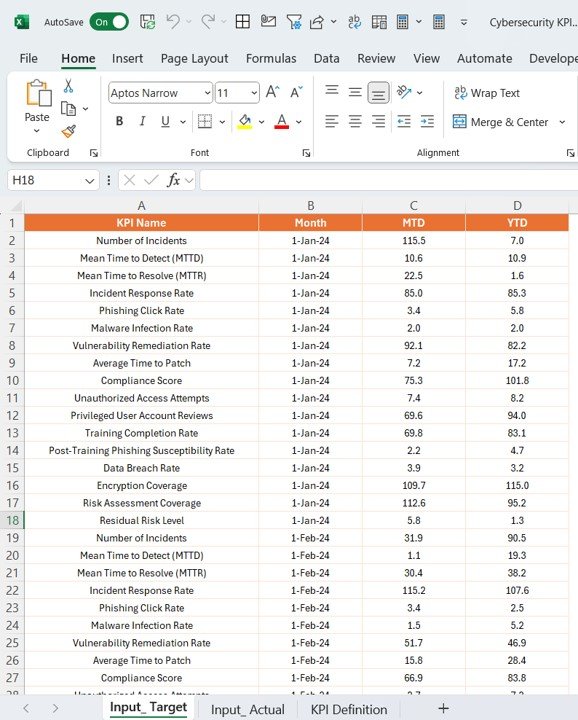
2️⃣ Integrate Data Sources: Link your security data, including incident reports, system vulnerabilities, and compliance metrics.
3️⃣ Monitor KPIs & Performance: Track key metrics such as incident detection, response times, and vulnerabilities.
4️⃣ Analyze & Optimize Data: Use time-based analysis to identify trends and improve your security operations.
5️⃣ Improve Cybersecurity Strategy: Make data-backed decisions to enhance your cybersecurity defense and response strategies.
Who Can Benefit from the Cybersecurity KPI Dashboard in Power BI?
🔹 Cybersecurity Teams & Analysts
🔹 IT Security Managers & Directors
🔹 Risk & Compliance Managers
🔹 Security Incident Response Teams
🔹 Businesses with Complex Security Needs
🔹 Data Protection Officers (DPOs)
🔹 Large Enterprises & Organizations
Enhance your cybersecurity strategy with the Cybersecurity KPI Dashboard in Power BI. Track performance, optimize response times, ensure compliance, and manage system vulnerabilities in real time.
Click here to read the Detailed blog post
Visit our YouTube channel to learn step-by-step video tutorials
Youtube.com/@PKAnExcelExpert
Compatibility and Requirements
- Opens in Power BI Desktop, which is free. Microsoft explains how to install it in Get Power BI Desktop.
- You link your own security data, such as incident reports, vulnerability lists and compliance metrics.
Frequently Asked Questions
Which cybersecurity KPIs does the dashboard track?
It tracks incident detection time, response time, system vulnerabilities and patching status, and compliance status.
Can it track compliance with standards like GDPR or HIPAA?
Yes. The compliance monitoring section tracks your status against requirements such as GDPR, HIPAA or PCI-DSS.
Can I see trends over time?
Yes. The time-based view tracks incident detection time, vulnerabilities and response times over different periods.
Can I add or remove KPIs?
Yes. The dashboard is customizable, so you can add or remove metrics as your security strategy changes.
Is it available for other platforms?
Yes. The same dashboard is available in Excel and Google Sheets.
Related Cybersecurity Templates
- Cybersecurity KPI Dashboard in Excel: the same KPIs in Excel
- Cybersecurity KPI Dashboard in Google Sheets: the same KPIs in a shared online sheet
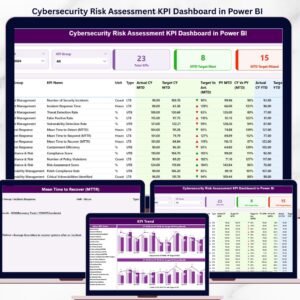
- Cybersecurity Risk Assessment KPI Dashboard in Power BI: focused on security risk
- Cybersecurity KPI Scorecard in Excel: a scorecard view of security KPIs
- IT and Cybersecurity Operations Bundle: 8 IT and security templates in one download
Browse all Power BI KPI dashboards or the IT templates.



















Reviews
There are no reviews yet.