

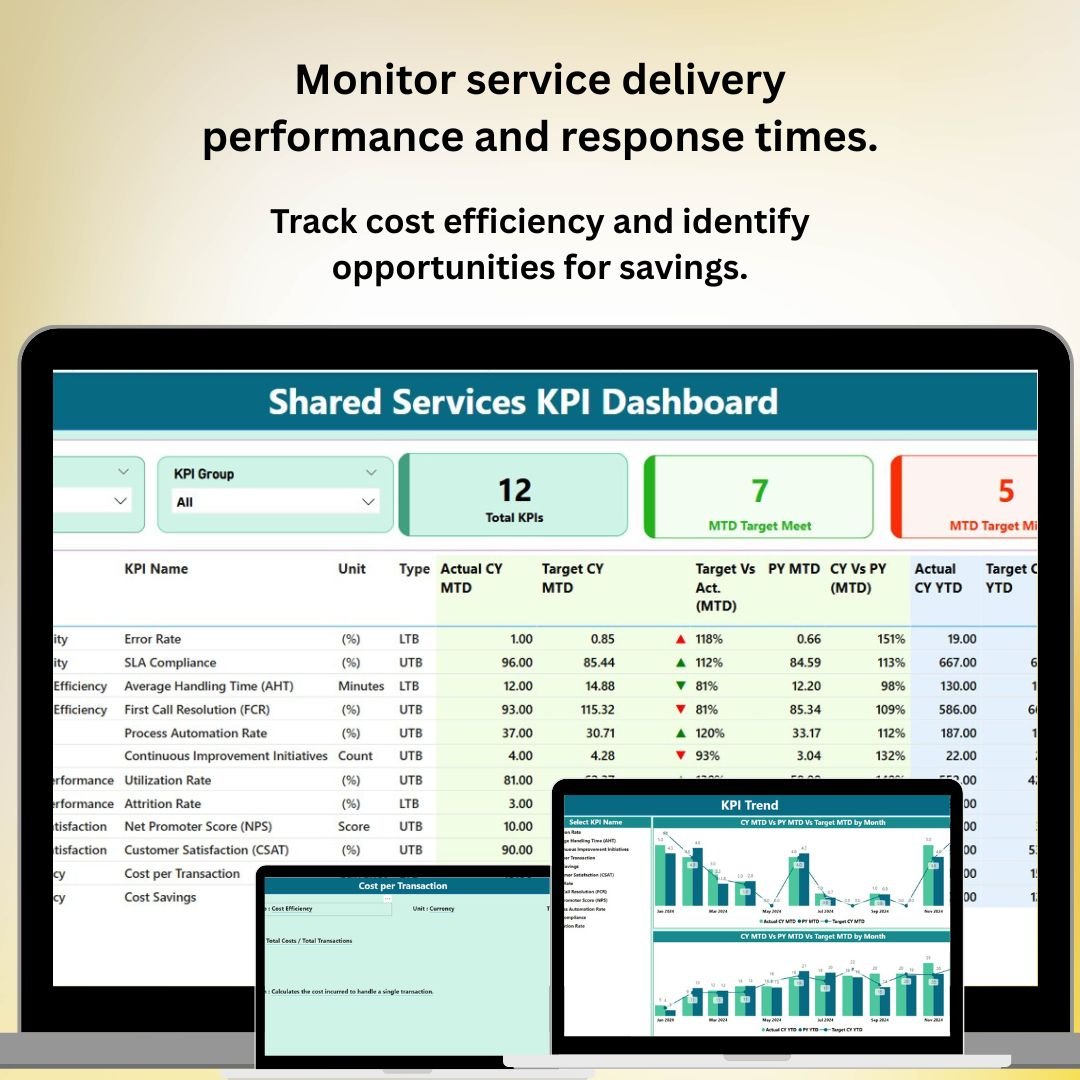
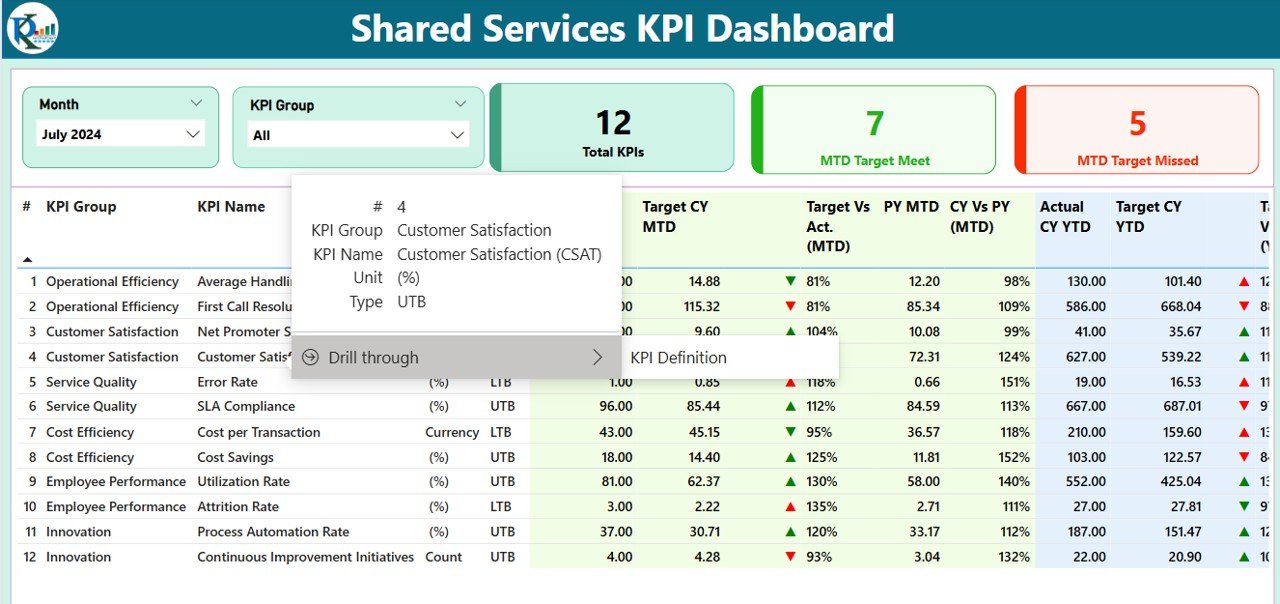

The Shared Services KPI Dashboard in Power BI is a comprehensive tool designed for managers and analysts in shared services departments looking to monitor and optimize their operations. This Power BI-based dashboard helps track key performance indicators (KPIs) such as service delivery, cost efficiency, customer satisfaction, resource utilization, and performance across various shared services functions like HR, IT, finance, and customer support.
With real-time tracking, interactive visualizations, and customizable reporting, this dashboard allows businesses to improve their shared services operations, increase efficiency, and provide exceptional service to internal and external stakeholders.
Key Features of the Shared Services KPI Dashboard in Power BI:
📊 Service Delivery Tracking
Monitor service levels, response times, and resolution times for key shared services such as IT support, HR inquiries, and finance functions.
💰 Cost Efficiency and Budget Monitoring
Track operational costs, identify cost-saving opportunities, and ensure that shared services departments stay within budget while delivering high-quality service.
🔄 Resource Utilization and Workforce Efficiency
Track the utilization of shared services resources, including staff availability and capacity, to ensure efficient use of resources and optimize workforce performance.
💬 Customer Satisfaction Monitoring
Measure customer satisfaction with shared services, track feedback, and identify areas for service improvement to ensure a high-quality experience for internal teams and external customers.
📝 Performance and SLA Compliance
Monitor performance against service level agreements (SLAs) to ensure that shared services meet or exceed agreed-upon targets for delivery, quality, and response times.
🚀 Why You’ll Love the Shared Services KPI Dashboard in Power BI:
✅ Track Service Delivery and Performance – Monitor KPIs such as service levels, resolution times, and performance to ensure that shared services are operating effectively and meeting expectations.
✅ Optimize Resource Utilization – Ensure that staff and resources are used efficiently, reducing bottlenecks and improving productivity across shared services functions.
✅ Improve Cost Efficiency – Track and control operational costs while identifying cost-saving opportunities to improve the financial health of your shared services.
✅ Measure Customer Satisfaction – Monitor and respond to customer satisfaction feedback to improve the quality of service provided to internal and external stakeholders.
✅ Ensure SLA Compliance – Track performance against SLAs and service standards to ensure that shared services meet established objectives and maintain high levels of service quality.
✅ Customizable and Interactive – This Power BI dashboard is fully customizable, allowing you to tailor it to your shared services department’s specific KPIs and performance metrics.
What’s Inside the Shared Services KPI Dashboard in Power BI:
Service Delivery Tracking: Monitor the delivery of shared services across departments like HR, IT, and finance, tracking response and resolution times for service requests and inquiries.
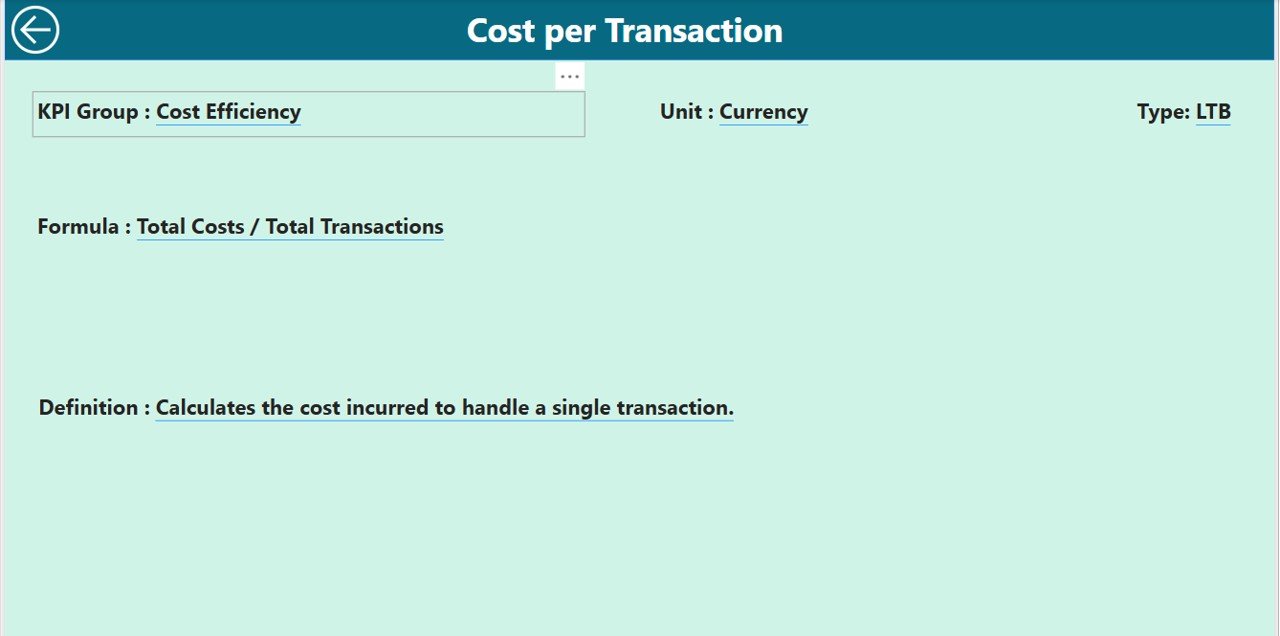
Cost Efficiency: Track costs against budgeted amounts, identifying areas of cost overrun or underutilization to improve operational efficiency.
Resource Utilization: Monitor staff capacity, availability, and resource allocation across various shared services functions, ensuring that resources are used effectively.
Customer Satisfaction: Track customer feedback, satisfaction scores, and service reviews to assess the quality of shared services and make improvements.
SLA Compliance: Monitor performance against SLAs and other service standards to ensure that shared services consistently meet or exceed expectations.
Custom Reports: Generate tailored reports for department heads, stakeholders, or senior management to review shared services performance and make data-driven decisions.
How to Use the Shared Services KPI Dashboard in Power BI:
1️⃣ Download the Template – Instantly access your Power BI file upon purchase.
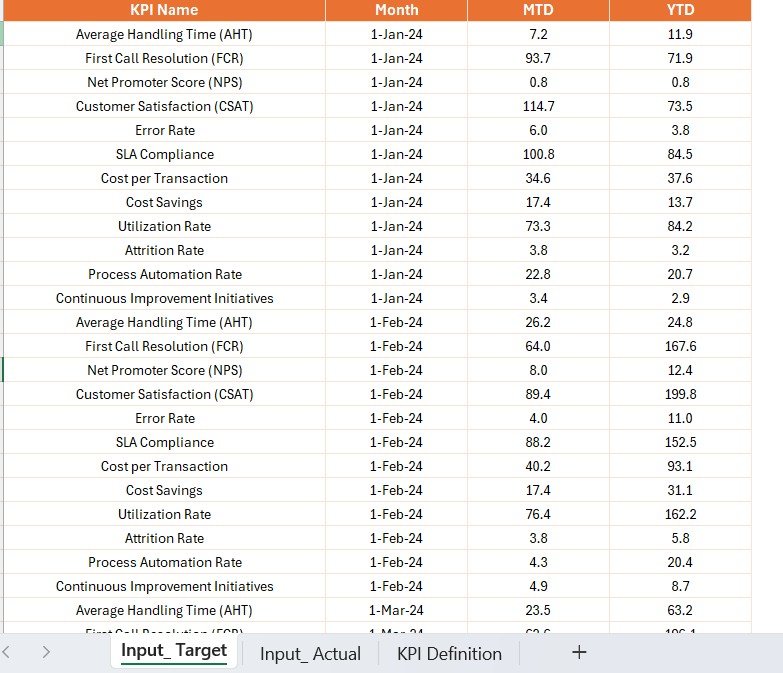
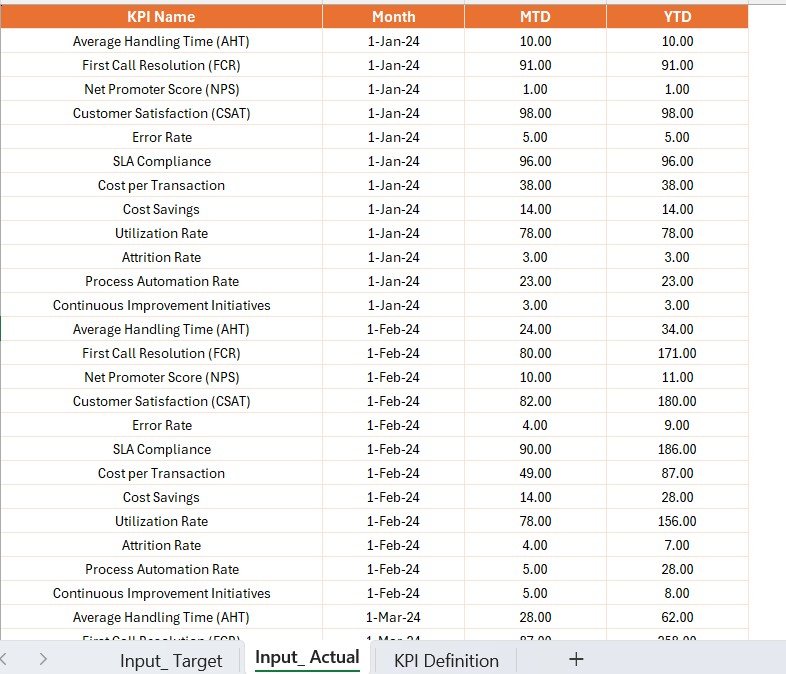
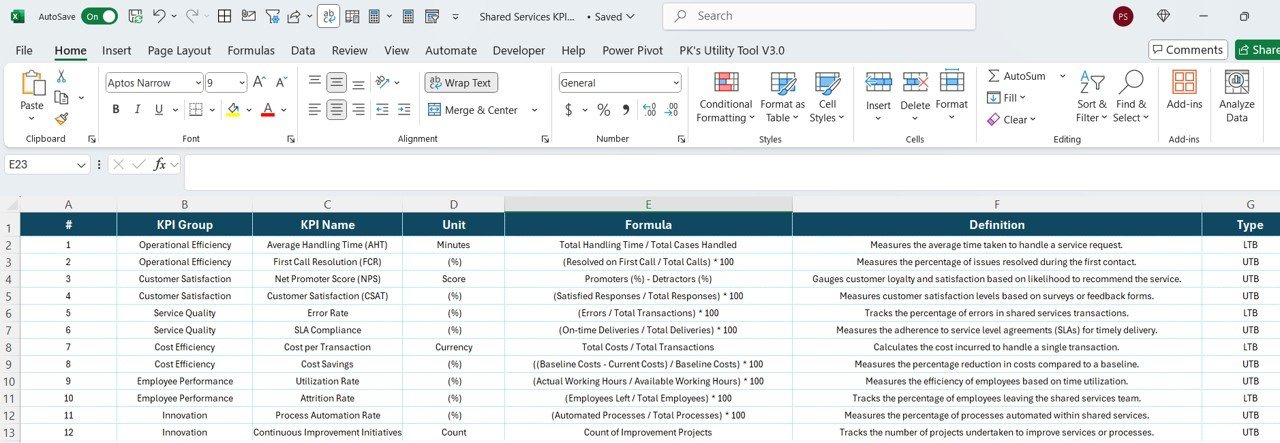
2️⃣ Input Shared Services Data – Enter service delivery, resource utilization, cost, and satisfaction data into the dashboard.
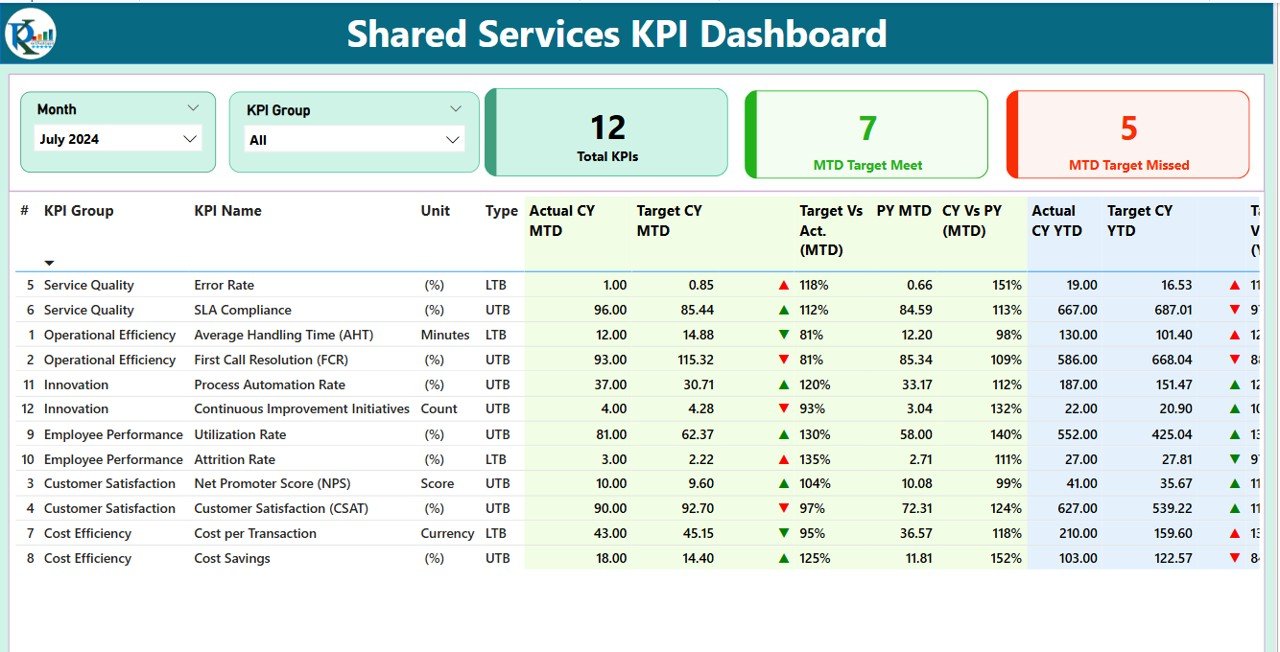
3️⃣ Monitor Key KPIs – Track key performance indicators in real-time, including service delivery, cost efficiency, and customer satisfaction.
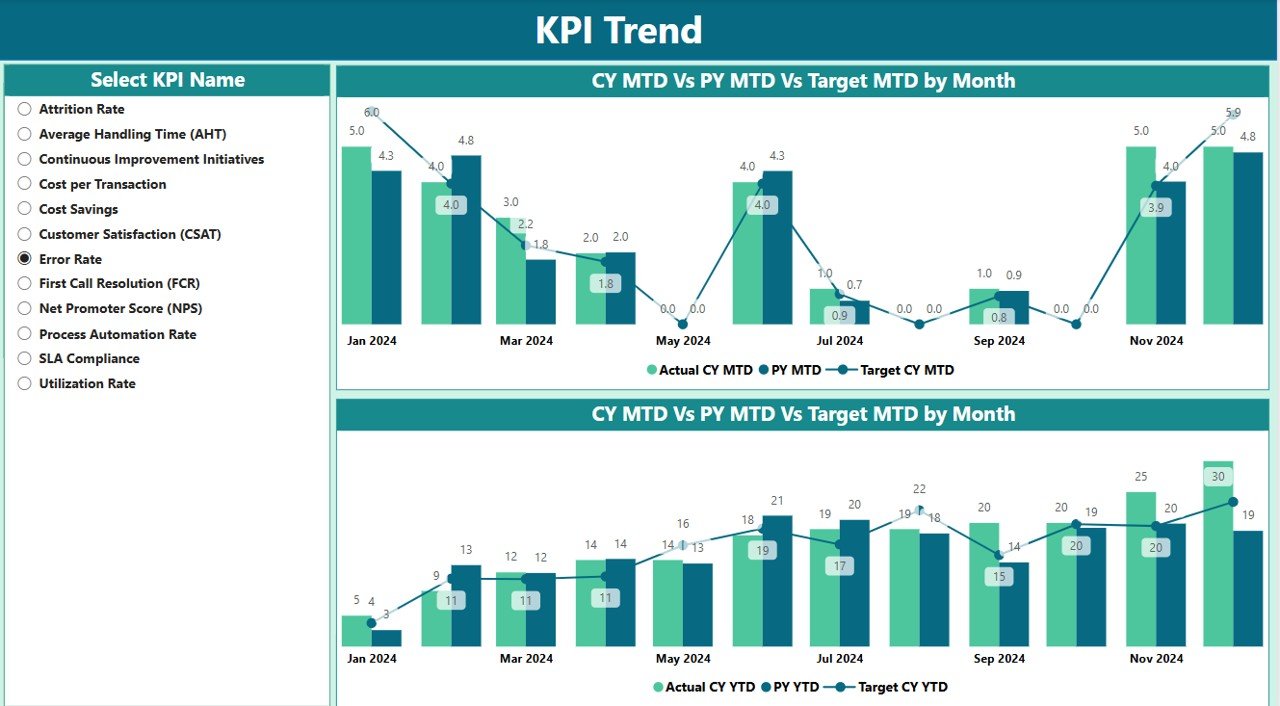
4️⃣ Analyze Data Trends – Use interactive charts and graphs to analyze service delivery performance, resource utilization, and cost trends.
5️⃣ Generate Custom Reports – Create customized reports for stakeholders to evaluate shared services performance and identify areas for improvement.
Who Can Benefit from the Shared Services KPI Dashboard in Power BI:
Shared Services Managers
IT, HR, and Finance Managers
Operations and Resource Managers
Business Analysts
Senior Executives and Stakeholders
Customer Service Teams
Process Improvement Teams
Business Consultants for Shared Services
The Shared Services KPI Dashboard in Power BI is the ideal solution for organizations seeking to optimize their shared services functions. By tracking key performance metrics such as service delivery, resource utilization, and cost efficiency, this dashboard ensures that your shared services operations are performing at their best, delivering exceptional service, and achieving operational excellence.
Click here to read the Detailed blog post
https://www.pk-anexcelexpert.com/shared-services-kpi-dashboard-in-power-bi/
Visit our YouTube channel to learn step-by-step video tutorials
Youtube.com/@PKAnExcelExpert
Compatibility and Requirements
- Works in Power BI Desktop, which is free to download. Microsoft explains how to get it in Get Power BI Desktop.
- You get a Power BI file. Open it in Power BI Desktop and enter your shared services data.
Frequently Asked Questions
Which shared services functions can I track?
The dashboard covers shared services such as HR, IT, finance and customer support. You track service delivery, cost efficiency, resource utilization, customer satisfaction and SLA compliance.
What do I need to open the file?
You need Power BI Desktop. The template is a Power BI file that you download after purchase.
Can I track performance against SLAs?
Yes. The dashboard monitors performance against service level agreements, including delivery, quality and response times.
Can I create reports for stakeholders?
Yes. You can generate custom reports for department heads, stakeholders or senior management to review shared services performance.
Is there an Excel or Google Sheets version?
Yes. See the Shared Services KPI Dashboard in Excel and the Shared Services KPI Dashboard in Google Sheets.
Related Shared Services Templates
- Shared Services KPI Dashboard in Excel: the same dashboard in Excel
- Shared Services KPI Dashboard in Google Sheets: the Google Sheets edition
- Shared Services KPI Scorecard in Excel: a scorecard view of shared services metrics
- Shared Services Centers KPI Dashboard in Excel: a dashboard for shared services centers
- Power BI Dashboard Mega Collection: 15 Power BI templates in one download
Browse all Power BI KPI dashboards.























Reviews
There are no reviews yet.