

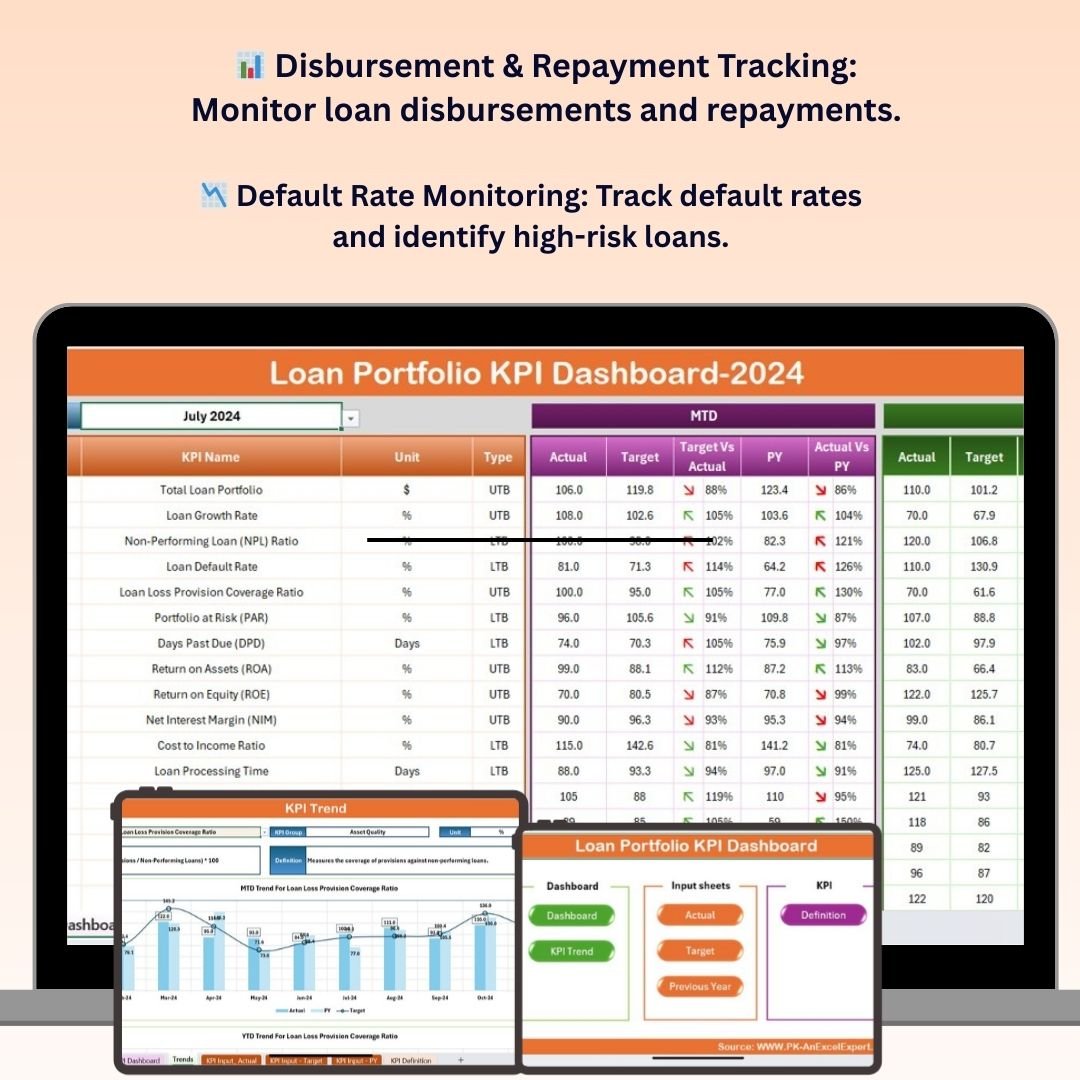
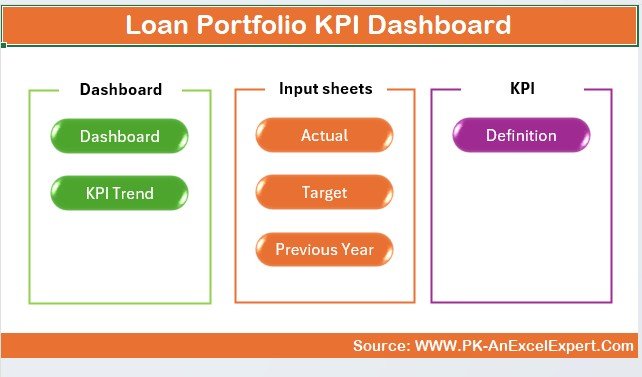
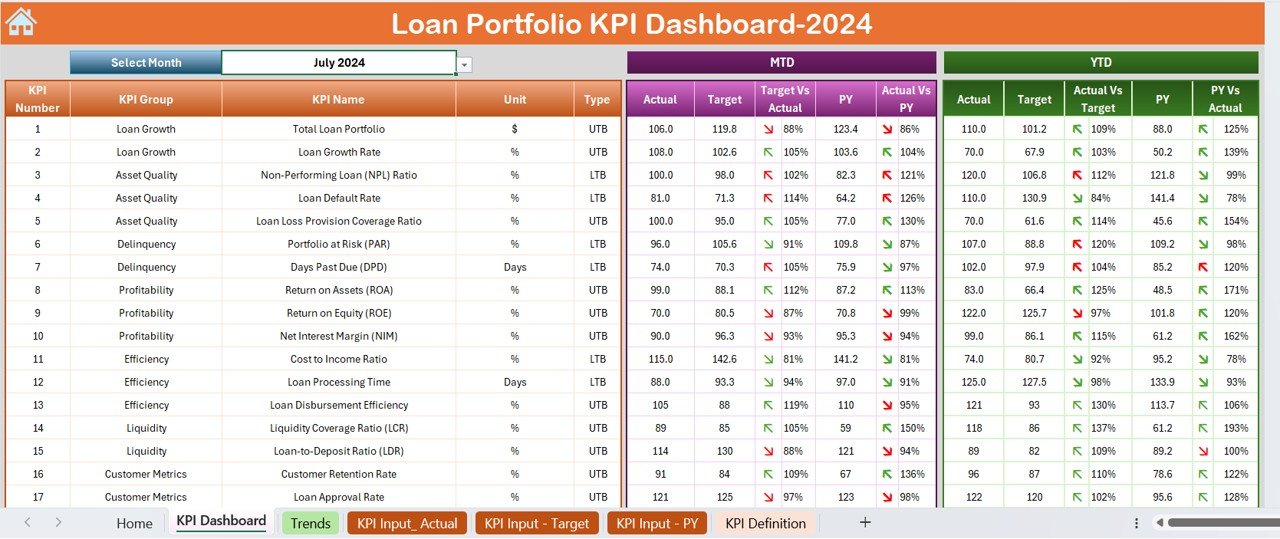
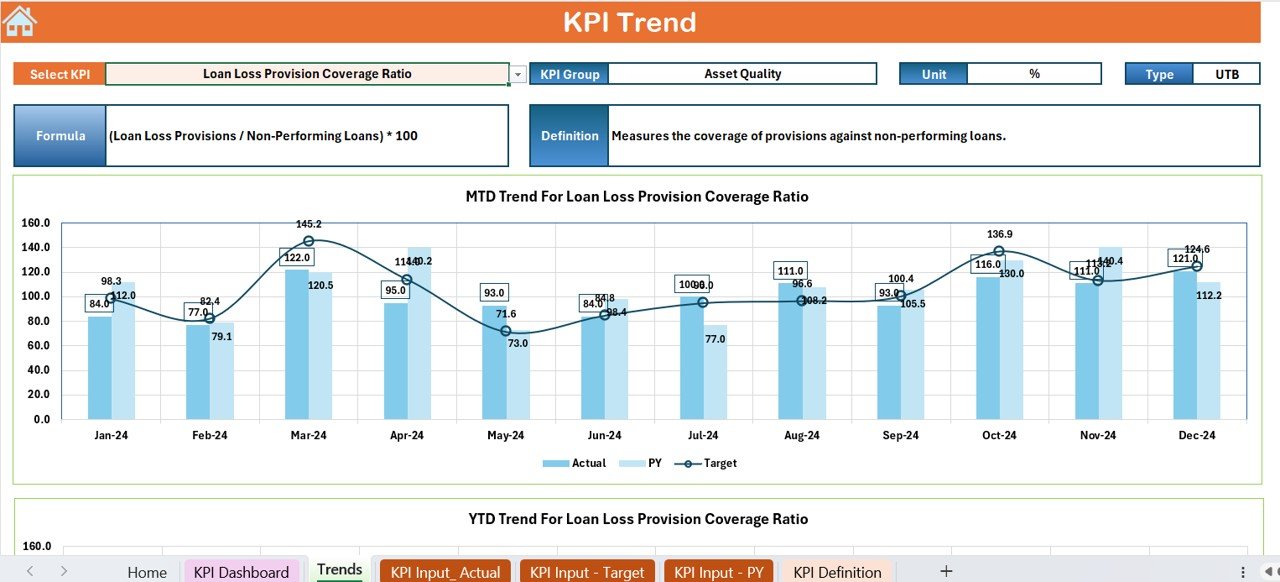

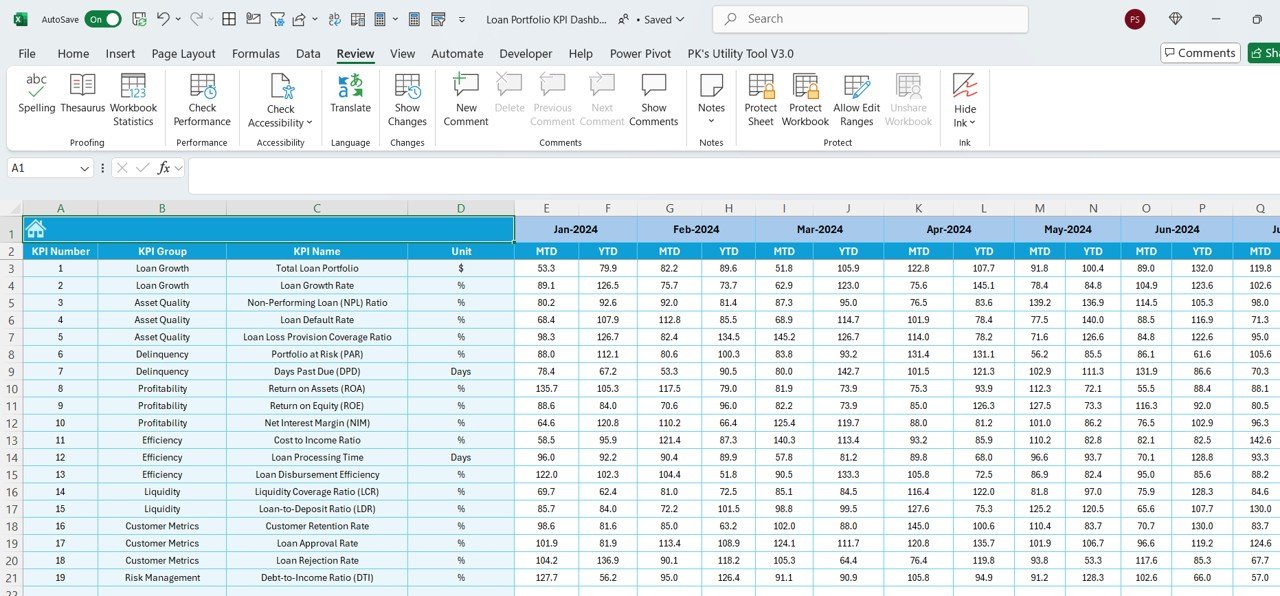
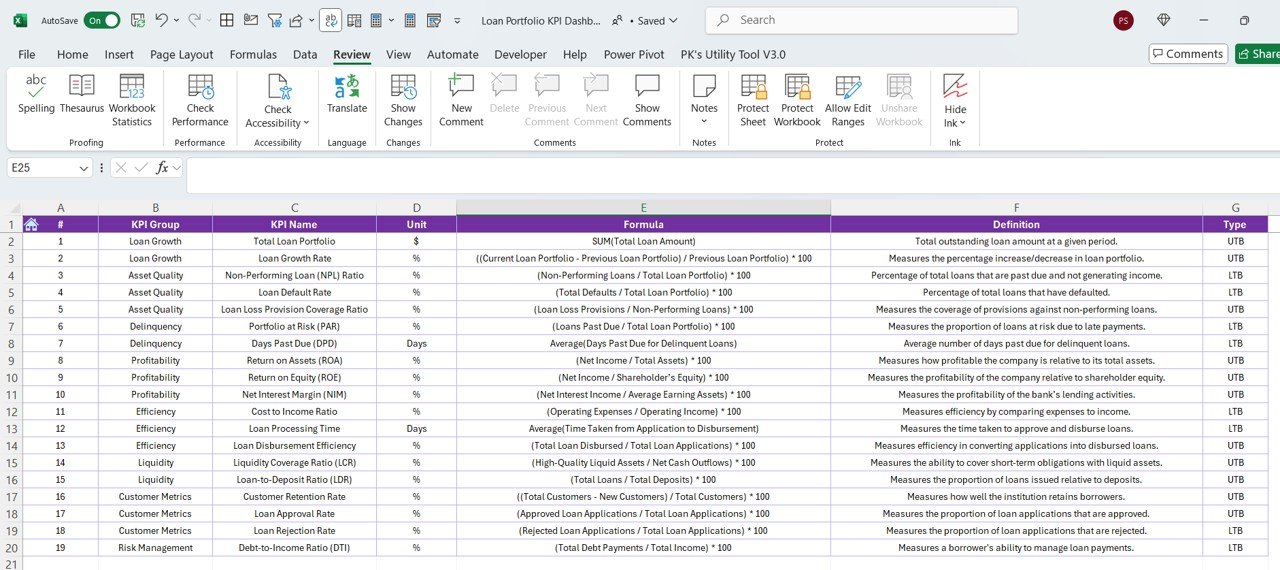

The Loan Portfolio KPI Dashboard in Excel is a powerful tool designed for financial institutions, loan managers, and analysts to track and manage the performance of loan portfolios. This Excel-based dashboard allows you to monitor key performance indicators (KPIs) such as loan disbursements, repayments, default rates, and portfolio growth, helping you make data-driven decisions and optimize loan management.
Whether you’re overseeing a personal loan portfolio, business loans, or mortgage lending, this dashboard provides real-time insights into loan performance, delinquency trends, and financial stability. The dashboard’s user-friendly interface and visualizations allow you to track portfolio health, identify risks, and take proactive steps to improve loan performance.
Key Features of the Loan Portfolio KPI Dashboard in Excel
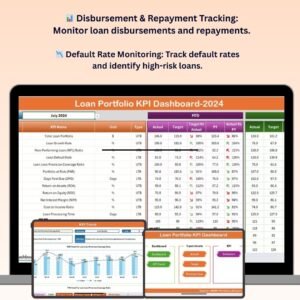
📊 Loan Disbursement & Repayment Tracking
Track the total loan disbursements and repayments across different periods. Get a clear overview of how much has been disbursed versus repaid and monitor trends in repayment behavior.
📉 Default Rate & Risk Assessment
Monitor the default rate for your loan portfolio. Use this KPI to identify high-risk loans and implement strategies to reduce defaults, such as restructuring loans or offering repayment assistance.
📈 Portfolio Growth Monitoring
Track the growth of your loan portfolio over time. Monitor new loan approvals, loan extensions, and the overall size of your portfolio to ensure it’s expanding according to business goals.
🔑 Loan Classification & Status Tracking
Classify loans into different categories based on their status (e.g., performing, non-performing, restructured). Track the progress and health of loans in each category for better decision-making.
📅 Time-Based Performance Analysis
Analyze loan portfolio performance over different time periods (daily, monthly, quarterly, annually). This feature helps you assess short-term and long-term trends to optimize portfolio management.
⚙️ Customizable KPIs & Metrics
Tailor the dashboard to track the specific KPIs and metrics that are most relevant to your portfolio management, such as loan types, client demographics, or industry sectors.
Why You’ll Love the Loan Portfolio KPI Dashboard in Excel
✅ Track Loan Performance Effortlessly
Monitor loan disbursements, repayments, and default rates in one place. Keep track of loan portfolio performance in real time and identify trends that could impact profitability.
✅ Identify High-Risk Loans & Minimize Defaults
Track default rates and assess loan risks to take proactive measures. Reduce defaults by identifying problem loans early and restructuring when necessary.
✅ Optimize Loan Portfolio Growth
Track the growth of your loan portfolio over time. Measure the success of new loan approvals and expansions, and ensure the portfolio is growing in line with your business objectives.
✅ Data-Driven Decisions for Loan Management
Leverage data and insights to make informed decisions regarding loan approvals, risk management, and portfolio optimization. Use the dashboard to guide your strategy and improve loan performance.
✅ User-Friendly & Customizable
The Excel dashboard is easy to use and fully customizable. Tailor the dashboard to suit your portfolio management style, track relevant KPIs, and generate meaningful reports.
What’s Inside the Loan Portfolio KPI Dashboard in Excel?
- Loan Disbursement & Repayment Tracking: Monitor loan disbursements and repayments.
- Default Rate & Risk Assessment: Track loan defaults and assess portfolio risk.
- Portfolio Growth Monitoring: Measure the growth of your loan portfolio.
- Loan Classification Tracking: Classify loans based on performance and status.
- Time-Based Analysis: Track loan portfolio performance over different time periods.
- Customizable KPIs: Tailor the dashboard to your specific loan portfolio needs.
How to Use the Loan Portfolio KPI Dashboard in Excel
1️⃣ Download the Template: Access the Loan Portfolio KPI Dashboard in Excel instantly.
2️⃣ Input Loan Data: Enter loan disbursements, repayments, and other relevant data.
3️⃣ Monitor KPIs & Performance: Track key KPIs such as default rates, loan growth, and repayment performance.
4️⃣ Analyze Portfolio Health: Use the dashboard to assess the health of your loan portfolio and identify areas for improvement.
5️⃣ Optimize Your Loan Strategy: Use the insights gained to optimize your portfolio management strategy and minimize risk.
Who Can Benefit from the Loan Portfolio KPI Dashboard in Excel?
🔹 Loan Managers & Portfolio Analysts
🔹 Financial Institutions & Banks
🔹 Credit Unions & Microfinance Institutions
🔹 Mortgage Lenders & Real Estate Financing Firms
🔹 Data Analysts & Financial Consultants
🔹 Small & Medium Enterprises (SMBs)
🔹 Large Corporations with Loan Portfolios
Optimize your loan management process with the Loan Portfolio KPI Dashboard in Excel. Track loan performance, identify high-risk loans, and make data-driven decisions to improve the overall health of your loan portfolio.
Click here to read the Detailed blog post
Visit our YouTube channel to learn step-by-step video tutorials
Youtube.com/@PKAnExcelExpert
Compatibility and Requirements
- Works in Microsoft Excel desktop (Excel 2016 or later, or Microsoft 365).
- The KPIs are shown as Excel charts. Microsoft’s guide to creating a chart from start to finish explains how to change chart types and formatting.
Frequently Asked Questions
Which KPIs does the Loan Portfolio KPI Dashboard track?
Loan disbursements, repayments, default rate and portfolio growth, plus new loan approvals, loan extensions and the overall size of the portfolio.
How are loans classified?
Loans are grouped by status, for example performing, non-performing and restructured, so you can follow the health of each group.
Can I view results by period?
Yes. The time-based analysis covers daily, monthly, quarterly and annual views, so you can compare short-term and long-term trends.
Can I add my own KPIs?
Yes. You can tailor the dashboard to track other measures such as loan types, client demographics or industry sectors.
Is there a Power BI or Google Sheets version?
Yes. See the Loan Portfolio KPI Dashboard in Power BI and the Loan Portfolio KPI Dashboard in Google Sheets.
Related Lending Templates
- Loan Recovery Services KPI Dashboard in Excel: follow up on overdue and defaulted loans.
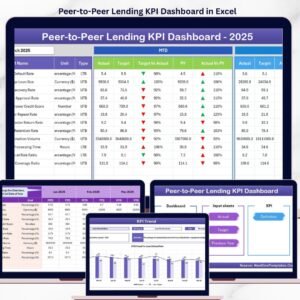
- Peer-to-Peer Lending KPI Dashboard in Excel
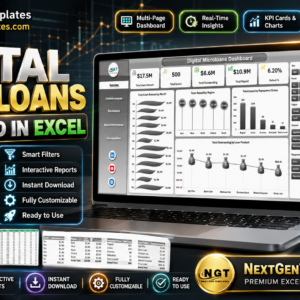
- Digital Microloans Dashboard in Excel: for small, high-volume loan books.
- Loan Application Checklist Template in Excel: check documents before a loan is disbursed.
- Finance & Accounting Command Center: 8 finance templates across Excel, Power BI and Google Sheets.
Browse all Excel KPI dashboards or the Excel financial tools.

















Reviews
There are no reviews yet.